AI integration for CRM contract management focuses on three key connection points: the Opportunity object (where deal terms are negotiated), the CLM platform (where contracts are drafted and signed), and the CRM's automation layer (which triggers renewal alerts and upsell campaigns). The goal is to create a closed-loop system where AI extracts obligations, dates, and terms from executed contracts in systems like Ironclad or DocuSign CLM, then populates custom fields back into the corresponding Salesforce or HubSpot opportunity. This transforms a static PDF attachment into structured, queryable data that can power automated workflows.

Integration
AI Integration for CRM Contract Management
A practical guide to using AI agents to bridge CRM opportunity data with contract documents. Automate the extraction of key dates, obligations, and terms to populate renewal alerts, upsell triggers, and compliance fields directly in Salesforce, HubSpot, or Zoho CRM.
ARCHITECTURE & ROLLOUT
Where AI Fits in CRM Contract Workflows
A practical blueprint for connecting AI to CRM opportunity records and CLM systems to automate contract intelligence.
A production implementation typically involves an event-driven architecture. When a contract status changes to 'Executed' in the CLM, a webhook triggers an AI agent. This agent uses OCR and a fine-tuned extraction model to pull out key dates (renewal, termination notice), financial terms (value, payment schedule), obligations (SLAs, deliverables), and parties. The extracted data is mapped to custom objects or fields in the CRM (e.g., Contract_Renewal_Date__c, Annual_Contract_Value__c). This structured data then triggers native CRM workflows: a renewal alert 90 days out, an automated email to the account owner, or the creation of a follow-up opportunity for an upsell.
Governance is critical. Implement a human-in-the-loop review step for high-value contracts before CRM updates are committed. All extractions and field updates should be logged in an audit object, linking the source contract version, the AI's confidence scores, and the user who approved the change. Rollout should start with a pilot on a single contract type (e.g., NDAs or simple MSAs) to tune the extraction prompts and field mappings before scaling to complex agreements. This approach ensures AI augments—rather than replaces—existing legal and sales operations, turning contract data from a compliance artifact into a revenue intelligence asset.
ARCHITECTURAL BLUEPRINT
Integration Touchpoints in Your CRM & CLM Stack
The Deal-to-Contract Handoff
AI integration begins at the Opportunity object in your CRM (Salesforce, HubSpot). When a deal reaches a specific stage (e.g., "Contract Sent"), an AI agent can be triggered via webhook or platform automation (like Salesforce Flow). This agent fetches the associated Quote or Proposal record and key fields (Customer Name, Term, Products, Discounts) to seed the contract generation process in your CLM (Ironclad, Icertis).
Key Integration Points:
- Webhook Triggers: From CRM stage changes or custom button clicks.
- Data Mapping: Pulling
Account.Name,Opportunity.Amount,QuoteLineItemdetails into a structured JSON payload for the CLM API. - Status Sync: Writing the generated contract ID and a
Contract in Reviewstatus back to a custom field on the Opportunity, creating a bi-directional audit trail.
CRM-CLM INTEGRATION PATTERNS
High-Value Use Cases for AI-Powered Contract Management
Connect AI-powered contract intelligence directly to your CRM's opportunity, account, and renewal workflows. These patterns turn static documents into dynamic triggers for revenue operations.
01
Automated Renewal & Upsell Triggers
AI extracts key dates, auto-renewal clauses, and termination windows from contracts attached to CRM Account or Opportunity records. The system creates Renewal Alert tasks, populates custom date fields, and triggers automated outreach sequences in the CRM 90-120 days in advance.
Batch -> Real-time
Renewal visibility
02
Obligation Tracking for Customer Success
Parse executed contracts to identify client-specific SLAs, reporting requirements, and service deliverables. Create Obligation records in the CRM linked to the Account, assign them to CSMs, and set up automated check-ins. This turns static terms into accountable, tracked work items.
1 sprint
Implementation timeline
03
AI-Powered Contract Analysis for New Deals
During the sales cycle, analyze draft MSAs, SOWs, or NDAs uploaded to the Opportunity. AI summarizes key red flags, non-standard terms, and liability exposure. The summary is appended to the opportunity record, accelerating legal review and empowering sales to negotiate from insight.
Hours -> Minutes
Review time
04
Pricing & Term Intelligence for CPQ
Analyze historical contract data to identify winning pricing structures, discount patterns, and common add-ons by segment. Feed these insights into Salesforce CPQ or similar tools to guide reps toward optimal pricing and term recommendations during quote generation.
Same day
Deal guidance
05
Unified Contract Repository Search
Build a RAG-powered search layer over all executed contracts stored in a CLM (like Ironclad) or network drive. From within the CRM (Account or Contact page), users can ask natural language questions (e.g., "Show all NDAs with this vendor") and get grounded answers with citations.
06
Risk & Compliance Flagging
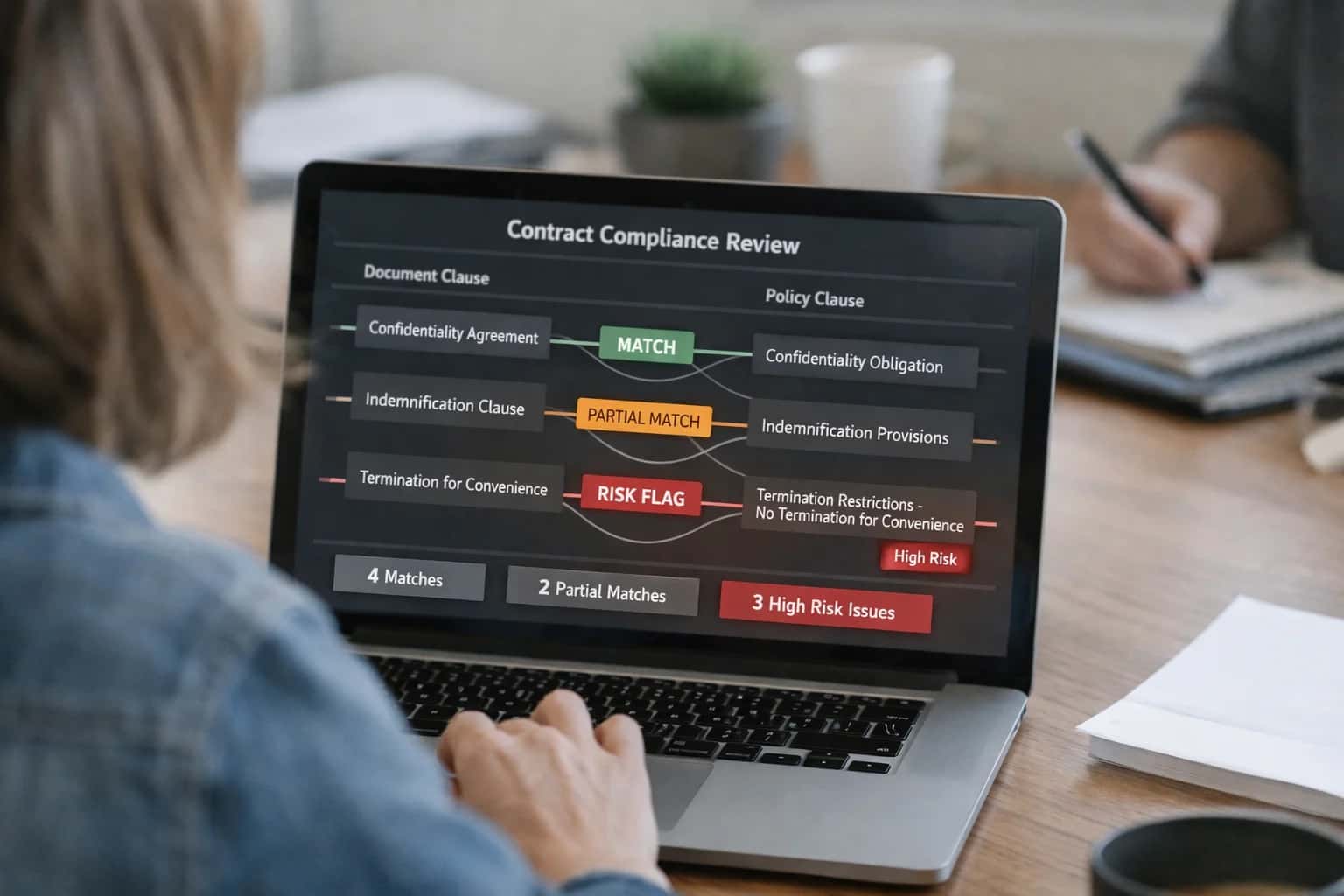
Continuously monitor contract metadata and extracted clauses against a dynamic rules engine (e.g., new data privacy regulations). When a high-risk clause is detected in an active contract, the system creates a Compliance Case in the CRM, notifies legal, and links it to the relevant Account record.
CRM-CLM INTEGRATION PATTERNS
Example AI Agent Workflows
These workflows illustrate how AI agents can bridge CRM opportunity records with Contract Lifecycle Management (CLM) systems like Ironclad or Icertis. The goal is to automate the flow of contract intelligence into sales and renewal processes, turning static documents into actionable CRM data.
Trigger: A finalized contract is uploaded to the CLM platform or a designated SharePoint folder.
Agent Action:
- An AI agent is triggered via webhook, receiving the document URL.
- The agent uses a document intelligence model to extract key obligations, dates, and terms:
renewal_datetermination_notice_daysservice_level_agreement (SLA)termsauto_renewalflag (true/false)key_contactswith roles
- The agent matches the extracted customer name to the corresponding Account and Opportunity records in Salesforce or HubSpot using fuzzy matching on company name and address.
System Update:
- Creates a Custom Object record (e.g.,
Contract_Obligation__c) linked to the Account and Opportunity. - Populates the extracted fields.
- Sets a Renewal Task for the Account Owner 60 days before the
renewal_date. - Updates the Opportunity stage to "Contract Executed" and populates a "Contract Terms" rich text field with a summary.
Human Review Point: The extracted data is logged with a confidence score. Obligations below an 85% confidence threshold are flagged for manual review in a dedicated queue before creating the CRM record.
CONNECTING OPPORTUNITIES TO CONTRACTS
Implementation Architecture: Data Flow & System Wiring
A practical blueprint for wiring AI between your CRM and CLM to automate contract intelligence and renewal workflows.
The integration connects two primary data objects: the CRM Opportunity and the CLM Contract. The typical flow begins when a sales rep marks an opportunity as 'Closed-Won' in Salesforce or HubSpot. This event triggers a webhook to an orchestration service (like a lightweight Node.js or Python service), which fetches the final proposal, SOW, or any attached documents from the CRM's file storage. This payload is then sent to an AI processing pipeline. The pipeline uses a document understanding model (e.g., GPT-4 Vision, Claude 3, or a fine-tuned extractor) to parse the contract PDF or DOCX, extracting key entities into a structured JSON payload: contract_id, customer_name, effective_date, termination_date, renewal_date, total_contract_value, key_obligations, and notice_period. This extracted data is the bridge between the systems.
The structured data then flows in two directions. First, it is posted via the CLM platform's API (e.g., Ironclad, Icertis) to create or update a contract record, populating custom fields with the AI-extracted terms. Second, and crucially for the CRM, the key dates (renewal_date, termination_date) and the total_contract_value are written back to the originating Opportunity record or a related Renewal custom object in Salesforce/HubSpot. This creates a closed-loop system. Back in the CRM, time-based workflows or process builders are configured to use these AI-populated fields. For example, 90 days before a renewal_date, an automation can create a new 'Renewal' opportunity, assign it to an account manager, and trigger an email draft with talking points pulled from the original contract's key_obligations.
Governance and rollout require a phased approach. Start with a pilot on a single sales segment (e.g., 'Enterprise deals >$100k'). Implement a human-in-the-loop review step where the AI's extractions are presented to a Deal Desk or Sales Operations analyst in a simple UI for validation before syncing to the CLM. This builds trust and provides training data to fine-tune the model. Audit trails are essential: log all extraction requests, the source document hash, the raw AI output, and the final approved data to a separate audit database. This ensures compliance and provides a clear lineage for any data point in the CRM. Over time, as confidence grows, the review step can be automated for high-confidence extractions, scaling the integration across the entire deal portfolio.
This architecture turns static contract documents into structured, actionable CRM data. The result is a system where renewal risks are visible in pipeline reports, upsell triggers are automated based on contract milestones, and sales reps spend minutes instead of hours manually reading contracts to update CRM fields. For a deeper look at the document processing layer, see our guide on AI Integration for Contract Lifecycle Management Platforms. To explore industry-specific patterns, review our blueprint for AI Integration for CRM in Financial Services, where contract compliance is paramount.
CONTRACT-TO-CRM WORKFLOWS
Code & Payload Examples
Extract Key Terms to Populate CRM
This pattern uses an AI model to parse a contract PDF attached to a Salesforce Opportunity or HubSpot Deal, extracting structured data to populate custom fields. The workflow is triggered via a platform webhook when a document is uploaded.
Typical Integration Flow:
- A webhook from Salesforce (
AttachmentorContentVersionobject) or HubSpot (FileAPI) fires upon document upload. - Your service fetches the file, sends it to a vision-capable LLM (e.g., GPT-4V, Claude 3) or a specialized document AI service.
- The model extracts key terms (effective date, termination notice period, renewal date, contract value, key contacts).
- A payload is constructed to update the parent CRM record.
python# Example: Webhook handler to process contract and update Salesforce import requests from salesforce_api import SalesforceClient # Hypothetical SDK def handle_webhook(payload): # Payload from Salesforce on file upload opportunity_id = payload['entityId'] file_id = payload['fileId'] # 1. Fetch file content from Salesforce sf_client = SalesforceClient() file_content = sf_client.get_file_content(file_id) # 2. Call AI extraction service extraction_prompt = """Extract from contract: effective_date (YYYY-MM-DD), termination_notice_days (int), auto_renewal (boolean), total_contract_value (float). Return JSON.""" extracted_data = call_llm_for_document(file_content, extraction_prompt) # 3. Map to Salesforce fields update_payload = { 'Contract_Effective_Date__c': extracted_data.get('effective_date'), 'Term_Notice_Days__c': extracted_data.get('termination_notice_days'), 'Auto_Renew__c': extracted_data.get('auto_renewal'), 'Total_Contract_Value__c': extracted_data.get('total_contract_value') } # 4. Update the Opportunity sf_client.update_record('Opportunity', opportunity_id, update_payload)
AI-ENHANCED CONTRACT MANAGEMENT
Realistic Time Savings & Operational Impact
This table illustrates the operational impact of integrating AI into CRM-based contract management workflows, focusing on measurable time savings and process improvements for sales, legal, and operations teams.
| Workflow | Before AI | After AI | Key Impact & Notes |
|---|---|---|---|
Contract Key Term Extraction | Manual review (15-30 min per doc) | Automated extraction & field mapping (2-5 min) | Populates renewal date, value, and obligations into CRM custom fields; human review for complex clauses remains. |
Renewal & Upsell Opportunity Identification | Periodic manual report runs (next-day visibility) | Real-time alerts in CRM (same-day visibility) | Triggers automated Salesforce/HubSpot workflows for sales outreach 90-120 days before renewal. |
Obligation Tracking & Compliance | Spreadsheet or email-based tracking | Automated obligation dashboard in CRM | Centralizes deliverables, SLAs, and reporting dates from contracts; sends reminder tasks to account managers. |
Contract-to-Opportunity Data Sync | Manual copy/paste from CLM to CRM | Bidirectional API sync with validation | Ensures Salesforce opportunity records reflect final contract terms (discounts, payment terms) without data entry errors. |
Initial Contract Review & Red Flag Detection | Legal team screens all contracts | AI pre-screens, flags high-risk clauses | Legal focuses on 20-30% of contracts with flagged issues (e.g., unusual liability, auto-renewal); reduces initial review load. |
RFP & Proposal Response Drafting | Searching past contracts for boilerplate | AI retrieves relevant clauses from approved library | Accelerates first draft creation by pulling pre-approved language based on deal type and region into CPQ/quoting tools. |
Contract Portfolio Reporting | Manual compilation for quarterly business reviews | Automated summary generation in CRM dashboards | Provides real-time insights on contract concentration, average deal size, and common negotiation points by segment. |
ARCHITECTING FOR PRODUCTION
Governance, Security & Phased Rollout
A practical guide to deploying AI for CRM contract management with control, auditability, and measurable impact.
A production-ready integration connects your CRM (Salesforce, HubSpot) and CLM (Ironclad, Icertis) via a secure middleware layer. This layer hosts the AI agents, manages API calls, and enforces access controls. Key objects like Opportunity, Contract, and Account are synced via webhooks or scheduled jobs. The AI agent is triggered when a new contract document is attached to an opportunity record, processes the file via an extraction service (e.g., Azure Document Intelligence, AWS Textract), and populates custom fields such as Renewal Date, Auto-Renew Flag, Termination Notice Period, and Key Obligations back into the CRM. All data flows are logged with a correlation ID for full auditability.
Governance is critical. Implement role-based access controls (RBAC) so only authorized users (e.g., Legal, Deal Desk) can trigger bulk processing or view extracted terms before they sync to the CRM. Use a human-in-the-loop approval step for high-value contracts before creating renewal alerts or upsell triggers. Prompt templates for extraction should be version-controlled and tested for accuracy across contract types (NDA, MSA, SOW). All AI-generated data should be stored with source attribution (e.g., AI_Extracted_Renewal_Date) to distinguish it from manually entered data, enabling easy review and correction.
Roll out in phases. Phase 1: Assisted Review. Deploy the extraction agent to a pilot sales or legal team. Outputs are written to a separate Contract Summary object or a Chatter/Feed post for review, not auto-populating core fields. This builds trust and gathers feedback. Phase 2: Conditional Automation. Configure rules to auto-populate low-risk fields (like contract effective date) and flag high-stakes terms (liability caps, auto-renewal) for mandatory review. Phase 3: Full Workflow Integration. Connect the validated data to automated CRM workflows—creating renewal tasks 90 days out, triggering account manager alerts for upsell opportunities, and updating the Contract Status picklist. Measure success by the reduction in manual data entry hours and the increase in renewal deal visibility within the pipeline.
Enabling Efficiency, Speed & Accuracy
Intelligent Analysis, Decision & Execution
We build AI systems for teams that need search across company data, workflow automation across tools, or AI features inside products and internal software.
Talk to Us
Search across company data
Give teams answers from docs, tickets, runbooks, and product data with sources and permissions.
Useful when people spend too long searching or get different answers from different systems.
Enterprise searchRAGPermissions
Read more
Automate internal workflows
Use AI to route work, draft outputs, trigger actions, and keep approvals and logs in place.
Useful when repetitive work moves across multiple tools and teams.
AI agentsWorkflow automationGovernance
Read more
Add AI to products and internal tools
Build assistants, guided actions, or decision support into the software your team or customers already use.
Useful when AI needs to be part of the product, not a separate tool.
AI integrationDecision supportModel routing
Read moreCRM CONTRACT MANAGEMENT
Frequently Asked Questions
Practical questions and answers for integrating AI into CRM-based contract management workflows, connecting opportunity records with CLM systems and external documents.
This workflow automates the population of key contract dates into your CRM to power renewal and upsell alerts.
- Trigger: A new contract document is uploaded to a designated repository (SharePoint, Box, CLM platform) or attached to a Salesforce Opportunity or Account record.
- Context Pulled: An AI agent is triggered via webhook. It retrieves the contract file and the associated CRM record ID (e.g., Opportunity ID, Account ID).
- AI Action: The agent uses a document intelligence model (like Azure Document Intelligence or AWS Textract with an LLM) to extract key fields:
- Contract Effective Date
- Termination/Expiration Date
- Renewal Notice Period (e.g., "60 days prior")
- Key financial terms (Annual Contract Value, auto-renewal clauses)
- Associated products or services
- System Update: The agent calls the CRM's REST API (e.g., Salesforce PATCH
/services/data/vXX.X/sobjects/Opportunity/{Id}) to populate custom fields likeContract_Expiration_Date__c,Renewal_Alert_Date__c, andACV__c. It may also create a Task or Chatter post for the account owner. - Human Review Point: For high-value contracts or low-confidence extractions, the system can flag the record for manual review in the CRM or route it to a legal operations queue in the CLM system before updating the CRM.

About the author
Prasad Kumkar
CEO & MD, Inference Systems
Prasad Kumkar is the CEO & MD of Inference Systems and writes about AI systems architecture, LLM infrastructure, model serving, evaluation, and production deployment. Over 5+ years, he has worked across computer vision models, L5 autonomous vehicle systems, and LLM research, with a focus on taking complex AI ideas into real-world engineering systems.
His work and writing cover AI systems, large language models, AI agents, multimodal systems, autonomous systems, inference optimization, RAG, evaluation, and production AI engineering.
LinkedIn
Limited slotsGet a Free AI Consultation
Partnered with leading AI, data, and software stack.





How We Work
Custom AI workflows for your Business
One-fit-all AI don't work for modern businesses. At Inferensys, we aim to understand your business & custom requirements; which we use to define most efficient agentic workflows, the data, and the tools for your business.
01
Review the use case
We understand the task, the users, and where AI can actually help.
Read more02
Pick the right approach
We define what needs search, automation, or product integration.
Read more03
Build the first useful version
We implement the part that proves the value first.
Read more04
Improve from there
We add the checks and visibility needed to keep it useful.
Read moreThe first call is a practical review of your use case and the right next step.
Talk to Us