AI integration in this sector connects to three primary surfaces within platforms like Salesforce Financial Services Cloud, nCino, or custom wealth management CRMs: Client Profile & Household Objects, Activity & Communication Timelines, and Document Management modules. The goal is to augment, not replace, advisor judgment by injecting intelligence into data entry (e.g., auto-filling KYC fields from scanned IDs), communication drafting (generating compliant email summaries of portfolio reviews), and workflow routing (escalating a high-net-worth client's service request based on sentiment and lifetime value).

Integration
AI Integration for CRM in Financial Services
A technical blueprint for embedding AI into Salesforce, HubSpot, and other CRMs used in banking, wealth management, and insurance. Focuses on compliance-aware workflows, advisor copilots, and automating high-touch, regulated processes.
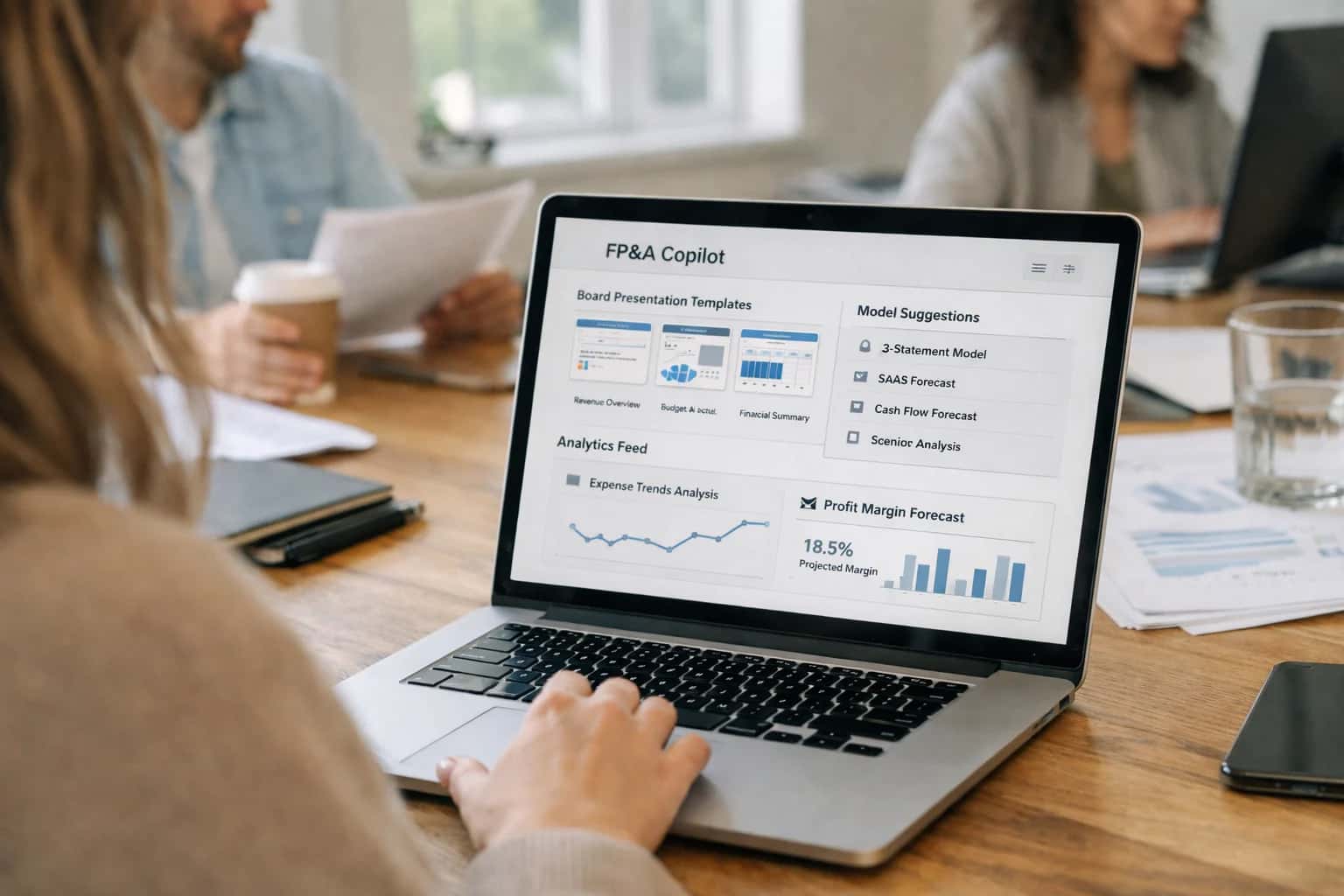
COMPLIANCE-AWARE ARCHITECTURE
Where AI Fits in Financial Services CRM
Integrating AI into financial services CRMs requires a focus on regulated workflows, client data security, and advisor augmentation.
Implementation typically involves a secure middleware layer that sits between the CRM and AI models. This layer handles data masking (stripping PII before sending to an LLM), audit logging of all AI-generated content and decisions, and approval workflows (e.g., requiring an advisor to review and sign off on an AI-drafted client communication before sending). Use cases are high-frequency, manual tasks: automating the creation of Investment Policy Statement drafts from questionnaire data, summarizing earnings call transcripts and linking insights to relevant client portfolios in the CRM, or triaging incoming client service inquiries to the appropriate specialist queue based on intent and complexity.
Rollout is phased, starting with internal-facing "copilot" features that do not directly touch clients, such as an AI assistant that prepares a pre-meeting briefing for an advisor by pulling together the last five interactions, portfolio performance against benchmarks, and any pending paperwork from the CRM. Governance is paramount; successful integrations implement role-based access controls (RBAC) to determine which users can trigger AI features, maintain prompt versioning to ensure consistent, compliant outputs, and establish clear human-in-the-loop checkpoints for any client-facing content or material financial recommendations.
COMPLIANCE-AWARE INTEGRATION SURFACES
Key CRM Touchpoints for AI in Financial Services
Automating the First Mile of the Relationship
This workflow is a prime candidate for AI to reduce manual review and accelerate time-to-revenue. Integration typically connects to the Account, Contact, and custom KYC object in your CRM (Salesforce, Dynamics 365).
AI can be applied to:
- Document Processing: Extract and validate data from uploaded IDs, bank statements, and proof-of-address documents using OCR and LLMs. Populate CRM fields automatically.
- Risk Scoring: Analyze application data against internal watchlists and external data sources to generate a preliminary risk score, flagging cases for manual review.
- Workflow Orchestration: Trigger next steps—like scheduling a video verification call or moving the record to an underwriting queue—based on AI-determined completeness and risk.
This reduces onboarding from days to hours while maintaining a full audit trail for compliance.
CRM INTEGRATION PATTERNS
High-Value Use Cases for Banking, Wealth, and Insurance
Integrating AI into financial services CRMs requires a focus on compliance, complex data, and high-touch client relationships. These patterns show where AI agents can augment advisor and operations workflows within Salesforce, Microsoft Dynamics, or other core CRM platforms.
01
Advisor Copilot for Client Meetings
An in-CRM AI assistant that surfaces a unified client profile before meetings by pulling data from portfolio systems (Addepar, Orion), recent transactions, support tickets, and news alerts. It drafts personalized agenda points, identifies upcoming review needs, and suggests relevant products based on life events detected in notes.
1 hour -> 10 min
Meeting prep
02
Compliance-Aware Communication Drafting
AI integrated into the CRM's email and message composer that generates first drafts for client outreach, automatically incorporating required disclosures (e.g., "Past performance is not indicative..."), checking for prohibited language, and maintaining a compliant tone. Drafts are grounded in the client's portfolio and recent interactions stored in CRM objects.
Reduced Review Cycles
Compliance guardrails
03
Risk Assessment & Onboarding Triage
For banking and insurance, AI agents analyze documents (IDs, financial statements, applications) attached to CRM Lead or Account records. They extract key data points, run initial AML/KYC checks against watchlists, flag inconsistencies, and populate onboarding workflows. High-risk cases are routed to a specialized queue, while low-risk flows proceed automatically.
Days -> Hours
Onboarding time
04
Portfolio Alerting & Proactive Service
AI monitors integrated data feeds (market data, portfolio rebalancing triggers, policy anniversaries) and creates prioritized service cases in the CRM. For example: a case is auto-generated for a wealth management client whose asset allocation has drifted beyond threshold, complete with analysis and suggested next steps for the assigned advisor.
Batch -> Real-time
Client insight
05
Cross-Sell & Retention Scoring
Moves beyond simple RFM. AI models consume CRM interaction history, product holdings, digital engagement, and external signals (e.g., rate changes) to score each client for specific product fit (e.g., umbrella policy, CD rollover) and churn risk. Scores update daily and trigger tailored campaigns or advisor alerts within the CRM's workflow engine.
Improved Targeting
Personalized offers
06
Complex Service Inquiry Resolution
AI-powered support agent integrated with the CRM's service console (e.g., Service Cloud). It uses RAG over internal knowledge bases (product guides, compliance manuals, past case resolutions) to answer agent questions or directly handle client queries via chat. It can draft accurate, compliant responses and log the full interaction as a CRM activity.
Hours -> Minutes
Case resolution
COMPLIANCE-AWARE AUTOMATION FOR FINANCIAL SERVICES
Example AI-Augmented Workflows
These workflows illustrate how AI can be integrated into financial services CRMs to augment advisor productivity, enhance client service, and automate compliance-sensitive processes. Each flow is designed to respect data governance, maintain clear audit trails, and include necessary human review points.
Trigger: A new 'High-Net-Worth Prospect' record is created in the CRM with a status of 'Application Started'.
Workflow:
- An AI agent is triggered via CRM workflow rule or platform event.
- The agent retrieves the prospect's submitted application form (PDF/scan) from a linked document storage (e.g., SharePoint, Box).
- Using a document intelligence model, the agent extracts key fields:
Full Legal Name,Tax ID,Source of Funds,Investment Objectives,Risk Tolerance. - The agent performs initial checks:
- Validates extracted data against internal watchlists (via a secure API call).
- Flags any missing or inconsistent information (e.g., mismatched name on ID vs. application).
- The agent updates the CRM record:
- Populates custom fields with extracted data.
- Creates a
KYC/KYB Taskfor the relationship manager, attaching a summary of extracted data and any flags. - Generates a draft
Welcome & Next Stepsemail, pre-populated with the client's name and missing document requests, saved as a draft in the CRM's activity timeline.
Human Review Point: The relationship manager must review the populated data, clear any flags, and approve/send the drafted email before any external communication is sent.
COMPLIANCE-AWARE AI INTEGRATION
Implementation Architecture: Data Flow & Guardrails
A secure, auditable architecture for integrating AI into financial services CRMs, ensuring regulatory compliance and data integrity.
A production-ready integration for a platform like Salesforce Financial Services Cloud or Wealth Management CRM is built on a secure, event-driven data flow. The core pattern uses the CRM's API (e.g., Salesforce REST/Bulk API) and platform events or webhooks to trigger AI workflows. For example, a new KYC Document attachment on an Account record can be queued for AI-powered extraction of beneficial ownership details. Similarly, a Client Meeting activity completion can trigger an AI agent to draft a compliant follow-up summary and log it as a Note. All sensitive data—client PII, portfolio details, transaction history—is encrypted in transit and never persisted in third-party AI model training caches.
Critical guardrails are implemented at multiple layers:
- Pre-Execution: AI agents check user permissions via the CRM's Role Hierarchy and Field-Level Security before accessing records.
- In-Process: A prompt governance layer injects compliance instructions (e.g., "Do not provide investment advice") and uses retrieval-augmented generation (RAG) to ground responses in approved policy documents and product glossaries stored in a secure vector database.
- Post-Execution: All AI-generated content (emails, notes, risk assessments) is logged as a
Draftstatus with a mandatory human-in-the-loop approval step, often modeled as a Salesforce Approval Process or a custom Lightning component. A full audit trail—including the source record ID, prompt, model used, and user who approved—is written to a dedicatedAI_Interaction_Log__cobject for compliance reviews.
Rollout follows a phased, risk-based approach. Phase 1 typically targets low-risk, high-volume workflows like document classification for onboarding or sentiment analysis on support cases. Phase 2 introduces advisor copilots for research synthesis within a sandboxed environment. Each phase includes parallel runs to compare AI outputs against manual benchmarks, ensuring accuracy and building institutional trust before scaling to client-facing or regulated decision-support functions.
FINANCIAL SERVICES CRM INTEGRATION PATTERNS
Code & Payload Examples
Automating Document Intake for New Accounts
Financial onboarding involves processing IDs, tax forms, and financial statements. An AI agent can extract and validate data from uploaded documents, populate CRM fields, and flag discrepancies for review.
Typical Workflow:
- Document uploaded to CRM (e.g., a
Fileobject on a SalesforceOpportunityorAccount). - Webhook triggers an AI parsing service.
- AI extracts structured data (name, SSN, income, assets).
- Results are posted back to the CRM, populating custom fields and triggering a compliance review task if data mismatches are detected.
json// Example Payload to AI Service from CRM Webhook { "crm_record_id": "001xx000003DGcBAAW", "record_type": "Account", "document_urls": [ "https://crm-instance.salesforce.com/servlet/servlet.FileDownload?file=00Pxx00001aBcDeF" ], "document_types": ["W-9", "Bank_Statement"], "callback_url": "https://your-ai-service.com/crm-webhook/callback" }
This pattern reduces manual data entry, accelerates account activation, and creates a structured audit trail within the CRM.
AI-ENHANCED CRM WORKFLOWS IN FINANCIAL SERVICES
Realistic Time Savings & Operational Impact
A comparison of manual versus AI-assisted processes for key CRM workflows in banking, wealth management, and insurance, showing realistic efficiency gains and operational improvements.
| Process / Workflow | Manual / Pre-AI State | AI-Assisted State | Key Considerations & Impact |
|---|---|---|---|
High-Net-Worth Lead Qualification | Manual review of financial statements & advisor notes (2-4 hrs/lead) | AI-assisted scoring & risk profile summary (20-30 mins/lead) | Human advisor makes final approval; reduces pre-meeting research time by ~75% |
Insurance Policy Application Intake | Agent manually transcribes data from forms (45-60 mins/app) | AI extracts & populates CRM fields from uploaded documents (10 mins/app) | Agent reviews for accuracy; cuts data entry time, reduces typos, speeds submission |
Wealth Management Client Portfolio Review Prep | Analyst manually compiles performance, news, and research (3-5 hrs/client) | AI agent synthesizes data & generates draft review memo (1 hr/client) | Advisor personalizes narrative; shifts focus from data gathering to strategic advice |
Banking KYC/Client Onboarding Document Review | Compliance officer manually checks documents for completeness (1-2 hrs/case) | AI pre-scans & flags missing or anomalous documents (15 mins/case) | Officer focuses on flagged exceptions; accelerates onboarding, maintains audit trail |
Cross-Sell Opportunity Identification | Monthly manual report run & list review by sales manager (4-8 hrs/cycle) | AI continuously analyzes transaction & interaction data, surfaces alerts | Alerts integrated into CRM; enables proactive, timely outreach vs. batch analysis |
Regulatory & Complaint Communication Drafting | Legal/compliance drafts templated responses (60-90 mins/response) | AI generates compliant draft from case notes & policy library (20 mins/response) | Required legal sign-off remains; ensures consistency, frees capacity for complex cases |
Advisor Daily Activity & Note Logging | Manual entry of call notes and next steps post-meeting (30+ mins/day) | AI transcribes calls, suggests summaries & logs activities (5-10 mins/day) | Reduces administrative burden, improves data completeness for compliance and coaching |
COMPLIANCE-AWARE IMPLEMENTATION
Governance, Security & Phased Rollout
A structured approach to deploying AI in regulated CRM environments, balancing innovation with control.
In financial services, AI integrations must be built on a foundation of audit trails, data lineage, and role-based access controls (RBAC). This means every AI-generated client communication, risk score, or document summary must be logged against the initiating user, with the source data and model prompts retrievable for compliance reviews. Integrations should enforce existing CRM permission sets—ensuring a junior advisor cannot access AI-generated portfolio analysis for high-net-worth clients without proper entitlements—and all external API calls to models like GPT-4 or Claude must be encrypted and monitored for data egress.
A phased rollout is critical for managing risk and building trust. Phase 1 typically starts with a low-risk, high-volume use case like automating the summarization of KYC documents or meeting notes into Salesforce Contact or Account records, operating in a human-in-the-loop mode where all outputs are reviewed before saving. Phase 2 introduces AI-driven lead scoring and routing within the CRM, using historical win/loss data to prioritize Leads for banking or insurance products, but with clear override flags for compliance officers. Phase 3 expands to client-facing copilots for wealth managers, suggesting talking points or portfolio rebalancing options within the CRM interface, but governed by pre-approved prompt templates and a mandatory review step for any actionable advice.
Finally, establish a cross-functional AI governance council with members from Compliance, Legal, IT Security, and business units (Wealth Management, Commercial Banking). This council should review all new AI workflow proposals, validate the data sources (e.g., ensuring model training doesn't use restricted client data), and define the key risk indicators (KRIs) for monitoring, such as drift in model-generated recommendation acceptance rates. This structured, incremental approach allows financial institutions to capture efficiency gains—turning document-heavy onboarding from days to hours—while maintaining the rigorous control required by FINRA, SEC, and internal audit standards.
Enabling Efficiency, Speed & Accuracy
Intelligent Analysis, Decision & Execution
We build AI systems for teams that need search across company data, workflow automation across tools, or AI features inside products and internal software.
Talk to Us
Search across company data
Give teams answers from docs, tickets, runbooks, and product data with sources and permissions.
Useful when people spend too long searching or get different answers from different systems.
Enterprise searchRAGPermissions
Read more
Automate internal workflows
Use AI to route work, draft outputs, trigger actions, and keep approvals and logs in place.
Useful when repetitive work moves across multiple tools and teams.
AI agentsWorkflow automationGovernance
Read more
Add AI to products and internal tools
Build assistants, guided actions, or decision support into the software your team or customers already use.
Useful when AI needs to be part of the product, not a separate tool.
AI integrationDecision supportModel routing
Read moreIMPLEMENTATION AND COMPLIANCE
Frequently Asked Questions
Integrating AI into financial services CRMs requires a careful balance of innovation, security, and regulatory adherence. Below are answers to the most common technical and operational questions from banks, wealth managers, and insurers.
Compliance is managed through a multi-layered architecture:
- Pre-flight Prompt Guardrails: All prompts sent to the LLM are enriched with compliance instructions (e.g., "Do not promise specific returns," "Include required disclosures for [Product Type]").
- Dynamic Context Injection: The system pulls the client's jurisdiction, accredited investor status, and product-specific regulations from the CRM (
Contact.Regulatory_Flags__c,Account.Jurisdiction__c) and injects them into the prompt. - Post-Generation Review & Logging:
- Human-in-the-Loop (HITL): For high-risk communications (e.g., investment advice, policy changes), drafts are routed to a compliance queue in the CRM for review and approval before sending.
- Automated Audit Trail: Every generated communication, its source data, prompt, and model used are logged as a related record (e.g.,
AI_Communication_Log__c) to the CRMContactorCasefor exam readiness. - Pre-Send Scanning: Final drafts can be scanned by a secondary classifier model to flag potential compliance issues before release.

About the author
Prasad Kumkar
CEO & MD, Inference Systems
Prasad Kumkar is the CEO & MD of Inference Systems and writes about AI systems architecture, LLM infrastructure, model serving, evaluation, and production deployment. Over 5+ years, he has worked across computer vision models, L5 autonomous vehicle systems, and LLM research, with a focus on taking complex AI ideas into real-world engineering systems.
His work and writing cover AI systems, large language models, AI agents, multimodal systems, autonomous systems, inference optimization, RAG, evaluation, and production AI engineering.
LinkedIn
Limited slotsGet a Free AI Consultation
Partnered with leading AI, data, and software stack.





How We Work
Custom AI workflows for your Business
One-fit-all AI don't work for modern businesses. At Inferensys, we aim to understand your business & custom requirements; which we use to define most efficient agentic workflows, the data, and the tools for your business.
01
Review the use case
We understand the task, the users, and where AI can actually help.
Read more02
Pick the right approach
We define what needs search, automation, or product integration.
Read more03
Build the first useful version
We implement the part that proves the value first.
Read more04
Improve from there
We add the checks and visibility needed to keep it useful.
Read moreThe first call is a practical review of your use case and the right next step.
Talk to Us