Traditional EAM dashboards in IBM Maximo, SAP EAM, or Infor EAM are built on static queries: they show what you already decided to measure. AI analytics transforms this by adding a conversational interface to your entire asset data model. Instead of navigating menus to build a report on mean time between failure (MTBF) for critical pumps, a planner can simply ask, "Which pumps are most likely to fail in the next quarter, and what's the leading cause?" The system parses the intent, queries live work order history, sensor streams, and parts inventory, and returns a ranked list with supporting evidence and recommended actions—all within the same interface.

Integration
AI for EAM Reporting and AI Analytics
Move beyond static dashboards. A practical guide to integrating AI for interactive analytics, natural language query, automated insight generation, and predictive KPI forecasting in IBM Maximo, SAP EAM, Infor EAM, and Asset Panda.
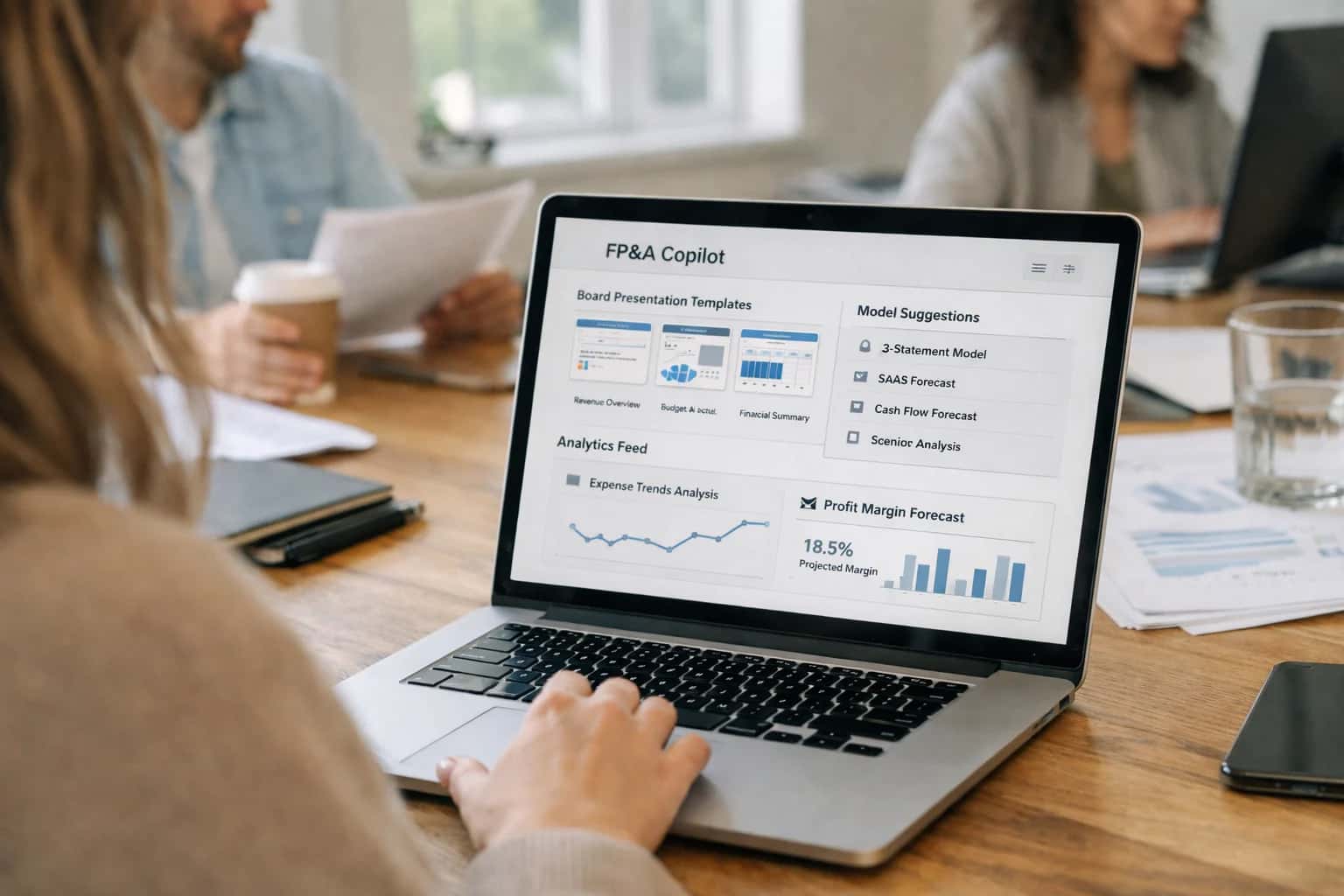
ARCHITECTING THE NEXT GENERATION OF EAM INTELLIGENCE
From Static Dashboards to Interactive AI Analytics
Move beyond pre-built reports to an AI-native analytics layer that lets your team ask questions, uncover hidden trends, and forecast asset performance in natural language.
Implementation starts by indexing your EAM's operational data—work orders, failure codes, meter readings, cost history—into a vector database alongside unstructured data like technician notes, inspection photos, and equipment manuals. This creates a unified, searchable knowledge layer. An AI agent, governed by strict role-based access control (RBAC) matching your EAM security model, acts as an intermediary. It accepts natural language queries via chat or voice, breaks them into sub-tasks (e.g., fetch asset criticality scores, calculate historical downtime cost, retrieve recent vibration analysis reports), and synthesizes a coherent answer, citing its sources. For forecasting, the system can run lightweight predictive models on-the-fly or call pre-computed scores from integrated predictive maintenance platforms.
Rollout is phased. Start with a controlled pilot group—reliability engineers or maintenance planners—focused on high-value, repetitive analytical tasks: root cause analysis, backlog prioritization, or budget forecasting. Use this phase to refine prompt guardrails and audit trails, ensuring the agent stays within its operational domain. Governance is critical; every query and generated insight should be logged with the user, context, and data sources used, creating a transparent chain of custody for audit and model improvement. This isn't about replacing your BI investment but augmenting it; the AI layer serves ad-hoc, operational intelligence while your core dashboards handle standardized regulatory and financial reporting.
The shift reduces the latency between a question and a decision. What took a day of manual data extraction and spreadsheet analysis becomes a 30-second conversation. This turns your EAM from a system of record into a system of intelligence, where the barrier to insight is no longer SQL expertise or report-building permissions, but simply the ability to ask the right question about your assets.
PLATFORM SURFACES
Where AI Connects to Your EAM Reporting Stack
From Static Views to Interactive Queries
AI transforms rigid, pre-built dashboards into conversational interfaces. Instead of navigating complex filters, users can ask questions in natural language:
- "Show me assets with the highest downtime cost last quarter."
- "Compare mean time between failure for pumps in Plant A vs. Plant B."
This layer connects to your existing BI tools (like Power BI, Tableau, or embedded EAM dashboards) via their APIs or by acting as a middleware query engine. AI parses the intent, translates it into the correct data model queries (often SQL or MDX), and returns a summarized answer, chart, or filtered dataset. It turns reporting from a pull activity into a push of relevant, actionable insights.
FROM STATIC DASHBOARDS TO INTERACTIVE INTELLIGENCE
High-Value AI Analytics Use Cases for EAM
Transform your EAM reporting from reactive dashboards to proactive, AI-driven analytics. These use cases leverage natural language, automated insight generation, and predictive forecasting to empower reliability engineers, maintenance planners, and operations leaders.
01
Natural Language Query for Asset Health
Enable teams to ask questions like "Which assets had the highest downtime cost last quarter?" or "Show me all pumps with vibration trending above threshold" directly against EAM data. The AI translates the query, executes it across Maximo, SAP EAM, or Infor EAM tables, and returns a formatted answer with supporting records, moving analytics from IT-led report requests to self-service.
Hours -> Minutes
Insight time
02
Automated Root Cause Analysis & Insight Generation
Automatically scan completed work orders, failure codes, and parts usage to identify recurring failure patterns and hidden correlations. Instead of manual spreadsheet analysis, the AI surfaces insights such as "Work orders for Motor XYZ are 40% longer when Contractor ABC is used" or "Failure Mode 'Bearing Wear' spikes after 90 days following Lubricant Brand Switch." These automated insights feed directly into reliability-centered maintenance (RCM) reviews.
Batch -> Real-time
Analysis cadence
03
Predictive KPI Forecasting for OEE & MTBF
Move beyond historical KPI dashboards to forecast key metrics like Overall Equipment Effectiveness (OEE) and Mean Time Between Failures (MTBF). The AI model consumes work order backlog, planned maintenance schedules, and seasonal operational data to predict next month's OEE by production line or quarterly MTBF trends for critical asset classes. This allows planners to proactively adjust schedules and resource allocation to meet targets.
1 sprint
Forecast lead time
04
Automated Regulatory & Compliance Reporting
Streamline the creation of complex compliance reports for environmental, safety, and quality audits. The AI agent is configured with report templates and regulatory logic. It queries the EAM system for inspection results, permit conditions, safety observation close rates, and calibration records, then assembles a draft report with executive summaries and exception highlighting. This reduces manual data consolidation from days to hours.
Days -> Hours
Report generation
05
Anomaly Detection in Maintenance Spend
Continuously monitor EAM cost data—labor, parts, contractor invoices—to detect spending anomalies and identify savings opportunities. The AI establishes baselines for cost-per-work-order-type and flags deviations, such as a 30% cost increase for valve repairs in Q3 or unbudgeted overtime spikes for a specific crew. These alerts are routed to maintenance managers with linked records for investigation, enabling proactive budget management.
06
Dynamic Asset Criticality Scoring
Automate and continuously update asset criticality rankings. Instead of a static, annual review, an AI model analyzes live data from the EAM: downtime cost impact, redundancy availability, safety incident history, and environmental risk. It outputs a dynamic criticality score that can automatically reprioritize the PM backlog, trigger more frequent inspections, or influence capital planning decisions in tools like Asset Panda or Infor EAM.
FROM STATIC DASHBOARDS TO INTERACTIVE INTELLIGENCE
Example AI-Powered Analytics Workflows
Move beyond pre-built reports. These workflows illustrate how AI transforms EAM data into proactive insights, enabling natural language query, automated root cause analysis, and predictive forecasting for asset performance.
Trigger: A reliability manager asks a question in a chat interface embedded in the EAM dashboard: "Show me assets with OEE below 70% this month and the top 3 reasons for downtime from their last 5 work orders."
Context/Data Pulled:
- The AI agent authenticates via the EAM system's API (e.g., Maximo's REST API, SAP OData).
- Queries the asset master for equipment with calculated OEE metrics below the threshold.
- For each qualifying asset, retrieves the associated work order history, focusing on recent corrective maintenance records.
- Extracts and parses the failure code, problem description, and resolution notes from those work orders.
Model/Agent Action:
- A language model (e.g., GPT-4, Claude) analyzes the unstructured text from the work order descriptions.
- It performs semantic clustering to identify common themes (e.g., "bearing failure," "motor overload," "calibration drift").
- Ranks the identified failure reasons by frequency across the asset set.
System Update/Next Step:
- The agent constructs a formatted response with a table of assets, their OEE values, and the top correlated failure reasons.
- It can generate a follow-up suggestion: "Would you like to create a focused PM campaign for the 5 assets with recurring bearing issues?"
- The entire interaction is logged for audit, linking the query, data sources, and AI-generated insight.
Human Review Point: The manager reviews the AI-synthesized list. They can accept the suggestion, triggering the creation of a PM campaign draft in the EAM, or ask a clarifying question to refine the analysis.
FROM STATIC DASHBOARDS TO INTERACTIVE INTELLIGENCE
Architecture: Building the AI Analytics Layer
A practical blueprint for adding an AI analytics layer atop your EAM platform to transform reporting from retrospective to predictive.
The core architecture involves creating a separate analytics service that sits alongside your EAM (IBM Maximo, SAP EAM, Infor EAM, or Asset Panda). This service ingests key data objects—work order history, asset hierarchies, failure codes, meter readings, inventory transactions, and cost records—via nightly batch syncs or real-time API/webhook streams. It processes this data into a vector-optimized knowledge graph and time-series store, enabling the AI layer to perform semantic search, pattern recognition, and predictive forecasting without impacting the transactional performance of the core EAM database.
This service exposes two primary interfaces to end-users. First, a natural language query engine allows planners and reliability engineers to ask questions like "Show me assets with rising corrective maintenance costs over the last quarter" or "Which work orders are most likely to exceed their estimated duration?" The engine translates these queries into complex joins across asset, work, and cost tables, returning results as interactive visualizations. Second, an automated insight generation module runs scheduled analyses on KPIs like Mean Time Between Failure (MTBF), Overall Equipment Effectiveness (OEE), and maintenance backlog, proactively flagging anomalies, trends, and recommended actions directly within EAM dashboards or via alerting channels.
Rollout follows a phased approach: start by connecting the AI layer to a single, high-value asset class or plant area to validate data pipelines and generate quick wins. Governance is critical; establish clear audit trails for all AI-generated insights and ensure any prescriptive recommendations (e.g., "defer this PM") are routed through existing EAM approval workflows before creating automated work orders. The final architecture delivers a closed-loop system where AI analytics inform EAM actions, and the resulting operational data feeds back to continuously improve the models.
AI-ENHANCED EAM REPORTING
Code and Payload Examples
Query Your Asset Data in Plain English
Transform static reporting into interactive analytics by allowing users to ask questions directly against their EAM data. This pattern uses a Retrieval-Augmented Generation (RAG) pipeline to ground LLM responses in your asset hierarchy, work order history, and cost data.
Example API Call:
pythonimport requests query = "What were the top 5 assets by maintenance cost last quarter, and what were the primary failure modes?" response = requests.post( 'https://api.your-eam-integration.com/v1/analytics/query', headers={'Authorization': 'Bearer YOUR_API_KEY'}, json={ "platform": "ibm_maximo", "query": query, "context": { "asset_hierarchy_id": "SITE_100", "date_range": {"start": "2024-01-01", "end": "2024-03-31"} } } ) # Returns structured data and a narrative summary result = response.json() print(result['summary']) for asset in result['top_assets']: print(f"{asset['asset_num']}: ${asset['total_cost']} - {asset['primary_failure']}")
This endpoint parses the natural language query, constructs the appropriate SQL or API calls to your EAM system, and returns a human-readable summary alongside structured data for dashboard embedding.
AI-ENHANCED REPORTING VS. TRADITIONAL DASHBOARDS
Realistic Time Savings and Operational Impact
This table compares the manual, reactive reporting common in EAM systems with the AI-driven, interactive analytics enabled by natural language query and automated insight generation.
| Reporting Activity | Traditional EAM Process | AI-Enhanced Process | Operational Impact |
|---|---|---|---|
Ad-hoc KPI Analysis | Manual query building in BI tool, 2-4 hours | Natural language question, answer in seconds | Analysts shift from data gathering to strategic analysis |
Monthly Asset Performance Report | Manual data consolidation and charting, 1-2 days | Automated report generation with narrative insights, 1-2 hours | Frees up planner time for corrective action planning |
Root Cause Analysis for Downtime | Manual correlation of work orders and logs, 4-8 hours | AI-driven pattern detection and hypothesis generation, 30 minutes | Faster identification of systemic issues, reducing repeat failures |
Regulatory Compliance Reporting | Manual extraction and validation from multiple modules, 3-5 days | AI-assisted data aggregation and anomaly flagging, 1 day | Reduces audit preparation time and risk of reporting errors |
Forecasting Critical Spare Parts Demand | Historical average or manual spreadsheet model, next-day update | AI model incorporating failure rates and lead times, real-time alerts | Optimizes inventory capital and prevents stock-out driven downtime |
Executive Summary for Reliability Review | Manual slide deck creation from static dashboards, 1 day | Automated insight synthesis into briefing document, 1 hour | Enables data-driven decision cycles from monthly to weekly |
Cross-system Data Investigation (EAM to ERP) | Manual join via exports and VLOOKUP, half-day to day | Federated query via natural language, minutes | Unlocks integrated financial and operational intelligence without IT tickets |
OPERATIONALIZING AI ANALYTICS
Governance, Security, and Phased Rollout
A practical framework for deploying AI-powered reporting in EAM platforms with control, security, and measurable impact.
Effective AI integration for EAM reporting starts with a governance-first architecture. This means mapping AI access to existing role-based access control (RBAC) within your IBM Maximo, SAP EAM, or Infor EAM instance. AI agents and analytics tools should only query the asset hierarchies, work order history, and cost data that a user's role already permits. All AI-generated insights, such as a natural language query about 'downtime trends for critical pumps,' must be logged in the EAM's native audit trail, creating a clear lineage from question to data source to answer for compliance and trust.
For security, the integration is typically deployed as a middleware layer that brokers requests between the EAM's APIs and the AI service (e.g., an LLM or analytics engine). This layer enforces data masking for sensitive fields, manages API key rotation, and can be hosted within your cloud VPC for data residency. A key pattern is to use vector embeddings of your EAM's historical reports, failure codes, and maintenance logs to power a Retrieval-Augmented Generation (RAG) system. This keeps proprietary operational data private, grounding AI responses in your actual asset history instead of public models, preventing hallucinations in critical recommendations.
A phased rollout mitigates risk and proves value. Phase 1 often targets a single analyst team with read-only natural language querying against a sandboxed copy of EAM data, focusing on speeding up report generation. Phase 2 introduces predictive analytics, such as KPI forecasting for Mean Time Between Failure (MTBF), and surfaces these insights as widgets within the existing EAM dashboard (e.g., Maximo's Start Center or SAP Fiori tiles). Phase 3 operationalizes AI by connecting insights to workflows, like automatically generating a Maximo work request when an AI model predicts a high-probability failure, but gating it with a planner's approval. This crawl-walk-run approach, paired with change management for planners and reliability engineers, ensures adoption and continuous feedback for model tuning.
Enabling Efficiency, Speed & Accuracy
Intelligent Analysis, Decision & Execution
We build AI systems for teams that need search across company data, workflow automation across tools, or AI features inside products and internal software.
Talk to Us
Search across company data
Give teams answers from docs, tickets, runbooks, and product data with sources and permissions.
Useful when people spend too long searching or get different answers from different systems.
Enterprise searchRAGPermissions
Read more
Automate internal workflows
Use AI to route work, draft outputs, trigger actions, and keep approvals and logs in place.
Useful when repetitive work moves across multiple tools and teams.
AI agentsWorkflow automationGovernance
Read more
Add AI to products and internal tools
Build assistants, guided actions, or decision support into the software your team or customers already use.
Useful when AI needs to be part of the product, not a separate tool.
AI integrationDecision supportModel routing
Read moreIMPLEMENTATION AND OPERATIONS
FAQ: AI for EAM Reporting and Analytics
Practical questions for teams evaluating AI to transform static EAM dashboards into interactive, predictive analytics engines.
AI analytics typically integrate as a data enrichment and query layer between your EAM database and your BI/visualization tool (e.g., Tableau, Power BI, Birst).
Common Integration Pattern:
- Data Pipeline: A secure service (often containerized) extracts, transforms, and loads relevant EAM data (work orders, asset history, costs, meter readings) into a vector database or analytics-ready data store.
- AI Query Engine: An API endpoint accepts natural language questions (e.g., "Which assets had the highest unplanned downtime last quarter and why?"). It uses Retrieval-Augmented Generation (RAG) to pull relevant context from your EAM data and an LLM to formulate a structured answer.
- Dashboard Embedding: The AI-generated insights, forecasts, or summarized text can be surfaced in several ways:
- As a new KPI or text widget embedded directly in your existing dashboard via an iFrame or API call.
- As a "chat with your data" interface launched from within the EAM or BI tool.
- As automated, scheduled insight reports delivered via email or Teams/Slack.
Key Consideration: Ensure your integration respects the same role-based access controls (RBAC) as your core EAM system to maintain data security.

About the author
Prasad Kumkar
CEO & MD, Inference Systems
Prasad Kumkar is the CEO & MD of Inference Systems and writes about AI systems architecture, LLM infrastructure, model serving, evaluation, and production deployment. Over 5+ years, he has worked across computer vision models, L5 autonomous vehicle systems, and LLM research, with a focus on taking complex AI ideas into real-world engineering systems.
His work and writing cover AI systems, large language models, AI agents, multimodal systems, autonomous systems, inference optimization, RAG, evaluation, and production AI engineering.
LinkedIn
Limited slotsGet a Free AI Consultation
Partnered with leading AI, data, and software stack.





How We Work
Custom AI workflows for your Business
One-fit-all AI don't work for modern businesses. At Inferensys, we aim to understand your business & custom requirements; which we use to define most efficient agentic workflows, the data, and the tools for your business.
01
Review the use case
We understand the task, the users, and where AI can actually help.
Read more02
Pick the right approach
We define what needs search, automation, or product integration.
Read more03
Build the first useful version
We implement the part that proves the value first.
Read more04
Improve from there
We add the checks and visibility needed to keep it useful.
Read moreThe first call is a practical review of your use case and the right next step.
Talk to Us