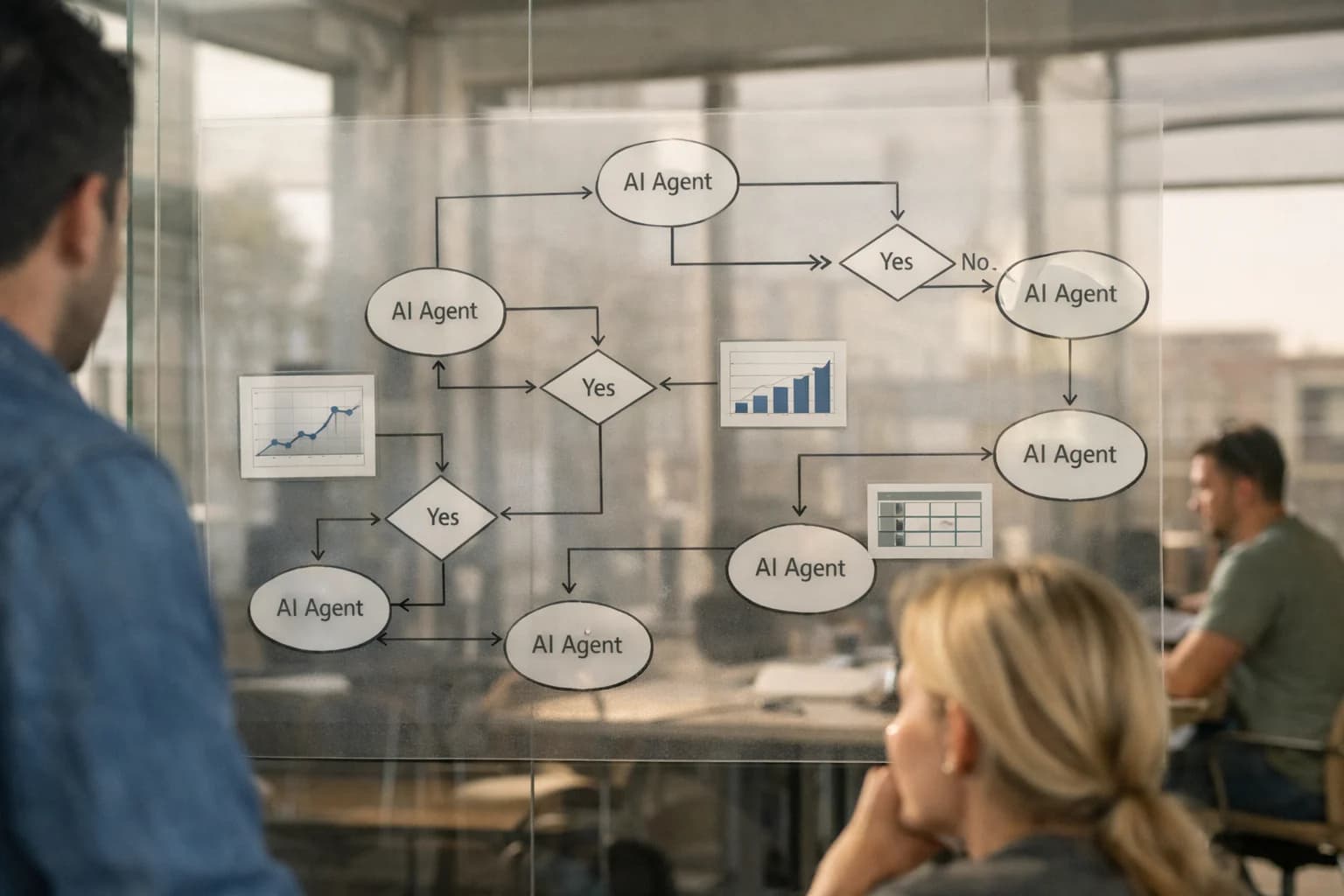
A practical blueprint for integrating AI agents into Infor EAM's service management workflows to automate triage, scheduling, and SLA operations.
AI integration for Infor EAM service management connects at three primary surfaces: the Service Request module, Work Order Management, and the Contract & SLA engine. The goal is to inject intelligence into the flow from initial customer contact through to field technician dispatch and contract compliance. For example, an AI agent can be triggered via an API or webhook when a new service request is created. It can analyze the free-text description, attached images from a mobile inspection, and asset history to automatically classify urgency, suggest a priority code, and recommend the correct service catalog item—reducing manual triage from hours to minutes.
Implementation typically involves building a middleware layer (often using Infor OS for authentication and orchestration) that sits between Infor EAM and your AI runtime. This layer handles secure data retrieval (e.g., fetching asset FACILITY_ID, past work orders, warranty status), calls the AI model for analysis, and then writes back actionable results. Key workflows to automate include:
Intelligent Dispatch: AI analyzes technician location, skills, parts availability, and SLA clock to suggest the optimal assignment within the Scheduling Board.
Contract Validation: For each new request, an AI agent cross-references the customer and asset against the Service Contract module to auto-apply coverage terms and flag billable work.
Proactive SLA Monitoring: AI monitors open service requests against their SLA timelines, predicting breaches based on historical resolution times and automatically escalating or notifying managers via Infor EAM alerts.
Rollout should be phased, starting with a single, high-volume service request type (e.g., HVAC repairs for facilities). Governance is critical: all AI-generated recommendations should be logged as audit trail entries in Infor EAM, with a human-in-the-loop approval step for the initial pilot. This ensures technicians and planners build trust in the system while providing a feedback loop to retrain models. The integration's value is measured in operational tempo—converting same-day responses into real-time triage and enabling planners to manage by exception rather than manually sorting every ticket.
AI FOR SERVICE MANAGEMENT
Key Infor EAM Modules and Surfaces for AI Integration
Automating Intake and Triage
The Service Request and Work Order modules are the primary surfaces for AI-driven service automation. AI can be integrated to:
Intake & Classification: Process incoming requests from email, web forms, or mobile apps. Use NLP to extract asset IDs, symptoms, and urgency, then automatically create and classify a Service Request in Infor EAM.
Smart Triage & Routing: Analyze the request against asset history, warranty status, and technician skills/certifications to auto-assign the work order to the optimal field resource or internal team.
Dynamic Scheduling: Integrate with the scheduling engine to propose time slots based on predicted job duration, parts availability, and technician location, reducing manual coordination.
This layer turns reactive service into a proactive, streamlined workflow, cutting request-to-dispatch time from hours to minutes.
INFOR EAM INTEGRATION PATTERNS
High-Value AI Use Cases for Service Management
Integrating AI with Infor EAM's service management workflows automates customer interactions, optimizes field operations, and enforces SLAs. These patterns connect to Infor's service request, work order, contract, and mobile modules to create intelligent, closed-loop service operations.
01
Intelligent Service Request Triage & Routing
AI analyzes incoming service requests (via email, portal, or IoT alerts) against Infor EAM's asset history, contract terms, and technician skills. It automatically categorizes urgency, suggests the correct service template, and routes to the optimal planner or team, reducing manual sorting time.
Hours -> Minutes
Initial triage time
02
Dynamic Field Service Scheduling & Dispatch
An AI agent consumes Infor EAM work orders, technician location/availability from the mobile module, parts inventory, and SLA windows. It optimizes daily schedules in real-time, accounting for travel time, skill matching, and priority, pushing updates directly to field techs' devices.
Same-day
Schedule optimization
03
Automated SLA & Contract Compliance Monitoring
AI monitors Infor EAM service contracts, work order timelines, and resolution data. It proactively flags potential SLA breaches, calculates penalties/credits, and automatically generates compliance reports for customer review, ensuring contract terms are enforced and visible.
Batch -> Real-time
Compliance tracking
04
Technician Copilot for Mobile Inspections
Augments the Infor EAM mobile app with an AI assistant. Techs can use voice or text to query asset manuals, historical work, and troubleshooting guides. The copilot can also validate data entry (e.g., meter readings against expected ranges) and suggest follow-up actions before submission.
1 sprint
Pilot deployment
05
Predictive Parts & Resource Forecasting
By analyzing Infor EAM work order history, failure codes, and seasonal trends, AI forecasts demand for spare parts and skilled labor. It generates proactive purchase requisitions and alerts planners to upcoming resource constraints, preventing delays in critical repairs.
Weeks -> Days
Demand visibility
06
Automated Service Report & Invoice Drafting
Post-service, AI aggregates data from the completed Infor EAM work order, technician notes, parts used, and contract rates. It drafts a customer-facing service report and a preliminary invoice, reducing administrative back-office work and accelerating billing cycles.
FOR INFOR EAM
Example AI-Augmented Service Workflows
These concrete workflows illustrate how AI agents can automate and enhance service management processes within Infor EAM, from initial request intake to contract compliance and field service execution.
Trigger: A new service request is submitted via Infor EAM's Service Request module, a connected customer portal, or an integrated email inbox.
AI Agent Action:
The agent ingests the request's free-text description, attached images, and requester history.
Using a classification model, it determines the Asset ID, likely Problem Code, and required Skill Code.
It cross-references the asset's maintenance history and open work orders to check for recurring issues.
The agent creates a draft work order in Infor EAM with:
Pre-populated asset, problem, and skill data.
A preliminary priority score based on asset criticality and issue severity.
A summary of related historical issues for context.
Human Review Point: The draft work order is routed to a planner for final validation, adjustment, and scheduling. This reduces manual data entry from 10-15 minutes to under 60 seconds per request.
CONNECTING AI AGENTS TO INFOR EAM'S SERVICE MANAGEMENT MODULES
Implementation Architecture: Data Flow and Integration Patterns
A practical blueprint for integrating AI agents into Infor EAM's service management workflows to automate triage, scheduling, and SLA operations.
The integration connects AI agents to key Infor EAM surfaces via its REST API and Infor OS event bus. The primary touchpoints are the Service Request and Work Order modules, where AI can ingest unstructured customer communications (email, chat, portal submissions) and structured data from connected assets. Agents parse the request, classify it against your asset hierarchy and service catalog, and automatically populate critical fields like Asset ID, Problem Code, Priority, and Required Skill. This transforms a manual, multi-step data entry task into a single-step review for your service desk, routing requests to the correct queue in minutes instead of hours.
For field service scheduling, the AI layer acts as an intelligent orchestrator between Infor EAM and external calendars (like Microsoft 365 or Google Workspace). It analyzes the populated work order—considering asset location, technician certifications, parts availability from the Inventory module, and estimated duration—to propose optimal assignments. The agent can interact with Infor EAM's scheduling engine via API, presenting a ranked list of options to the dispatcher or, for low-complexity tasks, executing the assignment directly with an audit trail. This pattern reduces schedule conflicts and drives same-day dispatch for common issues.
Service Level Agreement (SLA) management is automated through continuous monitoring of the work order lifecycle. AI agents subscribe to status change events (e.g., In Progress, On Hold, Pending Parts) from Infor EAM. Using the contract terms stored in the Service Contract module, the agent calculates breach risk in real-time. If a delay is predicted—like a part being backordered—it can trigger proactive notifications to the customer and service manager, or automatically escalate the work order per your business rules. This shifts SLA management from reactive reporting to proactive governance.
Rollout should follow a phased, workflow-specific approach. Start with AI-assisted triage for your highest-volume, lowest-risk request types (e.g., "asset not powering on") to build trust and refine prompts. Then, layer in scheduling optimization for a single technician group. Governance is critical: all AI-generated field values and assignments should be logged in Infor EAM's audit trail, and a human-in-the-loop review step should be maintained for high-criticality assets or complex contracts initially. This architecture ensures AI augments your team without disrupting proven Infor EAM processes. For related patterns on data synchronization, see our guide on /integrations/enterprise-asset-management-platforms/ai-integration-for-infor-os.
AI-ENHANCED SERVICE MANAGEMENT WORKFLOWS
Code and Payload Examples
Automating Request Classification and Routing
Integrate AI to analyze incoming service requests from Infor EAM's Service Request module or connected portals. An AI agent can parse free-text descriptions, attached images, and historical data to classify urgency, assign a priority code, and suggest the appropriate service team and SLA.
This workflow typically listens for new ServiceRequest records via webhook or polls the F556101C (Service Request Header) table. The AI call enriches the record with metadata before triggering Infor's native workflow engine for assignment.
python
# Example: Enrich a new Service Request via Infor OS API
import requests
def enrich_service_request(request_id, description):
# Call AI service for classification
ai_response = requests.post(
'https://api.your-ai-service.com/classify',
json={'text': description, 'context': 'eam_service'}
).json()
# Map AI output to Infor EAM fields
payload = {
'BusinessUnit': ai_response.get('assigned_bu'),
'Priority': ai_response.get('priority_code'),
'ProblemCode': ai_response.get('problem_type'),
'UserDefinedFields': {
'AIClassConfidence': ai_response.get('confidence_score')
}
}
# Update the Service Request record
infor_response = requests.patch(
f'{INFOR_OS_URL}/api/infor-eam/v1/servicerequests/{request_id}',
json=payload,
headers={'Authorization': f'Bearer {INFOR_TOKEN}'}
)
return infor_response.status_code
AI-ENHANCED SERVICE MANAGEMENT
Realistic Time Savings and Operational Impact
How AI integration with Infor EAM transforms key service management workflows, from initial request intake to contract compliance.
Service Workflow
Before AI Integration
After AI Integration
Implementation Notes
Customer Request Triage & Classification
Manual review of emails/forms; 15-30 min per request
AI-assisted categorization & priority scoring; <2 min per request
Human validation remains for complex cases; integrates with Infor EAM Service Request module
AI suggests optimal technician & schedule; planner reviews in 15-20 min
Considers Infor EAM resource calendars, SLA windows, and asset location data
Work Order Documentation & Closure
Technician manually writes notes; supervisor reviews for completeness
AI drafts summary from technician voice/text notes; flags missing data
Accelerates billing cycles; improves data quality for future AI analysis
Service Contract & SLA Monitoring
Monthly manual report runs to check compliance; reactive breach alerts
AI continuously monitors work order data; proactive alerts on SLA risks
Triggers workflows in Infor EAM for manager intervention; feeds contract renewal insights
Spare Parts Recommendation for Service
Technician searches catalog or calls warehouse; 10-15 min lookup
AI suggests likely parts based on asset model & failure symptoms
Integrates with Infor EAM Inventory & Purchasing modules; reduces mean time to repair
Recurring Issue & Root Cause Analysis
Quarterly manual review of work order history to spot patterns
AI continuously clusters similar failures; suggests common root causes
Outputs feed into Infor EAM's Problem Management for permanent corrective actions
Service Report Generation for Customers
Admin compiles data from multiple screens; 30-60 min per report
AI auto-generates draft report with key metrics, completion photos
Uses Infor EAM data & document templates; final human review and branding
ARCHITECTING FOR PRODUCTION
Governance, Security, and Phased Rollout
A practical guide to deploying AI for Infor EAM service management with control, security, and measurable impact.
Integrating AI into Infor EAM service workflows requires a secure, governed architecture that respects existing data models and user permissions. Core integration points typically involve the Service Request, Work Order, and Contract Management modules, connecting via Infor OS APIs or direct database listeners for real-time triggers. AI agents should be designed as a middleware layer, acting on behalf of authenticated service users to query asset history, analyze free-text descriptions, or draft dispatch schedules. All AI-generated outputs—like triage categories or recommended SLAs—must be written back to Infor EAM as system-annotated fields, creating a full audit trail within the native AUDITLOG object for compliance and review.
A phased rollout mitigates risk and builds organizational trust. Start with a read-only pilot in a single service line (e.g., facility maintenance), where AI analyzes incoming requests and suggests a priority or skill group, but all assignments remain manual. This phase validates data quality, prompt effectiveness, and user feedback without disrupting operations. Phase two introduces assisted automation, where the AI agent can auto-populate work order fields, suggest parts from the SPARE_PARTS table, and even create draft follow-up tasks, but requires a planner's approval before committing changes. The final phase enables closed-loop automation for low-risk, high-volume workflows—like password resets or routine inspections—where the AI can create and dispatch a work order, then update the SERVICE_CONTRACT record with resolution notes, all within defined guardrails.
Governance is enforced through a combination of technical and process controls. Implement role-based access control (RBAC) at the agent level, ensuring AI tools only interact with data and modules permitted for the triggering user's role. Use confidence scoring and human-in-the-loop (HITL) thresholds; for instance, any triage suggestion below 85% confidence or any schedule change impacting a critical asset automatically routes to a human supervisor. Finally, establish a continuous evaluation framework by logging AI inputs, outputs, and final human decisions back to a vector store. This creates a feedback loop to retrain models, refine prompts, and report on AI-driven efficiency gains, such as reduced mean time to triage or improved first-time fix rates, directly linking the integration to service management KPIs.
Enabling Efficiency, Speed & Accuracy
Intelligent Analysis, Decision & Execution
We build AI systems for teams that need search across company data, workflow automation across tools, or AI features inside products and internal software.
AI FOR SERVICE MANAGEMENT IN INFOR EAM
Frequently Asked Questions
Practical questions about integrating AI agents and generative AI into Infor EAM to automate service request handling, field dispatch, and contract management workflows.
An AI integration for service management typically listens to the same channels as your existing service desk. Here’s the workflow:
Trigger: A new email arrives in a dedicated support inbox or a web form is submitted.
Context Pull: The AI agent uses the Infor OS API or a direct database connection to fetch relevant context:
Customer record from Infor CRM or the CUSTOMER object in Infor EAM.
Asset history from the ASSET and WORKORDER tables related to the requester.
Active service contracts (SERVICECONTRACT) and SLA terms.
Agent Action: An LLM (like GPT-4) classifies the request, extracts key details (asset ID, symptom, priority), and suggests:
A standardized problem code.
An initial priority based on contract SLA and asset criticality.
A recommended skill group or technician.
System Update: The agent creates a draft SERVICEREQUEST or WORKORDER record in Infor EAM via API, pre-populated with the analysis.
Human Review Point: The draft ticket is routed to a human dispatcher for final approval or adjustment in the Infor EAM interface before assignment and scheduling.
About the author
Prasad Kumkar
CEO & MD, Inference Systems
Prasad Kumkar is the CEO & MD of Inference Systems and writes about AI systems architecture, LLM infrastructure, model serving, evaluation, and production deployment. Over 5+ years, he has worked across computer vision models, L5 autonomous vehicle systems, and LLM research, with a focus on taking complex AI ideas into real-world engineering systems.
His work and writing cover AI systems, large language models, AI agents, multimodal systems, autonomous systems, inference optimization, RAG, evaluation, and production AI engineering.
Partnered with leading AI, data, and software stack.
How We Work
Custom AI workflows for your Business
One-fit-all AI don't work for modern businesses. At Inferensys, we aim to understand your business & custom requirements; which we use to define most efficient agentic workflows, the data, and the tools for your business.
The first call is a practical review of your use case and the right next step.