Your WordPress site serves as the primary marketing and booking engine, while your core operations run on a platform like Campspot, ResNexus, Staylist, or Campground Master. AI integration connects these two systems to automate content, personalize the guest journey, and optimize marketing performance. The key connection points are the availability/booking widget APIs from your campground platform and the WordPress REST API or plugin hooks for dynamic content injection.

Integration
Campground Integration with WordPress AI
A technical blueprint for connecting Campspot, ResNexus, Staylist, and Campground Master to WordPress, using AI to generate SEO-optimized content, dynamic promotional pages, and personalized booking experiences.
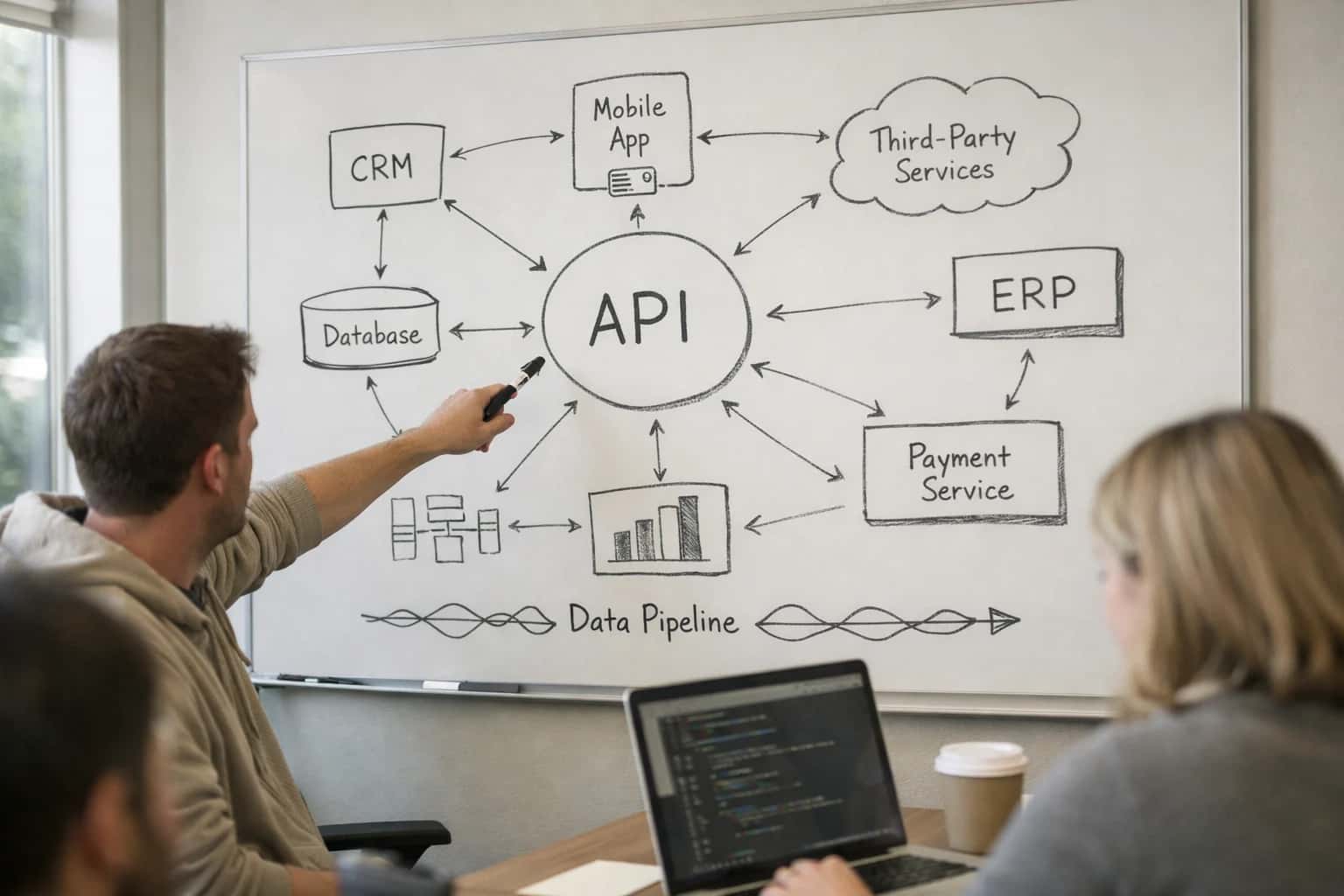
ARCHITECTURE BLUEPRINT
Where AI Fits in Your Campground's WordPress Stack
A practical guide to connecting AI agents and workflows between your campground management platform and WordPress marketing site.
Implementation typically involves a middleware layer or a headless WordPress setup where an AI orchestration service sits between the systems. For example, an AI agent can analyze real-time occupancy data from Campspot's API and automatically generate and publish SEO-optimized blog posts or promotional pages on WordPress for last-minute deals. Another workflow uses the guest data synced from ResNexus to personalize site content blocks or pop-up offers based on a returning visitor's past stay preferences. This turns your static site into a dynamic, conversion-focused asset.
Rollout should start with a single, high-impact use case, such as automated content generation for seasonal promotions. Governance is critical: all AI-generated content should pass through a human-in-the-loop approval step within WordPress's editorial workflow (e.g., as a draft status) before publishing. Audit logs should track which content was AI-generated and which reservations or data points triggered it, ensuring brand safety and campaign performance can be accurately measured. This integration doesn't replace your marketing team; it amplifies their reach and allows them to focus on strategy over manual content creation for hundreds of site pages or weekly promotional updates.
ARCHITECTURE BLUEPRINT
Key Integration Surfaces: WordPress & Campground APIs
Embedding Real-Time Reservations
The primary integration point is embedding campground availability calendars and booking engines directly into WordPress pages. This typically involves injecting JavaScript widgets or using iframes provided by platforms like Campspot or ResNexus.
Key API Touchpoints:
- Widget Configuration API: For customizing the look, feel, and default search parameters (dates, site types) of the embedded booking widget.
- Availability Endpoint: A direct API call to fetch real-time site inventory, which can be used to build custom UI components or power AI-driven recommendation modules.
- Booking Submission: The API endpoint that processes reservation payloads (guest details, site ID, dates, add-ons) from your WordPress front-end.
AI Integration Pattern: An AI agent can monitor booking abandonment on these widgets, triggering personalized email or SMS offers via connected marketing platforms to recover potential revenue.
WORDPRESS AI INTEGRATION
High-Value Use Cases for Marketing Teams
Integrate your Campspot or ResNexus booking engine with WordPress to automate content creation, personalize guest journeys, and drive direct bookings. These AI-powered workflows connect reservation data to your marketing site in real-time.
01
Dynamic SEO Content Generation
AI analyzes Campspot availability, local events, and seasonal trends to automatically draft and update WordPress pages and blog posts. This keeps site content fresh for search engines without manual copywriting for every campsite or activity.
Batch -> Real-time
Content refresh
02
Personalized Landing Page Assembly
For marketing campaigns targeting specific guest segments (e.g., 'families,' 'RV owners'), AI uses ResNexus guest history to assemble personalized WordPress landing pages with relevant site photos, amenities, and embedded booking widgets, improving conversion from ad clicks.
1 sprint
Campaign setup
03
Automated Availability Widget Updates
Instead of static iframes, an AI layer monitors Campspot API for real-time site availability and pricing changes, then dynamically updates the copy and calls-to-action surrounding the WordPress booking widget to reduce guest friction and abandoned carts.
Hours -> Minutes
Promo deployment
04
Guest Review Synthesis & Testimonial Pages
AI aggregates and summarizes guest reviews from ResNexus and third-party sites, then generates compelling testimonial sections and case study pages on WordPress, building social proof without manual copy-pasting from multiple sources.
05
Local Content & Itinerary Automation
For each campground location, AI pulls data from Campground Master (nearby attractions, trail info) and generates 'Things to Do' pages and sample itineraries on WordPress, enhancing SEO for long-tail local search queries and supporting pre-arrival guest emails.
Same day
Page creation
06
Meta Description & Title Tag Optimization
An AI copilot reviews WordPress page content and corresponding Campspot site data (rate, capacity) to draft optimized meta titles and descriptions for key booking pages, improving click-through rates from organic search results for site-specific queries.
WORDPRESS + CAMPGROUND PLATFORMS
Example AI-Powered Workflows
These workflows show how to connect your campground management platform (Campspot, ResNexus, Staylist, Campground Master) with WordPress, using AI to automate content creation, enhance guest discovery, and drive direct bookings. Each flow is triggered by platform data and executed via secure API calls.
Trigger: A new site type (e.g., 'Premium RV Site with Hot Tub') is created in the campground management platform (Campspot/ResNexus).
Context/Data Pulled:
- The AI agent receives a webhook from the platform with the new site type's attributes: name, description, max occupancy, hookup types, amenities list, and base rate.
- It also queries the platform's API for 2-3 high-performing, similar site pages to analyze their SEO structure.
Model or Agent Action:
- A structured prompt instructs an LLM (like GPT-4) to generate a comprehensive, SEO-optimized WordPress page draft.
- The prompt includes:
- Target keywords (e.g., "family RV camping near [Park Location]").
- A template based on top-performing pages.
- The specific site attributes and amenities.
- A call-to-action for checking real-time availability.
System Update or Next Step:
- The generated HTML content, meta title, and description are sent via the WordPress REST API to create a new draft page.
- The draft is placed in a review queue for the marketing manager.
- Human Review Point: The manager approves, tweaks, or rejects the draft before publishing.
Result: A publish-ready page is created in hours instead of days, consistently optimized for search and integrated with live booking data.
CONNECTING CAMPSPOT TO WORDPRESS FOR AI-DRIVEN MARKETING
Implementation Architecture: Data Flow & APIs
A technical blueprint for integrating Campspot's reservation engine with WordPress to enable AI-powered content generation and dynamic booking experiences.
The core of this integration is a secure, serverless middleware layer—often built on AWS Lambda or a similar cloud function—that orchestrates data flow between Campspot's RESTful APIs and your WordPress instance. This layer performs three key functions: it polls the Campspot API for real-time availability and booking data, transforms this payload into a structured format (like JSON), and pushes it to WordPress via the WordPress REST API or a dedicated plugin's custom endpoints. For AI operations, this same middleware can also trigger content generation workflows, passing relevant data points (e.g., site types, seasonal promotions, local attractions) to an AI service like OpenAI's API to draft SEO-optimized blog posts or promotional pages.
On the WordPress side, implementation typically involves a custom plugin or theme functions that consume this incoming data. Key integration points include:
- Dynamic Shortcodes & Blocks: Embed live availability calendars, pricing widgets, or 'Book Now' CTAs directly into pages using data from Campspot.
- Custom Post Types & Meta Fields: Create structured content types for 'Campsites' or 'Special Offers,' automatically populated and updated via the API sync.
- AI Content Engine: Use hooks like
save_postor a scheduled cron job to invoke AI services, generating descriptive copy for new site listings or seasonal campaign pages based on the synced Campspot data. All generated content should be staged for human review before publishing to ensure brand voice and accuracy.
Governance and rollout require careful planning. Start with a read-only sync to populate WordPress with Campspot data for display purposes only, ensuring no accidental writes back to the reservation system. Implement robust error handling and logging within the middleware to catch API rate limits or data schema changes. For the AI component, establish a clear editorial workflow within WordPress (e.g., using the 'Pending Review' status) and maintain an audit trail of all AI-generated content, including the source prompts and data used. A phased rollout—beginning with a single campground property or a specific content type—allows for testing data integrity, user experience, and the relevance of AI-generated copy before scaling to the entire site.
WORDPRESS AI INTEGRATION PATTERNS
Code & Payload Examples
Fetching Real-Time Campspot Data
To display live site availability on a WordPress page, your theme or plugin needs to call the Campsot API. The following Python example demonstrates a server-side call to retrieve availability for a specific campground and date range. This data can then be rendered in a custom shortcode or block.
pythonimport requests import json # Campspot API endpoint for availability (example) api_url = "https://api.campspot.com/v1/availability" api_key = "YOUR_CAMPSPOT_API_KEY" headers = { "Authorization": f"Bearer {api_key}", "Content-Type": "application/json" } payload = { "campgroundId": 12345, "startDate": "2024-07-01", "endDate": "2024-07-07", "siteTypes": ["RV", "TENT"] } response = requests.post(api_url, headers=headers, json=payload) if response.status_code == 200: availability_data = response.json() # Process data: filter available sites, map to site names available_sites = [site for site in availability_data.get('sites', []) if site['available']] # Pass to WordPress template or cache else: # Handle API error (log, show fallback message) print(f"API Error: {response.status_code}")
This pattern ensures your site shows accurate, bookable inventory, reducing manual updates and missed bookings.
FOR MARKETING TEAMS
Realistic Time Savings & Business Impact
How AI integration between your campground management platform and WordPress changes content and booking operations.
| Workflow | Before AI | After AI | Key Impact |
|---|---|---|---|
SEO-optimized blog post creation | Writer researches, drafts, and optimizes over 4-6 hours | AI generates first draft in 15 minutes, human edits for 1 hour | Focus shifts from creation to strategic editing and promotion |
Dynamic landing page for promotions | Developer builds custom page over 2-3 days | AI generates page copy and structure; developer integrates widgets in 4 hours | Campaigns launch same-week instead of next-week |
Availability widget content sync | Manual checks and updates to site text when rates/policies change | AI monitors Campspot API, suggests and drafts content updates | Reduces risk of outdated site information and guest confusion |
Guest testimonial repurposing | Manually curate and format reviews for website | AI extracts and formats highlights from ResNexus/Staylist reviews automatically | Fresh social proof added to site weekly with minimal effort |
Local area guide updates | Seasonal review and rewrite of activity recommendations | AI suggests updates based on new local event data and past guest inquiries | Content stays relevant, improving 'nearby attractions' SEO |
Booking engine error messaging | Generic system messages lead to support tickets | AI analyzes failed booking paths, suggests clearer, helpful on-page messages | Reduces pre-booking support volume by deflecting common questions |
Meta description & title tag generation | Manual creation for each new page or post | AI generates SEO-friendly metadata in batch for new content | Ensures consistency and keyword targeting without slowing publishing |
AI-ENABLED MARKETING OPERATIONS
Governance, Security & Phased Rollout
A practical guide to deploying and governing AI for WordPress content generation that's synchronized with your campground's live booking data.
This integration connects two critical systems: your Campspot or ResNexus reservation platform and your WordPress marketing site. The AI agent acts as the orchestration layer, pulling real-time data—like site availability, seasonal rates, and amenity status—via secure API calls. It then uses this context to generate or update WordPress pages, blog posts, and promotional content. Key governance surfaces include:
- API Key Management: Separate, scoped keys for read-only access to Campspot's availability and booking engine widgets.
- Content Approval Workflows: Generated drafts are routed as WordPress posts in "Draft" or "Pending Review" status, never published automatically.
- Audit Trail: All AI-generated content is tagged with metadata (source prompt, source data timestamp, model version) within WordPress custom fields for traceability.
A phased rollout minimizes risk and aligns with marketing calendars:
- Phase 1: Internal Content Assistant
- Deploy the AI to generate draft blog posts and page copy in a staging WordPress environment.
- Marketing team reviews, edits, and manually publishes. Focus is on efficiency gains in content creation.
- Phase 2: Dynamic Page Updates
- Connect the AI to update specific, non-critical pages like "Seasonal Activities" or "Amenity Details" based on real-time data from Campspot.
- Implement a human-in-the-loop approval step via a simple Slack or email notification before updates go live.
- Phase 3: Automated Promotional Campaigns
- Activate AI-driven generation of promotional landing pages for last-minute deals or special events, triggered by low occupancy alerts from ResNexus.
- At this stage, robust rate limiting and content quality checks (e.g., sentiment analysis, factual grounding against the API) are enforced to maintain brand voice and accuracy.
Security is paramount when connecting booking data to a public-facing CMS. The architecture should enforce:
- Zero data persistence: The AI agent should not store guest PII or reservation details; it uses them transiently for content context.
- Strict CORS policies and IP allow-listing between your hosting environment and the campground platform's APIs.
- Role-Based Access Control (RBAC) in WordPress to ensure only authorized marketing managers can approve or modify AI-generated content.
This approach ensures the integration drives SEO and conversion lift—by keeping site content accurate and compelling—without introducing operational risk or compromising guest data.
Enabling Efficiency, Speed & Accuracy
Intelligent Analysis, Decision & Execution
We build AI systems for teams that need search across company data, workflow automation across tools, or AI features inside products and internal software.
Talk to Us
Search across company data
Give teams answers from docs, tickets, runbooks, and product data with sources and permissions.
Useful when people spend too long searching or get different answers from different systems.
Enterprise searchRAGPermissions
Read more
Automate internal workflows
Use AI to route work, draft outputs, trigger actions, and keep approvals and logs in place.
Useful when repetitive work moves across multiple tools and teams.
AI agentsWorkflow automationGovernance
Read more
Add AI to products and internal tools
Build assistants, guided actions, or decision support into the software your team or customers already use.
Useful when AI needs to be part of the product, not a separate tool.
AI integrationDecision supportModel routing
Read moreCAMPFOUND MARKETING AI
Frequently Asked Questions
Common technical and strategic questions about integrating AI with WordPress to automate content creation, manage Campspot widgets, and drive bookings for campgrounds.
The integration uses a server-side orchestration layer (often built with Node.js or Python) to manage the connection. Here’s the typical secure flow:
- API Credential Management: Store Campspot API keys and secrets in a secure secrets manager (e.g., AWS Secrets Manager, Azure Key Vault) or environment variables on your hosting platform, never in WordPress code.
- Serverless Proxy: Create a serverless function (AWS Lambda, Vercel Edge Function) that acts as a secure proxy. This function:
- Authenticates with Campspot using stored credentials.
- Fetches real-time availability, site types, and pricing data.
- Returns a sanitized JSON payload to your WordPress site.
- WordPress Integration: Use a lightweight custom plugin or a page builder's custom code module to call your secure proxy endpoint via
fetch()orwp_remote_get(). - AI Context Injection: This Campspot data (e.g.,
{"availableSites": 5, "siteType": "RV Pull-Through", "baseRate": 89}) is then passed as context to an AI agent (like GPT-4 or Claude) via a separate, secured API call to generate dynamic page content.
This pattern keeps sensitive keys off the client, implements rate limiting, and provides an audit trail for all data fetches.

About the author
Prasad Kumkar
CEO & MD, Inference Systems
Prasad Kumkar is the CEO & MD of Inference Systems and writes about AI systems architecture, LLM infrastructure, model serving, evaluation, and production deployment. Over 5+ years, he has worked across computer vision models, L5 autonomous vehicle systems, and LLM research, with a focus on taking complex AI ideas into real-world engineering systems.
His work and writing cover AI systems, large language models, AI agents, multimodal systems, autonomous systems, inference optimization, RAG, evaluation, and production AI engineering.
LinkedIn
Limited slotsGet a Free AI Consultation
Partnered with leading AI, data, and software stack.





How We Work
Custom AI workflows for your Business
One-fit-all AI don't work for modern businesses. At Inferensys, we aim to understand your business & custom requirements; which we use to define most efficient agentic workflows, the data, and the tools for your business.
01
Review the use case
We understand the task, the users, and where AI can actually help.
Read more02
Pick the right approach
We define what needs search, automation, or product integration.
Read more03
Build the first useful version
We implement the part that proves the value first.
Read more04
Improve from there
We add the checks and visibility needed to keep it useful.
Read moreThe first call is a practical review of your use case and the right next step.
Talk to Us