Traditional WMS reporting requires writing SQL against complex data models for tables like INV_ITEM, SHIPMENT, TASK, and LOCN. This creates a bottleneck where only technical analysts can answer urgent questions about pick density, dwell time, or slotting efficiency. An AI query layer sits atop your WMS data warehouse or operational data store, using a vector database (like Pinecone or Weaviate) to index key entities and metrics. The system maps natural language questions—such as 'Which SKUs had the highest mispick rate last week?'—to the underlying schema, retrieves relevant context, and uses an LLM to generate a synthesized answer with supporting data points.

Integration
AI for Natural Language Queries on WMS Data
A practical guide to implementing a RAG-based natural language query system for WMS data, enabling warehouse planners and managers to ask complex operational questions and get synthesized answers in seconds, not hours.
IMPLEMENTATION ARCHITECTURE
From SQL Queries to Natural Language: Democratizing WMS Data Access
A technical blueprint for deploying a RAG-based query system that allows warehouse planners and managers to ask complex operational questions in plain English.
Implementation involves creating a secure API gateway that brokers requests between the chat interface (e.g., Microsoft Teams, a web portal) and the AI service. The service first uses a router agent to classify the query intent (e.g., inventory, labor, shipping). It then queries the vector index for relevant context—such as current slotting rules, last week's performance KPIs, or exception logs—before constructing a precise SQL query or calling a pre-built analytics API. The LLM is instructed to cite its sources (e.g., 'Based on cycle count data from LOCN A-01-05'), ensuring traceability. Answers can be delivered as narrative summaries, bullet points, or simple charts, and can trigger follow-up actions like 'generate a detailed report for these 10 SKUs'.
Rollout requires careful governance. Start with a pilot group of planners and supervisors, focusing on high-value, low-risk queries like status checks and historical analysis. Implement a human-in-the-loop review for any query that would trigger a system change (e.g., a suggested slotting update). Log all queries, responses, and user feedback to a dedicated audit table for continuous model improvement and compliance. This approach turns the WMS from a system of record into a system of intelligence, enabling same-day operational insights instead of week-long reporting cycles.
IMPLEMENTATION SURFACES
Where the AI Query Layer Connects to Your WMS Stack
Connecting to WMS Analytics and BI Feeds
Most modern WMS platforms like Manhattan Active, SAP EWM, and Blue Yonder include dedicated analytics modules or data warehouse extracts. This is the primary surface for a RAG query layer.
Integration Points:
- Data Warehouse APIs: Pull structured data from WMS OLAP cubes or cloud data lakes (e.g., Manhattan's Active Data, SAP BW/4HANA).
- Pre-built Report Feeds: Ingest daily KPI reports (pick rates, inventory accuracy, dock door utilization) as context documents.
- Ad-hoc Query Endpoints: Some platforms offer REST APIs for custom SQL-like queries against the operational data store.
Implementation Pattern: Your AI query system acts as a semantic layer on top of these feeds. It translates a planner's question ("Why was our putaway labor cost high last week?") into a series of structured queries, executes them, and synthesizes the results into a narrative answer, citing the source reports.
OPERATIONAL INTELLIGENCE
High-Value Use Cases for Natural Language WMS Queries
A RAG-based query system over WMS data warehouses allows planners and managers to ask complex operational questions in plain language, moving from reactive reporting to proactive, synthesized intelligence. These are the highest-impact workflows to target first.
01
Daily Performance & KPI Deep-Dive
Instead of running static reports, managers ask: 'Why was pick rate 15% lower in Zone A yesterday afternoon?' The system synthesizes data from task logs, labor schedules, and MHE status to identify the root cause—like a congested aisle from a delayed putaway—and suggests corrective actions.
Hours -> Minutes
Root cause analysis
02
Inventory Anomaly Investigation
Planners query: 'Show me all locations where system quantity differs from last cycle count by more than 5 units this month.' The RAG system retrieves and cross-references transaction histories, user IDs, and item velocity for those locations, highlighting patterns that suggest mis-scans, training issues, or process gaps.
Batch -> Real-time
Discrepancy alerts
03
Capacity & Slotting Scenario Planning
A slotting analyst asks: 'If we add 500 new SKUs for the holiday season, which zones will hit 95% utilization, and where should we slot fast movers?' The system models current velocity, dimensional data, and projected receipts against the warehouse layout, recommending specific storage type/bin changes.
1 sprint
Planning cycle
04
Carrier & Dock Performance Analysis
A shipping supervisor queries: 'Which carriers had the highest dwell time at our docks last week, and what were the common appointment times?' The system joins WMS load data, yard management events, and carrier manifests to identify bottlenecks and recommend schedule adjustments or carrier conversations.
Same day
Actionable insight
05
Labor Forecasting & Variance Explanation
An operations manager asks: 'Next Tuesday's forecast is 12,000 units. Do we have enough labor scheduled, and which roles are understaffed based on historical throughput?' The system analyzes forecasted volume, planned shifts, and role-specific productivity rates from past similar days to flag gaps and suggest reallocations.
Hours -> Minutes
Schedule validation
06
Order Status & Exception Triage
A customer service agent or warehouse lead queries: 'What's causing the delay for order #12345, and what's the new ETA?' The system retrieves the order's journey—from release and picking to packing and carrier scan—synthesizing WMS task statuses, exception logs, and carrier tracking feeds into a single, plain-English summary.
Batch -> Real-time
Status resolution
WMS DATA INTELLIGENCE
Example Natural Language Queries and AI-Generated Answers
A RAG system over your WMS data warehouse enables planners and managers to ask complex operational questions in plain language. Below are concrete examples of queries and the synthesized, data-grounded answers the system provides.
Trigger: A warehouse supervisor asks this question via a chat interface or voice command to the AI agent.
Context/Data Pulled: The agent uses the natural language query to construct a search. It retrieves relevant data from:
- WMS transaction logs for the specified date range, filtered for
transaction_type = 'PICK'andstatus = 'COMPLETE'or'ERROR'. - Item master data for SKU descriptions.
- Location master data for storage zones and bin identifiers.
- Error log tables linking mispicks to specific pick tasks and operators.
Model/Agent Action: An LLM synthesizes the retrieved data to generate a concise, actionable answer:
json{ "answer": "Last week, the top 3 SKUs by mispick rate were:\n1. **SKU A123-BLUE** (Widget, Blue): 2.4% mispick rate (12 errors). 85% of errors occurred in **Zone C, Aisle 12** (high-level bins).\n2. **SKU B456-PACK** (Bulk Pack Gaskets): 1.8% rate (9 errors). Errors were split between **Receiving Dock 2** (new stock) and **Zone A, Bulk Rack 3**.\n3. **SKU C789-SML** (Small Component Kit): 1.5% rate (7 errors). Primarily in **Zone B, Carousel 7**.", "recommendation": "Consider a slotting review for SKU A123-BLUE in Zone C, and verify label clarity for the bulk gaskets in receiving.", "supporting_data": [ {"sku": "A123-BLUE", "mispick_count": 12, "total_picks": 500, "primary_location": "ZONE_C.AISLE_12.LEVEL5"}, {"sku": "B456-PACK", "mispick_count": 9, "total_picks": 500, "primary_location": "RECEIVING.DOCK2"} ] }
System Update/Next Step: The answer is presented in the UI. The user can click to drill down into a detailed report or create a task in the WMS (e.g., "Review Slotting for SKU A123-BLUE").
FROM DATA SILOS TO ACTIONABLE INSIGHTS
Implementation Architecture: Building the RAG Pipeline for WMS Data
A technical blueprint for implementing a Retrieval-Augmented Generation (RAG) system that connects LLMs to your warehouse management data, enabling natural language queries.
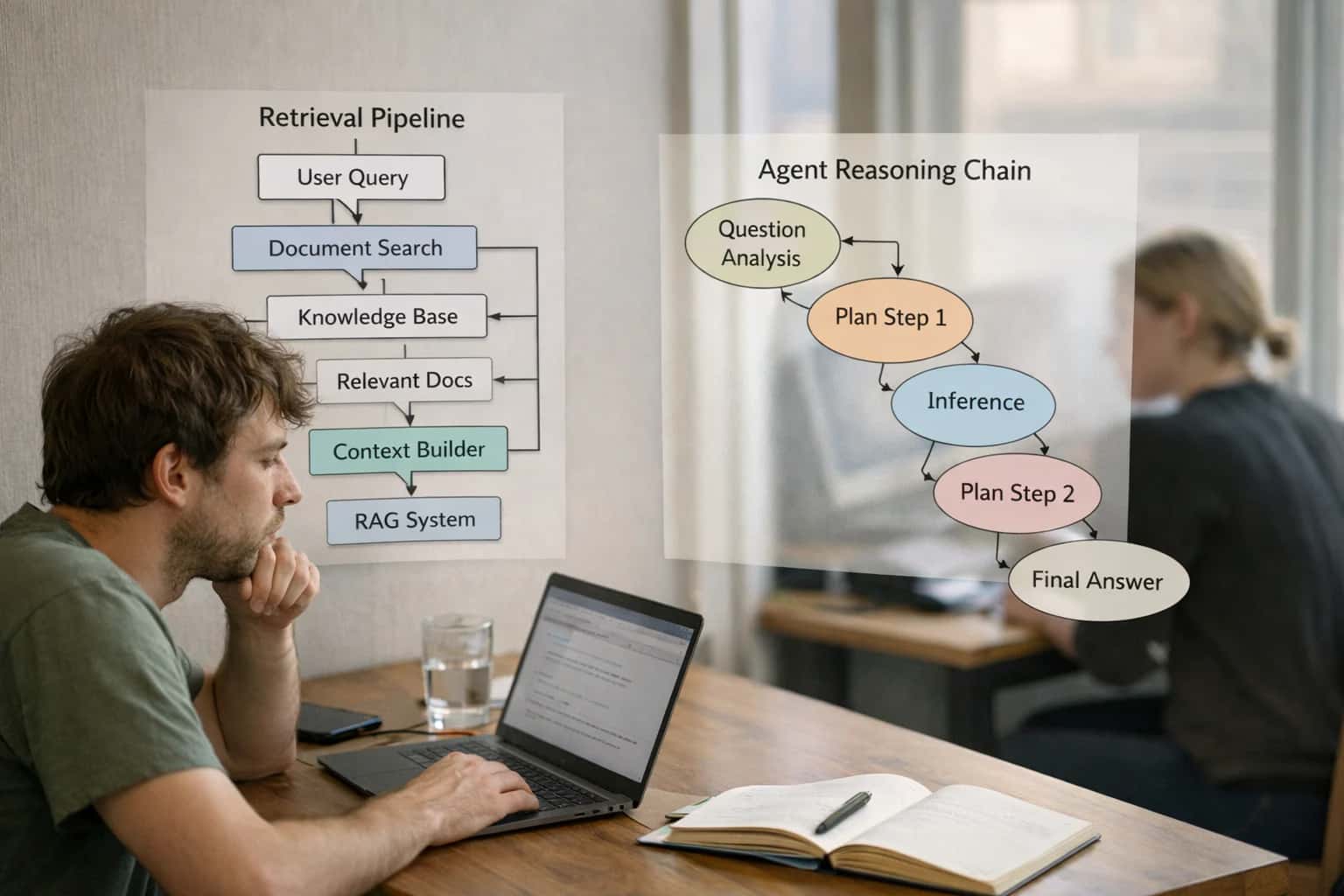
The core architecture connects three layers: the WMS Data Layer, the RAG Engine Layer, and the User Interface Layer. The WMS Data Layer involves extracting structured data from key tables—such as INVENTORY, ORDERS, TASKS, LOCATIONS, and SHIPMENTS—from platforms like Manhattan Active, SAP EWM, or Blue Yonder via their REST or SOAP APIs. Unstructured data from sources like SOP documents, inspection notes, and carrier communication logs is also ingested. This data is processed, chunked, and embedded into a vector database (e.g., Pinecone, Weaviate) to create a searchable knowledge base of warehouse operations.
The RAG Engine Layer sits as a middleware service. When a user asks a question like "Show me all POs for fast-moving items that are understocked in the forward pick zone," the engine performs a semantic search against the vector store to retrieve relevant data chunks and context. It then constructs a prompt for an LLM (like GPT-4 or Claude), grounding the model's response in the retrieved WMS-specific data to generate a synthesized, accurate answer. This service is typically deployed as a containerized API, integrated with your WMS's security model (RBAC) to ensure users only access data they are permitted to see. Critical implementation details include setting up real-time syncs for transactional data and scheduled batch jobs for master data, ensuring the knowledge base reflects near-live warehouse status.
For production rollout, we recommend a phased approach: start with a read-only pilot for planners and supervisors querying historical data, then expand to real-time operational queries. Governance is crucial; implement audit logging for all queries and responses to track usage and model performance. Establish a human-in-the-loop review process for the first 100-200 queries to validate accuracy and refine retrieval logic. This architecture doesn't replace your WMS; it creates an intelligent query layer on top of it, turning complex data joins and report writing from a multi-hour task into a conversational interaction, allowing managers to diagnose issues and plan based on a unified operational picture.
IMPLEMENTATION BLUEPRINTS
Code and Configuration Patterns
Building the RAG Index
The foundation is a scheduled or event-driven pipeline that extracts structured and unstructured data from the WMS into a vector store. This typically involves:
- Connecting to WMS APIs or Data Warehouse: Pulling data from tables like
INVENTORY,ORDERS,TASKS,LOCATIONS, andITEM_MASTER. Unstructured data from notes fields in receiving, picking, or quality modules is also critical. - Chunking and Embedding: Logical chunks (e.g., by SKU-location, work order, or day) are created. Each chunk is converted into a vector embedding using a model like
text-embedding-3-small. - Metadata Tagging: Each vector is enriched with metadata (e.g.,
sku,warehouse_zone,date,data_source) for hybrid filtering.
python# Example: Scheduled batch indexing job from warehouse_client import WMSClient from langchain.text_splitter import RecursiveCharacterTextSplitter from openai import OpenAI import qdrant_client wms = WMSClient(api_key=API_KEY) inventory_data = wms.get_inventory_snapshot() # Transform and chunk data... chunks = splitter.create_documents([formatted_text]) client = OpenAI() embeddings = client.embeddings.create(model="text-embedding-3-small", input=[chunk.page_content for chunk in chunks]) # Upsert to vector DB with metadata...
AI-POWERED NATURAL LANGUAGE QUERIES
Operational Impact: Time Saved and Decisions Accelerated
This table compares the manual process of extracting insights from WMS data warehouses versus using an AI-powered natural language query system. It highlights the shift from reactive, labor-intensive reporting to proactive, conversational intelligence.
| Operational Task | Before AI (Manual Process) | After AI (AI-Powered Query) | Implementation Notes |
|---|---|---|---|
Ad-hoc operational query | Hours to days (IT/data analyst ticket) | Seconds to minutes (plain language question) | Eliminates dependency on BI team for one-off reports |
Root cause analysis for pick errors | Next-day report from batch job | Real-time investigation via conversational drill-down | Enables immediate supervisor intervention during shift |
Daily inventory variance review | Manual spreadsheet reconciliation (2-3 hours) | Automated summary with highlighted anomalies (<5 mins) | Focuses planner time on exceptions, not data gathering |
Labor productivity analysis by zone | Weekly report from WMS, manual segmentation | On-demand query: "Show pick rates for zone A-10 last shift" | Supports real-time labor rebalancing decisions |
Slotting effectiveness review | Monthly analysis using static rules of thumb | Continuous monitoring: "Which slow-movers are in prime locations?" | Enables dynamic, data-driven slotting updates |
Carrier performance for outbound | End-of-month manual report compilation | Instant insight: "Which carriers had the most delays last week?" | Provides timely data for weekly carrier operational reviews |
Seasonal capacity forecasting input | Quarterly planning based on historical averages | On-the-fly scenario modeling with current trends | Improves accuracy of labor and space planning for peaks |
ARCHITECTING A CONTROLLED DEPLOYMENT
Governance, Security, and Phased Rollout
A practical framework for deploying a secure, governed RAG query system on top of your WMS data warehouse.
A production-grade natural language query system requires tight integration with your WMS's existing security model. This means implementing role-based access control (RBAC) that mirrors your WMS user groups (e.g., Planners, Supervisors, Operators) to enforce data visibility at the query level. The RAG pipeline must be architected to query a dedicated, read-only replica of your WMS data warehouse (e.g., from SAP EWM, Manhattan Active, or Blue Yonder), ensuring no impact on transactional systems. All queries and generated answers should be logged with full audit trails, linking back to the user, session, and source data chunks for compliance and continuous improvement.
We recommend a phased rollout to de-risk adoption and build operational trust. Phase 1 (Pilot): Enable a small group of planners to query historical data for post-mortem analysis (e.g., 'What were our top 10 picking errors by zone last quarter?'). This validates data accuracy and user experience without affecting live operations. Phase 2 (Controlled Expansion): Extend access to shift supervisors for real-time situational awareness (e.g., 'Show me all open putaway tasks for Receiving Door 4'). Implement a human-in-the-loop review step where complex or high-impact answers (like those suggesting slotting changes) require supervisor approval before being acted upon. Phase 3 (Full Integration): Connect the AI agent to downstream action APIs, allowing it to execute simple, pre-approved workflows—like generating a custom report or logging a common exception—directly within the WMS interface, all within a governed sandbox.
Governance is maintained through continuous monitoring of key metrics: answer accuracy (via user feedback and spot audits), query latency, and system usage patterns. Establish a clear protocol for updating the underlying vector embeddings and fine-tuning prompts as new WMS modules are deployed or business rules change. This controlled, iterative approach ensures the system delivers reliable, actionable intelligence while maintaining the security and operational integrity of your core warehouse management platform.
Enabling Efficiency, Speed & Accuracy
Intelligent Analysis, Decision & Execution
We build AI systems for teams that need search across company data, workflow automation across tools, or AI features inside products and internal software.
Talk to Us
Search across company data
Give teams answers from docs, tickets, runbooks, and product data with sources and permissions.
Useful when people spend too long searching or get different answers from different systems.
Enterprise searchRAGPermissions
Read more
Automate internal workflows
Use AI to route work, draft outputs, trigger actions, and keep approvals and logs in place.
Useful when repetitive work moves across multiple tools and teams.
AI agentsWorkflow automationGovernance
Read more
Add AI to products and internal tools
Build assistants, guided actions, or decision support into the software your team or customers already use.
Useful when AI needs to be part of the product, not a separate tool.
AI integrationDecision supportModel routing
Read moreIMPLEMENTATION GUIDE
Frequently Asked Questions
Practical questions for architects and warehouse leaders planning a natural language query system over WMS data.
A successful RAG system requires indexing both structured transaction data and unstructured operational knowledge. Key WMS data sources include:
- Structured Tables: Inventory snapshots (item, lot, location, quantity), transaction history (picks, putaways, adjustments), order headers/lines, task queues, and location master data.
- Unstructured Documents: Standard Operating Procedures (SOPs), work instructions, carrier manuals, quality control guides, and past incident reports.
- Real-time Feeds: Current wave status, active task lists, and recent exception logs for up-to-the-minute context.
Implementation Note: You'll need to establish a secure data pipeline, often using the WMS's REST APIs or a direct database connection (for on-premise systems like Manhattan SCALE). The pipeline should extract, clean, and chunk this data before sending it to a vector database like Pinecone or Weaviate. Ensure your data model preserves key relationships (e.g., Order → Order Lines → Inventory Moves).

About the author
Prasad Kumkar
CEO & MD, Inference Systems
Prasad Kumkar is the CEO & MD of Inference Systems and writes about AI systems architecture, LLM infrastructure, model serving, evaluation, and production deployment. Over 5+ years, he has worked across computer vision models, L5 autonomous vehicle systems, and LLM research, with a focus on taking complex AI ideas into real-world engineering systems.
His work and writing cover AI systems, large language models, AI agents, multimodal systems, autonomous systems, inference optimization, RAG, evaluation, and production AI engineering.
LinkedIn
Limited slotsGet a Free AI Consultation
Partnered with leading AI, data, and software stack.





How We Work
Custom AI workflows for your Business
One-fit-all AI don't work for modern businesses. At Inferensys, we aim to understand your business & custom requirements; which we use to define most efficient agentic workflows, the data, and the tools for your business.
01
Review the use case
We understand the task, the users, and where AI can actually help.
Read more02
Pick the right approach
We define what needs search, automation, or product integration.
Read more03
Build the first useful version
We implement the part that proves the value first.
Read more04
Improve from there
We add the checks and visibility needed to keep it useful.
Read moreThe first call is a practical review of your use case and the right next step.
Talk to Us