AI integration for learning management connects two primary data sources: the HRIS skills and roles framework (e.g., Workday Skills Cloud, UKG Pro Talent profiles) and the Learning Management System (LMS) course catalog (e.g., Cornerstone, Docebo, Workday Learning). The integration acts as a recommendation engine, mapping an employee's current skills, career interests, and performance goals against available learning content. This is typically implemented via a middleware agent that polls the HRIS API for employee profile data, queries the LMS API for metadata-tagged courses, and uses an LLM to generate personalized learning paths. The output can be surfaced back into the LMS as a curated playlist, pushed to a manager dashboard, or delivered via a conversational HR assistant.

Integration
AI Integration for Learning Management in HR Systems
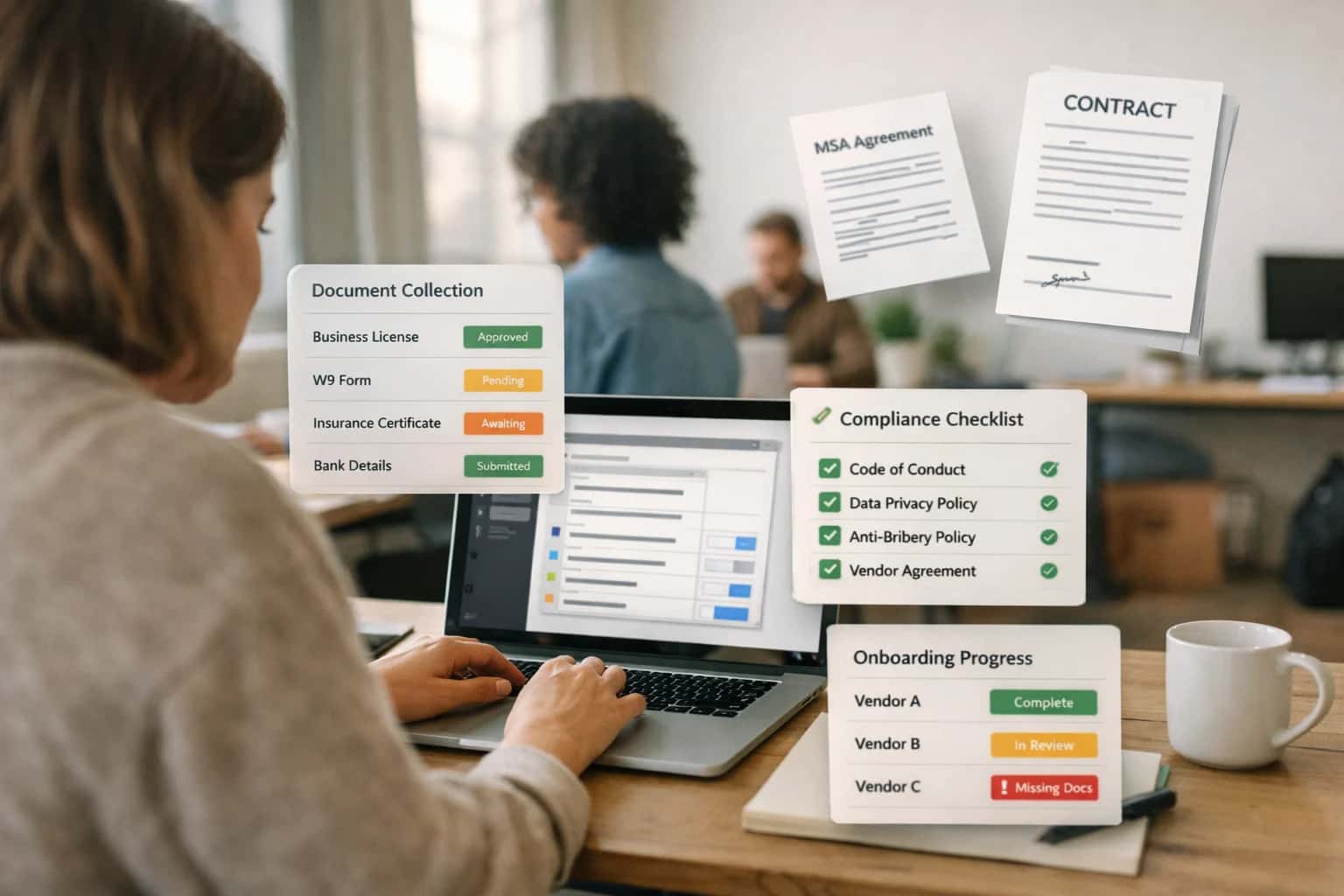
Where AI Fits into HR Learning Management
A practical guide to integrating AI with HRIS skills data and LMS platforms to personalize learning and close skill gaps.
High-value use cases focus on operational efficiency and talent development:
- Personalized Onboarding Tracks: Automatically generate a 30-60-90 day learning plan for a new hire based on their role, department, and prior experience pulled from the HRIS.
- Proactive Skill Gap Closure: Identify employees in roles with evolving skill requirements (e.g., a software engineer needing cloud certification) and recommend specific courses to mitigate risk.
- Just-in-Time Learning for Projects: When an employee is added to a project in a PSA tool, an AI workflow can recommend relevant compliance or technical training from the LMS, ensuring readiness.
- Manager-Driven Development: Equip managers with AI-suggested learning recommendations for their direct reports during performance review cycles, based on feedback and career goals documented in the HRIS.
A production rollout requires careful governance. Start with a pilot group, using the LMS's existing recommendation engine or a simple rules-based system as a baseline. The AI agent should log its recommendations and rationale (e.g., "Recommended course A due to skill gap X in profile") for auditability. Implement a feedback loop where employees can rate suggestions, feeding data back to fine-tune the model. Crucially, the integration must respect existing LMS permissions and HRIS data privacy controls—recommendations should only use data the employee and manager are already authorized to see. For a deeper dive on orchestrating multi-system talent workflows, see our guide on AI Integration for Talent Management Suites.
Integration Surfaces: HRIS Data and LMS Touchpoints
The Foundation for Personalized Learning
The most critical integration surface is the skills and competency framework stored in the HRIS. Platforms like Workday Skills Cloud, UKG Pro's competency library, or custom fields in BambooHR define the target state for each role.
An AI integration consumes this structured data to map an employee's current skills—often inferred from job history, completed training, and performance reviews—against their role's requirements. This gap analysis becomes the input for a personalized learning plan. The AI can query the HRIS via APIs (e.g., Workday's GET /skills or UKG's personnel/competencies endpoints) to maintain a real-time skills inventory. This creates a closed-loop system where learning completion in the LMS can feed back skill progress to the HRIS profile.
High-Value AI Use Cases for Learning & Development
Connect AI to your HRIS skills data and LMS to personalize learning, close skill gaps, and automate training operations. These are practical integration patterns for Workday, UKG, BambooHR, and platforms like Cornerstone or Docebo.
Personalized Learning Path Engine
An AI agent analyzes an employee's HRIS role, career goals, and skill gaps to generate a dynamic, personalized learning plan. It queries the LMS catalog via API to recommend specific courses, micro-learnings, and resources, updating the path as skills are completed or goals change.
Skills Inference & Gap Analysis
Automatically infer employee skills from HRIS data (job history, projects, performance reviews) and LMS completion records. The AI maps these to target role competencies, identifying critical gaps and triggering enrollment workflows or manager alerts for proactive development.
AI-Powered Learning Support Agent
Deploy a chatbot within the LMS or company portal that answers learner questions in context. It uses RAG over internal knowledge bases and course content to provide instant explanations, find relevant materials, and even help with technical issues, reducing support tickets.
Compliance Training Orchestrator
An AI workflow engine monitors HRIS employee attributes (role, location, department) against a compliance rulebook. It automatically assigns required trainings in the LMS, sends reminders, escalates delinquencies to managers, and reports completion status back to the HRIS for audit.
Content Tagging & Discovery Automation
Automatically tag and categorize new LMS content (videos, documents, SCORM modules) using AI for topics, difficulty, and relevant skills. This powers a semantic search experience and improves the accuracy of recommendation engines, making learning assets instantly discoverable.
Manager Coaching & Enablement Workflow
AI synthesizes LMS progress and assessment data with HRIS performance metrics for direct reports. It generates a concise briefing for the manager with talking points, suggested coaching actions, and recommended follow-up learning, delivered via Slack, Teams, or the HRIS dashboard.
Example AI-Powered Learning Workflows
These workflows illustrate how AI agents can be integrated with your HRIS and LMS to automate skill gap analysis, personalize learning, and manage training operations. Each pattern connects to specific APIs and data objects within platforms like Workday, UKG, Cornerstone, or Docebo.
Trigger: Quarterly performance review cycle closes in the HRIS, or a manager manually flags a development need.
Data Pulled:
- Employee's current role, career aspirations, and performance goals from the HRIS (e.g., Workday
WorkerandDevelopment_Goalobjects). - The employee's current skills profile from the HRIS Skills Cloud or a similar module.
- Target skills for the employee's current role or desired next role from a central skills taxonomy.
- Catalog of available learning content (courses, videos, articles) from the LMS API, including metadata like skills tagged, duration, and format.
AI Agent Action:
- The AI compares the target skill set against the employee's current profile to identify the top 3-5 priority gaps.
- It queries the LMS catalog for content tagged with those missing skills.
- Using additional context (employee's past course completions, preferred learning format, time availability), it ranks and filters recommendations.
System Update:
- The agent creates a personalized learning plan in the LMS via API (e.g., a
Learning_Planobject in Cornerstone). - It adds the top 3 recommended courses to the plan and assigns them to the employee.
- A notification is sent to the employee and their manager via the HRIS notification system or email.
Human Review Point: The manager can review and adjust the AI-generated plan in the LMS or HRIS before it is finalized and assigned to the employee.
Implementation Architecture: Data Flow and AI Layer
A practical blueprint for integrating AI into your HRIS and LMS to personalize learning and close skill gaps.
The integration architecture connects three core layers: the HRIS as the system of record, the AI orchestration layer, and the Learning Management System (LMS) as the delivery surface. The primary data flow begins with the HRIS—platforms like Workday Skills Cloud, UKG Pro Talent, or BambooHR custom fields—which houses employee skills, roles, career interests, and performance data. This data is ingested via secure APIs (/skills, /workers, /goals) into a middleware layer where AI models analyze it against defined competency frameworks and business objectives. The output is a set of personalized learning recommendations, which are then pushed back into the LMS (e.g., Cornerstone, Docebo, or Workday Learning) via its API to populate individual learning paths, course catalogs, or nudges.
Implementation centers on building a recommendation engine that operates on a scheduled or event-driven basis (e.g., triggered by a promotion, performance review, or skill update in the HRIS). Key workflows include:
- Gap Analysis: AI compares an employee's current skills (from HRIS) with target skills for their role or aspirational path.
- Content Matching: The engine semantically matches identified gaps to LMS course metadata, descriptions, and completion data.
- Personalization Logic: Recommendations are weighted by relevance, past engagement, estimated time commitment, and manager priorities.
- Orchestration: Approved recommendations are delivered as structured payloads to the LMS's enrollment API or displayed via a custom widget in the HRIS portal using Workday Extend or UKG Pro Sidekick.
Rollout and governance require a phased approach. Start with a pilot group and a limited skill domain (e.g., technical certifications for engineers). Ensure the AI layer maintains a full audit log of all recommendations, the data points used, and user interactions for bias monitoring and model refinement. Access to the integration's configuration and data must follow existing HRIS RBAC rules. The final architecture should treat the AI as a governed service that enhances, not replaces, L&D team curation, allowing for human-in-the-loop review of all automated recommendations before they reach employees.
Code and Payload Examples
Analyzing HRIS Skills Data to Recommend Learning
This pattern connects AI to the HRIS skills taxonomy (e.g., Workday Skills Cloud, UKG Pro Skills) and the LMS course catalog to generate personalized learning paths. The AI agent identifies skill gaps for an employee's current role or target career path, then queries the LMS for relevant content.
A typical workflow:
- Retrieve Employee Profile: Fetch the employee's current skills, job profile, and career interests from the HRIS via its REST API.
- Calculate Gap: Compare against a target role's required skills from the HRIS master data.
- Search LMS: Use the gap list to query the LMS's API for courses tagged with those skills or related competencies.
- Rank & Return: The LLM ranks and explains recommendations, which are then surfaced in the HR portal or via email.
This closes the loop between static skills data and actionable development plans, driving higher LMS engagement and targeted upskilling.
Realistic Time Savings and Operational Impact
How AI integration for learning management transforms key HR and L&D workflows by connecting to HRIS skills data and LMS platforms. This table shows typical operational changes and time savings.
| Metric | Before AI | After AI | Notes |
|---|---|---|---|
Personalized learning path creation | Manual analysis by L&D specialist (2-4 hours per employee) | AI-generated recommendations in seconds | Uses HRIS role, skills, and career path data; human L&D finalizes |
Skills gap analysis for a team | Manual spreadsheet analysis and manager interviews (1-2 days) | Automated report with prioritized gaps (15-30 minutes) | AI analyzes HRIS skills data against target role profiles |
Course recommendation for new role | Employee searches LMS catalog or asks manager (30+ minutes) | AI suggests relevant courses on day one (<1 minute) | Triggered by HRIS job change event; includes compliance training |
Content tagging and metadata management | Manual tagging by instructional designers (hours per course) | AI auto-tags new content with skills and topics | Improves LMS search relevance and pathway accuracy |
Compliance training assignment and tracking | Manual roster updates and email reminders (weekly process) | AI-driven assignment based on HRIS location/role + automated nudges | Ensures 100% coverage; reduces administrative burden |
Learning program impact measurement | Post-program surveys and manual performance data correlation (weeks) | AI correlates LMS completion with HRIS performance/engagement data | Provides directional insights for L&D strategy |
Manager development planning support | Annual review cycle with static templates | AI suggests skills and courses during 1:1s using live HRIS data | Integrated into performance management workflow |
Governance, Security, and Phased Rollout
A practical framework for deploying AI in HR learning systems with appropriate controls, data security, and iterative validation.
Effective AI integration for learning management hinges on secure data access and clear governance. This typically involves creating a dedicated service account with role-based API permissions scoped to read-only access for skills frameworks, job profiles, and learning history within the HRIS (e.g., Workday Skills Cloud, UKG Pro Learning objects). For LMS platforms like Cornerstone or Docebo, permissions are needed to read course catalogs and write back completion events or recommendations. All AI interactions should be logged with audit trails linking prompts, data queries, and user actions to support compliance reviews and model performance tracking.
A phased rollout mitigates risk and builds organizational trust. Start with a pilot cohort—such as new hires in a specific department—and a single use case like personalized onboarding learning paths. The AI agent can analyze the hire's role from the HRIS, map to required skills, and recommend a curated list of courses from the LMS. In this controlled phase, recommendations can be presented as "suggestions" requiring manager approval before auto-enrollment, allowing for human oversight and feedback collection. This also lets you validate the accuracy of skill-gap analysis and the relevance of course mappings before scaling.
Governance extends to the AI's outputs and operational hygiene. Establish a cross-functional review board (HR, IT, Legal, L&D) to approve prompt templates, review recommendation logic for bias, and define escalation paths for incorrect suggestions. Implement regular data quality checks to ensure the HRIS skills data feeding the AI is current and standardized. For production, design the system with a human-in-the-loop (HITL) layer where low-confidence recommendations or sensitive career development suggestions are flagged for L&D specialist review. This controlled, iterative approach ensures the AI augments the learning function reliably and aligns with both business objectives and regulatory requirements.
Enabling Efficiency, Speed & Accuracy
Intelligent Analysis, Decision & Execution
We build AI systems for teams that need search across company data, workflow automation across tools, or AI features inside products and internal software.
Talk to Us
Search across company data
Give teams answers from docs, tickets, runbooks, and product data with sources and permissions.
Useful when people spend too long searching or get different answers from different systems.

Automate internal workflows
Use AI to route work, draft outputs, trigger actions, and keep approvals and logs in place.
Useful when repetitive work moves across multiple tools and teams.

Add AI to products and internal tools
Build assistants, guided actions, or decision support into the software your team or customers already use.
Useful when AI needs to be part of the product, not a separate tool.
Frequently Asked Questions
Practical questions for technical and HR leaders planning to integrate AI with their Learning Management System (LMS) and HRIS skills data.
A production integration uses a middleware layer (often built with tools like n8n or a custom service) that acts as a secure broker. This layer handles authentication and API calls between systems.
Typical Architecture:
- Authentication: The middleware uses service accounts with role-based access control (RBAC) and limited OAuth scopes to connect to your HRIS (e.g., Workday Skills Cloud) and LMS (e.g., Cornerstone OnDemand) APIs.
- Data Sync: A scheduled job or webhook listener pulls relevant data:
- From HRIS: Employee IDs, job roles, current skills, career interests, and performance goals.
- From LMS: Course catalog (title, description, skills tagged), user enrollment history, and completion status.
- Vectorization: Course descriptions and skill definitions are converted into embeddings and stored in a dedicated vector database (like Pinecone or Weaviate) for semantic search.
- AI Agent: When an employee asks for learning recommendations, the agent:
- Queries the HRIS for the user's profile.
- Performs a similarity search in the vector store for relevant courses.
- Filters results based on completion status and role relevance using the LMS API.
- Returns a ranked list via a secure chat interface or directly into the LMS UI via an embedded widget.
All data flows are logged, and no raw PII is sent to external LLM APIs unless explicitly anonymized or pseudonymized first.

About the author
Prasad Kumkar
CEO & MD, Inference Systems
Prasad Kumkar is the CEO & MD of Inference Systems and writes about AI systems architecture, LLM infrastructure, model serving, evaluation, and production deployment. Over 5+ years, he has worked across computer vision models, L5 autonomous vehicle systems, and LLM research, with a focus on taking complex AI ideas into real-world engineering systems.
His work and writing cover AI systems, large language models, AI agents, multimodal systems, autonomous systems, inference optimization, RAG, evaluation, and production AI engineering.
Partnered with leading AI, data, and software stack.





How We Work
Custom AI workflows for your Business
One-fit-all AI don't work for modern businesses. At Inferensys, we aim to understand your business & custom requirements; which we use to define most efficient agentic workflows, the data, and the tools for your business.
01
Review the use case
We understand the task, the users, and where AI can actually help.
Read more02
Pick the right approach
We define what needs search, automation, or product integration.
Read more03
Build the first useful version
We implement the part that proves the value first.
Read more04
Improve from there
We add the checks and visibility needed to keep it useful.
Read moreThe first call is a practical review of your use case and the right next step.
Talk to Us