AI integration for compensation management connects directly to the compensation module within your HRIS (e.g., Workday Compensation, UKG Pro Compensation, or ADP Compensation). The primary data objects are employee compensation records, job architectures, budget pools, and performance ratings. An AI agent can be triggered via API during key workflow stages: during the annual planning cycle to analyze market benchmarks against internal pay bands, during promotion or adjustment requests to check for equity anomalies, or as a manager copilot to provide guidance on merit increase allocations within budget constraints.

Integration
AI Integration for Compensation Management in HRIS
A technical blueprint for augmenting HRIS compensation modules with AI to accelerate market benchmarking, ensure pay equity, optimize budget allocation, and provide manager guidance.
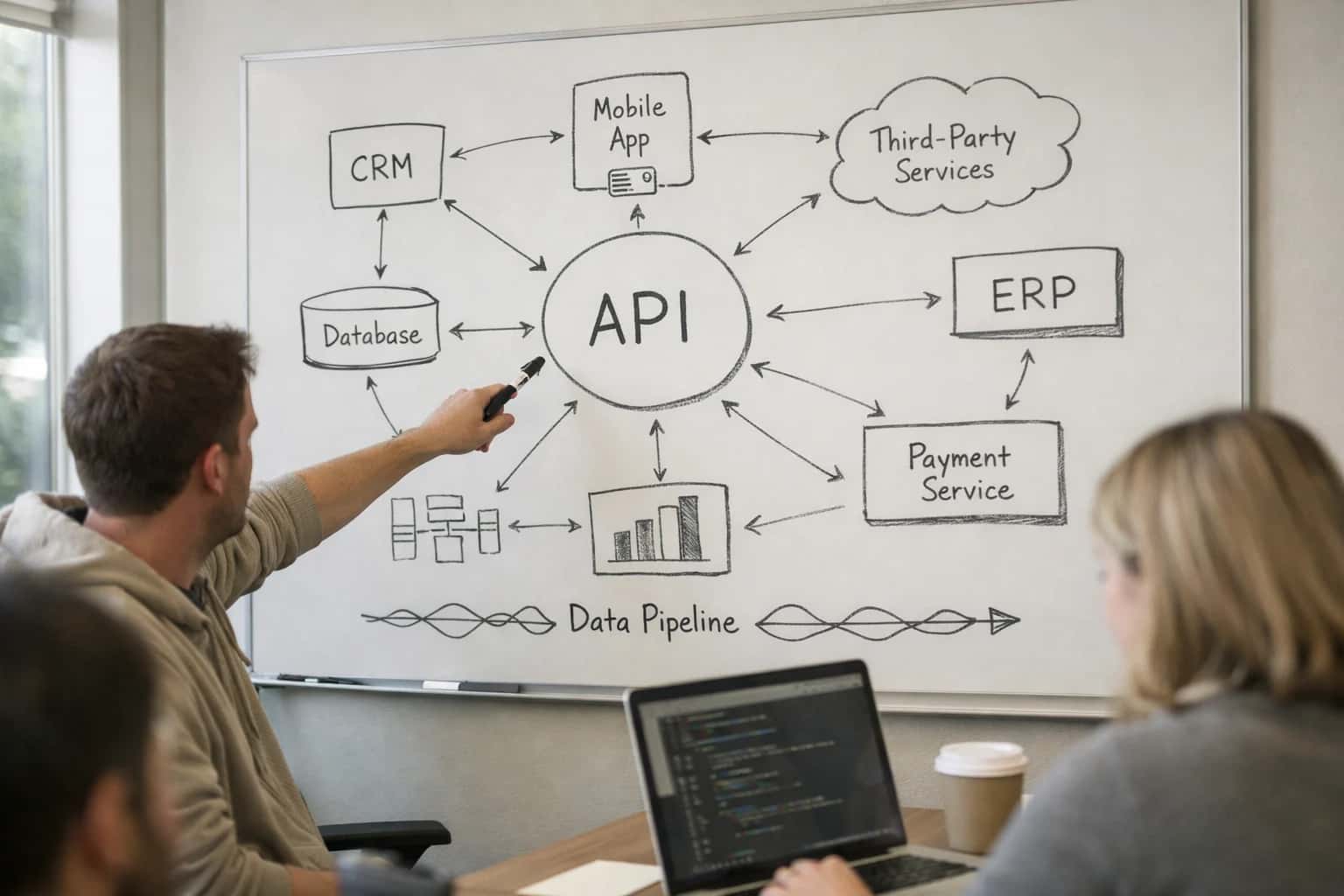
ARCHITECTURE & IMPLEMENTATION
Where AI Fits into HRIS Compensation Workflows
A practical guide to augmenting HRIS compensation modules with AI for market analysis, equity review, and budget planning.
Implementation typically involves a secure service that ingests HRIS data via scheduled extracts or real-time webhooks. The AI layer performs analysis—such as comparing internal pay to aggregated market data from sources like Pave or Salary.com—and returns actionable insights. For example, it can flag employees below the market midpoint for similar roles and tenure, or identify potential gender pay gaps within a department. These insights are then presented within the HRIS interface via embedded widgets or sent to compensation administrators as a structured report, enabling data-driven decisions without leaving the system of record.
Rollout requires careful governance. AI recommendations should be advisory, not auto-approved, maintaining human oversight. All data access and model outputs must be logged for audit trails, and the system should be configured with role-based access controls (RBAC) to ensure only authorized users (e.g., Compensation Analysts, HRBPs) can view sensitive pay analyses. Start with a pilot group, such as a single business unit, to validate the AI's suggestions against historical decisions and refine the prompting logic before scaling. This approach reduces manual benchmarking work from days to hours and brings a consistent, equitable data layer to compensation planning. For related patterns, see our guides on AI Integration for People Analytics and AI Integration for HR Reporting.
COMPENSATION MANAGEMENT
AI Integration Surfaces by HRIS Platform
Core Planning & Budgeting Workbenches
AI integration surfaces directly within the compensation planning modules of major HRIS platforms. In Workday, this is the Compensation Workbench, where managers allocate merit, bonus, and equity awards. For UKG Pro, the primary surface is the Compensation Planning module, often accessed during the annual review cycle. ADP Workforce Now uses its Compensation Management tools, while BambooHR handles this through its Payroll Add-on or integrated third-party partners.
AI agents can be embedded here to:
- Provide real-time market benchmarking data by pulling from integrated sources like Pave, Salary.com, or Radford.
- Suggest individualized award amounts based on performance ratings, tenure, location, and internal equity analysis.
- Enforce budget guardrails by flagging allocations that exceed remaining budget or deviate from guidelines.
- Generate manager justification narratives for awards that fall outside standard ranges, saving administrative time.
HRIS INTEGRATION PATTERNS
High-Value AI Use Cases for Compensation Management
Integrate AI directly into your HRIS compensation modules to automate analysis, guide equitable decisions, and streamline the entire pay planning cycle. These patterns connect to Workday Compensation, UKG Pro Compensation, ADP Compensation, and similar modules via their APIs.
01
Automated Market Benchmarking Analysis
An AI agent ingests internal job architecture and employee data from the HRIS, then queries and synthesizes data from multiple external compensation surveys (e.g., Radford, Mercer). It generates role-by-role benchmark comparisons, flags positions at risk of market lag, and prepares adjustment recommendations within the compensation module for planner review.
Weeks -> Hours
Analysis cycle
02
Equity & Fairness Review Assistant
During merit or promotion cycles, an AI model analyzes proposed increases against historical data, performance ratings, tenure, and demographic factors (with appropriate privacy guards). It surfaces potential outliers, unintended disparities, or deviations from compa-ratio targets directly in the manager's compensation worksheet, prompting review before submission.
Proactive alerts
Risk mitigation
03
Budget Allocation & Scenario Modeling
Compensation planners use a conversational interface to ask "what-if" questions. An AI agent queries the HRIS for employee populations, applies different budget allocation rules (e.g., by performance, by function), and models the outcomes on key metrics like total spend, compa-ratio distribution, and internal equity. Results are exported back to the compensation module.
Batch -> Interactive
Planning mode
04
Manager Compensation Decision Support
Integrated into the manager's compensation workflow in the HRIS, an AI copilot provides context-aware guidance. It summarizes the employee's performance history, compares their current pay to internal peers in similar roles, suggests a increase range based on policy and budget, and helps draft justification narrative for the approval chain.
Improved consistency
Manager guidance
05
Compensation Audit & Compliance Reporting
A scheduled AI workflow audits the HRIS compensation data against internal policies (e.g., minimum wage changes, salary range adherence) and external regulations (e.g., pay transparency laws). It generates exception reports, creates cases for remediation in the HR service delivery module, and auto-drafts sections of required compliance disclosures.
Continuous
Compliance monitoring
06
Personalized Total Rewards Statements
Post-compensation cycle, an AI agent generates personalized, narrative-driven total rewards statements for each employee. It pulls base pay, bonus, equity, and benefits data from the HRIS, explains the compensation philosophy in simple terms, and highlights individual value. Statements are delivered via the HRIS portal or secure messaging.
Mass -> Personalized
Communications
PRACTICAL IMPLEMENTATION PATTERNS
Example AI-Augmented Compensation Workflows
These workflows illustrate how AI agents can be integrated directly into your HRIS compensation module to automate analysis, guide decisions, and execute administrative tasks. Each pattern connects to core compensation objects like compensation plans, employee records, and budget allocations via secure APIs.
Trigger: A compensation planning cycle begins, or a manager initiates a compensation review for a specific role or employee.
Workflow:
- Data Pull: An AI agent queries the HRIS API for:
- Employee's current salary, bonus, equity, and job profile (job code, level, location).
- Internal peer data for similar roles (anonymized or aggregated).
- External Enrichment: The agent calls a configured external market data API (e.g., Pave, Radford, Mercer) using the job profile as context.
- Analysis & Recommendation: An LLM analyzes the internal equity position against market benchmarks. It generates a concise summary and a recommended adjustment range, flagging any significant outliers (e.g., "Role is 15% below market midpoint; internal equity is consistent.").
- System Update: The recommendation, along with supporting data points, is written back to a dedicated field in the employee's compensation plan record in the HRIS (e.g., using a custom object in Workday Extend or a note field in BambooHR).
- Human Review Point: The compensation analyst or manager is notified within the HRIS to review the AI-generated recommendation before any official changes are made.
SECURE DATA ORCHESTRATION FOR COMPENSATION WORKFLOWS
Implementation Architecture: Data Flow & System Boundaries
A production-ready AI integration for compensation management connects to the HRIS as a secure, read-write extension, orchestrating data between market benchmarks, equity systems, and the core compensation module.
The integration architecture treats the HRIS (e.g., Workday Compensation, UKG Pro Compensation) as the system of record. An AI agent layer, deployed in your cloud environment, interacts via the platform's official APIs (e.g., Workday SOAP/REST, UKG Pro API) to perform specific, governed functions. Key data flows include:
- Read Access: Pulling employee records, job profiles, current compensation, and budget data from the HRIS for analysis.
- Write Actions: Submitting proposed salary adjustments, equity grants, or bonus allocations into the HRIS compensation worksheet or approval workflow.
- External Enrichment: Securely sending anonymized job data to external benchmarking services (e.g., Pave, Salary.com) and receiving market rate intelligence.
- Audit Trail: Logging all AI-suggested changes, user overrides, and final approvals back to a dedicated audit object or external logging system.
Implementation focuses on augmenting the manager or compensation analyst workflow within the HRIS interface. A typical use case flow is:
- A manager initiates the compensation review cycle in the HRIS.
- An AI agent, triggered via webhook or scheduled job, analyzes the manager's employee pool against internal equity and live market data.
- The agent generates a proposal payload with recommended adjustments, flagging outliers (e.g., high flight risk, below benchmark).
- This proposal is surfaced as a side-panel copilot interface within the HRIS (using embedded iframe or Extend framework) or sent via a structured email for review.
- The manager reviews, adjusts, and approves the proposals, which are then submitted via API to the HRIS compensation worksheet, kicking off the standard approval chain.
Governance Note: The AI never auto-approves. Its role is to generate a data-informed first draft, reducing manual benchmarking from hours to minutes, while keeping the human-in-the-loop for final decision and compliance.
Rollout requires a phased, role-based approach. Start with a pilot for a single business unit, integrating with the Compensation Planning and Foundation Data modules. Key technical boundaries include:
- API Rate Limits & Batching: Compensation cycles involve bulk operations; jobs must be queued and respect HRIS API throttling.
- Data Privacy & PII: Employee data is never persisted in the AI layer longer than needed for the transaction; all data in motion is encrypted.
- Explainability & Audit: Every AI recommendation must be traceable to the source data points (e.g., 'Recommended +5% based on market midpoint for Senior Engineer in San Francisco').
- Fallback Procedures: The system must degrade gracefully; if the AI service is unavailable, the HRIS native compensation process continues uninterrupted. Successful deployment hinges on treating the AI as a governed participant in the existing HRIS workflow, not a replacement. For related architectural patterns, see our guides on AI Integration for Workday Extend and AI Integration for HR Predictive Analytics.
COMPENSATION WORKFLOW INTEGRATION
Code & Payload Examples
Automating Market Data Enrichment
An AI agent can analyze internal job architecture and employee data, then call external compensation APIs (like Pave or Radford) to fetch benchmark percentiles. The results are formatted and posted back to the HRIS to populate custom fields for compensation planning.
Example Payload to HRIS API:
json{ "employee_id": "EMP-10023", "job_code": "SWE-III", "benchmark_updates": [ { "field_id": "custom_market_50th_percentile", "value": 145000, "currency": "USD", "source": "Radford", "effective_date": "2024-10-01" }, { "field_id": "custom_market_range_min", "value": 122000, "currency": "USD", "source": "Radford", "effective_date": "2024-10-01" } ] }
This payload updates the employee's compensation record in Workday, UKG, or ADP via their respective compensation API endpoints, providing planners with current market context directly within the system.
AI-ENHANCED COMPENSATION PLANNING
Realistic Time Savings & Operational Impact
How AI integration transforms key compensation management workflows within HRIS platforms like Workday, UKG, and ADP, moving from manual, reactive processes to assisted, proactive operations.
| Workflow / Task | Before AI Integration | After AI Integration | Key Notes & Impact |
|---|---|---|---|
Market Benchmarking Analysis | Manual data collection from 3+ sources, 4-6 hours per role | AI aggregates and analyzes internal/external data, delivers report in 15-30 minutes | Ensures data is current and reduces analyst prep time by ~85% |
Equity Review & Fairness Analysis | Ad-hoc spreadsheet analysis, prone to oversight, 2-3 days per cycle | AI scans employee population for outliers and patterns, flags potential issues in 1 hour | Systematic review improves compliance and reduces bias risk; human final approval required |
Budget Allocation Modeling | Manual scenario modeling in spreadsheets, 1-2 days for initial drafts | AI runs multiple what-if scenarios using HRIS data, generates draft allocations in 2 hours | Enables faster, data-driven discussions with finance; manager inputs still drive final decisions |
Compensation Statement Generation | Manual compilation and customization, 30-45 minutes per manager packet | AI auto-generates personalized statements with context, ready for review in 5 minutes | Frees up HR/Comp teams for strategic review and manager coaching |
Manager Compensation Guidance | Generic guidelines and FAQ documents; high volume of basic inquiries | AI-powered copilot provides role-specific guidance and policy answers instantly | Deflects ~60% of routine questions, allowing HRBP focus on complex cases |
Cycle Calibration & Anomaly Detection | Post-cycle analysis to identify outliers and inconsistencies | Real-time monitoring during the cycle flags anomalies for immediate review | Shifts from reactive correction to proactive governance, improving cycle integrity |
Regulatory Compliance Check | Manual review of new regulations against current plans, quarterly | AI monitors regulatory sources and highlights relevant changes to compensation rules | Reduces compliance lag from months to days; legal/HR review still essential |
ENSURING CONTROLLED DEPLOYMENT FOR SENSITIVE COMPENSATION DATA
Governance, Security & Phased Rollout
A practical guide to architecting secure, governed AI integrations for compensation management within Workday, UKG, ADP, and BambooHR.
Integrating AI with compensation modules requires strict data governance from the start. Your implementation must enforce role-based access control (RBAC) at the API layer, ensuring AI agents and workflows only access pay, bonus, and equity data for authorized employee populations (e.g., by manager hierarchy, department, or location). Audit logs should capture every AI-generated recommendation, data query, and system transaction, linking back to the initiating user or automated job. For platforms like Workday Compensation or UKG Pro Compensation, this often involves creating dedicated integration security groups and using SOAP or REST API endpoints with scoped OAuth tokens, rather than broad administrative access.
A phased rollout is critical for managing risk and building organizational trust. Start with a read-only analysis phase, where AI performs market benchmarking and internal equity reviews without writing data back to the HRIS. This allows compensation teams to validate AI insights against their expertise. Next, introduce assistive write-backs for low-risk actions, such as populating justification fields in compensation worksheets or drafting manager communication templates. The final phase enables controlled automation for high-volume, rule-based tasks like batch updates for merit increases within approved budgets, always gated by a manager or HRBP approval step in the system before final submission.
Security extends beyond access control to data in transit and at rest. All prompts and data payloads exchanged with LLMs should be scrubbed of direct identifiers (like employee IDs and names) using a pseudonymization service before leaving your VPC. For on-premise HRIS instances or highly sensitive data, consider a retrieval-augmented generation (RAG) architecture where the LLM only receives relevant, de-identified data chunks from a secure vector index, rather than full database access. This pattern, combined with a human-in-the-loop review for outlier recommendations, ensures the integration enhances decision-making without compromising confidentiality or compliance. For related architectural patterns, see our guide on AI Integration for HRIS Platforms.
Enabling Efficiency, Speed & Accuracy
Intelligent Analysis, Decision & Execution
We build AI systems for teams that need search across company data, workflow automation across tools, or AI features inside products and internal software.
Talk to Us
Search across company data
Give teams answers from docs, tickets, runbooks, and product data with sources and permissions.
Useful when people spend too long searching or get different answers from different systems.
Enterprise searchRAGPermissions
Read more
Automate internal workflows
Use AI to route work, draft outputs, trigger actions, and keep approvals and logs in place.
Useful when repetitive work moves across multiple tools and teams.
AI agentsWorkflow automationGovernance
Read more
Add AI to products and internal tools
Build assistants, guided actions, or decision support into the software your team or customers already use.
Useful when AI needs to be part of the product, not a separate tool.
AI integrationDecision supportModel routing
Read moreAI INTEGRATION FOR COMPENSATION MANAGEMENT
Frequently Asked Questions
Practical questions for technical leaders evaluating AI integration for compensation planning, market benchmarking, and budget allocation within HRIS platforms like Workday, UKG, and ADP.
Security and data governance are paramount. A production implementation typically follows this pattern:
- API-First, Read-Only Initial Phase: The AI agent uses service accounts with strict, read-only OAuth 2.0 scopes to access only the necessary compensation objects (e.g.,
Worker_Compensation,Compensation_Plan). - Data Minimization & PII Masking: Before processing, employee identifiers (names, IDs) are replaced with pseudonyms or tokens. The AI model receives aggregated, role-level data (e.g., "Senior Software Engineer in San Francisco") instead of individual records for benchmarking tasks.
- Secure Execution Environment: The AI agent runs in a private cloud/VPC. All prompts, context data, and model outputs are logged to an immutable audit trail linked to the service account ID.
- Write-Back via Approval Workflows: Any proposed changes (e.g., new salary bands, equity adjustments) are never written directly. They are created as draft records in a sandbox object or sent to a dedicated queue (e.g.,
Compensation_Review_Proposal) that triggers a manager/HRBP approval workflow in the HRIS.

About the author
Prasad Kumkar
CEO & MD, Inference Systems
Prasad Kumkar is the CEO & MD of Inference Systems and writes about AI systems architecture, LLM infrastructure, model serving, evaluation, and production deployment. Over 5+ years, he has worked across computer vision models, L5 autonomous vehicle systems, and LLM research, with a focus on taking complex AI ideas into real-world engineering systems.
His work and writing cover AI systems, large language models, AI agents, multimodal systems, autonomous systems, inference optimization, RAG, evaluation, and production AI engineering.
LinkedIn
Limited slotsGet a Free AI Consultation
Partnered with leading AI, data, and software stack.





How We Work
Custom AI workflows for your Business
One-fit-all AI don't work for modern businesses. At Inferensys, we aim to understand your business & custom requirements; which we use to define most efficient agentic workflows, the data, and the tools for your business.
01
Review the use case
We understand the task, the users, and where AI can actually help.
Read more02
Pick the right approach
We define what needs search, automation, or product integration.
Read more03
Build the first useful version
We implement the part that proves the value first.
Read more04
Improve from there
We add the checks and visibility needed to keep it useful.
Read moreThe first call is a practical review of your use case and the right next step.
Talk to Us