AI integration for Famly curriculum planning connects at three key surfaces: the Learning Journals API for observational data, the Planning & Activities module for lesson plan creation, and the Developmental Framework mapping tools. The core workflow begins by using NLP to process teacher voice notes, typed observations, and uploaded media from the journal. This unstructured data is transformed into tagged observations linked to specific children and developmental areas (e.g., "Communication & Language," "Personal, Social & Emotional"). An AI agent then references this enriched context, along with the center's available resources and weekly themes, to generate draft lesson plans and activity suggestions within Famly's planning interface.

Integration
AI Integration for Famly Curriculum Planning
A technical guide to embedding AI into Famly's curriculum and planning surfaces for automated lesson plan generation, developmental goal alignment, and resource optimization.
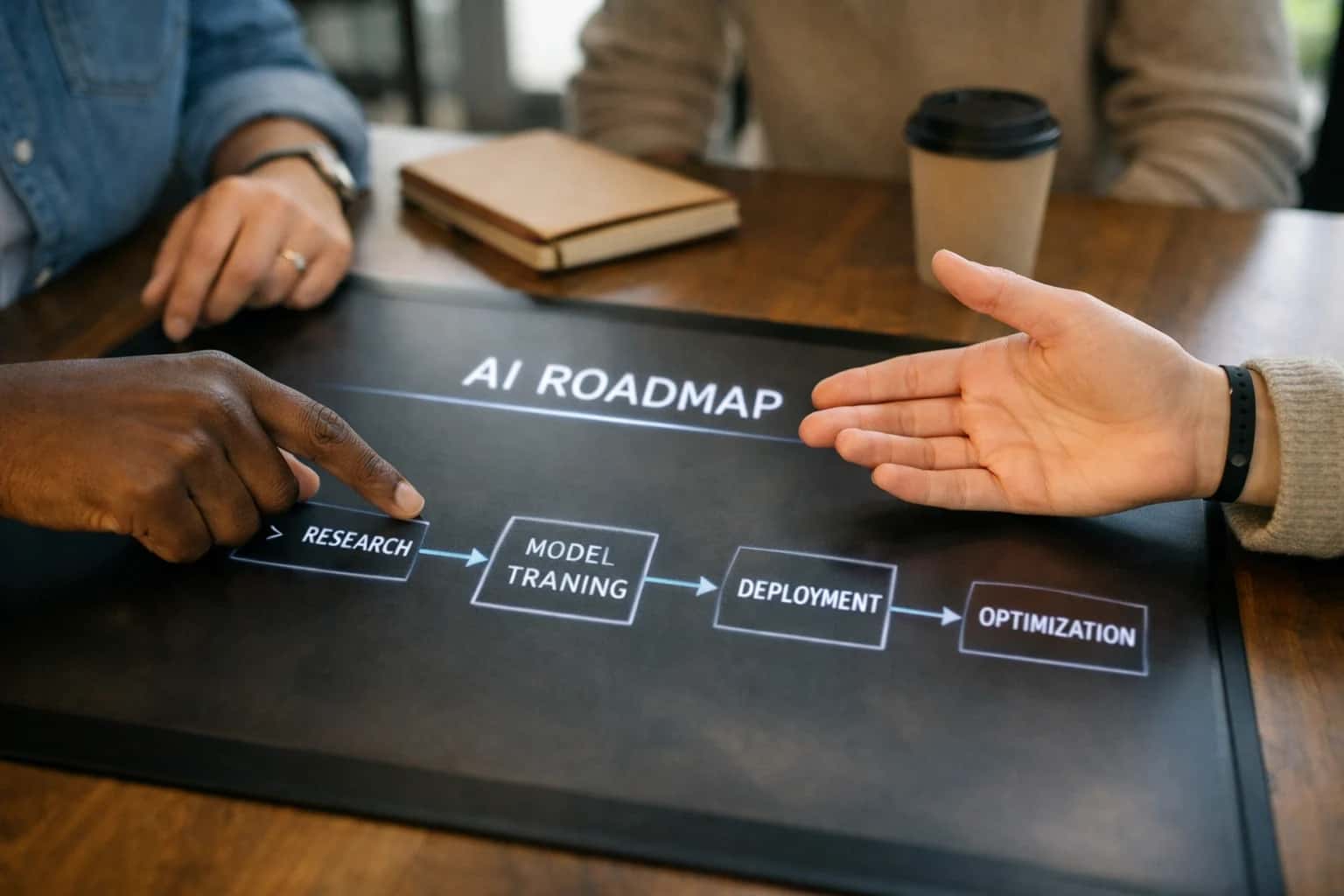
ARCHITECTURE & IMPLEMENTATION
Where AI Fits into Famly's Curriculum Workflow
A practical blueprint for embedding AI-assisted planning directly into Famly's curriculum and observation surfaces.
Implementation typically involves a secure middleware layer that subscribes to Famly's webhooks for new observations and planning cycle events. This layer calls LLMs (like GPT-4 or Claude) with carefully engineered prompts that are grounded in your center's chosen educational framework (EYFS, Montessori, etc.). The generated drafts—complete with learning objectives, material lists, and differentiation notes—are posted back to Famly via its REST API, flagged as AI_DRAFT for teacher review and customization. This shifts planning from a blank-page exercise to an iterative review process, saving several hours per classroom each week.
Rollout and governance are critical. We recommend starting with a pilot group, using Famly's user roles and permissions to control access. All AI-generated content should be logged with an audit trail linking to the source observations. A human-in-the-loop step is non-negotiable; the teacher's final review, edit, and approval in Famly is what creates a valid, personalized plan. This approach ensures AI acts as a copilot, enhancing educator expertise rather than replacing it, while keeping all sensitive child data within Famly's secure ecosystem. For related architectural patterns, see our guide on Famly Center Operations and Natural Language Processing for Observations.
CURRICULUM AND PLANNING MODULES
Key Famly Surfaces for AI Integration
The Core Input Layer for AI
Famly's Learning Journals and observational notes are the primary data source for AI-assisted curriculum planning. This surface includes teacher-submitted notes, photos, videos, and developmental milestone tags.
AI Integration Points:
- Natural Language Processing (NLP): Transcribe teacher voice notes or analyze typed observations to extract key themes, child interests, and skill demonstrations.
- Framework Tagging: Automatically map observations to relevant learning frameworks (like EYFS, Montessori, or state standards) by analyzing the content.
- Data Structuring: Convert free-text observations into structured data (e.g.,
{"skill": "problem-solving", "context": "block play", "child": "Alex"}) to feed planning engines.
Integrating here allows AI to build a rich, searchable profile of each child's development, which directly informs personalized activity suggestions.
FAMLY INTEGRATION PATTERNS
High-Value AI Use Cases for Curriculum Planning
Transform Famly's curriculum planning surfaces from manual documentation tools into intelligent co-pilots. These AI integration patterns connect directly to Famly's APIs for observations, learning journals, and planning modules to automate creation, ensure alignment, and personalize activities.
01
Automated Weekly Lesson Plan Drafting
AI generates structured weekly lesson plans by analyzing past observation notes, developmental goals from child profiles, and available center resources. Plans are formatted for Famly's planning surfaces, ready for teacher review and adjustment, cutting planning time from hours to a structured starting point.
Hours -> Minutes
Initial draft creation
02
Observation-to-Activity Suggestion Engine
Processes teacher voice notes and typed observations via NLP to identify skill gaps or interests. The AI then suggests specific, actionable activities from your center's resource library or approved frameworks, tagging them to relevant Early Years Foundation Stage (EYFS) or other standards within Famly.
Batch -> Real-time
Insight generation
03
Personalized Activity Differentiation
For a given planned activity, AI creates role-specific variations (simplified, extended, sensory) based on individual child profiles and developmental levels stored in Famly. This automates differentiation, ensuring all children in a group can engage meaningfully with the same core theme.
04
Resource & Material Forecasting
Analyzes upcoming lesson plans and activity schedules to predict material needs and supply shortages. Integrates with Famly's room management and inventory tracking (if configured) to generate proactive restocking lists or flag conflicts for shared resources, preventing last-minute scrambles.
05
Developmental Progress Summarization
At the end of a planning period (e.g., term), AI synthesizes all observation data, activity logs, and learning journal entries for each child or group. It produces narrative progress summaries and highlights key milestones, ready for parent reviews or internal assessment within Famly's portfolio system.
1 sprint
For end-of-term summaries
06
Regulatory Framework Compliance Check
Continuously audits planned activities and logged observations against required statutory frameworks (e.g., EYFS, Montessori). Flags potential coverage gaps or areas needing more evidence, providing actionable reports to ensure audit readiness directly within the Famly workflow.
FAMLY INTEGRATION PATTERNS
Example AI-Driven Curriculum Workflows
These workflows demonstrate how AI agents can connect to Famly's curriculum and planning APIs to assist educators, reduce administrative load, and personalize learning experiences. Each pattern is designed to be triggered by events within Famly, call upon AI for analysis or generation, and return structured updates to the platform.
Trigger: A teacher submits a batch of observational notes (text or voice) for a child or group via the Famly app or web interface.
Context Pulled: The integration retrieves:
- The new observation text/transcript.
- The child's age, developmental goals, and past observations from Famly's child profile API.
- The relevant early learning framework (e.g., EYFS, Montessori) and associated milestones configured for the room.
AI Action: An LLM agent analyzes the observation to:
- Tag & Categorize: Identify key skills, interests, and developmental domains (e.g., 'fine motor', 'social-emotional', 'emergent literacy').
- Generate Activity Suggestions: Propose 2-3 concrete, resource-efficient activities that build on the observed interest or need.
- Link to Framework: Map the suggested activities to specific framework outcomes.
System Update: The agent posts a structured JSON payload back to Famly's planning API, creating a draft 'Next Steps' entry attached to the child's learning journal. It includes the AI-generated activities, linked framework codes, and suggested materials.
Human Review Point: The draft is flagged for the teacher's review and approval within Famly before it becomes part of the official plan. The teacher can edit, accept, or discard the suggestions.
CONNECTING AI TO FAMLY'S CURRICULUM ENGINE
Implementation Architecture: Data Flow & APIs
A practical blueprint for integrating AI-assisted planning directly into Famly's curriculum and observation workflows.
The integration connects to two primary Famly surfaces via its REST API and webhooks: the Learning Journals/Observations module and the Planning & Activities module. An AI agent, triggered by a new teacher observation or a scheduled planning event, ingests structured data (child age, developmental goals, past activities, available resources) and unstructured text from voice or typed notes. This payload is sent to a secure inference endpoint, where a configured LLM generates context-aware suggestions. The response—a draft lesson plan, activity ideas, or resource list—is posted back to the relevant Famly record via API, appearing as a draft for teacher review and editing within the familiar Famly interface.
A typical workflow for weekly planning involves: 1) An automated job queries the Famly API for upcoming week and room group details. 2) The AI fetches recent observations for those children, using RAG against your center's curriculum framework documents for grounding. 3) It generates a theme-based plan with activity variations, required materials (cross-referenced with your inventory module), and links to relevant framework objectives. 4) This structured output is created as a new planning record in Famly, reducing planning time from hours to minutes while maintaining pedagogical alignment. All AI interactions are logged with user IDs and timestamps for audit trails.
Rollout is typically phased, starting with a pilot room to refine prompts and output formatting. Governance is critical: all AI-generated content is flagged as a draft, requiring a teacher's review and approval before being shared with families or marked complete. This human-in-the-loop design ensures quality control and professional oversight. For centers, this architecture turns planning from a reactive administrative task into a proactive, data-informed process, allowing educators to focus more on interaction and less on documentation.
IMPLEMENTATION PATTERNS
Code & Payload Examples
Generate Weekly Plans via API
This pattern uses Famly's Observation and Plan APIs to retrieve past activities and child data, then calls an LLM to generate a new, context-aware weekly plan. The AI prompt includes developmental goals, available resources, and seasonal themes.
Example API Payload (POST to /plans):
json{ "groupId": "preschool-room-1", "weekStart": "2024-11-04", "planTitle": "AI-Generated Plan: Autumn Exploration", "activities": [ { "day": "Monday", "timeSlot": "Morning Circle", "description": "Discuss seasonal changes using sensory leaves collected last week. Prompt: 'What colors do you see? How do they feel?'", "learningGoals": ["CL1.1", "SED3.2"], "materials": ["Sensory leaves", "Magnifying glasses"] } ], "source": "ai_assisted", "educatorId": "system-ai" }
The generated plan is created as a draft for educator review and refinement within Famly's planning module.
AI-ASSISTED CURRICULUM PLANNING
Realistic Time Savings & Operational Impact
How AI integration for Famly transforms curriculum planning from a reactive, time-intensive task into a proactive, goal-aligned process.
| Workflow | Before AI | After AI | Implementation Notes |
|---|---|---|---|
Weekly lesson plan drafting | 2-3 hours per classroom | 30-45 minutes with AI-generated drafts | AI suggests activities based on developmental goals; teacher reviews and customizes. |
Activity resource allocation | Manual inventory check & brainstorming | AI matches activities to available supplies & staff skills | Integrates with Famly's resource tracking and staff profile data. |
Observation-to-plan linkage | Manual review of past notes to inform new plans | AI surfaces relevant past observations & suggests follow-up activities | Uses NLP on Famly learning journals to tag and connect insights. |
Framework alignment & documentation | Manual cross-referencing of activities to standards | Auto-tags activities to selected frameworks (EYFS, etc.) | Reduces audit prep time and ensures curriculum compliance. |
Parent communication preview | Separate effort to summarize weekly plans for families | AI generates parent-friendly overviews from the lesson plan | Pushes directly to Famly family portals or messaging. |
Differentiation for mixed-age groups | Complex, manual adaptation of core activities | AI suggests age-appropriate modifications for each activity | Leverages child profile data in Famly to personalize suggestions. |
Seasonal & theme planning | Quarterly day-long planning sessions | AI proposes thematic units with activity sequences | Teachers select and refine from AI-generated quarterly roadmaps. |
SAFE, CONTROLLED DEPLOYMENT FOR EDUCATORS
Governance, Permissions & Phased Rollout
A structured approach to implementing AI in Famly that respects educator workflows, maintains data security, and builds confidence through incremental value.
Governance starts with Famly's existing permission model. AI agents and workflows should inherit and respect the same role-based access controls (RBAC) that define a user's access to children, rooms, and curriculum data. For instance, an AI generating activity suggestions for a specific room should only access observations and developmental goals for children in that room, as defined by the teacher's permissions in Famly. All AI-generated content should be attributed to a user account and logged in Famly's audit trails, creating a clear lineage from suggestion to implementation.
A phased rollout is critical for adoption. We recommend starting with assistive, non-critical workflows that augment—not replace—educator expertise. Phase 1 could be an AI co-pilot within the 'Observations' module, offering real-time tagging suggestions (e.g., "This note relates to Physical Development - Gross Motor") as teachers type. Phase 2 introduces draft lesson plan generation in the 'Planning' module, where AI creates a first draft based on last week's observations and selected learning frameworks, which the lead teacher then reviews, edits, and approves before publishing. Phase 3 expands to predictive resource allocation, suggesting materials or staffing adjustments based on planned activities and historical usage data from Famly's logs.
Establish a human-in-the-loop (HITL) approval gate for all AI-generated curriculum content before it becomes visible to families or other staff. This ensures pedagogical quality control and aligns with center policy. Furthermore, implement a feedback loop where teachers can flag unhelpful suggestions, training the system on your center's specific philosophy. This data, stored securely and anonymized, refines the AI's output over time, making it a true partner to your educational team. For multi-center operations, governance can be centralized, allowing chain-wide learning framework alignment while permitting location-specific customization.
Enabling Efficiency, Speed & Accuracy
Intelligent Analysis, Decision & Execution
We build AI systems for teams that need search across company data, workflow automation across tools, or AI features inside products and internal software.
Talk to Us
Search across company data
Give teams answers from docs, tickets, runbooks, and product data with sources and permissions.
Useful when people spend too long searching or get different answers from different systems.
Enterprise searchRAGPermissions
Read more
Automate internal workflows
Use AI to route work, draft outputs, trigger actions, and keep approvals and logs in place.
Useful when repetitive work moves across multiple tools and teams.
AI agentsWorkflow automationGovernance
Read more
Add AI to products and internal tools
Build assistants, guided actions, or decision support into the software your team or customers already use.
Useful when AI needs to be part of the product, not a separate tool.
AI integrationDecision supportModel routing
Read moreAI FOR CURRICULUM PLANNING
FAQ: Technical & Commercial Questions
Practical questions about implementing AI-assisted lesson planning within Famly's existing workflows, covering integration points, data handling, and rollout strategy.
Integration occurs primarily through Famly's Planning API and Observations API. The typical architecture involves:
- Trigger: A teacher initiates a new weekly plan or requests activity suggestions within the Famly interface.
- Context Fetch: Our integration agent calls the Famly API to pull relevant context:
- The child or group's age, developmental stage, and past observations.
- The selected learning framework (e.g., EYFS, Montessori) and current term goals.
- Recently logged activities and available center resources.
- AI Action: This structured context is sent to a configured LLM (like GPT-4 or Claude) with a specialized prompt template for curriculum generation.
- System Update: The AI-generated plan—including activity descriptions, required materials, and linked developmental goals—is returned as structured JSON and posted back to Famly via the Planning API, creating a draft plan for teacher review and editing.
- Human Review Point: The teacher always reviews, adjusts, and approves the AI-generated draft before it becomes active, ensuring pedagogical control.

About the author
Prasad Kumkar
CEO & MD, Inference Systems
Prasad Kumkar is the CEO & MD of Inference Systems and writes about AI systems architecture, LLM infrastructure, model serving, evaluation, and production deployment. Over 5+ years, he has worked across computer vision models, L5 autonomous vehicle systems, and LLM research, with a focus on taking complex AI ideas into real-world engineering systems.
His work and writing cover AI systems, large language models, AI agents, multimodal systems, autonomous systems, inference optimization, RAG, evaluation, and production AI engineering.
LinkedIn
Limited slotsGet a Free AI Consultation
Partnered with leading AI, data, and software stack.





How We Work
Custom AI workflows for your Business
One-fit-all AI don't work for modern businesses. At Inferensys, we aim to understand your business & custom requirements; which we use to define most efficient agentic workflows, the data, and the tools for your business.
01
Review the use case
We understand the task, the users, and where AI can actually help.
Read more02
Pick the right approach
We define what needs search, automation, or product integration.
Read more03
Build the first useful version
We implement the part that proves the value first.
Read more04
Improve from there
We add the checks and visibility needed to keep it useful.
Read moreThe first call is a practical review of your use case and the right next step.
Talk to Us