AI integration in SAP Ariba is not a monolithic overlay; it's a series of targeted injections into specific functional surfaces. Key integration points include the SAP Ariba APIs for guided buying and procurement, the Ariba Network for supplier collaboration, and the analytics and reporting layer for intelligence. For sourcing, AI connects to Sourcing Project APIs to analyze RFx responses and supplier bids. For procurement, it plugs into the Purchase Requisition and Purchase Order workflows to validate items and enforce policy. For supplier management, AI interacts with the Supplier Profile and Performance Scorecard objects to automate risk scoring and onboarding reviews.

Integration
AI Integration with SAP Ariba
A practical technical blueprint for embedding generative AI agents and workflows into SAP Ariba's sourcing, procurement, and supplier management modules to automate classification, analysis, and decision support.
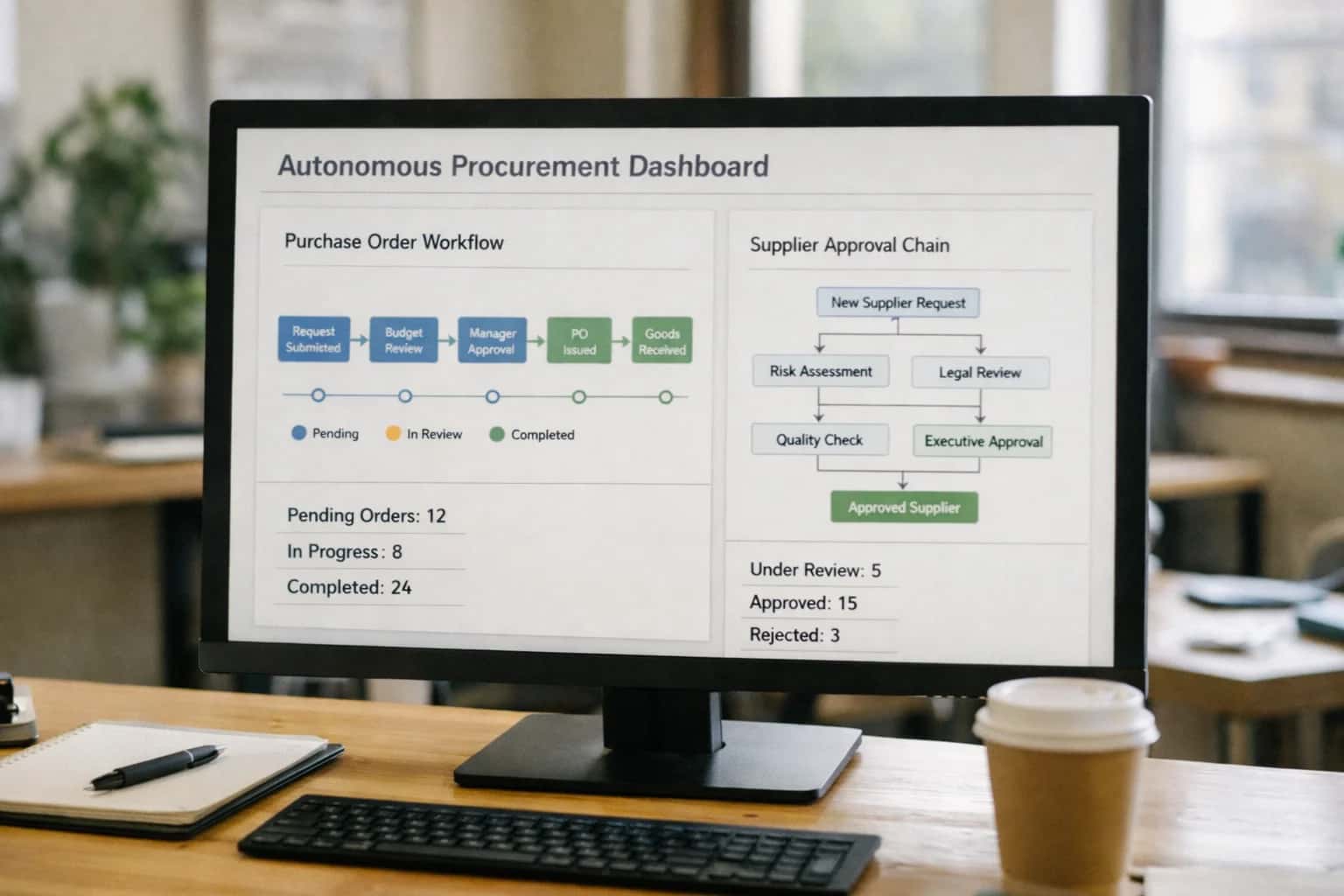
ARCHITECTURE BLUEPRINT
Where AI Fits into the SAP Ariba Stack
A technical map for integrating generative AI and agents into SAP Ariba's core modules, APIs, and user workflows.
Implementation typically involves a middleware layer that subscribes to Ariba webhooks (e.g., invoice.created, requisition.submitted) and uses orchestration agents to call LLMs for analysis, classification, or summarization. For example, an invoice arriving via the Ariba Network can trigger an AI agent that performs three-way matching, extracts line-item data using OCR, and flags discrepancies before routing to the Invoice Management module. Results and actions are written back via Ariba's REST APIs, with all AI-generated content tagged in custom fields for audit trails and human review workflows.
Rollout requires a phased approach, starting with a single high-volume, rule-based process like invoice exception triage or non-catalog requisition review. Governance is critical: AI suggestions in Ariba should be clearly labeled as recommendations, with final approvals remaining in the existing workflow steps. Integration with your SAP S/4HANA or other ERP backbone is also a key architectural consideration, as AI often needs to reconcile Ariba data with master data (vendors, materials, GL accounts) residing in the core system. For a deeper look at connecting these workflows, see our guide on AI Integration for SAP Ariba Procure-to-Pay.
MODULE-LEVEL ARCHITECTURE
Key Integration Surfaces in SAP Ariba
Sourcing Projects and Contract Authoring
Integrate AI directly into SAP Ariba Sourcing events and the Contracts module to automate high-effort, repetitive tasks. Key surfaces include:
- Sourcing Project Templates: Inject AI to pre-populate RFx documents with historical data, supplier lists, and evaluation criteria.
- Bid Analysis: Connect LLMs to the bid response interface to extract, summarize, and score supplier proposals against custom rubrics, highlighting deviations.
- Contract Clause Library: Use AI to suggest compliant clauses during authoring based on the sourcing event outcome, supplier risk profile, and commodity.
- Redlining Workflow: Implement an agent that reviews third-party paper, identifies non-standard terms, and suggests Ariba-approved fallback language.
These integrations reduce cycle times for strategic sourcing managers and legal teams, turning multi-day reviews into hours.
PRODUCTION INTEGRATION PATTERNS
High-Value AI Use Cases for SAP Ariba
Practical AI workflows that connect to SAP Ariba's sourcing, procurement, and supplier management modules through its APIs and webhooks, designed for touchless automation and intelligent decision support.
01
Intelligent Guided Buying Assistant
An AI agent integrated into the SAP Ariba Guided Buying interface that analyzes requisitions in real-time. It validates items against policy, suggests compliant catalog suppliers or approved alternatives, and auto-fills fields like GL codes, reducing requisition errors and policy violations before submission.
Hours -> Minutes
Requisition review
02
AI-Powered Contract Analysis & Compliance
Connects to SAP Ariba Contracts to automatically extract clauses, obligations, and pricing terms from uploaded supplier agreements. The AI monitors active contracts against PO and invoice data, flagging SLA deviations, price mismatches, and auto-triggering renewal workflows for legal and procurement review.
Batch -> Real-time
Compliance checks
03
Dynamic Supplier Risk Scoring
An automated workflow that enriches SAP Ariba Supplier Management records by pulling in and analyzing third-party data (financial news, ESG scores, geopolitical feeds). AI generates a dynamic risk score, triggers re-qualification workflows for high-risk suppliers, and updates the supplier information management (SIM) profile.
Same day
Risk alerting
04
Automated Sourcing Event Support
AI agents that assist sourcing managers in SAP Ariba Sourcing. They can draft RFx documents based on historical templates and category data, analyze incoming bid responses for non-compliance and value, and generate weighted scorecard summaries to accelerate award decisions.
1 sprint
Event cycle time
05
Touchless Invoice Exception Handling
Integrates with SAP Ariba Invoice Management to triage matching exceptions (2-way/3-way). The AI reviews discrepancy details, checks historical patterns, and can either auto-resolve common issues (e.g., unit price rounding) or route the invoice with a summarized root cause to the correct AP agent, drastically reducing manual research.
75% reduction
Manual AP research
06
Conversational Spend Analytics
A natural language layer built on top of SAP Ariba's analytics and reporting data. Procurement and finance users can ask questions like "show me Q3 tail spend by category" or "which suppliers have the most price variance?" and receive generated insights, charts, and links to underlying transactions, democratizing data access.
Self-service
Data exploration
PRACTICAL IMPLEMENTATION PATTERNS
Example AI Agent Workflows for SAP Ariba
These workflows illustrate how AI agents connect to SAP Ariba's APIs and data model to automate high-effort procurement tasks. Each pattern includes the trigger, data context, agent action, and system update.
Trigger: An invoice in SAP Ariba Invoice Management fails the three-way match (PO, receipt, invoice) or hits a validation rule.
Context Pulled: The agent retrieves the invoice header and line items, the related PO (including item descriptions, quantities, prices), goods receipt notes, and any prior correspondence with the supplier from the Ariba Network.
Agent Action:
- Classifies the exception type (price mismatch, quantity discrepancy, tax error, missing receipt).
- For quantity/price mismatches, it cross-references the PO amendment history and checks for approved price variances.
- For missing receipts, it queries the connected ERP (e.g., S/4HANA) for pending GRs or checks shipment tracking via carrier API.
- Drafts a resolution:
- Auto-correct: If variance is within a pre-defined tolerance (e.g., 2% on price), it logs the justification and updates the invoice line.
- Route for Approval: If variance exceeds tolerance, it generates a summary for the PO owner/approver with a recommendation to approve or reject.
- Supplier Query: If data is missing, it drafts a clarification request to the supplier via the Ariba Network.
System Update: Based on the agent's decision and any human approval, the agent calls the Ariba Invoice API to update the invoice status (APPROVED, ON_HOLD), adjust line items, or post a comment to the audit trail.
Human Review Point: All exceptions flagged for approval are sent to a designated workflow inbox in Ariba or Microsoft Teams, where an AP clerk can review the agent's summary and click "Approve" or "Reject."
FROM DATA INGESTION TO ACTIONABLE WORKFLOWS
Implementation Architecture & Data Flow
A production-ready AI integration for SAP Ariba connects LLMs to your procurement data and processes through a secure, governed orchestration layer.
The integration architecture typically sits as a middleware layer between SAP Ariba's APIs and your chosen LLM provider (e.g., OpenAI, Anthropic, Azure OpenAI). Core data flows include:
- Ingestion & Synchronization: A background service polls or receives webhooks from Ariba's
Supplier,Contract,Sourcing Project, andInvoiceAPIs to maintain a near-real-time mirror of key objects in a vector-enabled database. - Orchestration & Tool Calling: An AI agent framework (e.g., LangChain, CrewAI) is configured with specific tools that can query this enriched data store and execute actions back in Ariba, such as updating a supplier scorecard, creating a contract review task, or routing an invoice for approval.
- User Interaction Surfaces: AI capabilities are exposed through:
- Chat Copilots: Embedded within Ariba's UI via custom widgets or side panels, allowing users to ask natural language questions (e.g., "Show me all contracts with this supplier expiring next quarter").
- Automated Workflow Agents: Running headlessly to perform scheduled tasks like analyzing new supplier submissions for risk flags or summarizing the outcomes of a closed sourcing event.
For a sourcing workflow, the data flow is concrete: When a new RFx event is created in Ariba Sourcing, the integration's event listener captures it. The AI agent is triggered to:
- Analyze the RFx package (PDFs, line items, specifications) using document intelligence to extract key requirements.
- Enrich supplier data by cross-referencing the bidder list with internal performance records and external risk databases.
- Generate a bid analysis summary upon response deadline, highlighting compliance, cost outliers, and non-price factors for the sourcing manager.
- Create follow-up tasks in Ariba, such as scheduling clarification rounds with specific suppliers. This turns a manual, document-heavy process into a guided, data-driven workflow, compressing evaluation time from days to hours.
Rollout and governance are critical. We recommend a phased approach, starting with a single module like Contract Management or Supplier Information Management (SIM). Implement strict RBAC to ensure AI-generated actions and insights respect existing Ariba approval hierarchies. All agent interactions should be logged to an audit trail, linking prompts, data sources, and performed actions for compliance. This architecture ensures AI augments—rather than disrupts—your established Ariba governance, providing assistive intelligence where it has the highest data context and user trust.
SAP Ariba API Integration Patterns
Code & Payload Examples
AI-Enhanced Requisition Validation
Integrate an AI agent with SAP Ariba's Requisition APIs to validate items, enforce policy, and suggest alternatives before submission. The agent can analyze the requisition description, validate against the approved catalog, and check budget availability in real-time.
Example Python call to an LLM for item validation:
pythonimport requests def validate_requisition_item(item_description, user_dept): """Call AI service to validate and suggest catalog items.""" prompt = f""" User from department '{user_dept}' is requesting: '{item_description}'. Based on our procurement policy and approved catalog, suggest the correct catalog item ID or recommend a suitable alternative. If non-catalog, flag for additional approvals. """ # Call Inference Systems' orchestration endpoint response = requests.post( 'https://api.inferencesystems.com/v1/agent/validate', json={ 'prompt': prompt, 'context': 'SAP_Ariba_Requisition_Policy_v2', 'tools': ['catalog_lookup', 'policy_check'] } ) return response.json() # Integrate this validation into the Ariba requisition webhook flow # POST /api/ariba/requisition/pre-submit
The AI response can be used to auto-populate the CatalogItemID field or trigger a workflow to route the requisition for special approval.
SAP ARIBA INTEGRATION
Realistic Time Savings & Operational Impact
This table outlines the typical operational improvements and time savings achieved by integrating generative AI into core SAP Ariba workflows. Metrics are based on observed patterns in production implementations.
| Workflow / Task | Before AI Integration | After AI Integration | Implementation Notes |
|---|---|---|---|
Contract Review & Clause Extraction | Manual review: 2-4 hours per agreement | Assisted extraction & summary: 15-30 minutes | AI flags non-standard terms; legal final review required |
Supplier Onboarding Data Validation | Manual checks & follow-ups: 3-5 business days | Automated validation & alerts: Same-day completion | AI validates tax IDs, certifications, and completes forms; supplier portal integration |
Invoice Exception Triage & Resolution | AP analyst investigation: 45-90 minutes per exception | AI-driven root cause analysis: <10 minutes | AI matches to PO/Receipt, suggests resolution; human approval for overrides |
Sourcing Event (RFx) Creation | Category manager drafting: 8-16 hours | Template population & draft generation: 2-4 hours | AI pulls from clause libraries and past events; manager refines strategy |
Spend Classification & Enrichment | Monthly manual mapping & cleanup | Real-time classification at ingestion | AI maps to UNSPSC/category tree; finance validates new suppliers |
Supplier Risk Monitoring Alerts | Quarterly manual news & financial reviews | Continuous monitoring with weekly digests | AI aggregates news, ESG scores, financials; alerts for significant changes |
Guided Buying Requisition Support | Employee search & policy confusion | AI-assisted catalog search & policy guidance | Chat interface suggests compliant items; reduces rogue spend |
Payment Optimization Analysis | Treasury manual analysis of discount terms | Automated analysis of dynamic discounting ROI | AI models cash flow impact; recommends optimal payment timing |
ARCHITECTING FOR ENTERPRISE CONTROL
Governance, Security & Phased Rollout
A practical guide to deploying AI in SAP Ariba with robust controls and a risk-managed rollout.
Integrating AI into SAP Ariba requires a security-first architecture that respects the platform's existing data model and access controls. Key considerations include:
- API Authentication & RBAC: AI agents must operate using dedicated service accounts with principle-of-least-privilege access, scoped to specific Ariba modules (e.g., Sourcing, Contracts, Supplier Management) via OAuth or API keys. All actions are logged against this service identity for a clear audit trail.
- Data Handling & PII: For workflows analyzing supplier documents or user communications, implement a preprocessing layer to redact sensitive Personally Identifiable Information (PII) before sending data to external LLM APIs. Processed data should be transient, not stored in the AI layer.
- Secure Tool Calling: AI agents that trigger Ariba actions—like creating a sourcing event or updating a supplier score—must execute through a secure middleware that validates the request against business rules (e.g., approval thresholds, category limits) before the Ariba API call is made.
A successful rollout follows a phased, use-case-driven approach to build confidence and demonstrate value:
- Phase 1: Assisted Intelligence (Weeks 1-4): Start with read-only agents that provide insights without making system changes. Example: An AI agent that analyzes RFP responses in Ariba Sourcing to summarize bidder strengths and flag non-compliant terms, presenting the analysis in a side-panel for the sourcing manager's review.
- Phase 2: Conditional Automation (Months 2-3): Introduce agents that can execute low-risk, rule-based tasks with human approval. Example: An agent that monitors the Ariba Supplier Management module for incomplete supplier profiles, drafts a request-for-information email, and queues it for the supplier manager's one-click send.
- Phase 3: Autonomous Workflows (Months 4+): After establishing trust, deploy agents for closed-loop automation in contained processes. Example: An agent that fully automates the triage and routing of Ariba Invoice Management exceptions by analyzing the discrepancy, fetching the relevant PO and goods receipt, and either resolving it or escalating it to the correct AP clerk with a recommended action.
Governance is maintained through continuous monitoring and clear ownership. Establish a cross-functional steering committee (Procurement, IT, Legal) to review AI-driven outcomes and exception logs. Implement a human-in-the-loop (HITL) override for any AI-recommended action above a defined risk score or dollar threshold. For ongoing operations, use an LLMOps platform to track prompt performance, monitor for model drift in classification tasks (e.g., spend category mapping), and maintain version control of your AI workflows. This ensures the integration remains a reliable, compliant extension of your SAP Ariba investment.
Enabling Efficiency, Speed & Accuracy
Intelligent Analysis, Decision & Execution
We build AI systems for teams that need search across company data, workflow automation across tools, or AI features inside products and internal software.
Talk to Us
Search across company data
Give teams answers from docs, tickets, runbooks, and product data with sources and permissions.
Useful when people spend too long searching or get different answers from different systems.
Enterprise searchRAGPermissions
Read more
Automate internal workflows
Use AI to route work, draft outputs, trigger actions, and keep approvals and logs in place.
Useful when repetitive work moves across multiple tools and teams.
AI agentsWorkflow automationGovernance
Read more
Add AI to products and internal tools
Build assistants, guided actions, or decision support into the software your team or customers already use.
Useful when AI needs to be part of the product, not a separate tool.
AI integrationDecision supportModel routing
Read moreSAP ARIBA INTEGRATION
Frequently Asked Questions
Common technical and strategic questions about implementing generative AI within SAP Ariba's sourcing, procurement, and supplier management modules.
Secure integration typically follows a server-to-server OAuth 2.0 or certificate-based authentication pattern using Ariba's Open APIs or the Ariba Network APIs.
Key steps:
- Provision API Access: Create a dedicated technical user/service account in your Ariba realm with the minimal necessary permissions (e.g.,
SupplierManagement.ReadWrite,SourcingEvent.Read). - Establish Secure Channel: Use Ariba's API Gateway, authenticating with client credentials to obtain a short-lived access token. All calls are made over TLS 1.2+.
- Agent Architecture: The AI agent (e.g., a containerized service) runs in your controlled VPC, calls the Ariba API to fetch context (like an RFP document or supplier response), processes it via your LLM, and posts results back via API.
- Data Handling: Sensitive data is not persisted in third-party AI services. Processing occurs in your private cloud or via a Bring-Your-Own-Key (BYOK) model with a major cloud LLM provider.
- Audit Trail: All agent-initiated API calls should be logged with the technical user ID, creating a clear audit trail distinct from human actions.

About the author
Prasad Kumkar
CEO & MD, Inference Systems
Prasad Kumkar is the CEO & MD of Inference Systems and writes about AI systems architecture, LLM infrastructure, model serving, evaluation, and production deployment. Over 5+ years, he has worked across computer vision models, L5 autonomous vehicle systems, and LLM research, with a focus on taking complex AI ideas into real-world engineering systems.
His work and writing cover AI systems, large language models, AI agents, multimodal systems, autonomous systems, inference optimization, RAG, evaluation, and production AI engineering.
LinkedIn
Limited slotsGet a Free AI Consultation
Partnered with leading AI, data, and software stack.





How We Work
Custom AI workflows for your Business
One-fit-all AI don't work for modern businesses. At Inferensys, we aim to understand your business & custom requirements; which we use to define most efficient agentic workflows, the data, and the tools for your business.
01
Review the use case
We understand the task, the users, and where AI can actually help.
Read more02
Pick the right approach
We define what needs search, automation, or product integration.
Read more03
Build the first useful version
We implement the part that proves the value first.
Read more04
Improve from there
We add the checks and visibility needed to keep it useful.
Read moreThe first call is a practical review of your use case and the right next step.
Talk to Us