AI integration for SAP Ariba Invoice Reconciliation targets the core Invoice Management module, specifically the data flows and approval queues that handle mismatches between purchase orders (POs), goods receipts (GRs), and incoming invoices. The primary integration surfaces are the Ariba Network APIs for invoice ingestion and status updates, the SAP Ariba Cloud Integration Gateway (CIG) for syncing with backend ERP data, and the Invoice Workflow APIs for programmatically routing and resolving exceptions. AI agents act on the Invoice object, analyzing line-item details, tax codes, pricing variances, and quantity mismatches flagged by the system's native matching engine.

Integration
AI Integration for SAP Ariba Invoice Reconciliation
Targeted technical blueprint for injecting AI into SAP Ariba's Invoice Management module to automate three-way matching, resolve discrepancies, and manage payment holds, reducing manual AP effort from hours to minutes.
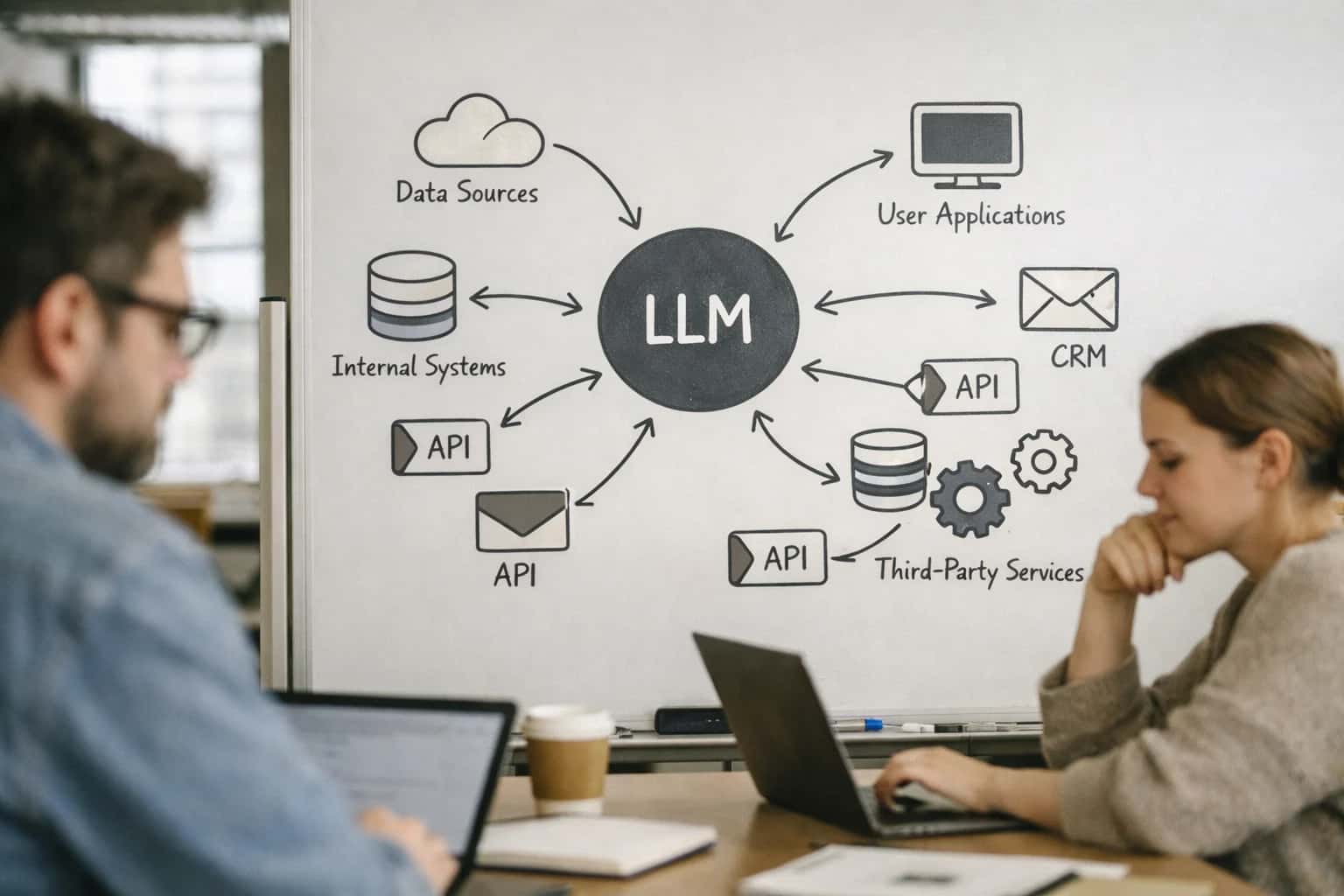
ARCHITECTURE FOR TOUCHLESS PROCESSING
Where AI Fits in SAP Ariba Invoice Reconciliation
A technical blueprint for injecting AI into SAP Ariba's three-way matching and exception handling workflows to automate manual AP effort.
A production implementation typically involves a middleware layer that subscribes to Ariba webhooks for new invoice exceptions. This layer calls an AI service—using models fine-tuned on procurement documents—to read the invoice PDF/XML, cross-reference the PO and GR data from the CIG, and generate a resolution recommendation. For example, an agent can classify a variance as a price tolerance breach, a quantity discrepancy, or a tax calculation error, then either auto-correct the invoice line, route it to a specific buyer for approval with a pre-populated note, or place it on hold with a clear reason code. This reduces the manual research cycle from hours to minutes and cuts down the "exception queue" that AP clerks manually triage.
Rollout requires a phased approach: start with low-risk, high-volume suppliers and non-inventory items, using the AI's confidence score and a human-in-the-loop approval step. Governance is critical; all AI recommendations and actions must be logged to the Invoice audit trail in Ariba, and the system should be continuously evaluated on key metrics like first-pass match rate, exception resolution time, and payment discount capture. For teams managing complex global deployments, this integration can be extended to handle multi-currency and country-specific tax logic, pulling rules from a centralized policy engine. Explore our related guide on AI Integration for SAP Ariba Procure-to-Pay for the end-to-end architecture.
AI-POWERED THREE-WAY MATCHING & EXCEPTION RESOLUTION
Key Integration Surfaces in SAP Ariba Invoice Management
Invoice Capture & Data Extraction
The integration begins at the point of invoice ingestion, whether via Ariba Network, email, or direct upload. AI agents can be deployed to process unstructured PDFs, scanned images, and paper-based invoices that bypass standard EDI/XML channels.
Key integration surfaces include:
- Ariba Network Document Services API to intercept incoming supplier invoices.
- SAP Ariba Cloud Integration Gateway (CIG) for secure, high-volume data transfer.
- Custom webhook endpoints to trigger AI extraction workflows upon document receipt.
An AI service extracts line-item details (quantity, price, GL codes), header information, and supplier data, then validates and enriches this data against the Ariba supplier master and purchase order records before submission to the Invoice Management module. This pre-validation significantly reduces the volume of invoices entering the system with missing or mismatched data.
AUTOMATE THREE-WAY MATCHING AND EXCEPTION RESOLUTION
High-Value AI Use Cases for SAP Ariba Invoice Reconciliation
Targeted AI integrations for SAP Ariba Invoice Management can automate the most manual and error-prone steps in the procure-to-pay cycle. These use cases focus on connecting LLMs and document intelligence to Ariba's APIs to reduce AP effort, accelerate payments, and improve accuracy.
01
Automated Three-Way Match Validation
AI validates line-item matches between Purchase Order (PO), Goods Receipt (GR), and Invoice in real-time. The agent calls Ariba APIs to fetch PO and GR data, uses vision models to extract invoice line items, and flags mismatches on quantity, price, or UOM before the invoice enters the workflow. This reduces manual matching effort by over 80%.
Hours -> Minutes
Matching time
02
Intelligent Discrepancy Triage & Routing
When a mismatch is detected, an AI agent classifies the exception type (e.g., price variance, quantity overage, missing GR) and routes it with context to the correct resolver—buyer, receiver, or AP—via Ariba's workflow APIs. It can also suggest resolutions based on historical patterns, pulling data from /integrations/spend-management-and-procure-to-pay-platforms/ai-integration-for-sap-ariba-contract-compliance.
Same day
Resolution SLA
03
Non-PO Invoice Policy Enforcement
For invoices without a PO, AI analyzes the vendor, GL code, and line-item descriptions against company spend policies. It checks for pre-approved vendors, budget availability, and manager approval history. Non-compliant invoices are automatically placed on hold with a detailed policy citation, while compliant ones are fast-tracked for payment.
Batch -> Real-time
Policy check
04
Dynamic Payment Hold Management
An AI monitor continuously analyzes invoices on hold—for discrepancies, missing tax certificates, or blocked suppliers—and triggers corrective actions. It can initiate requests for missing documents from suppliers via the Ariba Network or escalate aging holds to managers. This proactively reduces payment delays and improves supplier relationships.
1 sprint
Implementation
05
AI-Powered Invoice Data Capture & Enrichment
Instead of relying on basic OCR, a multi-model AI pipeline extracts line items, taxes, and payment terms from complex invoice formats (PDFs, scanned images). It then enriches the data by mapping items to the correct Ariba catalog SKU, GL account, and cost center before posting, ensuring clean data for analytics and our /integrations/accounting-and-finance-platforms integrations.
>95%
Extraction accuracy
06
Root Cause Analysis for Frequent Exceptions
An AI analytics layer identifies patterns in recurring invoice exceptions—like a specific supplier consistently billing incorrect prices or a receiving department delaying GRs. It generates reports and prescribes process fixes, such as updating contract terms in Ariba Contracts or retraining receivers, closing the loop between operational data and procurement strategy.
SAP ARIBA INVOICE MANAGEMENT
Example AI-Powered Reconciliation Workflows
These concrete workflows illustrate how AI agents can be integrated into SAP Ariba Invoice Management to automate three-way matching, resolve discrepancies, and manage payment holds, directly reducing manual AP effort and cycle times.
Trigger: An invoice is submitted into SAP Ariba Invoice Management via the network, email, or API.
AI Agent Actions:
- Context Retrieval: The agent calls Ariba APIs to pull the corresponding Purchase Order (PO) and Goods Receipt (GR) data.
- Field-Level Matching: It performs a line-item comparison of:
Invoice.quantityvs.PO.quantityvs.GR.quantity_receivedInvoice.unit_pricevs.PO.unit_priceInvoice.totalvs. calculated PO total (with tolerance check).
- Discrepancy Classification: Using a classification model, it labels mismatches (e.g.,
quantity_overage,price_variance,missing_gr). - Resolution Routing: Based on policy, the agent either:
- Auto-Approves: For variances within configured tolerances.
- Creates a Task: For resolvable issues (e.g., routes to buyer for GR confirmation), attaching the AI's analysis.
- Flags for Hold: For significant variances or suspected fraud, placing the invoice on hold with a detailed reason code.
System Update: The invoice status in Ariba is updated (e.g., Matched, Pending Buyer Review, On Hold - Price Variance).
FROM INVOICE INTAKE TO PAYMENT RELEASE
Implementation Architecture & Data Flow
A production-ready architecture for injecting AI into SAP Ariba Invoice Management to automate three-way matching and discrepancy resolution.
The integration connects to SAP Ariba's Invoice Management APIs and webhook infrastructure. Inbound invoices, whether via Ariba Network, email, or OCR, are captured. The AI agent, acting as a middleware service, subscribes to invoice creation and update events. For each invoice, it retrieves the corresponding Purchase Order (PO) and Goods Receipt (GR) data via the InvoiceApi and ProcurementApi. This forms the foundational data triad for automated three-way matching.
The core AI workflow performs a multi-layer validation: First, a deterministic match on PO number, item, quantity, and price. Discrepancies trigger a generative review where an LLM analyzes line-item descriptions, unit mismatches (e.g., 'ea' vs. 'each'), and tolerances. The agent can call supplier portals for supporting documents and reference historical patterns. Based on configured rules, it either auto-approves the match, routes the invoice to a defined exception queue in Ariba with a detailed discrepancy report, or places a payment hold with a reason code, all via the InvoiceWorkflowApi.
Governance is enforced through an audit trail service that logs every AI decision, the data points considered, and the confidence score. High-value or low-confidence exceptions are escalated to AP clerks via Ariba's native task list, where the AI's analysis is presented as a summary. The system is rolled out in phases, starting with a pilot commodity group. Performance is measured by touchless match rate, reduction in Days Payable Outstanding (DPO) for clean invoices, and time spent by AP staff on research. This architecture ensures AI augments—not replaces—the existing Ariba approval matrix and financial controls.
IMPLEMENTATION PATTERNS
Code & Payload Examples
Extracting Unstructured Invoice Data
Before matching can occur, AI must extract structured data from uploaded PDFs or images. This typically involves calling a document intelligence service (e.g., Azure Form Recognizer, Google Document AI) via a webhook from Ariba's Invoice Management module. The extracted data is then validated and enriched before being posted to Ariba for matching.
Example Python Webhook Handler:
pythonfrom flask import Flask, request, jsonify import requests app = Flask(__name__) @app.route('/ariba/invoice-extract', methods=['POST']) def handle_invoice_upload(): """Webhook called by SAP Ariba when a new invoice document is uploaded.""" ariba_payload = request.json invoice_doc_url = ariba_payload.get('documentUrl') invoice_id = ariba_payload.get('invoiceId') # Call Document AI service extraction_result = call_document_ai(invoice_doc_url) # Structure payload for Ariba Invoice API ariba_update_payload = { "invoiceId": invoice_id, "status": "EXTRACTED", "lineItems": [ { "lineNumber": item['line_num'], "materialDescription": item['description'], "quantity": item['quantity'], "unitPrice": item['unit_price'], "netAmount": item['net_amount'] } for item in extraction_result['line_items'] ], "vendorInvoiceNumber": extraction_result['invoice_number'], "invoiceDate": extraction_result['invoice_date'], "totalAmount": extraction_result['total_amount'] } # Post enriched data back to Ariba requests.put(f"{ARIBA_BASE_URL}/invoices/{invoice_id}", json=ariba_update_payload, headers=auth_headers) return jsonify({"status": "processing"})
AI-POWERED INVOICE RECONCILIATION
Realistic Time Savings & Operational Impact
This table illustrates the measurable impact of integrating AI into SAP Ariba Invoice Management workflows, focusing on three-way matching, discrepancy resolution, and payment hold management.
| Process Step | Before AI | After AI | Key Notes |
|---|---|---|---|
Invoice Data Capture & Entry | Manual keying from PDF/email | Automated extraction & field mapping | Reduces data entry errors; uses Ariba's capture APIs |
Three-Way Match Execution | AP clerk manually compares PO, GR, invoice | AI agent performs automated matching & flags exceptions | Matches in seconds; human effort shifts to exception review |
Discrepancy Investigation & Routing | Manual research across systems; email/chat for clarifications | AI summarizes discrepancy, suggests resolution, routes to correct owner | Cuts investigation time from hours to minutes; uses Ariba workflow APIs |
Payment Hold Management | Manual review of hold reasons; periodic status checks | AI monitors holds, triggers follow-ups, recommends release based on rules | Reduces payment delays; provides audit trail for hold/release actions |
Approval Workflow Triage | All invoices routed through standard approval chains | AI scores complexity & risk, routes only exceptions for approval | Enables straight-through processing for clean invoices; uses Ariba approval APIs |
Supplier Query Handling | AP team fields calls/emails on invoice status | AI-powered self-service portal or chatbot provides real-time status | Deflects routine inquiries; integrates with Ariba Supplier Network |
Month-End Close Support | Manual reconciliation of open invoices and accruals | AI generates pre-close report of aging items and matching exceptions | Provides visibility for faster financial closing; exports to ERP via Ariba APIs |
ARCHITECTING FOR PRODUCTION
Governance, Security & Phased Rollout
A controlled, secure implementation is critical for financial workflows. Here’s how to structure your SAP Ariba AI integration for operational integrity.
A production-ready integration for SAP Ariba Invoice Management must be built on a secure, event-driven architecture. The typical pattern involves:
- Event Capture: Using Ariba's
InvoiceAPIs and webhooks (e.g.,InvoiceCreated,InvoiceStatusChanged) to trigger AI processing for new or discrepant invoices. - Secure Data Flow: Extracting invoice headers, line items, and supporting documents (PDFs, images) via authenticated API calls, passing only necessary payloads to a secure, internal AI processing service—never sending sensitive financial data to public LLM endpoints.
- Orchestration Layer: An internal agent or workflow engine (e.g., using n8n or a custom service) manages the multi-step process: calling the OCR/vendor extraction service, performing three-way matching logic against
PurchaseOrderandGoodsReceiptAPIs, and generating a discrepancy analysis. - Audit Trail: Every AI action—invoice reviewed, discrepancy flagged, suggestion made—is logged back to a custom object in Ariba or an external audit database with a trace ID, linking the AI's input, reasoning, and output for compliance reviews.
Governance is designed into the workflow from the start. Key controls include:
- Human-in-the-Loop Gates: Configure the AI to automatically post its analysis and recommendation (e.g., "Match", "Hold for price variance", "Route to approver Jane Doe") as a note on the Ariba invoice object. The final
Approve,Hold, orRejectaction remains a manual step by the AP clerk or manager, using the AI note as a decision support tool. - RBAC Integration: The AI's suggestions and data access respect the existing Ariba role-based permissions. An agent preparing an analysis for an invoice will only reference POs and receipts that the reviewing AP agent has permission to see, enforced via the same API session credentials.
- Model Hallucination Guardrails: Implement validation rules on the AI output. For example, any suggested matching must pass a configurable confidence threshold for line-item quantity and price; otherwise, it defaults to a "Review" status. Use a closed-domain, fine-tuned model for financial document understanding to reduce errors on numeric fields.
A phased rollout minimizes risk and builds trust:
- Pilot (Phase 1): Connect the AI to a single, low-risk invoice type (e.g., non-PO invoices under $1,000). Run the AI in "shadow mode"—it processes invoices and generates notes, but AP agents make decisions without seeing them. Compare AI recommendations to human outcomes to calibrate accuracy and refine prompts.
- Assisted Processing (Phase 2): Enable the AI notes for a specific AP team. Focus on discrepancy triage: the AI highlights the top 3 likely causes of a match failure (e.g., "Unit price on line 2 exceeds PO by 10%"), reducing investigation time from 15 minutes to 2. Measure cycle time reduction and first-pass match rate.
- Scale & Automation (Phase 3): Expand to all invoice types. Introduce rules-based auto-approval for high-confidence, low-value matches (e.g., perfect matches under $5,000), with a weekly audit sample. The system now handles the routine, allowing the team to focus on complex exceptions and supplier relationship issues.
This crawl-walk-run approach, coupled with immutable audit logs, ensures the integration delivers operational efficiency without compromising financial control. For related architectural patterns, see our guide on AI Integration for Coupa AP Automation.
Enabling Efficiency, Speed & Accuracy
Intelligent Analysis, Decision & Execution
We build AI systems for teams that need search across company data, workflow automation across tools, or AI features inside products and internal software.
Talk to Us
Search across company data
Give teams answers from docs, tickets, runbooks, and product data with sources and permissions.
Useful when people spend too long searching or get different answers from different systems.
Enterprise searchRAGPermissions
Read more
Automate internal workflows
Use AI to route work, draft outputs, trigger actions, and keep approvals and logs in place.
Useful when repetitive work moves across multiple tools and teams.
AI agentsWorkflow automationGovernance
Read more
Add AI to products and internal tools
Build assistants, guided actions, or decision support into the software your team or customers already use.
Useful when AI needs to be part of the product, not a separate tool.
AI integrationDecision supportModel routing
Read moreIMPLEMENTATION AND WORKFLOW DETAILS
Frequently Asked Questions
Practical questions for teams planning an AI integration for SAP Ariba Invoice Reconciliation, covering architecture, workflows, and rollout.
The integration is built on SAP Ariba's Invoice Management APIs and configured webhooks. A typical production architecture involves:
- Trigger: A new or updated invoice (
Invoiceobject) is posted to the Ariba Cloud. - Webhook: Ariba sends a JSON payload to a secure endpoint (e.g.,
https://api.yourcompany.com/ariba/webhook). The payload contains the invoice ID, status, and metadata. - Context Retrieval: The AI agent uses the Ariba
REST API(with OAuth 2.0) to fetch the full invoice document (PDF/XML), associatedPurchaseOrderandGoodsReceiptdata. - Orchestration: The agent orchestrates the three-way match, calling document parsing, LLM reasoning, and validation services.
- System Update: Results are posted back to Ariba via the
Invoice Approval APIto:- Update the invoice
status(e.g.,READY_FOR_PAYMENT,ON_HOLD). - Add a comment with discrepancy details.
- Attach a JSON audit log as a note for full traceability.
- Update the invoice
This keeps Ariba as the system of record while the AI agent operates as a stateless, API-driven service.

About the author
Prasad Kumkar
CEO & MD, Inference Systems
Prasad Kumkar is the CEO & MD of Inference Systems and writes about AI systems architecture, LLM infrastructure, model serving, evaluation, and production deployment. Over 5+ years, he has worked across computer vision models, L5 autonomous vehicle systems, and LLM research, with a focus on taking complex AI ideas into real-world engineering systems.
His work and writing cover AI systems, large language models, AI agents, multimodal systems, autonomous systems, inference optimization, RAG, evaluation, and production AI engineering.
LinkedIn
Limited slotsGet a Free AI Consultation
Partnered with leading AI, data, and software stack.





How We Work
Custom AI workflows for your Business
One-fit-all AI don't work for modern businesses. At Inferensys, we aim to understand your business & custom requirements; which we use to define most efficient agentic workflows, the data, and the tools for your business.
01
Review the use case
We understand the task, the users, and where AI can actually help.
Read more02
Pick the right approach
We define what needs search, automation, or product integration.
Read more03
Build the first useful version
We implement the part that proves the value first.
Read more04
Improve from there
We add the checks and visibility needed to keep it useful.
Read moreThe first call is a practical review of your use case and the right next step.
Talk to Us