AI integration targets specific functional surfaces within your POS platform: the Inventory API (for real-time SKU-level reads/writes), the Purchase Order module (for generating and routing POs), and the Reporting/Data Export layer (for feeding historical sales and stock data into forecasting models). The core data objects are Product/Variant, Inventory Level, Location, Vendor, and Purchase Order. AI acts as an orchestration layer that monitors these objects via webhooks—like inventory_level.updated or product.low_stock—to trigger automated workflows.

Integration
AI Integration for POS Inventory Automation
A technical blueprint for using AI to automate stock counts, predict reorder points, generate purchase orders, and sync inventory levels in real-time across POS and warehouse systems.
ARCHITECTURE & ROLLOUT
Where AI Fits into POS Inventory Management
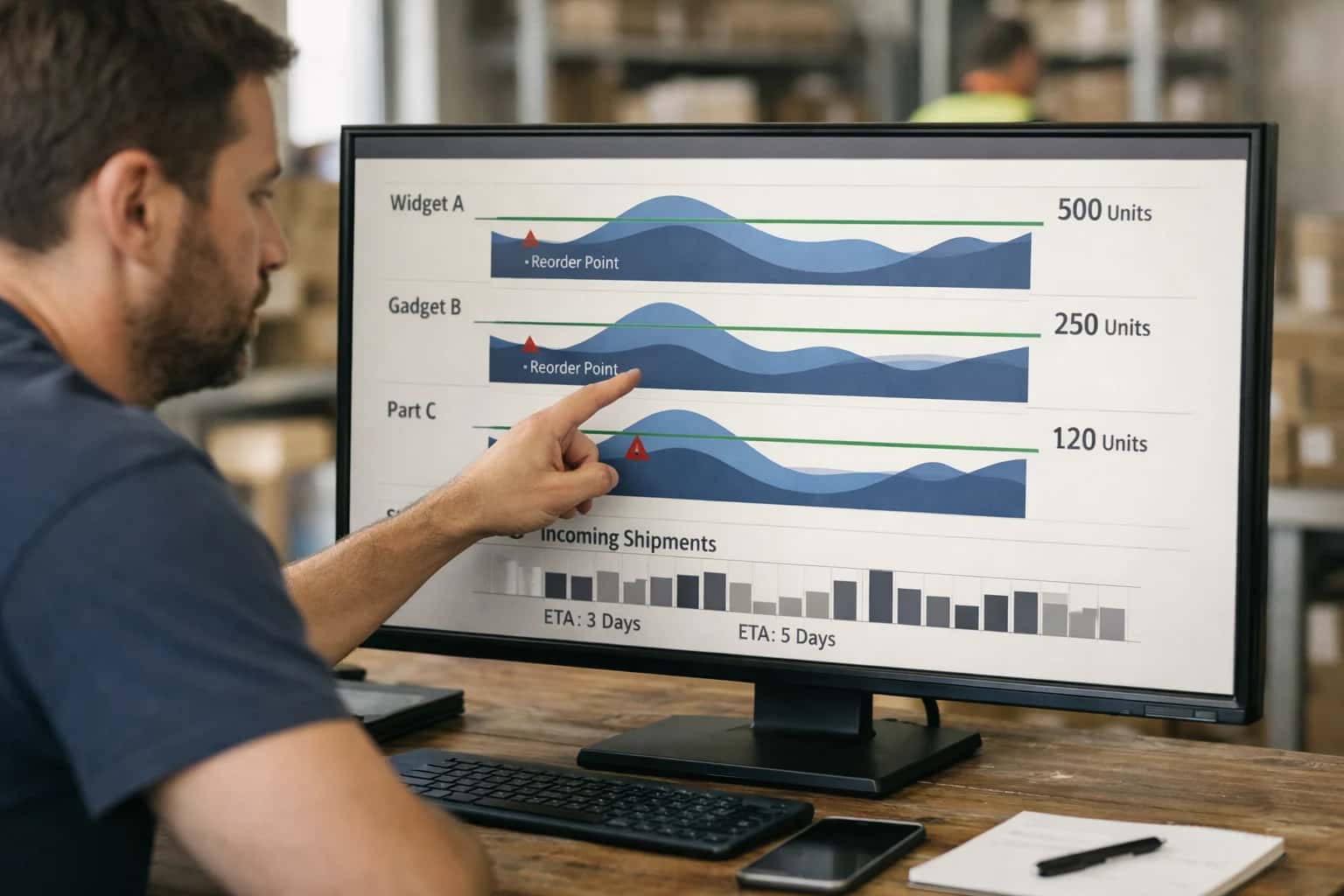
AI connects to your POS platform's APIs and data model to automate stock operations, turning reactive counts into predictive workflows.
A typical implementation involves a middleware service that subscribes to POS webhooks and maintains a vector store of product attributes, sales velocity, and vendor lead times. For example, when stock for a top-selling item at Store A dips below a dynamic reorder point (calculated by an AI model), the system can: 1) Check cross-location availability via the POS API, 2) If unavailable, draft a purchase order with optimized quantity and vendor, 3) Route the PO for approval via Slack or email based on amount, and 4) Upon approval, post the PO back to the POS and notify the vendor. This reduces manual stock checks and prevents "out-of-stock" during peak sales.
Rollout should be phased, starting with a pilot category of SKUs (e.g., top 100 products) in a single location. Governance is critical: all AI-generated actions like PO creation should be logged with an audit trail, and a human-in-the-loop approval step should be mandatory for initial deployments. The integration must respect the POS platform's rate limits and implement retry logic for API calls. Over time, as confidence grows, approvals can shift to exception-only for low-risk, high-velocity items.
This architecture doesn't replace your POS; it makes its inventory module more intelligent. By connecting demand signals directly to replenishment actions, you shift staff time from manual counting and spreadsheet forecasting to exception management and strategic vendor negotiation. For a deeper dive on connecting these workflows to broader supply chain systems, see our guide on POS Supply Chain Integration.
ARCHITECTURAL BLUEPRINTS
Key Integration Surfaces Across POS Platforms
Real-Time Stock and Catalog Management
This surface connects AI directly to the core product and inventory data model. Use the platform's native APIs (e.g., Shopify's InventoryLevel and Product APIs, Square's Inventory API, Lightspeed's Item resource) to read current stock levels, cost, and variant details.
AI Workflows Enabled:
- Automated Replenishment: AI models analyze sales velocity, lead times, and seasonality to generate purchase order suggestions.
- Intelligent Receiving: Use computer vision or NLP on vendor invoices to match and update received quantities against POs in the POS.
- Catalog Enrichment: Automatically generate SEO-friendly product descriptions, tag products for search, and clean up duplicate SKUs.
Implementation Pattern: A background service polls or receives webhooks for low-stock events, calls your AI model for a reorder recommendation, and then uses the POS API to create a draft purchase order or alert a manager.
AUTOMATION BLUEPRINTS
High-Value AI Use Cases for POS Inventory
Integrate AI directly into your POS inventory workflows to move from reactive stock management to predictive, automated operations. These patterns connect to APIs in Lightspeed, Shopify POS, Square, and Clover to sync data, trigger actions, and provide intelligence at the point of sale.
01
Automated Purchase Order Generation
AI models analyze real-time POS sales velocity, seasonality, and supplier lead times to automatically generate and send purchase orders when stock hits dynamic reorder points. Integrates via PurchaseOrder APIs to eliminate manual forecasting.
Batch -> Real-time
Replenishment cycle
02
Perishable & Seasonal Inventory Forecasting
Specialized for grocery, fashion, or holiday goods. AI predicts spoilage or end-of-season markdowns by ingesting POS sell-through rates, expiry dates, and local demand signals. Triggers automated promotions or transfer orders to minimize waste.
Reduce waste
Primary impact
03
Cross-Channel Inventory Synchronization
An AI orchestration layer uses webhooks from POS and eCommerce platforms (like Shopify) to intelligently allocate and reserve stock across physical stores, warehouses, and online channels in real-time, preventing oversells.
Real-time sync
Inventory accuracy
04
Cycle Count Optimization & Discrepancy Triage
Instead of scheduled full counts, AI prioritizes cycle counts for SKUs with high shrinkage risk or data inconsistencies. Analyzes POS transaction logs and flags variances for immediate review, routing discrepancies to loss prevention workflows.
Hours -> Minutes
Variance review
05
Vendor Performance & Lead Time Intelligence
AI continuously evaluates supplier data against POS fulfillment. Correlates on-time delivery, quality (return rates), and cost. Automatically suggests vendor switches or negotiates terms within procurement modules, fed by POS performance data.
Data-driven sourcing
Procurement aid
06
Intelligent Receiving & Put-Away
When shipment notifications arrive, AI cross-references expected POs with current POS stock levels and sales forecasts. Generates optimized put-away instructions for warehouse staff, prioritizing high-demand items to the front or direct-to-floor.
Same day
Goods to shelf
PRODUCTION PATTERNS
Example AI-Powered Inventory Workflows
These concrete workflows illustrate how AI agents connect to your POS and warehouse APIs to automate inventory operations. Each pattern includes the trigger, data flow, AI action, and system update.
Trigger: Scheduled nightly job or manual trigger from a store manager's dashboard.
Context/Data Pulled:
- Physical count data from handheld scanners or mobile apps.
- Current POS system stock levels for the counted SKUs.
- Recent transaction history (last 7 days) for those SKUs.
- Known incoming transfer orders from the warehouse management system (WMS).
Model or Agent Action: An AI agent analyzes the discrepancy between the physical count and system count. It considers:
- Was there a sale after the count started?
- Is there an unreceived transfer that explains the shortfall?
- Does the variance pattern match common mis-scans or theft indicators?
The agent classifies the variance as explained, unexplained - adjust, or unexplained - flag for review.
System Update or Next Step:
- For
explained: Logs the reasoning (e.g., "Sale during count") and takes no action. - For
unexplained - adjust: Automatically posts a stock adjustment transaction to the POS API to sync levels. - For
unexplained - flag: Creates a task in the store's task management system (e.g., via webhook to Asana) for the manager to investigate.
Human Review Point: All flag classifications and any adjustment over a configurable threshold (e.g., >5 units or >$500 value) require manager approval via a mobile notification before the API call is executed.
FROM SALES DATA TO AUTOMATED ACTION
Implementation Architecture: Data Flow & System Design
A practical blueprint for connecting AI to your POS and inventory systems to automate stock management.
The core integration surfaces the POS transaction log, product master, and inventory level APIs from systems like Lightspeed Retail, Shopify POS, or Square. An event-driven pipeline (using webhooks or a message queue) streams real-time sales and return events. This data is enriched with supplier lead times, seasonal factors, and warehouse transfer schedules before being processed by an AI agent. The agent's primary role is to interpret this enriched stream to predict reorder points, not just by simple min/max thresholds, but by analyzing velocity, sell-through rates, and promotional calendars.
For implementation, the AI agent interacts with two key systems: the Procurement/Purchase Order module of your ERP or ordering platform and the Warehouse Management System (WMS). Based on its predictions, it can draft purchase orders with suggested quantities and vendors, routing them via an approval workflow in a tool like Coupa or NetSuite. Simultaneously, it can trigger intra-warehouse transfer requests in the WMS to balance stock across locations. This is often executed through serverless functions or a lightweight orchestration layer that handles API calls, error retries, and creates an immutable audit log of all AI-initiated actions.
Rollout should be phased, starting with a pilot category of non-critical SKUs. Governance is critical: all AI-generated purchase orders or transfer requests should be flagged in the system and require a human-in-the-loop approval for the first 90 days. Performance is measured by reduction in stockouts, decrease in carrying costs for slow-moving inventory, and the time purchasing staff save on manual count reconciliation. For a deeper dive on connecting demand signals to procurement systems, see our guide on POS Supply Chain Integration.
POS INVENTORY AUTOMATION
Code & Payload Examples for Common Tasks
Generating Reorder Suggestions via API
This pattern calls an AI service to analyze recent sales velocity, seasonality, and current stock levels to predict which SKUs need reordering. The response is a structured list of suggested purchase orders.
Example Python API Call:
pythonimport requests import json # Payload with POS inventory snapshot payload = { "store_id": "STORE_123", "items": [ { "sku": "A123-BLUE", "current_stock": 15, "daily_sales_avg_7d": 5.2, "lead_time_days": 7, "vendor_id": "VEND_555" }, # ... more items ], "forecast_horizon_days": 14 } # Call Inference Systems' inventory prediction endpoint response = requests.post( "https://api.inferencesystems.com/v1/pos/reorder-predict", headers={"Authorization": "Bearer YOUR_API_KEY"}, json=payload ) # Process the AI-generated suggestions suggestions = response.json() for rec in suggestions["recommendations"]: print(f"SKU {rec['sku']}: Reorder {rec['suggested_quantity']} units")
The AI model considers safety stock, vendor minimums, and bundle quantities, returning actionable POs ready for vendor submission.
AI-ENHANCED INVENTORY OPERATIONS
Realistic Time Savings & Operational Impact
This table illustrates the operational impact of integrating AI with your POS and warehouse systems to automate core inventory workflows. Metrics are based on typical implementations for multi-location retailers using platforms like Lightspeed, Shopify POS, or Square.
| Workflow / Metric | Manual Process | AI-Augmented Process | Implementation Notes |
|---|---|---|---|
Daily Stock Count Reconciliation | 2-4 hours per store | 15-30 minutes with anomaly flagging | AI compares POS sales to warehouse feeds, flags discrepancies for review |
Reorder Point Calculation & PO Drafting | Weekly manual review, next-day PO generation | Real-time triggers, PO drafted in <1 hour | AI analyzes sales velocity, seasonality, and lead times; human approves final PO |
Dead Stock Identification | Quarterly spreadsheet analysis | Weekly automated alerts with cannibalization ideas | AI tags slow-movers, suggests bundling/promotions based on similar store performance |
Multi-Location Inventory Transfer | Phone/email coordination, next-day execution | Same-day system-recommended transfers | AI balances stock levels across network based on demand forecasts; manager approves |
Receiving & Put-Away Validation | Manual check against paper PO, 30+ mins per shipment | Barcode scan auto-matches to PO, exceptions flagged in <5 mins | AI validates received SKUs and quantities against digital PO; flags shortages/damage |
Inventory Accuracy Reporting | Monthly physical audit, 95-97% accuracy | Continuous cycle counting, 99%+ accuracy target | AI prioritizes count locations based on transaction volume and historical variance |
Seasonal Demand Planning Inputs | Historical gut-feel, 4-6 week lead time | Model-driven forecasts, 2-week lead time for adjustments | AI ingests POS history, local events, and weather to refine buyer planning |
ARCHITECTING FOR PRODUCTION
Governance, Security & Phased Rollout
A secure, controlled implementation ensures AI-driven inventory automation delivers value without disrupting daily operations.
A production integration connects to core POS APIs like Lightspeed's Inventory, Vendor, and PurchaseOrder endpoints, or Shopify's InventoryLevel and DraftOrder GraphQL resources. AI agents act as middleware: they consume real-time webhooks for stock adjustments and sales, process data through forecasting and classification models, and return structured actions like POST /purchase_orders. All transactions are logged with a correlation ID back to the original POS event for a complete audit trail.
Rollout follows a phased, location-based strategy. Start with a single store or a pilot product category (e.g., high-turnover SKUs). Implement AI logic to generate suggested purchase orders and reorder points, routed to a manager's dashboard in your POS or via a separate approval queue. This 'human-in-the-loop' phase validates model accuracy and builds operator trust. Subsequent phases automate low-risk, high-confidence actions (like syncing counts from a completed physical inventory) before progressing to fully automated POs for pre-approved vendors.
Governance is enforced at the API layer. AI agents use service accounts with scoped permissions (e.g., inventory:read, purchase_order:write), never full admin access. All prompts and model outputs referencing SKU data are masked or hashed before being sent to external LLM APIs. A key control is maintaining a ground truth inventory count within the POS; AI-recommended adjustments are written as pending changes that require a secondary sync confirmation, preventing drift. Regular reconciliation reports flag any discrepancies between AI-projected and actual stock levels for continuous tuning.
Enabling Efficiency, Speed & Accuracy
Intelligent Analysis, Decision & Execution
We build AI systems for teams that need search across company data, workflow automation across tools, or AI features inside products and internal software.
Talk to Us
Search across company data
Give teams answers from docs, tickets, runbooks, and product data with sources and permissions.
Useful when people spend too long searching or get different answers from different systems.
Enterprise searchRAGPermissions
Read more
Automate internal workflows
Use AI to route work, draft outputs, trigger actions, and keep approvals and logs in place.
Useful when repetitive work moves across multiple tools and teams.
AI agentsWorkflow automationGovernance
Read more
Add AI to products and internal tools
Build assistants, guided actions, or decision support into the software your team or customers already use.
Useful when AI needs to be part of the product, not a separate tool.
AI integrationDecision supportModel routing
Read moreIMPLEMENTATION & OPERATIONS
Frequently Asked Questions (FAQ)
Common technical and strategic questions about integrating AI agents and automation into your POS inventory workflows.
AI integration typically connects via the POS platform's REST APIs and webhooks. The architecture involves:
- Authentication & API Access: Using OAuth 2.0 or API keys to securely access endpoints for products, variants, stock levels, and purchase orders.
- Real-time Data Pipeline: Setting up webhooks for critical events like
inventory.updatedorsale.completedto trigger immediate AI processing. - Historical Data Sync: Performing an initial bulk export of historical transaction and inventory data to train forecasting models.
- Agent Context: The AI agent uses this live and historical data as context to make predictions and generate actions.
For example, an agent monitoring stock levels might call:
httpGET /v1/inventory_items?location_id=123&low_stock_threshold=5
Then, based on sales velocity predictions, it can automatically create a draft purchase order via the vendor's API or the POS's native PO module.

About the author
Prasad Kumkar
CEO & MD, Inference Systems
Prasad Kumkar is the CEO & MD of Inference Systems and writes about AI systems architecture, LLM infrastructure, model serving, evaluation, and production deployment. Over 5+ years, he has worked across computer vision models, L5 autonomous vehicle systems, and LLM research, with a focus on taking complex AI ideas into real-world engineering systems.
His work and writing cover AI systems, large language models, AI agents, multimodal systems, autonomous systems, inference optimization, RAG, evaluation, and production AI engineering.
LinkedIn
Limited slotsGet a Free AI Consultation
Partnered with leading AI, data, and software stack.





How We Work
Custom AI workflows for your Business
One-fit-all AI don't work for modern businesses. At Inferensys, we aim to understand your business & custom requirements; which we use to define most efficient agentic workflows, the data, and the tools for your business.
01
Review the use case
We understand the task, the users, and where AI can actually help.
Read more02
Pick the right approach
We define what needs search, automation, or product integration.
Read more03
Build the first useful version
We implement the part that proves the value first.
Read more04
Improve from there
We add the checks and visibility needed to keep it useful.
Read moreThe first call is a practical review of your use case and the right next step.
Talk to Us