AI integration for grocery retail execution focuses on three critical data surfaces within platforms like YOOBIC and Repsly: perishable inventory audits, food safety compliance checklists, and high-density planogram execution images. The integration architecture typically involves connecting to the platform's REST APIs or webhook events for new audit submissions, then routing image and text data through a pipeline for AI analysis. For example, a task_completed webhook from YOOBIC can trigger an AI service to analyze uploaded produce section photos for stock levels and freshness, returning a structured JSON payload with findings (e.g., {"out_of_stock_skus": ["4011"], "quality_issues": 2}) that is posted back to the platform to auto-generate a corrective action task.

Integration
AI Integration for Grocery Retail Execution
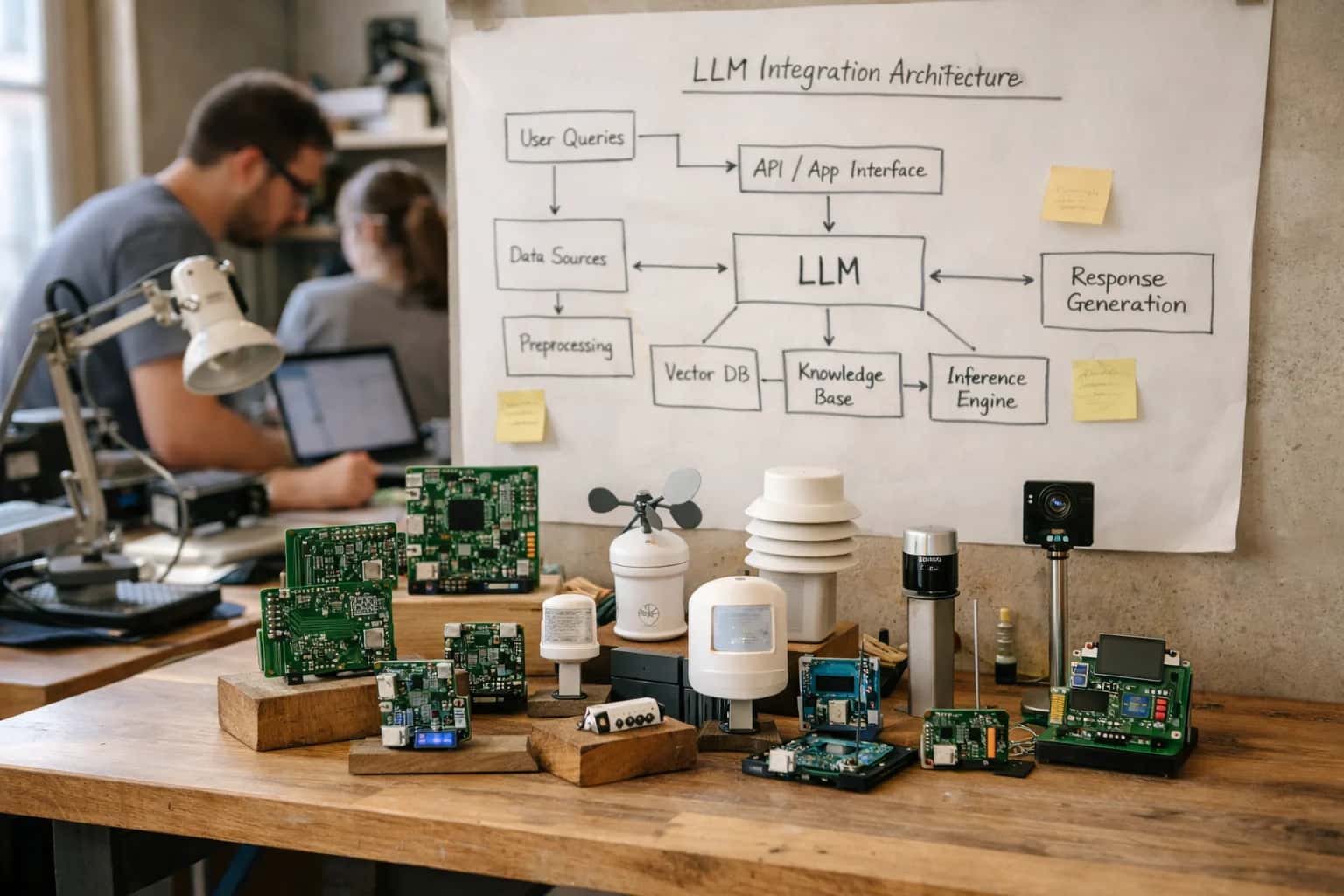
Where AI Fits in Grocery Retail Execution
A practical blueprint for integrating AI into the high-SKU, perishable, and compliance-intensive workflows of grocery retail.
High-value use cases are operational and immediate: reducing the time for district managers to review hundreds of store audits from hours to minutes, automatically flagging critical food safety violations (e.g., temperature logs out of range) for same-day correction, and generating planogram compliance scores by comparing shelf images to ideal schematics. The impact is less about "transformation" and more about shifting human effort from manual review to exception management. A typical rollout starts with a single workflow—like automated produce spoilage detection—piloted in one region. Governance is built in by design: all AI-generated findings are logged as platform comments with a confidence score, and high-stakes recommendations (like a potential recall flag) require a manager's approval in the existing workflow before any external system is triggered.
For grocery retailers, the credibility of an AI integration hinges on its understanding of the unique data model of retail execution platforms—tasks, forms, submissions, and photos linked to specific stores, reps, and visits. Inference Systems builds integrations that respect this model, using the platform as the system of record. AI acts as an analysis layer, not a replacement. This means enriched data and automated insights live natively within the tools field teams already use, avoiding change management friction. The integration is secure and auditable, with all AI activity traceable through the platform's existing audit logs, ensuring compliance teams can verify the process behind every automated flag or generated summary.
AI Integration Points in Grocery Retail Platforms
Automating Critical Compliance Workflows
AI integrates directly into the audit modules of platforms like YOOBIC and Repsly to analyze temperature logs, sanitation checklists, and HACCP documentation. Computer vision can process images of food storage areas, date labels, and cleaning logs submitted by field teams.
Key Integration Points:
- Audit Submission Webhooks: Trigger AI analysis when a new food safety audit is submitted.
- Image & Note Fields: Process unstructured data from audit forms for anomaly detection.
- Corrective Action Tasks: Automatically generate and assign follow-up tasks for violations.
Example Workflow: An image of a walk-in cooler is analyzed. The AI flags a temperature gauge reading outside the safe range, cross-references the store's last three audits, and creates a high-priority task for the store manager with suggested corrective steps, logging everything in the platform's audit trail.
High-Value AI Use Cases for Grocery Retail
Integrate AI directly into platforms like YOOBIC, Repsly, Zipline, and Movista to automate perishable inventory checks, food safety audits, and high-SKU planogram execution. These workflows turn field-collected data into immediate, actionable insights for store managers and retail operations leaders.
Automated Perishable Inventory & Quality Audits
Use computer vision on store-submitted photos to automatically check sell-by dates, product freshness, and stock levels for perishable departments. AI flags exceptions in YOOBIC or Repsly, creating immediate corrective tasks for restocking or markdowns, reducing manual shelf checks from hours to minutes.
Food Safety Compliance & HACCP Workflows
Analyze temperature logs, sanitation checklists, and audit photos to predict compliance risks and automate corrective action workflows. AI correlates data across stores to identify systemic issues, generating prioritized tasks in the retail execution platform for managers and triggering alerts for regional leads.
Planogram Execution & Out-of-Stock Detection
Process shelf images against planogram files to measure compliance, identify out-of-stocks, and detect misplaced items in high-SKU environments. AI generates deviation reports within Movista or Repsly, automatically creating merchandising tasks for field teams and updating availability metrics for supply chain systems.
Field Rep Guidance & Next-Best-Action
Integrate a context-aware AI agent with Zipline or Repsly mobile workflows. It analyzes store-specific audit history, pending tasks, and local promotions to provide reps with a prioritized task list, navigation help, and answers to procedure questions, boosting daily store visit productivity.
Promotional Compliance & Proof-of-Execution
Automatically verify in-store promotional execution (e.g., endcap displays, signage) by analyzing field photos against campaign briefs. AI scores compliance in the retail platform, generating automated proof-of-execution reports for CPG brand managers and triggering follow-up for non-compliant stores.
Centralized Anomaly & Fraud Detection
Monitor audit scores, photo submissions, and task completion patterns across hundreds of stores in real-time. AI flags unusual patterns—like consistently perfect scores or suspiciously similar images—for manager review within the platform dashboard, enhancing data integrity and loss prevention.
Example AI-Powered Grocery Workflows
These are production-ready automation flows that connect AI models to platforms like YOOBIC and Repsly. Each workflow details the trigger, data context, AI action, and system update to help technical teams scope and sequence integrations.
Trigger: A field rep submits a store audit in YOOBIC containing photos of produce sections, cooler temperatures, and expiration date checks.
Context Pulled: The integration retrieves the audit payload, including image URLs, form responses (e.g., cooler temp logged as 45°F), and store metadata.
AI Action: A multi-model agent processes the data:
- Computer Vision analyzes produce section photos for spoilage, stock levels, and proper signage.
- NLP extracts notes from the 'comments' field about vendor deliveries or issues.
- Rule Engine flags the 45°F reading against the HACCP standard of 41°F.
System Update: The agent creates a high-priority follow-up task in YOOBIC titled "Cooler Temperature Critical - Immediate Action Required," assigned to the store manager. It attaches the AI-generated summary: "Spoilage detected in leafy greens bin; cooler temp at 45°F (violation); vendor delivery note mentions late truck." The original audit is tagged with AI_Flagged: Food_Safety_Critical.
Human Review Point: The district manager receives an alert and must approve the corrective action plan before the task is closed.
Implementation Architecture: Data Flow & Integration
A practical blueprint for connecting AI analysis to your grocery retail execution platform's data flows.
In a typical grocery integration, AI models connect to platforms like YOOBIC or Repsly via their REST APIs and webhook systems. The core data flow begins when a field rep completes a store audit—submitting photos of perishable sections, temperature logs, or planogram compliance. This payload (containing images, GPS, timestamps, and form data) is sent in real-time to a secure AI processing service. Here, computer vision models analyze shelf images for out-of-stocks, date code visibility, or food safety hazards, while NLP models parse open-ended notes from reps about vendor issues or customer complaints. The AI returns structured findings—such as compliance_score: 92, exceptions: ["produce_wet_floor", "dairy_planogram_misalignment"]—which are posted back to the platform, creating a new AI Findings custom object or appending to the existing audit record.
For high-SKU grocery environments, this architecture enables several key workflows. A perishable inventory check can trigger an automated task in the platform for a store manager if the AI detects poor rotation or near-expired product. Food safety compliance audits can have their temperature readings and cleanliness photos analyzed instantly, with critical violations automatically escalated via platform alerts to district managers and logged for regulatory reporting. Planogram execution analysis for thousands of SKUs becomes scalable; the AI compares shelf images to the intended planogram, and discrepancies automatically generate corrective work orders in the platform, assigned to the appropriate merchandising team. This moves analysis from a manual, sample-based process to a comprehensive, store-by-store operational feed.
Rollout is typically phased, starting with a single high-impact use case like temperature log analysis. Governance is critical: all AI-processed images and data should be ephemeral (deleted after analysis unless an exception is flagged), and findings should be written to the platform's audit trail for full traceability. A human-in-the-loop step is often maintained for the first 90 days, where AI recommendations are presented as suggestions in the platform UI for manager approval before any automated tasks are created. This controlled integration ensures the AI augments—rather than disrupts—existing field workflows, providing store teams with same-day insights instead of next-week reports.
Code & Payload Examples
Analyzing Shelf Images for Stock & Quality
In grocery, AI can process images from field reps to detect out-of-stocks, low stock, and perishable quality issues (e.g., wilted produce). The workflow typically involves:
- A rep uploads a shelf image via the YOOBIC or Repsly mobile app during a store visit.
- The platform's webhook sends the image URL and metadata (store ID, SKU, timestamp) to an AI processing endpoint.
- A vision model analyzes the image, returning structured JSON with counts, confidence scores, and quality flags.
- This data is written back to the platform via its API, updating task status and triggering automated reorder workflows in connected ERP systems.
Example Payload to AI Service:
json{ "audit_id": "AUD-78910", "store_code": "GROC-10023", "image_url": "https://cdn.example.com/audits/2024-05-15/produce-aisle.jpg", "category": "produce", "expected_sku": "ORG-BANANA-001", "platform": "yoobic", "timestamp": "2024-05-15T10:30:00Z" }
Realistic Time Savings & Operational Impact
How AI integration for platforms like YOOBIC and Repsly transforms manual, high-volume grocery workflows into automated, insight-driven operations.
| Metric | Before AI | After AI | Notes |
|---|---|---|---|
Perishable Inventory Check | Manual visual inspection & note entry | AI-powered image analysis & auto-flagging | Reduces 30-min store walk to 5-min review of exceptions |
Food Safety Compliance Audit | Checklist review, manual photo sorting | Automated violation detection & report drafting | Shifts focus from data collection to corrective action |
Planogram Execution Analysis | Side-by-side shelf vs. planogram comparison | CV-based gap scoring & auto-generated work orders | Enables daily vs. weekly compliance checks |
Promotional Compliance Verification | Manual tally of displays and tags | AI scan of store photos for promo materials | Provides real-time proof-of-execution for trade funds |
Field Rep Note Summarization | Manager reads 50+ unstructured notes | AI extracts themes, risks, and action items | Turns hours of review into a 10-minute briefing |
Exception & Anomaly Triage | Reactive review of all flagged issues | Predictive scoring & prioritized alert routing | Focuses district manager time on top 10% of high-risk stores |
Regional Performance Reporting | Weekly manual spreadsheet compilation | Automated dashboard with AI-generated insights | Delivers insights same-day instead of next-week |
Governance, Security & Phased Rollout
A practical guide to deploying AI for grocery retail execution with control, security, and measurable impact.
A production AI integration for platforms like YOOBIC or Repsly must be governed like any critical business system. This starts with data access controls aligned to existing retail roles—ensuring store managers only see insights for their location, while district managers and VPs of Operations receive aggregated, anonymized analytics. AI processing should be triggered via secure webhooks from the execution platform, with all image and note data processed in-memory or in a transient, encrypted queue. Never store raw PII or store imagery long-term; instead, persist only the derived insights (e.g., compliance_score: 92, exception: "produce_temp_violation") back to the platform's custom objects or audit records, maintaining a full audit trail of AI actions for compliance reviews.
Rollout follows a phased, value-driven approach. Phase 1 (Pilot): Connect AI to a single, high-value workflow—such as automated food safety checklist scoring from audit photos—for 10-20 stores. Use this to calibrate model accuracy against human reviewers and establish a baseline ROI (e.g., reduced manual review time by 65%). Phase 2 (Scale): Expand to additional grocery-specific modules like perishable inventory analysis and planogram compliance for high-SKU aisles, integrating AI-generated tasks back into the platform's workflow engine for corrective action. Phase 3 (Optimize): Implement predictive analytics, using historical execution data to forecast compliance risk or produce spoilage, and feed these scores into the platform's dashboard for proactive management.
Governance is continuous. Establish a human-in-the-loop review step for low-confidence AI judgments (e.g., ambiguous shelf images) before any automated task is created. Implement model performance monitoring to detect drift in accuracy as new product packaging or store layouts are introduced. Finally, ensure your AI provider, like Inference Systems, offers explainability features—so a district manager can understand why an exception was flagged—and adheres to a shared responsibility model for security, data privacy, and operational reliability within your retail tech stack.
Enabling Efficiency, Speed & Accuracy
Intelligent Analysis, Decision & Execution
We build AI systems for teams that need search across company data, workflow automation across tools, or AI features inside products and internal software.
Talk to Us
Search across company data
Give teams answers from docs, tickets, runbooks, and product data with sources and permissions.
Useful when people spend too long searching or get different answers from different systems.

Automate internal workflows
Use AI to route work, draft outputs, trigger actions, and keep approvals and logs in place.
Useful when repetitive work moves across multiple tools and teams.

Add AI to products and internal tools
Build assistants, guided actions, or decision support into the software your team or customers already use.
Useful when AI needs to be part of the product, not a separate tool.
Frequently Asked Questions
Practical questions for grocery retail operations leaders evaluating AI integration with platforms like YOOBIC, Repsly, and Zipline.
The workflow connects directly to your retail execution platform's photo upload API.
- Trigger: A field rep completes a perishables section audit in YOOBIC or Repsly and uploads images of produce, dairy, or meat cases.
- Context Pulled: The AI integration retrieves the audit metadata (store ID, department, timestamp) and the image files via webhook.
- AI Action: A computer vision model analyzes each image for:
- Stock Levels: Identifies empty facings or low stock against a reference planogram.
- Quality & Freshness: Flags visible spoilage, wilting, or damaged packaging based on trained visual cues.
- Date Code Visibility: Checks for missing or expired sell-by/use-by dates (using OCR).
- System Update: The analysis results are posted back to the platform as structured data, creating:
- A compliance score for the audit.
- Specific exception tasks (e.g., "Restock Romaine Lettuce - Aisle 4," "Remove spoiled berries").
- Human Review: Critical exceptions (e.g., major food safety concerns) can be configured to alert the store manager and district lead immediately via the platform's native alerting.

About the author
Prasad Kumkar
CEO & MD, Inference Systems
Prasad Kumkar is the CEO & MD of Inference Systems and writes about AI systems architecture, LLM infrastructure, model serving, evaluation, and production deployment. Over 5+ years, he has worked across computer vision models, L5 autonomous vehicle systems, and LLM research, with a focus on taking complex AI ideas into real-world engineering systems.
His work and writing cover AI systems, large language models, AI agents, multimodal systems, autonomous systems, inference optimization, RAG, evaluation, and production AI engineering.
Partnered with leading AI, data, and software stack.





How We Work
Custom AI workflows for your Business
One-fit-all AI don't work for modern businesses. At Inferensys, we aim to understand your business & custom requirements; which we use to define most efficient agentic workflows, the data, and the tools for your business.
01
Review the use case
We understand the task, the users, and where AI can actually help.
Read more02
Pick the right approach
We define what needs search, automation, or product integration.
Read more03
Build the first useful version
We implement the part that proves the value first.
Read more04
Improve from there
We add the checks and visibility needed to keep it useful.
Read moreThe first call is a practical review of your use case and the right next step.
Talk to Us