AI integration for NationBuilder lead capture focuses on three key surfaces: the Website module's native forms, the Events module's registration pages, and the People database where new contacts land. The goal is to intercept the raw contact record—often just a name, email, and maybe a zip code—as soon as it hits the NationBuilder API via a person_created webhook. An AI agent then enriches this record in real-time by appending data from public sources, scoring the lead's potential based on campaign-specific models (e.g., donor propensity, volunteer likelihood, issue alignment), and assigning them to dynamic Lists and Tags for immediate segmentation.

Integration
AI Integration for NationBuilder Lead Capture
A technical blueprint for embedding AI into NationBuilder's website and event forms to instantly qualify supporters, trigger personalized follow-up, and automate list management—turning raw leads into engaged supporters in minutes.
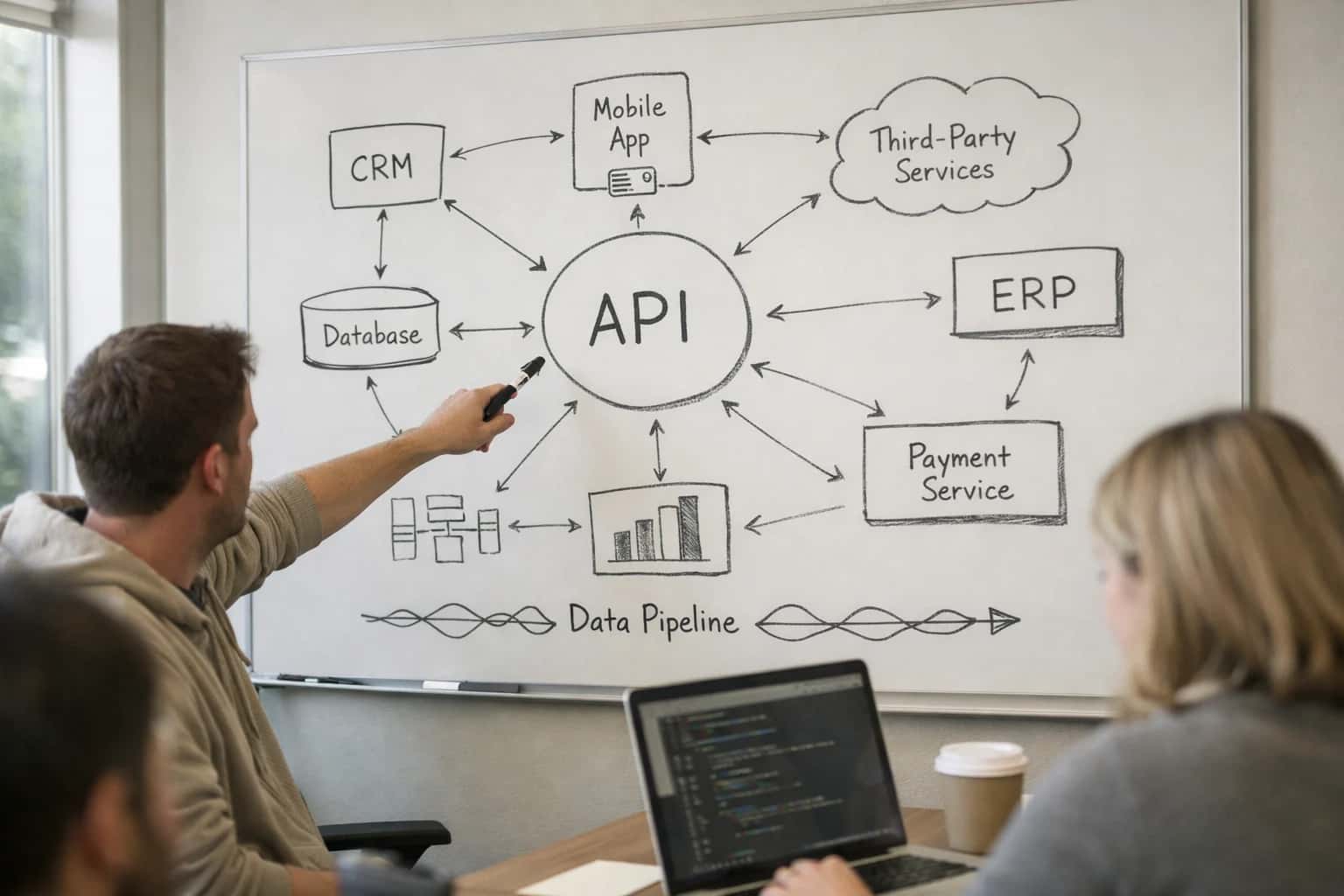
ARCHITECTURE & ROLLOUT
Where AI Fits Into NationBuilder Lead Capture
A technical blueprint for injecting AI into NationBuilder's website forms and event registrations to qualify leads in real-time and trigger personalized follow-up.
Implementation requires a lightweight middleware service that listens for NationBuilder webhooks, calls your AI model or LLM API (like OpenAI or Anthropic) with a structured prompt containing the lead's sparse data and your scoring criteria, and then uses the NationBuilder API to update the person record. A typical payload back to NationBuilder includes new custom fields (ai_lead_score, predicted_support_tier, key_issues), relevant tags (high-priority-donor, climate-volunteer), and list assignments. This entire loop—from form submission to enriched profile—should complete in under 10 seconds, enabling truly personalized automated welcome emails or text messages that reference the lead's inferred interests or location.
Rollout should be phased, starting with a single high-traffic form (e.g., a petition sign-up) and a simple scoring model. Governance is critical: always log the AI's reasoning and source data for auditability, and implement a human-in-the-loop review queue for high-stakes assignments (like major donor prospects). Ensure your AI service respects NationBuilder's API rate limits and uses idempotent calls to prevent duplicate updates. For campaigns concerned about data privacy, the enrichment step can be configured to use only first-party data or to run entirely on-premise. This architecture turns NationBuilder from a passive data collector into an intelligent, reactive system that prioritizes human follow-up where it matters most. For related patterns on orchestrating these enriched leads into multi-channel journeys, see our guide on AI Integration for NationBuilder Automation Rules.
WHERE TO CONNECT AI AGENTS AND WORKFLOWS
Key NationBuilder Surfaces for AI Integration
The Core Data Model for AI
Supporter profiles are the central entity in NationBuilder. Each profile contains fields for contact info, tags, custom fields, and a timeline of interactions (donations, event RSVPs, email opens). AI integration surfaces here include:
- Real-time Profile Enrichment: As a new lead is captured via a website form, an AI agent can immediately call external data append services or analyze the provided information (like a LinkedIn URL) to add job title, employer, or inferred issue priorities as tags.
- Dynamic List Building: Instead of static rules (e.g.,
state = CA), AI can power dynamic lists that update based on predictive scores. For example, a list of "High-Propensity Volunteers" could be refreshed nightly using a model that analyzes past activity, responsiveness, and profile completeness. - Timeline Summarization: An AI copilot can synthesize a supporter's lengthy interaction timeline into a concise briefing for a call time session, highlighting last donation amount, key concerns from survey responses, and optimal contact method.
Integrate via the NationBuilder API (GET /api/v1/people/:id, PUT /api/v1/people/:id) or listen for profile-related webhooks like person_created or person_updated to trigger these AI workflows.
NATIONBUILDER LEAD CAPTURE
High-Value AI Use Cases for Campaign Leads
Transform passive website and event sign-ups into qualified, actionable supporters by embedding AI directly into NationBuilder's lead capture workflows. These patterns connect to the NationBuilder API and webhooks to automate qualification, personalization, and list management.
01
Real-Time Lead Qualification
Analyze form submission data (source, answers, referral URL) in real-time using an AI agent. The agent assigns a support score and priority tag, then uses the NationBuilder API to update the supporter record and add them to dynamic lists (e.g., Hot-Leads, Needs-Call) before the first welcome email is sent.
Batch -> Real-time
Qualification speed
02
Personalized Immediate Follow-Up
Trigger an AI workflow via NationBuilder webhook on new sign-up. The AI drafts a personalized first email or SMS based on the lead's source and stated interests, injecting specific campaign issues or volunteer opportunities. It sends the draft via NationBuilder's broadcast API for human review or automated dispatch, creating a tailored journey from minute one.
Same day
Personalized outreach
03
Automatic List Assignment & Routing
Replace static tag-based rules with an AI router. As leads enter, the AI evaluates profile completeness, geographic data, and engagement signals to assign the lead to the most appropriate staffer or volunteer group within NationBuilder. It updates the Point Person field and adds to corresponding vanity lists for field, finance, or comms teams.
Hours -> Minutes
Staff assignment
04
Website Chat to Qualified Lead
Integrate an AI chat widget on NationBuilder-hosted pages (e.g., volunteer sign-up, issue pages). The chat agent answers questions, collects intent, and pre-fills a NationBuilder sign-up form with qualified data. Upon submission, the enriched lead is created via API with a detailed conversation summary appended to the supporter notes for context.
1 sprint
Typical implementation
05
Event RSVP Enrichment & Triage
Connect AI to the rsvp endpoint for NationBuilder events. For each new attendee, the AI cross-references the email with past donor history, volunteer shifts, or website activity. It enriches the event RSVP record with predicted engagement level and automatically sends a tailored confirmation email with specific asks (e.g., Bring a friend, Become a host).
Pre-event
Attendee intelligence
06
Duplicate & Fraud Detection
Use AI to screen incoming lead captures in real-time. The agent checks for likely duplicates (similar name, phone, address) across the NationBuilder supporter base and flags potential fraudulent entries (disposable emails, fake names). Suspicious records are tagged and routed to a moderation list, protecting data hygiene and preventing list inflation.
Real-time
Data protection
NATIONBUILDER INTEGRATION PATTERNS
Example AI-Powered Lead Capture Workflows
These workflows illustrate how to connect AI agents to NationBuilder's website forms, API, and automation rules to qualify leads in real-time, trigger personalized follow-up, and optimize list management—turning raw sign-ups into engaged supporters.
Trigger: A supporter submits a NationBuilder website sign-up form (e.g., volunteer, event RSVP, petition).
Context Pulled: The AI agent receives the raw form payload via a webhook. It immediately queries the NationBuilder API for any existing profile data using the provided email.
Agent Action: A lightweight LLM call analyzes the form responses (especially free-text fields like "Why are you volunteering?") and the existing profile data (tags, donation history, previous actions). It performs two tasks:
- Assigns a preliminary score (e.g.,
high_intent,warm_lead,information_seeker). - Generates a suggested next step (e.g., "Invite to New Volunteer Orientation call," "Send fundraising welcome series," "Add to GOTV texting list").
System Update: The agent uses the NationBuilder API to:
- Add relevant tags (e.g.,
ai_qualified_high_intent,interest_climate). - Update a custom field with the AI-generated score and next-step suggestion.
- Trigger a specific NationBuilder automation rule based on the score, which immediately sends a personalized email or SMS.
Human Review Point: Scores and tags are logged. Campaign staff can review the ai_qualified_high_intent list in the NationBuilder people section daily to prioritize manual outreach.
FROM WEBHOOK TO WORKFLOW
Implementation Architecture: Data Flow & Guardrails
A production-ready AI integration for NationBuilder lead capture connects form submissions to real-time qualification agents, with built-in controls for data privacy and campaign compliance.
The architecture begins with a NationBuilder webhook triggered by a new person record from a website form, event registration, or petition signup. This webhook payload—containing the supporter's contact info, source page, and custom field responses—is routed to a secure queue. An AI agent picks up the request, calling the NationBuilder API to fetch any existing profile history before performing real-time analysis. The agent evaluates the lead using criteria you define, such as: - Donation history or membership tier - Geographic alignment with key districts - Survey response sentiment and key issue mentions - Source attribution and engagement recency. Based on this analysis, the agent assigns a qualification score and dynamic tags (e.g., high_value_prospect, volunteer_interest, issue_environment) directly back to the person record via the NationBuilder API.
For immediate follow-up, the qualified lead triggers a second, synchronous workflow. This can include: - Adding the person to a specific NationBuilder list for a targeted email automation. - Sending a personalized SMS welcome message via an integrated communications platform. - Creating a task for a field organizer in a connected system like Ecanvasser. All actions are logged as notes on the person record with an AI_Processed source tag, creating a full audit trail. To prevent over-tagging or list spam, the system employs rate-limiting logic and idempotency checks based on the person's nationbuilder_id.
Governance is built into the data flow. All AI processing occurs in your secure cloud environment; supporter data is never sent to a third-party LLM provider without explicit anonymization or consent checks. The system can be configured with approval gates for certain actions (e.g., adding a high-value donor to a new list) and includes nightly reconciliation jobs to verify tag and list assignment accuracy. Rollout typically starts with a single, high-volume form (like a volunteer sign-up) in a single geographic region, using A/B testing to measure impact on conversion rates and time-to-first-action before scaling to the entire campaign.
IMPLEMENTATION PATTERNS
Code & Payload Examples
Real-Time Lead Qualification
When a supporter submits a NationBuilder website form, a webhook can trigger an immediate AI qualification workflow. This pattern uses a serverless function to process the payload, call an LLM for scoring, and update the supporter record via the NationBuilder API before the first follow-up email is sent.
Key steps include:
- Extract fields: Capture
first_name,email,phone, and custom survey answers from the webhook JSON. - Call LLM for scoring: Send the raw submission to a model like GPT-4 or Claude with a prompt designed to assess interest level, issue alignment, and volunteer potential.
- Update supporter: Use the returned scores and tags to immediately update the supporter's
tagsand custom fields via a PATCH request. - Trigger dynamic follow-up: Based on the AI-generated score, trigger a different NationBuilder email automation path or add the supporter to a specific list for rapid volunteer recruitment.
python# Example: AWS Lambda handler for NationBuilder webhook def lambda_handler(event, context): # Parse NationBuilder webhook payload payload = json.loads(event['body']) supporter_data = payload['payload'] # Prepare data for LLM scoring llm_prompt = f"""Score this lead from a political campaign form... Name: {supporter_data['first_name']}\n Survey Response: {supporter_data.get('survey_answer', '')} """ # Call LLM API (e.g., OpenAI) llm_response = openai_client.chat.completions.create( model="gpt-4", messages=[{"role": "user", "content": llm_prompt}] ) # Parse LLM response into tags and scores ai_tags = parse_llm_tags(llm_response.choices[0].message.content) # Update supporter in NationBuilder update_payload = { "person": { "tags": ai_tags, "custom_fields": {"ai_lead_score": calculate_score(ai_tags)} } } requests.patch( f"https://{nationbuilder_slug}.nationbuilder.com/api/v1/people/{supporter_data['id']}", json=update_payload, headers={"Authorization": f"Bearer {nb_api_key}"} )
AI-ENHANCED LEAD CAPTURE
Realistic Time Savings & Operational Impact
How AI integration transforms manual lead processing in NationBuilder into an automated, real-time qualification and routing workflow.
| Metric | Before AI | After AI | Notes |
|---|---|---|---|
Lead Qualification | Manual review of form data & notes | Automated scoring & tagging | AI suggests support score & key issues; human final approval |
Initial Follow-Up | Next day or delayed batch email | Personalized SMS/email within 5 minutes | Triggered by webhook; uses captured data for context |
List Assignment | Manual drag-and-drop to static lists | Dynamic assignment to segments & workflows | Based on AI score, geography, and expressed interests |
Data Enrichment | Manual lookups for key supporters only | Automated appends for all new leads | Adds voter file match, social handles, donation history if available |
High-Priority Alerting | Missed in noise or delayed review | Real-time Slack/email alerts for hot leads | Flags media, donors, volunteers, or strong sentiment |
Volunteer Match | Manual scan for local coordinators | Auto-suggested volunteer assignment | Matches lead location & interest to volunteer capacity |
Process Scaling | Hours per 100 leads | Minutes per 100 leads | Enables rapid response during debate nights or crisis moments |
CONTROLLED DEPLOYMENT FOR CAMPAIGN DATA
Governance, Permissions & Phased Rollout
A practical approach to deploying AI for lead capture that respects campaign security, data permissions, and volunteer workflows.
AI integration with NationBuilder must operate within the platform's existing permission sets and list segmentation. Our architecture uses NationBuilder's API with OAuth tokens scoped to a dedicated service account, ensuring AI actions only access supporter data from designated tags, lists, or filters. For example, an AI agent qualifying a web form submission can read and write to that new contact's record, but its access to broader donor history or volunteer notes is governed by the same role-based controls your team uses. All AI-generated actions—like applying a qualified_web_lead tag or adding a contact to a call_list_high_priority—are logged in the supporter's timeline with a clear [AI Agent] source for full auditability.
We recommend a three-phase rollout to manage risk and gather feedback:
- Phase 1: Silent Observation & Triage. The AI system monitors new form submissions via NationBuilder webhooks, performs real-time qualification (scoring based on donation likelihood, volunteer interest, or issue alignment), and writes a private note with its assessment. No automated tags, emails, or list assignments are made. This allows staff to verify AI accuracy against human judgment for 1-2 weeks.
- Phase 2: Automated Tagging & Internal Alerting. After validation, the system begins automatically applying tags (e.g.,
ai_qualified_high,needs_follow_up) and can trigger internal Slack or email alerts for your finance director when a high-capacity donor is detected. AI-driven list assignments are made to a staging list for final staff review before being pushed to active outreach lists. - Phase 3: Closed-Loop Personalization. The system activates personalized, immediate follow-up workflows. This includes sending a dynamically generated first email via NationBuilder's broadcasts API based on the lead's stated interests, and scheduling a task for a field organizer if the lead is tagged for volunteer recruitment. All automated communications include a one-click opt-out managed by NationBuilder's native unsubscribe system.
Governance is maintained through a weekly review dashboard that tracks key metrics: AI qualification accuracy vs. human review, tag application volume, and the conversion rate of AI-routed leads. This allows the campaign manager to adjust scoring thresholds or pause specific automations directly from the NationBuilder interface. For larger campaigns, we implement a human-in-the-loop approval step for high-value actions, such as adding a contact to a major donor cultivation list, ensuring strategic oversight. This phased, permission-aware approach ensures the AI augments your team without creating data silos or compliance risks, keeping all intelligence and activity native to your NationBuilder instance. For related architectural patterns, see our guide on AI Integration for NationBuilder CRM and AI Integration for Campaign Data Lakes.
Enabling Efficiency, Speed & Accuracy
Intelligent Analysis, Decision & Execution
We build AI systems for teams that need search across company data, workflow automation across tools, or AI features inside products and internal software.
Talk to Us
Search across company data
Give teams answers from docs, tickets, runbooks, and product data with sources and permissions.
Useful when people spend too long searching or get different answers from different systems.
Enterprise searchRAGPermissions
Read more
Automate internal workflows
Use AI to route work, draft outputs, trigger actions, and keep approvals and logs in place.
Useful when repetitive work moves across multiple tools and teams.
AI agentsWorkflow automationGovernance
Read more
Add AI to products and internal tools
Build assistants, guided actions, or decision support into the software your team or customers already use.
Useful when AI needs to be part of the product, not a separate tool.
AI integrationDecision supportModel routing
Read moreIMPLEMENTATION DETAILS
Frequently Asked Questions
Common technical and strategic questions about integrating AI into NationBuilder's lead capture workflows, from architecture to rollout.
The integration is built using NationBuilder's REST API and webhook system. The typical architecture involves:
- Trigger: A new person record is created via a NationBuilder website form, event signup, or API call.
- Webhook: NationBuilder sends a
person_createdwebhook payload to your secure AI endpoint. - AI Processing: The endpoint receives the person's data (name, email, custom answers) and calls an AI agent to perform qualification and enrichment.
- System Update: The AI agent's output (e.g., a qualification score, suggested tags, next-best-action) is written back to the person's record in NationBuilder via the API, typically updating custom fields or adding tags.
This keeps the form experience fast for the supporter while enabling background AI processing. You can also implement a synchronous flow for real-time personalization on the thank-you page.

About the author
Prasad Kumkar
CEO & MD, Inference Systems
Prasad Kumkar is the CEO & MD of Inference Systems and writes about AI systems architecture, LLM infrastructure, model serving, evaluation, and production deployment. Over 5+ years, he has worked across computer vision models, L5 autonomous vehicle systems, and LLM research, with a focus on taking complex AI ideas into real-world engineering systems.
His work and writing cover AI systems, large language models, AI agents, multimodal systems, autonomous systems, inference optimization, RAG, evaluation, and production AI engineering.
LinkedIn
Limited slotsGet a Free AI Consultation
Partnered with leading AI, data, and software stack.





How We Work
Custom AI workflows for your Business
One-fit-all AI don't work for modern businesses. At Inferensys, we aim to understand your business & custom requirements; which we use to define most efficient agentic workflows, the data, and the tools for your business.
01
Review the use case
We understand the task, the users, and where AI can actually help.
Read more02
Pick the right approach
We define what needs search, automation, or product integration.
Read more03
Build the first useful version
We implement the part that proves the value first.
Read more04
Improve from there
We add the checks and visibility needed to keep it useful.
Read moreThe first call is a practical review of your use case and the right next step.
Talk to Us