Portainer's CI/CD pipeline integrations—connecting to tools like GitHub Actions, GitLab CI, and Jenkins—create a central control plane for container deployments. AI fits into this workflow by analyzing the pipeline execution data (success/failure rates, build times, resource consumption) and Git webhook payloads flowing through Portainer. An AI agent can monitor these events to provide real-time feedback, such as flagging a deployment stack that consistently fails its health checks or identifying a pipeline stage that is a bottleneck for release velocity.

Integration
AI Integration for Portainer CI/CD Integration
Embed AI agents into Portainer's CI/CD pipeline integrations to analyze logs, suggest optimizations, and generate deployment summaries, reducing manual review and accelerating delivery.
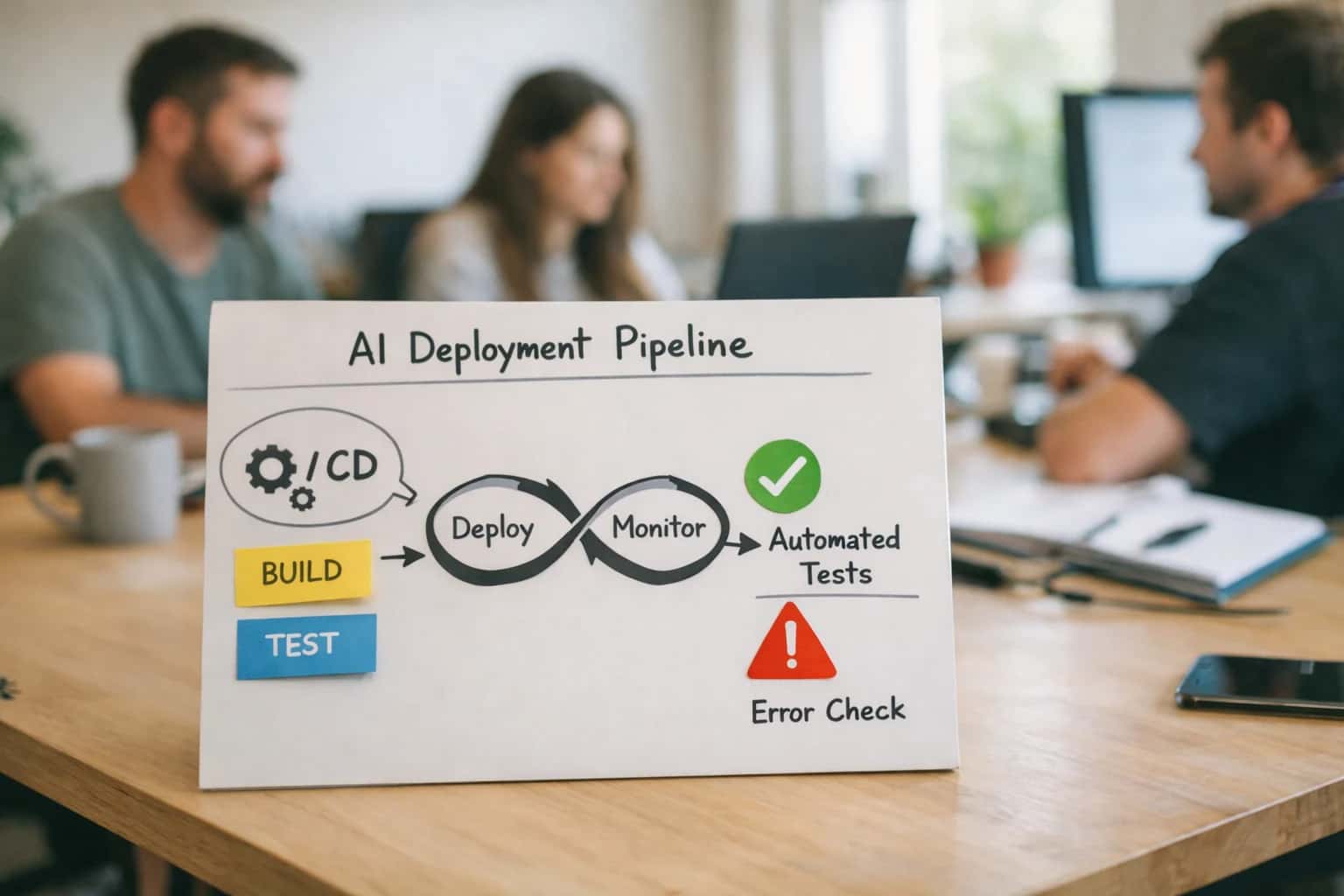
INTELLIGENT PIPELINE ORCHESTRATION
Where AI Fits into Portainer's CI/CD Pipeline Management
Embed AI agents within Portainer's CI/CD integrations to analyze pipeline health, suggest optimizations, and automate deployment summaries for platform and development teams.
For implementation, an AI service subscribes to Portainer's webhook events (e.g., EndpointEvent for stack deployment status) and queries the Portainer API for detailed pipeline and environment data. Use cases include:
- Pipeline Optimization Suggestions: Analyzing historical logs to recommend adjustments to
docker buildarguments, resource limits indocker-compose.yml, or parallelization of stages. - Intelligent Rollback Guidance: When a deployment fails, the AI can cross-reference the error with past incidents and the Git diff to suggest the most likely fix or a safe rollback commit.
- Automated Deployment Summaries: After a successful pipeline run, generating a natural-language summary of what was deployed, which services were updated, and any notable configuration changes for Slack or Microsoft Teams.
Rollout should start with a read-only analysis phase, where the AI provides recommendations via a separate dashboard or Portainer custom template annotations. Governance is critical: any AI-suggested pipeline changes or rollback commands should route through Portainer's existing role-based access control (RBAC) and approval workflows, ensuring an audit trail. This integration turns Portainer from a deployment executor into an intelligent orchestration advisor, helping teams shift from reactive pipeline firefighting to proactive optimization.
PLATFORM SURFACES
AI Integration Touchpoints in Portainer's CI/CD Flow
AI for Template Generation and Validation
Portainer's App Templates and Stack definitions are the starting point for CI/CD. AI can analyze your existing Docker Compose or Kubernetes YAML files and suggest optimized templates based on organizational patterns. For example, an AI agent can review a developer's docker-compose.yml draft, flag security misconfigurations (e.g., running as root), suggest resource limits, and propose a Portainer Template structure for team reuse.
Beyond validation, AI can generate new templates from natural language descriptions. A developer could request, "a Redis cluster with sentinel and persistence," and the AI generates a production-ready stack definition, complete with health checks and network policies, ready for deployment via Portainer's API or UI. This reduces boilerplate and enforces best practices at the point of creation.
INTELLIGENT PIPELINE AUTOMATION
High-Value AI Use Cases for Portainer CI/CD
Embed AI agents within Portainer's CI/CD pipeline integrations to analyze logs, optimize deployments, and provide developer guidance—turning pipeline data into actionable intelligence for platform and DevOps teams.
01
Pipeline Log Analysis & Root Cause Suggestion
AI agents process build and deployment logs from integrated pipelines (GitHub Actions, GitLab CI) to identify failure patterns, suggest common fixes, and link to relevant documentation. Workflow: Agent monitors Portainer webhooks for pipeline status, fetches logs via source control API, analyzes error context, and posts summarized findings to the team's Slack or Portainer activity feed.
Hours -> Minutes
MTTR reduction
02
Intelligent Stack Deployment Guidance
AI analyzes a team's application templates, resource requests, and past deployment outcomes to suggest optimal Docker Compose or Kubernetes YAML configurations before deployment via Portainer's UI. Workflow: Developer describes an app in natural language; AI suggests a Portainer App Template or generates a draft stack file with appropriate resource limits, health checks, and network policies.
1 sprint
Accelerated onboarding
03
GitOps Sync Status & Drift Remediation
For Portainer environments using GitOps (via webhooks or integrated Git sources), AI monitors sync status, detects configuration drift between Git and running deployments, and generates PR descriptions with remediation steps. Workflow: Agent periodically compares deployed stack specs in Portainer against the Git repository, flags deviations, and creates a branch with corrective commits for team review.
Batch -> Real-time
Compliance monitoring
04
Resource Right-Sizing for CI/CD Runners
AI analyzes the resource consumption (CPU, memory) of Portainer-managed CI/CD runner containers or sidecar services over time to recommend optimal resource requests and limits, reducing cost and improving pipeline reliability. Workflow: Agent queries Portainer container stats and correlates with pipeline duration, suggesting updates to the runner's Docker container configuration or Kubernetes resource specs.
Same day
Cost visibility
05
Automated Deployment Summaries & Rollback Planning
After a deployment via Portainer's API or UI, AI generates a human-readable summary of changes, new environment variables, exposed ports, and potential risks. If a deployment fails, it suggests a rollback strategy based on previous healthy versions. Workflow: Agent hooks into Portainer's deployment events, fetches the new stack definition, diffs it against the prior version, and posts a summary to the project channel.
Batch -> Real-time
Stakeholder updates
06
Security & Compliance Scan Integration
AI orchestrates security scans (Trivy, Snyk) as a gate in the Portainer CI/CD workflow, analyzing results, prioritizing vulnerabilities based on runtime context, and suggesting base image upgrades or patches. Workflow: Agent triggers a scan post-build via Portainer webhook, parses the vulnerability report, filters out false positives based on deployment environment (e.g., dev vs. prod), and creates a ticket in Jira if critical issues are found.
Hours -> Minutes
Risk assessment
INTEGRATION PATTERNS
Example AI-Powered CI/CD Workflows with Portainer
These workflows demonstrate how AI agents can be embedded into Portainer's CI/CD pipeline integrations (e.g., with GitHub Actions, GitLab CI) to automate analysis, optimization, and reporting tasks, moving from reactive monitoring to proactive orchestration.
Trigger: A CI/CD pipeline job (via GitHub Actions or GitLab CI webhook) fails and sends a status update to Portainer.
Context/Data Pulled:
- The AI agent retrieves the failed pipeline's logs, configuration (
.github/workflows/*.ymlor.gitlab-ci.yml), and the associated Portainer stack/service deployment context. - It fetches recent successful runs for comparison and checks the Portainer environment's current resource usage (CPU, memory) for the target cluster.
Model or Agent Action:
- The LLM analyzes the failure logs, classifying the error (e.g.,
dependency installation failure,image pull error,resource quota exceeded,test failure). - It cross-references the error with the pipeline config and recent changes in the linked Git repository.
- The agent generates a concise root cause summary and a suggested fix (e.g., "Docker Hub rate limit hit; suggest using
${{ secrets.GITHUB_TOKEN }}for pulls" or "Testtest_api_connectivityfailed due to a missing environment variableAPI_URLin the Portainer stack").
System Update or Next Step:
- The agent posts the analysis as a comment on the associated Git pull request or creates a ticket in the connected ITSM tool (e.g., Jira).
- It can optionally trigger a retry of the pipeline with an environment variable fix applied via the Portainer API.
Human Review Point: The suggested fix is presented for developer approval before any automated retry or configuration change is committed.
BUILDING AI INTO PORTAINER'S CI/CD PIPELINES
Implementation Architecture: Data Flow, APIs, and Guardrails
A practical architecture for embedding AI agents into Portainer's CI/CD pipeline integrations to analyze logs, suggest optimizations, and automate deployment summaries.
The integration connects at two primary layers: the Portainer API for environment and stack management, and the CI/CD platform's webhook/API layer (e.g., GitHub Actions, GitLab CI). An AI agent acts as an intermediary, subscribing to pipeline completion webhooks. When a pipeline run concludes, the agent ingests the build logs, test results, and the associated Portainer stack or Kubernetes deployment manifest. Using a retrieval-augmented generation (RAG) pattern, it queries a vector store containing historical pipeline data, team documentation, and performance baselines to provide context-aware analysis.
Key implementation steps involve: 1) Securing API Access using Portainer Service Accounts with scoped permissions (e.g., EndpointAccess, StackRead) and CI/CD platform tokens. 2) Orchestrating Data Flow where the agent calls the Portainer /api/stacks/{id} endpoint to fetch the current deployment spec and correlates it with pipeline artifacts. 3) Generating Actionable Outputs such as a markdown summary posted to the pull request, a Slack notification with a root-cause hypothesis for a failed build, or a suggested optimization (e.g., 'Consider adding a health check to your Dockerfile based on similar successful services') appended to the Portainer stack notes via PUT /api/stacks/{id}.
Guardrails are critical for production use. Implement prompt sandboxing to restrict AI suggestions to operational improvements, avoiding code generation that could introduce security risks. Use approval workflows for any automated change, such as modifying a Portainer stack's environment variables, requiring a platform engineer to review via a Portainer webhook-triggered task. All agent activity should be logged back to a dedicated Portainer environment as audit events, creating a closed-loop system where AI suggestions and their outcomes are traceable within the same management plane.
PORTRAINING CI/CD PIPELINES
Code and Payload Examples for Common Integrations
Analyzing Build Logs for Root Cause
Integrate an AI agent with Portainer's webhook system to receive real-time events from connected CI/CD tools (e.g., GitHub Actions, GitLab CI). The agent analyzes pipeline logs to identify common failure patterns, such as dependency resolution errors, flaky tests, or resource exhaustion.
Example Workflow:
- Portainer webhook triggers on a pipeline failure status from your Git provider.
- AI agent fetches the full build log via the provider's API.
- Agent parses the log, classifies the error, and retrieves a known resolution from a vector database of past incidents.
- A summary and suggested fix are posted back to the Git commit or a Slack channel.
python# Pseudo-code for a webhook handler analyzing a failed pipeline async def handle_portainer_webhook(payload): pipeline_id = payload['data']['pipeline_id'] log_text = await fetch_logs_from_gitlab(pipeline_id) analysis = await ai_agent.analyze( prompt=f"Summarize this CI failure and suggest a fix:\n{log_text}" ) await post_to_slack( channel="#platform-eng", message=f"Pipeline {pipeline_id} failed: {analysis}" )
AI-ASSISTED CI/CD PIPELINE MANAGEMENT
Realistic Time Savings and Operational Impact
How AI integration reduces manual toil, accelerates feedback loops, and improves pipeline reliability within Portainer-managed CI/CD workflows.
| Metric | Before AI | After AI | Notes |
|---|---|---|---|
Pipeline Failure Root Cause Analysis | Manual log review (30-90 mins) | Automated analysis with suggested fixes (<5 mins) | AI correlates logs, code changes, and infra events |
Deployment Summary Generation | Manual compilation for stakeholders (1-2 hrs) | Auto-generated release notes & impact summary (real-time) | Pulls from commit messages, Jira tickets, and test results |
Build Configuration Optimization | Trial-and-error tuning across runs | AI-driven suggestions for Dockerfile, caching, and resource limits | Analyzes historical build times and success rates |
Resource Right-Sizing for Pipeline Runners | Static, often over-provisioned Kubernetes resource requests | Dynamic recommendations based on job history | Reduces cluster resource waste and pending pod time |
Security Scan Triage | Manual review of all vulnerability alerts | Prioritized alerts with context on exploitability and fix path | Integrates with Trivy/Snyk scans in the pipeline |
Rollback Decision Support | Manual assessment of deployment metrics and logs | Automated anomaly detection with rollback recommendation | Monitors app health metrics post-deployment |
Pipeline Template Creation | Copy-paste from existing pipelines with manual edits | Natural-language description to validated Portainer App Template | Ensures compliance with org standards and best practices |
CONTROLLED INTEGRATION FOR CI/CD AUTOMATION
Governance, Security, and Phased Rollout
Embedding AI into Portainer's CI/CD pipeline integrations requires a controlled approach that prioritizes security, auditability, and incremental value delivery.
Integrate AI at the Portainer webhook layer and GitOps sync events to maintain a clear audit trail. For example, an AI agent can analyze pipeline logs from a GitHub Actions webhook, but all suggested code changes or deployment actions should be routed back through Portainer's Stack management API or Git repository updates, never executed directly. This ensures all modifications are gated by existing RBAC, environment approvals, and the Git commit history, preserving the integrity of your CI/CD governance model.
Start with a read-only analysis phase. Deploy an AI service that consumes Portainer's event logs and pipeline statuses (via its API) to generate daily summaries of pipeline success rates, failure root causes, and resource utilization trends. This delivers immediate insight without touching production workflows. Next, introduce suggestive automation—such as AI-generated pull request descriptions with optimization suggestions for Dockerfile or docker-compose.yml files used in Portainer stacks. Finally, enable guarded execution for low-risk tasks, like automated retry of known-flaky build steps, but require human approval in Portainer or the connected Git platform for any change to deployment manifests or environment variables.
Security is paramount when AI interacts with build artifacts and deployment credentials. Isolate the AI service in its own Kubernetes namespace, with scoped service accounts that have minimal read-only access to Portainer APIs and no direct secret access. All AI-generated code or config suggestions must be scanned by existing SAST/SCA tools in your pipeline before they can be merged. This phased, governance-first rollout minimizes risk while demonstrating tangible value—turning pipeline telemetry into actionable intelligence and reducing manual triage for DevOps teams.
Enabling Efficiency, Speed & Accuracy
Intelligent Analysis, Decision & Execution
We build AI systems for teams that need search across company data, workflow automation across tools, or AI features inside products and internal software.
Talk to Us
Search across company data
Give teams answers from docs, tickets, runbooks, and product data with sources and permissions.
Useful when people spend too long searching or get different answers from different systems.
Enterprise searchRAGPermissions
Read more
Automate internal workflows
Use AI to route work, draft outputs, trigger actions, and keep approvals and logs in place.
Useful when repetitive work moves across multiple tools and teams.
AI agentsWorkflow automationGovernance
Read more
Add AI to products and internal tools
Build assistants, guided actions, or decision support into the software your team or customers already use.
Useful when AI needs to be part of the product, not a separate tool.
AI integrationDecision supportModel routing
Read moreAI INTEGRATION FOR PORTAINER CI/CD
Frequently Asked Questions (FAQ)
Practical questions about embedding AI agents and copilots into Portainer's CI/CD pipeline integrations with GitHub Actions, GitLab, and other tools to analyze builds, suggest optimizations, and automate deployment workflows.
AI integration typically connects via two primary paths:
-
Webhook Ingestion: Configure your CI/CD tool (e.g., GitHub Actions, GitLab CI) to send webhook events for pipeline runs (start, success, failure) to an AI agent endpoint. The agent receives the payload containing:
repositoryname and branchcommithash and authorpipelinestatus and durationjoblogs (often via a signed URL)
-
Portainer API Polling: For a more integrated view, an AI agent can use the Portainer API (with appropriate RBAC) to:
- List stacks and applications deployed from specific Git repositories.
- Correlate pipeline success/failure with subsequent deployment health in Portainer.
- Fetch container logs for recently updated services to analyze runtime issues post-deployment.
The AI system processes this structured and unstructured data to build context for analysis and automated actions.

About the author
Prasad Kumkar
CEO & MD, Inference Systems
Prasad Kumkar is the CEO & MD of Inference Systems and writes about AI systems architecture, LLM infrastructure, model serving, evaluation, and production deployment. Over 5+ years, he has worked across computer vision models, L5 autonomous vehicle systems, and LLM research, with a focus on taking complex AI ideas into real-world engineering systems.
His work and writing cover AI systems, large language models, AI agents, multimodal systems, autonomous systems, inference optimization, RAG, evaluation, and production AI engineering.
LinkedIn
Limited slotsGet a Free AI Consultation
Partnered with leading AI, data, and software stack.





How We Work
Custom AI workflows for your Business
One-fit-all AI don't work for modern businesses. At Inferensys, we aim to understand your business & custom requirements; which we use to define most efficient agentic workflows, the data, and the tools for your business.
01
Review the use case
We understand the task, the users, and where AI can actually help.
Read more02
Pick the right approach
We define what needs search, automation, or product integration.
Read more03
Build the first useful version
We implement the part that proves the value first.
Read more04
Improve from there
We add the checks and visibility needed to keep it useful.
Read moreThe first call is a practical review of your use case and the right next step.
Talk to Us