AI connects to Microsoft Entra PIM primarily through its Graph API and webhook notifications. Key integration surfaces include the privilegedAccess resource for managing role assignments, the approval API for request workflows, and the auditLogs directory for session activity. An AI agent can be triggered by events like a new roleAssignmentScheduleRequest to analyze the request context—such as the user's historical activity, the target role's sensitivity, and the business justification—before routing it to the appropriate approver or auto-approving low-risk requests.

Integration
AI Integration for Microsoft Entra Privileged Identity Management
A practical guide for connecting AI to Microsoft Entra PIM's API to analyze just-in-time access requests, recommend approvers, provide request rationale, and audit privileged session activity.
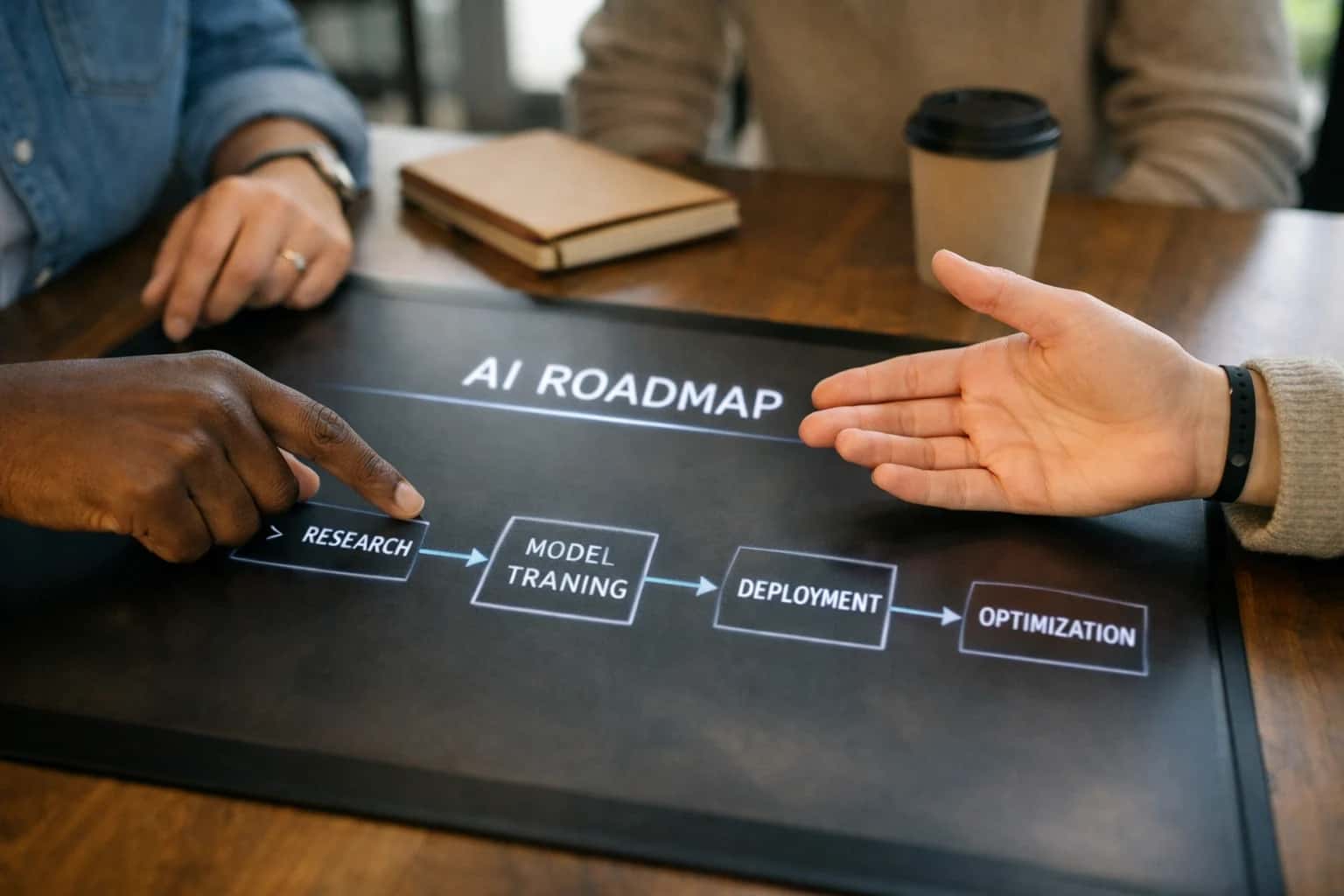
ARCHITECTURE AND ROLLOUT
Where AI Fits into Microsoft Entra PIM
Integrating AI with Microsoft Entra Privileged Identity Management (PIM) automates the analysis of just-in-time access requests, enhances approval workflows, and provides intelligent audit summaries.
In practice, this integration transforms manual, time-sensitive processes. For example, an AI workflow can:
- Analyze request rationale: Parse free-text justification fields against role-specific policies to flag vague or non-compliant requests.
- Recommend approvers: Use organizational graph data to suggest the most relevant active
eligible approversbased on department, project, or past decisions. - Provide session oversight: After activation, monitor
auditLogsfor privileged session activity, summarizing anomalous actions (like mass user deletions) for security review. - Automate lifecycle reviews: Periodically analyze
eligibleAssignmentsand usage patterns to recommend role expiration or de-provisioning, feeding into access review campaigns.
Rollout requires a phased approach, starting with read-only analysis of PIM data to train models on normal patterns before enabling write-back actions like auto-approval. Governance is critical: all AI-driven decisions should be logged to a separate audit trail, and a human-in-the-loop approval step should remain for high-risk roles (e.g., Global Administrator). Implementation typically involves a middleware service that subscribes to PIM webhooks, calls an LLM or custom model via a secure endpoint, and then uses the PIM API to update request status or post analyst notes. This architecture ensures the core PIM security model and RBAC remain intact while adding an intelligent automation layer.
ARCHITECTURE FOR AI-ENHANCED PRIVILEGE GOVERNANCE
Key Integration Surfaces in Microsoft Entra PIM
Intelligent Justification & Routing
The Access Request API is the primary surface for injecting AI into the JIT (Just-in-Time) access workflow. AI can be integrated to analyze the natural language justification provided by a user, cross-reference it with their role, target resource sensitivity, and historical activity to generate a risk score and recommendation for the approver.
Example Workflow:
- A user submits a request via the PIM portal or Graph API.
- An AI service (via webhook or Azure Logic Apps) evaluates the request context:
{"user": "dev-jdoe", "role": "Global Reader", "justification": "Need to audit security settings for the new Prod-SQL cluster."} - The AI returns an enriched payload:
{"risk_score": "low", "recommended_action": "approve", "suggested_duration": "4 hours", "key_terms": ["audit", "security", "prod-sql"]}. - This intelligence is appended to the approval ticket, helping approvers make faster, more informed decisions.
PRIVILEGED ACCESS AUTOMATION
High-Value AI Use Cases for PIM
Integrating AI with Microsoft Entra Privileged Identity Management (PIM) moves security from static, manual reviews to dynamic, context-aware governance. These patterns connect LLMs to PIM's API to analyze requests, audit sessions, and automate lifecycle decisions.
01
Intelligent Just-In-Time (JIT) Request Triage
An AI agent analyzes incoming PIM activation requests against historical patterns, ticket context, and user role. It can auto-approve low-risk, routine requests (e.g., a developer requesting their standard Azure Contributor role for a scheduled deployment) and escalate or enrich high-risk ones with a recommended approval chain and rationale for security teams.
Batch -> Real-time
Approval workflow
02
AI-Powered Access Review & Certification
Instead of presenting reviewers with raw lists, AI summarizes privileged session activity, usage frequency, and change events for each eligible assignment. It generates narrative justifications for removal ("Role unused for 90 days, no sign-ins") or retention ("Used weekly for production deployments"), cutting review time and improving accuracy. Integrates with /integrations/identity-and-access-management-platforms/ai-powered-access-reviews-for-iam-platforms.
Hours -> Minutes
Per review cycle
03
Privileged Session Anomaly Detection
An AI model continuously monitors PIM-audited session logs (e.g., PowerShell command sequences in a privileged VM). It establishes a behavioral baseline per role/user and flags anomalous activity in real-time, such as unusual command sequences, access to unexpected resources, or session timing outside normal patterns, triggering an alert or auto-expiration.
Proactive Alerts
vs. log review
04
Dynamic Role & Policy Recommendation
AI analyzes successful JIT request patterns, denied requests, and manual overrides to recommend new PIM-eligible role definitions or policy adjustments. For example, it might suggest splitting a broad 'Global Admin' assignment into more granular, time-bound roles based on actual usage, helping enforce least privilege. Connects to policy optimization insights at /integrations/identity-and-access-management-platforms/ai-for-iam-policy-optimization-and-recommendation.
1 sprint
Policy refinement cycle
05
Automated Request Rationale & Audit Narrative
For every PIM activation, an LLM generates a human-readable, audit-ready justification by pulling context from linked service tickets (e.g., Jira, ServiceNow), change management systems, or deployment pipelines. This creates a searchable audit trail that explains the 'why' behind each elevation, simplifying compliance reporting and incident investigations.
Same day
Audit readiness
06
Helpdesk Copilot for Privileged Access
A chat-based agent uses the PIM API to help IT support staff and end-users. It can guide users through the request process, explain why a request was denied, suggest alternative roles, or troubleshoot activation issues—all using natural language. Reduces support tickets and improves user experience for secure access.
Tier-1 Deflection
For access tickets
PRACTICAL IMPLEMENTATION PATTERNS
Example AI-Enhanced PIM Workflows
These workflows demonstrate how AI agents and models can be integrated with Microsoft Entra Privileged Identity Management's API and event streams to automate decision support, reduce administrative overhead, and enhance security posture. Each pattern is designed for production, considering audit trails, RBAC, and human-in-the-loop controls.
Trigger: A user submits a request for a privileged role (e.g., Global Administrator, Exchange Administrator) via the PIM portal, Microsoft Teams app, or an integrated ticketing system webhook.
AI Agent Actions:
- Context Enrichment: The agent calls the PIM API to retrieve the request details (user, role, justification, duration) and the Microsoft Graph API to pull the user's recent activity, department, and manager.
- Risk & Context Scoring: A lightweight model analyzes the request against historical patterns:
- Is the requested role typical for the user's department?
- Is the requested time window (e.g., 8 hours) abnormal for this type of task?
- Does the free-text justification mention a known project or ticket ID?
- Approver Recommendation & Routing: The agent analyzes the role's approval settings and the availability of eligible approvers (via Graph presence) to recommend the optimal approver or escalation path.
System Update: The agent posts a structured comment to the PIM request via API, summarizing its analysis and recommendation. For low-risk, high-confidence requests (e.g., standard role for a scheduled change), it can be configured to auto-approve, logging the AI's rationale in the PIM audit log.
Human Review Point: All medium/high-risk or anomalous requests are flagged for mandatory human review. The agent's analysis is presented to the human approver within the PIM approval interface to accelerate decision-making.
FROM REQUEST TO AUDIT
Implementation Architecture and Data Flow
A production-ready AI integration for Microsoft Entra PIM connects to its API layer to inject intelligence into the just-in-time (JIT) access lifecycle.
The integration architecture centers on the Microsoft Graph API endpoints for Privileged Identity Management, specifically the privilegedAccess and roleManagement resources. An AI agent acts as a middleware service, subscribing to PIM events via webhooks (e.g., roleAssignmentScheduleRequest creation) and calling back to the Graph API to fetch contextual data. This data includes the requestor's history, the target role's permissions, associated resources, and recent similar approvals. The agent uses this enriched context to perform its core functions: generating a request rationale for the user, recommending the most context-aware approvers, and scoring the request's risk based on temporal and historical patterns.
In a typical workflow, the AI service processes a new elevation request in seconds: 1) It retrieves the request payload and enriches it with user/role metadata. 2) A reasoning model evaluates the context against policy and historical data to produce a risk score and a natural-language justification. 3) The system can then append this analysis to the approval ticket via the Graph API or route the request through a dynamic approval chain. For high-confidence, low-risk requests (e.g., a developer requesting a well-defined role they use weekly), the AI can recommend auto-approval, logging the rationale in the PIM audit trail. All outputs are deterministic, logged, and can be overridden by human reviewers.
Governance is baked into the data flow. Every AI-generated recommendation is stamped with a trace ID and stored alongside the PIM audit record in a secure log, typically in Azure Monitor or a SIEM. This creates an immutable chain from PIM event → AI context → AI output → human decision. Rollout follows a phased approach: start with a read-only, recommendation-only phase where AI insights are presented to approvers as supplementary data within the PIM portal or via email. After validating accuracy and building trust, workflows can progress to automated routing and low-risk auto-approval, always with a human-in-the-loop escalation path. This architecture ensures the integration enhances, rather than bypasses, PIM's core governance controls.
INTEGRATING AI WITH PIM'S API LAYER
Code and Payload Examples
AI-Enhanced Just-In-Time Request Review
When a user submits a privileged role activation request via the Microsoft Graph API (/roleManagement/directory/roleAssignmentScheduleRequests), an AI agent can analyze the context before routing to an approver. The agent reviews the user's historical activity, the target role's sensitivity, and the business justification to generate a risk score and recommendation.
Example Python function to call an LLM for request analysis:
pythonimport requests import json def analyze_pim_request(user_id, role_id, justification, user_history): """ Calls an LLM to analyze a PIM JIT request. Returns a structured analysis for the approval workflow. """ prompt = f""" Analyze this privileged access request for risk and appropriateness. User: {user_id} Requested Role: {role_id} Justification: {justification} User's Recent Activity: {json.dumps(user_history)} Provide a JSON response with: - risk_score (1-10) - recommendation ("approve", "deny", "review") - summary_rationale (brief explanation) - suggested_approvers (list of userPrincipalNames) """ # Call your configured LLM endpoint (e.g., Azure OpenAI) llm_response = call_llm(prompt) # Parse and return structured analysis analysis = json.loads(llm_response) return analysis
This analysis can be appended to the request payload or logged for the approver's review in the PIM portal, turning a binary decision into an informed, auditable workflow.
AI-ENHANCED PRIVILEGED ACCESS WORKFLOWS
Realistic Time Savings and Operational Impact
This table illustrates the operational impact of integrating AI with Microsoft Entra Privileged Identity Management (PIM) to automate and augment high-friction, manual processes. Metrics are based on typical enterprise deployment patterns.
| Workflow / Task | Before AI Integration | After AI Integration | Implementation Notes |
|---|---|---|---|
Just-In-Time (JIT) Access Request Review | Manual review of request, user, and resource context by an IT admin (15-30 min avg.) | AI pre-screens request, provides risk summary and recommendation (<2 min admin review) | AI analyzes user history, resource sensitivity, and time-of-day. Human approval remains final. |
Approver Routing & Escalation | Manual identification of correct approver based on static RBAC lists; escalations via email. | AI recommends optimal approver based on availability, role, and past decisions; auto-escalates. | Integrates with Microsoft Graph for calendar and out-of-office status. Reduces request stall time. |
Privileged Session Audit Triage | Security analyst manually reviews session logs for anomalies (hours per investigation). | AI flags high-risk sessions with summarized context and suggested actions (minutes to review). | Models baseline admin behavior. Focuses analyst effort on sessions with elevated risk scores. |
Access Review (PIM Entitlements) Preparation | Manual compilation of user lists, resource mappings, and justification context for reviewers. | AI auto-generates reviewer packages with access summaries, usage insights, and suggested decisions. | Pulls data from PIM API, usage logs, and change tickets. Cuts prep time for certification campaigns. |
Emergency Access Break-Glass Analysis | Post-incident forensic review to validate break-glass use and necessity (days). | Near-real-time AI analysis flags non-compliant break-glass use during active session. | Provides live oversight during critical incidents. Generates audit trail for compliance. |
Role Eligibility & Policy Optimization | Periodic manual analysis of role usage to adjust PIM policies (quarterly/annually). | AI continuously analyzes activation patterns to recommend role scope and policy adjustments. | Proactive recommendations feed into Access Review workflows. Moves from reactive to proactive governance. |
Request Rationale & Ticket Enrichment | Basic text field; requires follow-up for insufficient detail, delaying approval. | AI analyzes request and suggests context or prompts user for additional required justification. | Improves quality of intake data. Reduces approval loops and mis-provisioning risk. |
ARCHITECTING CONTROLLED AI FOR PRIVILEGED ACCESS
Governance, Security, and Phased Rollout
Integrating AI with Microsoft Entra Privileged Identity Management requires a security-first architecture that preserves PIM's core governance model.
The integration architecture must treat the PIM API as the single source of truth and enforcement layer. AI workflows should never bypass PIM's approval chains or time-bound activations. Instead, they act as an intelligent layer that consumes PIM's roleAssignmentScheduleRequests, roleEligibilitySchedules, and roleAssignmentScheduleInstances via Microsoft Graph to analyze patterns and generate recommendations. All privileged session data from PrivilegedAccessGroupAssignmentSchedule and audit logs from Azure Monitor should feed the AI's context, but any access modification must flow back through PIM's native request and approval APIs.
A phased rollout is critical. Start with a read-only analysis phase, where AI models analyze historical PIM data to establish baselines for:
- Typical request justification patterns by role (e.g.,
Global Administrator,SharePoint Administrator). - Common approver groups and their response times.
- Session activity patterns during active assignments. This phase builds trust and tunes models without impacting live workflows. The next phase introduces assistive recommendations into the request UI or via Microsoft Teams, suggesting optimal approvers or flagging requests that deviate from established patterns for manual review.
For production, implement a human-in-the-loop approval gate for any AI-driven action. For example, an AI recommendation to auto-approve a low-risk, time-matched Exchange Administrator request should generate a task in Azure Logic Apps or ServiceNow for a final human sign-off before the PIM API is called. All AI interactions must be logged to a separate, immutable audit trail linking the PIM request ID, the AI's reasoning (e.g., retrieved similar past approvals), and the human decision. This creates a defensible chain of custody for compliance audits.
Governance extends to the AI models themselves. Implement regular drift detection on the models analyzing request justifications and session behavior, as patterns for roles like Security Administrator can shift. Use PIM's own accessReview schedules to periodically validate that AI-influenced decisions remain appropriate. Finally, ensure the integration adheres to PIM's existing Azure Policy and Conditional Access guardrails—AI should operate within the configured boundaries, not create new, ungoverned pathways to privileged access.
Enabling Efficiency, Speed & Accuracy
Intelligent Analysis, Decision & Execution
We build AI systems for teams that need search across company data, workflow automation across tools, or AI features inside products and internal software.
Talk to Us
Search across company data
Give teams answers from docs, tickets, runbooks, and product data with sources and permissions.
Useful when people spend too long searching or get different answers from different systems.
Enterprise searchRAGPermissions
Read more
Automate internal workflows
Use AI to route work, draft outputs, trigger actions, and keep approvals and logs in place.
Useful when repetitive work moves across multiple tools and teams.
AI agentsWorkflow automationGovernance
Read more
Add AI to products and internal tools
Build assistants, guided actions, or decision support into the software your team or customers already use.
Useful when AI needs to be part of the product, not a separate tool.
AI integrationDecision supportModel routing
Read moreAI INTEGRATION FOR MICROSOFT ENTRA PRIVILEGED IDENTITY MANAGEMENT
Frequently Asked Questions
Practical answers to common technical and strategic questions about integrating AI agents and workflows with Microsoft Entra Privileged Identity Management (PIM) for intelligent, risk-aware privileged access.
AI integrations connect to Microsoft Entra PIM via the Microsoft Graph API using the PrivilegedAccess.ReadWrite.AzureAD, PrivilegedAccess.ReadWrite.AzureResources, and RoleManagement.ReadWrite.Directory application permissions. The integration service principal must be granted these permissions and registered in your Entra tenant.
Typical Architecture:
- A secure backend service (hosted by Inference Systems) acts as the AI orchestration layer.
- This service uses a managed identity or service principal with the necessary Graph API permissions.
- PIM webhooks or scheduled polls trigger the AI service when events like
eligibleActivationStartorassignmentCreatedoccur. - The AI service calls the Graph API to fetch request context, then uses an LLM (like GPT-4) to analyze the request before calling back to approve, deny, or flag for review.
Security Note: All API calls are logged in Entra audit logs, and the AI service's permissions are scoped to the least privilege required for its designed workflows, often within a specific PIM scope (e.g., a management group).

About the author
Prasad Kumkar
CEO & MD, Inference Systems
Prasad Kumkar is the CEO & MD of Inference Systems and writes about AI systems architecture, LLM infrastructure, model serving, evaluation, and production deployment. Over 5+ years, he has worked across computer vision models, L5 autonomous vehicle systems, and LLM research, with a focus on taking complex AI ideas into real-world engineering systems.
His work and writing cover AI systems, large language models, AI agents, multimodal systems, autonomous systems, inference optimization, RAG, evaluation, and production AI engineering.
LinkedIn
Limited slotsGet a Free AI Consultation
Partnered with leading AI, data, and software stack.





How We Work
Custom AI workflows for your Business
One-fit-all AI don't work for modern businesses. At Inferensys, we aim to understand your business & custom requirements; which we use to define most efficient agentic workflows, the data, and the tools for your business.
01
Review the use case
We understand the task, the users, and where AI can actually help.
Read more02
Pick the right approach
We define what needs search, automation, or product integration.
Read more03
Build the first useful version
We implement the part that proves the value first.
Read more04
Improve from there
We add the checks and visibility needed to keep it useful.
Read moreThe first call is a practical review of your use case and the right next step.
Talk to Us