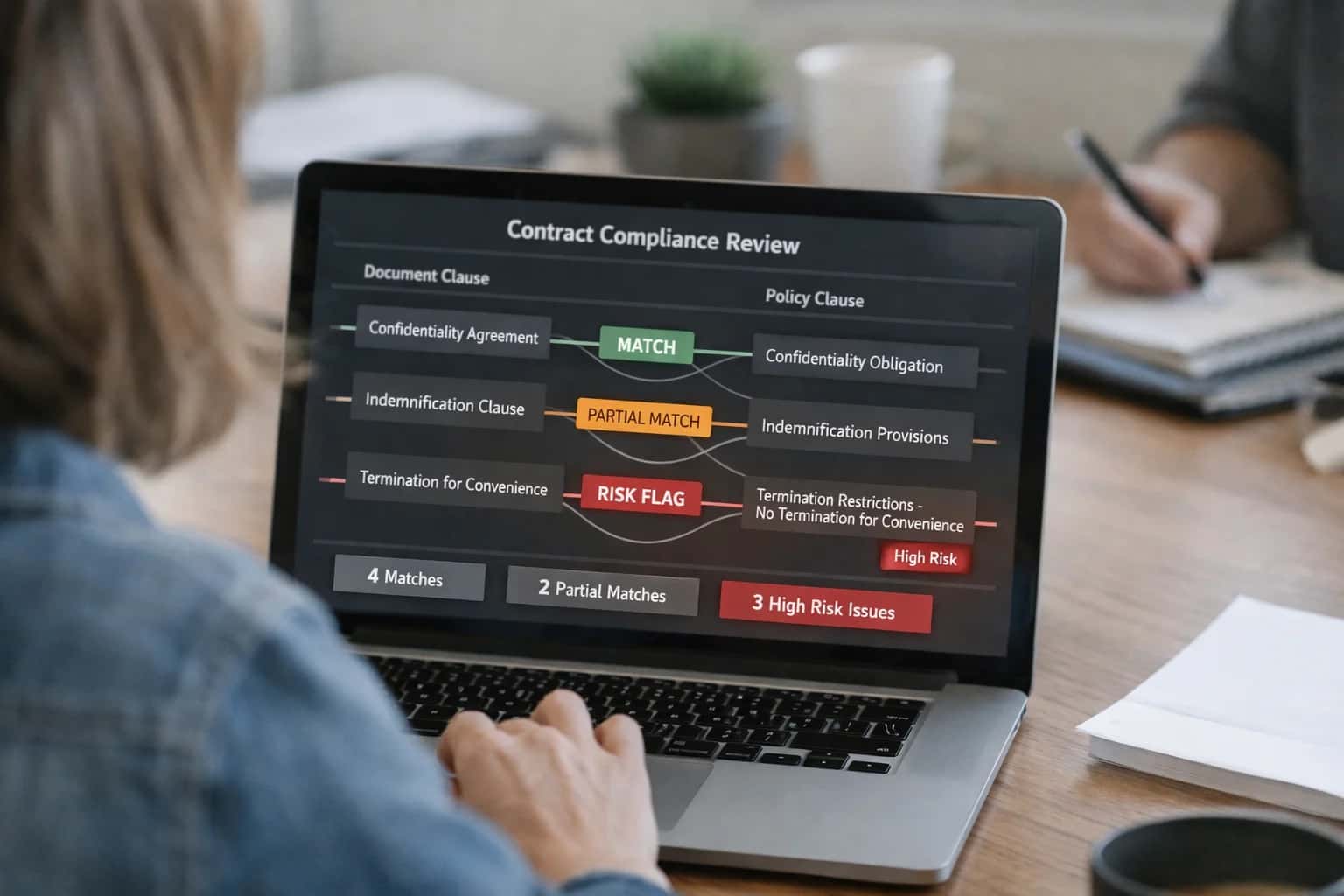
AI integrates directly with Jobber's Service Agreements and Recurring Jobs modules, acting on the underlying contract objects, job history, and customer data. The integration typically connects via Jobber's REST API to monitor key fields like agreement_value, visit_frequency, last_service_date, and line_items. An AI agent or scheduled workflow analyzes this data against the contract terms to flag discrepancies—such as underutilized visits, unbilled parts, or services performed outside the agreement scope—and creates actionable tasks or alerts within Jobber.

Integration
AI Integration with Jobber Contract Management
Enhance Jobber's contract tracking with AI to monitor usage against agreement terms, identify upsell opportunities, and automate billing for recurring services.
ARCHITECTURE & ROLLOUT
Where AI Fits into Jobber Contract Management
A technical blueprint for embedding AI into Jobber's service agreement workflows to automate oversight, identify revenue opportunities, and ensure billing accuracy.
For implementation, a common pattern involves a middleware service (hosted on a platform like AWS Lambda or Azure Functions) that polls or receives webhooks from Jobber. This service uses an LLM with a RAG system over your company's service catalogs and historical job data to interpret contract language and match completed work. For example, after a technician closes a job, the AI can review the notes and photos, cross-reference them with the active service agreement's included services, and automatically generate a line-item invoice in Jobber or flag a potential upsell for the account manager. This turns contract management from a periodic manual review into a continuous, automated audit.
Rollout should start with a pilot on a single, high-value contract type (e.g., annual maintenance plans). Governance is critical: all AI-generated actions—like creating a follow-up task or adjusting an invoice—should route through an approval queue in Jobber or a connected system like Slack for a manager's review before execution. This ensures control while still capturing efficiency gains. Over time, the system learns from these human-in-the-loop corrections, improving its accuracy in classifying work and identifying renewal opportunities.
CONTRACT MANAGEMENT
Key Jobber Surfaces for AI Integration
Core Contract Objects
AI integration for contract management begins with Jobber's Service Agreements and Recurring Jobs objects. These surfaces define the commercial relationship—scope, pricing, frequency, and terms.
Key integration points include:
- Agreement Status & Health: Monitor active agreements for usage against contracted hours or visits. AI can flag accounts nearing overage or underutilization.
- Recurring Schedule Triggers: Use the scheduled job creation as a trigger for AI workflows. Before a recurring job is created, an AI agent can review the customer's recent service history, check for open issues, and suggest adjustments to the work scope or required parts.
- Automated Renewal Signals: Analyze agreement profitability, customer satisfaction scores, and service completion rates to predict renewal likelihood and generate personalized proposal drafts for account managers.
This layer turns static contracts into dynamic, data-driven assets.
CONTRACT LIFECYCLE AUTOMATION
High-Value AI Use Cases for Jobber Contracts
Transform Jobber's contract management from a static record-keeping module into an intelligent system that proactively manages service agreements, identifies revenue opportunities, and automates compliance.
01
Automated Contract Health & Renewal Monitoring
Deploy an AI agent that continuously analyzes Jobber contract objects, usage logs, and job history to flag agreements nearing expiration, underperforming against SLAs, or at risk of churn. Automatically generates renewal proposals and tasks the account manager.
Batch -> Real-time
Monitoring cadence
02
Intelligent Upsell & Cross-Sell Identification
Use RAG on completed work orders and asset data to identify contract customers with unmet needs. For example, analyze repeated repairs on an HVAC system to recommend a preventive maintenance plan upgrade, creating a new opportunity directly in Jobber.
1 sprint
Typical implementation
03
AI-Powered Billing & Invoice Reconciliation
Integrate AI to audit Jobber invoices against contract terms (e.g., included hours, parts discounts). Automatically applies correct pricing, flags out-of-scope work for approval, and syncs reconciled data to accounting platforms like QuickBooks via the Jobber API.
Hours -> Minutes
Reconciliation time
04
Proactive SLA & Performance Reporting
Build automated, narrative-driven reports that compare actual response times, first-time fix rates, and customer satisfaction scores from Jobber against contractual SLA benchmarks. Delivers insights via email or the Jobber customer portal, demonstrating value.
05
Contract-Specific Workflow Triggers
Configure AI to read contract stipulations (e.g., requires manager approval for parts over $500) and automatically enforce them within Jobber's workflow. Routes relevant work orders for approval, sends specific notifications, or applies special pricing rules.
06
Centralized Obligation & Document Management
Create a unified search layer over contract PDFs stored in Jobber, linked work orders, and communication history. Enables teams to instantly answer customer questions about terms, warranty coverage, or prior approvals using a secure RAG system. Connects to broader Enterprise Content Management strategies.
JOBBER INTEGRATION PATTERNS
Example AI-Powered Contract Workflows
These concrete workflows show how AI agents can connect to Jobber's contract and job data to automate monitoring, reporting, and renewal operations for service businesses.
Trigger: A recurring job is marked complete in Jobber, or a technician logs time against a specific customer.
Context Pulled: The AI agent queries Jobber's API for:
- The customer's active service agreement(s).
- The agreement's terms: included hours, covered services, visit frequency, exclusions.
- Historical job data for the current billing period.
Agent Action: The LLM analyzes the new job data against the agreement terms to answer:
- Is this job covered under the contract?
- How many contract hours have been consumed this period?
- Is the customer on pace to over- or under-utilize their agreement?
System Update: The agent posts a note to the customer's Jobber profile (e.g., "Contract Usage: 15 of 20 monthly hours used") and can trigger a webhook to Slack or email the account manager if usage hits 90% of the limit or if a non-covered service was performed.
Human Review Point: Flagged non-covered services are routed to a manager for approval before invoicing.
BUILDING A PRODUCTION-READY INTEGRATION
Implementation Architecture: Data Flow & Guardrails
A secure, governed architecture for connecting AI to Jobber's contract and service agreement data.
A production-ready integration connects to Jobber's REST API to read Service Agreements, Jobs, Invoices, and Customer records. The core data flow is event-driven: a nightly sync or a webhook-triggered process extracts key contract metrics—like usage against agreed-upon hours, upcoming renewal dates, and service completion rates—and pushes them to a secure processing layer. This layer uses a vector database (like Pinecone or Weaviate) to store and semantically search contract terms, historical job notes, and customer communication, creating a RAG (Retrieval-Augmented Generation) context for the AI agent.
The AI agent, built on a framework like LangChain or CrewAI, acts on this enriched data. It executes specific workflows: monitoring a Service Agreement's used_hours against allocated_hours and flagging overages; analyzing completed Job descriptions to identify upsell opportunities for additional services; and triggering automated billing adjustments in Jobber for true-ups on recurring contracts. All agent actions—such as creating a follow-up Task or generating a draft Invoice—are written back to Jobber via API calls, creating a clear audit trail within the native system.
Critical guardrails are implemented at the orchestration level. An approval queue managed in a separate system (like n8n or a custom dashboard) holds any AI-generated invoice or contract change before it's posted to Jobber. Role-based access control (RBAC) ensures only authorized managers can review these items. Furthermore, the entire pipeline includes explainability logs that trace which data points and contract clauses the AI used to make a recommendation, essential for compliance and customer communications. This architecture ensures the AI augments Jobber's operations without disrupting established financial controls or customer trust.
AI-ENHANCED CONTRACT WORKFLOWS
Code & Payload Examples
Automate Key Term Identification
Use an AI agent to parse new contract documents uploaded to Jobber and extract critical obligations, pricing terms, and renewal dates. This transforms unstructured PDFs into structured data for tracking.
Example Python payload to send a contract to an LLM for analysis:
pythonimport requests import json # Simulate a webhook from Jobber when a new contract file is attached contract_text = "...extracted text from PDF..." # From Jobber's API or a file sync analysis_prompt = """ Analyze this service contract and extract: 1. Customer Name 2. Service Types (e.g., HVAC Maintenance, Plumbing) 3. Billing Frequency (Monthly/Quarterly/Annual) 4. Contract Value and Rate 5. Renewal Date 6. Key Service Level Agreements (SLAs) Return as JSON. """ payload = { "model": "gpt-4o", "messages": [ {"role": "system", "content": "You are a contract analyst for a field service business."}, {"role": "user", "content": f"{analysis_prompt}\n\n{contract_text}"} ], "temperature": 0.1 } # Call your AI service layer response = requests.post("https://api.your-ai-service.com/chat", json=payload) extracted_data = response.json() # Map extracted data to Jobber Custom Fields via API jobber_payload = { "custom_fields": [ {"id": "field_contract_value", "value": extracted_data.get("contractValue")}, {"id": "field_renewal_date", "value": extracted_data.get("renewalDate")}, {"id": "field_service_slas", "value": ", ".join(extracted_data.get("slas", []))} ] }
This structured data populates Jobber's custom fields, enabling alerts and reporting.
AI-Enhanced Contract Management
Realistic Time Savings & Business Impact
How AI integration transforms manual contract oversight into a proactive, insight-driven process within Jobber.
| Metric | Before AI | After AI | Notes |
|---|---|---|---|
Contract Usage Monitoring | Manual monthly spreadsheet review | Automated weekly dashboard alerts | AI parses invoices and work orders against agreement terms |
Upsell Opportunity Identification | Reactive, based on customer calls | Proactive alerts on underutilized services | Analyzes usage trends and contract entitlements |
Recurring Billing Setup | Manual invoice creation each period | Automated generation with line-item validation | Triggers from completed work, checks for missed billables |
Renewal Proposal Drafting | 1-2 days per contract | First draft in 1-2 hours | AI pulls performance data and suggests terms |
SLA Compliance Tracking | Post-breach investigation | Real-time dashboard with forecasted risks | Monitors response times and completion rates against terms |
Customer Health Scoring | Gut-feel based on recent interactions | Data-driven score from usage, payment, and feedback | Feeds into renewal prioritization and account management |
Contract Data Entry | Manual entry from PDFs/emails | AI extraction and auto-population into Jobber | Reduces setup time for new service agreements |
ARCHITECTING A CONTROLLED DEPLOYMENT
Governance, Security & Phased Rollout
A practical framework for deploying AI into Jobber's contract management workflows with security, oversight, and measurable impact.
Integrating AI into Jobber's contract management surfaces—primarily the Service Agreements and Recurring Jobs modules—requires a data governance layer. This ensures AI agents only access the customer, job history, and billing data necessary for their specific tasks, such as analyzing usage against agreement terms or identifying renewal opportunities. Implement role-based access controls (RBAC) via Jobber's API scopes and maintain a clear audit log of all AI-generated actions, like flagging an underutilized contract or drafting a renewal proposal, for manager review.
A phased rollout minimizes operational risk. Start with a read-only analysis phase, where an AI agent reviews closed jobs and invoice data to surface insights (e.g., 'Contract XYZ is consistently under-scoped on labor hours') in a separate dashboard. Next, move to a guided workflow phase, where these insights become actionable alerts within Jobber, prompting account managers to review. The final automated execution phase introduces limited, pre-approved automations, such as AI-drafted personalized renewal emails sent to a queue for human sign-off before being dispatched via Jobber's communication tools.
Security is paramount when connecting external AI models to Jobber's API. All integrations should use OAuth 2.0, token rotation, and never store raw customer data in vector databases for RAG without explicit anonymization or aggregation. For a production system, consider a middleware layer that handles prompt security, rate limiting, and fallback logic to ensure Jobber's performance isn't impacted. This controlled approach allows service businesses to capture the efficiency gains of AI—turning contract analysis from a monthly manual review into a continuous, automated process—while maintaining trust and compliance.
Enabling Efficiency, Speed & Accuracy
Intelligent Analysis, Decision & Execution
We build AI systems for teams that need search across company data, workflow automation across tools, or AI features inside products and internal software.
Talk to Us
Search across company data
Give teams answers from docs, tickets, runbooks, and product data with sources and permissions.
Useful when people spend too long searching or get different answers from different systems.
Enterprise searchRAGPermissions
Read more
Automate internal workflows
Use AI to route work, draft outputs, trigger actions, and keep approvals and logs in place.
Useful when repetitive work moves across multiple tools and teams.
AI agentsWorkflow automationGovernance
Read more
Add AI to products and internal tools
Build assistants, guided actions, or decision support into the software your team or customers already use.
Useful when AI needs to be part of the product, not a separate tool.
AI integrationDecision supportModel routing
Read moreAI INTEGRATION BLUEPRINT
Frequently Asked Questions
Common technical and operational questions about implementing AI to enhance Jobber's contract management for recurring service businesses.
AI integration connects via Jobber's REST API, which provides access to core objects like Service Agreements, Recurring Visits, Invoices, and Customers. A typical architecture involves:
- Scheduled Sync: A secure middleware service (e.g., built with Node.js or Python) polls the Jobber API on a scheduled basis to pull contract data, visit completions, and invoice history.
- Data Enrichment & Processing: This service enriches the raw data—for example, calculating actual usage versus contracted allowances or tagging contracts by type (e.g., preventive maintenance, emergency response).
- AI Analysis: The enriched data is sent to an AI service (like a hosted LLM or custom model) for analysis. Common calls include:
- Analyzing visit notes for sentiment or unresolved issues.
- Comparing billed amounts against contract terms to identify under/over-utilization.
- Predicting renewal likelihood based on service history and payment patterns.
- Results Storage & Actions: Insights are stored in a separate database (like PostgreSQL) and actionable items are pushed back to Jobber via API—for instance, creating a follow-up task for an account manager or updating a custom field on the Service Agreement to flag for review.
Key API endpoints used: /service_agreements, /visits, /invoices, /tasks.

About the author
Prasad Kumkar
CEO & MD, Inference Systems
Prasad Kumkar is the CEO & MD of Inference Systems and writes about AI systems architecture, LLM infrastructure, model serving, evaluation, and production deployment. Over 5+ years, he has worked across computer vision models, L5 autonomous vehicle systems, and LLM research, with a focus on taking complex AI ideas into real-world engineering systems.
His work and writing cover AI systems, large language models, AI agents, multimodal systems, autonomous systems, inference optimization, RAG, evaluation, and production AI engineering.
LinkedIn
Limited slotsGet a Free AI Consultation
Partnered with leading AI, data, and software stack.





How We Work
Custom AI workflows for your Business
One-fit-all AI don't work for modern businesses. At Inferensys, we aim to understand your business & custom requirements; which we use to define most efficient agentic workflows, the data, and the tools for your business.
01
Review the use case
We understand the task, the users, and where AI can actually help.
Read more02
Pick the right approach
We define what needs search, automation, or product integration.
Read more03
Build the first useful version
We implement the part that proves the value first.
Read more04
Improve from there
We add the checks and visibility needed to keep it useful.
Read moreThe first call is a practical review of your use case and the right next step.
Talk to Us