AI integration for EcoOnline Greenhouse Gas (GHG) reporting targets the data validation, calculation, and narrative generation stages of the compliance workflow. The primary surfaces are the activity data entry interfaces, emission factor libraries, and report drafting modules where manual review and consolidation create bottlenecks. An AI agent can be configured to monitor incoming data feeds—such as fuel purchase records, utility bills, or production logs—and flag entries that deviate from expected ranges, suggest the most appropriate emission factors from EPA GHGRP, EU ETS, or corporate libraries based on context, and pre-calculate emissions with uncertainty estimates. This reduces the manual data scrubbing and lookup that often consumes days each reporting period.

Integration
AI Integration for EcoOnline Greenhouse Gas Reporting
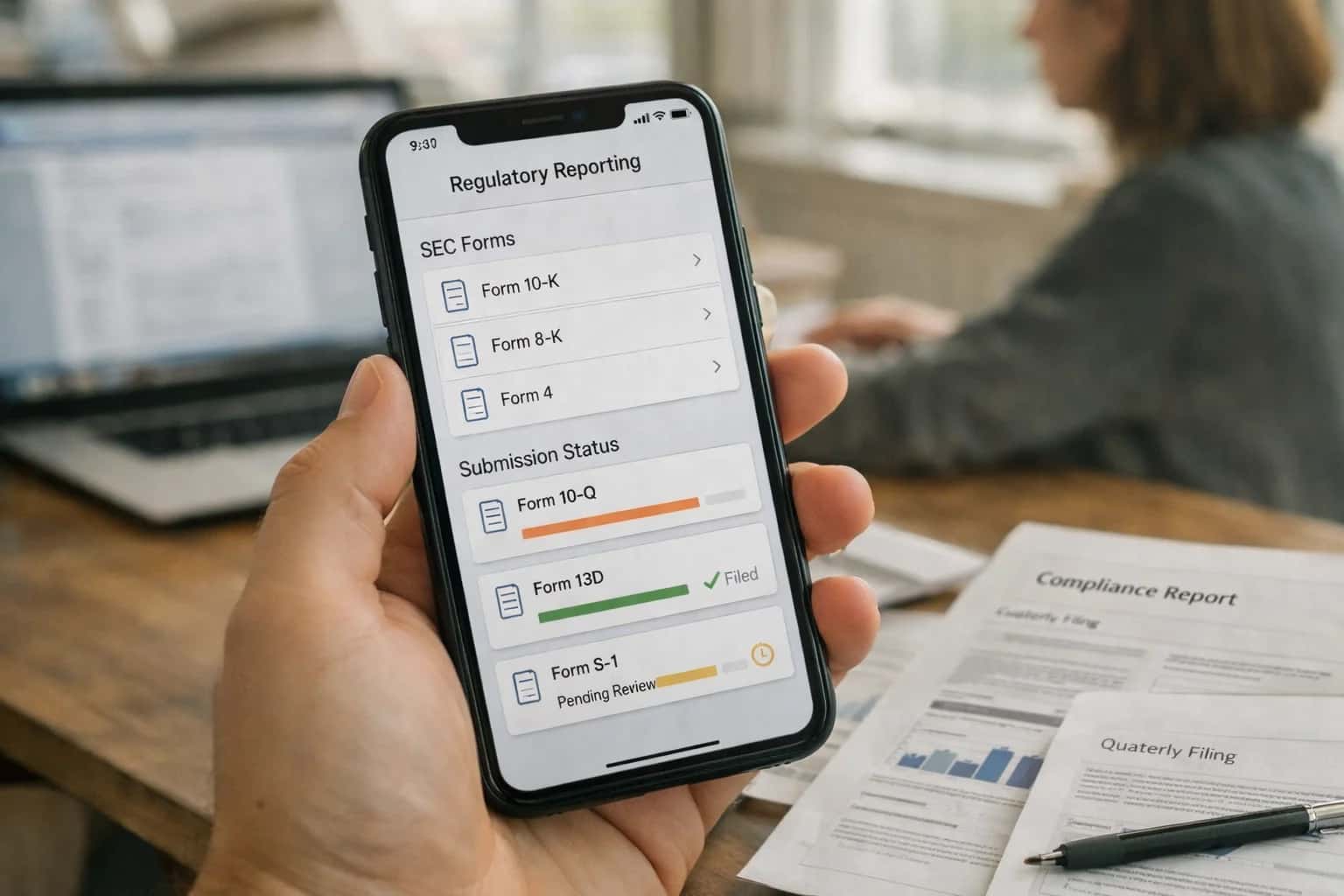
Where AI Fits into EcoOnline GHG Reporting
A practical blueprint for integrating AI into the specialized workflows of EcoOnline's Greenhouse Gas reporting modules.
Implementation typically involves a middleware layer that sits between EcoOnline's APIs and your operational data sources. This layer hosts the AI models responsible for anomaly detection in activity data and semantic matching for emission factor selection. For example, a natural gas invoice from "Supplier X" with an unusual unit or heating value can be automatically normalized and validated against historical patterns before being posted to EcoOnline. The AI can also draft the narrative sections of regulatory reports by pulling calculated totals, contextualizing year-over-year changes, and citing the methodologies used, all formatted to the required scheme. This is not a black-box replacement but a copilot for the GHG analyst, providing recommendations that are logged, explainable, and require final review and approval within the EcoOnline workflow.
Rollout should be phased, starting with a single Scope or facility to build trust in the AI's suggestions. Governance is critical: all AI-generated suggestions, calculations, and draft text must be attributed in the audit trail and subject to the same review controls as manual entries. The integration should also include a feedback loop where analyst overrides or corrections are used to retrain and improve the models. This approach turns a quarterly compliance scramble into a continuous, assisted process, shifting analyst time from data wrestling to strategic analysis of reduction opportunities and decarbonization planning. For teams already using EcoOnline for GHG management, this AI layer is the logical next step to improve accuracy, reduce close timelines, and free up expertise for higher-value sustainability strategy.
Key Integration Surfaces in EcoOnline
Activity Data Ingestion & Validation
This is the primary data entry surface for GHG reporting. AI integration focuses on automating the ingestion and validation of raw activity data (e.g., fuel invoices, utility bills, production logs) that feeds emission calculations.
Key Integration Points:
- Data Import APIs / Connectors: AI agents can be triggered upon new file uploads to EcoOnline's data hub. They parse PDFs, spreadsheets, and ERP extracts to extract fuel volumes, electricity consumption, and material usage.
- Validation Rules Engine: AI validates extracted figures against historical ranges, unit conversions, and operational context (e.g., "Does this natural gas consumption align with boiler runtime logs?"). It flags anomalies for human review before data is locked for reporting periods.
- Example Workflow: An agent monitors a shared folder for utility bills. Upon detection, it uses OCR and NLP to extract
kWhconsumption, validates it against the meter's prior reading, and posts the validated data to the relevantEnergyUserecord via EcoOnline's REST API, logging any uncertainties.
High-Value AI Use Cases for GHG Reporting
Integrating AI into EcoOnline's Greenhouse Gas (GHG) reporting modules automates manual data validation, improves calculation accuracy, and accelerates submission for schemes like EPA GHGRP, EU ETS, and CDP. These patterns connect to EcoOnline's activity data tables, emission factor libraries, and reporting workflows.
Activity Data Validation & Gap Filling
AI reviews uploaded meter readings, fuel invoices, and purchase records in EcoOnline's activity data tables. It flags outliers, suggests corrections based on historical patterns, and uses statistical imputation to fill missing data points for a complete reporting period, ensuring a robust foundation for all Scope 1 & 2 calculations.
Intelligent Emission Factor Selection
For each activity data record, AI analyzes the fuel type, process description, and location to query and recommend the most appropriate emission factor from EcoOnline's library or external databases (e.g., EPA, DEFRA). It logs the justification, reducing manual lookup errors and audit findings related to factor misapplication.
Automated Uncertainty Calculation & Documentation
AI automates the propagation of uncertainty through the GHG calculation chain, as required by schemes like EU ETS. It applies Monte Carlo or analytical methods based on the data quality tiers defined in EcoOnline, generating the required uncertainty analysis and audit trail documentation automatically.
Regulatory Report Drafting & Pre-Fill
AI maps calculated emissions data to the specific fields of regulatory forms (e.g., EPA Subparts, EU ETS Annexes). It generates a pre-filled draft report within EcoOnline's reporting module, complete with contextual notes on methodology choices and data sources, ready for final review and submission.
Anomaly Detection in Continuous Monitoring Data
For facilities with CEMS (Continuous Emissions Monitoring Systems), AI integrates with EcoOnline's real-time data feeds. It establishes baselines and detects anomalies—like unexplained emission spikes or instrument drift—triggering alerts for investigation and ensuring data integrity for mandatory reporting periods.
Scenario Modeling for Reduction Planning
AI enables what-if analysis directly within EcoOnline. By connecting to the GHG inventory model, it can simulate the impact of proposed projects (e.g., fuel switching, efficiency upgrades) on future emissions, helping sustainability teams model pathways and forecast progress against reduction targets.
Example Automated Workflows
These workflows illustrate how AI agents can automate high-effort, error-prone steps within EcoOnline's GHG reporting modules, turning manual data validation and report drafting into a governed, automated process.
Trigger: New fuel purchase, utility invoice, or production data is entered or imported into EcoOnline.
Context Pulled: The AI agent retrieves the new activity data record (e.g., natural gas consumption in therms) along with its associated metadata (facility, meter ID, time period, supplier). It then fetches historical data for the same facility and fuel type for the past 24 months.
Agent Action:
- Anomaly Detection: Compares the new value against historical consumption patterns, accounting for seasonality and production volume. Flags values that deviate by more than 2 standard deviations for human review.
- Unit Conversion Check: Verifies the input unit matches the expected unit for the selected emission factor (e.g., ensuring
thermsare not mistakenly entered asMMBtuwithout conversion). - Gap Filling: If data for a required period is missing, the agent uses a configured method (e.g., linear interpolation from surrounding months, same-period-last-year) to propose a value, logs the assumption, and flags it for reviewer approval.
System Update: Validated data is marked as AI-Reviewed in EcoOnline. Anomalous or gap-filled records are placed in a Review Queue with the agent's notes. The activity data's QA Status field is updated.
Human Review Point: Required for all flagged anomalies and proposed gap-filled values before they are used in calculations.
Implementation Architecture & Data Flow
A production-ready AI integration for EcoOnline Greenhouse Gas Reporting connects disparate data sources, validates inputs, and automates complex calculations to generate compliant reports.
The integration typically connects to EcoOnline's GHG Reporting module via its API layer, acting as an intelligent middleware. It ingests raw activity data from source systems—such as fuel purchase records from ERP platforms, meter readings from IoT sensors, and utility bills from AP systems. The AI's first job is data validation and gap-filling, using entity recognition to match fuel types (e.g., 'nat gas' to 'Natural Gas') and statistical imputation to estimate missing data points, logging all assumptions in an audit trail within EcoOnline.
Core logic resides in the emission factor selection and uncertainty calculation. An AI agent cross-references the validated activity data against dynamic reference databases (like EPA's GHGRP, IPCC, or DEFRA) to select the correct, jurisdiction-specific emission factors. It then executes the mass-balance calculations, applying the appropriate global warming potentials (GWPs) and propagating uncertainty ranges. This output is structured into the required data objects (e.g., EmissionSource, CalculationResult) and written back to EcoOnline, ready for review in the platform's standard workflow queues.
For rollout, we implement a phased governance model. Initial pilots run in a 'human-in-the-loop' mode where the AI drafts reports and a qualified verifier approves each calculation step within EcoOnline before submission. Over time, as confidence grows, pre-approved calculation pathways can be automated. The entire data flow is instrumented, with all AI decisions, source data, and prompts logged to EcoOnline's audit trail, ensuring full transparency for internal audits and external verification schemes like the EU ETS.
Code & Payload Examples
Validating & Enriching Source Data
AI can ingest and validate activity data (e.g., fuel purchases, production volumes) from spreadsheets, ERP exports, or IoT feeds before it enters EcoOnline. The model checks for outliers, missing units, and temporal consistency, flagging records for review and suggesting corrections based on historical patterns.
Example Python validation script:
python# Pseudocode for validating natural gas consumption data def validate_activity_data(record): """Validates a single activity data record for GHG reporting.""" validation_errors = [] # Check for required fields required = ['facility_id', 'fuel_type', 'quantity', 'unit', 'period_start'] for field in required: if field not in record: validation_errors.append(f"Missing required field: {field}") # Outlier detection against facility history if 'quantity' in record: historical_avg = get_facility_monthly_avg(record['facility_id'], record['fuel_type']) if historical_avg and abs(record['quantity'] - historical_avg) > historical_avg * 0.5: validation_errors.append(f"Quantity {record['quantity']} deviates >50% from monthly avg {historical_avg}") # Unit conversion check if 'unit' in record and record['unit'] not in VALID_UNITS[record.get('fuel_type')]: validation_errors.append(f"Invalid unit {record['unit']} for fuel type {record.get('fuel_type')}") return { 'record_id': record.get('id'), 'is_valid': len(validation_errors) == 0, 'errors': validation_errors, 'suggested_correction': suggest_correction(record, validation_errors) }
This structured output can be posted to an EcoOnline webhook or written to a staging table for manual review before final import.
Realistic Time Savings & Operational Impact
This table illustrates the operational impact of integrating specialized AI into EcoOnline's Greenhouse Gas (GHG) reporting workflows, focusing on the core tasks of data preparation, calculation, and reporting for schemes like EPA GHGRP or EU ETS.
| Metric | Before AI | After AI | Notes |
|---|---|---|---|
Activity Data Validation & Gap Filling | Hours of manual cross-referencing | Minutes of assisted review | AI flags inconsistencies and suggests values; final approval required |
Emission Factor Selection & Application | Manual lookup from complex tables | AI-recommended factors with source citation | Ensures methodological consistency and audit trail |
Uncertainty Calculation & Documentation | Spreadsheet-based manual propagation | Automated calculation with narrative draft | Reduces mathematical errors and standardizes reporting |
Report Narrative & Disclosure Drafting | Days drafting from scratch | Hours editing AI-generated first draft | Generates structured narratives from validated data points |
Internal QA/QC Review Cycle | Multi-round, multi-stakeholder review | Streamlined review of AI-highlighted sections | Focuses human effort on high-risk calculations and assumptions |
Data Aggregation for Multi-Site Roll-up | Manual consolidation from disparate sources | Automated roll-up with variance analysis | AI identifies outlier sites for targeted review |
Regulatory Form Pre-population | Manual data entry into reporting templates | Auto-populated forms with validation checks | Minimizes transposition errors and speeds final submission |
Governance, Security, and Phased Rollout
A production-ready AI integration for EcoOnline GHG reporting requires a secure, auditable architecture and a controlled rollout.
Implementation begins by establishing a secure data pipeline from EcoOnline's activity data tables, fuel inventories, and purchased utility records. AI agents operate on a read-only copy of this data, using dedicated API service accounts with scoped permissions. All prompts, model calls, and generated outputs (like emission calculations or report drafts) are logged to a separate audit trail, creating a verifiable chain of custody for each GHG figure. This is critical for audit defense under schemes like the EPA GHGRP or EU ETS, where regulators may question calculation methodologies.
A phased rollout mitigates risk and builds confidence. Phase 1 typically targets data validation and enrichment, where an AI agent reviews uploaded spreadsheets or manual entries for completeness, flags outliers against historical patterns, and suggests correct emission factors from databases like EPA's eGRID or DEFRA. Phase 2 introduces automated calculation and draft reporting, where the agent executes the full emissions calculation workflow, populates report templates, and generates a narrative summary of trends and key drivers. Phase 3 enables predictive insights and scenario modeling, using AI to forecast future emissions based on production plans and model the impact of reduction projects.
Governance is managed through a human-in-the-loop approval layer integrated into EcoOnline's existing workflow engine. For example, an AI-generated emission factor recommendation or a completed report section can be routed to a GHG specialist for review and approval before being committed to the official inventory. Access to AI features is controlled via EcoOnline's existing role-based access control (RBAC), ensuring only authorized personnel, such as Environmental Managers or Sustainability Leads, can trigger agents or approve outputs. This controlled approach ensures the integration enhances productivity without compromising the rigor required for mandatory reporting.
Enabling Efficiency, Speed & Accuracy
Intelligent Analysis, Decision & Execution
We build AI systems for teams that need search across company data, workflow automation across tools, or AI features inside products and internal software.
Talk to Us
Search across company data
Give teams answers from docs, tickets, runbooks, and product data with sources and permissions.
Useful when people spend too long searching or get different answers from different systems.

Automate internal workflows
Use AI to route work, draft outputs, trigger actions, and keep approvals and logs in place.
Useful when repetitive work moves across multiple tools and teams.

Add AI to products and internal tools
Build assistants, guided actions, or decision support into the software your team or customers already use.
Useful when AI needs to be part of the product, not a separate tool.
Frequently Asked Questions
Practical questions about integrating AI into EcoOnline's GHG reporting workflows, from data validation to final submission.
This workflow automates the most error-prone, manual steps in GHG calculation.
- Trigger: A new source (e.g., natural gas invoice, fuel log, production data) is added to the EcoOnline GHG module.
- Context Pulled: The AI agent retrieves the raw activity data (value, unit, time period, source description) and the linked facility/asset metadata.
- Agent Action: The agent performs a multi-step validation and enrichment:
- Data Anomaly Check: Flags values that are statistical outliers compared to historical data for that source.
- Unit Consistency: Confirms the provided unit matches the expected unit for the source type and converts if necessary.
- Emission Factor Selection: Analyzes the source description and metadata to query relevant databases (e.g., EPA GHG Center, IPCC, DEFRA). It selects the most appropriate, region-specific emission factor, documenting the justification (e.g., "Selected IPCC 2019 Refined Natural Gas factor for stationary combustion, based on facility location in North America").
- System Update: The validated activity data and selected emission factor (with source citation) are written back to the EcoOnline record. A confidence score and audit log of the agent's reasoning are stored.
- Human Review Point: Records with low confidence scores or where the agent could not find a clear match are flagged for manual review by the environmental data specialist.

About the author
Prasad Kumkar
CEO & MD, Inference Systems
Prasad Kumkar is the CEO & MD of Inference Systems and writes about AI systems architecture, LLM infrastructure, model serving, evaluation, and production deployment. Over 5+ years, he has worked across computer vision models, L5 autonomous vehicle systems, and LLM research, with a focus on taking complex AI ideas into real-world engineering systems.
His work and writing cover AI systems, large language models, AI agents, multimodal systems, autonomous systems, inference optimization, RAG, evaluation, and production AI engineering.
Partnered with leading AI, data, and software stack.





How We Work
Custom AI workflows for your Business
One-fit-all AI don't work for modern businesses. At Inferensys, we aim to understand your business & custom requirements; which we use to define most efficient agentic workflows, the data, and the tools for your business.
01
Review the use case
We understand the task, the users, and where AI can actually help.
Read more02
Pick the right approach
We define what needs search, automation, or product integration.
Read more03
Build the first useful version
We implement the part that proves the value first.
Read more04
Improve from there
We add the checks and visibility needed to keep it useful.
Read moreThe first call is a practical review of your use case and the right next step.
Talk to Us