AI integration connects directly to the core data objects and workflows within Cority's Permit Management module. The primary surfaces are the Permit Application, Permit Conditions log, and the associated Risk Assessment. An AI agent can be triggered via Cority's API or a scheduled workflow to ingest new permit applications. It analyzes the free-text scope_of_work and attached documents (like JSAs or drawings) against a library of regulatory requirements and internal standards to auto-generate a completeness checklist and flag missing hazard assessments or isolations. This happens in a background queue, leaving the human reviewer with a structured, pre-validated application.

Integration
AI Integration for Cority Permit Management
Add AI to Cority's Permit Management module to automate application review, completeness checks, condition tracking, and expiration alerts. Reduce administrative burden and improve compliance velocity.
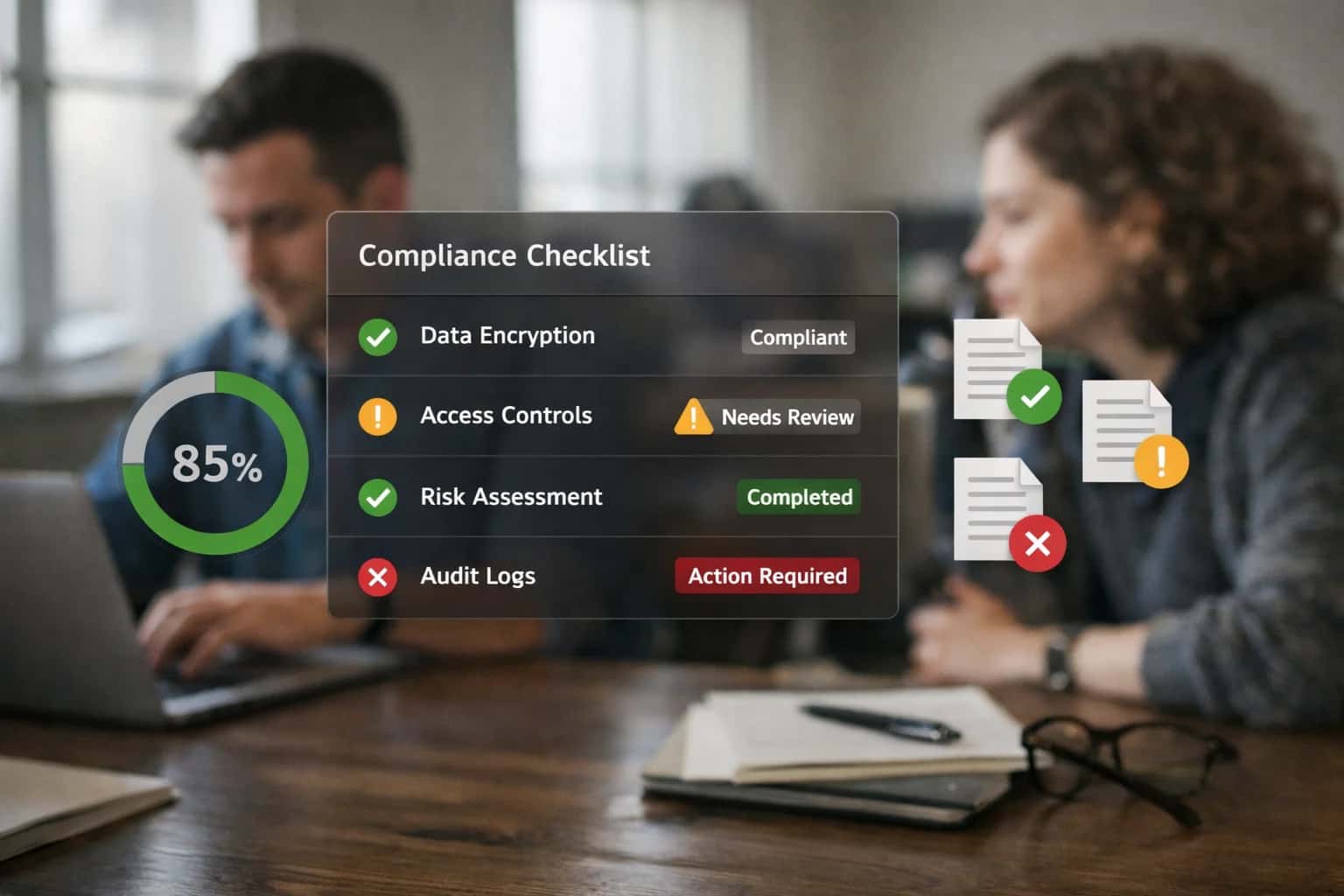
ARCHITECTURE AND ROLLOUT
Where AI Fits in Cority Permit Management
A practical blueprint for integrating AI agents and automation into Cority's permit-to-work workflows to reduce administrative burden and prevent compliance gaps.
For ongoing compliance, a separate monitoring agent scans the permit_conditions and expiration_date fields. It correlates conditions (e.g., 'continuous atmospheric monitoring required') with data from connected IoT feeds or manual entry logs. If a condition is breached or a permit is nearing expiry, the agent automatically generates a task in Cority's Action Tracking system, assigns it based on role (e.g., 'Permit Authority' or 'Area Supervisor'), and sends an escalation via email or Teams if the task becomes overdue. This moves compliance from a calendar-based reminder to a condition-based, automated enforcement layer.
Rollout is typically phased, starting with AI-assisted application review for high-risk permit types (e.g., Hot Work, Confined Space) to build trust. Governance is critical: all AI-generated checklists and tasks are logged in the Cority Audit Trail with a source: AI_Agent tag, and a human-in-the-loop approval step is maintained for permit issuance. The final phase integrates the AI with Cority's Management of Change (MOC) process, so new or modified equipment automatically triggers a review of affected permit templates and conditions.
INTEGRATION BLUEPRINT
AI Touchpoints in the Cority Permit Module
Automating the Initial Submission
AI can be integrated at the point where permit applications are created, often via web forms or mobile data entry. An AI agent can act as a real-time reviewer, analyzing free-text descriptions of work, location data, and attached documents (e.g., site plans, JSA forms) against a knowledge base of permit requirements.
Key Touchpoints:
- Cority Permit Application object for structured data validation.
- Document Management module for analyzing attached files.
- Workflow Engine to route incomplete applications back to the applicant with specific feedback.
Use Case: For a confined space entry permit, the AI can cross-reference the listed equipment against the site's equipment register, flag if atmospheric monitoring is required but not scheduled, and check that all listed contractors have current training certifications in the system.
CORITY INTEGRATION PATTERNS
High-Value AI Use Cases for Permit Management
Integrating AI into Cority's Permit to Work system transforms manual, checklist-driven processes into intelligent workflows that accelerate approvals, ensure compliance, and proactively manage risk. These patterns target the core surfaces of the permit module—application intake, risk assessment, condition tracking, and renewal operations.
01
Automated Application Completeness Check
AI reviews incoming permit applications against a library of site-specific requirements and regulatory rules. It flags missing fields, inconsistent data, or insufficient attachments (e.g., missing JSA, incomplete isolation plans) before human review, reducing back-and-forth and preventing submissions with critical gaps.
Hours -> Minutes
Review cycle time
02
Intelligent Risk Assessment & Stakeholder Routing
By analyzing the work description, location, hazards, and contractor history, AI suggests a preliminary risk rating and automatically routes the permit to the required approvers (e.g., area supervisor, electrical authority, environmental lead). It can also recommend additional controls or prerequisite permits based on similar historical work.
Batch -> Real-time
Routing logic
03
Proactive Permit Condition & Expiration Monitoring
AI continuously monitors active permits against real-time operational data (e.g., sensor readings, weather alerts, concurrent work). It flags potential condition violations and sends alerts for permits nearing expiration. This shifts management from a calendar-based check to a dynamic, risk-aware system.
Same day
Violation detection
04
Contractor Qualification & Historical Performance Analysis
When a contractor is listed on a permit, AI instantly retrieves and summarizes their safety statistics, training compliance, and past permit performance from Cority's contractor management and incident modules. This provides the permit issuer with a data-driven assessment of contractor risk during the approval step.
1 sprint
Implementation timeline
05
Automated Permit Closure & Lesson Capture
At permit closure, AI prompts the supervisor for a brief debrief via voice or text. It then structures the feedback, extracts key learnings, and links them to relevant hazards or procedures in Cority. This creates a searchable knowledge base to improve future permit risk assessments and JSA libraries.
Batch -> Real-time
Knowledge capture
06
Unified Permit Dashboard with NLP Queries
An AI-powered dashboard layer sits atop the Cority permit module, allowing managers to ask questions like "Show me all high-risk hot work permits for Building 3 last month" or "Which contractors have the most permit violations this quarter?" This surfaces trends and insights without manual report building, enabling proactive permit program management.
CONCRETE IMPLEMENTATION PATTERNS
Example AI-Augmented Permit Workflows
These workflows illustrate how AI agents and automations connect to Cority's permit data model and API surfaces to reduce administrative burden, improve compliance, and accelerate safe work. Each pattern can be implemented as a standalone integration or combined into a unified permit intelligence layer.
Trigger: A user submits a new permit application (e.g., Hot Work, Confined Space Entry) in Cority.
AI Agent Action:
- The agent retrieves the application data via Cority's REST API, including form fields, attached documents (JSA, diagrams), and the selected permit type.
- It calls a configured LLM with the permit type's regulatory and internal policy requirements (from a vector store of permit procedures).
- The LLM analyzes the submission against the checklist, identifying missing information (e.g., "Fire watch assigned," "Atmospheric monitoring plan attached").
System Update:
- The agent posts a structured comment back to the permit record via API, listing missing items with references.
- It updates a custom field
Application_Statusto "Needs Revision" and assigns a task to the applicant. - If the check passes, status is set to "Ready for Review" and the permit issuer is notified.
Human Review Point: The issuer reviews the AI-generated checklist and the applicant's revisions before approval.
CORITY PERMIT MANAGEMENT
Implementation Architecture: Data Flow & Integration Points
A production-ready AI integration for Cority Permit Management connects to the platform's core objects and workflows, automating review, tracking, and compliance.
The integration architecture typically connects at three key points within Cority's data model: the Permit Application object for initial intake, the Permit record itself for lifecycle management, and the Compliance Calendar for deadline tracking. An AI agent, hosted securely, listens for webhook events from Cority (e.g., PermitApplication.Submitted) or polls the Cority REST API. When a new application arrives, the agent extracts the free-text scope of work, location, equipment list, and attached documents (like JSA forms or drawings). It uses a Retrieval-Augmented Generation (RAG) pipeline grounded in your company's specific permit requirements, standard operating procedures, and historical permit data to perform an automated completeness check, flagging missing hazard assessments or incompatible control measures.
For approved permits, the AI creates a structured summary of key conditions, expiration triggers, and required inspections, writing this back to a dedicated field on the Permit record. It then monitors the permit's status and linked inspection modules, using natural language processing on field reports to verify condition compliance. Proactive alerts are generated by cross-referencing permit expiration dates with contractor availability and site schedules in the Cority Compliance Calendar, suggesting renewal workflows weeks in advance. This data flow turns static permit records into active, intelligence-driven assets, reducing the risk of lapses and ensuring conditions are met before work begins.
Rollout is phased, starting with read-only analysis and alerting to build trust in the AI's recommendations before enabling automated field updates. Governance is critical: all AI-generated validations and summaries are logged in Cority's audit trail with a clear AI-Assisted flag, and a human-in-the-loop approval step is maintained for any automated status changes. This architecture ensures the AI augments—rather than replaces—the permit coordinator's expertise, cutting manual review time from hours to minutes while providing a consistent, auditable check against your safety standards.
AI-ENHANCED PERMIT WORKFLOWS
Code & Payload Examples
Automating Initial Submission Checks
This workflow intercepts a new permit application in Cority, validates its completeness against a knowledge base of site-specific requirements, and flags missing elements before human review. It uses a retrieval-augmented generation (RAG) pattern to ground checks in the latest procedures.
Example Payload for AI Validation Request:
json{ "permit_application_id": "PA-2024-00123", "permit_type": "Hot Work", "site_code": "PLANT-B", "submitted_by": "jsmith", "application_data": { "work_description": "Welding on pipeline P-101", "requested_dates": ["2024-11-15", "2024-11-16"], "attached_docs": ["JSA-789.pdf", "P&ID-101.pdf"], "hazard_controls_listed": ["Fire Watch", "Atmospheric Monitoring"] }, "validation_context": { "required_docs_for_type": ["JSA", "P&ID", "LOTO Procedure"], "site_specific_rules": "PLANT-B requires atmospheric monitoring every 4 hours for hot work." } }
The AI service returns a structured validation object listing missing items, potential conflicts with other permits, and a recommended priority for reviewer attention.
AI-ASSISTED PERMIT WORKFLOWS
Realistic Time Savings & Operational Impact
This table illustrates the operational impact of integrating AI into Cority's permit-to-work lifecycle, focusing on time savings, process improvements, and risk reduction for EHS coordinators and frontline managers.
| Workflow Stage | Before AI | After AI | Key Impact & Notes |
|---|---|---|---|
Permit Application Intake & Review | 1-2 hours per application for manual checklist verification | 15-20 minutes with AI-assisted completeness check | AI cross-references application text against permit type requirements, flagging missing data or attachments. |
Risk Assessment & Control Identification | Manual review of historical permits and JSA libraries (30-60 mins) | AI suggests relevant controls and hazards in 5 mins based on similar past permits | Reduces reliance on individual experience, improves consistency and thoroughness of risk assessments. |
Stakeholder Review & Approval Routing | Manual email/notification routing; follow-ups for delays | Automated, priority-based routing with predictive SLA alerts | Cuts approval cycle time by 50%, provides visibility into bottlenecks. |
Permit Condition Monitoring & Compliance | Manual tracking of permit logs and expiration dates | AI-driven alerts for condition breaches and upcoming expirations | Proactive compliance reduces risk of work stoppages and regulatory findings. |
Post-Work Closure & Documentation | Manual compilation of close-out reports and sign-offs | AI auto-generates closure report draft from activity logs | Ensures audit trail completeness, saves ~45 minutes per closed permit. |
Reporting & Audit Preparation | Days spent aggregating permit data for internal/regulatory reports | AI-powered dashboards and automated report generation in hours | Enables real-time visibility into permit status and backlog for EHS leadership. |
Contractor Qualification Check | Manual verification of training/certifications against spreadsheets | AI cross-checks contractor profiles in real-time during application | Ensures only qualified personnel are assigned, embedded in the workflow. |
IMPLEMENTING AI IN A REGULATED ENVIRONMENT
Governance, Security & Phased Rollout
Integrating AI into Cority's permit management workflows requires a structured approach to security, data governance, and controlled release.
AI governance for Cority permit workflows starts with role-based access control (RBAC) and audit trails. The integration must respect existing user permissions within Cority's Permit Management and Chemical Management modules, ensuring AI-generated suggestions or automated checks are only visible to authorized personnel (e.g., EHS Coordinators, Site Managers). All AI interactions—such as a system auto-flagging an incomplete application or suggesting a permit condition—are logged as system-generated notes within the permit record, creating a transparent chain of custody for compliance audits.
A phased rollout is critical for user adoption and risk management. A typical implementation begins with a read-only pilot in a single facility or for a specific permit type (e.g., Hot Work). In this phase, the AI runs in parallel to manual processes, analyzing draft applications and providing 'shadow' recommendations for completeness against requirements stored in Cority's Compliance Calendar and Document Control modules. This allows the EHS team to validate accuracy without disrupting operations. Subsequent phases introduce assistive automation, such as auto-populating fields from past permits or chemical inventory data, before any fully automated approval steps are enabled.
Security is architected around Cority's existing data model. The AI service acts as a middleware layer, never storing permit data durably. It processes payloads containing permit application text, attached documents (e.g., SDS references, site plans), and relevant metadata via a secure API connection. For sensitive operations like checking for completeness against regulatory text, the system uses retrieval-augmented generation (RAG) grounded in the organization's own, vetted library of permit requirements and procedures, minimizing hallucination risks. A final human-in-the-loop checkpoint is maintained for all permit issuances, where the AI's work is presented as a draft for final review and sign-off by the designated permit issuer within Cority.
Enabling Efficiency, Speed & Accuracy
Intelligent Analysis, Decision & Execution
We build AI systems for teams that need search across company data, workflow automation across tools, or AI features inside products and internal software.
Talk to Us
Search across company data
Give teams answers from docs, tickets, runbooks, and product data with sources and permissions.
Useful when people spend too long searching or get different answers from different systems.
Enterprise searchRAGPermissions
Read more
Automate internal workflows
Use AI to route work, draft outputs, trigger actions, and keep approvals and logs in place.
Useful when repetitive work moves across multiple tools and teams.
AI agentsWorkflow automationGovernance
Read more
Add AI to products and internal tools
Build assistants, guided actions, or decision support into the software your team or customers already use.
Useful when AI needs to be part of the product, not a separate tool.
AI integrationDecision supportModel routing
Read moreCORITY PERMIT MANAGEMENT
Frequently Asked Questions
Practical questions about integrating AI into Cority's permit-to-work system to automate risk assessment, application review, and compliance tracking.
When a new permit application is submitted in Cority, an AI workflow can be triggered via webhook or scheduled job to perform an initial completeness and risk check.
Typical Flow:
- Trigger: A new or updated permit application record is created in the
Permitobject. - Context Retrieval: The AI agent pulls the application data, including:
- Work description (free text)
- Location/area code
- Selected hazards (e.g., confined space, hot work)
- Attached documents (JSA, diagrams)
- Historical permit data for that location/contractor
- AI Action: A language model analyzes the work description against a library of permit requirements and historical incidents. It checks for:
- Missing required fields or attachments flagged in the system configuration.
- Inconsistencies (e.g., 'hot work' selected but no fire watch mentioned).
- High-risk keywords that may necessitate additional controls.
- System Update: The agent updates the permit record with:
- An automated
Completeness ScoreandInitial Risk Flag(e.g., Low, Medium, High). - A list of suggested missing items or recommended additional review steps.
- This appears as a comment or custom field for the permit issuer.
- An automated
- Human Review Point: The permit issuer reviews the AI's assessment before approving or requesting revisions from the applicant. The AI does not auto-approve permits.

About the author
Prasad Kumkar
CEO & MD, Inference Systems
Prasad Kumkar is the CEO & MD of Inference Systems and writes about AI systems architecture, LLM infrastructure, model serving, evaluation, and production deployment. Over 5+ years, he has worked across computer vision models, L5 autonomous vehicle systems, and LLM research, with a focus on taking complex AI ideas into real-world engineering systems.
His work and writing cover AI systems, large language models, AI agents, multimodal systems, autonomous systems, inference optimization, RAG, evaluation, and production AI engineering.
LinkedIn
Limited slotsGet a Free AI Consultation
Partnered with leading AI, data, and software stack.





How We Work
Custom AI workflows for your Business
One-fit-all AI don't work for modern businesses. At Inferensys, we aim to understand your business & custom requirements; which we use to define most efficient agentic workflows, the data, and the tools for your business.
01
Review the use case
We understand the task, the users, and where AI can actually help.
Read more02
Pick the right approach
We define what needs search, automation, or product integration.
Read more03
Build the first useful version
We implement the part that proves the value first.
Read more04
Improve from there
We add the checks and visibility needed to keep it useful.
Read moreThe first call is a practical review of your use case and the right next step.
Talk to Us