AI integration targets the functional surface area where planning meets execution. This means connecting to specific data objects and APIs within modules like Procurement (POs, RFQs), Inventory Management (stock levels, reservations), Manufacturing (work orders, BOMs), and Logistics (shipments, deliveries). The goal is to inject intelligence into the transaction flow—using real-time ERP data combined with external signals (weather, carrier rates, supplier news) to make proactive decisions. For instance, an AI agent can monitor purchase order lead times and automatically trigger expedited routing or suggest alternate suppliers when a delay is predicted, all by calling the ERP's native REST or SOAP APIs.

Integration
AI Integration for ERP Supply Chain
A technical blueprint for embedding AI agents and workflows into ERP supply chain modules—from procurement and inventory to manufacturing and logistics—to enable predictive analytics, autonomous planning, and disruption response.
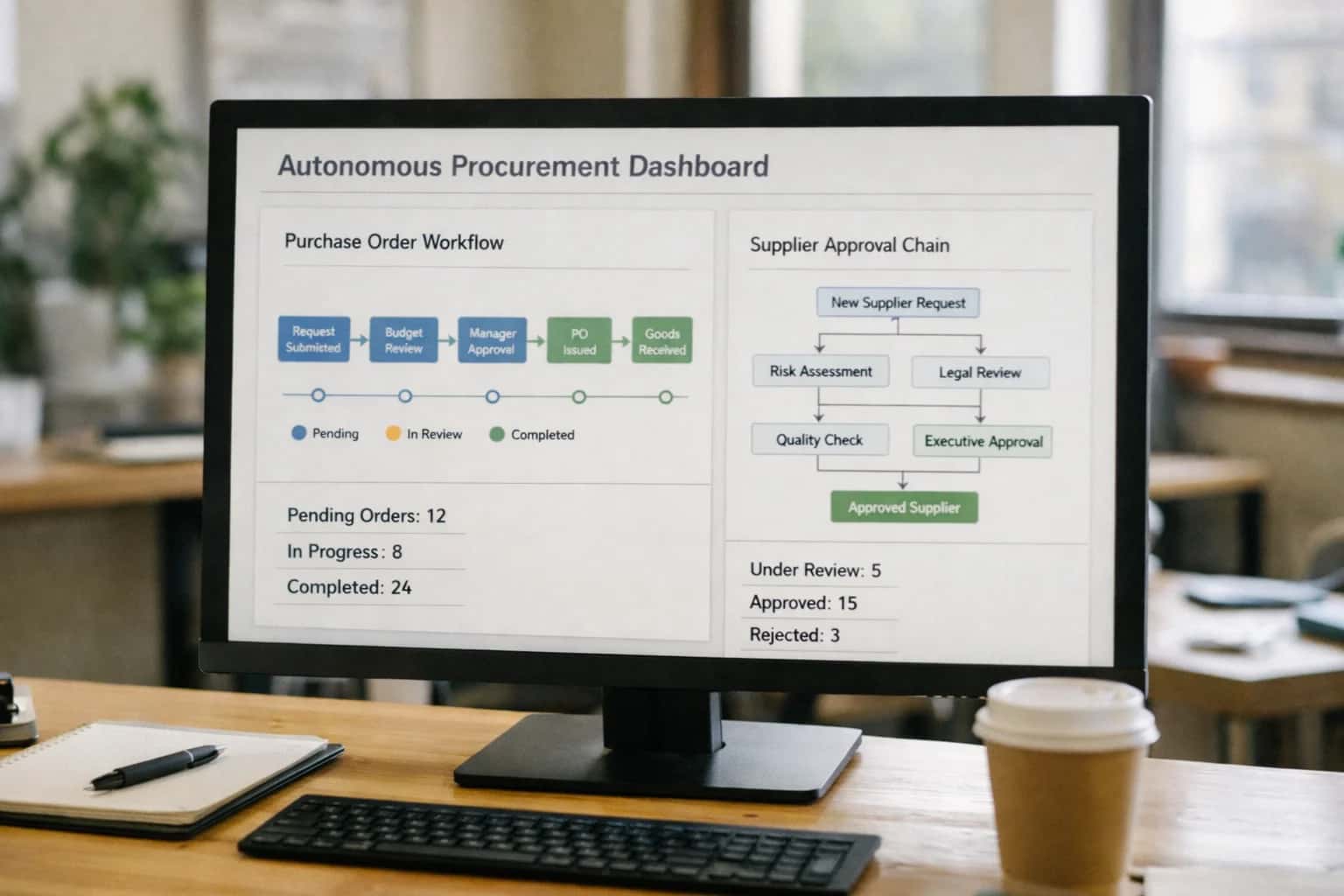
ARCHITECTURE AND ROLLOUT
Where AI Fits in the ERP Supply Chain
A practical blueprint for embedding AI agents and workflows into the core supply chain modules of SAP, Oracle, NetSuite, and Infor.
Implementation follows a hub-and-spoke pattern: a central orchestration layer (often built with tools like n8n or Azure Logic Apps) acts as the 'AI brain,' making calls to LLMs and vector databases, while lightweight connectors interact directly with the ERP's business logic. A common workflow is predictive replenishment: the agent analyzes sales order history, current inventory levels from the InventoryItem table, and open purchase orders, then generates a recommended stock transfer or purchase requisition via the Procurement API. This is not a rip-and-replace; it's an enhancement layer that sits atop your existing ERP investment, governed by the same RBAC and audit trails.
Rollout should be phased, starting with a single high-impact, closed-loop process like automated invoice matching or demand sensing for a key product category. This allows you to validate the architecture, establish monitoring for AI accuracy (e.g., precision/recall on exception detection), and build trust with planners and buyers. Governance is critical: design workflows with a human-in-the-loop approval step for significant deviations (e.g., auto-sourcing from a new vendor) and maintain a full audit log of the AI's reasoning and the system-of-record transaction IDs it affected. For a deeper dive on connecting to specific platforms, see our guides for SAP S/4HANA and NetSuite.
WHERE AI CONNECTS
ERP Supply Chain Modules and Integration Surfaces
Core Modules and Data Objects
AI integration surfaces within procurement typically target the Supplier Master, Purchase Requisition, Purchase Order (PO), and Request for Quotation (RFQ) objects. The goal is to inject intelligence into the source-to-contract lifecycle.
Key Integration Points:
- Spend Analysis: Connect AI to the ERP's spend cube or transactional tables (e.g.,
AP_INVOICES_ALLin Oracle,EKPOin SAP) to categorize tail spend, identify maverick buying, and surface savings opportunities. - Supplier Onboarding & Risk: Enrich the Supplier Master by calling external APIs for financial health, ESG scores, and geopolitical risk, then writing scores back to custom fields.
- Sourcing Support: Use AI to draft RFx documents by analyzing historical POs and contract terms, or to evaluate supplier proposals against technical and commercial criteria.
- Contract Obligation Tracking: Link AI to the contract repository to extract key terms (SLAs, pricing tiers) and create alerts in the procurement workflow for renewals or compliance checks.
Example Workflow: An AI agent monitors new requisitions. For high-value items, it automatically retrieves the incumbent supplier's performance score and current contract terms from the ERP, then recommends whether to initiate a competitive bid.
INTELLIGENT OPERATIONS
High-Value AI Use Cases for ERP Supply Chain
Embedding AI into your ERP's supply chain modules transforms reactive planning into predictive, autonomous workflows. These use cases connect to SAP, Oracle, NetSuite, and Infor to reduce manual effort, accelerate cycle times, and improve resilience.
01
Intelligent Demand Sensing & Forecasting
AI analyzes ERP sales history, open orders, and promotional data alongside external signals (weather, events, market trends) to generate dynamic, driver-based demand forecasts. Updates propagate to inventory planning and production scheduling modules in real-time.
Weeks -> Days
Planning cycle
02
Automated Purchase Order & Invoice Matching
AI agents handle high-volume 2-way and 3-way matching within the procurement and accounts payable modules. They resolve common exceptions (price/quantity variances) by referencing contracts and past transactions, flagging only complex discrepancies for human review.
Hours -> Minutes
Exception handling
03
Predictive Inventory Optimization
Connects ERP inventory management data with WMS and IoT feeds. AI models recommend dynamic safety stock levels, optimize reorder points, and schedule cycle counts based on predicted turnover and seasonality, reducing carrying costs and stockouts.
5-15%
Inventory reduction
04
Dynamic Supplier Risk Monitoring
AI continuously enriches the ERP vendor master with external risk data (financial, geopolitical, ESG). It scores suppliers, sends proactive alerts for delivery or compliance risks, and recommends alternative sources to procurement teams within the S2P workflow.
Batch -> Real-time
Risk assessment
05
Intelligent Production Scheduling
For manufacturing ERPs, AI consumes orders, material availability, machine capacity, and maintenance schedules. It generates and continuously optimizes production sequences to minimize changeovers, reduce downtime, and meet promised ship dates.
Same-day
Reschedule agility
06
Automated Logistics & Carrier Selection
AI evaluates shipment attributes from the order management module against real-time carrier rates, capacity, and performance data. It selects the optimal carrier and service level, books shipments, and triggers ERP documentation, reducing freight spend and manual routing.
1 sprint
Implementation
PRACTICAL IMPLEMENTATION PATTERNS
Example AI-Augmented Supply Chain Workflows
These workflows illustrate how AI agents and models connect to ERP APIs, events, and data to automate decisions, generate insights, and orchestrate actions across the source-to-delivery lifecycle. Each pattern is designed for integration with platforms like SAP S/4HANA, Oracle Cloud ERP, NetSuite, or Infor.
Trigger: A material requirement is created in the ERP (e.g., MRP run output, manual requisition).
Context/Data Pulled: The agent retrieves the item details, historical supplier performance data (on-time delivery, quality scores), current contracted pricing from the vendor master, and real-time supplier risk scores from an external API.
Model/Agent Action: An LLM-based agent analyzes the requirement against procurement policies and supplier data. It:
- Recommends a supplier based on a composite score of cost, risk, and performance.
- Drafts the PO with correct item, pricing, and terms.
- Determines the approval path based on PO value, item category, and requester role, checking approver availability.
System Update/Next Step: The agent calls the ERP's PurchaseOrder REST API (e.g., NetSuite SuiteTalk, SAP OData) to create the PO as a draft and triggers the dynamic approval workflow via the ERP's native workflow engine or a webhook to a service like n8n.
Human Review Point: The drafted PO and supplier recommendation are presented to a buyer in a Fiori/HTML5 interface or via email for a final review and one-click approval before the API call is made.
CONNECTING AI TO THE SUPPLY CHAIN DATA MODEL
Implementation Architecture: Data Flow and Integration Patterns
A practical blueprint for wiring AI agents into your ERP's supply chain modules, focusing on secure data flows, event-driven triggers, and scalable integration patterns.
Effective AI integration for ERP supply chain hinges on connecting to the right transactional and master data objects. For platforms like SAP S/4HANA, this means accessing Purchase Orders, Production Orders, Material Documents, and Stock Transport Orders via OData APIs or BAdIs. In NetSuite, you'll work with Item Fulfillment, Work Order, and Inventory Adjustment records through SuiteTalk REST APIs. The core pattern is to use these APIs to feed real-time data into an AI orchestration layer—often a middleware service or a dedicated agent platform—that can apply reasoning, call models, and return actionable insights or automated updates back to the ERP.
Implementation typically follows an event-driven architecture. For example, the creation of a Purchase Requisition in Oracle Cloud ERP can trigger a webhook to an AI service that performs supplier risk analysis by enriching the vendor record with external data. The AI returns a risk score and recommendation, which is appended to the requisition as a custom field, influencing the approval workflow. Similarly, an exception in a Goods Receipt transaction in Infor M3 can initiate an AI workflow that analyzes the discrepancy against the PO, invoice, and recent quality data, then either proposes an adjustment, flags it for review, or automatically creates a Quality Notification. This keeps AI actions grounded in operational context and auditable within the ERP's native audit trail.
Rollout and governance require a phased approach. Start with a single, high-impact workflow like demand sensing or procurement exception handling. Use a dedicated service account with role-based access control (RBAC) scoped to the necessary ERP modules. All AI-generated recommendations should be logged in an external system (like a vector database for context) with a clear link back to the ERP transaction ID, enabling explainability and performance tracking. For production-scale deployments, consider implementing a human-in-the-loop approval step for significant AI-proposed actions, such as auto-creating a Purchase Order or adjusting a Master Production Schedule. This balances autonomy with control, building trust in the AI's operational role.
ERP SUPPLY CHAIN INTEGRATION PATTERNS
Code and Payload Examples
Automated PO Matching and Exception Triage
AI agents can monitor the ERP's purchase order and goods receipt interfaces, using vendor, item, and quantity data to identify mismatches before they become manual AP tickets. The workflow listens for GR_POSTED events, retrieves the related PO via the ERP's REST API, and uses an LLM to compare line items and determine if a variance is within tolerance or requires a buyer's review.
Example Python payload to call an AI service for variance analysis:
pythonimport requests def analyze_po_variance(po_data, gr_data): """ po_data: Dict from ERP PO API (e.g., /purchaseOrders/{id}) gr_data: Dict from Goods Receipt API """ prompt = f""" Compare Purchase Order {po_data['number']} with Goods Receipt {gr_data['number']}. PO Lines: {po_data['lines']} GR Lines: {gr_data['lines']} Company tolerance for quantity is 5% and price is 2%. Identify lines with variances outside tolerance. For each, provide: line number, variance type, and recommended action. """ response = requests.post( 'https://api.inferencesystems.com/v1/analyze', json={'prompt': prompt, 'model': 'gpt-4'}, headers={'Authorization': 'Bearer YOUR_API_KEY'} ) return response.json()['analysis']
The AI returns a structured recommendation, which a workflow engine uses to either auto-close the receipt, flag the PO for review, or create a task in the procurement team's queue.
AI-ENHANCED SUPPLY CHAIN OPERATIONS
Realistic Time Savings and Operational Impact
This table illustrates the tangible impact of integrating AI agents and workflows into core ERP supply chain modules, moving from reactive, manual processes to proactive, assisted operations.
| Supply Chain Process | Before AI Integration | After AI Integration | Implementation Notes |
|---|---|---|---|
Demand Forecasting | Weekly manual updates, spreadsheet models | Daily auto-refreshed forecasts with driver-based explanations | Leverages ERP sales history, external signals; planners review exceptions |
Purchase Order Matching | Manual 2/3-way match, exception queues | Automated matching with AI handling 80% of exceptions | Integrates with AP module; human reviews complex mismatches |
Inventory Cycle Count Scheduling | Fixed calendar-based schedule | Risk-prioritized schedule based on movement & value | Uses ERP transaction history; reduces count labor by ~30% |
Supplier Risk Monitoring | Quarterly manual reviews, spreadsheets | Continuous scoring with alerts for financial/geopolitical events | Enriches ERP vendor master with external data feeds |
Production Scheduling | Static schedules, manual change coordination | Dynamic scheduling with real-time constraint optimization | Consumes ERP shop floor data; requires MES integration |
Logistics Exception Handling | Manual carrier calls, email tracking | Automated status updates & proposed rerouting for delays | Connects to TMS/WMS; triggers workflows in ERP logistics module |
Spare Parts Replenishment | Min/Max triggers, manual PO creation | Predictive replenishment based on maintenance schedules | Integrates ERP inventory with EAM work order forecasts |
Supply Chain Disruption Response | Ad-hoc war rooms, manual impact assessment | Automated impact simulation & alternative supplier sourcing | AI analyzes ERP BOMs and supplier data; recommends actions |
ARCHITECTING FOR CONTROL AND CONFIDENCE
Governance, Security, and Phased Rollout
A production-ready AI integration for ERP supply chain requires a deliberate approach to governance, security, and incremental rollout to manage risk and demonstrate value.
Effective governance starts by mapping AI access to specific ERP data objects and user roles. For a supply chain integration, this typically involves read/write permissions on Purchase Orders, Inventory Items, Production Orders, Shipments, and Vendor Master records. Access should be scoped via the ERP's native RBAC (Role-Based Access Control), with AI agents acting under a dedicated service account whose actions are fully logged in the ERP's audit trail. All AI-generated recommendations—like a suggested safety stock adjustment or a proposed supplier switch—should be logged with the source reasoning (e.g., "based on 12% increase in lead time variance from vendor X") for traceability.
A phased rollout mitigates risk and builds organizational trust. A common pattern is:
- Phase 1: Read-Only Intelligence. Deploy AI agents that analyze data from modules like Materials Management (MM) and Sales and Distribution (SD) to generate disruption alerts and forecast variance reports, with outputs delivered to a dashboard or email. No system writes occur.
- Phase 2: Assisted Workflows. Integrate AI suggestions into existing human workflows. For example, embed a "Recommended Action" panel within the Procurement or Production Planning transaction screen, requiring a user to review and click to execute.
- Phase 3: Conditional Automation. Implement automated, low-risk actions with human-in-the-loop oversight. This could include AI auto-creating a Purchase Requisition for a pre-approved catalog item when inventory falls below a dynamically calculated threshold, but routing the resulting Purchase Order for a final approval step.
Security is enforced at multiple layers. The integration architecture should use the ERP's official APIs (like SAP OData, NetSuite SuiteTalk, or Oracle REST APIs) with token-based authentication, never storing ERP credentials. Sensitive data sent to LLMs for analysis should be pseudonymized where possible. For instance, vendor names can be tokenized before analysis for risk scoring. All prompts and tool-calling logic should be version-controlled and tested, with a clear rollback procedure to disable specific AI actions if needed. This controlled approach ensures the ERP remains the single source of truth, with AI acting as a governed, auditable enhancement layer.
Enabling Efficiency, Speed & Accuracy
Intelligent Analysis, Decision & Execution
We build AI systems for teams that need search across company data, workflow automation across tools, or AI features inside products and internal software.
Talk to Us
Search across company data
Give teams answers from docs, tickets, runbooks, and product data with sources and permissions.
Useful when people spend too long searching or get different answers from different systems.
Enterprise searchRAGPermissions
Read more
Automate internal workflows
Use AI to route work, draft outputs, trigger actions, and keep approvals and logs in place.
Useful when repetitive work moves across multiple tools and teams.
AI agentsWorkflow automationGovernance
Read more
Add AI to products and internal tools
Build assistants, guided actions, or decision support into the software your team or customers already use.
Useful when AI needs to be part of the product, not a separate tool.
AI integrationDecision supportModel routing
Read moreIMPLEMENTATION BLUEPRINT
Frequently Asked Questions
Practical questions for supply chain leaders and architects planning AI integration into SAP, Oracle, NetSuite, or Infor. Focused on workflow design, data access, and phased rollout.
The safest pattern is to read from replicated data and write back via approved APIs. This avoids direct load on production OLTP databases.
Typical Architecture:
- Data Extraction: Use ERP-native change data capture (CDC), OData feeds, or scheduled batch exports to a dedicated analytics layer (data lake, warehouse).
- AI Processing Layer: Host your models, agents, and vector stores in a separate cloud environment (e.g., Azure, AWS, GCP) that pulls from this replicated data.
- Action Back to ERP: AI decisions that require system updates (e.g., creating a purchase requisition, adjusting a forecast) are executed via the ERP's official REST or SOAP APIs (e.g., SAP OData, NetSuite SuiteTalk, Oracle REST APIs). Use service accounts with appropriate role-based access control (RBAC).
Key Governance: Implement an audit log for all AI-initiated writes and a mandatory human-in-the-loop approval step for high-risk transactions (e.g., large PO creation, inventory write-offs).

About the author
Prasad Kumkar
CEO & MD, Inference Systems
Prasad Kumkar is the CEO & MD of Inference Systems and writes about AI systems architecture, LLM infrastructure, model serving, evaluation, and production deployment. Over 5+ years, he has worked across computer vision models, L5 autonomous vehicle systems, and LLM research, with a focus on taking complex AI ideas into real-world engineering systems.
His work and writing cover AI systems, large language models, AI agents, multimodal systems, autonomous systems, inference optimization, RAG, evaluation, and production AI engineering.
LinkedIn
Limited slotsGet a Free AI Consultation
Partnered with leading AI, data, and software stack.





How We Work
Custom AI workflows for your Business
One-fit-all AI don't work for modern businesses. At Inferensys, we aim to understand your business & custom requirements; which we use to define most efficient agentic workflows, the data, and the tools for your business.
01
Review the use case
We understand the task, the users, and where AI can actually help.
Read more02
Pick the right approach
We define what needs search, automation, or product integration.
Read more03
Build the first useful version
We implement the part that proves the value first.
Read more04
Improve from there
We add the checks and visibility needed to keep it useful.
Read moreThe first call is a practical review of your use case and the right next step.
Talk to Us