AI forecasting integrations connect directly to the transactional heart of your ERP—pulling real-time data from General Ledger (GL), Sales Orders, Inventory, and Procurement modules via native APIs like SAP OData, Oracle REST, NetSuite SuiteTalk, or Infor ION. The goal is not to replace your ERP's planning module but to augment it with a predictive layer that consumes both internal ERP data and external signals (market indices, weather, commodity prices) to generate driver-based forecasts for demand, revenue, and cash flow. This creates a closed-loop system where AI-generated forecasts can be pushed back into the ERP as proposed budget lines or planning numbers for review in tools like SAP Analytics Cloud, Oracle Planning and Budgeting Cloud, or NetSuite Planning and Budgeting.

Integration
AI Integration for ERP Forecasting
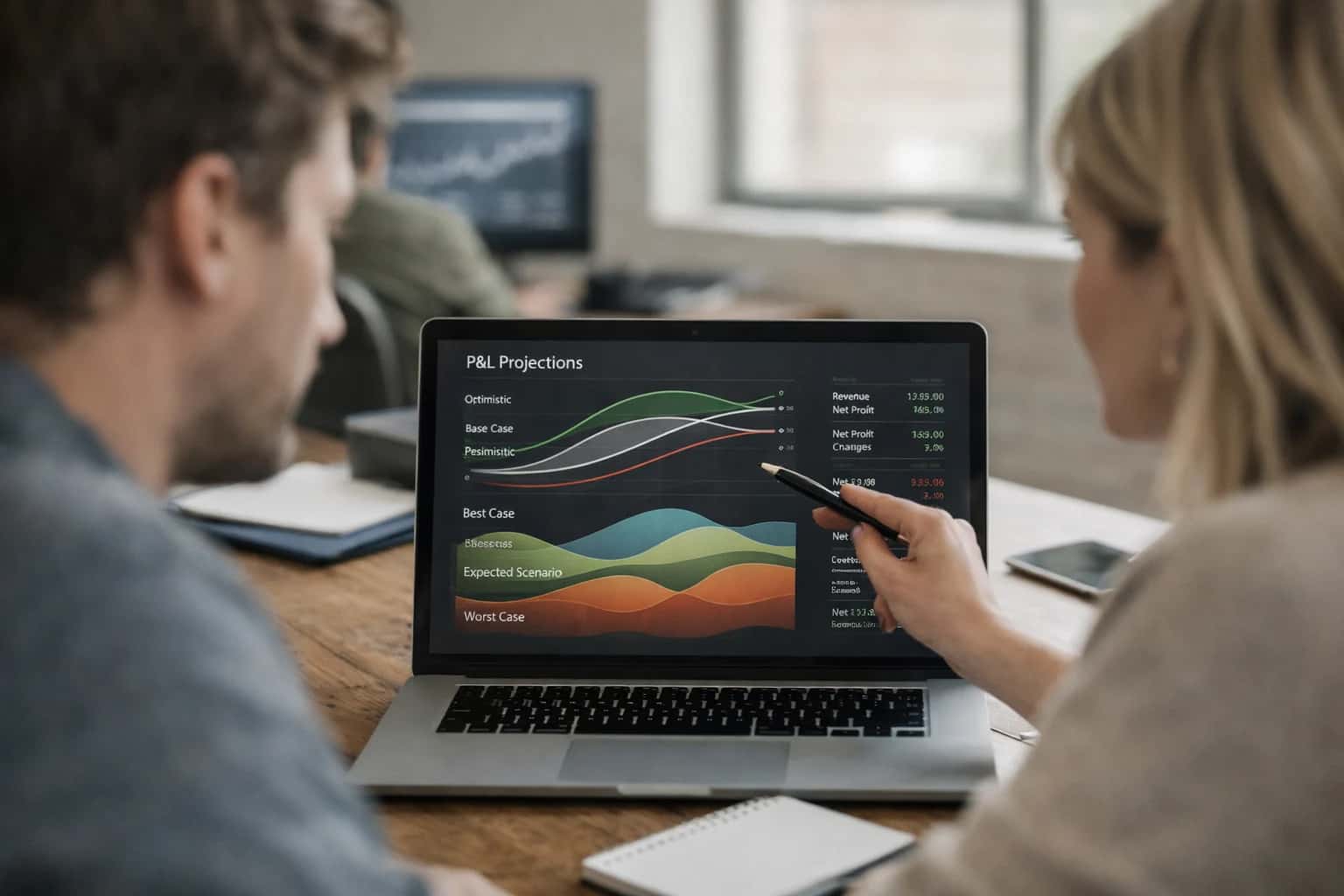
Where AI Fits into ERP Forecasting
A practical blueprint for embedding AI-driven forecasting into SAP, Oracle, NetSuite, and Infor to move from reactive reporting to predictive, narrative-driven planning.
Implementation typically involves a middleware agent or service that orchestrates three core workflows: 1) Data Harmonization, where nightly or real-time extracts from disparate ERP tables are joined with external datasets and staged in a vector-capable data store; 2) Model Execution & Reasoning, where ensemble models (statistical, ML) run to produce forecasts, and an LLM agent generates plain-English explanations for variances, anomalies, and key drivers; 3) Action & Feedback, where forecasts and narratives are delivered via API to planning dashboards, and planner adjustments are captured to retrain models. High-value starting points include demand sensing for inventory (connecting sales order history with promotional calendars) and cash flow forecasting (correlating AR aging, payment terms, and AP schedules).
Rollout requires careful governance. Begin with a single forecast stream (e.g., regional product demand) and a pilot group of FP&A or supply chain planners. Use a human-in-the-loop design where AI proposes forecasts and explanations, but planners review, adjust, and provide feedback via a simple interface—this feedback is critical for model tuning. Ensure your architecture includes audit trails for all AI-generated figures and explanations, and integrate with existing ERP security (RBAC) so forecasts are only visible to authorized roles. Over time, as trust builds, you can expand to financial forecasting, workforce planning, and capital expenditure scenarios, ultimately enabling a dynamic, continuously updated planning cycle that reacts to changes in days, not quarters.
Forecasting Touchpoints by ERP Platform
Demand & Inventory Forecasting
AI integration for demand planning consumes historical sales orders, shipment data, and inventory transactions from the ERP's SD (Sales and Distribution) and MM (Materials Management) modules. The primary touchpoints are the SalesOrder, Delivery, and MaterialDocument tables or their equivalents (e.g., NetSuite's Transaction records).
Key Workflow: An AI agent periodically queries these tables via REST APIs (e.g., SAP OData, NetSuite SuiteTalk) to extract time-series data. It enriches this with external signals like promotional calendars or market indices. The agent then runs forecasting models, generating proposed safety stock levels, reorder points, and future demand quantities. These outputs are written back to the ERP as proposed planning data in tables like DemandForecast or custom planning records, ready for planner review in the native MRP or planning workbench.
Impact: Reduces manual data aggregation, improves forecast accuracy by incorporating external factors, and enables dynamic safety stock adjustments.
High-Value AI Forecasting Use Cases
Integrate generative AI and machine learning directly into your ERP's forecasting modules to move from static, periodic models to dynamic, explainable predictions that update with new transactions and external signals.
Demand Sensing & Inventory Forecasting
AI models consume ERP sales order history, open orders, and external signals (promotions, weather, economic indices) to generate daily SKU/location-level demand forecasts. Outputs automatically update NetSuite item demand plans or SAP APO/IBP, recommending safety stock adjustments and purchase requisitions.
Driver-Based Financial Forecasting
Connect AI to the ERP GL and sub-ledgers to build rolling P&L and cash flow forecasts. Models identify leading indicators (e.g., invoice volume, payment terms) from transactional data, generate forecast narratives, and post forecast journals to a dedicated scenario in Oracle Cloud ERP or SAP S/4HANA for variance analysis.
Cash Flow Liquidity Prediction
Integrates with ERP Accounts Receivable and Accounts Payable modules to predict short-term cash positions. AI analyzes customer payment patterns, invoice aging, and vendor payment terms to forecast daily cash flow, flagging potential shortfalls and recommending collection prioritization or payment timing adjustments.
Sales Pipeline & Revenue Forecasting
Enhances CRM-integrated ERP opportunities (like Salesforce CPQ feeds to NetSuite) with AI that scores deal health, predicts win probability, and forecasts revenue by considering historical close rates, stage duration, and engagement signals. Forecasts roll up into the ERP revenue recognition module for ASC 606 compliance.
Procurement Spend & Price Forecasting
AI analyzes ERP purchase history, contract terms, and commodity market data to forecast future spend by category and predict supplier price fluctuations. Outputs feed into Infor or SAP Ariba sourcing events and budgeting workflows, enabling proactive negotiations and budget adjustments.
Anomaly Detection & Forecast Explanation
A governance layer that runs alongside forecasts, using AI to detect significant variances between predicted and actuals in ERP transaction data. It automatically generates root-cause narratives (e.g., 'Q3 sales variance driven by Region X order cancellations') and alerts planners via Fiori or NetSuite SuiteAlerts.
Example AI Forecasting Workflows
These workflows illustrate how AI agents integrate with ERP transactional data and external signals to automate and enhance forecasting processes for FP&A, supply chain, and treasury teams.
Trigger: Scheduled job (e.g., nightly) or manual trigger from a planner.
Context/Data Pulled:
- Last 36 months of sales order history from ERP (item, quantity, date, customer).
- Open sales pipeline from CRM (via integration).
- Upcoming promotional calendar from marketing platform.
- External economic indices or weather data (via API).
- Current inventory levels and planned production from ERP.
Model or Agent Action:
- An AI agent orchestrates data retrieval, joining ERP data with external signals.
- A time-series forecasting model (e.g., Prophet, AutoML) runs to generate baseline item-level forecasts for the next 13 weeks.
- A separate LLM-based agent analyzes the pipeline and promo data to adjust the baseline forecast, providing a narrative reason for each significant adjustment (e.g., "Forecast increased for SKU-123 due to a new enterprise deal in stage 3").
System Update or Next Step:
- The adjusted forecast quantities and narrative explanations are written back to a dedicated forecast table in the ERP (e.g., a custom object in NetSuite, a Z-table in SAP) via REST API.
- An alert is posted to a planner's collaboration channel (Teams/Slack) with a summary of top forecast changes and a link to the detailed view in the ERP.
Human Review Point: Planners review the system-generated forecast in the ERP UI, focusing on items flagged with high variance or uncertainty. They can approve, override, or add commentary, which is logged for model retraining.
Implementation Architecture: Data Flow & Integration
A practical guide to wiring AI forecasting agents into your ERP's transactional core.
A production-ready AI forecasting integration is not a standalone dashboard; it's a data pipeline and decision loop embedded into your ERP's operational rhythm. The architecture typically involves: 1) Data Extraction via ERP APIs (e.g., NetSuite SuiteTalk, SAP OData, Oracle REST APIs) to pull historical GL entries, sales orders, inventory transactions, and open purchase orders on a scheduled or event-driven basis. 2) Context Enrichment where this internal data is joined with external signals—market indices, weather data, commodity prices—in a processing layer. 3) Model Execution where forecasting models (statistical, ML, or LLM-based) run to generate demand, financial, and cash flow projections, complete with confidence intervals and narrative explanations for key drivers and anomalies.
The resulting forecasts and insights are then fed back into the ERP to trigger actionable workflows. This can mean: updating forecast records in the demand planning module, creating draft journal entries for accruals in the general ledger, generating alerts for planners in their native Fiori or NetSuite dashboard, or populating a custom object for FP&A review. The integration point is often a secure API endpoint that the ERP's native workflow tools (like SAP Cloud Platform Integration or NetSuite SuiteFlow) can call, or a message queue (e.g., Kafka, AWS EventBridge) that decouples the AI service from the ERP's transactional integrity. For example, an anomaly in the cash flow forecast might automatically create a task for the treasury manager in the ERP's project management module with the AI's reasoning attached.
Governance and rollout require a phased approach. Start with a single forecast type (e.g., 13-week cash flow) for a single business unit, using the ERP's existing security model (RBAC) to control data access. Implement human-in-the-loop approvals where the AI's proposed journal entries or inventory targets are reviewed before posting. All inputs, model versions, and outputs should be logged to an immutable audit trail, linking back to the source ERP transaction IDs. This controlled, iterative deployment—focusing on augmenting, not replacing, planner judgment—de-risks the integration and builds trust, turning the AI from a black box into a explainable copilot for your financial and supply chain teams.
Code & Payload Examples
Triggering a New Forecast Run
This pattern shows how to orchestrate a forecast generation job by pulling historical data from the ERP and external signals, then calling an AI service to produce a new forecast. The result is stored for review before being pushed back to the ERP's planning module.
python# Example: Python service to generate a demand forecast import requests from inference_systems.client import InferenceClient def generate_demand_forecast(erp_connection, product_family, periods): """ Orchestrates pulling data, calling AI, and staging results. """ # 1. Pull historical sales and inventory data from ERP APIs historical_data = erp_connection.get( f"/data/salesOrders?productFamily={product_family}&periods=24" ) # 2. Enrich with external signals (e.g., market indices, weather) external_signals = fetch_external_signals(product_family) # 3. Prepare payload for AI forecasting service payload = { "historical_series": historical_data["values"], "external_features": external_signals, "forecast_horizon": periods, "confidence_intervals": True } # 4. Call Inference Systems' forecasting endpoint client = InferenceClient(api_key=os.environ['INFERENCE_API_KEY']) forecast_result = client.predict( endpoint="forecasting/demand", data=payload ) # 5. Stage results in a review table erp_connection.post("/custom/forecastStaging", json=forecast_result) return forecast_result["forecast_id"]
This workflow is typically triggered on a schedule (e.g., weekly) or by a planning user. The staged results allow FP&A or supply chain planners to review and adjust the AI-generated forecast before committing it to the official plan.
Realistic Operational Impact & Time Savings
This table illustrates the tangible shift in effort, speed, and focus for FP&A and supply chain teams when AI augments ERP-based forecasting processes.
| Forecasting Activity | Traditional ERP Process | AI-Augmented Process | Impact & Notes |
|---|---|---|---|
Demand Forecast Generation | Manual spreadsheet modeling, 2-3 days | AI generates baseline forecast, 1-2 hours | Analyst time shifts from data wrangling to validation and exception handling. |
External Signal Integration | Manual research & ad-hoc adjustments | Automated ingestion & correlation of market/weather data | Enables proactive scenario modeling previously too time-intensive. |
Forecast Variance Analysis | Manual root-cause investigation, 4-8 hours | AI identifies & explains top drivers, 30 minutes | Focuses analyst effort on strategic response, not diagnostic search. |
Monthly Financial Forecast Update | Consolidate inputs, rebuild models, 5-7 days | AI updates models with latest GL/order data, 1 day | Enables near real-time re-forecasting and faster closing cycles. |
Cash Flow Projection | Manual aggregation from AR/AP sub-ledgers | AI predicts payment timing & liquidity gaps | Provides treasury with dynamic, probabilistic forecasts vs. static snapshots. |
Management Narrative & Commentary | Manual drafting for board packages | AI drafts explanatory narratives from forecast data | Reduces prep time for reporting packages; human editor refines message. |
Anomaly & Outlier Detection | Manual spot-checking or missed entirely | Continuous monitoring flags unusual patterns | Shifts from reactive firefighting to proactive management of forecast risks. |
Scenario Planning & Stress Testing | Limited to 1-2 major scenarios due to effort | Rapid generation of multiple what-if analyses | Improves strategic planning resilience with broader scenario exploration. |
Governance, Security, and Phased Rollout
A secure, governed rollout is critical for AI-driven forecasting in regulated financial and supply chain operations.
A production-grade AI integration for ERP forecasting is built on a governed data pipeline. This typically involves:
- Secure Data Extraction: Using ERP-specific APIs (e.g., SAP OData, NetSuite SuiteTalk, Oracle REST APIs) to pull historical transactional data from GL, sales orders, and inventory modules into a secure, isolated environment for model processing.
- Contextual Grounding: Enriching internal ERP data with approved external signals (e.g., market indices, commodity prices) via managed connectors, ensuring all inputs are auditable and lineage-tracked.
- Role-Based Access Control (RBAC): Enforcing existing ERP user roles and permissions to control who can trigger forecasts, view sensitive financial projections, or approve AI-generated adjustments before any system posting.
We recommend a phased, human-in-the-loop rollout to build trust and manage risk:
- Phase 1: Insight Generation (Read-Only): Deploy AI to generate forecast narratives and anomaly explanations in a separate analytics dashboard. No writes back to the ERP. This allows FP&A and supply chain planners to evaluate AI reasoning without operational risk.
- Phase 2: Assisted Workflow: Integrate AI suggestions directly into the existing forecasting module (e.g., as a "Recommended Forecast" line). Planners review, adjust, and manually post the final version, using AI as a copilot.
- Phase 3: Conditional Automation: For high-confidence, low-risk forecasts (e.g., short-term demand for stable products), enable automated updates to forecast records in the ERP, but only after passing predefined statistical confidence thresholds and with a full audit log.
Each phase includes defined rollback procedures and continuous monitoring for forecast accuracy drift against actuals.
Key Governance Checkpoints must be established:
- Prompt & Model Governance: Version-controlled prompt templates and model configurations specific to each forecast type (demand, financial, cash flow) to ensure consistent, compliant reasoning.
- Approval Workflows: Critical forecasts or significant adjustments should route through existing ERP approval chains (e.g., via workflow tools in SAP, NetSuite, or Oracle) before any system of record is updated.
- Explainability & Audit: Every forecast and its driving factors must be stored alongside the ERP transaction, enabling auditors to query "why did the AI project this revenue figure?"
This structured approach minimizes disruption, aligns with financial controls, and allows teams to capture value incrementally. For related architectural patterns, see our guides on AI Integration for ERP Budgeting and Planning and Predictive Maintenance for ERP.
Enabling Efficiency, Speed & Accuracy
Intelligent Analysis, Decision & Execution
We build AI systems for teams that need search across company data, workflow automation across tools, or AI features inside products and internal software.
Talk to Us
Search across company data
Give teams answers from docs, tickets, runbooks, and product data with sources and permissions.
Useful when people spend too long searching or get different answers from different systems.

Automate internal workflows
Use AI to route work, draft outputs, trigger actions, and keep approvals and logs in place.
Useful when repetitive work moves across multiple tools and teams.

Add AI to products and internal tools
Build assistants, guided actions, or decision support into the software your team or customers already use.
Useful when AI needs to be part of the product, not a separate tool.
Frequently Asked Questions
Practical questions for FP&A, supply chain, and IT leaders planning to integrate AI with their ERP forecasting processes.
AI forecasting integrations typically use a layered architecture that respects your ERP's security and data model.
Primary Connection Points:
- ERP APIs: Scheduled or event-driven pulls from REST/SOAP APIs (e.g., NetSuite SuiteTalk, SAP OData, Oracle REST APIs) for transactional data like sales orders, shipments, and inventory movements.
- Data Warehouse/Data Lake: For large historical datasets, AI models often read from a dedicated analytics layer (like a cloud data warehouse) that is already fed by your ERP ETL/ELT pipelines.
- External Data Feeds: The integration ingests external signals (e.g., market indices, weather, competitor pricing) via separate connectors, which are then joined with ERP data.
Typical Data Flow:
- A nightly job extracts the last 3-5 years of relevant transactional history.
- The AI model (hosted in your cloud) trains on this data plus external signals.
- The model generates forecasts (demand, revenue, cash flow) and writes them back to a dedicated Forecast Table or Custom Object within the ERP or an adjacent database.
- Your existing ERP reporting or a custom dashboard reads from this forecast table for planner consumption.

About the author
Prasad Kumkar
CEO & MD, Inference Systems
Prasad Kumkar is the CEO & MD of Inference Systems and writes about AI systems architecture, LLM infrastructure, model serving, evaluation, and production deployment. Over 5+ years, he has worked across computer vision models, L5 autonomous vehicle systems, and LLM research, with a focus on taking complex AI ideas into real-world engineering systems.
His work and writing cover AI systems, large language models, AI agents, multimodal systems, autonomous systems, inference optimization, RAG, evaluation, and production AI engineering.
Partnered with leading AI, data, and software stack.





How We Work
Custom AI workflows for your Business
One-fit-all AI don't work for modern businesses. At Inferensys, we aim to understand your business & custom requirements; which we use to define most efficient agentic workflows, the data, and the tools for your business.
01
Review the use case
We understand the task, the users, and where AI can actually help.
Read more02
Pick the right approach
We define what needs search, automation, or product integration.
Read more03
Build the first useful version
We implement the part that proves the value first.
Read more04
Improve from there
We add the checks and visibility needed to keep it useful.
Read moreThe first call is a practical review of your use case and the right next step.
Talk to Us