AI-driven access reviews connect to the ECM platform's security model—typically via APIs for user/group enumeration, folder/document permissions, and audit logs—and its content repository. The system analyzes two core data streams: who has access to what (permissions, group memberships, inherited rights) and what they are accessing (document sensitivity scores, classification tags, PII/PHI detection results, recent activity logs). An AI model correlates this data to surface high-risk access scenarios, such as a contractor in a non-critical department having read/write permissions to a folder containing sensitive merger documents that has seen no activity in 18 months.

Integration
AI Integration for AI-Driven Access Review for Sensitive Content
Automate periodic access reviews in ECM systems by using AI to analyze document sensitivity, user access patterns, and roles. Reduce manual review effort by 60-80% and improve compliance posture.
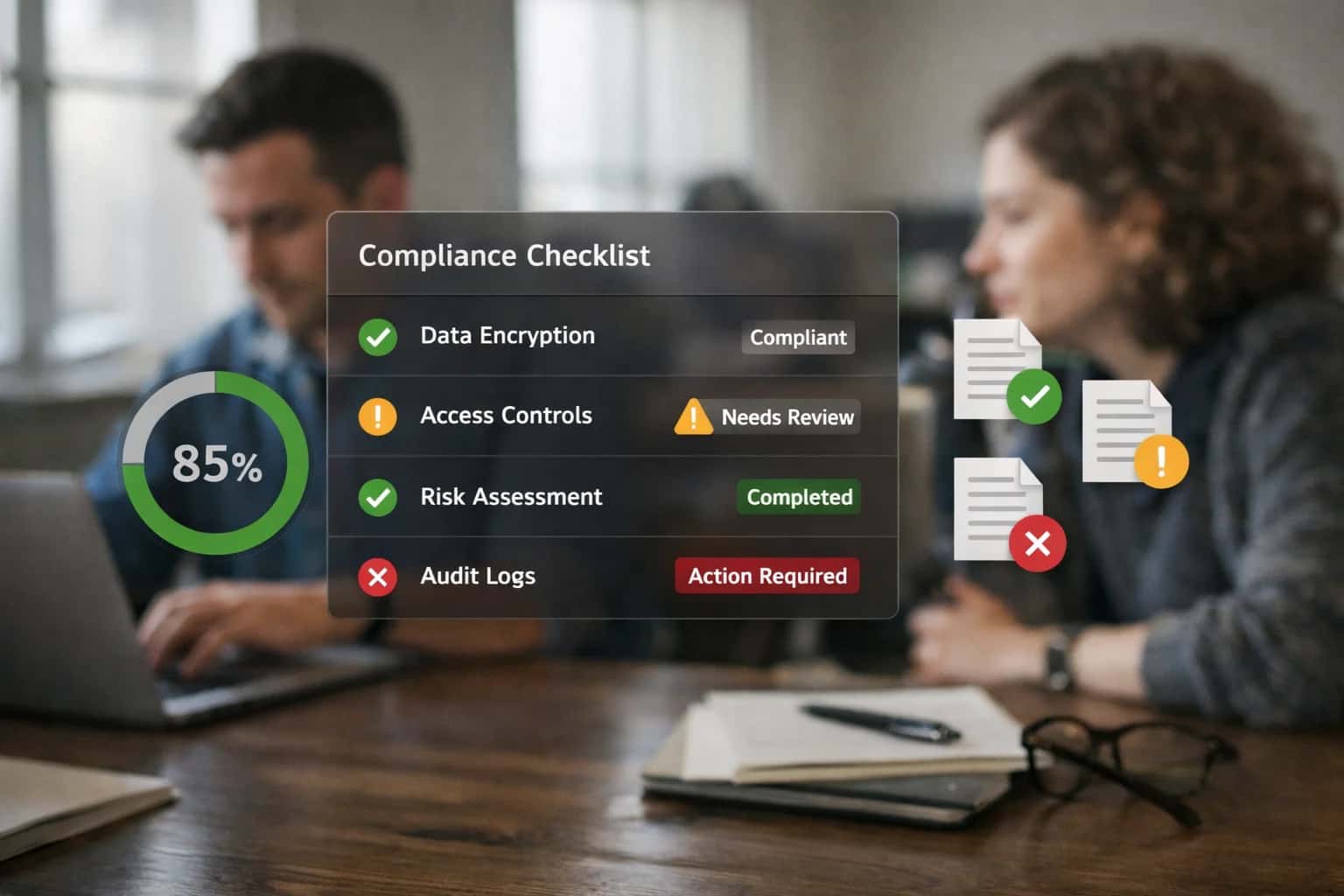
ARCHITECTURE & GOVERNANCE
Where AI Fits into ECM Access Reviews
AI automates the analysis of access patterns and content sensitivity to generate defensible recommendations for periodic access reviews in OpenText, Hyland, Laserfiche, SharePoint, and Box.
The implementation typically involves a scheduled agent or a serverless function triggered ahead of the review cycle. This agent calls the ECM APIs to pull a snapshot of permissions and content metadata, enriches it with sensitivity scores from a pre-existing classification layer or an on-the-fly AI scan, and runs analysis to generate a review queue. Outputs are structured recommendations like: Revoke 'Edit' for Group X on Folder Y (Low Activity, High Sensitivity), Justify 'Full Control' for User A on Contract Z (Active User, Owner Role), or Investigate anomalous access pattern: User B downloaded 50+ HR files in Q3. These are fed into the ECM's native review workflow, a GRC platform, or a custom dashboard for owner approval.
Governance is critical. The AI model must operate with a conservative bias, flagging items for human review rather than auto-remediating. All recommendations require an audit trail linking back to the source data and model logic. Rollout should start with a pilot on a single, high-value content area—like Legal or Finance shared drives—to tune model confidence thresholds and refine recommendation formats with stakeholders. This approach transforms a manual, checkbox compliance exercise into a continuous, risk-informed governance operation, reducing review workload by 60-80% while improving audit defensibility.
ARCHITECTURE BLUEPRINT
ECM Platform Touchpoints for AI Access Review
Core Data Surfaces for Sensitivity Scoring
AI-driven access review begins by analyzing the content and metadata within your ECM repository to assign a sensitivity score. This score informs which users should have access.
Key touchpoints include:
- Document Text & Entities: Extract and classify PII, PHI, financial data, intellectual property, and confidential terms using LLMs scanning document bodies, OCR'd images, and embedded text.
- File Metadata & Properties: Analyze system metadata (author, department, date) and custom metadata fields to infer context. A document tagged with
LegalorM&Ain a custom field immediately raises its sensitivity profile. - File Paths & Folder Names: The repository location (e.g.,
/HR/Employee_Terminations/) provides strong contextual signals for access policy.
This analysis creates a foundational sensitivity index, enabling reviews to focus on high-risk content first, moving from a blanket, time-based review to a risk-based model.
ENTERPRISE CONTENT MANAGEMENT
High-Value Use Cases for AI-Driven Access Review
Manual access reviews for sensitive content are slow, inconsistent, and prone to oversight. AI analyzes content sensitivity, user activity, and role context to automate policy recommendations and flag anomalies, turning a quarterly compliance burden into a continuous, intelligent control.
01
Automated Sensitive Content Discovery
AI continuously scans repositories in OpenText, SharePoint, or Box to identify documents containing PII, financial data, IP, or regulated material based on content and context, not just filenames or simple rules. Automatically tags these files for priority review.
Batch -> Continuous
Discovery mode
02
Role-Based Access Policy (RBAC) Gap Analysis
Compares actual user permissions against their role definitions and peer groups. AI flags users with excessive access (e.g., a contractor in Marketing with read access to R&D folders) and recommends specific permission removals, creating a clean, actionable review ticket.
Hours -> Minutes
Analysis time
03
Anomalous Access Pattern Detection
Monitors audit logs to identify unusual behavior, such as a user downloading large volumes of sensitive content outside business hours, accessing folders unrelated to their projects, or a sudden spike in activity from a dormant account. Triggers immediate alerts for investigation.
Real-time
Alerting
04
Automated Justification & Recertification Workflows
For users flagged with potentially inappropriate access, AI drafts a recertification request with context (e.g., 'User has edit access to 50+ financial forecast documents'). Integrates with Laserfiche or Hyland workflows to route requests to managers, track responses, and auto-revoke unattested access.
1 sprint
Review cycle reduction
05
Lifecycle-Based Permission Cleanup
Links access reviews to document and user lifecycles. AI recommends revoking access when a project ends, a document is archived, or an employee changes roles. Ensures permissions are dynamically aligned with current business need, reducing 'permission sprawl' over time.
Proactive
Cleanup
06
Audit-Ready Reporting & Narrative Generation
Generates plain-English summaries of access review campaigns, including coverage statistics, policy violation trends, and remediation actions taken. Provides auditors with clear evidence of a controlled, intelligent process, not just spreadsheet exports.
Same day
Report generation
IMPLEMENTATION PATTERNS
Example AI-Powered Access Review Workflows
These workflows demonstrate how AI agents can be integrated into ECM platforms to automate the analysis of access patterns and content sensitivity, generating actionable recommendations for periodic reviews.
Trigger: A scheduled job runs weekly to identify documents and folders due for access review based on a retention schedule or policy cycle.
Context/Data Pulled: The agent queries the ECM API for:
- Target content metadata (creation date, last modified, author, department).
- Current permission assignments (users/groups with access levels).
- File content (via secure text extraction) for sensitive keywords, PII patterns, or confidential project names.
- Historical access logs for the past 90 days.
Model/Agent Action: An LLM-based classifier scores each item on a risk matrix:
- Content Sensitivity: Based on extracted text and metadata classification.
- Access Anomaly: Flags items with broad access (
Everyone, large AD groups) but high sensitivity scores. - Usage Risk: Identifies items with no recent access by the majority of permissioned users ("stale access").
System Update/Next Step: The agent creates a structured review task in the ECM's workflow module or a connected ITSM like ServiceNow. The task includes:
- The item link, sensitivity score, and anomaly explanation.
- A pre-populated recommendation (e.g., "Remove 'Domain Users' group, add 'Project Alpha Team'").
- A link to approve the change or modify it.
Human Review Point: The task is assigned to the content owner or data steward for final approval. All agent reasoning is logged for audit.
SECURE, POLICY-AWARE AI FOR ACCESS GOVERNANCE
Implementation Architecture: Data Flow & Integration
A production-ready architecture for integrating AI-driven access review into your ECM platform, connecting content sensitivity analysis with identity and policy data.
The integration connects three core systems: your ECM platform (OpenText, Hyland, Laserfiche, SharePoint, or Box), your Identity Provider (Okta, Microsoft Entra), and the AI inference layer. A scheduled job first extracts metadata and access logs from the ECM system via its REST API or event webhooks, focusing on documents tagged as sensitive or within governed repositories. This data—including file_id, last_accessed_by, permission_grants, and content_type—is queued for processing. Simultaneously, a snapshot of user roles, departments, and current access policies is pulled from the IdP to establish the baseline of 'expected' access patterns.
The AI service processes this combined dataset in two phases. First, a content sensitivity classifier (a fine-tuned LLM or specialized model) analyzes document text and metadata to assign a risk score (e.g., confidential, internal, public) and identify PII, IP, or regulated data. This happens via secure, ephemeral containers; the source document is never persistently stored in the AI environment. Second, an anomaly detection engine compares actual access patterns against the policy baseline and peer-group behavior, flagging outliers such as a contractor downloading hundreds of sensitive R&D files or a user accessing documents unrelated to their project. Findings are written back to the ECM as custom metadata (e.g., AI_Access_Risk_Score: 0.87) and to a dedicated review queue.
For rollout, we recommend a phased approach: start with a single, high-risk content library and a pilot group of reviewers. Integrate the AI recommendations directly into the platform's existing access review workflow module (e.g., Laserfiche Workflow, SharePoint Power Automate, Hyland OnBase workflow). The system generates review tasks for compliance officers, presenting the AI's rationale—'User X in Marketing accessed 15 engineering specs in the last month'—alongside the document's sensitivity score. Approved changes trigger automated API calls to the ECM and IdP to modify permissions, with a full audit trail logged back to the ECM's compliance audit system. Governance is maintained through a human-in-the-loop approval for all permission modifications, with the AI serving as a recommendation engine, not an autonomous actor.
IMPLEMENTATION PATTERNS
Code & Payload Examples
Triggering AI Analysis on Document Ingest
When a sensitive document is uploaded to your ECM (e.g., OpenText, SharePoint), a webhook triggers an AI service to analyze its content and metadata. The AI model classifies the document's sensitivity (e.g., PII, Financial, IP, HR) and extracts key entities (names, IDs, account numbers). This metadata is written back to the ECM object, enabling policy-driven workflows.
python# Example: Webhook handler for document classification import requests from inference_client import AIClient # Hypothetical client def handle_document_uploaded(event): """Process a webhook from ECM when a new document is stored.""" doc_id = event['documentId'] doc_url = event['contentUrl'] # Fetch document content (text via ECM API or direct storage access) doc_text = fetch_document_text(doc_url) # Call AI service for classification and entity extraction ai_client = AIClient(api_key=os.environ['AI_API_KEY']) analysis = ai_client.analyze_content( text=doc_text, tasks=['sensitivity_classification', 'pii_detection'] ) # Write results back as ECM metadata metadata_payload = { 'sensitivity_score': analysis['sensitivity_score'], 'primary_classification': analysis['primary_class'], 'detected_pii': analysis['entities']['pii_list'], 'ai_processed_date': datetime.utcnow().isoformat() } update_ecm_metadata(doc_id, metadata_payload)
AI-DRIVEN ACCESS REVIEW FOR SENSITIVE CONTENT
Realistic Time Savings & Operational Impact
How AI integration transforms the manual, periodic access review process for sensitive documents in ECM systems like OpenText, Hyland, Laserfiche, SharePoint, and Box.
| Review Activity | Manual Process | AI-Assisted Process | Impact & Notes |
|---|---|---|---|
Identify Sensitive Content for Review | Manual sampling or broad-brush rules | AI scans content & metadata to flag high-risk files | Focuses review on 10-20% of content that matters most |
Analyze User Access Patterns | Spreadsheet exports & manual correlation | AI profiles user behavior & detects anomalies | Highlights unusual access (e.g., after-hours, bulk downloads) for investigation |
Generate Review Recommendations | Analyst judgment based on limited data | AI suggests 'revoke,' 'maintain,' or 'review' with reasoning | Provides data-driven justification, reducing subjective decisions |
Prepare Review Packages | Manual compilation of user lists & document links | Automated assembly of context-rich review cases | Cuts prep time from hours to minutes per review cycle |
Conduct the Review | Line-by-line review of each permission | Guided review of AI-highlighted exceptions | Reviewers focus on 30-50% fewer items, with higher confidence |
Remediation & Policy Update | Ad-hoc follow-up & manual policy edits | Automated ticket generation & policy change logging | Ensures closed-loop compliance; changes are tracked in audit trail |
Audit Reporting | Manual report drafting from disparate logs | AI-generated summary of review actions, findings, and risk posture | Produces auditor-ready narrative in hours instead of days |
ARCHITECTING FOR COMPLIANCE AND CONTROL
Governance, Security, and Phased Rollout
Implementing AI for access review requires a security-first architecture that respects data sovereignty, enforces least privilege, and enables controlled adoption.
The integration connects to your ECM platform's audit log APIs (e.g., OpenText Content Server, Hyland OnBase Audit Manager, SharePoint Unified Audit Log) and security/entitlement APIs to analyze access patterns. AI models run in a dedicated, secure environment—either your VPC or a compliant cloud region—ingesting only the necessary metadata (user IDs, timestamps, document identifiers, permission changes). Sensitive document content is never processed unless explicitly required and authorized by policy; the system primarily analyzes access events and metadata classifications to identify anomalies and recommend policy changes. All queries to the AI are logged with full traceability back to the initiating user or system account for audit purposes.
A phased rollout is critical for managing risk and building organizational trust. We recommend a three-stage approach:
- Phase 1: Observation & Baseline (Read-Only). The AI system runs in a monitoring-only mode for 30-60 days, analyzing historical and real-time access logs to establish a baseline of 'normal' behavior for different user roles and content types. It generates reports and dashboards highlighting potential anomalies without taking any action.
- Phase 2: Assisted Review with Human-in-the-Loop. The system begins to generate access review recommendations—such as flagging dormant entitlements to sensitive folders or suggesting removal of broad 'Everyone' access—but presents them to designated data owners or compliance officers via a review queue within the ECM interface or a separate dashboard. All changes require manual approval and execution.
- Phase 3: Controlled Automation. For high-confidence, low-risk recommendations (e.g., revoking access for departed employees identified via HRIS sync), the system can execute changes via the ECM's Role-Based Access Control (RBAC) APIs, but only within a pre-defined change window and with an immediate notification sent to the data owner and a centralized security log.
Governance is maintained through a policy engine that codifies review rules—such as which sensitivity labels trigger quarterly reviews or which departments are exempt from certain automation. The AI's recommendations are explainable, linking suggestions to specific access patterns (e.g., "User accessed 500+ sensitive engineering documents in the last week, atypical for their marketing role"). Regular model performance reviews ensure recommendation accuracy and minimize false positives. This structured approach ensures the AI augments—rather than replaces—existing compliance workflows, providing continuous, evidence-based support for access certification campaigns required by regulations like SOX, GDPR, and HIPAA.
Enabling Efficiency, Speed & Accuracy
Intelligent Analysis, Decision & Execution
We build AI systems for teams that need search across company data, workflow automation across tools, or AI features inside products and internal software.
Talk to Us
Search across company data
Give teams answers from docs, tickets, runbooks, and product data with sources and permissions.
Useful when people spend too long searching or get different answers from different systems.
Enterprise searchRAGPermissions
Read more
Automate internal workflows
Use AI to route work, draft outputs, trigger actions, and keep approvals and logs in place.
Useful when repetitive work moves across multiple tools and teams.
AI agentsWorkflow automationGovernance
Read more
Add AI to products and internal tools
Build assistants, guided actions, or decision support into the software your team or customers already use.
Useful when AI needs to be part of the product, not a separate tool.
AI integrationDecision supportModel routing
Read moreIMPLEMENTATION GUIDE
Frequently Asked Questions
Practical questions for architects and compliance leaders planning AI-driven access reviews for sensitive content in ECM systems like OpenText, Hyland, Laserfiche, SharePoint, and Box.
The system uses a multi-layered classification approach, analyzing both content and context:
-
Content Analysis: LLMs scan document text, metadata, and embedded data to detect patterns indicating sensitivity:
- PII/PHI: Names, addresses, SSNs, medical codes, financial account numbers.
- Intellectual Property: Patent language, source code snippets, proprietary formulas.
- Regulated Data: Contract clauses (NDA, MSA), merger documents, privileged legal communications.
- Sentiment & Risk: Language indicating harassment, discrimination, or regulatory non-compliance.
-
Contextual Signals: The model enriches this with signals from the ECM platform:
- Location: Is the file in a
/HR/Employee Records/or/Legal/Contracts/folder? - Existing Metadata: Does it have a
Confidentiality=Hightag or aRecord Type=Legal Hold? - Access Patterns: Is it accessed frequently by users outside its home department?
- Location: Is the file in a
The AI outputs a sensitivity score and classification tags, which are written back to the document's metadata. This creates a filterable, auditable layer for the review workflow. Governance teams can fine-tune the classification models based on false positives/negatives from initial reviews.

About the author
Prasad Kumkar
CEO & MD, Inference Systems
Prasad Kumkar is the CEO & MD of Inference Systems and writes about AI systems architecture, LLM infrastructure, model serving, evaluation, and production deployment. Over 5+ years, he has worked across computer vision models, L5 autonomous vehicle systems, and LLM research, with a focus on taking complex AI ideas into real-world engineering systems.
His work and writing cover AI systems, large language models, AI agents, multimodal systems, autonomous systems, inference optimization, RAG, evaluation, and production AI engineering.
LinkedIn
Limited slotsGet a Free AI Consultation
Partnered with leading AI, data, and software stack.





How We Work
Custom AI workflows for your Business
One-fit-all AI don't work for modern businesses. At Inferensys, we aim to understand your business & custom requirements; which we use to define most efficient agentic workflows, the data, and the tools for your business.
01
Review the use case
We understand the task, the users, and where AI can actually help.
Read more02
Pick the right approach
We define what needs search, automation, or product integration.
Read more03
Build the first useful version
We implement the part that proves the value first.
Read more04
Improve from there
We add the checks and visibility needed to keep it useful.
Read moreThe first call is a practical review of your use case and the right next step.
Talk to Us