Traditional reporting from platforms like Wiz, Prisma Cloud, or Orca Security involves manual data exports, pivot tables in spreadsheets, and time-consuming slide deck assembly. An AI integration automates this by querying the CNAPP's GraphQL or REST APIs (e.g., Wiz's graphql endpoint, Prisma Cloud's search/config API) for key risk metrics—critical vulnerabilities, compliance drift, exposed assets, and IAM findings. An orchestration agent structures this data into a prompt for a large language model, asking it to generate a narrative summary that highlights trends, top risks by business unit or environment, and progress against last period's benchmarks.

Integration
AI Integration for Cloud Security Reporting Automation
Automate the generation of executive dashboards, board reports, and compliance evidence packages by querying CNAPP APIs with natural language and structuring findings with AI. Reduce manual report assembly from days to hours.
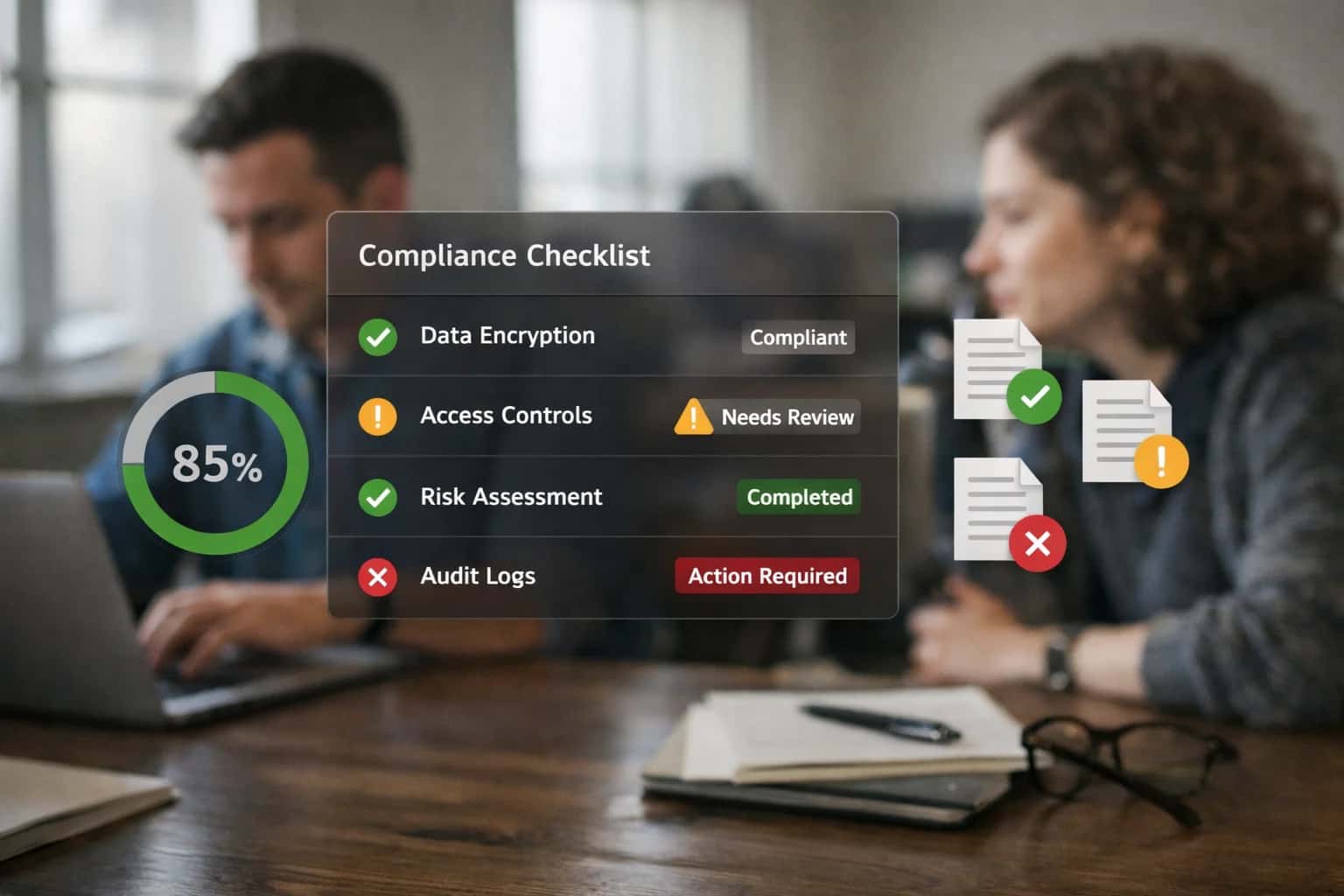
ARCHITECTURE FOR EXECUTIVE BRIEFINGS
From Manual Data Pulls to Automated Narrative Reports
How to use AI to transform raw CNAPP data into actionable, narrative-driven reports for stakeholders.
The implementation involves a scheduled workflow (e.g., weekly or monthly) that: 1) Authenticates with the CNAPP using service accounts with read-only audit roles, 2) Executes pre-defined queries for posture scores, new critical findings, and remediation rates, 3) Formats the payload with timestamps, environment context, and key performance indicators, and 4) Calls an LLM (like GPT-4 or Claude) with a system prompt tailored for security executive communication. The output is a structured markdown report, which can be automatically published to SharePoint, Confluence, or emailed directly to leadership distribution lists via SendGrid or Microsoft Graph API. This turns a multi-hour manual process into a consistent, auditable 10-minute automated job.
Governance is critical. The AI agent should operate under a principle of least privilege, accessing only the aggregated data needed for reporting. All generated narratives should be logged with the source query and model version for auditability. Implement a human-in-the-loop review step for the first few cycles, where a security analyst approves the report before distribution. This ensures accuracy and builds trust in the automated system. The final architecture provides not just time savings, but a consistent, data-driven narrative that helps CISOs and risk officers communicate cloud security posture effectively to the board and audit committees.
ARCHITECTURE SURFACES
Where AI Connects to Your CNAPP Reporting Stack
Executive Dashboards
AI connects directly to the reporting APIs of platforms like Wiz, Prisma Cloud, and Orca Security to automate the generation of CISO and board-level dashboards. Instead of manually querying for top risks, compliance gaps, or spend exposure, an AI agent uses natural language prompts to extract, summarize, and structure key metrics.
Key Integration Points:
- Risk Score APIs: Pull overall posture scores and trend data.
- Finding Aggregation APIs: Summarize counts of critical vulnerabilities, misconfigurations, and active threats by severity, resource type, and cloud account.
- Compliance APIs: Extract framework adherence percentages (e.g., SOC2, CIS, HIPAA).
The AI layer formats this data into narrative summaries, visual chart descriptions, and trend explanations, which can be pushed to BI tools like Power BI or Tableau, or directly into slide decks and executive briefing documents.
FROM CNAPP DATA TO ACTIONABLE INSIGHTS
High-Value AI Reporting Use Cases for Cloud Security
Transform raw findings from Wiz, Prisma Cloud, Orca, and Lacework into executive-ready narratives, compliance evidence, and operational briefings. These AI-powered workflows automate the most time-consuming reporting tasks for security, risk, and platform teams.
01
Executive & Board Risk Briefings
Automatically generate narrative risk reports from CNAPP dashboards. An AI agent queries the platform's API for top risks, critical vulnerabilities, and compliance drift, then structures findings into a concise briefing with trend analysis and recommended actions for leadership review.
Hours -> Minutes
Report generation
02
Automated Compliance Evidence Packages
Map cloud resource configurations to control frameworks (SOC 2, ISO 27001, HIPAA) on demand. The AI queries the CSPM module for specific resource states, extracts relevant configurations, and compiles them into an audit-ready evidence document with explanatory context for each control.
Same day
For audit requests
03
DevOps Team Fix Briefs
Convert critical vulnerability and misconfiguration alerts into developer-friendly fix tickets. The AI enriches raw CNAPP findings (e.g., a Wiz vulnerability graph) with context: impacted service, suggested code/configuration change, exploitability score, and links to internal runbooks before posting to Jira or GitHub.
1 sprint
Reduced back-and-forth
04
Post-Incident Retrospective Reports
Synthesize timeline data from CWPP alerts, cloud logs, and incident response actions into a structured retrospective. The AI pulls events from the CNAPP's investigation module, identifies root cause and contributing factors, and drafts the Summary and Lessons Learned sections for the final report.
Batch -> Structured
Data synthesis
05
Third-Party & Vendor Risk Questionnaires
Automate responses to security questionnaires (e.g., SIG Lite, CAIQ) using live cloud posture data. An AI agent interprets each question, queries the CNAPP for relevant security controls and compliance status (e.g., encryption standards, access logging), and populates the response with current-state evidence.
Hours -> Minutes
Per questionnaire
06
Monthly Security Metrics & OKR Dashboards
Move from static slides to dynamic, AI-generated commentary. An agent runs scheduled queries against CNAPP APIs for key metrics (MTTR, critical issues resolved, compliance coverage), detects trends and anomalies, and writes the narrative analysis for monthly stakeholder reviews.
Real-time
Narrative updates
FROM CNAPP DATA TO EXECUTIVE INSIGHTS
Example AI-Powered Reporting Workflows
These workflows demonstrate how to automate the creation of security and compliance reports by connecting LLMs to CNAPP APIs. Each flow pulls raw findings, applies context-aware analysis, and structures outputs for specific stakeholders.
Trigger: Scheduled job runs every Monday at 6 AM.
Context/Data Pulled:
- Query Wiz GraphQL API or Prisma Cloud REST API for the past 7 days of data:
- New critical/high severity findings (misconfigurations, vulnerabilities).
- Top 5 cloud accounts/projects by risk score increase.
- Resource count and risk trend (e.g., from Wiz
riskTrendquery). - Open remediation tickets in ServiceNow/Jira linked to cloud resources.
Model or Agent Action:
- The LLM receives a structured JSON payload of the aggregated data.
- Using a system prompt, it is instructed to:
- Write a 3-paragraph executive summary highlighting key trends.
- Identify the top 3 systemic issues (e.g., "IAM over-permission persists in AWS Dev accounts").
- Provide a plain-language interpretation of risk score changes.
- Generate 2-3 recommended focus areas for the coming week.
System Update or Next Step:
- The generated markdown report is automatically posted to a dedicated CISO channel in Slack/Microsoft Teams.
- A formatted PDF version is attached to a scheduled email sent to the CISO and security leadership.
- A summary record is logged in the AI governance platform for audit.
Human Review Point: The CISO can query the agent via chat for deeper dives on any highlighted point, triggering a follow-up API call for specific details.
PRODUCTION BLUEPRINT
Implementation Architecture: Data Flow, APIs, and Guardrails
A secure, governed architecture for automating executive and compliance reports from your CNAPP data.
The core integration connects to your CNAPP platform's GraphQL or REST API (e.g., Wiz's graphql endpoint, Prisma Cloud's api/v1). An orchestration agent authenticates via service account, queries for findings filtered by time range, severity, resource type, and compliance framework. The raw JSON payload—containing misconfigurations, vulnerabilities, and cloud resource metadata—is passed to a governed LLM with a system prompt that structures the output for specific report types: a one-page executive summary, a detailed SOC 2 evidence package, or a board-level risk heatmap.
Key architectural components ensure reliability and security: a message queue (e.g., RabbitMQ, AWS SQS) decouples the API polling from the AI processing to handle large data volumes; a vector store caches historical query results for trend analysis; and all LLM interactions are logged with full context (prompt, data sample, output) to an audit trail for compliance reviews. The final, structured report is delivered via webhook to destinations like Confluence, SharePoint, or a BI tool, and a summary alert is posted to a designated Slack channel or ServiceNow ticket for stakeholder notification.
Rollout follows a phased governance model. Start in a dry-run mode where AI-generated reports are compared to manually created ones for a subset of data, allowing for prompt tuning and validation. Implement RBAC so only authorized service accounts can trigger report generation for sensitive frameworks like HIPAA or PCI DSS. Finally, establish a human-in-the-loop approval step for initial production runs, where a cloud security architect reviews the AI's executive summary before it's distributed, ensuring accuracy and building organizational trust in the automated workflow.
AUTOMATING CNAPP REPORTING WORKFLOWS
Code and Payload Examples
Translating Executive Questions into CNAPP API Calls
An AI agent can parse a natural language request (e.g., "Show me our top 5 cloud risks by potential financial impact") and construct a precise API call to the CNAPP platform. This involves mapping business intent to specific data endpoints, filters, and sorting logic.
The agent uses the CNAPP's REST API (like Wiz's GraphQL API or Prisma Cloud's v2 endpoints) to fetch raw findings. The example below shows a Python function that uses an LLM to generate a query object from a user's question, which is then executed against the security platform.
pythonimport openai import requests # Example: Generate API query from natural language def generate_cnapp_query(user_question: str) -> dict: prompt = f""" The user asks: '{user_question}' Map this to a query for the CNAPP API to fetch security findings. Return a JSON object with: 'endpoint', 'filters', 'sort_by', 'limit'. Available filters: severity, resourceType, cloudPlatform, status. """ response = openai.chat.completions.create( model="gpt-4", messages=[{"role": "user", "content": prompt}], response_format={ "type": "json_object" } ) return json.loads(response.choices[0].message.content) # Use the generated query to call the CNAPP API query = generate_cnapp_query("Top risks by financial impact last month") api_response = requests.post( f"{CNAPP_BASE_URL}/{query['endpoint']}", headers={"Authorization": f"Bearer {API_KEY}"}, json={"filter": query['filters'], "first": query['limit']} )
AI-POWERED REPORTING VS. MANUAL PROCESSES
Realistic Time Savings and Operational Impact
How integrating AI with your CNAPP (Wiz, Prisma Cloud, Orca, Lacework) transforms the creation of executive, compliance, and operational security reports.
| Reporting Workflow | Manual Process | With AI Integration | Key Impact & Notes |
|---|---|---|---|
Executive Risk Dashboard | 2-3 days per month | On-demand refresh | Shifts from a monthly batch process to a real-time briefing tool for leadership. |
Compliance Evidence Package (e.g., SOC 2) | 40+ hours per audit | 4-8 hours with review | AI queries CNAPP APIs for controls, auto-structures evidence; human QA required. |
Board-Level Security Report | 1 week of analyst time | Same-day drafting | Analyst focuses on narrative and strategy, not data aggregation from multiple dashboards. |
Vulnerability Prioritization Brief | Daily manual triage & filtering | Automated daily digest | SOC analysts review AI-curated lists with exploit context, not raw CVE feeds. |
Cloud Security Posture Summary | Manual slide creation from 5+ tools | Automated slide deck generation | Integrates data across CSPM, CWPP, CIEM modules into a unified narrative. |
Remediation Ticket Enrichment | Generic ticket descriptions | Context-aware instructions & code snippets | DevOps receives precise, actionable tickets, reducing back-and-forth. |
Ad-Hoc Regulatory Query | Hours of manual investigation | Minutes via natural language | e.g., 'Show me all S3 buckets without encryption in our PCI scope' answered instantly. |
ARCHITECTING FOR SECURITY AND SCALE
Governance, Data Handling, and Phased Rollout
A practical blueprint for implementing AI-driven reporting in CNAPP platforms with enterprise-grade controls.
Production AI integrations for platforms like Wiz, Prisma Cloud, or Orca Security require a clear data handling strategy. This typically involves a dedicated middleware layer that brokers all interactions. The AI agent queries the CNAPP's REST APIs (e.g., Wiz's graphql API, Prisma Cloud's search/config endpoint) to fetch raw findings, asset data, and compliance posture. Sensitive data like resource IDs, account numbers, and partial configuration snippets are sent to the LLM, but raw credentials, full system logs, or unremediated critical vulnerabilities should be filtered out via a preprocessing step. All prompts, API calls, and generated outputs must be logged with full audit trails, linking back to the original CNAPP alert or report ID for traceability.
A phased rollout is critical for adoption and risk management. Start with a read-only pilot focused on a single, high-value report—such as a weekly cloud security posture summary for a single business unit. The AI agent pulls data, generates a narrative, and formats it, but a security engineer reviews and approves the output before distribution. Phase two introduces targeted automation, like generating the compliance evidence package for a specific framework (e.g., SOC 2) by querying the CNAPP's compliance module and structuring the response. The final phase enables broad, conditionally automated reporting, where executive dashboards are generated and published automatically, but only if the system's confidence score exceeds a defined threshold and any critical new risks are flagged for human review.
Governance is enforced through role-based access controls (RBAC) integrated with your existing IAM. Define personas: a Security Analyst can trigger ad-hoc report generation, a CISO receives scheduled executive briefings, and an AI Ops Engineer manages the prompt library and model configurations. Implement a feedback loop where users can flag inaccuracies, which are used to fine-tune prompts and improve grounding. This controlled, iterative approach transforms the CNAPP from a data repository into an intelligence platform, turning weeks of manual report compilation into same-day, actionable insights without compromising security or control.
Enabling Efficiency, Speed & Accuracy
Intelligent Analysis, Decision & Execution
We build AI systems for teams that need search across company data, workflow automation across tools, or AI features inside products and internal software.
Talk to Us
Search across company data
Give teams answers from docs, tickets, runbooks, and product data with sources and permissions.
Useful when people spend too long searching or get different answers from different systems.
Enterprise searchRAGPermissions
Read more
Automate internal workflows
Use AI to route work, draft outputs, trigger actions, and keep approvals and logs in place.
Useful when repetitive work moves across multiple tools and teams.
AI agentsWorkflow automationGovernance
Read more
Add AI to products and internal tools
Build assistants, guided actions, or decision support into the software your team or customers already use.
Useful when AI needs to be part of the product, not a separate tool.
AI integrationDecision supportModel routing
Read moreIMPLEMENTATION AND OPERATIONS
Frequently Asked Questions
Common technical and strategic questions about integrating AI agents with CNAPP platforms like Wiz, Prisma Cloud, Orca, and Lacework to automate security reporting workflows.
The integration uses a service account with tightly scoped API permissions to pull data on-demand. The typical workflow is:
- Trigger: A scheduled job or a manual request (e.g., "Generate Q3 Board Report") initiates the agent.
- API Calls: The agent uses the CNAPP's REST API (e.g., Wiz's
GraphQLAPI, Prisma Cloud'sSearch Configendpoint) with a pre-defined query template. Common data pulls include:HIGHandCRITICALrisks aggregated by cloud account, service, and owner.- Compliance posture against frameworks like
CIS,NIST, orPCI-DSS. - Trend data on vulnerabilities, misconfigurations, and remediations over time.
- Permissions: The service account needs read-only access to:
Posture FindingsVulnerability FindingsCompliance PostureCloud AccountsandProjects(for enrichment)- Never requires write or remediation permissions for reporting workflows.
- Context Enrichment: The raw API payloads are structured and passed to the LLM with specific instructions for narrative generation and data synthesis.

About the author
Prasad Kumkar
CEO & MD, Inference Systems
Prasad Kumkar is the CEO & MD of Inference Systems and writes about AI systems architecture, LLM infrastructure, model serving, evaluation, and production deployment. Over 5+ years, he has worked across computer vision models, L5 autonomous vehicle systems, and LLM research, with a focus on taking complex AI ideas into real-world engineering systems.
His work and writing cover AI systems, large language models, AI agents, multimodal systems, autonomous systems, inference optimization, RAG, evaluation, and production AI engineering.
LinkedIn
Limited slotsGet a Free AI Consultation
Partnered with leading AI, data, and software stack.





How We Work
Custom AI workflows for your Business
One-fit-all AI don't work for modern businesses. At Inferensys, we aim to understand your business & custom requirements; which we use to define most efficient agentic workflows, the data, and the tools for your business.
01
Review the use case
We understand the task, the users, and where AI can actually help.
Read more02
Pick the right approach
We define what needs search, automation, or product integration.
Read more03
Build the first useful version
We implement the part that proves the value first.
Read more04
Improve from there
We add the checks and visibility needed to keep it useful.
Read moreThe first call is a practical review of your use case and the right next step.
Talk to Us