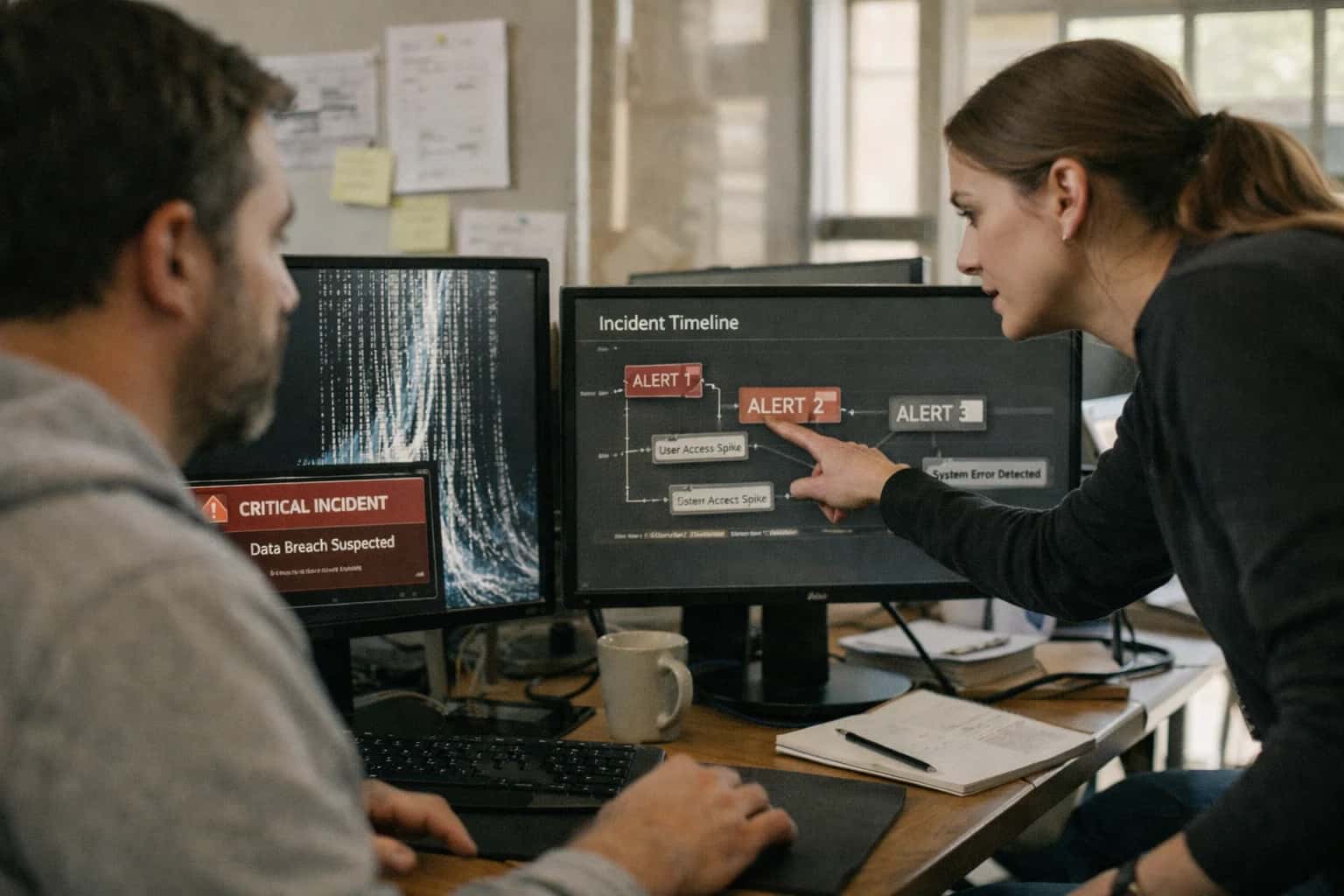
AI integration connects directly to Brightwheel's Incident Reports API and webhook events, allowing an external AI agent to act as a first responder. When a staff member logs an incident—be it a fall, allergic reaction, or behavioral event—the AI system immediately receives the structured data (child, time, location, description) and any attached notes or photos. The agent's first job is triage and classification: using natural language processing on the free-text description to assess severity, tag the incident type (e.g., injury, illness, behavioral), and check for critical keywords that trigger immediate alerts.

Integration
AI Integration for Brightwheel Incident Reporting
Add AI to Brightwheel's incident management to automate triage, route notifications intelligently, and analyze safety trends—reducing manual work for teachers and directors while improving response times.
ARCHITECTURE & ROLLOUT
Where AI Fits into Brightwheel Incident Management
A practical guide to embedding AI agents into Brightwheel's incident reporting workflows for faster triage, smarter routing, and proactive safety insights.
From there, the AI determines notification routing. Based on center policy, incident type, and severity, it can automatically execute a series of actions via Brightwheel's APIs: sending an immediate, templated alert to the director's dashboard, posting a secure message to the involved child's family feed, and creating a follow-up task for the lead teacher. For high-severity events, it can escalate by triggering SMS or email to pre-defined emergency contacts. This moves incident response from a manual, sequential process to a parallel, automated workflow, ensuring the right people are notified in seconds, not hours.
Beyond immediate response, the AI provides trend analysis and proactive insights. By aggregating anonymized incident data over time, it can identify patterns—like frequent minor injuries in a specific playground area or recurring medication errors during a particular shift. These insights, delivered via a separate dashboard or integrated into Brightwheel's reporting surfaces, empower directors to make data-driven safety improvements. Rollout is typically phased: start with AI-assisted triage and automated notifications for a single incident type, validate accuracy with staff, then expand to full classification and trend analysis. Governance is critical; all AI-generated classifications and actions should be logged in an audit trail and designed for easy human override, ensuring staff remain in control of all critical communications and decisions.
INCIDENT REPORTING
Brightwheel Surfaces for AI Integration
Core Data Surface for AI
The Incident Log API (/incidents) is the primary surface for AI integration. It provides programmatic access to create, retrieve, and update incident records, which are the central object for safety workflows.
Key API Objects for AI:
Incident: Contains fields liketype(fall, bump, illness),severity,description,datetime,location, andchild_id.Involved Parties: Links toChildandStaffrecords, crucial for notification routing.Follow-up Actions: Tracks steps taken, which AI can suggest or draft.
AI Integration Pattern:
An AI agent listens for new incident webhooks. It processes the unstructured description field using NLP to classify the incident type, assess severity based on keywords, and extract key details (e.g., body part, time of day). The agent can then enrich the record with structured metadata and trigger the next step in the workflow.
BRIGHTWHEEL INTEGRATION PATTERNS
High-Value AI Use Cases for Incident Reporting
Integrate AI directly into Brightwheel's incident management workflows to automate triage, accelerate notifications, and uncover safety trends—reducing administrative burden and improving center responsiveness.
01
Automated Incident Triage & Routing
AI analyzes the initial incident description (e.g., fall, allergic reaction, behavioral) to automatically classify severity, assign priority, and route the report to the correct staff role (director, nurse, teacher) via Brightwheel's internal messaging or task assignment APIs. Reduces manual review time for directors.
Minutes -> Seconds
Initial routing
02
Intelligent Parent Notification Drafting
Generates a clear, templated, and empathetic notification for parents based on the structured incident details (type, location, action taken). The draft is pushed to the teacher's or director's Brightwheel messaging interface for review and one-click sending, ensuring consistent, compliant communication.
Same day
Notification compliance
03
Trend Analysis & Proactive Alerting
Continuously analyzes historical incident data from Brightwheel's reports to identify patterns—like frequent incidents in a specific playground area or during certain times of day. AI generates weekly summary reports and can trigger proactive alerts to directors for preventative action.
Batch -> Real-time
Insight delivery
04
Follow-up Action & Documentation Workflow
After an incident is logged, AI suggests and automates follow-up tasks within Brightwheel's workflow tools: scheduling a follow-up observation, adding a item to a staff meeting agenda, or triggering a facility maintenance check. Ensures closure and compliance with center policies.
1 sprint
Process automation
05
Regulatory Report Compilation
For licensing or insurance purposes, AI compiles required data from multiple incident reports across a date range. It structures summaries, extracts key details, and formats them into pre-defined templates, ready for submission, directly leveraging Brightwheel's reporting APIs.
Hours -> Minutes
Report generation
06
Staff Training & Coaching Insights
Analyzes incident narratives and resolution notes to identify common scenarios or response gaps. AI generates anonymized, actionable insights for director-led staff training sessions, suggesting topics like supervision during transitions or allergy protocol refreshers.
BRIGHTWHEEL INTEGRATION PATTERNS
Example AI-Powered Incident Workflows
These concrete workflows illustrate how AI can be embedded into Brightwheel's incident management surfaces to automate triage, routing, and analysis, reducing administrative burden and improving response times.
Trigger: A teacher submits a new incident report via the Brightwheel mobile app or web portal.
AI Action:
- The integration captures the report's free-text description, location, child/children involved, and any attached media via Brightwheel's
POST /incidentswebhook. - An AI agent analyzes the text using a classification model to determine incident type (e.g.,
minor_fall,allergy_exposure,behavioral,illness). - Based on type, keywords, and historical data, the agent assigns a preliminary severity score (e.g.,
Low,Medium,High,Critical).
System Update:
- The agent calls Brightwheel's API to update the incident record with the AI-generated
typeandseverity_scoreas custom fields. - If severity is
HighorCritical, the system automatically triggers an immediate notification to the center director and relevant staff via Brightwheel's internal alert system, bypassing standard review queues.
Human Review Point: The director receives the AI-scored incident with clear reasoning (e.g., "Classified as 'allergy_exposure' due to mention of peanuts. Scored 'High' based on child's known severe allergy.") for final confirmation or adjustment.
FROM INCIDENT LOG TO INTELLIGENT RESPONSE
Implementation Architecture: Data Flow & APIs
A production-ready AI integration for Brightwheel incident reporting connects real-time event data to intelligent triage workflows, ensuring safety events are handled with speed and consistency.
The integration is triggered via Brightwheel's webhook events for new or updated incident reports. A secure endpoint receives the JSON payload containing the incident's core fields: child_id, staff_reporter_id, incident_type, description, severity, timestamp, and any attached media URLs. This event is placed into a processing queue (e.g., AWS SQS or RabbitMQ) to ensure reliable handling during peak times and to decouple the AI service from Brightwheel's API rate limits.
An AI orchestration service consumes events from the queue. Its first step is data enrichment, pulling related context from Brightwheel's REST API: the child's age, known allergies, classroom assignment, and primary guardian contacts. This enriched data set is passed to a configured LLM (like GPT-4 or Claude) via a secure, governed prompt that performs triage classification and notification routing. The LLM analyzes the description and context to: 1) Assign a priority level (e.g., 'Immediate', 'Urgent', 'Routine'), 2) Identify if specific staff (director, nurse) must be alerted, 3) Determine if a guardian notification is required by policy, and 4) Suggest initial follow-up actions based on historical similar incidents.
The AI service's output is a structured action plan. It uses Brightwheel's API to: update the incident record with the AI-generated priority and notes, post internal comments for staff, and—if configured—trigger automated notifications via Brightwheel's messaging module to the appropriate guardians and staff members. All AI decisions and the prompting context are logged to an audit trail with the incident ID for review. For trend analysis, a separate batch process runs nightly, using the Brightwheel Reports API to fetch all incidents from a defined period. This data is vectorized and embedded, enabling a Retrieval-Augmented Generation (RAG) system that allows directors to ask natural language questions (e.g., 'Show me trends in playground incidents this month') and receive synthesized summaries and charts, powered by your internal /integrations/childcare-and-daycare-management-platforms/vector-database-rag-platforms infrastructure.
Rollout is phased, starting with a 'copilot' mode where AI suggestions are presented to staff for approval within Brightwheel's UI before any automated actions are taken. Governance is maintained through a human-in-the-loop review queue for high-severity incidents and regular calibration of the LLM's classification logic against center policy. This architecture ensures the AI augments—rather than replaces—staff judgment, fitting seamlessly into existing Brightwheel workflows while providing scalable intelligence for safety operations.
BRIGHTWHEEL INCIDENT REPORTING
Code & Payload Examples
Real-Time Incident Routing
When a new incident is logged in Brightwheel, a webhook is sent to your AI service. This handler uses the incident payload to classify severity and route notifications.
pythonimport json from inference_llm import classify_incident # Webhook endpoint for Brightwheel incident events def handle_brightwheel_webhook(request): payload = request.json incident_id = payload.get('id') description = payload.get('description', '') child_name = payload.get('child_name') location = payload.get('location') # Use LLM to classify severity and required actions classification = classify_incident( description=description, child_age=payload.get('child_age'), location_type=location ) # Determine notification recipients based on classification if classification['severity'] == 'high': notify_recipients = ['director', 'lead_teacher', 'parents'] priority_channel = 'sms' else: notify_recipients = ['lead_teacher'] priority_channel = 'in_app' # Update Brightwheel incident with AI classification brightwheel_api.update_incident( incident_id, tags=[classification['type'], classification['severity']], assigned_to=notify_recipients[0] ) return {'status': 'processed', 'classification': classification}
This pattern ensures immediate triage without manual review, routing high-severity incidents (like allergic reactions) to directors and parents via SMS, while minor scrapes are assigned to the lead teacher in-app.
BRIGHTWHEEL INCIDENT REPORTING
Realistic Time Savings & Operational Impact
How AI integration transforms manual incident logging into an automated, proactive safety workflow.
| Workflow Stage | Before AI | After AI | Implementation Notes |
|---|---|---|---|
Initial Report Logging | Teacher manually types narrative (5-10 min) | Voice-to-text dictation with auto-structuring (1-2 min) | AI parses voice note, tags child/room, suggests incident type |
Severity Triage & Routing | Director reviews all reports daily for prioritization | AI scores severity, routes critical alerts immediately | Rules-based on keywords (e.g., 'fall', 'allergy'); human can override |
Required Notifications | Manual lookup of parent contacts, compose message | AI drafts parent notification, pre-fills child details | Director reviews and sends; integrates with Brightwheel messaging |
Follow-up Task Creation | Manual entry in separate task list or calendar | AI generates follow-up checklist (e.g., 'call parent', 'file report') | Tasks sync to Brightwheel or connected task management system |
Trend Analysis | Quarterly manual review of spreadsheet exports | Weekly automated dashboard of incident hotspots and patterns | AI clusters similar incidents, flags recurring safety issues |
Regulatory Documentation | Manual compilation for licensing visits (2-4 hours) | AI auto-generates report summaries and audit trails | Exports formatted PDFs with all required fields pre-filled |
Staff Debrief & Training | Ad-hoc meetings after major incidents | AI suggests relevant training modules based on incident type | Links to training content in Brightwheel or your LMS |
SAFETY-FIRST IMPLEMENTATION
Governance, Security & Phased Rollout
A structured approach to deploying AI for incident reporting that prioritizes safety, compliance, and staff trust.
Implementing AI for Brightwheel incident reporting requires a governance model that treats safety data with the highest sensitivity. This starts with a read-only initial integration to Brightwheel's incident API, ensuring AI agents never directly modify or delete source records. All AI-generated summaries, routing suggestions, and trend analyses should be stored in a separate audit log, linked to the original incident ID for full traceability. Role-based access controls (RBAC) must mirror Brightwheel's permissions, so only authorized directors or health coordinators can view AI insights or trigger automated notifications.
A phased rollout is critical for adoption and risk management. Phase 1 focuses on AI-assisted triage: the system ingests new incident reports and suggests a severity classification (e.g., minor, reportable, emergency) and appropriate internal stakeholders for review, requiring a human to approve all actions. Phase 2 introduces automated notification drafting for parents or licensing bodies, but sends these drafts to a designated staff member's queue for review and manual sending via Brightwheel. Phase 3, after validation, enables trend analysis dashboards that surface patterns (e.g., frequent incident types by time of day or classroom) to inform preventative safety measures.
Security is non-negotiable. All data in transit to and from inference models must be encrypted. Personally Identifiable Information (PII) for children and staff should be masked or pseudonymized before processing. The system should be designed to operate within your existing cloud environment (e.g., AWS, Azure) to maintain data residency and network security controls. Regular compliance checks should ensure the AI's operations align with FERPA, COPPA, and state-specific childcare licensing data-handling requirements.
Enabling Efficiency, Speed & Accuracy
Intelligent Analysis, Decision & Execution
We build AI systems for teams that need search across company data, workflow automation across tools, or AI features inside products and internal software.
Talk to Us
Search across company data
Give teams answers from docs, tickets, runbooks, and product data with sources and permissions.
Useful when people spend too long searching or get different answers from different systems.
Enterprise searchRAGPermissions
Read more
Automate internal workflows
Use AI to route work, draft outputs, trigger actions, and keep approvals and logs in place.
Useful when repetitive work moves across multiple tools and teams.
AI agentsWorkflow automationGovernance
Read more
Add AI to products and internal tools
Build assistants, guided actions, or decision support into the software your team or customers already use.
Useful when AI needs to be part of the product, not a separate tool.
AI integrationDecision supportModel routing
Read moreAI INTEGRATION FOR BRIGHTWHEEL INCIDENT REPORTING
FAQ: Technical & Commercial Questions
Practical answers to common technical and commercial questions about implementing AI-powered incident management workflows within Brightwheel.
AI integrates directly with Brightwheel's Incident Management API and webhook event system. The typical architecture involves:
- Trigger: A new incident report is created in Brightwheel via the mobile app or web portal.
- Ingestion: A webhook (
incident.created) is sent to your AI service endpoint, containing the incident payload (child ID, staff ID, description, severity, timestamp). - Processing: The AI agent uses the incident description and context (pulled via Brightwheel's REST API for child allergies, guardian contacts, room assignment) to perform triage.
- Action: Based on the analysis, the system can automatically:
- Route notifications to the correct director or health coordinator.
- Update the incident record with a suggested classification (e.g.,
minor_fall,allergy_incident). - Trigger follow-up workflows, like generating a required state licensing form draft.
- Human Review: All AI-suggested actions are logged as a note on the incident record for director review and approval before any automated communication is sent to parents.

About the author
Prasad Kumkar
CEO & MD, Inference Systems
Prasad Kumkar is the CEO & MD of Inference Systems and writes about AI systems architecture, LLM infrastructure, model serving, evaluation, and production deployment. Over 5+ years, he has worked across computer vision models, L5 autonomous vehicle systems, and LLM research, with a focus on taking complex AI ideas into real-world engineering systems.
His work and writing cover AI systems, large language models, AI agents, multimodal systems, autonomous systems, inference optimization, RAG, evaluation, and production AI engineering.
LinkedIn
Limited slotsGet a Free AI Consultation
Partnered with leading AI, data, and software stack.





How We Work
Custom AI workflows for your Business
One-fit-all AI don't work for modern businesses. At Inferensys, we aim to understand your business & custom requirements; which we use to define most efficient agentic workflows, the data, and the tools for your business.
01
Review the use case
We understand the task, the users, and where AI can actually help.
Read more02
Pick the right approach
We define what needs search, automation, or product integration.
Read more03
Build the first useful version
We implement the part that proves the value first.
Read more04
Improve from there
We add the checks and visibility needed to keep it useful.
Read moreThe first call is a practical review of your use case and the right next step.
Talk to Us