AI-driven candidate scoring in iCIMS operates by intercepting and enriching data at key workflow points. The primary integration surfaces are the Candidate API (for new applications and profile updates) and the Job API (for requisition context). When a candidate applies or a profile is updated, a webhook can trigger an AI service to analyze the resume, application answers, and parsed profile data against the specific job's requirements stored in the Requisition object. The AI model generates a match score and can populate custom fields—like AI_Match_Score, Top_Skills_Matched, or Experience_Gap_Analysis—directly back into the candidate record or a linked custom object. This allows recruiters to see AI-generated insights within the native iCIMS candidate profile or pipeline view, turning scoring from a manual review task into a real-time, data-driven signal.

Integration
AI Integration for iCIMS Candidate Scoring
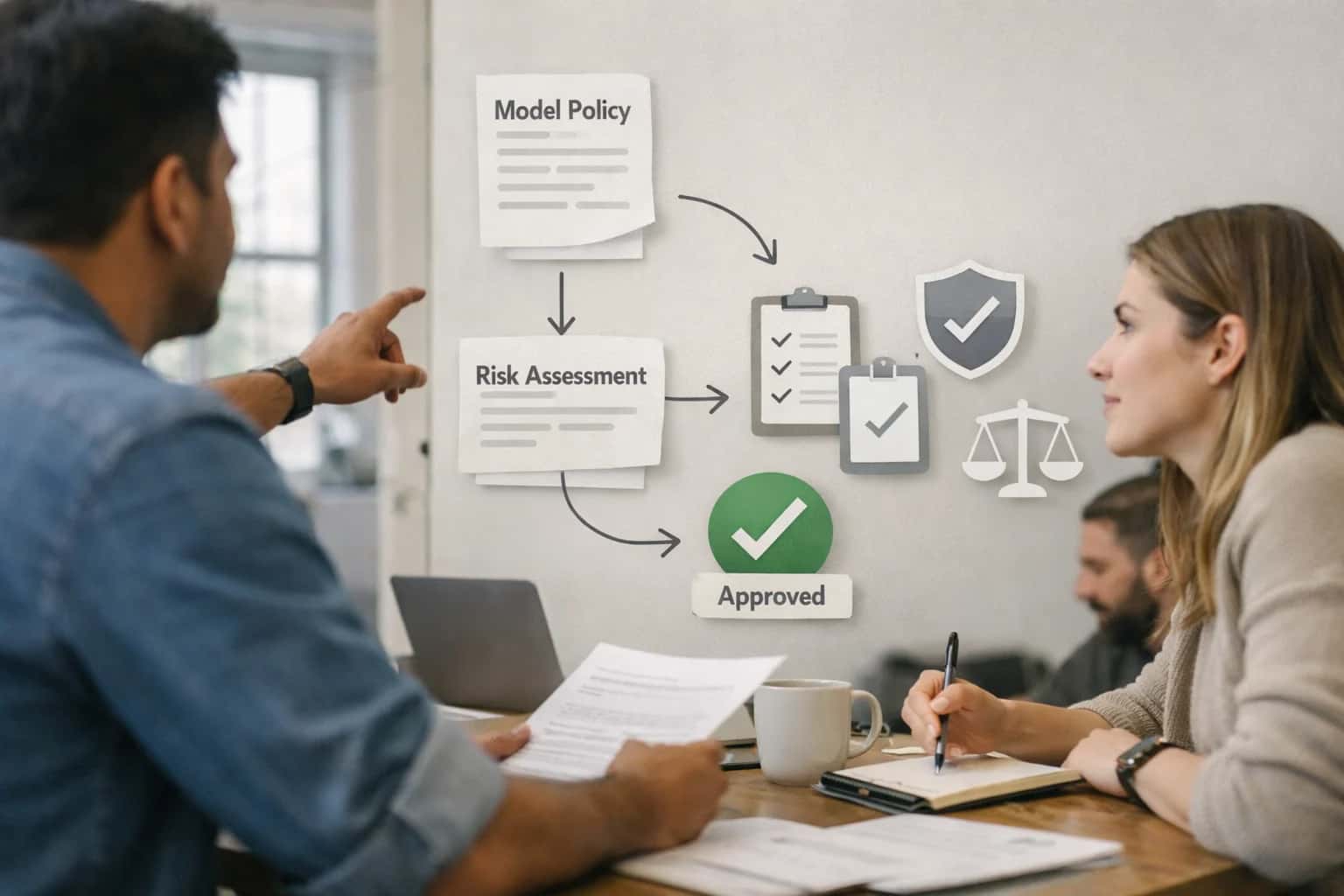
Where AI Fits into iCIMS Candidate Scoring
A technical blueprint for embedding AI scoring into iCIMS's core requisition and candidate data model to automate ranking and enrich decision-making.
A production implementation typically uses a queue-based architecture to handle high-volume hiring scenarios without impacting iCIMS performance. Candidate payloads are placed in a queue (e.g., AWS SQS, RabbitMQ) by the webhook listener. A scalable scoring service consumes these jobs, calls the LLM or custom model (using the job description, required skills, and optional ideal candidate profile from iCIMS as context), and writes the results back via the iCIMS API. For audit and governance, each score should be logged with a trace ID in a separate audit system, capturing the model version, prompt template, input data snapshot, and output. This traceability is critical for compliance, allowing teams to explain scoring decisions and retrain models on edge cases. For a deeper look at audit-compliant AI operations, see our guide on AI Governance for Enterprise Platforms.
Rollout should be phased, starting with a pilot requisition or job family. Use iCIMS's user and role permissions to control visibility—initially exposing scores only to a pilot group of recruiters via a custom dashboard or a dedicated field. Incorporate a human-in-the-loop review step where recruiters can accept, reject, or adjust the AI score, feeding this feedback back into the model for continuous improvement. This approach de-risks the integration and builds trust. The end goal is not to replace recruiter judgment but to augment it, shifting their focus from screening every resume to engaging with the top-ranked candidates identified by the AI. For related patterns on scaling this across hiring workflows, explore our page on AI Integration for iCIMS High-Volume Hiring.
iCIMS Surfaces for AI Scoring Integration
Core Data Layer for AI Scoring
The iCIMS candidate profile is the primary surface for AI scoring outputs. AI models can analyze resumes, applications, and assessments to populate structured custom fields, creating a machine-readable scorecard for downstream workflows.
Key Integration Points:
- Custom Field Population: Write AI-generated scores (e.g.,
ai_technical_score,ai_culture_fit,ai_red_flags) to candidate-specific or job-requisition-specific custom fields via the iCIMS REST API. This enables filtering, reporting, and automated routing based on AI insights. - Resume & Document Parsing: Use the iCIMS document API to retrieve candidate-submitted files. An AI service can parse these to extract skills, experience, and education, enriching the profile and feeding the scoring model.
- Audit Trail: All AI-generated field updates should be logged with a source identifier (e.g.,
source: "ai_scoring_v1") within the candidate's history for compliance and explainability.
This structured data layer turns qualitative candidate information into actionable, sortable signals for recruiters and hiring managers.
High-Value AI Scoring Use Cases for iCIMS
Production-ready AI scoring integrations for iCIMS focus on augmenting recruiter judgment with consistent, data-driven signals. These patterns use iCIMS APIs and custom objects to inject scores, flags, and recommendations directly into the recruiter workflow.
Automated Resume-to-Requisition Matching
Trigger an AI scoring agent via iCIMS webhook when a new application is submitted. The agent parses the resume, compares skills and experience against the job requisition's JobProfile and JobRequisition fields, and writes a match score (0-100) and key rationale to a custom iCIMS object. This surfaces top candidates instantly in iCIMS reports and saved searches.
High-Volume Application Triage & Tagging
For roles receiving 500+ applications, implement a queue-based processor that scores all candidates in a requisition. Use the score to auto-populate iCIMS candidate tags (e.g., AI_Top_20%, AI_Review_Required) and set a custom field for priority tier. Recruiters can then filter their pipeline by AI-prioritized groups, focusing manual review where it's most needed.
Skills & Credential Verification Scoring
Extract and validate hard skills, certifications, and degrees from resumes and application questions. Cross-reference with the requisition's required qualifications. The AI agent writes a verification confidence score and flags discrepancies (e.g., 'CPA claimed, not verified') to a candidate note via the iCIMS applicantTracking API. This reduces manual pre-screen checks for roles in healthcare, finance, or engineering.
Internal Mobility & Talent Pool Rediscovery
Score existing iCIMS talent pool candidates and internal employees (via integration with your HRIS) against new openings. The AI model evaluates past CandidateProfile data, performance reviews (if accessible), and skills against new role requirements. It generates a 'fit' score and recommends candidates for recruiter outreach, turning your iCIMS database into a proactive sourcing asset.
Bias-Aware Scoring & Diversity Flagging
Implement a dual-score model: one for overall qualification and a separate score for core, anonymized competencies (skills, years of experience). Flag potential bias risks by detecting gendered language in resumes or disproportionate scoring patterns across demographics. Outputs are written to secure, auditor-accessible custom tables outside of the main candidate record to support compliance reviews without influencing recruiters unfairly.
Interview Feedback Synthesis & Final Score
After all interview stages, an AI agent aggregates feedback from iCIMS Evaluation forms, keying off structured scores and unstructured notes. It synthesizes a narrative summary and produces a final, calibrated recommendation score. This composite score is posted to the candidate's profile, providing a consistent data point for hiring committee reviews and approval workflows within iCIMS.
Example AI Scoring Workflows in iCIMS
These workflows illustrate how AI-driven scoring can be embedded into iCIMS hiring processes. Each pattern uses iCIMS's REST API, webhooks, and custom objects to trigger analysis, store scores, and automate downstream actions while maintaining audit trails.
Trigger: A candidate submits an application, triggering an iCIMS application.created webhook.
Context Pulled: The integration retrieves the candidate's resume (PDF/DOCX), the job requisition details (title, description, required skills, custom_field values), and any pre-screening question answers via the iCIMS API.
AI Action: A multi-model agent processes the data:
- Extraction: Parses the resume for skills, experience, education, and certifications.
- Matching: Performs a semantic match between the candidate's profile and the job description, generating a relevance score (0-100).
- Flagging: Checks for critical role-specific requirements (e.g., "must have CPA license") and flags missing items.
System Update: The agent POSTs results back to iCIMS, creating or updating a candidate_score custom object linked to the application. It populates fields like:
overall_match_scoreskills_gap_analysis(text)missing_requirements(array)processing_timestamp
Human Review Point: A workflow rule in iCIMS is configured to automatically move applications with a score above a defined threshold (e.g., 85) to a "Review" stage. Applications below a minimum score (e.g., 50) are moved to "Disqualified" with an automated note citing the primary gap.
Implementation Architecture: Data Flow & APIs
A secure, event-driven architecture for injecting AI scoring into iCIMS workflows without disrupting existing processes.
The integration connects at two primary layers: the iCIMS Candidate API for reading applicant profiles and job requisitions, and the iCIMS Custom Fields API for writing scores and insights back. A typical flow is triggered via an iCIMS webhook configured for the application.created or application.stage_changed event. This webhook payload, containing the application_id and job_id, is placed onto a secure message queue (e.g., Amazon SQS or RabbitMQ) to ensure reliable, asynchronous processing and handle spikes in application volume.
Our scoring service consumes messages from the queue. For each candidate, it fetches the full application record—including resume text, answers to custom application questions, and the detailed job requisition—via the iCIMS REST API. This data is structured into a prompt context for an LLM (like GPT-4 or Claude 3), which is instructed to evaluate against a configurable rubric defined in your scoring model. The LLM returns a structured JSON output containing a match score, key justification points, and extracted skill tags. This output is then posted back to iCIMS, populating pre-defined custom fields on the candidate record (e.g., AI_Match_Score, AI_Strength_Summary).
Governance is built-in. All LLM calls and score decisions are logged with full traceability to the source iCIMS record. A human-in-the-loop review queue can be configured for scores below a certain threshold or for specific high-stakes roles, where the score and rationale are presented to a recruiter in iCIMS for final approval before any automated action is taken. Rollout is typically phased, starting with a single job family in a "shadow mode" where scores are written to a hidden custom field for validation, before enabling visible scoring and automated sorting for recruiters.
Code & Payload Examples
Triggering Scoring via Webhook
A common pattern is to trigger AI scoring when a candidate reaches a specific stage (e.g., "Screen") or when a new application is submitted. iCIMS can send a webhook payload containing the candidate ID and job requisition ID.
Your AI service receives this payload, fetches the candidate's resume text and the job description via the iCIMS REST API, runs a scoring model, and writes the result back to a pre-defined custom field on the candidate record.
python# Example: Webhook handler to score and update a candidate import requests def handle_icims_webhook(candidate_id, requisition_id): # 1. Fetch candidate resume text from iCIMS candidate_resp = requests.get( f"https://api.icims.com/v1/people/{candidate_id}/attachments", headers={"Authorization": "Bearer <TOKEN>"} ) resume_text = extract_text_from_attachments(candidate_resp.json()) # 2. Fetch job requisition details job_resp = requests.get( f"https://api.icims.com/v1/jobs/{requisition_id}", headers={"Authorization": "Bearer <TOKEN>"} ) job_desc = job_resp.json().get('description', '') # 3. Call AI scoring service (e.g., LLM for semantic match) ai_score = call_scoring_model(resume_text, job_desc) # 4. Update custom field on candidate profile update_payload = { "fielddata": [ { "fieldname": "customfield_AI_Match_Score", "value": str(ai_score) } ] } update_resp = requests.patch( f"https://api.icims.com/v1/people/{candidate_id}/fielddata", json=update_payload, headers={"Authorization": "Bearer <TOKEN>"} ) return update_resp.status_code
Realistic Time Savings & Operational Impact
This table illustrates the operational impact of integrating AI-driven scoring into core iCIMS workflows, focusing on time savings, process improvements, and maintaining human oversight for critical decisions.
| Workflow / Metric | Before AI Integration | After AI Integration | Implementation Notes |
|---|---|---|---|
Initial Resume Screening | Manual review of 100+ resumes per req (2-4 hours) | AI-assisted ranking of top 10-15 candidates (15-30 minutes) | AI parses resumes, extracts skills, and scores against requisition; recruiter reviews ranked shortlist. |
Custom Field Population | Manual data entry from resumes into iCIMS fields | Automated extraction and mapping to candidate profile fields | AI populates fields like 'Years of Experience', 'Key Skills', 'Education Level'; human verification recommended. |
Candidate Re-Discovery | Manual search of talent pool for past applicants | Automated matching of new roles to existing candidate profiles | AI agent runs nightly to tag and score talent pool members for new requisitions. |
High-Volume Requisition Triage | Next-day batch processing of 500+ applications | Same-day scoring and routing of applications | Queue-based processing via iCIMS webhooks; scores written to custom 'AI Match Score' field for filtering. |
Interview Panel Preparation | Manual compilation of candidate summary from notes | AI-generated one-page briefing from application data | Briefing includes extracted skills, experience highlights, and potential interview questions; sourced from iCIMS record. |
Audit Trail & Model Governance | Manual logging of scoring rationale for compliance | Automated audit log of model version, inputs, and scores | All AI scores and data points stored in a secure, linked system-of-record outside iCIMS for traceability. |
Rollout & Change Management | Pilot: Manual process for 1-2 recruiters (4-6 weeks) | Phased rollout with API integration and training (2-4 weeks) | Start with a single job family; integrate scores into existing iCIMS views and reports for gradual adoption. |
Governance, Compliance & Phased Rollout
A structured, audit-ready approach to deploying AI scoring in iCIMS that mitigates risk and builds stakeholder confidence.
Production implementations connect to iCIMS via its REST API and webhooks, processing candidate records and job requisitions in a dedicated, secure environment. The AI model does not run inside iCIMS; it operates as an external service that reads from and writes back to specific iCIMS custom fields (e.g., AI_Match_Score, AI_Skills_Summary, AI_Flag_For_Review). All data exchanges are logged with timestamps, user IDs (system service account), and the specific candidate/job IDs, creating a complete audit trail for compliance reviews or model performance analysis.
Rollout follows a phased, human-in-the-loop pattern to validate the system before broad trust:
- Phase 1 (Shadow Mode): The AI scores candidates in parallel but does not write scores back to iCIMS. Recruiters see scores in a separate dashboard, comparing AI rankings against their own assessments to calibrate the model's relevance and identify any edge cases.
- Phase 2 (Assist Mode): Scores are written to iCIMS custom fields but are only visible on a dedicated tab or via a report. Recruiters can consult the AI score as a secondary data point, but hiring decisions remain fully manual. This phase often includes a simple approval step in the workflow before an AI-generated scorecard is attached to a candidate record.
- Phase 3 (Guided Automation): The system automatically surfaces top-ranked candidates or flags mismatches, potentially triggering automated actions like sending a screening assessment or moving a high-scoring candidate to the next stage. A governance rule—such as a minimum score threshold or a requirement for recruiter review of AI-recommended rejects—is always maintained.
Governance is critical for regulated industries and to prevent model drift. We implement:
- Regular Bias Audits: Scheduled reviews of scoring outcomes across protected attributes (using anonymized data) to ensure fairness.
- Prompt & Model Versioning: Every change to the scoring logic or underlying LLM is tracked, allowing rollback if performance degrades.
- RBAC for Score Visibility: Control which iCIMS user roles (e.g., Recruiter, Hiring Manager, Admin) can view or act upon AI scores via iCIMS's native permission sets.
- Explanation Logging: For each score, the system stores key reasons (e.g., "+10 points for 5 years of Python experience matching job req ID 4521") in a linked audit table, enabling recruiters to understand the "why" behind a ranking. This transparency is essential for defending hiring decisions and maintaining trust in the process.
Enabling Efficiency, Speed & Accuracy
Intelligent Analysis, Decision & Execution
We build AI systems for teams that need search across company data, workflow automation across tools, or AI features inside products and internal software.
Talk to Us
Search across company data
Give teams answers from docs, tickets, runbooks, and product data with sources and permissions.
Useful when people spend too long searching or get different answers from different systems.

Automate internal workflows
Use AI to route work, draft outputs, trigger actions, and keep approvals and logs in place.
Useful when repetitive work moves across multiple tools and teams.

Add AI to products and internal tools
Build assistants, guided actions, or decision support into the software your team or customers already use.
Useful when AI needs to be part of the product, not a separate tool.
FAQs: AI Scoring for iCIMS
Common technical and operational questions for teams implementing AI-driven candidate scoring within the iCIMS Talent Cloud.
The AI model typically runs in your own secure cloud environment (e.g., AWS, Azure, GCP) or a dedicated Inference Systems tenant. Integration with iCIMS is achieved via its REST API and webhooks.
Typical Architecture:
- Trigger: A webhook from iCIMS fires when a new application is submitted or a candidate moves to a specific stage (e.g.,
application.received). - Context Fetch: Your integration service calls the iCIMS API to pull the full candidate record, resume (often from the
attachmentsendpoint), and the relevant job requisition details. - Processing: This data is sent to your AI scoring service, which parses the resume, evaluates against job criteria, and generates a match score and supporting rationale.
- System Update: The service writes the results back to iCIMS using custom fields (e.g.,
custom_field_1for score,custom_field_2for key match reasons).
This keeps sensitive candidate data within your controlled infrastructure while leveraging iCIMS as the system of record.

About the author
Prasad Kumkar
CEO & MD, Inference Systems
Prasad Kumkar is the CEO & MD of Inference Systems and writes about AI systems architecture, LLM infrastructure, model serving, evaluation, and production deployment. Over 5+ years, he has worked across computer vision models, L5 autonomous vehicle systems, and LLM research, with a focus on taking complex AI ideas into real-world engineering systems.
His work and writing cover AI systems, large language models, AI agents, multimodal systems, autonomous systems, inference optimization, RAG, evaluation, and production AI engineering.
Partnered with leading AI, data, and software stack.





How We Work
Custom AI workflows for your Business
One-fit-all AI don't work for modern businesses. At Inferensys, we aim to understand your business & custom requirements; which we use to define most efficient agentic workflows, the data, and the tools for your business.
01
Review the use case
We understand the task, the users, and where AI can actually help.
Read more02
Pick the right approach
We define what needs search, automation, or product integration.
Read more03
Build the first useful version
We implement the part that proves the value first.
Read more04
Improve from there
We add the checks and visibility needed to keep it useful.
Read moreThe first call is a practical review of your use case and the right next step.
Talk to Us