Integrate the wandb SDK directly into your application framework—whether it's built on LangChain, LlamaIndex, or custom orchestration—to automatically log key events. This includes training runs for fine-tuned models, evaluation results from benchmark suites, and production inference details like prompts, completions, token usage, latency, and costs from providers like OpenAI or Anthropic. The SDK acts as a lightweight client that sends this telemetry to your W&B project, creating a unified timeline from development to deployment.

Integration
AI Integration with Weights and Biases SDK Integration
Embed the W&B SDK into your LLM application framework to automatically log experiments, track production inference, and enforce model governance—turning ad-hoc AI development into a governed, reproducible pipeline.
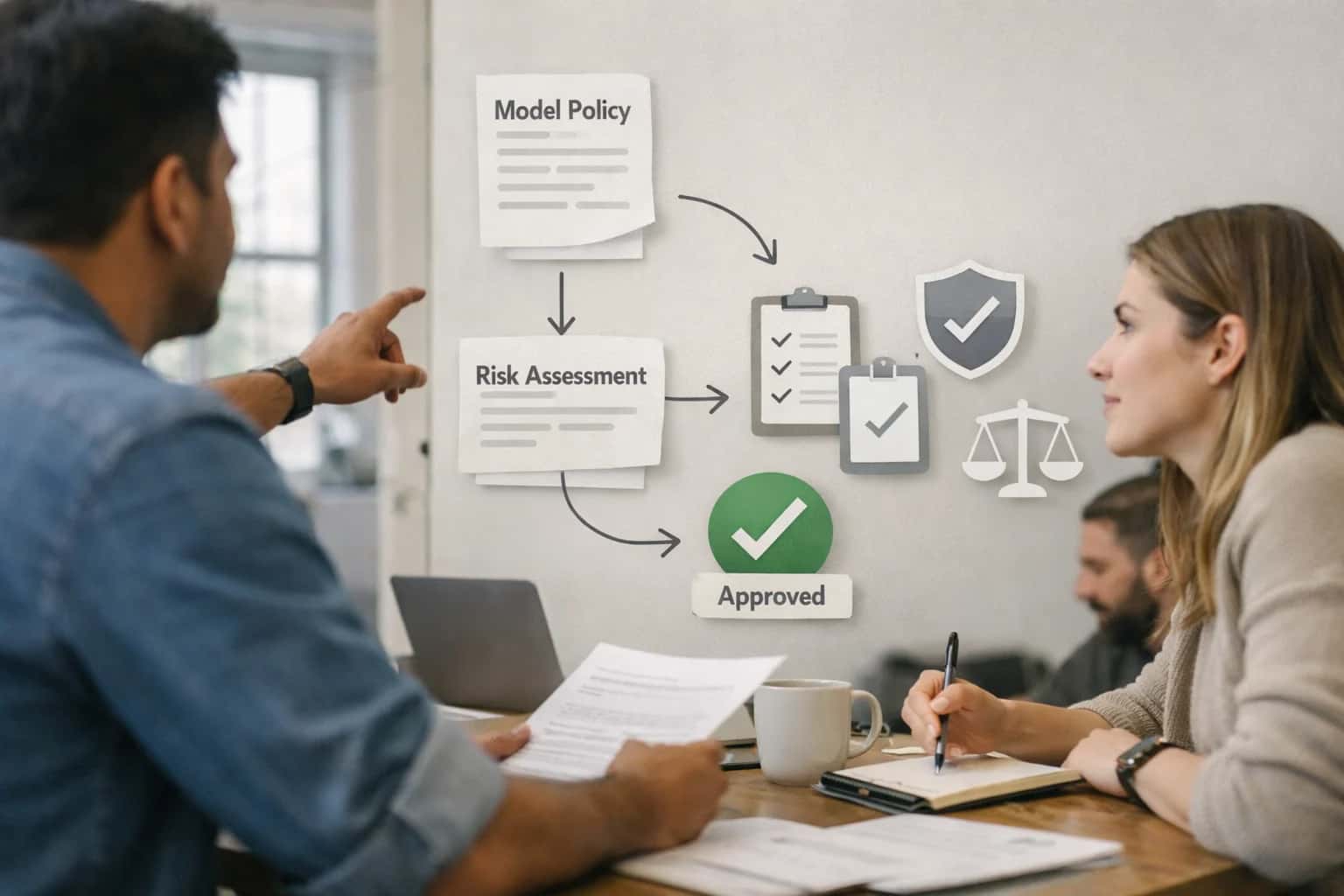
ARCHITECTURE FOR OBSERVABILITY
Where the W&B SDK Fits in Your LLM Stack
The Weights & Biases SDK is the instrumentation layer that connects your custom LLM application code to a centralized system of record for experiments, models, and production inference.
For production LLM apps, the SDK's integration points are critical. Instrument your RAG pipeline to log retrieval accuracy, chunk relevance scores, and final answer quality. In agentic workflows, log each tool call, its success/failure status, and the reasoning chain. This creates a searchable audit trail, allowing engineers to trace a problematic production output back to the exact prompt version, model, retrieved context, and intermediate steps. You can also log custom business metrics—like support ticket deflection rate or sales lead qualification score—to correlate LLM performance with operational outcomes.
Rollout is incremental. Start by integrating the SDK into a single, high-value LLM service, such as a customer support copilot. Use W&B's project isolation and RBAC to control access, ensuring production monitoring data is segregated from experimental runs. Governance is enforced by treating the W&B project as the source of truth for model lineage; your CI/CD pipelines can query the W&B API to verify that only approved, logged model versions from the registry are deployed. This closes the loop between development experimentation and governed, observable production operations.
SDK INTEGRATION PATTERNS
Key Integration Surfaces in the W&B Platform
Logging from LangChain, LlamaIndex, and Custom Apps
Integrate the wandb SDK at the callback or handler level of your LLM framework to automatically capture the full execution chain. For LangChain, implement a custom BaseCallbackHandler that logs each step—tool calls, retrievals, and LLM interactions—as a W&B run. This creates a traceable timeline where you can correlate token usage, latency, and cost with specific prompts and retrieved contexts.
For custom applications, directly instrument key functions. Wrap your LLM client calls (OpenAI, Anthropic) and embedding generation steps with wandb.log(). This captures the raw prompts, completions, and metadata like model name and temperature. Structure your logs to separate development experiments from production inference, using W&B project tags for environment differentiation. The goal is to have every LLM interaction in your app leave an auditable record in W&B for later analysis and debugging.
PRODUCTION LLMOPS
High-Value Use Cases for W&B SDK Integration
Integrating the Weights & Biases SDK directly into your LLM application codebase transforms ad-hoc experimentation into governed, reproducible operations. These patterns show where to instrument your pipelines for maximum observability and control.
01
End-to-End LLM Experiment Tracking
Automatically log prompts, completions, token usage, latencies, and costs from LangChain or custom apps into W&B runs. Enables comparative analysis of different models, prompts, and parameters across the team, turning one-off tests into a searchable knowledge base.
1 sprint
Time to reproducible results
02
Model Registry for LLM Lifecycle
Use W&B Model Registry as the source of truth for LLM versions—base models, fine-tuned adapters, and embedding models. Integrate with CI/CD to enforce promotion gates from development to staging to production, linking every deployment to its exact experiment lineage.
Batch -> Controlled
Deployment workflow
03
Hyperparameter Sweeps for Fine-Tuning
Orchestrate large-scale sweeps across distributed GPU clusters to optimize LoRA ranks, learning rates, and batch sizes for LLM fine-tuning. W&B's sweep controllers manage the queue, log results, and identify Pareto-optimal configurations balancing accuracy, latency, and cost.
Hours -> Automated
Optimization process
04
Artifact-Linked RAG Pipeline Governance
Version and store not just model weights, but also prompt templates, vector store indexes, and evaluation datasets as W&B Artifacts. Creates a complete, auditable lineage for your Retrieval-Augmented Generation system, enabling rollback if a new knowledge base chunk degrades performance.
Traceable
From query to source
05
Production Inference Monitoring & Drift Detection
Stream LLM inference logs (inputs, outputs, metadata) from production endpoints to W&B. Set up custom dashboards and alerts for latency spikes, error rate increases, or drift in query distributions, providing AI engineering teams with operational visibility.
Real-time
Performance visibility
06
Collaborative Reporting for Cross-Functional Reviews
Structure W&B projects, reports, and dashboards to facilitate reviews between data science, engineering, product, and compliance teams. Automate report generation on cost trends, performance SLAs, and experiment outcomes for stakeholder funding cycles and audits.
Same day
Stakeholder alignment
SDK INTEGRATION PATTERNS
Example Workflows: From Code Change to Governance Report
Integrating the Weights & Biases SDK directly into your LLM application code is the foundation for automated observability. These workflows show how to instrument key development and production events, linking code changes directly to model performance and governance artifacts.
Trigger: A data scientist initiates a fine-tuning job for a customer support LLM using a Hugging Face script.
SDK Integration:
- Initialize a W&B run at the start of the training script, setting the project (
customer-support-llm), config (model name, dataset version, hyperparameters). - Log training metrics (loss, accuracy) at each epoch.
- Log the final model artifact to the W&B Model Registry with metadata: training dataset hash, base model ID, GPU hours consumed.
- Log a sample of prompt-completion pairs from the validation set as a W&B Table for qualitative review.
System Update: The model artifact is versioned in the registry. A webhook from W&B triggers a CI/CD pipeline to deploy the model to a staging endpoint for evaluation.
Human Review Point: The data scientist and product manager review the W&B run report, comparing validation performance and sample outputs against the previous model version before approving promotion.
PRODUCTION-READY LLMOPS
Implementation Architecture: Logging, Context, and Governance
Integrating the Weights & Biases SDK into your LLM application framework is a foundational step for controlled, observable AI operations.
The core integration pattern involves instrumenting your application's LLM calls, tool executions, and evaluation steps with the wandb SDK. This means wrapping key functions—like your prompt chain execution, retrieval from a vector store, or API tool call—with wandb.log() to capture inputs, outputs, token usage, latencies, and custom metrics. For LangChain or custom agent frameworks, this is typically done via callback handlers or middleware. The goal is to create an immutable experiment record for every development run and a continuous inference log for every production prediction, linking them through W&B's lineage features.
In production, this architecture enables critical governance workflows. By logging all inference events, you can:
- Trace any production output back to the exact model version, prompt template, and retrieved context used.
- Set automated alerts on drift in key metrics like response relevance scores or latency percentiles.
- Enforce approval gates by integrating the W&B Model Registry with your CI/CD pipeline, preventing unregistered or non-compliant model versions from being deployed.
- Attribute costs and performance by team, project, or API key, feeding data into internal chargeback and FinOps reports.
Rollout requires a phased approach: start by instrumenting a single, high-value LLM workflow (e.g., a customer support answer generator). Use W&B's project and run grouping to isolate logs by environment (dev, staging, prod). Implement role-based access control (RBAC) in W&B to ensure engineers see experiment data, while compliance officers access audit trails and model registry approvals. Finally, integrate W&B webhooks with your alerting system (PagerDuty, Slack) to close the loop from detection to remediation, transforming logged data into actionable AI operations.
WEIGHTS & BIASES SDK INTEGRATION
Code Patterns and SDK Integration Examples
Logging LangChain and Custom LLM Calls
The W&B SDK is designed to be woven into your application's execution path. For LangChain applications, you typically integrate callbacks. For custom apps, you directly call wandb.log. The goal is to capture every inference event with its full context—prompt, completion, token usage, latency, and any custom metadata like user ID or session.
pythonimport wandb from langchain.callbacks import WandbCallbackHandler # Initialize a run for tracking a specific deployment or experiment wandb.init(project="prod-llm-chatbot", config={"model": "gpt-4", "environment": "staging"}) # LangChain Integration callback = WandbCallbackHandler() chain = LLMChain(llm, prompt, callbacks=[callback]) result = chain.invoke({"input": "user query"}) # Custom Application Logging response = client.chat.completions.create(model="gpt-4", messages=messages) wandb.log({ "prompt": messages, "completion": response.choices[0].message.content, "total_tokens": response.usage.total_tokens, "latency_seconds": elapsed_time, "user_tier": "enterprise" # Custom business context })
This creates a time-series log in W&B where you can analyze cost trends, spot latency outliers, and segment performance by custom attributes.
LLM DEVELOPMENT AND OPERATIONS
Operational Impact: Before and After SDK Integration
This table compares the typical state of LLM application development and operations before and after deeply integrating the Weights & Biases SDK into your custom frameworks and internal platforms.
| Metric | Before W&B SDK | After W&B SDK | Notes |
|---|---|---|---|
Experiment Tracking | Manual logging to spreadsheets or local files | Automatic capture of prompts, completions, costs, and latencies | All runs are centralized, searchable, and reproducible |
Model Versioning | Ad-hoc naming in cloud storage or Git commits | Structured model registry with stage transitions and aliases | Clear lineage from experiment to production deployment |
Performance Debugging | Time-consuming log analysis across disparate systems | Centralized dashboards for latency, error rates, and custom KPIs | Root cause analysis accelerated with integrated tracing |
Team Collaboration | Screenshots and email threads for sharing results | Shared W&B projects, reports, and interactive dashboards | Cross-functional review between data science, engineering, and product |
Cost Attribution | Monthly API bills with limited project breakdown | Real-time cost tracking per experiment, model, and team | Enables FinOps and budget management for LLM initiatives |
Governance & Compliance | Manual evidence collection for audits and reviews | Automated lineage tracking linking predictions to training data and code | Provides immutable audit trail for regulatory inquiries |
Production Monitoring | Separate, custom-built dashboards for live metrics | Unified health view integrating W&B with production inference logs | Alerts can be configured on drift, anomalies, and SLA breaches |
PRODUCTION-READY LLMOPS
Governance, Security, and Phased Rollout
Integrating the Weights & Biases SDK into your LLM stack requires a deliberate approach to governance, security, and controlled rollout to ensure observability without operational risk.
A robust integration embeds the W&B SDK at key instrumentation points within your LLM application framework: prompt/completion logging in inference services, experiment tracking in fine-tuning pipelines, and artifact versioning for prompts, datasets, and model weights. This creates a unified lineage, linking a production prediction back to the exact code commit, training data slice, and hyperparameters. For security, the SDK's API keys and configuration must be managed via secrets managers (e.g., HashiCorp Vault, AWS Secrets Manager) and access scoped using W&B's project-level RBAC to segregate data between teams and environments. All network traffic should egress through your corporate proxies, with SDK calls wrapped in retry logic and circuit breakers to prevent monitoring from becoming a single point of failure for your AI services.
A phased rollout mitigates risk and validates value. Start with a non-critical, internal application—like an HR chatbot or developer copilot—where you can instrument the SDK to log 100% of inference events without impacting customer SLAs. In this Phase 1, verify that the integration captures all necessary metadata (model, tokens, latency, custom metrics) and that your W&B project dashboards provide actionable insights for the engineering team. Phase 2 expands to customer-facing but low-risk workflows, such as search query enhancement or marketing copy generation, implementing sampling rules to control data volume and cost. Finally, Phase 3 targets high-stakes, regulated applications (e.g., financial advice, clinical support), where you must integrate W&B logging with pre-existing audit trails and policy enforcement points from tools like Credo AI, ensuring every logged event is compliant with data retention and privacy policies.
Governance is enforced through automation. Integrate W&B's webhooks and public API with your CI/CD pipelines (e.g., GitHub Actions, Jenkins) to automatically register new model versions, tag production promotions, and archive old experiments. Define alerting rules within W&B or connected monitoring tools (like Arize AI) for anomalies in cost-per-query or latency drift, routing incidents to the LLM on-call engineer. Crucially, treat the W&B SDK integration itself as versioned application code—its configuration, sampling rates, and logged fields should be peer-reviewed and deployed through the same change management process as the LLM services it observes. This disciplined approach transforms W&B from a science notebook into the system of record for your production AI operations, enabling reproducible research, cost accountability, and streamlined compliance audits.
Enabling Efficiency, Speed & Accuracy
Intelligent Analysis, Decision & Execution
We build AI systems for teams that need search across company data, workflow automation across tools, or AI features inside products and internal software.
Talk to Us
Search across company data
Give teams answers from docs, tickets, runbooks, and product data with sources and permissions.
Useful when people spend too long searching or get different answers from different systems.
Enterprise searchRAGPermissions
Read more
Automate internal workflows
Use AI to route work, draft outputs, trigger actions, and keep approvals and logs in place.
Useful when repetitive work moves across multiple tools and teams.
AI agentsWorkflow automationGovernance
Read more
Add AI to products and internal tools
Build assistants, guided actions, or decision support into the software your team or customers already use.
Useful when AI needs to be part of the product, not a separate tool.
AI integrationDecision supportModel routing
Read moreWEIGHTS & BIASES SDK INTEGRATION
FAQ: Technical and Commercial Questions
Common questions from engineering and MLOps teams implementing the Weights & Biases SDK to govern LLM development and production workflows.
The core integration involves wrapping your LLM calls and data flows with the W&B SDK's logging functions. A typical production pattern includes:
- Initialize a W&B Run at the start of a processing job or user session, tagging it with the application version, environment, and user cohort.
- Log Inference Events: For each LLM call, log the prompt, completion, token counts, latency, and cost using
wandb.log(). Use thestepparameter to sequence events within a conversation.pythonimport wandb # ... inside your LLM call handler wandb.log({ "prompt": sanitized_prompt, "completion": completion, "total_tokens": usage.total_tokens, "latency_ms": latency, "estimated_cost": cost }, step=conversation_step) - Log Retrieval Context: For RAG applications, log the retrieved document IDs, chunks, and similarity scores to trace answer provenance.
- Log Tool Calls: For agentic workflows, log the tool name, parameters, and results to understand execution paths.
- Associate with a W&B Project: Organize all runs under a project like
prod-llm-app-support-botfor unified analysis. Use W&B'sgroupandjob_typetags to separate training, evaluation, and production inference runs.

About the author
Prasad Kumkar
CEO & MD, Inference Systems
Prasad Kumkar is the CEO & MD of Inference Systems and writes about AI systems architecture, LLM infrastructure, model serving, evaluation, and production deployment. Over 5+ years, he has worked across computer vision models, L5 autonomous vehicle systems, and LLM research, with a focus on taking complex AI ideas into real-world engineering systems.
His work and writing cover AI systems, large language models, AI agents, multimodal systems, autonomous systems, inference optimization, RAG, evaluation, and production AI engineering.
LinkedIn
Limited slotsGet a Free AI Consultation
Partnered with leading AI, data, and software stack.





How We Work
Custom AI workflows for your Business
One-fit-all AI don't work for modern businesses. At Inferensys, we aim to understand your business & custom requirements; which we use to define most efficient agentic workflows, the data, and the tools for your business.
01
Review the use case
We understand the task, the users, and where AI can actually help.
Read more02
Pick the right approach
We define what needs search, automation, or product integration.
Read more03
Build the first useful version
We implement the part that proves the value first.
Read more04
Improve from there
We add the checks and visibility needed to keep it useful.
Read moreThe first call is a practical review of your use case and the right next step.
Talk to Us