Production LLM applications generate a firehose of telemetry: token usage, latency per model provider, per-prompt costs, and custom evaluation scores. W&B dashboards ingest this data via its Python SDK or REST API, allowing you to visualize trends across cost centers, business units, and specific agent workflows. Instead of sifting through CSV exports, engineering leads can see real-time spend against budget, AI product owners can track performance SLAs (e.g., p95 latency <2s), and finance can forecast cloud AI expenditure for the next quarter.

Integration
AI Integration with Weights and Biases Reporting Dashboards
Transform raw LLM telemetry into actionable business intelligence. Build automated, role-specific dashboards in Weights & Biases to track costs, performance, compliance, and ROI across your AI portfolio.
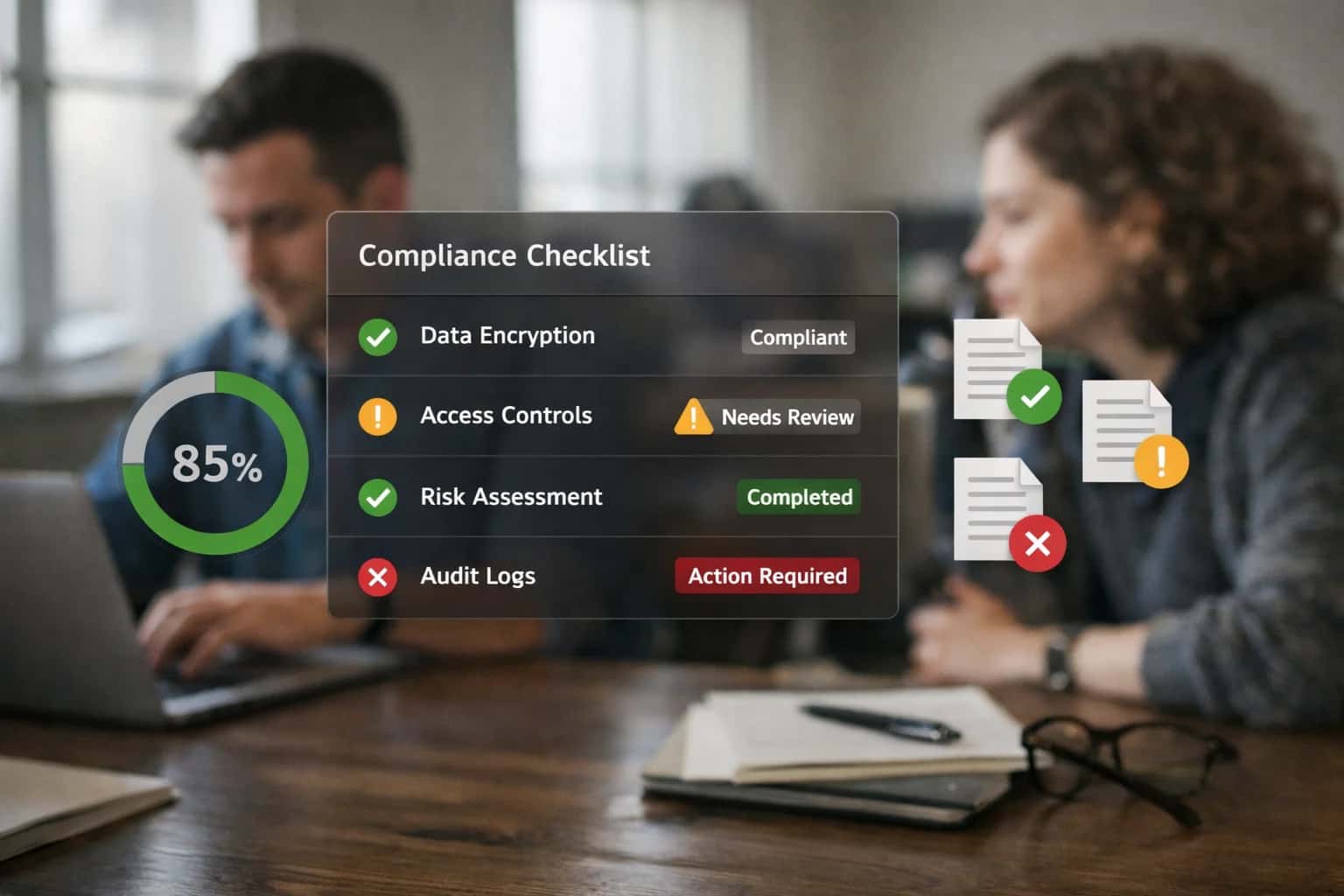
EXECUTIVE AND OPERATIONAL DASHBOARDS
From Raw Telemetry to Business Intelligence
Transform LLM operational data into actionable business intelligence by integrating Weights & Biases reporting dashboards with your production AI systems.
The integration architecture typically involves instrumenting your LangChain applications, FastAPI endpoints, or batch inference pipelines to log key metrics as W&B run objects or to a centralized wandb.Table. For governance, you can segment data using W&B's project structure and tags (e.g., env:production, team:customer_support, model:gpt-4-turbo). Automated reports can then be generated—pulling in charts for weekly cost trends, error rate heatmaps, and experiment outcome summaries—and scheduled for delivery to stakeholder Slack channels or as PDF attachments for funding review cycles.
Rollout requires mapping telemetry to business questions: Which RAG workflow is most expensive per query? Has our fine-tuned model's accuracy drifted since last month? By connecting W&B to your vector database query logs and model registry, you can create dashboards that correlate retrieval accuracy with final answer quality, or track the business impact of a new prompt version. This turns raw operational data into evidence for ROI calculations and prioritizes engineering efforts on the integrations that matter most.
OPERATIONAL AND EXECUTIVE REPORTING
Key W&B Surfaces for Dashboard Integration
Centralized Experiment Tracking
Weights & Biases Projects are the primary surface for tracking LLM development experiments. Integrate here to build dashboards that compare model variants, prompts, and RAG configurations across key dimensions:
- Cost per 1k Tokens: Log OpenAI, Anthropic, or Cohere API costs directly from LangChain callbacks or custom inference wrappers.
- Latency Distributions: Track p50, p95, and p99 response times across different model providers and deployment regions.
- Evaluation Metrics: Surface automated scores from LLM-as-a-judge evaluations, custom rubrics, or business outcome correlations.
For executive reviews, aggregate run data into summary tables showing trade-offs between accuracy, cost, and speed for each candidate pipeline. Use W&B's reporting features to snapshot these comparisons for funding cycle presentations.
AI-POWERED DASHBOARDS FOR LLM OPERATIONS
High-Value Reporting Use Cases
Transform raw LLM telemetry into actionable business intelligence by automating executive and operational dashboards in Weights & Biases. These reporting patterns help AI product owners, engineering leads, and finance stakeholders track cost trends, enforce performance SLAs, and demonstrate ROI for AI initiatives.
01
LLM Cost Attribution & Forecasting
Automate the ingestion of token usage and API call logs from production LLM endpoints into W&B. Build dashboards that attribute costs by project, team, and model provider, visualize monthly spend trends, and forecast budgets. Integrate with internal chargeback systems or FinOps platforms.
Batch -> Real-time
Spend visibility
02
Performance SLA & Latency Dashboards
Create operational dashboards that monitor key service-level indicators for LLM applications. Track p95/p99 latency, error rates, and throughput across different model variants and regions. Set up W&B alerts to notify on-call engineers of SLA breaches, linking performance dips to specific deployments or traffic spikes.
Same day
Issue resolution
03
Experiment Outcome & Model Comparison Reports
Generate standardized reports for stakeholder reviews by comparing new LLM experiments (fine-tunes, prompt variants) against production baselines. Use W&B's reporting features to visualize A/B test results on business metrics (e.g., conversion rate, satisfaction score) with statistical significance, supporting go/no-go rollout decisions.
1 sprint
Evaluation cycle
04
RAG Pipeline Health & Retrieval Analytics
Instrument Retrieval-Augmented Generation systems to log retrieval accuracy, chunk relevance scores, and answer quality into W&B. Build dashboards that correlate vector store performance with end-user feedback, helping teams optimize chunking strategies, embedding models, and knowledge base freshness.
Hours -> Minutes
Root cause analysis
05
Drift Detection & Model Decay Reporting
Connect W&B to live monitoring data (from Arize AI or custom sources) to visualize data drift, concept drift, and embedding drift trends over time. Create executive reports that show model health scores and trigger automated retraining pipelines when performance degradation exceeds thresholds.
Proactive
Risk mitigation
06
Compliance & Audit Trail Dashboards
Build governance-focused dashboards for security, legal, and compliance teams. Aggregate data from integrated systems (like Credo AI) to show policy violation rates, audit trail completeness, and control effectiveness across the LLM portfolio. Automate report generation for regulatory submissions and internal review boards.
Automated
Evidence collection
IMPLEMENTATION PATTERNS
Automated Reporting Workflow Examples
These workflows demonstrate how to automate the creation of executive and operational dashboards in Weights & Biases (W&B) by integrating LLM cost, performance, and experiment data from production systems. Each pattern connects live AI operations to stakeholder-ready visualizations.
Trigger: Scheduled Airflow DAG runs on the 1st of each month.
Context/Data Pulled:
- Cost Data: Aggregates token usage and cost from OpenAI, Anthropic, and Azure OpenAI APIs via their usage reports, tagged by project and environment (prod/staging).
- Performance Logs: Queries application logs (e.g., from Datadog or Elastic) for p95/p99 latency, error rates, and timeouts per LLM endpoint over the past month.
- Business Metrics: Pulls key result metrics (e.g., customer satisfaction score, support ticket deflection rate) from a data warehouse, correlated with LLM usage periods.
Model/Agent Action: A lightweight Python script uses the W&B SDK (wandb). It does not call an LLM but programmatically:
- Creates a new W&B run under a project like
llm-ops-monthly-reports. - Logs the aggregated cost, latency, and business metrics as summary statistics and time-series data.
- Generates pre-configured visualizations (line charts for cost trends, bar charts for error rates by model, gauge charts for SLA adherence).
System Update/Next Step:
- The script finalizes the run and generates a shareable W&B report URL.
- This URL, along with a brief executive summary, is automatically posted to a dedicated Slack channel (
#ai-finops-review) and attached to a recurring calendar invite for the monthly review meeting. - The W&B report is set as the "current" version via a W&B artifact, creating a versioned history of monthly reports.
Human Review Point: The Finance and Engineering leadership team reviews the dashboard in the monthly meeting. Spikes in cost or latency degradation trigger Jira tickets for investigation.
FROM RAW LOGS TO ACTIONABLE DASHBOARDS
Implementation Architecture: Building the Reporting Pipeline
A practical blueprint for instrumenting LLM applications to feed executive and operational dashboards in Weights & Biases.
The reporting pipeline begins by instrumenting your LLM application code—whether built with LangChain, LlamaIndex, or custom APIs—to log key events to W&B Runs or via the W&B Public API. Critical data points to capture include:
promptandcompletiontext (sampled or hashed for privacy)modelidentifier andprovider(e.g.,gpt-4,claude-3)total_tokens,cost_estimate, andlatency_mssession_idoruser_idfor cohort analysis- Custom metrics like
retrieval_scorefor RAG ortool_call_successfor agents - Business outcomes, such as a
lead_qualifiedboolean orsupport_ticket_closedflag, logged as key-value pairs or W&B Summary metrics.
Once data flows into W&B, we structure Projects and Reports to serve different stakeholders. For engineering and MLOps teams, we build dashboards tracking:
- Cost Trends: Daily token usage and spend per model, visualized with line charts and grouped by team or project tag.
- Performance SLAs: p95/p99 latency, error rates, and throughput across deployment regions.
- Experiment Outcomes: Comparative tables of different prompt versions, model configurations, or embedding strategies, linked directly to the W&B Model Registry for promotion decisions. For executive reviews, we automate the generation of summary Reports that highlight:
- Monthly AI spend versus budget, with forecasts.
- Key performance indicators (KPIs) tied to business outcomes, like average handle time reduction or lead conversion lift.
- Experiment velocity and model update frequency, demonstrating ROI on AI investments.
Rollout and governance are critical. We implement the pipeline in phases:
- Development Phase: Integrate W&B SDK into a single service, logging to a sandbox project. Use W&B Sweeps to optimize initial prompts or RAG parameters.
- Staging Phase: Connect the pipeline to a staging environment, implementing sampling rules to control log volume and cost. Configure W&B Alerts for anomaly detection on latency or error spikes.
- Production Phase: Enable full logging with privacy safeguards (e.g., PII redaction). Use W&B Artifacts to version the reporting configuration itself. Automate report generation and distribution via the W&B API, scheduling weekly PDF exports to stakeholders or pushing summary data to a BI tool like Tableau via webhook. This architecture ensures that every LLM inference can be traced from raw log to executive dashboard, providing the auditable, data-driven visibility needed to secure ongoing funding and govern AI operations at scale.
W&B DASHBOARD AUTOMATION
Code Patterns and Payload Examples
Automating Executive Report Generation
Automate the creation of stakeholder-ready reports by querying W&B's API to aggregate key LLM metrics. This script fetches experiment data, calculates trends, and compiles them into a formatted PDF or slides for funding reviews.
Key Workflow:
- Query W&B for cost, latency, and evaluation metrics across a date range.
- Calculate week-over-week trends and aggregate by project or model variant.
- Generate visualizations (e.g., cost per 1k tokens, accuracy over time).
- Compile into a templated report using a library like ReportLab or PowerPoint.
pythonimport wandb import pandas as pd from datetime import datetime, timedelta # Initialize API api = wandb.Api() # Fetch runs for a specific project project = api.project("llm-production-monitoring") runs = project.runs # Aggregate key metrics data = [] for run in runs: if run.state == "finished": history = run.history() latest = history.iloc[-1] data.append({ "run_id": run.id, "total_cost": latest.get("inference/cost_usd", 0), "avg_latency": latest.get("inference/latency_p95", 0), "accuracy": latest.get("eval/accuracy", 0), "created_at": run.created_at }) df = pd.DataFrame(data) # ... perform trend analysis and generate report
AI-ENHANCED REPORTING WORKFLOWS
Time Saved and Operational Impact
How integrating AI with Weights & Biases transforms manual reporting cycles into automated, data-driven processes for executive reviews and funding decisions.
| Metric | Before AI | After AI | Notes |
|---|---|---|---|
Executive Report Generation | Manual data pull and slide deck creation (2-3 days) | Automated dashboard refresh with narrative summaries (1-2 hours) | Leverages W&B APIs and LLMs to synthesize experiment outcomes into stakeholder-ready insights |
LLM Cost Trend Analysis | Monthly spreadsheet reconciliation (8-10 hours) | Real-time cost dashboards with anomaly alerts (30 minutes review) | W&B tracks token usage and API costs by project, team, and model; AI flags unexpected spend |
Performance SLA Compliance Review | Manual sampling and latency checks (Next business day) | Automated daily SLA scorecards with drill-down (Same day) | AI correlates W&B inference logs with business KPIs to monitor p95 latency and error rates |
Experiment Outcome Synthesis | Manual comparison of 5-10 key runs (4-6 hours) | AI-generated comparative analysis highlighting top performers (1 hour) | LLM reviews W&B run summaries, metrics, and artifacts to draft experiment conclusions |
Model Governance Reporting | Quarterly audit preparation (3-5 person-days) | Continuous audit trail and policy compliance dashboards (Ongoing) | Integrates W&B lineage with Credo AI for automated evidence collection on model versions and approvals |
Funding Cycle Documentation | Ad-hoc data gathering for ROI justification (1-2 weeks) | Pre-populated impact reports linking experiments to business metrics (2-3 days) | AI maps W&B project outcomes to financial and operational goals for budget reviews |
Stakeholder Review Preparation | Manual curation of charts and talking points (6-8 hours) | Automated briefing books with tailored insights per audience (1 hour) | Generates role-specific summaries (technical, product, executive) from centralized W&B data |
OPERATIONALIZING LLM INSIGHTS
Governance, Permissions, and Phased Rollout
Structuring Weights & Biases for secure, multi-team collaboration and controlled access to AI performance data.
Effective governance in W&B starts with its Role-Based Access Control (RBAC) system. Structure your organization by creating separate projects for different LLM applications (e.g., support-copilot, rag-search-engine) and assign teams—like Data Science, MLOps, and Product—appropriate permissions. Use Service Accounts with limited scopes for CI/CD pipelines to automatically log experiments and promote models, while restricting admin roles to platform owners. This ensures engineers can iterate freely in development projects, while production dashboards containing cost trends and SLA metrics remain locked down for executive and compliance reviews.
A phased rollout mitigates risk and builds stakeholder trust. Start with a pilot project, instrumenting a single, non-critical LLM workflow to stream metrics like token usage, latency, and custom business scores into a dedicated W&B project. Use W&B's Report feature to create weekly review artifacts for the pilot team. For Phase 2, expand to core applications, implementing W&B webhooks to alert Slack or PagerDuty for metric breaches. Finally, standardize by using the W&B API to auto-generate executive dashboards that aggregate cost and performance KPIs across all LLM services, tying them directly to funding cycle reviews.
Maintain an immutable audit trail by leveraging W&B's lineage tracking. Link every prediction in a dashboard back to the exact model version, prompt template, and training data artifact. Integrate W&B with your Single Sign-On (SSO) provider and configure project-level privacy to ensure sensitive experiment data, such as fine-tuning datasets or prompt variations, is never exposed to unauthorized teams. This controlled environment turns W&B from a data science notebook into a governed system of record for AI operations, enabling reproducible analysis and confident decision-making for stakeholders from engineering to the C-suite.
Enabling Efficiency, Speed & Accuracy
Intelligent Analysis, Decision & Execution
We build AI systems for teams that need search across company data, workflow automation across tools, or AI features inside products and internal software.
Talk to Us
Search across company data
Give teams answers from docs, tickets, runbooks, and product data with sources and permissions.
Useful when people spend too long searching or get different answers from different systems.
Enterprise searchRAGPermissions
Read more
Automate internal workflows
Use AI to route work, draft outputs, trigger actions, and keep approvals and logs in place.
Useful when repetitive work moves across multiple tools and teams.
AI agentsWorkflow automationGovernance
Read more
Add AI to products and internal tools
Build assistants, guided actions, or decision support into the software your team or customers already use.
Useful when AI needs to be part of the product, not a separate tool.
AI integrationDecision supportModel routing
Read moreW&B REPORTING DASHBOARDS
Frequently Asked Questions
Practical questions for teams building executive and operational dashboards in Weights & Biases to track LLM cost, performance, and experiment outcomes.
You need to instrument your production LLM services to log key metrics to W&B via its SDK or API. A typical integration involves:
- Trigger & Context: Your LLM application (e.g., a FastAPI endpoint, LangChain agent, or RAG pipeline) executes a request.
- Data Logging: Within the application code, use the
wandb.log()function or the REST API to send a dictionary of metrics at the end of each request or in batch. Essential metrics include:inference_latency_mstotal_tokens(input + output)estimated_cost(calculated via token count * provider rate)model_id(e.g.,gpt-4-turbo-2024-04-09)user_idorteam_idfor attribution- Custom success/quality scores
- System Update: These logs are sent to your W&B project as a continuous "run." You can structure this as a long-running "production-monitor" run.
- Dashboard Visualization: In the W&B UI, you create a dashboard panel (e.g., a line chart) that queries the logged
estimated_costmetric, grouped bymodel_idand aggregated by day. This gives real-time cost trends.
Code Snippet Example:
pythonimport wandb # Initialize once (e.g., at app startup) wandb.init(project="llm-production-monitor", name="prod-api-east", config={"environment": "production"}) # Inside your inference function def call_llm(prompt, model): start_time = time.time() response = openai.chat.completions.create(model=model, messages=prompt) latency = (time.time() - start_time) * 1000 total_tokens = response.usage.total_tokens # Log metrics to W&B wandb.log({ "inference_latency_ms": latency, "total_tokens": total_tokens, "model": model }) return response

About the author
Prasad Kumkar
CEO & MD, Inference Systems
Prasad Kumkar is the CEO & MD of Inference Systems and writes about AI systems architecture, LLM infrastructure, model serving, evaluation, and production deployment. Over 5+ years, he has worked across computer vision models, L5 autonomous vehicle systems, and LLM research, with a focus on taking complex AI ideas into real-world engineering systems.
His work and writing cover AI systems, large language models, AI agents, multimodal systems, autonomous systems, inference optimization, RAG, evaluation, and production AI engineering.
LinkedIn
Limited slotsGet a Free AI Consultation
Partnered with leading AI, data, and software stack.





How We Work
Custom AI workflows for your Business
One-fit-all AI don't work for modern businesses. At Inferensys, we aim to understand your business & custom requirements; which we use to define most efficient agentic workflows, the data, and the tools for your business.
01
Review the use case
We understand the task, the users, and where AI can actually help.
Read more02
Pick the right approach
We define what needs search, automation, or product integration.
Read more03
Build the first useful version
We implement the part that proves the value first.
Read more04
Improve from there
We add the checks and visibility needed to keep it useful.
Read moreThe first call is a practical review of your use case and the right next step.
Talk to Us