Credo AI excels at aggregating risk signals, compliance status, and incident reports across your LLM portfolio, but its true value is unlocked when this data is contextualized for specific decision-makers. An effective integration builds role-based dashboards that filter and prioritize information based on stakeholder responsibilities. For a CISO, this means a consolidated view of security incidents, data leakage attempts, and model access audit trails. For Legal and Compliance, dashboards highlight applications nearing assessment expiration, outputs flagged against content policies, and evidence gaps for upcoming regulatory reviews. For a Product Head, the focus shifts to performance SLAs, user feedback trends, and the business impact of model drift or downtime.

Integration
AI Integration with Credo AI Stakeholder Dashboards
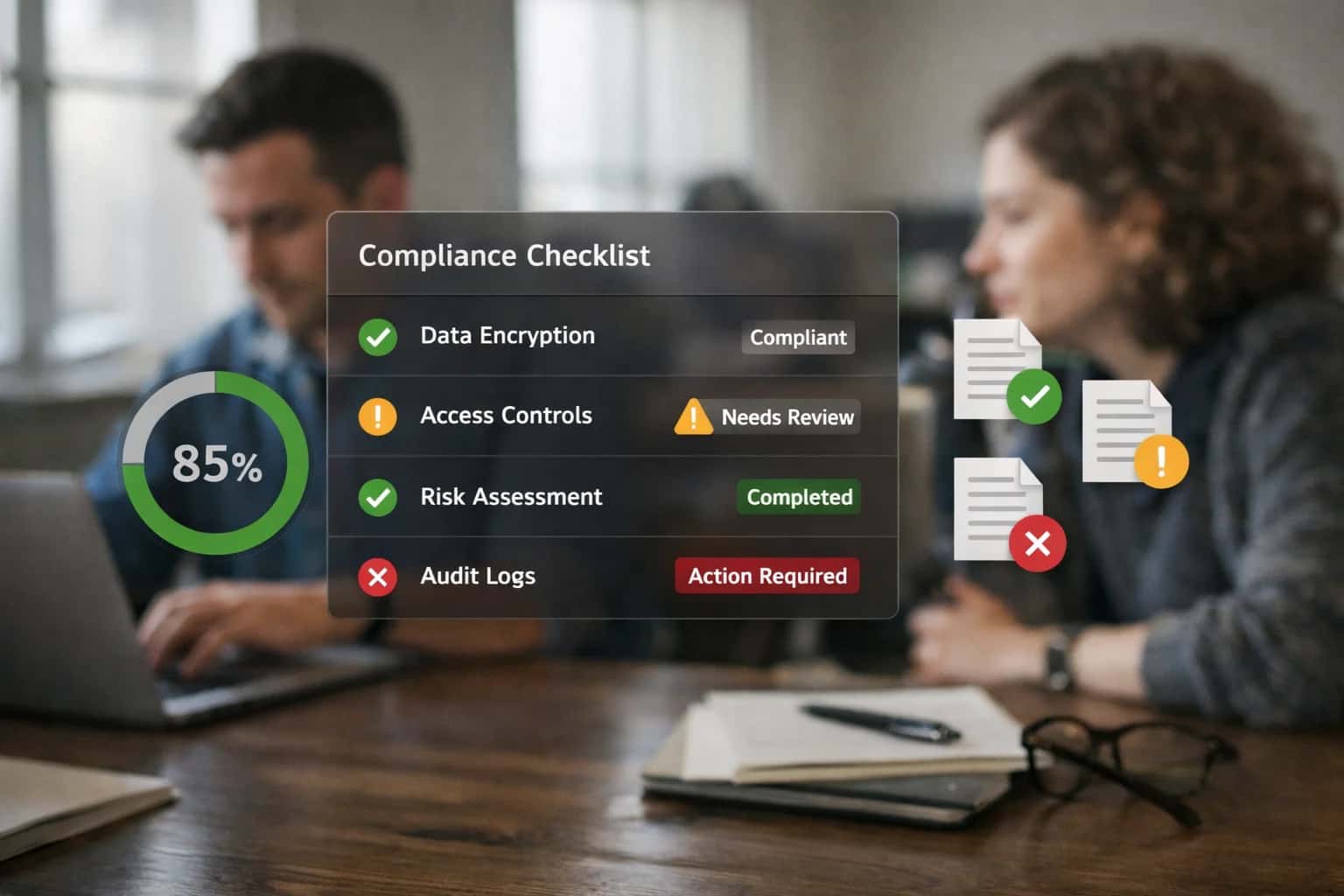
From Governance Data to Actionable Stakeholder Intelligence
Build role-specific dashboards in Credo AI to translate raw governance data into actionable intelligence for CISOs, Legal, and Product Heads.
Implementation requires mapping Credo AI's rich data model—including assessments, controls, policy_checks, and model_cards—to stakeholder personas via its API and dashboard framework. We architect automated data pipelines that pull real-time metrics from monitoring tools like Arize AI and Weights & Biases into Credo AI, then use custom widgets and alert rules to surface what matters. For example, a Legal dashboard might trigger a workflow in ServiceNow when a high-risk LLM use case is deployed without a completed impact assessment, while a Product dashboard could embed a live chart comparing cost-per-query across different model providers.
Rollout involves co-designing dashboard mockups with each stakeholder group, then iterating based on feedback to reduce noise and highlight actionable insights. Governance is maintained by implementing RBAC within Credo AI to ensure data segregation and defining a clear refresh cadence for each dashboard. The outcome is not just visibility, but accelerated decision-making: Legal can approve new use cases in days instead of weeks, Product can reallocate budget based on performance-cost trade-offs, and the CISO gains a single pane of glass for AI security posture, directly supporting board-level reporting.
Key Credo AI Surfaces for Dashboard Integration
CISO & Legal Leader Views
Integrate Credo AI's executive dashboard to provide a unified risk posture for the entire LLM portfolio. This surface aggregates data from underlying model registries, monitoring platforms, and policy engines to answer critical questions for governance committees.
Key Integration Points:
- Risk Score Aggregation: Pull real-time risk scores from Credo AI's assessment engine, calculated from drift metrics (Arize), performance SLAs (W&B), and policy violation logs.
- Compliance Status: Visualize adherence to frameworks like NIST AI RMF or EU AI Act by mapping control statuses from Credo AI's compliance modules.
- Incident Heatmap: Surface and triage incidents logged from monitoring tools (e.g., Arize alerts for hallucination spikes) directly on the executive dashboard for accountability.
This dashboard becomes the single source of truth for AI governance, enabling leaders to make informed decisions about resource allocation, risk acceptance, and audit readiness.
High-Value Use Cases for Stakeholder Dashboards
Credo AI Stakeholder Dashboards centralize AI risk, compliance, and performance data for cross-functional oversight. These cards outline key integration patterns to automate data flows, trigger workflows, and provide actionable intelligence for different roles.
CISO Dashboard for AI Security Posture
Aggregates security findings from runtime monitoring (Arize AI), model registry (W&B), and deployment pipelines into a single Credo AI dashboard. Tracks vulnerability scans for container images, PII detection rates in model outputs, and access audit logs for sensitive models. Automates alerts for policy violations like unauthorized model access or data exfiltration attempts.
Legal & Compliance Dashboard for Regulatory Reporting
Connects Credo AI's assessment templates and control libraries to live model inventories and incident logs. Automatically populates evidence for frameworks like EU AI Act and NIST AI RMF by pulling data from integrated systems. Generates pre-filled regulatory disclosure reports and maintains an audit trail of all model changes and risk decisions for legal review.
Product Head Dashboard for LLM Performance & Business Impact
Correlates technical LLM metrics (latency, accuracy from Arize/W&B) with business KPIs (user satisfaction, conversion rate) within Credo AI. Visualizes cost-per-query trends, A/B test results for new prompts or models, and feature adoption for AI capabilities. Flags performance degradation that impacts user experience or ROI, triggering product backlog prioritization.
AI Engineering Dashboard for Model Lifecycle Governance
Provides a unified view of the model promotion pipeline from W&B experiments to production deployments. Tracks model card completeness, approval statuses from stakeholder workflows in Credo AI, and canary analysis results. Integrates with CI/CD systems (e.g., GitHub Actions) to enforce governance gates before production deployment, reducing rollout risk.
Risk Committee Dashboard for Portfolio-Level Oversight
Rolls up risk scores and compliance status from all deployed LLM applications into an executive summary. Uses Credo AI's scoring engine to highlight high-risk applications, expiring certifications, and control gaps across the portfolio. Supports drill-down into specific applications to review mitigation plans and incident histories, facilitating quarterly risk reviews.
Privacy Officer Dashboard for Data Governance & DSAR Workflows
Monitors LLM systems for privacy compliance by integrating with data lineage tools and inference logs. Tracks PII processing volumes, user consent status, and data retention policy adherence. Automates Data Subject Access Request (DSAR) workflows by querying connected vector stores and chat history systems to identify, redact, and export user data.
Example Dashboard-Driven Workflows
These workflows illustrate how AI governance data and risk signals are automated into Credo AI dashboards, providing stakeholders with actionable, real-time visibility without manual reporting.
Trigger: Daily batch job or real-time webhook from monitoring platforms (Arize AI, W&B) and security scanners.
Context Pulled:
- Model drift scores and anomaly alerts from Arize AI.
- Security scan results for model dependencies and container images from Snyk/Trivy.
- Access log anomalies from Entra ID/Okta for LLM tool access.
- Incident reports from ServiceNow tied to AI services.
Agent Action: A governance agent aggregates scores, applies CISO-defined weighting, and calculates a composite AI Risk Posture Score (0-100).
System Update: The score and top risk factors are pushed via Credo AI API to the CISO's dashboard. High-severity items trigger an alert card with a link to the detailed incident or drift report.
Human Review Point: Scores dipping below a threshold (e.g., <70) automatically generate a Jira ticket for the AI security team and send a Slack alert to the CISO's designated channel.
Implementation Architecture: Connecting Data to Dashboards
A practical blueprint for building role-based Credo AI dashboards that aggregate AI risk and performance data from across your LLM portfolio.
The integration architecture connects your live LLM applications—agents, RAG systems, and fine-tuned models—to Credo AI's data ingestion APIs. This typically involves instrumenting your inference endpoints and orchestration layers (like LangChain or custom apps) to stream key telemetry: model inputs/outputs, token usage, latency, tool calls, and user feedback scores. For governance data, you'll also pipe logs from policy enforcement points, access reviews, and incident management systems. This raw data lands in a staging area where Credo AI's processors normalize it, map it to your defined AI applications, risk frameworks, and control libraries.
Once ingested, Credo AI's engine calculates composite risk scores, compliance status, and performance KPIs. The core of the dashboard build is defining role-based views that query this enriched data layer. For example, a CISO dashboard might surface top risks by data sensitivity, policy violation trends, and security incident reports. A Legal/Compliance dashboard would focus on control effectiveness evidence, regulatory gap analysis, and audit trail completeness. A Product Head dashboard would visualize business impact metrics like cost-per-query trends, accuracy SLAs by feature, and user satisfaction correlated with model versions. Each dashboard is built by configuring Credo AI's visualization widgets to pull from specific data models and applying RBAC to ensure stakeholders only see their relevant context.
Rollout follows a phased approach: start by instrumenting 1-2 high-priority LLM use cases to validate the data pipeline and dashboard logic. Use Credo AI's sandbox environment to prototype views with stakeholders, iterating on metrics and alert thresholds. Governance is maintained by treating dashboard definitions as code—versioning them in Git and integrating updates into your LLMOps CI/CD pipeline. This ensures dashboard changes are reviewed and deployed alongside the AI systems they monitor. The final architecture provides a single source of truth for AI governance, replacing manual spreadsheet reports and fragmented tooling with automated, actionable insights for each responsible party.
Code and Configuration Examples
Security Posture & Incident Visibility
A CISO dashboard in Credo AI consolidates real-time risk signals from your LLM portfolio. We configure data connectors to ingest security events from monitoring tools like Arize AI (for anomaly detection) and W&B (for model lineage), mapping them to Credo AI's risk framework.
Key visualizations include:
- Active High-Severity Risks: Count of unmitigated risks tagged 'Security' or 'Data Privacy'.
- Incident Trend Line: Number of policy violations (e.g., PII leakage attempts) blocked by runtime guardrails over time.
- Model Access Heatmap: Shows which teams are deploying models, highlighting unapproved or shadow AI deployments.
The dashboard pulls from a governance API that aggregates findings. Example payload for the 'Active Risks' widget:
json{ "dashboard": "ciso_security_posture", "widget": "active_high_risk", "data": { "count": 7, "risks": [ {"id": "R-202", "title": "Unreviewed 3rd-party embedding model in production", "severity": "high", "age_days": 3} ] } }
This enables the CISO to prioritize reviews and demonstrate control effectiveness to auditors.
Operational Impact and Time Savings
This table illustrates the shift from manual, periodic reporting to continuous, automated visibility for AI governance stakeholders after integrating Credo AI dashboards.
| Governance Activity | Before AI Integration | After AI Integration | Key Notes |
|---|---|---|---|
Risk Posture Reporting | Monthly manual compilation | Real-time dashboard updates | CISO and Legal teams access live risk scores and heatmaps |
Compliance Evidence Collection | Quarterly audit scramble | Continuous automated logging | Evidence from W&B, Arize AI, and model registries is aggregated automatically |
Incident Review & Triage | Ad-hoc investigation after alerts | Integrated RCA with monitoring | Links from Credo AI dashboards directly to Arize AI root cause analysis |
Stakeholder Review Cycles | Weeks for report distribution and feedback | Self-service dashboards with drill-down | Product Heads and Legal can explore data without waiting for data science |
Policy Exception Management | Manual ticket review and approval | Workflow-integrated review gates | Exception requests from ServiceNow/Jira trigger Credo AI assessments |
Regulatory Framework Mapping | Annual manual control mapping | Dynamic framework alignment | Credo AI maps controls to NIST AI RMF, EU AI Act as models are deployed |
Model Change Approvals | Email-based approval chains | Integrated pipeline gating | Promotions in W&B Model Registry require Credo AI risk assessment completion |
Governance, Security, and Phased Rollout
A practical blueprint for integrating Credo AI's stakeholder dashboards into your LLM deployment pipeline to manage risk, demonstrate compliance, and enable controlled scaling.
Integrating Credo AI begins by mapping its Policy Libraries and Control Frameworks (e.g., NIST AI RMF, EU AI Act) to your specific LLM use cases. For a customer support agent, this means defining measurable controls for PII leakage, fairness in response tone, and accuracy thresholds. These controls are then operationalized by connecting Credo AI's APIs to your LLM inference endpoints and vector databases, allowing the platform to ingest real-time logs of prompts, completions, and tool calls. This creates a live feed of evidence for automated risk scoring and policy checks.
Security is enforced through RBAC-integrated dashboards. A CISO's view highlights security events, data access patterns, and anomaly detection alerts from integrated monitoring tools like Arize AI. A Legal or Compliance officer's dashboard focuses on audit trails, consent management, and outputs flagged against regulatory keyword libraries. A Product Head sees performance SLAs, cost trends, and user feedback scores. This segregation ensures stakeholders see only the data relevant to their governance duties, powered by Credo AI's role-based data filtering.
A phased rollout is critical. Start with a single high-visibility LLM application in a controlled environment. Use Credo AI to run a full Impact Assessment, integrating with Jira to track mitigation tasks. In Phase 1, focus on passive monitoring and evidence collection. Phase 2 introduces automated policy enforcement, such as blocking outputs that violate content policies before they reach users. Phase 3 scales governance by using Credo AI's Assessment Templates to accelerate reviews for new use cases, and its Regulatory Reporting modules to generate standardized reports for auditors. This crawl-walk-run approach builds governance muscle memory without stifling innovation.
Enabling Efficiency, Speed & Accuracy
Intelligent Analysis, Decision & Execution
We build AI systems for teams that need search across company data, workflow automation across tools, or AI features inside products and internal software.
Talk to Us
Search across company data
Give teams answers from docs, tickets, runbooks, and product data with sources and permissions.
Useful when people spend too long searching or get different answers from different systems.

Automate internal workflows
Use AI to route work, draft outputs, trigger actions, and keep approvals and logs in place.
Useful when repetitive work moves across multiple tools and teams.

Add AI to products and internal tools
Build assistants, guided actions, or decision support into the software your team or customers already use.
Useful when AI needs to be part of the product, not a separate tool.
Frequently Asked Questions
Practical questions for technical leaders building role-based AI governance dashboards in Credo AI to provide visibility into risk, compliance, and incidents across their LLM portfolio.
Credo AI dashboards are populated via API integrations with your LLMOps tooling. A typical implementation involves:
- Trigger: Scheduled batch jobs or webhook-triggered events from your monitoring platforms (e.g., Arize AI alert, W&B run completion).
- Data Pull: A middleware service (often a lightweight Lambda or container) calls the source platform's API to fetch the latest metrics. This includes:
- Model performance KPIs (accuracy, latency, drift scores) from Arize AI.
- Experiment status, cost data, and model registry metadata from Weights & Biases.
- Incident logs from your ticketing system (e.g., ServiceNow).
- Transformation & Push: The service maps this data to Credo AI's data model (e.g.,
RiskIndicator,ComplianceControl,Model) and pushes it via Credo AI's REST API. - Dashboard Update: Credo AI's dashboards refresh automatically, giving stakeholders a near-real-time view. For CISO dashboards, you might prioritize security incident counts and PII detection rates. For a Product Head, you'd highlight user satisfaction scores and feature adoption by model.
Key Integration Point: Credo AI's /api/v1/evidence and /api/v1/metrics endpoints are used to submit this operational data as proof for controls and risk scores.

About the author
Prasad Kumkar
CEO & MD, Inference Systems
Prasad Kumkar is the CEO & MD of Inference Systems and writes about AI systems architecture, LLM infrastructure, model serving, evaluation, and production deployment. Over 5+ years, he has worked across computer vision models, L5 autonomous vehicle systems, and LLM research, with a focus on taking complex AI ideas into real-world engineering systems.
His work and writing cover AI systems, large language models, AI agents, multimodal systems, autonomous systems, inference optimization, RAG, evaluation, and production AI engineering.
Partnered with leading AI, data, and software stack.





How We Work
Custom AI workflows for your Business
One-fit-all AI don't work for modern businesses. At Inferensys, we aim to understand your business & custom requirements; which we use to define most efficient agentic workflows, the data, and the tools for your business.
01
Review the use case
We understand the task, the users, and where AI can actually help.
Read more02
Pick the right approach
We define what needs search, automation, or product integration.
Read more03
Build the first useful version
We implement the part that proves the value first.
Read more04
Improve from there
We add the checks and visibility needed to keep it useful.
Read moreThe first call is a practical review of your use case and the right next step.
Talk to Us