
Inferensys

Integration

AI Integration for Replit Agent

Extend Replit Agent beyond the browser to autonomously provision infrastructure, connect to live databases, call external APIs, and deploy full-stack applications for rapid prototyping and production workflows.
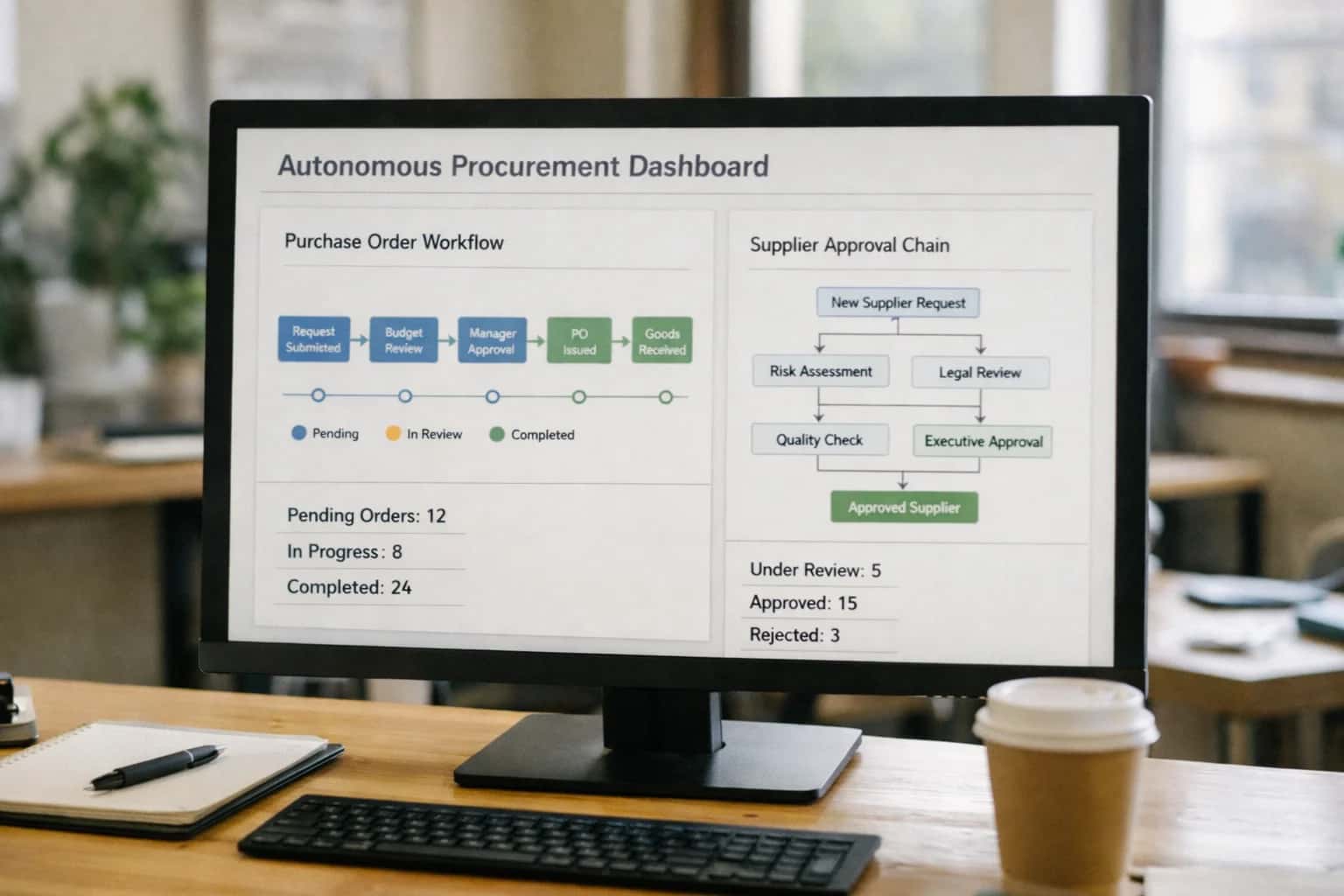
Procurement manager reviewing autonomous AI agent dashboard on laptop, purchase orders visible, office afternoon light.
ARCHITECTURE AND WORKFLOW SURFACES

Where AI Integrates with Replit Agent

Replit Agent is designed for autonomous code generation and deployment; integrating it with external systems transforms it from a standalone copilot into a production-ready application orchestrator.

The primary integration surface is the Replit Agent's execution environment. This is where you inject context and grant tool-calling permissions. Key integration points include:

  • Environment Variables & Secrets: Inject API keys, database connection strings, and service endpoints for platforms like AWS, Stripe, or Auth0.
  • Nix Packages & Dependencies: Extend the agent's capabilities by pre-configuring SDKs (e.g., boto3, stripe, requests) for cloud services, payment processors, or custom APIs.
  • Workspace Files: Seed the project with schema files (schema.sql), API specification documents (openapi.json), or configuration templates that ground the agent's code generation in your specific infrastructure and data models.


The agent's output—generated code and applications—creates secondary integration surfaces. A production workflow typically involves:

  1. Deployment Automation: Connect the agent's built application (a replit.nix file and run script) to a CI/CD pipeline or a cloud provider's SDK to push the code to AWS Lambda, Google Cloud Run, or a Replit Deployments web service.
  2. Data Source Connectivity: The agent can generate code to connect to live databases (PostgreSQL, MongoDB via connection URI), RESTful APIs (using fetched API docs), or message queues. This requires the integration to provide secure, scoped access credentials at runtime.
  3. Webhook & Event Listeners: Configure the generated app to expose endpoints that listen for events from platforms like GitHub, Slack, or a CRM, enabling the agent-built service to act as middleware in a larger workflow.

Governance and rollout require managing the agent's autonomy. Implement patterns like:

  • Approval Gates: Use the Replit Ghostwriter or a custom pre-commit hook to review the agent's proposed code changes, especially for deployments or database migrations, before execution.
  • Sandboxed Execution: For high-risk operations, run the agent in a workspace with network egress restrictions, limiting its ability to call external APIs until the generated code is vetted.
  • Audit Logging: Capture the agent's prompt, generated code, and tool-calling decisions to a separate logging service (e.g., Datadog, Splunk) for compliance and iterative prompt tuning. This transforms the agent from a black-box generator into a traceable component of your software delivery lifecycle.
AUTONOMOUS APP DEPLOYMENT AND DATA-AWARE CODING

Integration Touchpoints for Replit Agent

Provisioning and Managing Runtime Environments

Replit Agent can be directed to interact with cloud provider APIs (AWS, GCP, Azure, Vercel, Fly.io) to autonomously provision the infrastructure required for a generated application. This moves beyond local execution to production-ready deployments.

Key integration surfaces include:

  • IAM and Secret Management: Programmatically creating service accounts and securely injecting API keys, database credentials, and environment variables into the Replit workspace or deployed runtime.
  • Resource Orchestration: Using SDKs like Boto3 or Terraform CDK to spin up databases (RDS, Cloud SQL), object storage (S3), serverless functions, and container services based on the app's needs.
  • CI/CD Automation: Configuring GitHub Actions, GitLab CI, or cloud-native pipelines (e.g., AWS CodePipeline) to trigger on commits from the Agent, enabling continuous deployment of iterated code.

This turns the Agent from a code generator into a full-stack deployment engine, capable of executing commands like deploy to aws-lambda with postgres backend.

AUTONOMOUS DEVELOPMENT WORKFLOWS

High-Value Use Cases for Integrated Replit Agent

Connect Replit Agent to your cloud infrastructure, databases, and APIs to transform it from a code assistant into an autonomous app deployment engine. These patterns enable rapid, data-aware prototyping and production-ready integrations.

01

Live Database-Aware Prototyping

Agent connects to a live database schema (PostgreSQL, MongoDB) via secure environment variables, generating and executing CRUD API endpoints, admin panels, and data visualization code that reflects the actual production data model. Workflow: Agent reads schema, generates a full-stack Express/React app with tailored forms and charts, and deploys a live preview. Value: Turns a schema change request into a testable prototype in one sprint, not weeks.

1 sprint
Prototype timeline
02

Cloud Infrastructure Provisioning

Agent executes Terraform or Pulumi scripts to provision cloud resources (AWS, GCP) based on natural language specs. It can spin up VPCs, managed databases, container registries, and serverless functions, then automatically wire the new Replit project to the deployed endpoints. Workflow: Developer describes a "Node.js API with a PostgreSQL DB and Redis cache"; Agent generates IaC, applies it, and configures the project's .env. Value: Eliminates manual cloud console navigation and configuration drift for standard stacks.

Minutes
Environment ready
03

External API Integration & Webhook Orchestration

Agent consumes OpenAPI specs or API documentation to generate fully functional client libraries, webhook listeners, and data sync services between Replit apps and external platforms like Stripe, SendGrid, or Salesforce. Workflow: Provide a SaaS API key and spec URL; Agent builds a middleware service that handles authentication, request/response mapping, and error logging. Value: Cuts integration development time from days to hours, with built-in best practices.

Days -> Hours
Development change
04

Autonomous CI/CD Pipeline Creation

Agent analyzes the project's language and framework, then generates and configures GitHub Actions or GitLab CI/CD pipelines for automated testing, containerization, and deployment to platforms like Fly.io or Railway. Workflow: After a replit.nix file is created, Agent writes the corresponding .github/workflows/deploy.yml, sets up secrets management, and initiates the first run. Value: Enforces deployment standards and gets projects to production faster, with minimal DevOps overhead.

Batch -> Real-time
Deployment setup
05

Multi-Service Application Choreography

For microservices architectures, Agent can generate and interconnect multiple Replit projects (e.g., an auth service, a main API, a background worker) using defined contracts. It manages inter-service communication via generated client SDKs and shared configuration. Workflow: Describe a system with three services; Agent creates three separate projects with Docker Compose for local dev and cloud deployment scripts for each. Value: Accelerates the move from monolithic prototypes to scalable, decoupled service designs.

06

Data Pipeline & ETL Script Generation

Agent builds Python or Node.js scripts that extract data from sources (CSV, REST APIs, webhooks), transform it with pandas or similar libraries, and load it into a target data store or API. It can schedule these scripts via cron jobs or trigger them via Replit's Always-On runner. Workflow: Define source, transformation logic, and destination; Agent writes the script, handles credential security, and sets up execution scheduling. Value: Automates manual data prep and syncing tasks, enabling real-time data flows for dashboards and apps.

Hours -> Minutes
Pipeline creation
FROM REPLIT AGENT TO PRODUCTION

Example Autonomous Workflows

These workflows demonstrate how Replit Agent can be integrated with external systems to move from isolated code generation to autonomous, data-aware application deployment and management.

Trigger: A developer commits a new replit.nix or Dockerfile to a linked GitHub repository.

Context Pulled: Replit Agent reads the commit, analyzes the dependency and resource requirements from the configuration files, and queries a cloud cost management platform (like Vantage) for approved instance types and budget tags.

Agent Action: Using the cloud provider's SDK (e.g., AWS CDK, Pulumi), the agent generates and executes a script to:

  1. Provision a containerized runtime environment (e.g., AWS ECS Fargate, Google Cloud Run).
  2. Attach a managed database (like Neon or Supabase) and populate the connection string as a secret.
  3. Configure a CI/CD pipeline (e.g., GitHub Actions) to auto-deploy from the main branch.

System Update: The agent updates a central registry (like a /integrations/ai-coding-assistant-and-app-builder-platforms page) with the new service's endpoint, health check URL, and cost center. It posts a summary to the team's Slack channel.

Human Review Point: The generated infrastructure-as-code (IaC) script is submitted as a Pull Request for security and policy review before any resources are created.

FROM AGENT TO AUTONOMOUS DEPLOYMENT

Implementation Architecture: How It's Wired

Integrating Replit Agent into your production stack requires a secure, event-driven architecture that connects its code generation to live infrastructure, data, and external services.

The core integration pattern treats the Replit Agent as an autonomous development unit that responds to triggers from your existing systems. A typical architecture uses a central orchestration service (often a lightweight Node.js or Python service) that listens for events—like a new feature request in a Jira ticket, a schema change in a database, or a user-submitted app idea from an internal form. This orchestrator packages the context (requirements, API specs, data models) and calls the Replit Agent via its API, instructing it to generate a specific application or microservice. The generated code is then committed to a Git repository, kicking off your standard CI/CD pipeline for security scanning, testing, and deployment to a cloud environment like AWS, GCP, or Replit's own infrastructure.

For the agent to build context-aware applications, it needs secure, read-only access to key resources. This is achieved by connecting it to a RAG-powered knowledge base (e.g., using Pinecone or Weaviate) that indexes your internal API documentation, data schema definitions, and design system rules. Additionally, the orchestrator can provide live connection details for development-only database replicas or sandboxed API endpoints, allowing the agent to introspect real data structures without touching production. The output isn't just code files; it includes infrastructure-as-code templates (Dockerfile, replit.nix, Terraform) and a manifest detailing the created endpoints and dependencies for your platform team to review.

Governance and rollout are managed through a gated workflow. Before any auto-generated code is merged, it can be routed through a pull request requiring human approval, or pass through automated validation gates that check for security vulnerabilities, cost estimates, and compliance with architectural guardrails. Audit logs capture the full context of each agent invocation—the triggering event, the provided knowledge base snippets, and the generated code—creating a clear lineage for every deployed asset. This controlled approach allows teams to start with low-risk prototyping tasks (e.g., generating internal admin tools) before scaling to more complex, data-aware application generation.

REPLIT AGENT INTEGRATION

Code and Configuration Patterns

Automating Environment Setup

Replit Agent can generate and execute infrastructure-as-code (IaC) scripts to provision the cloud resources required for a deployed application. This pattern connects the agent's code generation to your cloud provider's CLI or SDK.

Typical Workflow:

  1. Agent analyzes the application's replit.nix or Dockerfile to infer dependencies.
  2. It generates a Terraform or Pulumi script defining a VPC, compute instance, database, and blob storage.
  3. The script is executed via a secure, authenticated runner (e.g., GitHub Actions, Replit Deployments) to provision resources on AWS, GCP, or Azure.
  4. Connection strings and endpoints are injected back into the Replit project's environment variables.
python
# Example: Agent-generated Pulumi snippet for a Python web app
import pulumi
import pulumi_aws as aws

# Create a security group for the app
app_sg = aws.ec2.SecurityGroup('app-sg',
    ingress=[
        aws.ec2.SecurityGroupIngressArgs(
            protocol='tcp',
            from_port=5000,
            to_port=5000,
            cidr_blocks=['0.0.0.0/0']
        )
    ])

# Provision a PostgreSQL RDS instance
db = aws.rds.Instance('app-db',
    engine='postgres',
    instance_class='db.t3.micro',
    allocated_storage=20,
    db_name='appdb',
    username='admin',
    password=pulumi.Config().require_secret('dbPassword'),
    vpc_security_group_ids=[app_sg.id])

pulumi.export('db_endpoint', db.endpoint)

This pattern shifts environment setup from a manual, error-prone process to a repeatable, agent-driven workflow, ensuring parity between development and production.

FROM PROTOTYPE TO PRODUCTION

Realistic Time Savings and Operational Impact

How integrating Replit Agent with external systems shifts development workflows from manual, sequential tasks to automated, parallel execution.

MetricBefore AIAfter AINotes

Environment Provisioning

Manual cloud console or IaC template editing

Agent-automated via API calls

Infrastructure-as-Code (IaC) templates are still used, but generation and deployment are automated

Database Schema Generation

Manual SQL scripting and migration planning

Agent generates from natural language spec or existing API

Human review required for production schemas; accelerates prototyping

API Client & Integration Code

Manual reading of external API docs and coding

Agent generates boilerplate from OpenAPI specs

Developers focus on business logic and error handling

App Deployment Pipeline Setup

Hours configuring CI/CD YAML and cloud permissions

Minutes via agent-generated pipeline scripts

Standardizes deployment patterns across projects

Live Data Mocking & Seeding

Manual creation of static JSON fixtures

Agent generates dynamic mock data from schema

Enables realistic testing without waiting for backend completion

Cross-System Workflow Automation

Manual scripting for each step (e.g., CRM → DB)

Agent orchestrates multi-step tool calls

Requires clear guardrails and approval gates for production workflows

Documentation Sync (Code → Wiki)

Manual updates post-development

Agent drafts from code comments and commit history

Human refinement needed for clarity and completeness

PRODUCTION-READY AI AGENTS

Governance, Security, and Phased Rollout

Deploying Replit Agent for autonomous app building requires a secure, governed architecture that aligns with enterprise IT and development policies.

A production integration for Replit Agent must be built with clear security boundaries and data governance. This typically involves a middleware layer that acts as a secure broker between the agent and your systems. The agent should never have direct, unfettered access to production databases or APIs. Instead, it interacts with a controlled set of tool endpoints that enforce authentication (via OAuth or API keys), validate inputs, sanitize outputs, and log all actions. For example, a tool to provision_cloud_resource would call your internal IaC pipeline, not the cloud provider directly, ensuring compliance with tagging, networking, and cost policies. All generated code should be committed to a branch in your version control system (like GitHub or GitLab) and pass through standard CI/CD gates—linting, security scanning (SAST), and dependency checks—before any deployment is attempted.

Rollout should follow a phased, capability-based approach to manage risk and build trust. Start with read-only or sandboxed actions, such as generating code snippets, creating mock APIs, or building non-production container images. Phase two introduces controlled writes, like auto-creating feature branches, drafting pull request descriptions, or updating non-critical configuration files in a development environment. The final phase enables orchestrated deployment actions, where the agent can trigger predefined deployment pipelines but only after automated checks and, optionally, a human-in-the-loop approval for production pushes. Each phase should include comprehensive audit logging (who/what/when for every agent action) and performance monitoring to track success rates, error types, and compute costs.

Governance extends to the agent's knowledge and context. Use Retrieval-Augmented Generation (RAG) with a vector database like Pinecone or Weaviate to ground the agent in your approved documentation, internal API specs, and architectural patterns. This prevents it from hallucinating unauthorized tools or patterns. Regularly evaluate the agent's outputs against quality and security benchmarks, and implement a feedback loop where developers can flag incorrect or insecure suggestions to fine-tune the underlying prompts and retrieval systems. By treating the Replit Agent as a new, highly automated member of your engineering team, you apply the same principles of least privilege, peer review, and operational oversight that ensure safe, scalable software delivery.

IMPLEMENTATION AND OPERATIONS

Frequently Asked Questions

Practical questions for teams integrating Replit Agent with enterprise systems for autonomous app deployment and data-aware development.

Connecting Replit Agent to internal resources requires a secure gateway pattern. The typical implementation involves:

  1. Deploy a Secure Proxy/Broker Service: Host a lightweight service (e.g., in a private VPC) that acts as the single point of contact for the Replit Agent. This service authenticates requests using API keys or OAuth 2.0 client credentials.
  2. Manage Secrets Externally: Never store database credentials or cloud API keys in the Replit workspace. Use a secrets manager (like AWS Secrets Manager, HashiCorp Vault, or Doppler) that your broker service can access. The Replit Agent code calls your broker, which retrieves secrets and executes the query.
  3. Use Environment Variables for Configuration: Within Replit, use environment variables (via the .env file or Secrets feature) to store the endpoint URL of your broker and a non-privileged access token.
  4. Implement Role-Based Access in Code: Your broker service should enforce what the agent can do based on the token's scope (e.g., read-only vs. write access to specific database schemas).

Example broker API call from the Replit Agent:

python
import os
import requests

BROKER_URL = os.getenv('INTEGRATION_BROKER_URL')
AGENT_TOKEN = os.getenv('AGENT_API_TOKEN')

# Agent requests customer data for app context
response = requests.post(
    f'{BROKER_URL}/query',
    headers={'Authorization': f'Bearer {AGENT_TOKEN}'},
    json={
        'action': 'db_query',
        'query': 'SELECT id, name FROM customers WHERE region = %s',
        'params': ['EMEA'],
        'database': 'crm_ro'
    }
)
# Broker executes the query securely and returns results
customer_data = response.json()

This pattern keeps credentials off the Replit platform and gives you full audit and control over the agent's data access.

Prasad Kumkar

About the author

Prasad Kumkar

CEO & MD, Inference Systems

Prasad Kumkar is the CEO & MD of Inference Systems and writes about AI systems architecture, LLM infrastructure, model serving, evaluation, and production deployment. Over 5+ years, he has worked across computer vision models, L5 autonomous vehicle systems, and LLM research, with a focus on taking complex AI ideas into real-world engineering systems.

His work and writing cover AI systems, large language models, AI agents, multimodal systems, autonomous systems, inference optimization, RAG, evaluation, and production AI engineering.


