Continuous visual monitoring transforms passive cameras into an active sensor network that interprets the physical state of machinery in real-time. This goes beyond simple recording; it involves deploying ruggedized cameras with appropriate housings for extreme temperatures and particulates, designing robust Power-over-Ethernet (PoE) networks for simplified power and data, and establishing a digital baseline of "normal" equipment operation. The core technical challenge is moving from static snapshots to a dynamic interpretation of moving parts, thermal signatures, and material flows, as explored in our guide on How to Architect a Low-Latency Video Inference Pipeline.

Guide
How to Implement Continuous Visual Monitoring for Industrial Equipment
A step-by-step operational guide to deploying and managing always-on camera systems in harsh industrial environments. Covers hardware selection, network design, baseline establishment, and human-in-the-loop dashboards.
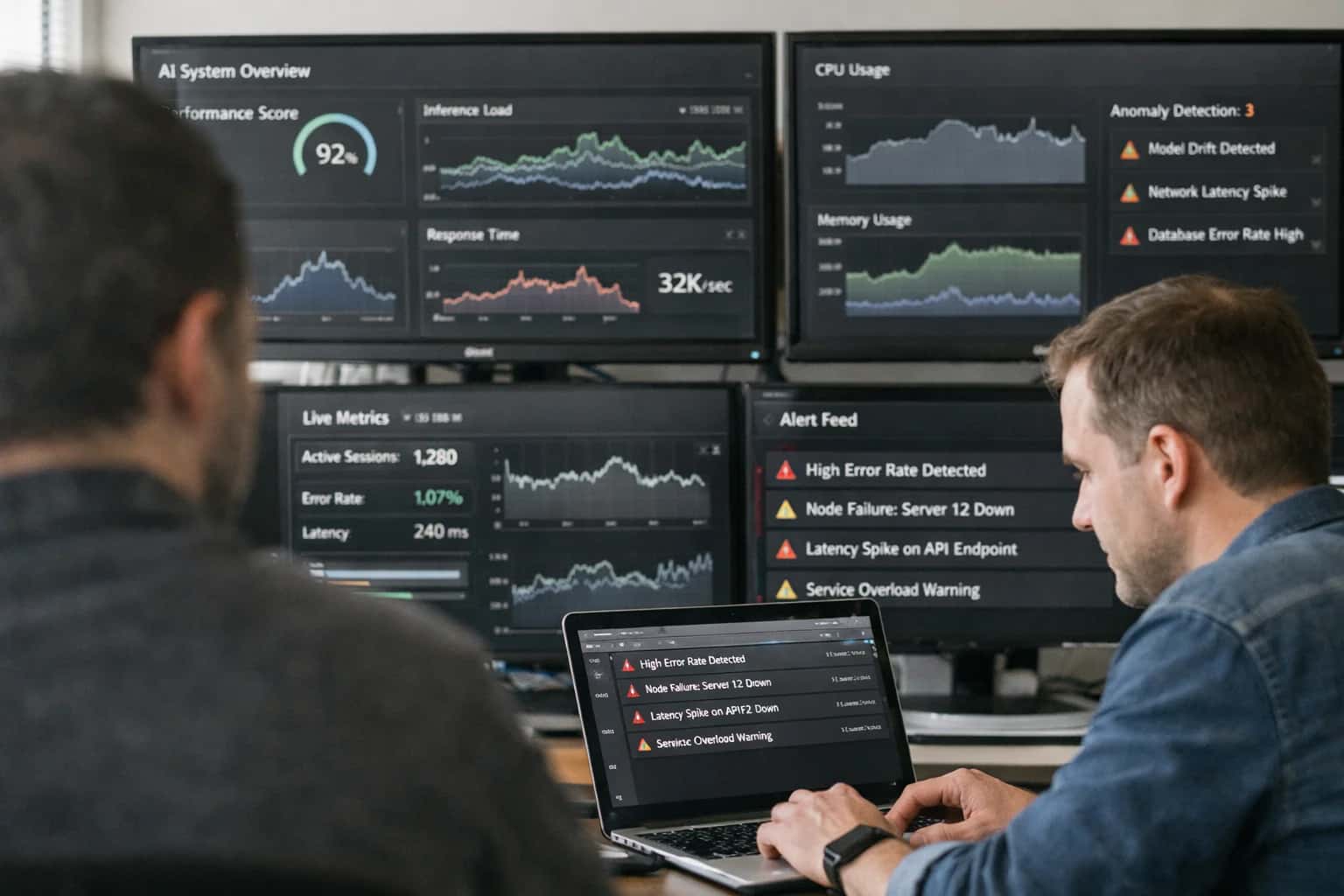
Deploy always-on camera systems to detect equipment anomalies, prevent failures, and automate quality control in harsh industrial environments.
Implementation requires configuring adaptive thresholds for alerts to minimize false positives and building a human-in-the-loop (HITL) review dashboard for flagged events. Engineers must integrate inference outputs with existing Supervisory Control and Data Acquisition (SCADA) or Manufacturing Execution Systems (MES) to trigger automated work orders. Success hinges on a pipeline designed for reliability, not just accuracy, ensuring uptime matches the critical nature of the monitored assets, a principle central to Setting Up a Real-Time Defect Detection System with Computer Vision.
IMPLEMENTATION GUIDE
Key Concepts for Industrial CV Monitoring
Deploying continuous visual monitoring requires a systems approach. These core concepts cover the hardware, software, and operational patterns for building a robust, always-on system.
01
Establishing a Baseline 'Normal' State
Before detecting anomalies, you must define what 'normal' looks like. This involves data logging during fault-free operation to capture acceptable variations in lighting, equipment position, and operational cycles. Use this data to create statistical process control (SPC) charts for key visual features. This baseline is critical for setting adaptive thresholds that minimize false positives. Without it, your system will alert on harmless environmental changes.
02
Ruggedized Camera & Housing Selection
Industrial environments demand hardware that can withstand dust, moisture, vibration, and extreme temperatures. Key selection criteria include:
- Ingress Protection (IP) Rating: Choose IP67 or higher for washdown or outdoor areas.
- Power-over-Ethernet (PoE): Simplifies installation by delivering power and data over a single cable.
- Global Shutter Sensors: Essential for capturing clear images of fast-moving equipment without motion blur.
- Heated Housings: Prevent lens fogging in cold environments. Always conduct a site survey to identify specific environmental hazards before procurement.
03
Designing the PoE Network Backbone
A reliable network is the nervous system of your monitoring solution. For PoE, calculate the total power budget required by all cameras and ensure your switch can deliver it. Use Category 6A (Cat6A) cabling for runs over 55 meters to guarantee gigabit speeds and stable power. Implement VLAN segmentation to isolate camera traffic from the main corporate network, enhancing security and performance. Plan for network redundancy at critical aggregation points to ensure a single switch failure doesn't blind your entire operation.
04
Human-in-the-Loop (HITL) Review Dashboard
Automation must be overseen. A HITL dashboard allows human experts to review system-flagged events. It must provide:
- Prioritized Alert Queue: Events sorted by confidence score or severity.
- Contextual Snapshot: The video clip, relevant sensor data (e.g., temperature, RPM), and the model's reasoning.
- One-Click Feedback: Buttons for 'Confirm', 'False Alarm', and 'New Defect Type' to directly feed the continuous learning pipeline. This dashboard turns operators into active participants in model improvement, a core principle of our Human-in-the-Loop (HITL) Governance Systems pillar.
05
Configuring Adaptive Alert Thresholds
Static thresholds fail in dynamic environments. Adaptive thresholds adjust based on contextual signals like time of day, machine operational mode, or ambient light levels. Implement logic where the threshold for a 'high temperature' alert is tighter during a cold startup versus normal operation. Use sliding window percentiles (e.g., 99th percentile over the last hour) rather than fixed values. This reduces nuisance alerts and is a foundational technique for building the self-healing physical infrastructure systems described in our related guides.
06
Continuous Learning & Model Retraining
Your models will decay as equipment wears or products change. Establish a MLOps pipeline that automatically retrains models using new data validated via the HITL dashboard. Key steps:
- Version Control for Data & Models: Track every dataset and model iteration.
- Automated Testing: Validate new model performance against a golden dataset before deployment.
- Canary Deployment: Roll out updates to a single camera line first. This operationalizes the shift from static models to the real-time learning systems that define modern industrial AI. For a deeper dive on managing this lifecycle, see our guide on MLOps for Agentic Systems.
FOUNDATION
Step 1: Select and Deploy Ruggedized Hardware
The first and most critical step in continuous visual monitoring is deploying cameras that can survive the harsh conditions of an industrial environment. This section details the selection criteria for ruggedized hardware and the practical steps for its physical and network deployment.
Industrial environments present unique challenges: vibration, extreme temperatures, dust, moisture, and electromagnetic interference. Standard commercial cameras will fail. You must select ruggedized IP cameras with an Ingress Protection (IP) rating of at least IP66 for dust and water resistance and an operational temperature range matching your facility. For mounting, use NEMA-rated enclosures on stable structures to minimize vibration. This physical resilience is non-negotiable for reliable data capture, forming the foundation of your entire computer vision sensing system.
Deployment is both physical and digital. Use Power-over-Ethernet (PoE) switches to simplify installation, providing both data and power over a single cable. This creates a centralized, manageable network. Strategically place cameras to cover critical equipment without blind spots, considering fields of view and potential obstructions. Secure all cabling in conduit. Finally, validate the installation by checking video feed stability, network latency, and the camera's ability to maintain focus and exposure in the actual operating lighting conditions, which is a prerequisite for a successful low-latency video inference pipeline.
HARDWARE SELECTION
Industrial Camera and Housing Comparison
Key specifications for selecting ruggedized cameras and protective housings for continuous monitoring in harsh industrial environments like factories, warehouses, and outdoor sites.
| Feature / Metric | Fixed Ruggedized Camera | Pan-Tilt-Zoom (PTZ) Camera | Thermal Imaging Camera |
|---|---|---|---|
Environmental Rating (IP) | IP67 | IP66 | IP67 |
Operating Temperature | -40°C to 70°C | -20°C to 60°C | -40°C to 85°C |
Housing Material | Cast aluminum with polycarbonate window | Die-cast aluminum with wiper | Stainless steel with germanium lens |
Vandal Resistance (IK) | IK10 | IK10 | IK10 |
Power Standard | PoE++ (IEEE 802.3bt) | PoE+ (IEEE 802.3at) | 24V AC/DC or PoE++ |
Typical Resolution | 4K (3840 x 2160) | 2K (2560 x 1440) | 640 x 512 (thermal) |
Frame Rate @ Max Res | 30 fps | 30 fps | 30 fps |
Low-Light Performance | 0.1 lux (color) | 0.05 lux (B/W) | N/A (passive IR) |
Primary Use Case | Fixed-point monitoring of a critical asset or zone | Wide-area surveillance with remote directional control | Detecting heat anomalies, leaks, or equipment overheating |
Enabling Efficiency, Speed & Accuracy
Intelligent Analysis, Decision & Execution
We build AI systems for teams that need search across company data, workflow automation across tools, or AI features inside products and internal software.
Talk to Us
Search across company data
Give teams answers from docs, tickets, runbooks, and product data with sources and permissions.
Useful when people spend too long searching or get different answers from different systems.
Enterprise searchRAGPermissions
Read more
Automate internal workflows
Use AI to route work, draft outputs, trigger actions, and keep approvals and logs in place.
Useful when repetitive work moves across multiple tools and teams.
AI agentsWorkflow automationGovernance
Read more
Add AI to products and internal tools
Build assistants, guided actions, or decision support into the software your team or customers already use.
Useful when AI needs to be part of the product, not a separate tool.
AI integrationDecision supportModel routing
Read moreIMPLEMENTATION PITFALLS
Common Mistakes
Deploying continuous visual monitoring in industrial settings is fraught with technical traps that can derail projects. This guide identifies the most frequent errors developers make and provides concrete solutions to ensure your system is robust, reliable, and delivers actionable insights.
Excessive false alarms are the primary cause of alert fatigue, leading operators to ignore critical events. This mistake stems from using static, universal thresholds for anomaly detection.
Solution: Implement adaptive thresholds that learn from baseline "normal" operating states. Instead of a single value, use statistical process control to define upper and lower control limits that adjust based on time of day, machine cycle, or ambient conditions. For example, a conveyor belt's vibration signature during startup differs from steady-state operation. Your system must model these phases separately.
Actionable Step: Integrate a human-in-the-loop review dashboard where operators can quickly label false positives. Use this feedback to retrain your model's decision boundary automatically, creating a continuous improvement loop. Tools like Weights & Biases can track these model iterations.

About the author
Prasad Kumkar
CEO & MD, Inference Systems
Prasad Kumkar is the CEO & MD of Inference Systems and writes about AI systems architecture, LLM infrastructure, model serving, evaluation, and production deployment. Over 5+ years, he has worked across computer vision models, L5 autonomous vehicle systems, and LLM research, with a focus on taking complex AI ideas into real-world engineering systems.
His work and writing cover AI systems, large language models, AI agents, multimodal systems, autonomous systems, inference optimization, RAG, evaluation, and production AI engineering.
LinkedIn
Limited slotsGet a Free AI Consultation
Partnered with leading AI, data, and software stack.





How We Work
Custom AI workflows for your Business
One-fit-all AI don't work for modern businesses. At Inferensys, we aim to understand your business & custom requirements; which we use to define most efficient agentic workflows, the data, and the tools for your business.
01
Review the use case
We understand the task, the users, and where AI can actually help.
Read more02
Pick the right approach
We define what needs search, automation, or product integration.
Read more03
Build the first useful version
We implement the part that proves the value first.
Read more04
Improve from there
We add the checks and visibility needed to keep it useful.
Read moreThe first call is a practical review of your use case and the right next step.
Talk to Us