Windows ML is a native Windows API and runtime, built into Windows 10 and 11, that enables local execution of pre-trained machine learning models directly on a user's device. It provides a hardware-accelerated inference pipeline, automatically leveraging available system resources like the GPU, CPU, or a dedicated Neural Processing Unit (NPU) via its hardware abstraction layer. Models are typically packaged in the Open Neural Network Exchange (ONNX) format, which Windows ML loads and executes with minimal latency, ensuring data privacy and offline functionality.

Glossary
Windows ML
Windows ML is a high-performance, on-device AI inference API built into Windows 10 and 11 that allows applications to use pre-trained machine learning models locally on a Windows device.
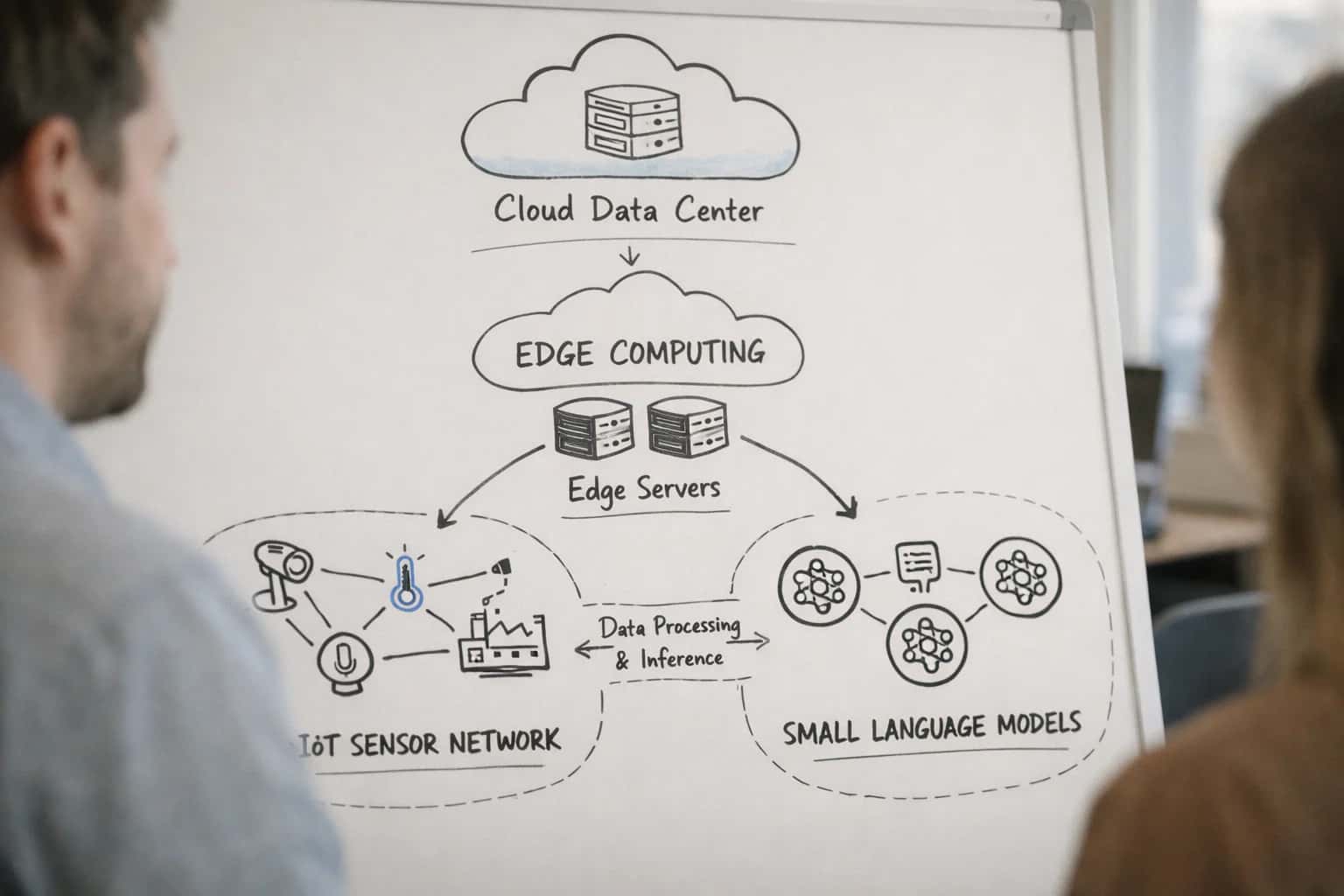
ON-DEVICE MODEL FORMATS
What is Windows ML?
A high-performance, on-device AI inference API integrated into the Windows operating system.
The runtime is designed for seamless integration with Universal Windows Platform (UWP) and Win32 applications through C#, C++, and JavaScript APIs. It handles critical deployment tasks like model serialization, memory management, and asynchronous execution. As part of the On-Device Model Compression ecosystem, it works efficiently with models optimized via post-training quantization and weight pruning, maximizing performance on constrained hardware. This positions it as a key tool for developers building private, responsive AI features into Windows applications without cloud dependency.
ON-DEVICE INFERENCE API
Key Features of Windows ML
Windows ML is a high-performance, on-device AI inference API built into Windows 10 and 11. It enables applications to execute pre-trained machine learning models locally, leveraging the full hardware stack of a Windows device.
01
Hardware-Accelerated Execution
Windows ML provides a hardware abstraction layer that automatically selects and utilizes the most appropriate compute device for a given model. It supports:
- DirectML: A low-level API for high-performance GPU acceleration.
- CPU Fallback: Reliable execution on the CPU if no compatible accelerator is found.
- Vendor Drivers: Integrates with drivers from Intel, AMD, NVIDIA, and Qualcomm to leverage their specific AI acceleration features (e.g., Intel DL Boost, NVIDIA Tensor Cores). This ensures optimal performance and power efficiency by matching model operations to the best available silicon.
02
ONNX Model Runtime
The API is built around the Open Neural Network Exchange (ONNX) format as its primary model representation. This provides:
- Framework Agnosticism: Models trained in PyTorch, TensorFlow, Scikit-learn, or others can be exported to ONNX and run directly.
- Portability: A single ONNX model file can be deployed across the Windows ecosystem without modification.
- Graph Optimizations: Windows ML applies runtime optimizations like constant folding, node fusion, and layout transformation to the ONNX graph for faster execution on target hardware.
03
Synchronous & Asynchronous APIs
Windows ML offers flexible programming models to suit different application needs:
- Synchronous Evaluation: Blocking calls (
Evaluatemethod) for simplicity in scenarios where UI responsiveness is not critical. - Asynchronous Evaluation: Non-blocking calls (
EvaluateAsyncmethod) that prevent the UI thread from freezing during inference, essential for responsive desktop applications. - Batch Inference Support: Allows processing multiple inputs in a single call to amortize overhead and improve throughput, particularly useful for GPU execution.
04
Bindings & Memory Management
The API uses a binding mechanism to manage inputs and outputs, abstracting low-level tensor memory operations. Key features include:
- Tensor Abstraction: Data is passed via
TensorFloat,TensorInt, etc., objects, handling data type conversion and layout (e.g., NHWC vs. NCHW). - Direct Buffer Access: For maximum performance, advanced bindings allow mapping model inputs/outputs directly to pre-allocated GPU buffers (e.g., Direct3D textures).
- Software Bitmap Interop: Seamless conversion from
SoftwareBitmap(common in UWP camera pipelines) to the tensor format required by vision models.
05
Integrated Tooling & Diagnostics
Windows ML is supported by developer tools within the broader Windows ecosystem:
- Windows ML Dashboard: A system settings page that shows which applications are using ML and on which hardware (GPU, CPU, etc.).
- Model Analysis with Windows Performance Analyzer: Allows deep profiling of inference sessions to identify performance bottlenecks in the model graph or hardware dispatch.
- WinMLRunner Tool: A command-line utility for validating model loading and execution, and benchmarking performance on local hardware.
06
Deployment & Lifecycle Management
The API simplifies the deployment of AI features within Windows applications:
- Side-Loading: Models can be packaged and distributed directly within an application's bundle, avoiding cloud dependency.
- Model Versioning: Applications can manage multiple model versions locally and select the appropriate one at runtime.
- Windows Update Integration: Critical runtime components for Windows ML are serviced via Windows Update, ensuring security and compatibility fixes are delivered automatically.
ON-DEVICE INFERENCE API
How Windows ML Works
Windows ML is a high-performance, on-device AI inference API integrated into Windows 10 and 11, enabling applications to run pre-trained machine learning models locally without cloud dependency.
Windows ML provides a WinRT API and a C++ API for loading and executing models in the Open Neural Network Exchange (ONNX) format. The runtime automatically leverages available hardware accelerators—including the GPU, CPU, and dedicated VPUs like the Intel Movidius—through a hardware abstraction layer. This allows developers to write hardware-agnostic code while achieving optimal performance via graph optimizations and kernel fusion tailored to the specific device.
The workflow begins by converting a model to ONNX, then loading it via the LearningModel class. The LearningModelSession binds the model to available hardware, and LearningModelBinding maps input data to the model's tensors. Execution is synchronous or asynchronous via Evaluate or EvaluateAsync. This architecture ensures deterministic, low-latency inference directly on the Windows device, crucial for applications requiring real-time processing, privacy, or offline operation.
FEATURE COMPARISON
Windows ML vs. Other On-Device Frameworks
A technical comparison of key deployment and runtime characteristics for major on-device machine learning inference frameworks.
| Feature / Metric | Windows ML | TensorFlow Lite | Core ML | ONNX Runtime |
|---|---|---|---|---|
Primary Platform Target | Windows 10/11 (UWP, Win32) | Android, iOS, Linux, Microcontrollers | Apple Ecosystem (iOS, macOS, etc.) | Cross-Platform (Windows, Linux, Android, etc.) |
Core Model Format | ONNX | TFLite FlatBuffer | Core ML Model (.mlmodel) | ONNX |
Hardware Abstraction Layer | DirectML (GPU), CPU, NPU (via driver) | Delegate API (NNAPI, GPU, Hexagon, etc.) | Unified Runtime (ANE, GPU, CPU) | Execution Provider API (CUDA, TensorRT, OpenVINO, CoreML, etc.) |
Native Hardware Acceleration | DirectML for DX12-capable GPUs, Intel NPU (via MLAS) | NNAPI (Android), GPU Delegate, Hexagon Delegate | Apple Neural Engine (ANE), GPU, CPU | Vendor-specific Execution Providers (e.g., CUDA, TensorRT) |
Quantization Support | INT8, FP16 (via ONNX model) | INT8, FP16 (Post-training & Quantization-Aware Training) | INT8, FP16, FP8 (via conversion tools) | INT8, FP16 (Model-dependent, via EP support) |
Pruning / Sparse Kernel Support | ||||
Ahead-of-Time (AOT) Compilation | WinML compiler for store packages | Full integer delegate (Android NNAPI) | Core ML Tools compilation to .mlmodelc | ORT model optimization & serialization |
Memory-Mapped Model Execution | ||||
In-Process vs. Out-of-Process | In-process by default | In-process | In-process | In-process |
Framework Agnosticism | High (via ONNX import) | Medium (Primary: TensorFlow) | Low (Requires Core ML conversion) | High (Primary: ONNX) |
Typical Model Load Latency | < 100 ms | < 50 ms | < 50 ms | 50-200 ms (EP dependent) |
Developer Language Bindings | C++, C#, WinRT APIs | C++, Java, Swift, Python | Swift, Objective-C, Python (for conversion) | C++, C#, Java, Python, etc. |
ON-DEVICE INFERENCE
Common Use Cases for Windows ML
Windows ML enables high-performance, local AI execution directly on Windows devices. These are its primary application patterns.
WINDOWS ML
Frequently Asked Questions
Windows ML is the native, high-performance AI inference API for Windows 10 and 11. This FAQ addresses common questions developers and engineers have about deploying on-device models using this platform.
Windows ML is a high-performance, on-device AI inference API built into Windows 10 and 11 that allows applications to use pre-trained machine learning models locally on a Windows device. It works by providing a unified runtime and a set of WinRT APIs for loading models, binding input/output data, and executing inference. The system automatically evaluates the available hardware—including the CPU, integrated or discrete GPU, and dedicated AI accelerators like the Intel Movidius VPU—and selects the most appropriate execution provider via its DirectML hardware abstraction layer. Developers package their models in the Open Neural Network Exchange (ONNX) format, which Windows ML loads and optimizes for the target hardware at runtime, enabling efficient local execution without cloud dependency.
Enabling Efficiency, Speed & Accuracy
Intelligent Analysis, Decision & Execution
We build AI systems for teams that need search across company data, workflow automation across tools, or AI features inside products and internal software.
Talk to Us
Search across company data
Give teams answers from docs, tickets, runbooks, and product data with sources and permissions.
Useful when people spend too long searching or get different answers from different systems.
Enterprise searchRAGPermissions
Read more
Automate internal workflows
Use AI to route work, draft outputs, trigger actions, and keep approvals and logs in place.
Useful when repetitive work moves across multiple tools and teams.
AI agentsWorkflow automationGovernance
Read more
Add AI to products and internal tools
Build assistants, guided actions, or decision support into the software your team or customers already use.
Useful when AI needs to be part of the product, not a separate tool.
AI integrationDecision supportModel routing
Read more
About the author
Prasad Kumkar
CEO & MD, Inference Systems
Prasad Kumkar is the CEO & MD of Inference Systems and writes about AI systems architecture, LLM infrastructure, model serving, evaluation, and production deployment. Over 5+ years, he has worked across computer vision models, L5 autonomous vehicle systems, and LLM research, with a focus on taking complex AI ideas into real-world engineering systems.
His work and writing cover AI systems, large language models, AI agents, multimodal systems, autonomous systems, inference optimization, RAG, evaluation, and production AI engineering.
LinkedIn
Limited slotsGet a Free AI Consultation
Partnered with leading AI, data, and software stack.





How We Work
Custom AI workflows for your Business
One-fit-all AI don't work for modern businesses. At Inferensys, we aim to understand your business & custom requirements; which we use to define most efficient agentic workflows, the data, and the tools for your business.
01
Review the use case
We understand the task, the users, and where AI can actually help.
Read more02
Pick the right approach
We define what needs search, automation, or product integration.
Read more03
Build the first useful version
We implement the part that proves the value first.
Read more04
Improve from there
We add the checks and visibility needed to keep it useful.
Read moreThe first call is a practical review of your use case and the right next step.
Talk to Us