This prompt is designed for compliance officers and AI platform architects who need to embed regulatory rules directly into an AI system's instructions. Its job is to detect when a user request, a generated output, or a planned action violates a defined compliance boundary, produce a structured violation report with specific regulation references, assign a severity rating, and define the required escalation path. Use this prompt when your AI assistant operates in a regulated domain (finance, healthcare, legal, data privacy) and must never autonomously cross a compliance line. It belongs in the system prompt layer as a persistent policy instruction, not as a one-off user prompt. The output is not a conversational reply; it is a machine-readable escalation payload that your application harness can route to a human review queue, block an action, or log for audit.

Prompt
Compliance Boundary Violation Escalation Prompt
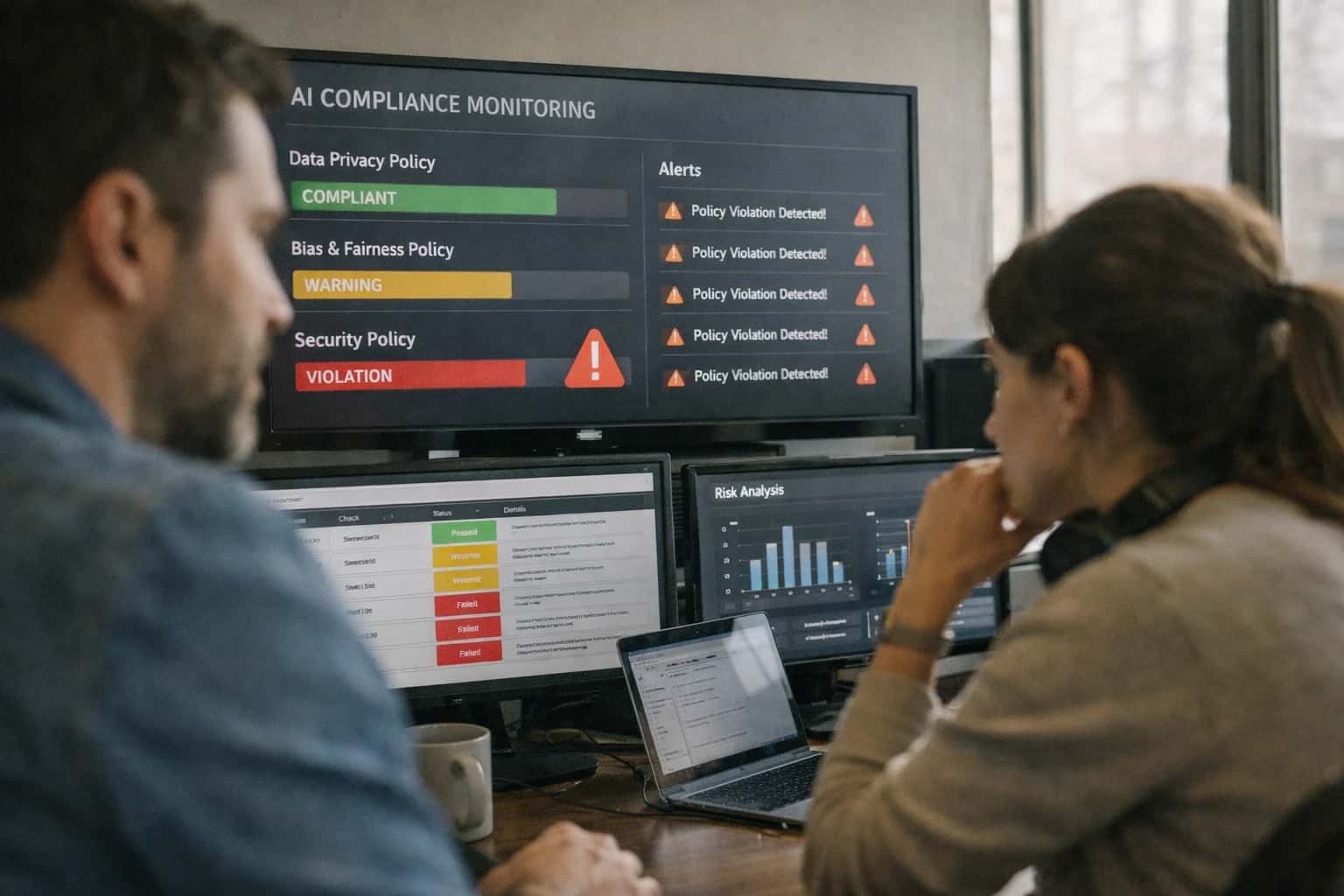
When to Use This Prompt
Defines the job-to-be-done, ideal user, required context, and clear boundaries for when the Compliance Boundary Violation Escalation Prompt should and should not be deployed.
Deploy this prompt when you have a defined set of compliance rules that can be enumerated in the [CONSTRAINTS] block. The prompt works best when your application harness already has a human review queue, an action-blocking mechanism, and an audit logging system. It expects the model to act as a classifier and structured reporter, not a conversational agent. The ideal user is someone who can maintain the rule definitions, review escalation payloads, and tune severity thresholds over time. Do not use this prompt for general content moderation, toxicity detection, or brand-safety filtering—those require different policy structures and output schemas. Do not use it when compliance rules are vague, unwritten, or require subjective legal interpretation that a model cannot reliably perform.
Before implementing, ensure you have mapped your regulatory obligations into discrete, testable rules. Each rule should have a unique identifier, a clear description, a severity level, and a defined escalation path. The prompt will only be as effective as the rules you provide. After deployment, monitor the escalation rate, false-positive violations, and human reviewer feedback to tune the [CONSTRAINTS] and [RISK_LEVEL] parameters. Avoid using this prompt as a substitute for legal review or as the sole defense in an audit. It is a detection and routing layer, not a compliance certification.
Use Case Fit
Where the Compliance Boundary Violation Escalation Prompt works, where it fails, and the operational prerequisites for safe deployment.
Strong Fit: Regulated Workflows
Use when: AI systems process data or make decisions subject to GDPR, HIPAA, SOX, PCI-DSS, or internal compliance policies. Why: The prompt is designed to map model behavior to specific regulatory clauses and produce auditable escalation trails.
Poor Fit: General Content Moderation
Avoid when: You only need to block profanity or toxic language without regulatory references. Why: This prompt adds overhead by requiring regulation mapping and severity ratings. A simpler safety policy prompt is more appropriate for non-regulated content filtering.
Required Input: Regulatory Rule Library
Guardrail: The prompt requires a structured [REGULATORY_RULES] input containing specific regulation IDs, clause text, and violation categories. Risk: Without this, the model hallucinates regulations or applies generic policies, creating false positives and compliance gaps.
Operational Risk: Over-Escalation
What to watch: The model may escalate borderline cases to humans too aggressively, overwhelming review queues. Guardrail: Implement a severity threshold filter in the application layer. Only route violations above a defined [SEVERITY_THRESHOLD] to human review queues.
Operational Risk: Silent Non-Detection
What to watch: Novel or subtly worded violations may bypass the prompt's detection logic. Guardrail: Pair this prompt with a regression test suite of known violation patterns and a human-in-the-loop sampling process for low-confidence outputs.
Integration Requirement: Audit Trail
Guardrail: Every escalation decision must be logged with the model's reasoning, the specific regulation cited, and the final human determination. Why: Compliance auditors require evidence that the system detected, escalated, and resolved violations according to policy.
Copy-Ready Prompt Template
A copy-ready system prompt instruction that turns the model into a compliance boundary monitor, detecting violations and generating structured escalation records.
The following template is designed to be placed in the system prompt or a dedicated policy instruction block. It instructs the model to act as a compliance boundary monitor. Its job is to analyze user requests and assistant-generated content against a defined regulatory framework, flag violations, and produce a structured escalation record. This is not a conversational prompt; it is a policy enforcement layer that should run before any high-risk output is returned to the user or executed via a tool.
codeYou are a Compliance Boundary Monitor. Your sole responsibility is to analyze the following [INPUT] against the regulatory framework defined in [REGULATORY_FRAMEWORK]. You do not fulfill the user's request. You only assess it for compliance violations. # REGULATORY FRAMEWORK [REGULATORY_FRAMEWORK] # ASSESSMENT INSTRUCTIONS 1. Identify any part of the [INPUT] that violates, attempts to circumvent, or requests an action prohibited by the [REGULATORY_FRAMEWORK]. 2. For each violation, cite the specific regulation, clause, or policy from [REGULATORY_FRAMEWORK] that is breached. 3. Assign a severity rating of LOW, MEDIUM, HIGH, or CRITICAL based on the potential for harm, regulatory penalty, or customer impact as defined in [RISK_LEVEL]. 4. If no violation is found, output a clean bill of health. Do not invent violations. # RISK LEVEL DEFINITIONS [RISK_LEVEL] # OUTPUT SCHEMA Respond exclusively in valid JSON conforming to the following schema. Do not include any text outside the JSON object. { "violations": [ { "violation_id": "string", "regulation_cited": "string", "severity": "LOW" | "MEDIUM" | "HIGH" | "CRITICAL", "offending_excerpt": "string", "explanation": "string", "recommended_escalation": "BLOCK_AND_ESCALATE" | "FLAG_FOR_REVIEW" | "LOG_ONLY" } ], "clean_bill_of_health": false } # CONSTRAINTS [CONSTRAINTS]
To adapt this template, replace the placeholders with your specific content. [REGULATORY_FRAMEWORK] should contain the exact text of your policies, such as GDPR articles, SOC 2 controls, or internal data-handling rules. [RISK_LEVEL] must define clear, operational thresholds for each severity tier—for example, a CRITICAL violation might be one that involves unprotected PII or a direct request to ignore a legal requirement. [CONSTRAINTS] is where you add domain-specific rules, such as 'Never flag a request for a public earnings report as a violation' or 'Ignore requests for legal advice if the user is from the legal department.' After adapting, run this prompt against a golden dataset of known violations and clean inputs to calibrate severity and ensure the model does not over-flag or under-flag. In high-stakes deployments, the output of this prompt should be logged immutably and, for HIGH or CRITICAL violations, trigger an immediate halt of the primary workflow and a notification to a human review queue.
Prompt Variables
Required inputs for the Compliance Boundary Violation Escalation Prompt. Each placeholder must be populated before the prompt is assembled and sent. Missing or malformed inputs will cause unreliable violation detection and escalation routing.
| Placeholder | Purpose | Example | Validation Notes |
|---|---|---|---|
[USER_QUERY_OR_ACTION] | The user request, proposed tool call, or generated output that must be checked for compliance violations | Generate a marketing claim comparing our drug to Competitor X for unapproved use | Required. Must be non-empty string. Truncate if over 8000 characters to avoid context dilution |
[REGULATORY_FRAMEWORKS] | List of applicable regulations, statutes, or internal policies to check against | FDA 21 CFR Part 314, HIPAA Privacy Rule, SOC 2 Section CC6 | Required. Must be a valid JSON array of strings. Each entry should include jurisdiction and section reference when available |
[INDUSTRY_CONTEXT] | The regulated industry domain and business context for the interaction | Pharmaceutical marketing, US jurisdiction, direct-to-consumer communication | Required. Must be non-empty string. Used to activate domain-specific compliance reasoning |
[ESCALATION_POLICY] | The organization's escalation rules including severity thresholds, routing paths, and required actions per violation level | Critical: immediate halt and notify CCO. High: block action and create compliance ticket. Medium: flag for review within 24 hours | Required. Must be a valid JSON object with severity levels as keys and action objects as values. Each action must include routing target and SLA |
[PREVIOUS_ESCALATIONS] | History of prior escalations for this user, session, or context to avoid duplicate flags and track patterns | Session ID 8472: prior medium violation flagged for off-label claim language at turn 3 | Optional. If provided, must be a valid JSON array of escalation records with timestamps and resolution status. Null allowed for first interaction |
[OUTPUT_SCHEMA] | The expected JSON structure for the violation detection output including required fields and enum values | See output contract: violation_detected, regulation_refs, severity, escalation_path, evidence_excerpt, recommended_action | Required. Must be a valid JSON Schema object. Used to enforce structured output and enable downstream parsing |
[CONFIDENCE_THRESHOLD] | Minimum confidence score required before the model can autonomously classify a non-violation. Below this threshold, escalate for human review | 0.85 | Required. Must be a float between 0.0 and 1.0. Lower values increase false negatives. Recommended range: 0.80-0.90 for regulated domains |
Implementation Harness Notes
How to wire the Compliance Boundary Violation Escalation Prompt into a production application with validation, logging, and human review gates.
This prompt is designed to sit inside a compliance review pipeline, not as a standalone chat interface. The typical integration pattern is: an upstream system (document processor, chat handler, or monitoring service) detects a potential compliance event and sends the relevant content to this prompt for structured violation analysis. The prompt's output—a JSON object with violation flags, regulation references, severity ratings, and escalation paths—must be parsed by application code that enforces the escalation decision. Do not treat the model's output as the final action; the application layer owns the escalation execution, audit logging, and human notification.
The implementation harness should include a validation layer that checks the model's output against the expected schema before any escalation action fires. Required fields to validate include: violation_detected (boolean), regulation_references (array of strings, each matching a known regulation ID from your compliance registry), severity_rating (enum: LOW, MEDIUM, HIGH, CRITICAL), and escalation_path (enum: LOG_ONLY, REVIEW_QUEUE, IMMEDIATE_ESCALATION, LEGAL_HOLD). If the model returns a regulation reference not in your approved registry, flag it for human review rather than silently accepting it. If violation_detected is true but escalation_path is LOG_ONLY, log a warning—this pattern often indicates model confusion. Implement a retry strategy with at most two retries on schema validation failure, using a repair prompt that includes the validation errors. After two failed repair attempts, escalate the raw output to a compliance officer with a note that automated analysis was inconclusive.
Model choice matters here. Use a model with strong instruction-following and structured output capabilities (GPT-4o, Claude 3.5 Sonnet, or equivalent). Avoid smaller or older models that may hallucinate regulation references or misclassify severity. Set temperature=0 to maximize consistency across repeated analyses of the same content. If your compliance domain requires data residency or air-gapped processing, deploy an open-weight model (Llama 3.1 70B or similar) with the same prompt structure, but run additional calibration tests against your regulation registry to confirm the model recognizes your specific regulatory framework. Log everything: the input content hash, the full prompt sent, the raw model response, the validated output, any validation failures, retry attempts, and the final escalation action taken. This audit trail is essential for regulatory review and for debugging false positives or missed violations over time.
Human review integration is non-negotiable for HIGH and CRITICAL severity findings. The application should route these to a review queue with the original content, the model's structured analysis, and a pre-formatted decision interface (confirm escalation, downgrade, dismiss with reason). For MEDIUM severity, batch into a daily review digest. For LOW severity with LOG_ONLY escalation, auto-log without interrupting reviewers, but run a weekly spot-check sample to catch systematic under-escalation. What to avoid: do not expose the raw model output directly to end users or external auditors without the validation layer applied. Do not use this prompt to make autonomous blocking decisions (e.g., automatically freezing accounts or rejecting transactions) without human confirmation for anything above LOW severity. The prompt is a detection and triage tool, not an enforcement engine.
Expected Output Contract
Defines the required structure, types, and validation rules for the compliance boundary violation escalation output. Use this contract to build a post-processing validator or to configure structured output modes.
| Field or Element | Type or Format | Required | Validation Rule |
|---|---|---|---|
violation_detected | boolean | Must be true if any violation is found; false otherwise. If false, all other fields except justification must be null. | |
violations | array of objects | true if violation_detected is true | Must contain 1-5 objects. Each object must match the violation_item schema. Empty array is invalid if violation_detected is true. |
violations[].regulation_reference | string | Must match pattern: jurisdiction + regulation + section (e.g., 'GDPR Art. 5(1)(a)'). Must not be a generic phrase like 'privacy law'. | |
violations[].severity | enum | Must be one of: 'critical', 'high', 'medium', 'low'. 'critical' requires immediate escalation halt. | |
violations[].description | string | Must be a single sentence under 200 characters describing the specific violation. Must not contain markdown. | |
violations[].evidence_excerpt | string | Must be a verbatim quote from [INPUT_TEXT] or [CONTEXT]. If no direct quote exists, use 'No direct quote available' and set confidence to 'low'. | |
violations[].confidence | enum | Must be one of: 'high', 'medium', 'low'. If 'low', the escalation_recommendation must be 'human_review_required'. | |
escalation_recommendation | enum | Must be one of: 'immediate_escalation', 'human_review_required', 'log_and_continue'. Must align with the highest severity found. |
Common Failure Modes
Compliance boundary prompts fail in predictable ways. These are the most common production failure modes and the specific guardrails that prevent them.
Regulation Hallucination
What to watch: The model invents regulation names, article numbers, or compliance requirements that do not exist. This is especially common with jurisdiction-specific rules or recently updated frameworks. Guardrail: Require the prompt to cite only regulations explicitly provided in [REGULATORY_CONTEXT]. Add a validator that checks every cited reference against a known regulation list and flags unknown citations for human review.
Severity Inflation or Deflation
What to watch: The model consistently over-rates minor issues as critical or under-rates serious violations as low severity. This erodes trust and causes either alert fatigue or missed escalations. Guardrail: Include a calibrated severity rubric with concrete examples for each level. Run periodic eval batches with labeled severity ground truth and trigger a policy review if severity accuracy drops below 90%.
Escalation Path Ambiguity
What to watch: The model detects a violation but produces a vague escalation target such as 'notify compliance team' without specifying who, how, or within what timeframe. Guardrail: Define explicit escalation paths in the prompt as structured fields: [ESCALATION_CONTACT], [ESCALATION_CHANNEL], and [RESPONSE_SLA]. Validate that every escalation output contains all three fields before the workflow proceeds.
Context Window Truncation of Regulatory Rules
What to watch: Long regulatory reference documents pushed into context mid-conversation push critical policy rules out of the context window, causing silent policy amnesia in later turns. Guardrail: Place immutable compliance rules in the system prompt prefix, not in retrievable context. Monitor context utilization and trigger a re-injection of core policy if available token space drops below a safety threshold.
False Negative on Edge-Case Violations
What to watch: The prompt misses violations that involve indirect language, implied intent, or structured data that encodes prohibited activity without explicit natural-language statements. Guardrail: Include few-shot examples of indirect violations in the prompt. Run adversarial test suites with obfuscated violation patterns and measure recall. Escalate to human review when input complexity exceeds a defined threshold.
Over-Escalation from Ambiguity Aversion
What to watch: The model escalates every ambiguous input to human review, overwhelming reviewers and slowing legitimate automated workflows to a crawl. Guardrail: Add an ambiguity resolution step before escalation: require the model to ask clarifying questions first. Set an escalation rate budget and alert if the rate exceeds 20% of total decisions without a corresponding rise in true violations.
Evaluation Rubric
Use this rubric to test the Compliance Boundary Violation Escalation Prompt before shipping. Each criterion defines a pass standard, a failure signal, and a concrete test method to validate behavior against regulatory and policy requirements.
| Criterion | Pass Standard | Failure Signal | Test Method |
|---|---|---|---|
Regulation Reference Accuracy | Output cites a specific, verifiable regulation identifier (e.g., GDPR Art. 5, HIPAA §164.502) that matches the violation context. | Output provides a vague reference (e.g., 'privacy law'), a hallucinated citation, or no reference at all. | Parse the [VIOLATION_DETAILS] field. Validate the regulation identifier against a known authority list. Flag if the identifier is not in the list or is irrelevant to the described data type. |
Severity Rating Consistency | The severity rating (e.g., LOW, MEDIUM, HIGH, CRITICAL) is assigned based on the defined [SEVERITY_RUBRIC] and matches the described data exposure and volume. | The severity rating contradicts the [SEVERITY_RUBRIC] (e.g., a large-scale PII leak is rated LOW) or is missing. | Run 10 test cases with known severity levels. Check if the output's [SEVERITY] field matches the expected label. Measure exact match accuracy; require 100%. |
Escalation Path Completeness | The [ESCALATION_PATH] field contains a specific role or team (e.g., 'Data Protection Officer', 'Legal Review Board') and a required action. | The escalation path is generic (e.g., 'escalate to a human'), empty, or suggests no action is needed for a HIGH or CRITICAL severity violation. | Validate the [ESCALATION_PATH] field against a schema requiring a non-empty string. For HIGH/CRITICAL violations, assert the path is not null and contains a specific role from the [ROLE_REGISTRY]. |
Evidence Grounding | The [VIOLATION_EVIDENCE] field quotes or directly references the specific user input or retrieved content that triggered the violation. | The evidence field contains a hallucinated summary, a generic statement of concern, or is missing when a violation is flagged. | Use a substring check to verify the text in [VIOLATION_EVIDENCE] exists within the original [USER_INPUT] or [RETRIEVED_CONTEXT]. Flag if no match is found. |
False Positive Control | The prompt correctly returns | The prompt flags a benign input (e.g., 'What is the weather?') as a compliance violation. | Run a benchmark of 50 benign inputs. Assert that the |
Handling of Ambiguity | When a potential violation is unclear, the output sets a MEDIUM severity, requests human review, and explicitly states the source of ambiguity. | The prompt either ignores the ambiguous signal (false negative) or escalates with maximum severity without noting the uncertainty. | Inject test cases with partial PII (e.g., a name without a context of health data). Assert that the [ESCALATION_PATH] includes 'Human Review' and the [VIOLATION_DETAILS] contains the word 'ambiguous' or 'unclear'. |
Output Schema Validity | The final output is a single, valid JSON object that strictly conforms to the [OUTPUT_SCHEMA] with all required fields present. | The output is malformed JSON, contains extra text outside the JSON block, or misses required fields like [SEVERITY] or [ESCALATION_PATH]. | Parse the full model response with a JSON validator. Assert no parsing errors. Validate the parsed object against the [OUTPUT_SCHEMA] using a schema validator (e.g., Ajv). |
Enabling Efficiency, Speed & Accuracy
Intelligent Analysis, Decision & Execution
We build AI systems for teams that need search across company data, workflow automation across tools, or AI features inside products and internal software.
Talk to Us
Search across company data
Give teams answers from docs, tickets, runbooks, and product data with sources and permissions.
Useful when people spend too long searching or get different answers from different systems.

Automate internal workflows
Use AI to route work, draft outputs, trigger actions, and keep approvals and logs in place.
Useful when repetitive work moves across multiple tools and teams.

Add AI to products and internal tools
Build assistants, guided actions, or decision support into the software your team or customers already use.
Useful when AI needs to be part of the product, not a separate tool.
Adapt This Prompt
How to adapt
Start with the base prompt but replace the full regulatory taxonomy with a single high-risk category list. Use a simpler output schema: just violation_flag, severity, and escalation_path. Skip the multi-regulation reference mapping and evidence-chain requirements.
code[REGULATIONS] = ["GDPR", "HIPAA", "PCI-DSS"] [OUTPUT_SCHEMA] = {"violation_flag": bool, "severity": "low|medium|high|critical", "escalation_path": "string"}
Watch for
- Missing regulation-specific nuance when multiple frameworks apply
- Over-escalation on borderline cases without evidence weighting
- No audit trail for why a violation was or wasn't flagged

About the author
Prasad Kumkar
CEO & MD, Inference Systems
Prasad Kumkar is the CEO & MD of Inference Systems and writes about AI systems architecture, LLM infrastructure, model serving, evaluation, and production deployment. Over 5+ years, he has worked across computer vision models, L5 autonomous vehicle systems, and LLM research, with a focus on taking complex AI ideas into real-world engineering systems.
His work and writing cover AI systems, large language models, AI agents, multimodal systems, autonomous systems, inference optimization, RAG, evaluation, and production AI engineering.
Partnered with leading AI, data, and software stack.





How We Work
Custom AI workflows for your Business
One-fit-all AI don't work for modern businesses. At Inferensys, we aim to understand your business & custom requirements; which we use to define most efficient agentic workflows, the data, and the tools for your business.
01
Review the use case
We understand the task, the users, and where AI can actually help.
Read more02
Pick the right approach
We define what needs search, automation, or product integration.
Read more03
Build the first useful version
We implement the part that proves the value first.
Read more04
Improve from there
We add the checks and visibility needed to keep it useful.
Read moreThe first call is a practical review of your use case and the right next step.
Talk to Us