This prompt is designed for a specific post-incident workflow: converting a completed, human-written postmortem narrative into a structured, machine-parseable timeline. The ideal user is an incident analyst, SRE, or engineering manager who needs to extract a chronologically ordered array of event objects for pattern analysis, cross-incident comparison, or ingestion into an incident management platform. The required context is a finished narrative document that describes the incident lifecycle—detection, diagnosis, mitigation, and resolution—in free-text form. The prompt's value is in reliably structuring this narrative, not in interpreting raw telemetry.

Prompt
Postmortem Timeline Event Extraction Prompt
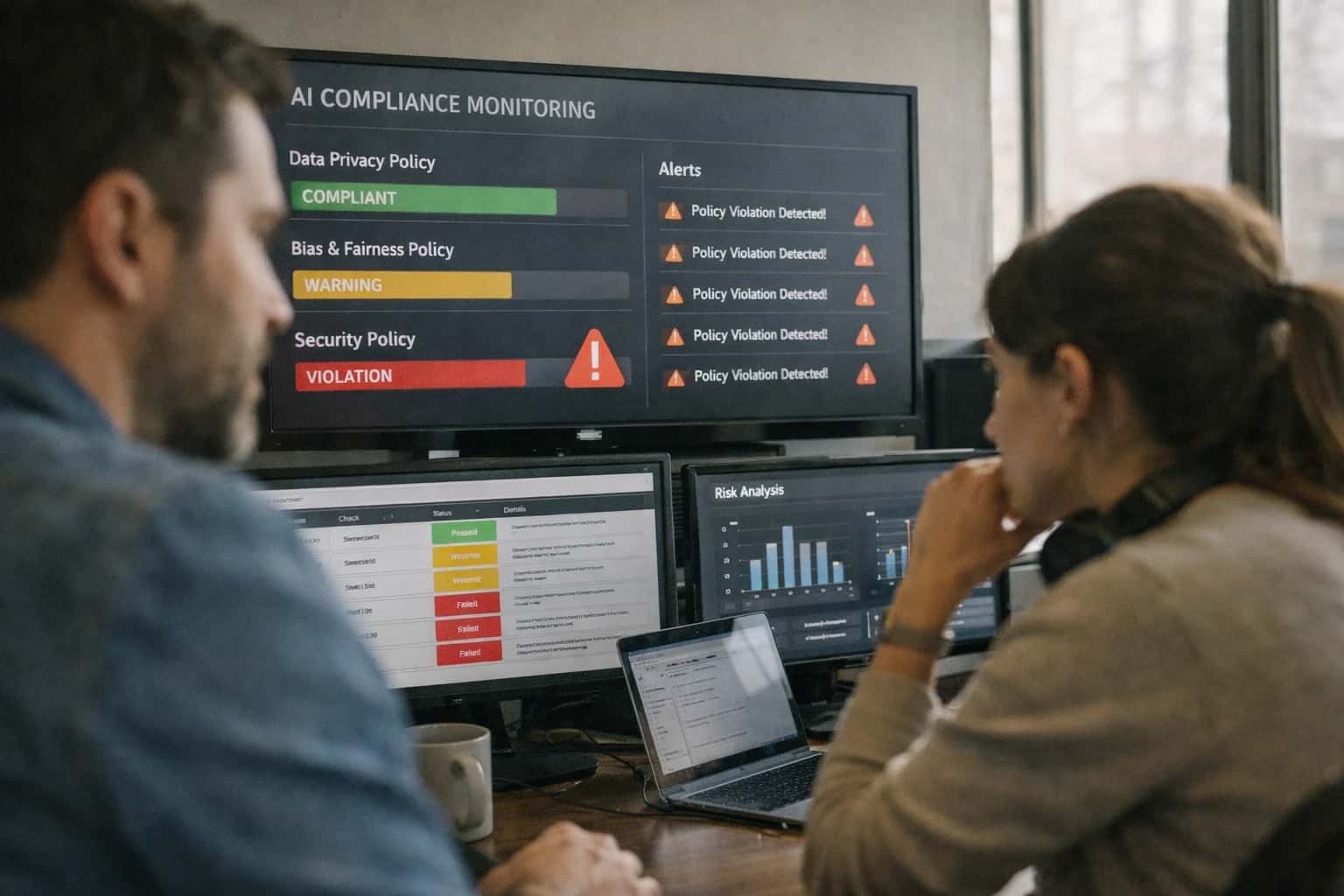
A practical prompt playbook for extracting ordered, structured event timelines from incident postmortem narratives. Designed for incident analysts and SRE teams who need machine-parseable timelines that feed directly into observability and compliance systems.
PROMPT PLAYBOOK
When to Use This Prompt
Understand the ideal job-to-be-done, required context, and when this prompt is the wrong tool for the task.
Use this prompt when you have a static document and need a consistent output schema with fields like timestamp, action, impact, and responsible_party. It is built for offline batch processing, not for real-time alert triage or live incident response. The prompt assumes the input text contains a complete story; it will not fill in gaps from external systems. For example, a valid input is a postmortem document titled 'Payment Service Outage — 2024-11-15,' and the expected output is a JSON array where each event has a normalized ISO 8601 timestamp and a controlled-vocabulary event_type like detection, mitigation, or resolution.
Do not use this prompt for extracting events from raw log streams, chat transcripts, or live dashboards. It is not designed for real-time data and will hallucinate structure where only noise exists. Similarly, avoid using it for incident response playbooks where actions are still in progress; the narrative must be complete. If your input is a messy, multi-contributor document, pre-process it to consolidate the narrative before using this prompt. For live data extraction, use a log parsing pipeline. For real-time response, use a runbook automation prompt. This prompt is a post-hoc analysis tool, and using it outside that context will produce unreliable timelines.
PRACTICAL GUARDRAILS
Use Case Fit
Where this prompt works and where it does not. Use these cards to decide if the Postmortem Timeline Event Extraction Prompt fits your incident analysis workflow.
01
Good Fit: Structured Postmortem Narratives
Use when: You have a written postmortem document with a clear chronological narrative, timestamps, and named actions. The prompt excels at extracting ordered event arrays from well-structured prose. Guardrail: Pre-process the document to ensure the narrative section is clearly separated from root cause analysis or action items before extraction.
02
Bad Fit: Unstructured Chat Logs or Threads
Avoid when: The source material is a raw Slack thread, PagerDuty alert stream, or unedited meeting transcript with no narrative structure. The prompt expects coherent prose, not fragmented messages. Guardrail: Use a summarization or clustering prompt first to convert the raw log into a narrative summary, then feed that summary into this extraction prompt.
03
Required Inputs: Timestamped Narrative Text
What to watch: The prompt requires a postmortem body that includes explicit or relative timestamps, action descriptions, and responsible party mentions. Missing timestamps will cause the model to hallucinate ordering. Guardrail: Validate that the input text contains at least three timestamp references before calling the extraction prompt. If not, route to a human for timeline annotation first.
04
Operational Risk: Temporal Inconsistency
What to watch: The model may produce events that are out of order, have overlapping timestamps, or contain impossible durations when the source narrative is ambiguous. This breaks downstream timeline visualizations. Guardrail: Add a post-extraction validation step that sorts events by timestamp and checks for monotonic ordering. Flag any reversals for human review before publishing the timeline.
05
Operational Risk: Missing Responsible Parties
What to watch: The prompt may omit the responsible_party field when the narrative uses passive voice or team-level descriptions instead of individual names. This creates gaps in accountability tracking. Guardrail: Set a minimum threshold for responsible_party population across the extracted event array. If more than 30% of events have null or missing parties, send the output back for enrichment or human review.
06
Bad Fit: Real-Time Incident Response
Avoid when: You need to extract a timeline from a live incident that is still unfolding. The prompt is designed for completed postmortems with a known endpoint. Guardrail: Use a streaming event extraction prompt for live incidents. Reserve this prompt for retrospective analysis after the incident is resolved and the postmortem draft is complete.
PROMPT PLAYBOOK
Copy-Ready Prompt Template
A reusable prompt for extracting a structured, ordered timeline of events from an unstructured incident postmortem narrative.
This prompt template is designed to be dropped directly into your AI harness. It instructs the model to act as an incident analyst, extracting a chronologically ordered array of events from a provided postmortem document. The prompt uses square-bracket placeholders for all dynamic inputs, making it easy to parameterize in code. The core instruction forces the model to produce a valid JSON array, with each event object adhering to a strict schema that includes a normalized timestamp, an action, an impact, and a responsible party. This structured output can then be directly ingested by your observability or incident management platform without manual parsing.
textYou are an expert incident analyst. Your task is to extract a structured, chronological timeline of events from the provided postmortem narrative. INPUT POSTMORTEM: [POSTMORTEM_NARRATIVE] OUTPUT_SCHEMA: Return a single JSON array of event objects. The array must be ordered chronologically by the `timestamp` field. Each event object must conform to this structure: { "timestamp": "ISO 8601 string (e.g., 2023-10-27T14:30:00Z)", "action": "A concise, specific description of what happened (e.g., 'Deployed v2.3.1 to production', 'PagerDuty alert fired for high latency')", "impact": "The immediate observable consequence (e.g., 'Users in us-east-1 experienced 500 errors', 'On-call engineer acknowledged the page')", "responsible_party": "The person, team, or automated system that performed the action (e.g., 'Release Engineering', 'monitoring-system', 'Alice Smith')", "event_type": "One of: 'detection', 'diagnosis', 'mitigation', 'resolution', 'notification', 'other'" } CONSTRAINTS: - Extract every discrete event from the narrative. Do not summarize or skip steps. - If a timestamp is missing for an event, infer it from the surrounding context or set it to null. Do not guess. - The `event_type` field must be one of the specified values. - If the `responsible_party` is unclear, use "unknown". - Output ONLY the valid JSON array. Do not include any text before or after the JSON.
To adapt this template, replace the [POSTMORTEM_NARRATIVE] placeholder with the full text of your incident report. You can tighten the event_type enum to match your organization's specific incident management taxonomy. For high-stakes postmortems, consider adding a [CONFIDENCE] field to the schema and instructing the model to flag low-confidence extractions for human review. The output of this prompt should be validated in your application layer to ensure it is a parseable JSON array and that every object contains all required fields before being written to a system of record.
IMPLEMENTATION TABLE
Prompt Variables
Required and optional inputs for the Postmortem Timeline Event Extraction Prompt. Validate these before sending the prompt to ensure reliable structured output.
| Placeholder | Purpose | Example | Validation Notes |
|---|---|---|---|
[INCIDENT_NARRATIVE] | Raw postmortem or incident report text to extract timeline events from | At 14:03 UTC, the primary database experienced a connection timeout. The on-call engineer, Jane Doe, was paged at 14:05 and began investigating... | Must be non-empty string. If narrative is under 50 words, consider whether extraction is meaningful. Null or empty input should abort before prompt assembly. |
[OUTPUT_SCHEMA] | JSON Schema defining the expected event object structure | {"type": "object", "properties": {"timestamp": {"type": "string", "format": "date-time"}, "event_type": {"type": "string", "enum": ["detection", "diagnosis", "action", "resolution", "communication"]}, "description": {"type": "string"}, "actor": {"type": "string"}, "impact": {"type": "string"}, "source_evidence": {"type": "string"}}, "required": ["timestamp", "event_type", "description"]} | Must be valid JSON Schema. Validate with a schema parser before injection. Enums in schema should match your internal event taxonomy. Missing schema causes unstructured output. |
[EVENT_TYPE_TAXONOMY] | Controlled vocabulary for event_type field values | detection, diagnosis, action, resolution, communication | Must be a comma-separated list or JSON array matching the enum in [OUTPUT_SCHEMA]. Validate that every value appears in the schema enum. Mismatch causes validation failures downstream. |
[TIMESTAMP_FORMAT] | Expected timestamp format for extracted events | ISO 8601 with timezone offset: YYYY-MM-DDTHH:MM:SS±HH:MM | Must be an unambiguous format string. Validate that the format is parseable by your target system. Relative timestamps like '5 minutes later' should be resolved to absolute timestamps using [REFERENCE_TIMESTAMP]. |
[REFERENCE_TIMESTAMP] | Anchor timestamp for resolving relative time expressions in the narrative | 2025-01-15T14:00:00+00:00 | Must be valid ISO 8601. Required when narrative contains relative times. If null, the prompt should instruct the model to flag unresolved relative timestamps in a warnings field. |
[MAX_EVENTS] | Upper bound on the number of timeline events to extract | 50 | Must be a positive integer. Prevents unbounded output arrays. If the narrative contains more events than this limit, the model should prioritize events with clear timestamps and explicit impact descriptions. |
[REQUIRED_FIELDS] | List of fields that must be populated for every extracted event | timestamp, event_type, description | Must be a subset of required fields in [OUTPUT_SCHEMA]. Validate that every field name exists in the schema. Events missing these fields should trigger a retry or repair step before ingestion. |
[CONFIDENCE_THRESHOLD] | Minimum confidence score for including an extracted event in the output | 0.7 | Must be a float between 0.0 and 1.0. Events below this threshold should be omitted or placed in a low_confidence_events array. Set to null to include all extracted events regardless of confidence. |
PROMPT PLAYBOOK
Implementation Harness Notes
How to wire the postmortem timeline extraction prompt into a production incident analysis pipeline with validation, retries, and human review.
This prompt is designed to be the first stage in an automated postmortem enrichment pipeline. It should be called immediately after an incident narrative is finalized, before the timeline is reviewed by a human. The prompt expects a single, complete narrative as [INPUT]. Do not stream partial narratives or concatenate chat logs without first normalizing them into a single document. The model should be configured with a low temperature (0.0–0.2) to maximize deterministic extraction, and you should request structured output using the JSON Schema defined in the prompt template to avoid parsing errors downstream.
Wire the prompt into your application with a validate-extract-review loop. After receiving the model response, run a validation step that checks: (1) every event has a non-null timestamp, action, and impact field; (2) the events array is sorted in ascending chronological order; (3) no two events share the same timestamp unless they have distinct source_system values; and (4) all responsible_team values match a controlled vocabulary from your service catalog. If validation fails, re-prompt the model with the validation errors appended to [CONSTRAINTS] and request a corrected output. Limit retries to two attempts. If validation still fails after two retries, flag the extraction for mandatory human review and log the raw narrative, the failed outputs, and the validation errors to your observability platform for later debugging.
For high-severity incidents (SEV1/SEV2), always route the extracted timeline to a human incident commander for approval before it is published to the postmortem document or shared with stakeholders. The approval step should display the extracted events in a diffable view against the original narrative, highlighting any inferred timestamps or actions the model synthesized rather than extracted verbatim. Store the final approved timeline as a versioned artifact in your incident management system, tagged with the model version, prompt version, and reviewer identity. Avoid using this prompt for real-time incident response during active mitigation; it is designed for post-resolution analysis where the full narrative is available and accuracy takes priority over speed.
IMPLEMENTATION TABLE
Expected Output Contract
Defines the exact shape, types, and validation rules for each field in the extracted timeline event array. Use this contract to build a post-processing validator before ingesting events into an incident database or ticketing system.
| Field or Element | Type or Format | Required | Validation Rule |
|---|---|---|---|
timeline | Array of objects | Must be a non-empty array. If no events are found, return an empty array []. | |
timeline[].event_id | String (UUID v4) | Must match UUID v4 regex. Generated by the model to uniquely identify the extracted event. | |
timeline[].timestamp | String (ISO 8601) | Must parse to a valid UTC datetime. If the source only provides a date, default to T00:00:00Z. Reject relative times like 'yesterday'. | |
timeline[].event_type | Enum String | Must be one of: 'detection', 'diagnosis', 'action', 'escalation', 'resolution', 'communication'. No other values allowed. | |
timeline[].action_description | String | Must be a non-empty string under 500 characters. Must start with a past-tense verb. Do not copy raw log lines verbatim. | |
timeline[].responsible_party | String or null | If present, must be a named individual or team (e.g., 'on-call engineer', 'network team'). Default to null if no actor is identifiable. | |
timeline[].impact_scope | Array of strings | Must contain at least one valid service name from the [SERVICE_CATALOG] provided in the prompt. Reject unknown services. | |
timeline[].source_evidence | Array of strings | Must contain at least one direct quote or specific sentence from [INPUT_TEXT] that supports this event. Each string must be a substring of the input. |
PRACTICAL GUARDRAILS
Common Failure Modes
When extracting structured timelines from unstructured postmortems, these are the most common failure modes that break downstream processing or misrepresent the incident.
01
Temporal Ordering Violations
What to watch: The model outputs events in narrative order rather than chronological order, or timestamps contradict the sequence. This breaks timeline reconstruction and confuses incident reviewers. Guardrail: Add an explicit post-processing sort by timestamp and a validation step that checks for monotonic timestamp progression before ingestion.
02
Missing Required Event Fields
What to watch: The model skips mandatory fields like responsible_team, impact_severity, or action_taken when the source text is ambiguous or silent. Downstream systems reject incomplete records. Guardrail: Enforce a strict output schema with required field markers and add a validator that flags null or empty values for human review before the event enters the timeline store.
03
Hallucinated Timestamps and Actors
What to watch: When the postmortem uses relative time references ('30 minutes later') or vague attribution ('the team noticed'), the model invents specific timestamps or assigns actions to wrong teams. Guardrail: Require the prompt to output timestamp_confidence and actor_confidence fields, and route low-confidence extractions to a human reviewer for verification against the source document.
04
Event Granularity Drift
What to watch: The model mixes high-level summary events with granular sub-events in the same array, producing inconsistent detail levels that make timelines hard to scan. Guardrail: Define a clear event granularity contract in the prompt (e.g., 'one event per distinct action or state change') and include few-shot examples showing the expected level of decomposition.
05
Duplicate or Overlapping Events
What to watch: The model extracts the same incident milestone multiple times with slight wording variations, creating duplicate entries that inflate the timeline. Guardrail: Add a deduplication step that clusters events by timestamp proximity and action similarity, then keeps only the most complete record. Log duplicates for audit rather than silently dropping them.
06
Causal Relationship Omission
What to watch: The model captures isolated events but fails to extract caused_by or led_to relationships that connect events into a coherent incident narrative. Guardrail: Include a dedicated causal_links array in the output schema and prompt the model to explicitly identify predecessor-successor pairs, with a validator that warns when events have no inbound or outbound causal edges.
IMPLEMENTATION TABLE
Evaluation Rubric
Criteria for evaluating extracted postmortem timeline events before integrating them into an incident database or dashboard. Each row defines a specific quality dimension, a concrete pass standard, a detectable failure signal, and a test method that can be automated in a CI pipeline.
| Criterion | Pass Standard | Failure Signal | Test Method |
|---|---|---|---|
Temporal Ordering | All events in the output array are sorted by [timestamp] in ascending chronological order. | An event with an earlier timestamp appears after an event with a later timestamp. | Parse all [timestamp] values; assert each timestamp is >= the previous one. |
Timestamp Format Compliance | Every [timestamp] field matches ISO 8601 format (YYYY-MM-DDTHH:MM:SSZ) and is parseable by a standard datetime library. | A [timestamp] value is missing, uses a different format, or throws a parse error. | Attempt to parse each [timestamp] with a strict ISO 8601 parser; assert zero exceptions. |
Required Field Presence | Every event object contains non-null values for [timestamp], [action], [impact], and [responsible_party]. | A required field is missing, null, or an empty string in any event object. | Iterate all event objects; assert field in object and value is not null and not empty string. |
Action Description Specificity | Each [action] field describes a concrete, singular action (e.g., 'Deployed v2.3.1 to production' not 'Did stuff'). | An [action] value is vague, contains multiple distinct actions, or is a generic placeholder. | Check [action] string length > 20 characters; use a keyword blocklist for generic terms like 'things' or 'misc'. |
Impact Classification Validity | Every [impact] field value is one of the allowed enum values: 'degraded', 'outage', 'none', 'security', or 'data_loss'. | An [impact] value is not in the allowed enum list or is misspelled. | Assert each [impact] value is in the allowed set using a case-sensitive enum check. |
Responsible Party Attribution | Each [responsible_party] field contains a valid team name or 'automated_system' from the provided [TEAM_LIST] context. | A [responsible_party] value is an individual's name, 'unknown', or a team not in [TEAM_LIST]. | Validate each [responsible_party] value against the [TEAM_LIST] array; flag any value not present. |
Event Completeness | The extracted timeline covers all major incidents mentioned in the [INPUT_NARRATIVE] without omitting documented failures. | A significant incident described in the narrative (e.g., a database failover) has no corresponding event in the output. | Use an LLM Judge to compare a summary of extracted events against a summary of the narrative; assert recall >= 0.90. |
Source Grounding | Each event includes a [source_quote] field containing the exact sentence from [INPUT_NARRATIVE] that supports the event. | A [source_quote] is fabricated, paraphrased, or cannot be located as a substring in the original narrative. | For each event, assert [source_quote] is a substring of [INPUT_NARRATIVE] using a case-insensitive string match. |
Enabling Efficiency, Speed & Accuracy
Intelligent Analysis, Decision & Execution
We build AI systems for teams that need search across company data, workflow automation across tools, or AI features inside products and internal software.
Talk to Us
Search across company data
Give teams answers from docs, tickets, runbooks, and product data with sources and permissions.
Useful when people spend too long searching or get different answers from different systems.
Enterprise searchRAGPermissions
Read more
Automate internal workflows
Use AI to route work, draft outputs, trigger actions, and keep approvals and logs in place.
Useful when repetitive work moves across multiple tools and teams.
AI agentsWorkflow automationGovernance
Read more
Add AI to products and internal tools
Build assistants, guided actions, or decision support into the software your team or customers already use.
Useful when AI needs to be part of the product, not a separate tool.
AI integrationDecision supportModel routing
Read moreADAPTATION OPTIONS
Adapt This Prompt
How to adapt
Start with the base prompt and a lightweight JSON schema. Use a frontier model with native structured output support. Remove the [OUTPUT_SCHEMA] placeholder and replace it with a simple inline schema definition. Skip the temporal consistency validator and rely on manual spot-checking of the output array.
codeYou are an incident analyst. Extract a timeline of events from the following postmortem narrative. Return a JSON array of event objects. Each object must have: - "timestamp": ISO 8601 string - "event_type": string (one of: detection, diagnosis, mitigation, resolution, communication) - "description": string (what happened) - "source": string (system or team that generated the event) Postmortem: [POSTMORTEM_TEXT]
Watch for
- Missing schema checks leading to malformed timestamps
- Overly broad event_type values outside the controlled vocabulary
- Events extracted out of chronological order
- Hallucinated timestamps when the narrative is vague about timing

About the author
Prasad Kumkar
CEO & MD, Inference Systems
Prasad Kumkar is the CEO & MD of Inference Systems and writes about AI systems architecture, LLM infrastructure, model serving, evaluation, and production deployment. Over 5+ years, he has worked across computer vision models, L5 autonomous vehicle systems, and LLM research, with a focus on taking complex AI ideas into real-world engineering systems.
His work and writing cover AI systems, large language models, AI agents, multimodal systems, autonomous systems, inference optimization, RAG, evaluation, and production AI engineering.
LinkedIn
Limited slotsGet a Free AI Consultation
Partnered with leading AI, data, and software stack.





How We Work
Custom AI workflows for your Business
One-fit-all AI don't work for modern businesses. At Inferensys, we aim to understand your business & custom requirements; which we use to define most efficient agentic workflows, the data, and the tools for your business.
01
Review the use case
We understand the task, the users, and where AI can actually help.
Read more02
Pick the right approach
We define what needs search, automation, or product integration.
Read more03
Build the first useful version
We implement the part that proves the value first.
Read more04
Improve from there
We add the checks and visibility needed to keep it useful.
Read moreThe first call is a practical review of your use case and the right next step.
Talk to Us