This prompt is for platform engineers and architects who need to automate the enforcement of dependency governance policies across a codebase. The job-to-be-done is to take a set of declared rules—such as allowed licenses, approved vendor lists, version constraints, and internal module boundaries—and produce a structured compliance report that can be consumed by a CI/CD pipeline. The ideal user is someone responsible for maintaining the build health and architectural integrity of a multi-team codebase, where manual review of every dependency change is no longer feasible.

Prompt
Dependency Governance Policy Compliance Check Prompt
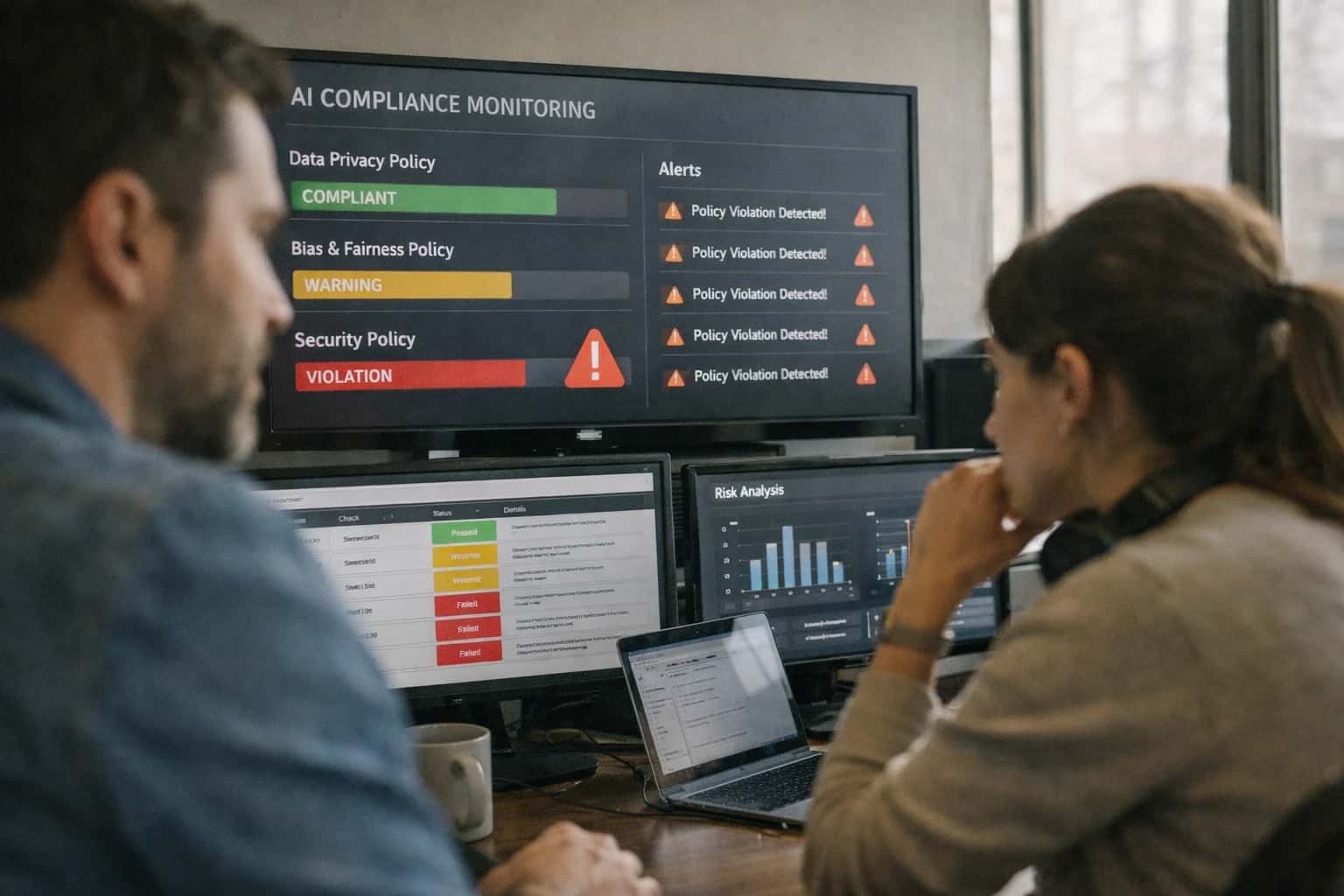
A practical prompt playbook for using the Dependency Governance Policy Compliance Check Prompt in production AI workflows, designed for platform teams enforcing dependency rules in CI/CD pipelines.
PROMPT PLAYBOOK
When to Use This Prompt
Define the job, reader, and constraints for the Dependency Governance Policy Compliance Check Prompt.
Use this prompt when you have a machine-readable dependency manifest (e.g., a package-lock.json, go.sum, or Pipfile.lock) and a corresponding governance policy document. The prompt expects both as inputs. It is designed to work in a gated check workflow: a pull request triggers the check, the prompt evaluates the proposed dependency changes against the policy, and the output determines whether the build proceeds or is blocked. Do not use this prompt for ad-hoc library research, for evaluating the quality of a library's implementation, or for making architectural decisions about which library to use. It is strictly a compliance check against pre-defined rules.
This prompt is not a replacement for a full software composition analysis (SCA) tool. It does not scan for known vulnerabilities (CVEs) unless that is explicitly part of the provided policy. It also does not resolve transitive dependency conflicts or suggest alternative libraries. Its scope is bounded to answering the question: 'Does this dependency change violate our written governance policy?' If you need a broader security audit, use a dedicated SCA tool and then feed its output into this prompt as additional context. Always require human review for any policy violation that is flagged as a BLOCKER before merging, and ensure the output is logged as an audit artifact.
PRACTICAL GUARDRAILS
Use Case Fit
Where this prompt works, where it fails, and what you must provide before running it in production.
01
Good Fit: CI/CD Policy Gates
Use when: you need to block builds or deployments that violate dependency policies. The prompt produces structured pass/fail results with violation evidence that can be consumed by policy-as-code engines. Guardrail: always run against a locked dependency manifest, not a live registry, to ensure reproducibility.
02
Good Fit: License Compliance Audits
Use when: you need to check all transitive dependencies against an allowed/denied license list. The prompt cross-references package licenses against your policy and flags copyleft or unlicensed packages. Guardrail: supplement with a software composition analysis tool for packages where the model cannot resolve license metadata.
03
Bad Fit: Real-Time Dependency Resolution
Avoid when: you need live, up-to-the-minute vulnerability or version data. The model's knowledge is frozen and cannot query live registries. Guardrail: pair this prompt with a tool that fetches current advisory data and pass it as [CONTEXT] rather than relying on model memory.
04
Bad Fit: Legal Interpretation of Licenses
Avoid when: you need a definitive legal opinion on whether a specific license combination is compliant for distribution. The model can classify licenses but cannot provide legal advice. Guardrail: route any output that changes your legal exposure to human legal review before acting on it.
05
Required Inputs
Must provide: a machine-readable dependency manifest (e.g., package-lock.json, Cargo.lock), a written policy document defining allowed/disallowed dependencies, license rules, and version constraints. Guardrail: validate that the manifest is complete and not stale before running the prompt; missing transitive dependencies produce false negatives.
06
Operational Risk: Policy Drift
What to watch: your governance policy changes over time, but the prompt template may reference an outdated version. Guardrail: version your policy document alongside the prompt template and include a policy hash in the prompt output so auditors can verify which policy was checked.
PROMPT PLAYBOOK
Copy-Ready Prompt Template
A reusable prompt template for checking a dependency manifest against a governance policy, producing a structured compliance report.
This template is designed to be the core instruction set you send to a model when you need to audit a software project's dependencies against a defined governance policy. The prompt accepts a dependency manifest, a policy document, and optional context about the project's risk profile. It forces the model to reason step-by-step, ground every violation in a specific policy clause, and produce a machine-readable JSON report suitable for direct integration into a CI/CD pipeline. The square-bracket placeholders allow you to swap in different manifests, policies, and output schemas without rewriting the core logic.
markdownYou are a dependency governance auditor. Your task is to check the provided [DEPENDENCY_MANIFEST] against the rules defined in [GOVERNANCE_POLICY]. You must produce a compliance report in the exact JSON format specified in [OUTPUT_SCHEMA]. # INPUTS - **Dependency Manifest:** [DEPENDENCY_MANIFEST] - **Governance Policy:** [GOVERNANCE_POLICY] - **Project Context:** [PROJECT_CONTEXT] - **Risk Level:** [RISK_LEVEL] # PROCEDURE 1. Parse the dependency manifest to extract every direct and transitive dependency, including its version and declared license. 2. For each dependency, check it against every rule in the governance policy. A violation occurs if a dependency's attributes (name, version range, license, source) match a disallowed pattern or fail to match a required pattern. 3. For each violation, you must cite the exact policy clause ID and the specific attribute that caused the violation. 4. If the policy references an allowed list, any dependency not on that list is a violation unless explicitly covered by an exception rule. 5. Classify the severity of each violation based on the [RISK_LEVEL] input: 'low' for non-production or internal tools, 'medium' for production services, 'high' for security-sensitive or customer-facing systems. # CONSTRAINTS - Do not hallucinate policy rules. If a rule is ambiguous, flag it as 'needs_clarification' in the report. - If the license field is empty or 'UNKNOWN', treat it as a violation of any rule requiring license transparency. - Ignore devDependencies unless the policy explicitly includes them. - For version constraints, treat a missing version lock (e.g., a range like '^1.0.0') as a violation if the policy requires pinned versions. # OUTPUT Produce a single JSON object conforming to this schema: [OUTPUT_SCHEMA]
To adapt this template, start by replacing the [DEPENDENCY_MANIFEST] placeholder with a parsed representation of your project's dependencies, such as the output of pip freeze, a package-lock.json file, or a CycloneDX SBOM. The [GOVERNANCE_POLICY] should be a structured text document containing your organization's rules, ideally with clause IDs for traceability. For the [OUTPUT_SCHEMA], define a strict JSON schema that your downstream systems can validate, including fields for dependency_name, violation_type, policy_clause, and severity. Before deploying this prompt into a CI/CD pipeline, run it against a golden dataset of known-clean and known-violating manifests to verify that the model correctly identifies violations without producing false positives from ambiguous license identifiers or dev-only dependencies.
IMPLEMENTATION TABLE
Prompt Variables
Required inputs for the Dependency Governance Policy Compliance Check Prompt. Each placeholder must be populated before the prompt is assembled and sent. Validation notes describe checks to perform in the application layer before model invocation.
| Placeholder | Purpose | Example | Validation Notes |
|---|---|---|---|
[DEPENDENCY_MANIFEST] | The full dependency declaration file content to audit | package.json, Cargo.toml, go.mod, requirements.txt, or build.gradle contents as raw text | Parse check: must be valid parseable manifest for the declared package manager. Non-empty. Max 50K tokens. |
[MANIFEST_TYPE] | Package manager or manifest format identifier | npm, cargo, gomod, pip, gradle, maven | Enum check: must match one of the supported manifest types in the governance policy. Case-insensitive. |
[GOVERNANCE_POLICY] | The policy document defining allowed/disallowed dependencies, license rules, and version constraints | JSON policy object with allowedLicenses, bannedPackages, requiredMinimumVersions, allowedSources arrays | Schema check: must conform to the governance policy JSON schema. Required fields present. No empty rulesets. |
[ORGANIZATION_CONTEXT] | Organization-specific exemptions, internal registries, and approved exception list | {"internalRegistries": ["npm.internal.example.com"], "exemptions": [{"package": "lodash", "reason": "Security-approved fork"}]} | Schema check: must be valid JSON with optional internalRegistries and exemptions arrays. Null allowed if no org context. |
[OUTPUT_SCHEMA] | The expected structure for the compliance report output | JSON schema defining violations array, summary object, and metadata fields | Schema check: must be a valid JSON Schema object. Required fields: violations, summary, metadata. Must include enum constraints for severity levels. |
[FAILURE_THRESHOLD] | The severity level at which the check should be considered failing in CI/CD | BLOCKER, CRITICAL, HIGH, MEDIUM, LOW | Enum check: must be one of the defined severity levels. Defaults to HIGH if not specified. Controls CI/CD gate behavior. |
[MAX_VIOLATIONS] | Maximum number of violations to return before truncation | 50 | Type check: must be a positive integer. Range: 1-500. Prevents token overflow on large manifests with many violations. |
PROMPT PLAYBOOK
Implementation Harness Notes
How to wire the Dependency Governance Policy Compliance Check prompt into a CI/CD pipeline with validation, retries, and policy-as-code output.
This prompt is designed to be embedded in a pre-commit hook, pull-request check, or CI/CD pipeline stage that gates dependency changes. The harness should invoke the LLM with a structured request containing the dependency manifest (e.g., package.json, requirements.txt, Cargo.toml), the governance policy document, and the expected output schema. Because dependency governance failures can block releases or introduce security risks, the harness must treat the LLM output as advisory until it passes deterministic validation against the declared policy rules.
The implementation should follow a validate-then-enforce pattern. First, parse the LLM's JSON output and run it through a schema validator that checks for required fields (dependency_name, current_version, policy_rule, status, evidence). Next, cross-reference each violation claim against the actual manifest file to ensure the dependency and version exist—this prevents hallucinated violations. For high-risk environments, add a deterministic policy engine (e.g., Open Policy Agent or a custom rule evaluator) that independently checks the same rules and flags any discrepancy between the LLM's output and the engine's result. Discrepancies should trigger a retry with the discrepancy details injected into the retry prompt as [PREVIOUS_ERRORS].
Log every invocation with the prompt version, model used, input manifest hash, policy version, raw LLM response, validation result, and final pass/fail status. This audit trail is essential for governance workflows where you must prove why a dependency was allowed or blocked. For CI/CD integration, emit the final compliance report as a machine-readable artifact (JSON or SARIF) that your pipeline can consume. If the prompt fails validation after a configured number of retries (recommend 2), escalate to a human reviewer via a PR comment or ticket rather than silently passing or failing the build. Avoid using this prompt as the sole gate for production deployments without deterministic backup checks.
IMPLEMENTATION TABLE
Expected Output Contract
Defines the exact fields, types, and validation rules for the compliance report generated by the Dependency Governance Policy Compliance Check Prompt. Use this contract to build post-processing validators and CI/CD gates.
| Field or Element | Type or Format | Required | Validation Rule |
|---|---|---|---|
report_id | string (UUID v4) | Must match UUID v4 regex. Reject if missing or malformed. | |
generated_at | string (ISO 8601 datetime) | Must parse as valid ISO 8601 datetime. Must be within the last 5 minutes of system time. | |
overall_compliance | string (enum) | Must be one of: 'compliant', 'non_compliant', 'warning'. Reject any other value. | |
policy_violations | array of objects | Must be an array. If empty, overall_compliance must be 'compliant'. Each object must conform to the violation_item schema. | |
violation_item.dependency_name | string | Must be a non-empty string matching the dependency identifier from the input manifest. | |
violation_item.rule_broken | string | Must be a non-empty string referencing a rule ID from the provided [POLICY_DOCUMENT]. | |
violation_item.severity | string (enum) | Must be one of: 'critical', 'high', 'medium', 'low'. Reject any other value. | |
violation_item.evidence | string | Must be a non-empty string containing a direct quote or file path from the [INPUT_MANIFEST] that triggered the violation. |
PRACTICAL GUARDRAILS
Common Failure Modes
What breaks first when running dependency governance checks in CI/CD and how to prevent false positives, silent failures, and policy drift.
01
False Positives from Test-Only Imports
What to watch: The prompt flags a dependency violation for a library imported only in test files or dev tooling. This creates noise that causes teams to ignore real violations. Guardrail: Pre-process the dependency graph to exclude test directories, dev dependencies, and build-tool configurations before sending to the model. Validate that every flagged import path exists in production source trees.
02
Stale Policy Rules Produce Drift
What to watch: The allowed/disallowed dependency list embedded in the prompt becomes outdated as teams add new libraries or change architectural rules. The check passes but no longer enforces the actual policy. Guardrail: Store policy rules in a version-controlled configuration file outside the prompt. Inject the current policy at runtime. Add a policy freshness check that fails the pipeline if the policy hasn't been reviewed in N days.
03
License Classification Ambiguity
What to watch: The model misclassifies a dependency's license because the package manifest uses a non-standard SPDX identifier or dual licensing. This causes either false approvals of restricted licenses or false blocks of permitted ones. Guardrail: Pre-resolve licenses to SPDX identifiers using a package registry API before the prompt runs. Only send the model dependencies where automated resolution failed, and require it to cite the exact license text it interpreted.
04
Transitive Dependency Blind Spots
What to watch: The prompt only checks direct dependencies declared in the manifest, missing a restricted library pulled in three levels deep through a permitted package. The compliance report shows clean while the restricted code ships. Guardrail: Generate the full transitive dependency tree before the prompt runs. Include depth information in the input. Add a specific check that flags any restricted package appearing at any depth, with the chain of introduction.
05
Version Constraint Misinterpretation
What to watch: The model incorrectly evaluates semver ranges, treating ^2.0.0 as equivalent to >=2.0.0 or failing to recognize that a pre-release version satisfies a constraint. This produces incorrect compliance decisions. Guardrail: Resolve all version constraints to exact installed versions using the lockfile before the prompt runs. The model should compare exact versions against policy, not interpret ranges. Validate the resolved versions match the lockfile.
06
Output Format Drift Breaks CI Integration
What to watch: The model returns a slightly different JSON structure under edge cases—missing fields, extra nesting, or string instead of array—causing the CI pipeline to crash with an unhelpful parse error. Guardrail: Define a strict output schema with required fields and types. Run a post-generation validator that repairs or rejects malformed outputs. If repair fails after one retry, fail the pipeline with a clear error pointing to the schema violation, not a raw parse exception.
IMPLEMENTATION TABLE
Evaluation Rubric
Criteria for testing the Dependency Governance Policy Compliance Check prompt before integrating it into a CI/CD pipeline. Each row defines a pass standard, a failure signal, and a concrete test method.
| Criterion | Pass Standard | Failure Signal | Test Method |
|---|---|---|---|
Policy Rule Coverage | Every rule in [POLICY_DOCUMENT] is represented in the output with a compliance status. | A rule from the policy document is missing from the compliance report. | Diff the list of rule IDs in [POLICY_DOCUMENT] against the rule IDs in the output JSON. Flag any missing IDs. |
Dependency Evidence Grounding | Every violation cites a specific file path and line number from [DEPENDENCY_MANIFEST] or [LOCKFILE]. | A violation is reported with a generic reason like 'policy violation' but no source location. | Parse the output for violation objects. Assert that each has a non-null |
Output Schema Validity | The output is valid JSON that strictly conforms to [OUTPUT_SCHEMA]. | The output is not parseable JSON, or it contains extra/missing required fields. | Validate the raw model response against the [OUTPUT_SCHEMA] using a JSON Schema validator. Retry once on failure. |
License Compliance Accuracy | All dependencies with licenses in [DENIED_LICENSES] are flagged as violations. All others are not. | A dependency with a denied license is marked as compliant, or a permitted license is flagged as a violation. | Create a test fixture with a known set of licenses. Assert that the |
Version Constraint Enforcement | Dependencies outside [VERSION_CONSTRAINTS] are flagged. Dependencies within constraints are not. | A version like '1.2.3' is flagged when the constraint is '>=1.0.0', or an out-of-range version is missed. | Use a test matrix of version strings and constraint rules. Assert that the |
False Positive Resistance | No violations are reported for dependencies in [ALLOWLIST] or [EXEMPTION_LIST]. | An explicitly allowed or exempted dependency appears in the violations output. | Include an exemption fixture in the test input. Assert that the |
Handling of Missing Inputs | If [DEPENDENCY_MANIFEST] is empty or null, the output contains an | The model hallucinates dependencies or throws an unhandled format error. | Send a request with |
CI/CD Integration Readiness | The output contains a top-level | The | Run the prompt against a known-violation fixture and a clean fixture. Assert |
Enabling Efficiency, Speed & Accuracy
Intelligent Analysis, Decision & Execution
We build AI systems for teams that need search across company data, workflow automation across tools, or AI features inside products and internal software.
Talk to Us
Search across company data
Give teams answers from docs, tickets, runbooks, and product data with sources and permissions.
Useful when people spend too long searching or get different answers from different systems.
Enterprise searchRAGPermissions
Read more
Automate internal workflows
Use AI to route work, draft outputs, trigger actions, and keep approvals and logs in place.
Useful when repetitive work moves across multiple tools and teams.
AI agentsWorkflow automationGovernance
Read more
Add AI to products and internal tools
Build assistants, guided actions, or decision support into the software your team or customers already use.
Useful when AI needs to be part of the product, not a separate tool.
AI integrationDecision supportModel routing
Read moreADAPTATION OPTIONS
Adapt This Prompt
How to adapt
Use the base prompt with a single policy document and a small dependency manifest. Drop strict output schema enforcement and accept free-text compliance notes. Replace [POLICY_ENGINE_OUTPUT] with a simple markdown table.
codeAnalyze [DEPENDENCY_LIST] against [POLICY_DOCUMENT]. Flag violations only. Return as markdown table with columns: Dependency, Rule Violated, Severity, Recommendation.
Watch for
- Missing license or version constraint checks when policy doc is ambiguous
- Overly broad violation flags on transitive dependencies
- No distinction between direct and transitive dependency governance

About the author
Prasad Kumkar
CEO & MD, Inference Systems
Prasad Kumkar is the CEO & MD of Inference Systems and writes about AI systems architecture, LLM infrastructure, model serving, evaluation, and production deployment. Over 5+ years, he has worked across computer vision models, L5 autonomous vehicle systems, and LLM research, with a focus on taking complex AI ideas into real-world engineering systems.
His work and writing cover AI systems, large language models, AI agents, multimodal systems, autonomous systems, inference optimization, RAG, evaluation, and production AI engineering.
LinkedIn
Limited slotsGet a Free AI Consultation
Partnered with leading AI, data, and software stack.





How We Work
Custom AI workflows for your Business
One-fit-all AI don't work for modern businesses. At Inferensys, we aim to understand your business & custom requirements; which we use to define most efficient agentic workflows, the data, and the tools for your business.
01
Review the use case
We understand the task, the users, and where AI can actually help.
Read more02
Pick the right approach
We define what needs search, automation, or product integration.
Read more03
Build the first useful version
We implement the part that proves the value first.
Read more04
Improve from there
We add the checks and visibility needed to keep it useful.
Read moreThe first call is a practical review of your use case and the right next step.
Talk to Us