This prompt pair is designed for long-running, stateful tasks that are guaranteed to exceed a single context window. The primary job-to-be-done is fault-tolerant execution of agent workflows, multi-step reasoning chains, or document processing pipelines where losing intermediate state is unacceptable. The ideal user is a reliability engineer or AI platform architect who has programmatic control over context window monitoring and can trigger the checkpoint prompt before the model hits its token limit. You need this when the task's intermediate results—such as partially completed tool calls, accumulated evidence, or a branching plan—are more valuable than the raw conversation history and must survive a context transfer.

Prompt
Context Window Checkpoint and Resume Prompt Template
A practical prompt playbook for reliability engineers building fault-tolerant long-running AI tasks. This playbook provides a prompt pair that saves a checkpoint summary before context overflow and resumes from that checkpoint in a fresh context window, including state consistency verification.
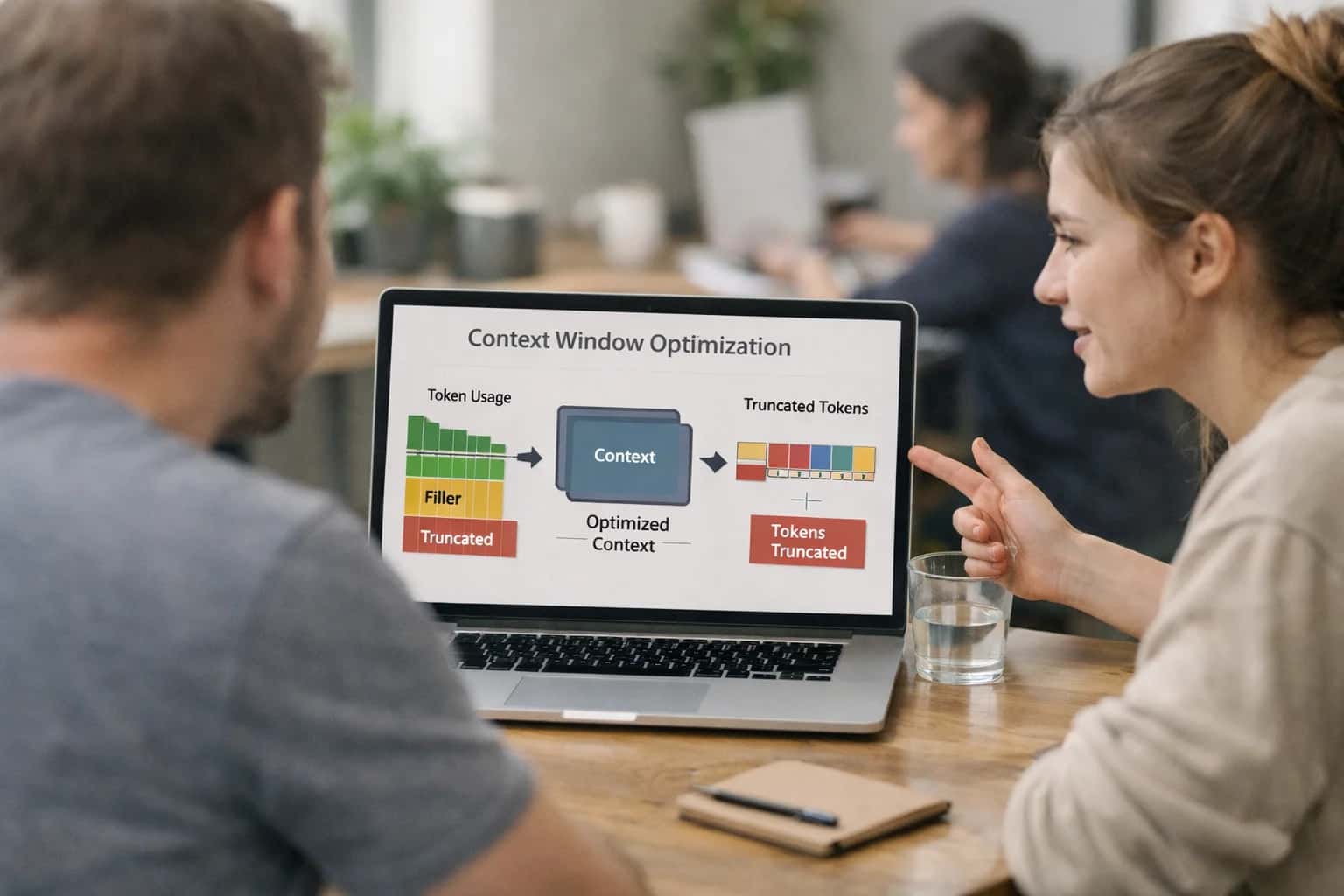
PROMPT PLAYBOOK
When to Use This Prompt
A practical guide for reliability engineers and AI platform architects to decide when a checkpoint-and-resume strategy is the correct recovery pattern for context window overflow.
Do not use this playbook for simple truncation recovery where only the last few tokens were cut off from a single, stateless generation. In that scenario, a basic continuation prompt that asks the model to 'continue from the cutoff point' is more efficient and less complex. This checkpoint strategy is also inappropriate for real-time, low-latency chat where the overhead of generating and loading a dense state summary introduces unacceptable delay. The checkpoint prompt is a high-overhead, high-fidelity tool. Use it when the cost of restarting a task from scratch is higher than the cost of the extra inference calls required to compress and resume state.
Before implementing, ensure your harness can accurately monitor token consumption and has a reserved 'safety margin' of tokens to execute the checkpoint prompt itself. The most common production failure mode is waiting until the context window is completely full, leaving no room for the model to generate the checkpoint summary. Your next step is to review the prompt template and adapt the [CRITICAL_STATE_ELEMENTS] placeholder to match the specific entities, decisions, and pending actions your task cannot afford to lose.
PRACTICAL GUARDRAILS
Use Case Fit
Where the Context Window Checkpoint and Resume prompt template delivers value and where it introduces unacceptable risk.
01
Good Fit: Long-Running Autonomous Agents
Use when: An agent performs a multi-step task (e.g., deep research, complex code refactor) that will certainly exceed a single context window. Guardrail: The checkpoint must be generated proactively before the window is full, not reactively after truncation has already occurred.
02
Bad Fit: Low-Latency User Chat
Avoid when: A user is waiting for a real-time response in a conversational interface. The pause to generate a checkpoint and resume in a new window introduces unacceptable latency. Guardrail: Use sliding window summarization or shorter tasks instead.
03
Required Input: A Verifiable State Schema
Risk: Without a strict schema for the checkpoint (e.g., goal, completed steps, current hypotheses, open questions), the resume prompt will lose critical nuance. Guardrail: Define a structured JSON or Markdown template for the checkpoint that the model must populate before the context window rolls over.
04
Operational Risk: Silent State Corruption
Risk: The checkpoint summary omits a crucial negative result or a failed hypothesis, causing the agent to repeat work or pursue a dead end in the new window. Guardrail: Implement a verification step where the resume prompt first replays the checkpoint's key conclusions and asks for confirmation before proceeding.
05
Operational Risk: Infinite Resume Loops
Avoid when: The task has no clear completion criteria. An agent can checkpoint and resume indefinitely without making progress. Guardrail: Bind the workflow to a strict retry budget and an escalation threshold. If a task checkpoints more than N times without reaching a terminal state, escalate to a human operator.
06
Good Fit: Batch Processing with Audit Trails
Use when: Processing a large, immutable document set where each context window's work product must be auditable. Guardrail: Store each checkpoint as an immutable record in the job's audit log, creating a replayable history of the agent's reasoning across context windows.
PROMPT PLAYBOOK
Copy-Ready Prompt Template
A prompt pair for saving a checkpoint before context overflow and resuming from that checkpoint in a fresh context window.
This section provides two copy-ready prompt templates that work together as a checkpoint-and-resume system for long-running tasks. The first prompt instructs the model to produce a dense state summary before the context window overflows. The second prompt is used in a fresh context window to resume the task from that checkpoint. Both templates use square-bracket placeholders so you can adapt them to your specific task, history format, and output constraints.
Checkpoint Prompt Template
textYou are approaching the context window limit. Before you are cut off, produce a checkpoint summary that captures all critical state needed to resume this task in a fresh context window. [TASK_DESCRIPTION] [HISTORY_AND_CURRENT_STATE] Produce a JSON checkpoint with these fields: - task_goal: the original objective, unchanged - completed_steps: what has been finished, with key outputs and decisions - current_step: the step in progress, including partial work and next action - unresolved_items: open questions, pending validations, or dependencies - key_facts: critical entities, numbers, constraints, and user preferences discovered so far - output_artifacts: any partial outputs, code, or structured data produced so far - error_context: any errors encountered, retry counts, and recovery state - continuation_instruction: the exact next action to take when resuming [OUTPUT_SCHEMA] [CONSTRAINTS]
Resume Prompt Template
textYou are resuming a task from a checkpoint. The previous context window was exhausted. Use the checkpoint below to continue exactly where the prior instance left off. [CHECKPOINT_JSON] Your job: 1. Confirm you understand the task_goal and current_step. 2. Execute continuation_instruction as your first action. 3. Do not repeat completed_steps unless they are needed for context. 4. Preserve all key_facts and constraints from the checkpoint. 5. If unresolved_items exist, address them before proceeding further. 6. If error_context indicates prior failures, apply the recovery strategy described. Proceed now. [OUTPUT_SCHEMA] [CONSTRAINTS]
Adapt these templates by replacing the square-bracket placeholders with your specific content. [TASK_DESCRIPTION] should contain the original system prompt or task instructions. [HISTORY_AND_CURRENT_STATE] should include the conversation history, tool outputs, and current progress. [OUTPUT_SCHEMA] defines the expected format for the checkpoint or resumed output—use a JSON schema, type definition, or example. [CONSTRAINTS] should specify any hard rules such as token budgets, required fields, or prohibited content. For high-risk workflows where checkpoint fidelity is critical, add a validation step that compares the resumed output against the checkpoint's key_facts and output_artifacts to detect state drift before the result reaches users or downstream systems.
IMPLEMENTATION TABLE
Prompt Variables
Placeholders required by the checkpoint and resume prompt pair. Each variable must be populated before the prompt is sent. Validation notes describe how to confirm the variable is well-formed and safe before execution.
| Placeholder | Purpose | Example | Validation Notes |
|---|---|---|---|
[TASK_DESCRIPTION] | The original goal or instruction the model was executing before context overflow. | Analyze the Q4 earnings call transcript and extract all revenue guidance statements with exact quotes. | Must be a complete, self-contained instruction. Check that no critical constraints from the original system prompt are omitted. |
[PROCESSED_CONTEXT_SUMMARY] | A structured summary of all context already processed, including key entities, decisions, and data extracted so far. | Processed sections 1-3 of transcript. Extracted 12 revenue statements. Key entities: North America segment, APAC segment, Q1 guidance, full-year guidance. | Must include section markers or progress indicators. Verify that entity names, numbers, and dates match the source material exactly. |
[LAST_PROCESSED_POSITION] | The exact marker, token offset, or content boundary where processing stopped. | Timestamp 00:34:22, speaker CFO Jane Smith, sentence ending '...outlook remains positive for the coming quarter.' | Must be precise enough to resume without overlap or gap. Test by checking that the next segment starts at exactly this boundary. |
[REMAINING_CONTEXT] | The unprocessed portion of the source material that needs to be analyzed. | Transcript from timestamp 00:34:22 to end of call (approximately 4,500 tokens remaining). | Must be the actual remaining content, not a summary. Verify token count is within the fresh context window budget after subtracting system prompt and checkpoint overhead. |
[OUTPUT_SCHEMA] | The exact structure expected for the final combined output, including field definitions and types. | {"revenue_guidance": [{"source_quote": string, "guidance_type": enum, "amount": number, "period": string, "confidence": string}]} | Must be a valid schema definition. Parse as JSON to confirm structural validity. Check that all required fields from the original task are present. |
[STATE_CONSISTENCY_RULES] | Rules for verifying that the resumed processing does not contradict or duplicate the checkpoint state. | Do not re-extract quotes already captured in PROCESSED_CONTEXT_SUMMARY. Flag any contradictions with prior extracted amounts. | Must be executable as boolean or match checks. Test with a known overlap scenario to confirm deduplication and contradiction detection fire correctly. |
[FRESH_CONTEXT_WINDOW_BUDGET] | The maximum token budget available for the resume prompt, including system instructions, checkpoint, and remaining context. | 120000 tokens total. System prompt: 2000 tokens. Checkpoint overhead: 1500 tokens. Available for remaining context and output: 116500 tokens. | Must be a positive integer. Verify that the sum of system prompt, checkpoint, remaining context, and expected output tokens does not exceed this budget. Use a tokenizer to count. |
[COMPLETION_MARKER] | A unique string that signals the final output is complete and no further continuation is needed. | CHECKPOINT_COMPLETE_EOF | Must be a string unlikely to appear in the source material. Check that the harness stops polling or requesting continuation when this marker appears in the output. |
PROMPT PLAYBOOK
Implementation Harness Notes
How to wire the checkpoint-and-resume prompt pair into a fault-tolerant application harness.
The checkpoint-and-resume pattern requires a stateful harness that monitors token consumption, triggers the checkpoint prompt before overflow, stores the checkpoint payload, and injects it into a fresh context window for the resume prompt. This is not a single prompt but a coordinated pair managed by application logic. The harness must track cumulative token usage across turns, estimate remaining budget, and decide when to invoke save_checkpoint versus continuing normally. A common trigger point is when estimated remaining tokens fall below 15–20% of the model's context limit, leaving enough room for the checkpoint prompt itself plus a safety margin.
Harness workflow: (1) Before each model call, estimate token consumption using the same tokenizer the model uses (e.g., tiktoken for OpenAI models). (2) If remaining budget is below the configured threshold, inject the checkpoint instruction into the system message and request a structured checkpoint output (JSON with checkpoint_summary, completed_steps, pending_steps, key_state, and resume_instruction fields). (3) Validate the checkpoint output against a schema—reject and retry if required fields are missing or the summary is empty. (4) Persist the validated checkpoint to durable storage with a task ID and sequence number. (5) Open a fresh context window, load the resume prompt template, and populate [CHECKPOINT] with the stored payload. (6) On resume, verify state consistency by comparing the resumed output's initial claims against the checkpoint's completed_steps—flag contradictions for human review if the task is high-risk.
Validation and retry logic: The checkpoint output must pass structural validation (valid JSON, all required fields present, key_state non-empty). If validation fails, retry the checkpoint prompt once with a stronger constraint message. If the retry also fails, log the failure, save whatever partial state exists, and escalate to a human operator with the task context. For the resume prompt, validate that the model acknowledges the checkpoint and does not hallucinate completed work as pending. Implement a state consistency check: extract claimed completions from the resume output and diff them against completed_steps from the checkpoint. Mismatches should trigger a correction prompt or human review depending on [RISK_LEVEL].
Model choice and tool integration: This pattern works best with models that have native JSON mode or structured output support (e.g., GPT-4o with response_format, Claude 3.5 with tool use). For models without structured output guarantees, add a repair step using a lightweight validator that extracts JSON from markdown fences or free text. If the task involves tool calls, the checkpoint must capture pending tool results and in-flight function call state. Store tool call IDs and arguments in key_state so the resume prompt can re-issue or reference them. Logging and observability: Log every checkpoint event with task ID, token counts, trigger reason, validation result, and storage location. This trace is essential for debugging lost state, repeated work, or checkpoint corruption in production. Wire these logs into your existing observability stack so checkpoint failures surface as alerts alongside other application errors.
What to avoid: Do not use the checkpoint prompt without schema validation—unstructured summaries cause the resume prompt to drift. Do not skip the state consistency check in high-risk workflows; a confident but incorrect resume is worse than a clean failure. Do not checkpoint too frequently (every turn) as this wastes tokens and fragments state; use a token-budget trigger instead. Finally, do not treat this pattern as a substitute for proper context budgeting—if your task routinely overflows, redesign the prompt architecture to use fewer tokens before relying on checkpoint recovery as the primary strategy.
IMPLEMENTATION TABLE
Expected Output Contract
Validation rules for the checkpoint JSON produced by the Context Window Checkpoint and Resume prompt pair. Use this contract to parse, validate, and reject malformed checkpoints before resuming.
| Field or Element | Type or Format | Required | Validation Rule |
|---|---|---|---|
checkpoint_id | string (UUID v4) | Must parse as valid UUID v4; reject if missing or malformed | |
task_description | string (1-500 chars) | Must be non-empty after trimming; max 500 characters; reject if blank | |
completion_status | enum: ['not_started', 'in_progress', 'completed'] | Must match one of the three enum values exactly; reject on mismatch | |
last_completed_step | string (1-200 chars) | Must be non-empty; should reference a concrete step from the original task plan; reject if generic placeholder like 'step 3' | |
pending_steps | array of strings (1-200 chars each) | Must be a non-empty array; each element must be a non-empty string; reject if empty array or contains blank strings | |
key_outputs_so_far | object (string keys, string values) | Must be a valid JSON object; at least one key-value pair required; values must be non-empty strings; reject if empty object | |
critical_state_variables | object (string keys, any JSON value) | Must be a valid JSON object; at least one key required; reject if empty or not parseable as object | |
errors_encountered | array of objects with 'step' (string) and 'error' (string) | Each element must have non-empty 'step' and 'error' string fields; array may be empty if no errors; reject if malformed element | |
context_window_remaining_tokens | integer (>= 0) | Must be a non-negative integer; reject if negative, float, or non-numeric; warn if > 1000000 | |
checkpoint_timestamp | string (ISO 8601 UTC) | Must parse as valid ISO 8601 datetime in UTC; reject if unparseable or missing timezone offset |
PRACTICAL GUARDRAILS
Common Failure Modes
Checkpoint-and-resume patterns fail in predictable ways. These are the most common production failure modes and how to guard against them before they corrupt state or waste retries.
01
Checkpoint Omits Critical State
What to watch: The checkpoint summary drops a required parameter, user preference, or intermediate result that the resume step needs. The resumed task produces a wrong answer or hallucinates the missing detail. Guardrail: Define a mandatory state schema for checkpoints. Validate that every required field is present before accepting the checkpoint. Run a golden-set eval where the resumed output matches a no-overflow baseline.
02
Resume Context Drift
What to watch: The model interprets the checkpoint differently in the new context window, causing the second half of the task to contradict the first half. This is common with ambiguous summaries or implicit assumptions. Guardrail: Include explicit continuation anchors in the checkpoint (e.g., 'The last completed step was X. The next step is Y.'). Test with adversarial examples that probe for interpretation drift.
03
Infinite Resume Loop
What to watch: The resume prompt itself overflows, triggering another checkpoint-and-resume cycle that never converges. Each cycle loses more context until the task is unrecoverable. Guardrail: Set a hard retry budget (max 2-3 resumes). After the budget is exhausted, escalate to a larger-context model or a human operator. Log every cycle for diagnosis.
04
Duplicate or Overlapping Work
What to watch: The resume step re-processes content that was already completed before the checkpoint, producing duplicated sections, double-counted results, or inconsistent conclusions. Guardrail: Include a progress marker in the checkpoint that unambiguously states what is done and what remains. Use a validator that detects duplicate sections or contradictory outputs across the boundary.
05
Checkpoint Too Large to Fit
What to watch: The checkpoint itself consumes so many tokens that the resume prompt has insufficient room for the remaining task and new context. The model truncates mid-task again. Guardrail: Enforce a maximum token budget for the checkpoint (e.g., 20% of context window). If the checkpoint exceeds the budget, compress it further or escalate. Test with worst-case state sizes.
06
Silent State Corruption
What to watch: The checkpoint is generated correctly, but the resume step silently misinterprets a value (e.g., swaps 'source' and 'target', misreads a numeric threshold). The output looks plausible but is wrong. Guardrail: Include a consistency verification step after resume that cross-checks critical values against the original checkpoint. Flag mismatches for human review or automated rollback.
IMPLEMENTATION TABLE
Evaluation Rubric
Criteria for testing the checkpoint and resume prompt pair before production deployment. Each row defines a pass standard, a failure signal, and a concrete test method.
| Criterion | Pass Standard | Failure Signal | Test Method |
|---|---|---|---|
Checkpoint Completeness | Checkpoint summary includes all critical state: task goal, completed steps, pending items, key entities, and decisions made. | Missing pending action items, unresolved decisions, or key entity values in the checkpoint. | Parse checkpoint output. Assert presence of required fields: [TASK_GOAL], [COMPLETED_STEPS], [PENDING_ITEMS], [KEY_ENTITIES], [DECISIONS]. Use LLM judge to score completeness on a 1-5 scale; threshold >= 4. |
Resume State Consistency | Resumed output continues from the exact logical breakpoint without repeating completed work or skipping pending items. | Model repeats already-completed steps or omits a pending item listed in the checkpoint. | Diff the completed-steps list from the checkpoint against the first actions in the resumed output. Assert zero overlap. Verify all [PENDING_ITEMS] appear in the resumed plan. |
Entity and Value Preservation | Named entities, numeric values, dates, and identifiers from the original context are preserved accurately across the boundary. | Entity value changes (e.g., 'Acme Corp' becomes 'Acme Inc.'), date shifts, or numeric drift after resume. | Extract entities from pre-checkpoint context and post-resume output. Compute exact-match ratio. Assert match ratio >= 0.95 for critical entities tagged with [CRITICAL_ENTITY]. |
Instruction Fidelity | Original system instructions, output format requirements, and constraints are fully respected in the resumed output. | Resumed output changes format, violates a constraint, or ignores a system-level rule present in the original prompt. | Run the resumed output through the same schema validator and policy checks as the original. Assert zero new violations. Compare refusal rate; assert no increase. |
Token Budget Adherence | Checkpoint is generated before context overflow occurs, and the resume prompt fits within the fresh context window. | Checkpoint generation itself causes overflow, or the resume prompt plus checkpoint exceeds the new window limit. | Count tokens for the checkpoint prompt and the resume prompt. Assert checkpoint prompt tokens < [OVERFLOW_THRESHOLD]. Assert resume prompt tokens < [CONTEXT_WINDOW_LIMIT]. |
Idempotency and Deduplication | Running the resume prompt twice with the same checkpoint does not produce duplicated work or conflicting state. | Second resume execution repeats actions already completed in the first resume or introduces contradictory decisions. | Execute resume twice from the same checkpoint. Compare action lists. Assert Jaccard similarity of completed actions <= 0.1. Assert no conflicting [DECISIONS] entries. |
Graceful Degradation on Corrupted Checkpoint | When the checkpoint is missing a required field, the resume prompt requests clarification or flags the gap instead of hallucinating. | Model fabricates missing state or proceeds with incomplete information without signaling uncertainty. | Inject a corrupted checkpoint with [PENDING_ITEMS] set to null. Assert the resumed output contains an explicit uncertainty flag or clarification request. Assert no fabricated pending items. |
End-to-End Task Completion | A long task that exceeds the context window is completed successfully across the checkpoint-resume boundary with all requirements met. | Task is abandoned, final output is incomplete, or quality drops significantly after the resume boundary. | Run a suite of 10 long-context tasks. Assert >= 90% completion rate. Compare output quality scores (LLM judge) before and after the boundary; assert score drop <= 0.5 on a 5-point scale. |
Enabling Efficiency, Speed & Accuracy
Intelligent Analysis, Decision & Execution
We build AI systems for teams that need search across company data, workflow automation across tools, or AI features inside products and internal software.
Talk to Us
Search across company data
Give teams answers from docs, tickets, runbooks, and product data with sources and permissions.
Useful when people spend too long searching or get different answers from different systems.
Enterprise searchRAGPermissions
Read more
Automate internal workflows
Use AI to route work, draft outputs, trigger actions, and keep approvals and logs in place.
Useful when repetitive work moves across multiple tools and teams.
AI agentsWorkflow automationGovernance
Read more
Add AI to products and internal tools
Build assistants, guided actions, or decision support into the software your team or customers already use.
Useful when AI needs to be part of the product, not a separate tool.
AI integrationDecision supportModel routing
Read moreADAPTATION OPTIONS
Adapt This Prompt
How to adapt
Use the base checkpoint and resume prompt pair with a single model call for each stage. Skip formal state consistency verification and rely on manual spot checks. Use simple string matching to detect context overflow signals (e.g., 'token limit', 'truncated') rather than programmatic token counting.
Prompt modification
- Replace [STATE_SCHEMA] with a loose natural-language description of what to save: 'Save the current task goal, completed steps, key findings, and any open questions.'
- Replace [RESUME_INSTRUCTION] with a simple directive: 'Continue from the checkpoint above. Pick up where you left off.'
- Remove or comment out the verification step in [VERIFICATION_PROMPT] if latency matters more than correctness.
Watch for
- Lost intermediate state when the checkpoint summary omits critical details like partial results or unresolved branches
- Resume prompt failing to re-establish the original task constraints, causing drift in output style or scope
- No detection of silent truncation where the model doesn't signal overflow but drops content

About the author
Prasad Kumkar
CEO & MD, Inference Systems
Prasad Kumkar is the CEO & MD of Inference Systems and writes about AI systems architecture, LLM infrastructure, model serving, evaluation, and production deployment. Over 5+ years, he has worked across computer vision models, L5 autonomous vehicle systems, and LLM research, with a focus on taking complex AI ideas into real-world engineering systems.
His work and writing cover AI systems, large language models, AI agents, multimodal systems, autonomous systems, inference optimization, RAG, evaluation, and production AI engineering.
LinkedIn
Limited slotsGet a Free AI Consultation
Partnered with leading AI, data, and software stack.





How We Work
Custom AI workflows for your Business
One-fit-all AI don't work for modern businesses. At Inferensys, we aim to understand your business & custom requirements; which we use to define most efficient agentic workflows, the data, and the tools for your business.
01
Review the use case
We understand the task, the users, and where AI can actually help.
Read more02
Pick the right approach
We define what needs search, automation, or product integration.
Read more03
Build the first useful version
We implement the part that proves the value first.
Read more04
Improve from there
We add the checks and visibility needed to keep it useful.
Read moreThe first call is a practical review of your use case and the right next step.
Talk to Us