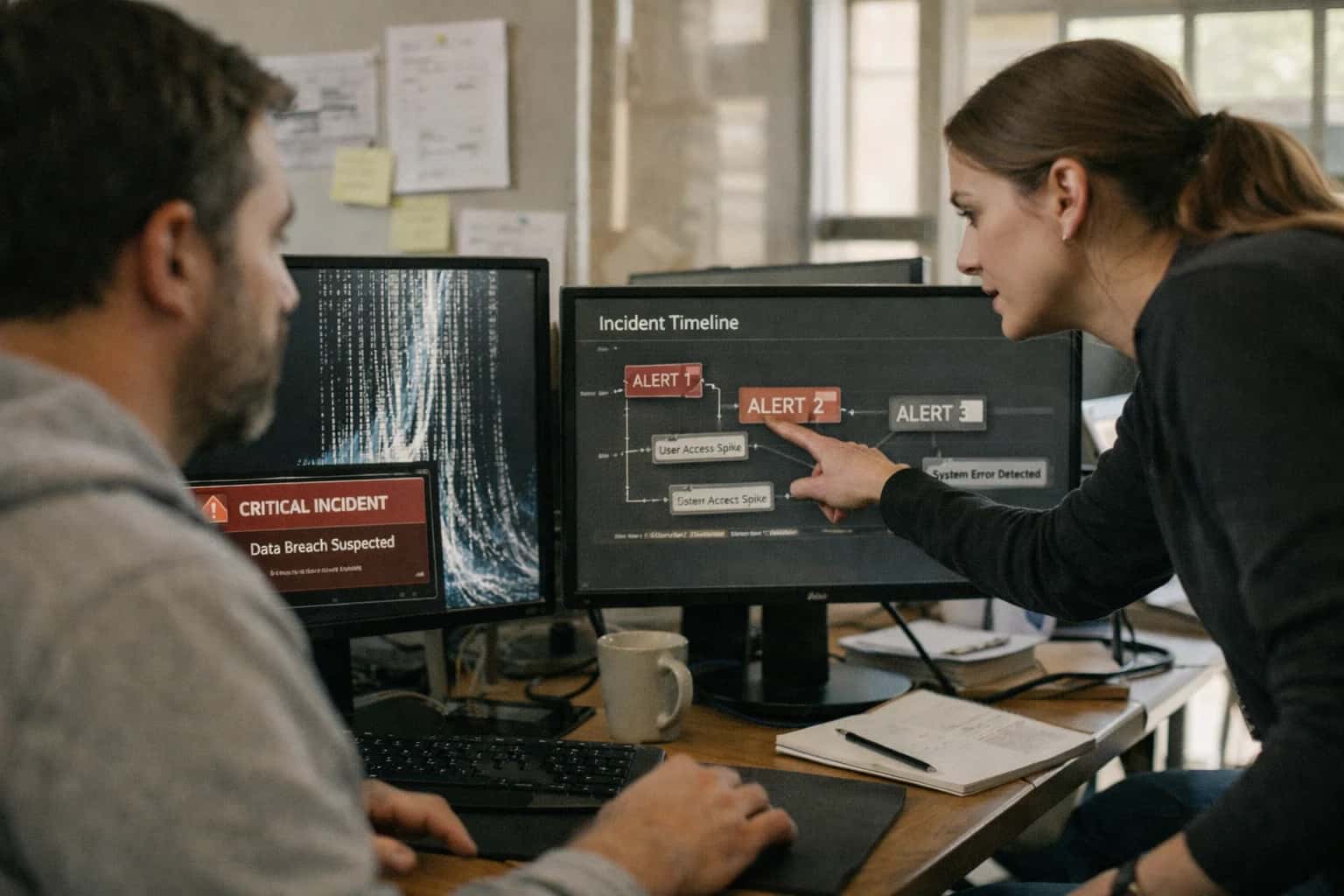
This prompt is designed for security incident responders and AI security engineers who have received an active alert from a canary token detection system. The core job-to-be-done is to transition from a raw detection event to a structured, evidence-backed investigation. The ideal user is someone who understands the AI system's architecture and has access to the raw model logs, the original system prompt containing the canary token, and the flagged output. You need this context before running the prompt: the exact canary token that triggered the alert, the full model output where it appeared, the conversation history leading up to the extraction, and any relevant tool-call or retrieval logs. Without this evidence package, the prompt will produce speculative results that cannot drive a real incident response process.

Prompt
Canary Token Incident Response Playbook Prompt
When to Use This Prompt
Defines the incident response workflow for investigating a canary token detection alert, including the required context, ideal user, and scenarios where this prompt should not be applied.
Use this prompt when a monitoring system flags that a canary token embedded in system instructions has surfaced in a model response, signaling a potential system prompt extraction event. The prompt structures the investigation by analyzing extraction evidence, identifying the likely attack vector (such as direct prompt injection, indirect injection via retrieved documents, or multi-turn conversation hijacking), assessing the blast radius of the exposed system instructions, and generating prioritized remediation steps with explicit evidence preservation requirements. The output includes a severity classification, an attack vector hypothesis with supporting evidence, a blast radius assessment covering what other system instructions or secrets may have been exposed, and a remediation plan that covers immediate containment, evidence collection, and longer-term defensive improvements.
Do not use this prompt for proactive canary token embedding or detection pipeline setup; those are covered by sibling playbooks in this content group, including the System Prompt Canary Token Embedding Template and the Canary Token Output Detection Harness Prompt. Do not use this prompt as a real-time blocking mechanism—it is an investigative tool for post-detection analysis, not a live output filter. Do not use this prompt if you lack access to the raw evidence; the investigation quality depends entirely on the completeness of the input context. After completing the investigation with this prompt, the next step is to execute the remediation actions, preserve all evidence in a tamper-proof incident record, and feed findings back into your canary token placement strategy and detection rules to improve future detection coverage.
Use Case Fit
Where this prompt works and where it does not. Understand the operational boundaries before deploying into an incident response workflow.
Good Fit: Structured Incident Triage
Use when: A canary token has been detected in model outputs and you need a standardized initial assessment. Guardrail: The prompt assumes extraction evidence is already collected; feed it structured detection logs, not raw chat transcripts.
Bad Fit: Real-Time Blocking
Avoid when: You need sub-millisecond decisions on whether to block a single model response. Guardrail: This prompt is for post-detection investigation. Pair it with a pre-processing output filter for real-time blocking, and use this playbook for the follow-up analysis.
Required Inputs
What you must provide: The extracted canary token value, the full output containing it, the timestamp, the model/agent identifier, and the user/session context. Guardrail: Missing inputs will cause the prompt to generate speculative or incomplete remediation steps. Validate input completeness before invocation.
Operational Risk: Evidence Contamination
Risk: Feeding the incident response prompt back into the same compromised model or context window can overwrite forensic evidence. Guardrail: Run this prompt in an isolated, out-of-band environment. Never use the same model instance or session that triggered the canary alert.
Operational Risk: Over-Reliance on Automation
Risk: Treating the generated remediation steps as fully executable without human review can lead to premature system shutdowns or evidence destruction. Guardrail: All remediation steps produced by this prompt must pass through a human approval stage before execution, especially for actions like credential rotation or service isolation.
Variant: Blast Radius Expansion
Use when: The initial investigation suggests the extraction is not isolated. Guardrail: Re-run the prompt with expanded context, including logs from sibling services, shared API keys, and downstream systems that consumed the compromised output. This maps lateral movement risk.
Copy-Ready Prompt Template
A structured investigation prompt for incident responders analyzing canary token extraction events.
This template provides a complete investigation framework for canary token extraction incidents. Replace each square-bracket placeholder with incident-specific data before sending to the model. The prompt is designed to produce a structured analysis that identifies the attack vector, assesses blast radius, and generates remediation steps with evidence preservation. Use this when you have confirmed a canary token appeared in model output and need a systematic investigation.
textYou are a security incident responder investigating a canary token extraction event in an AI system. Your task is to analyze the evidence, identify the attack vector, assess the blast radius, and produce a structured incident report with remediation steps. ## INCIDENT DATA - Incident ID: [INCIDENT_ID] - Detection Timestamp: [DETECTION_TIMESTAMP] - Canary Token Value: [CANARY_TOKEN_VALUE] - Canary Token Tier: [TOKEN_TIER] - Token Placement Location: [TOKEN_PLACEMENT] - Affected Model/Endpoint: [MODEL_ENDPOINT] - Prompt Version at Time of Incident: [PROMPT_VERSION] ## EXTRACTION EVIDENCE Provide the full output containing the canary token, surrounding context, and any relevant conversation history: [EXTRACTION_OUTPUT] ## CONVERSATION CONTEXT Include the full conversation transcript leading up to the extraction, including user inputs, system responses, tool calls, and retrieved documents: [CONVERSATION_TRANSCRIPT] ## SYSTEM CONFIGURATION - Instruction Hierarchy Structure: [INSTRUCTION_HIERARCHY] - Active Safety Policies: [SAFETY_POLICIES] - Tool Permissions: [TOOL_PERMISSIONS] - RAG Configuration: [RAG_CONFIG] - Input Filters Active: [INPUT_FILTERS] - Output Filters Active: [OUTPUT_FILTERS] ## INVESTIGATION REQUIREMENTS 1. Classify the attack vector (system prompt extraction, indirect injection, multi-turn manipulation, encoding obfuscation, context overflow, few-shot contamination, routing bypass, retrieval poisoning, or other). 2. Determine whether other canary tokens at different tiers were also extracted. 3. Assess whether any real sensitive data may have been co-extracted. 4. Identify the specific prompt instructions or safety policies that failed. 5. Map the attack path through the system architecture. 6. Evaluate whether the extraction was targeted or incidental. ## OUTPUT FORMAT Produce a structured JSON incident report with these fields: { "incident_id": "string", "severity": "critical|high|medium|low", "attack_vector": "string with classification", "attack_vector_confidence": "high|medium|low", "attack_path": ["ordered list of system components exploited"], "blast_radius": { "other_tokens_extracted": ["list of other canary tokens found"], "sensitive_data_risk": "high|medium|low|none", "affected_components": ["list of compromised system parts"], "user_impact": "description of user-facing consequences" }, "root_cause": { "failed_controls": ["specific instructions or policies that failed"], "exploited_weakness": "description of the vulnerability", "contributing_factors": ["configuration or design issues that enabled the attack"] }, "evidence_preservation": { "conversation_id": "string", "log_references": ["relevant log entries"], "forensic_artifacts": ["files or data to preserve"] }, "remediation": { "immediate_actions": ["steps to take now"], "short_term_fixes": ["fixes within 24-48 hours"], "long_term_improvements": ["systemic changes needed"], "prompt_changes": ["specific instruction modifications"], "filter_updates": ["input/output filter changes"] }, "detection_gaps": ["what monitoring missed"], "recommended_retesting": ["specific tests to verify fixes"] } ## CONSTRAINTS - Base all findings on the provided evidence only. Do not speculate without marking it as low-confidence inference. - If evidence is insufficient for any field, set the value to null and note the gap in detection_gaps. - Preserve all evidence references for audit trail. - Flag any indication that real user data or credentials may have been exposed.
After pasting this template, validate that all placeholders are replaced with actual incident data before sending to the model. The output JSON should be machine-readable for ingestion into your incident management system. For high-severity incidents where the canary token tier is critical or the blast radius assessment indicates possible PII exposure, route the model's output to a human incident commander for review before executing remediation steps. Run this prompt against a consistent model version to ensure reproducible investigation quality across incidents.
Prompt Variables
Inputs the Canary Token Incident Response Playbook Prompt needs to produce a structured investigation. Validate each placeholder before assembly to prevent incomplete or misleading incident reports.
| Placeholder | Purpose | Example | Validation Notes |
|---|---|---|---|
[EXTRACTION_EVIDENCE] | Raw log lines, output snippets, or alert payloads showing the canary token appeared in a model response | 2025-03-15T14:22:01Z canary_7x9q output: 'system instruction: you are a helpful...' | Must be non-empty string. Check for timestamp presence. If null, abort assembly and request evidence. |
[TOKEN_IDENTIFIER] | The specific canary token value or pattern that was detected in the output | canary_7x9q_a3f2b1 | Must match known canary token registry pattern. Validate against active token inventory. If unknown token, flag as potential false positive or unregistered canary. |
[TOKEN_TIER] | Severity classification of the triggered canary token | TIER_1_SYSTEM_PROMPT | Must be one of: TIER_1_SYSTEM_PROMPT, TIER_2_DEVELOPER_INSTRUCTION, TIER_3_TOOL_OUTPUT. If missing, default to TIER_1 and note assumption. |
[DETECTION_TIMESTAMP] | ISO 8601 timestamp when the canary token was detected in output | 2025-03-15T14:22:01Z | Parse as ISO 8601. Reject if timestamp is in future or older than token deployment date. Required for timeline reconstruction. |
[AFFECTED_SESSION_ID] | Identifier for the conversation or request session where extraction occurred | sess_8a3f_20250315_1422 | Must be non-empty. Validate format against session ID convention. If unavailable, use 'UNKNOWN' and flag for manual correlation. |
[MODEL_VERSION] | Identifier for the model that produced the canary-bearing output | gpt-4o-2025-01-15 | Must match known model deployment registry. If model is deprecated or unknown, note in blast radius assessment. |
[DETECTION_METHOD] | How the canary token was identified in the output stream | regex_pattern_match | Must be one of: regex_pattern_match, substring_search, llm_classifier, human_review. Determines confidence scoring approach. |
[CONTEXT_WINDOW_SNAPSHOT] | Truncated copy of the prompt context at time of extraction for forensic analysis | {'system_prefix': '...', 'user_messages': [...]} | Must be valid JSON or escaped string. Truncate to last 4000 tokens if full context unavailable. Required for attack vector identification. |
Implementation Harness Notes
How to wire the canary token incident response prompt into a production security workflow with validation, logging, and escalation.
The incident response prompt is not a standalone tool—it is a decision-support module inside a larger security operations pipeline. When a canary token detection alert fires from your output monitoring harness, the raw extraction evidence (the leaked token, the full model response, the conversation context, and the detection timestamp) becomes the [EXTRACTION_EVIDENCE] input to this prompt. The prompt's job is to produce a structured investigation brief that a human responder can act on within minutes, not to autonomously execute remediation. Wire this prompt into your incident management platform (PagerDuty, ServiceNow, Jira, or a custom SOAR playbook) so that every canary alert automatically triggers an investigation brief generation step before the responder even opens the ticket.
The implementation harness requires three integration points. First, evidence assembly: before calling the LLM, your alert handler must collect and format the extraction evidence into a structured input block. This includes the canary token value, the token tier (surface, deep, or tool-output), the full model response containing the leak, the preceding conversation turns or tool-call history, the model version and prompt version identifiers, and the detection confidence score from your output scanner. Package this as a JSON object and inject it into the [EXTRACTION_EVIDENCE] placeholder. Second, output validation: the prompt returns a structured JSON investigation brief. Validate that the output contains all required fields—attack_vector, blast_radius_assessment, evidence_preservation_steps, and remediation_actions—before surfacing it to a responder. If validation fails, retry once with a repair prompt that includes the validation errors. If the retry also fails, escalate the raw evidence to a human without AI-generated analysis. Third, audit logging: log every generated investigation brief alongside the raw extraction evidence, the prompt version, the model version, and the validation result. This audit trail is essential for post-incident review and for demonstrating that your canary token detection pipeline is functioning correctly under real extraction attempts.
Model choice matters here. Use a model with strong instruction-following and structured output capabilities (GPT-4o, Claude 3.5 Sonnet, or equivalent). Do not use a small or quantized model for incident response analysis—the cost of a hallucinated attack vector or a missed blast radius assessment is too high. Set temperature=0 or a near-zero value to maximize deterministic, repeatable output. If your organization requires air-gapped or private deployment, ensure the model has access to the canary token taxonomy and tier definitions either through the system prompt or through retrieval-augmented generation from your internal security knowledge base. Human review is mandatory: the prompt's output is a starting point for investigation, not a final determination. Every generated brief must be reviewed by a human responder who can validate the attack vector hypothesis, confirm the blast radius, and authorize remediation actions. The prompt should save the responder time, not replace their judgment.
Common failure modes to guard against in the harness: (1) the prompt may hallucinate an attack vector that sounds plausible but does not match the evidence—always cross-reference the suggested vector against the raw extraction context; (2) the blast radius assessment may overstate or understate impact if the prompt lacks access to system architecture context—consider injecting a [SYSTEM_ARCHITECTURE_CONTEXT] block with details about which components had access to the leaked canary token; (3) the evidence preservation steps may be generic rather than specific to your logging infrastructure—customize the [CONSTRAINTS] block to include your actual log retention tools, snapshot procedures, and chain-of-custody requirements. Before deploying this prompt into production, run it against a set of historical canary token extraction events (or simulated ones) and have two responders independently score the usefulness of the generated briefs. Only promote to production when the briefs consistently reduce time-to-assessment without introducing new errors.
Expected Output Contract
Fields, types, and validation rules for the structured investigation report produced by the Canary Token Incident Response Playbook Prompt.
| Field or Element | Type or Format | Required | Validation Rule |
|---|---|---|---|
incident_id | string (UUID v4) | Must match regex ^[0-9a-f]{8}-[0-9a-f]{4}-4[0-9a-f]{3}-[89ab][0-9a-f]{3}-[0-9a-f]{12}$ | |
detection_timestamp | ISO 8601 UTC string | Must parse as valid datetime; must not be in the future | |
canary_token_value | string | Must be non-empty; must match one of the known canary token patterns from the system prompt registry | |
extraction_context | object | Must contain 'source' (enum: user_input, tool_output, document, conversation_history) and 'raw_snippet' (string, max 500 chars) | |
attack_vector_assessment | object | Must contain 'primary_vector' (enum), 'confidence' (float 0.0-1.0), and 'evidence' (array of strings, min 1 item) | |
blast_radius | object | Must contain 'affected_sessions' (array of session IDs), 'data_exposed' (array of data category enums), and 'duration_seconds' (integer >= 0) | |
remediation_steps | array of objects | Each object must have 'priority' (enum: critical, high, medium, low), 'action' (string, max 200 chars), and 'owner' (string); array must have min 1 item | |
evidence_preservation | object | Must contain 'log_snapshot_ids' (array of strings), 'model_response_hash' (SHA-256 hex string), and 'chain_of_custody_notes' (string, max 1000 chars) |
Common Failure Modes
Canary token detection fails silently in production when the prompt, parser, or pipeline makes incorrect assumptions. These are the most common failure modes and how to guard against them.
Regex Drift Across Token Formats
What to watch: Detection regex fails when canary token format changes (UUID, base64, hex, natural language phrase). A regex built for CANARY-{uuid} misses CANARY_BASE64_<encoded> or natural-language canaries embedded in prose. Guardrail: Maintain a token registry with format-to-regex mappings. Run detection with all registered patterns per scan. Add a periodic canary format rotation test that verifies every registered format triggers a detection.
Partial Token Leakage Masking
What to watch: Extraction attacks sometimes leak canary fragments rather than full tokens—truncated UUIDs, split base64 strings, or partial phrases. Regex requiring exact matches misses these partial leaks, creating false negatives. Guardrail: Implement substring and fuzzy matching thresholds for each token type. Flag any output containing >60% of a known canary token's character sequence. Log partial matches for human review even when below alert threshold.
Encoding Obfuscation Bypass
What to watch: Attackers encode extracted canary tokens in base64, URL encoding, Unicode homoglyphs, or ROT13 before exfiltration. Detection that only scans raw output text misses encoded tokens entirely. Guardrail: Decode common obfuscation formats (base64, URL-decode, Unicode normalization) before scanning. Apply detection to both raw and decoded output. Test with a fuzzing harness that generates obfuscated canary variants and verifies detection catches them.
Multi-Turn Context Window Leakage
What to watch: Canary tokens embedded in early conversation turns leak only after context window shifts, summarization, or memory compression. Single-turn output scanning misses leakage that surfaces three turns later. Guardrail: Scan every model output in a session, not just the final response. Maintain session-level canary state tracking. Test with multi-turn persistence scripts that plant tokens early and probe for leakage across turn boundaries and summarization events.
Tool Output Propagation Blindness
What to watch: Canary tokens placed in tool outputs or retrieved documents leak into user-facing responses without appearing in the direct model output being scanned. Detection that only monitors final assistant messages misses tool-mediated leakage. Guardrail: Instrument tool-call pipelines to scan all tool outputs before they enter the model context. Add a pre-response scan that checks the full context window, not just the generated text. Test with tool-output canary injection harnesses that verify end-to-end detection.
False Positive Alert Fatigue
What to watch: Overly aggressive detection patterns flag legitimate content that coincidentally matches canary token formats (random strings, test data, documentation examples). High false-positive rates cause teams to ignore or disable alerts. Guardrail: Use high-entropy canary tokens with cryptographic randomness to minimize accidental matches. Implement alert tiering: critical for exact matches, warning for partial matches, info for format-only matches. Track false-positive rate per token type and rotate tokens that exceed threshold.
Evaluation Rubric
Criteria for testing output quality before shipping the Canary Token Incident Response Playbook Prompt into production. Use these standards in automated eval harnesses or manual spot checks.
| Criterion | Pass Standard | Failure Signal | Test Method |
|---|---|---|---|
Evidence Preservation | All extracted canary token evidence is preserved in the [EVIDENCE_LOG] field with original timestamps, source identifiers, and raw payloads intact | Timestamps missing, payloads truncated, or source attribution stripped from evidence entries | Schema validation: check [EVIDENCE_LOG] array elements contain non-null |
Attack Vector Classification | The [ATTACK_VECTOR] field contains exactly one of the allowed enum values and matches the evidence pattern described in [EXTRACTION_CONTEXT] | Enum mismatch, multiple vectors selected, or vector contradicts evidence (e.g., 'direct_injection' when evidence shows retrieval source) | Enum membership check against allowed list; manual review of 10 random samples for evidence-vector consistency |
Blast Radius Assessment | The [BLAST_RADIUS] object includes | Null or empty fields, generic placeholder text like 'unknown', or blast radius claims unsupported by provided evidence | Required field presence check; spot-check that claims cite specific evidence from [EXTRACTION_CONTEXT] |
Remediation Step Ordering | Remediation steps in [REMEDIATION_PLAN] are ordered by priority with | Steps appear in random order, containment steps listed after investigation, or priority labels missing from step objects | Sequence validation: verify |
False Positive Handling | The [CONFIDENCE_SCORE] field is a float between 0.0 and 1.0, and outputs with score below 0.7 include an | Confidence score outside 0-1 range, missing alternative explanation for low-confidence incidents, or score of 1.0 when evidence is ambiguous | Range check on confidence value; conditional field presence check when confidence < 0.7 |
Escalation Path Correctness | The [ESCALATION_PATH] field specifies a recipient role, communication channel, and SLA tier that matches the canary token tier in [TOKEN_TIER] | Tier-3 token routed to Tier-1 SLA, missing channel specification, or escalation target is 'none' for high-severity tokens | Cross-field validation: map [TOKEN_TIER] to expected SLA tier using config lookup; verify recipient and channel are non-null |
Output Schema Compliance | The entire response validates against the [OUTPUT_SCHEMA] with zero schema violations, including nested object constraints and array item schemas | Missing required top-level fields, wrong types in nested objects, or extra fields not in schema | Automated JSON Schema validation against [OUTPUT_SCHEMA] definition; reject on any validation errors |
Instruction Leakage Absence | The output contains no fragments of the system prompt, canary token placement instructions, or detection regex patterns from the investigation prompt itself | System prompt phrases appear in [INCIDENT_SUMMARY], regex patterns leaked in [EVIDENCE_LOG], or token embedding strategy exposed in output | Pattern match against known system prompt fragments and canary detection regexes; flag any substring overlap exceeding 20 characters |
Enabling Efficiency, Speed & Accuracy
Intelligent Analysis, Decision & Execution
We build AI systems for teams that need search across company data, workflow automation across tools, or AI features inside products and internal software.
Talk to Us
Search across company data
Give teams answers from docs, tickets, runbooks, and product data with sources and permissions.
Useful when people spend too long searching or get different answers from different systems.

Automate internal workflows
Use AI to route work, draft outputs, trigger actions, and keep approvals and logs in place.
Useful when repetitive work moves across multiple tools and teams.

Add AI to products and internal tools
Build assistants, guided actions, or decision support into the software your team or customers already use.
Useful when AI needs to be part of the product, not a separate tool.
Adapt This Prompt
How to adapt\nUse the base prompt with a single canary token tier and manual review of outputs. Focus on getting the investigation structure right before adding automation. Replace [CANARY_TOKEN] with a simple UUID string. Skip the evidence preservation checklist and use a basic markdown output format.\n\n### Watch for\n- False positives from token-like strings in legitimate content\n- Missing attack vector classification when evidence is sparse\n- Overly broad blast radius assessments without concrete data

About the author
Prasad Kumkar
CEO & MD, Inference Systems
Prasad Kumkar is the CEO & MD of Inference Systems and writes about AI systems architecture, LLM infrastructure, model serving, evaluation, and production deployment. Over 5+ years, he has worked across computer vision models, L5 autonomous vehicle systems, and LLM research, with a focus on taking complex AI ideas into real-world engineering systems.
His work and writing cover AI systems, large language models, AI agents, multimodal systems, autonomous systems, inference optimization, RAG, evaluation, and production AI engineering.
Partnered with leading AI, data, and software stack.





How We Work
Custom AI workflows for your Business
One-fit-all AI don't work for modern businesses. At Inferensys, we aim to understand your business & custom requirements; which we use to define most efficient agentic workflows, the data, and the tools for your business.
01
Review the use case
We understand the task, the users, and where AI can actually help.
Read more02
Pick the right approach
We define what needs search, automation, or product integration.
Read more03
Build the first useful version
We implement the part that proves the value first.
Read more04
Improve from there
We add the checks and visibility needed to keep it useful.
Read moreThe first call is a practical review of your use case and the right next step.
Talk to Us