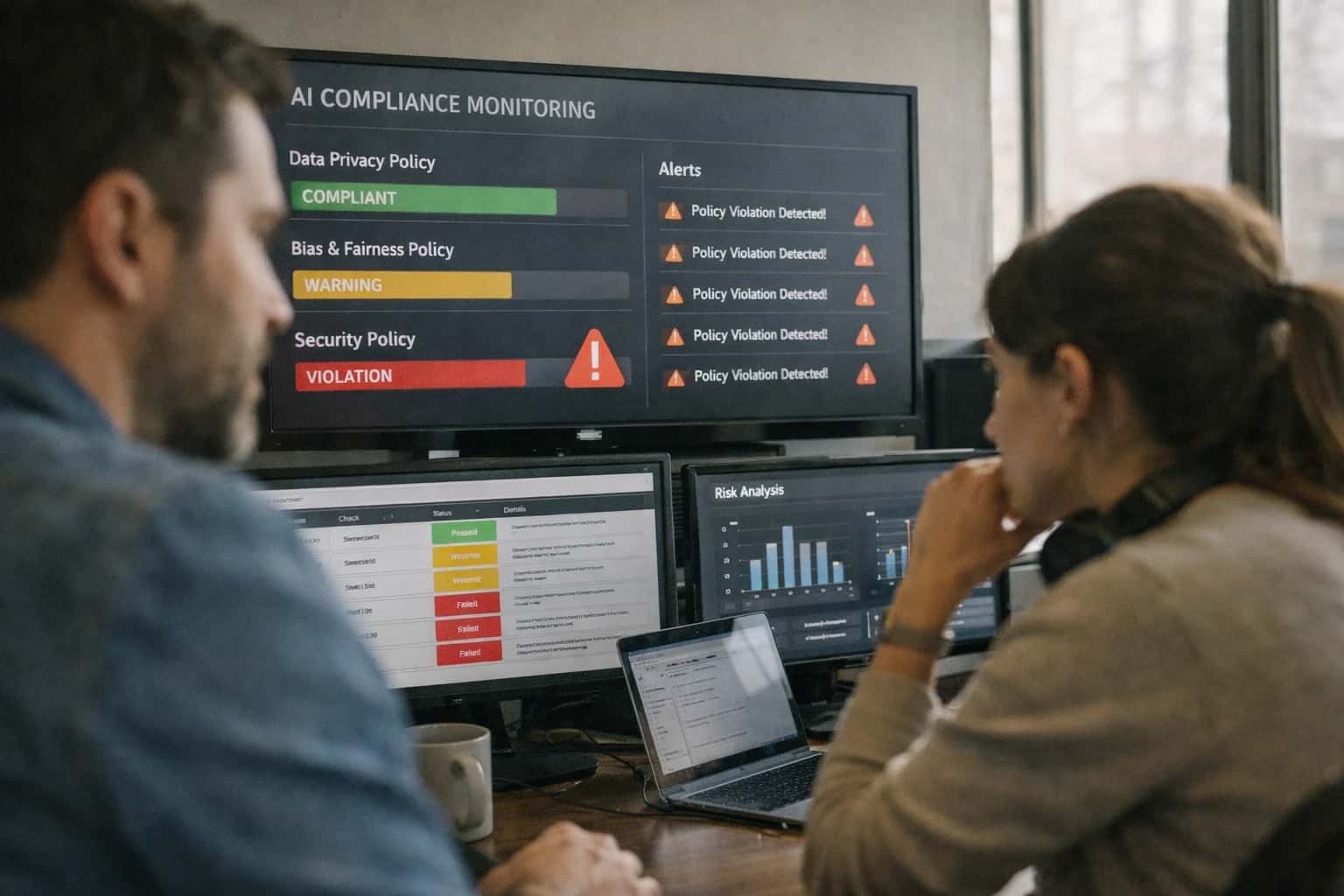
This prompt is for cloud security teams, DevSecOps engineers, and compliance auditors who need to verify that generated or existing IAM policies, security group rules, and firewall configurations follow least-privilege principles. It acts as an LLM judge, taking a policy document and a set of security standards as input, and producing a structured compliance report. Use this when manual review is too slow, when you need consistent grading across hundreds of policies, or when you want to embed automated policy checks into a CI/CD pipeline. This is an evaluation prompt, not a policy generation prompt. It assumes a policy already exists and needs to be audited.

Prompt
Security Policy and IAM Configuration Compliance Prompt
A practical prompt playbook for using the Security Policy and IAM Configuration Compliance Prompt to audit cloud configurations against least-privilege principles in production AI workflows.
PROMPT PLAYBOOK
When to Use This Prompt
Understand the job-to-be-done, ideal user, required context, and when not to use this prompt.
The ideal user has access to the raw policy JSON or configuration file and a defined set of security benchmarks—such as CIS, AWS Foundational Security Best Practices, or internal least-privilege standards. You must supply both the policy document and the evaluation criteria as inputs. The prompt works best when the standards are explicit and testable: 'No wildcard actions,' 'No * resource ARNs without conditions,' or 'All S3 bucket policies must restrict Principal to specific accounts.' Vague standards like 'follow best practices' will produce unreliable results. Before using this prompt, confirm that your standards can be expressed as discrete, verifiable rules.
Do not use this prompt to generate new policies, to remediate findings automatically, or to replace a human sign-off for production IAM changes. It is an evaluation tool, not an authorization tool. The output flags violations and risks but does not fix them. For high-severity environments—such as PCI DSS, HIPAA, or FedRAMP—always route findings through a human reviewer before closing any compliance ticket. Also avoid using this prompt on policies that contain secrets, internal account IDs, or sensitive resource names in plaintext; redact those fields before sending them to an external model API.
When integrating this into a pipeline, treat the prompt output as a signal, not a verdict. Combine it with static analysis tools like checkov, tfsec, or AWS IAM Access Analyzer for defense-in-depth. The LLM judge excels at catching semantic over-permission that static tools miss—such as a policy that is technically valid but grants excessive access relative to a stated business purpose—but it can also hallucinate findings or miss edge cases. Always log the full prompt, response, and policy version for auditability. If you are evaluating more than 50 policies per run, batch them and include a unique policy identifier in each request so you can trace findings back to source files.
PRACTICAL GUARDRAILS
Use Case Fit
Where this prompt works and where it does not. Understand the operational boundaries before integrating it into a security review pipeline.
01
Good Fit: Cloud Security Posture Reviews
Use when: reviewing AWS IAM policies, security groups, or firewall rules against least-privilege principles. Why: The prompt excels at identifying over-permissioned resources and missing restrictions in structured policy documents.
02
Bad Fit: Real-Time Access Decisions
Avoid when: the output must gate live access requests or act as a policy decision point. Risk: LLM non-determinism and hallucination make it unsafe for enforcement. Guardrail: Use this prompt for offline audit and advisory review only, never as a PEP or PDP.
03
Required Inputs: Policy Documents and Context
Required: The raw IAM policy JSON, security group rules, or firewall config. Context needed: Resource tags, workload criticality, and data classification levels. Guardrail: Without this context, the prompt cannot distinguish between a legitimate broad permission for a logging role and a dangerous over-permission.
04
Operational Risk: False Negatives on Subtle Violations
What to watch: The prompt may miss transitive privilege escalation paths or complex cross-service permission chains. Guardrail: Always pair this prompt with a deterministic policy analysis tool (e.g., Parliament, Cloudsplaining) and use the LLM output as a human-readable supplement, not the sole check.
05
Operational Risk: Drift in Best-Practice Definitions
What to watch: The prompt's understanding of 'best practice' may lag behind cloud provider updates or internal security standards. Guardrail: Version-lock the prompt's best-practice reference and include a last-updated date. Run regression tests against a golden set of known-compliant and known-violating policies before each deployment.
06
Operational Risk: Handling of Partial or Malformed Inputs
What to watch: The prompt may hallucinate findings or fail silently when given truncated, redacted, or syntactically invalid policy JSON. Guardrail: Implement a pre-validation step that checks for valid JSON and required fields before calling the LLM. If pre-validation fails, abort and route to a human analyst.
PROMPT PLAYBOOK
Copy-Ready Prompt Template
Paste this template into your evaluation harness to grade IAM policies and security group rules against least-privilege principles.
This template is designed to be dropped directly into an LLM evaluation harness. It expects a generated or proposed IAM policy document, security group configuration, or firewall rule set as input, along with a description of the intended workload. The model acts as a compliance judge, producing a structured report that flags over-permission, missing restrictions, and best-practice violations. Replace every square-bracket placeholder with real data before sending the prompt to the model. The template includes explicit instructions for handling ambiguous cases, requiring the judge to note uncertainty rather than guess.
textSYSTEM: You are a cloud security compliance auditor. Your job is to evaluate IAM policies, security group rules, and firewall configurations against least-privilege principles. You produce structured compliance reports with specific, actionable findings. Never approve a configuration you are uncertain about. Flag ambiguity explicitly. USER: Evaluate the following security configuration for compliance with least-privilege principles. CONFIGURATION TO EVALUATE: [POLICY_DOCUMENT] INTENDED WORKLOAD DESCRIPTION: [WORKLOAD_DESCRIPTION] SERVICE CONTEXT (optional): [SERVICE_CONTEXT] COMPLIANCE STANDARDS TO CHECK (select one or more): [COMPLIANCE_STANDARDS] EVALUATION INSTRUCTIONS: 1. Parse the configuration and identify every permission, rule, and access grant. 2. For each permission, determine whether it is necessary for the described workload. 3. Flag any permission that exceeds what the workload requires (over-permission). 4. Identify missing restrictions that should be present (e.g., missing condition keys, missing resource constraints, missing IP restrictions). 5. Check for best-practice violations (e.g., wildcard principals, overly broad resource ARNs, missing MFA requirements). 6. If the workload description is insufficient to make a determination, flag the ambiguity and explain what additional information is needed. OUTPUT FORMAT: Return a JSON object with the following schema: { "overall_compliance": "COMPLIANT" | "PARTIALLY_COMPLIANT" | "NON_COMPLIANT" | "INSUFFICIENT_INFORMATION", "findings": [ { "severity": "CRITICAL" | "HIGH" | "MEDIUM" | "LOW" | "INFO", "category": "OVER_PERMISSION" | "MISSING_RESTRICTION" | "BEST_PRACTICE_VIOLATION" | "AMBIGUITY", "resource": "The specific permission, rule, or statement identifier", "description": "Clear explanation of the finding", "recommendation": "Specific, actionable fix", "evidence": "Exact excerpt from the configuration that triggered this finding" } ], "summary": "One-paragraph summary of the compliance posture", "uncertainty_flags": ["List of questions that need answers before a definitive assessment can be made"] } CONSTRAINTS: - Do not fabricate permissions that are not in the configuration. - If the workload description is vague, flag it; do not assume. - Every CRITICAL or HIGH finding must include an exact excerpt from the configuration. - If no issues are found, return an empty findings array and COMPLIANT status.
Before integrating this template into a production pipeline, you must adapt the [COMPLIANCE_STANDARDS] placeholder to match your organization's specific policies. Common values include CIS_AWS_FOUNDATIONS, PCI_DSS, HIPAA, SOC2, or a custom internal standard. If you use a custom standard, append a brief description of its key requirements to the prompt so the model has enough context to apply it. The [SERVICE_CONTEXT] placeholder is optional but strongly recommended for complex evaluations—include details like the AWS service being used, the data classification level, and the network architecture. After adapting the template, run it against a golden dataset of known-compliant and known-noncompliant configurations to calibrate severity thresholds before deploying to production.
IMPLEMENTATION TABLE
Prompt Variables
Required inputs for the Security Policy and IAM Configuration Compliance Prompt. Each placeholder must be populated before the prompt is sent. Validation notes describe how to verify the input is well-formed before incurring model cost.
| Placeholder | Purpose | Example | Validation Notes |
|---|---|---|---|
[POLICY_DOCUMENT] | The IAM policy, security group rules, or firewall configuration to audit. Accepts JSON policy documents, Terraform fragments, or CloudFormation snippets. | {"Version": "2012-10-17", "Statement": [{"Effect": "Allow", "Action": "s3:", "Resource": ""}]} | Must be valid JSON. Parse with JSON.parse before sending. Reject empty objects. If Terraform HCL, convert to JSON first. Max 50KB to avoid context overflow. |
[SERVICE_CONTEXT] | The cloud provider and service boundary for the policy. Determines which best-practice rules and known dangerous actions to check. | AWS IAM | Azure RBAC | GCP IAM | AWS SecurityGroup | Must match enum: ['AWS IAM', 'Azure RBAC', 'GCP IAM', 'AWS SecurityGroup', 'AWS Firewall', 'GCP Firewall']. Reject unknown values. Controls which action-to-risk mapping table is loaded. |
[RESOURCE_INVENTORY] | Optional list of known resources, ARNs, or resource groups the policy is expected to govern. Used to detect overly broad resource wildcards. | ["arn:aws:s3:::app-logs-prod", "arn:aws:dynamodb:us-east-1:123456789:table/orders"] | If provided, must be a JSON array of strings. Null allowed. When present, each resource is checked against policy Resource fields. Empty array means no resource narrowing expected. |
[COMPLIANCE_STANDARD] | The compliance framework or internal policy standard to evaluate against. Controls which rule sets are activated. | CIS AWS Foundations 1.5.0 | SOC2 Least Privilege | PCI DSS 4.0 | Internal CorpSec Policy v3 | Must be a non-empty string from the allowed standards registry. Reject unrecognized standards. If 'Internal CorpSec Policy v3' is used, [CUSTOM_RULES] becomes required. |
[CUSTOM_RULES] | Optional custom deny-list of actions, wildcard patterns, or condition requirements specific to the organization. Overrides or extends standard rules. | ["s3:DeleteBucket must require MFA", "iam:PassRole must restrict to app-roles/*"] | If [COMPLIANCE_STANDARD] is 'Internal CorpSec Policy v3', this field is required and must be a non-empty array of strings. Otherwise null allowed. Each rule string is parsed for action:condition format. |
[EXEMPTION_LIST] | Optional list of policy statement IDs or resource patterns that are exempt from specific checks. Prevents false positives for known exceptions. | ["StatementId:AllowCloudTrailWrite", "Resource:arn:aws:s3:::audit-log-*"] | Null allowed. If provided, must be a JSON array of strings. Each entry is matched against statement IDs or resource ARNs during evaluation. Exemptions are logged in the output for auditability. |
[OUTPUT_FORMAT] | Controls the structure of the compliance report. Determines whether findings are grouped by severity, by statement, or by rule. | grouped_by_severity | flat_list | statement_indexed | Must be one of: ['grouped_by_severity', 'flat_list', 'statement_indexed']. Defaults to 'grouped_by_severity' if omitted. Affects downstream parsing and dashboard ingestion. |
PROMPT PLAYBOOK
Implementation Harness Notes
How to wire the Security Policy and IAM Configuration Compliance Prompt into an automated review pipeline with validation, retries, and human escalation.
This prompt is designed to operate as a policy review gate within a CI/CD pipeline, a security automation workflow, or a cloud posture management tool. The primary integration point is a function that receives an IAM policy document (JSON), a set of security group rules, or a firewall configuration as a string, injects it into the [POLICY_DOCUMENT] placeholder, and sends the request to the LLM. The output is a structured JSON compliance report, which must be parsed and validated before any downstream action is taken. Because the prompt produces a machine-readable report, the harness should enforce a strict JSON schema on the response, rejecting any output that does not match the expected compliance_report structure, including the over_permission_flags, missing_restrictions, and best_practice_violations arrays.
The implementation should include a validation and retry layer. After receiving the model's JSON response, validate it against a predefined schema (e.g., using pydantic or jsonschema). If validation fails, retry the prompt up to two times with a repair instruction that includes the specific validation error. For high-severity findings—such as a critical over-permission flag on a production role—the harness must not auto-remediate. Instead, it should log the full prompt, the raw response, and the parsed report, then route the finding to a human review queue (e.g., a Jira ticket or a Slack notification) with a clear summary of the violation and the affected resource ARN. For low-severity best-practice suggestions, the harness can automatically open a non-blocking task. Model choice matters here: use a model with strong JSON mode and reasoning capabilities (e.g., claude-3-5-sonnet or gpt-4o) to minimize structural errors and improve the accuracy of least-privilege analysis.
To prevent drift and ensure the prompt remains effective, build a regression test suite of 10-15 IAM policies with known violations (e.g., a policy with "Action": "*" and "Resource": "*", a security group with 0.0.0.0/0 ingress on port 22, and a fully compliant least-privilege policy). Run this prompt against the suite on every change to the prompt template or the system instructions. Measure the precision and recall of over_permission_flags against your labeled ground truth. If the false negative rate on critical over-permissions exceeds 5%, block the prompt change from shipping. Finally, instrument the harness with logging that captures the prompt_version, model_id, policy_arn, compliance_score, and review_decision for every evaluation, enabling audit trails and cost attribution.
IMPLEMENTATION TABLE
Expected Output Contract
Fields, types, and validation rules for the Security Policy and IAM Configuration Compliance Report. Use this contract to build downstream parsers, evaluation harnesses, and retry logic.
| Field or Element | Type or Format | Required | Validation Rule |
|---|---|---|---|
compliance_report.policy_id | string | Must match the [POLICY_ID] input exactly. Non-match triggers retry with explicit policy ID re-prompt. | |
compliance_report.overall_verdict | enum: COMPLIANT | NON_COMPLIANT | REVIEW_REQUIRED | Must be one of the three enum values. REVIEW_REQUIRED is the only valid output when any finding severity is HIGH and human_approval_required is true. | |
compliance_report.findings | array of objects | Array must not be empty when overall_verdict is NON_COMPLIANT or REVIEW_REQUIRED. Empty array is valid only for COMPLIANT verdict. | |
compliance_report.findings[].severity | enum: LOW | MEDIUM | HIGH | CRITICAL | CRITICAL severity requires at least one specific resource ARN in the affected_resources field. Severity must align with the [SEVERITY_THRESHOLD] input for escalation. | |
compliance_report.findings[].rule_id | string | Must reference a rule identifier from the [POLICY_STANDARD] input (e.g., CIS-1.1, SOC2-CC6.1). Unrecognized rule IDs trigger a citation check. | |
compliance_report.findings[].affected_resources | array of strings | When present, each string must match ARN pattern or resource name format from the [INPUT_POLICY_DOCUMENT]. Null allowed for policy-level findings with no specific resource. | |
compliance_report.human_approval_required | boolean | Must be true when any finding severity is HIGH or CRITICAL, or when the [REQUIRE_HUMAN_APPROVAL] input flag is true. False otherwise. | |
compliance_report.remediation_summary | string or null | When present, must not exceed 500 characters and must reference specific rule IDs from findings. Null allowed when overall_verdict is COMPLIANT. |
PRACTICAL GUARDRAILS
Common Failure Modes
Security policy prompts fail in predictable ways. These are the most common failure modes when verifying IAM and firewall configurations, along with practical guardrails to catch them before they reach production.
01
Over-Permission Blindness
What to watch: The model accepts broad wildcard actions like s3:* or ec2:* as compliant when the task requires resource-specific permissions. It focuses on whether the policy 'works' rather than whether it follows least privilege. Guardrail: Include explicit least-privilege criteria in the prompt with a checklist of prohibited patterns (wildcard actions, missing resource constraints, absent condition keys). Run a secondary pass that specifically flags any wildcard or overly broad permission.
02
Missing Condition Key Enforcement
What to watch: The model verifies that the right actions and resources are present but skips condition blocks entirely. Policies that rely on aws:SourceIp, aws:PrincipalTag, or s3:x-amz-server-side-encryption conditions pass review without the conditions being checked. Guardrail: Add a dedicated condition-block verification step in the prompt. Require the output to list every condition key expected and whether it was found, with explicit pass/fail per condition.
03
Resource ARN Scope Drift
What to watch: The model treats arn:aws:s3:::prod-bucket/* and arn:aws:s3:::prod-bucket as equivalent, or accepts account-level resources when a specific path is required. Cross-account trust policies with Principal: "*" pass because the model doesn't flag the trust boundary violation. Guardrail: Include exact expected resource ARN patterns in the prompt input. Require the output to compare each resource ARN against the expected pattern and flag any deviation, including missing path suffixes or overly broad principals.
04
Security Group Rule Aggregation Errors
What to watch: The model evaluates individual rules in isolation and misses the aggregate exposure. A security group with five narrow ingress rules that collectively open all ports from 0.0.0.0/0 passes because no single rule is overly broad. Guardrail: Add an aggregate analysis step that computes the effective IP range and port coverage across all rules. Require the output to include a summary of total exposure before declaring compliance.
05
False Compliance from Vague Criteria
What to watch: The prompt asks for 'secure' or 'best-practice' configuration without defining what that means. The model defaults to generic security advice that may not match organizational policy, producing passing grades for configurations that violate internal standards. Guardrail: Define compliance criteria as a structured checklist with explicit pass/fail conditions, not as open-ended adjectives. Include organization-specific policy references, required tags, mandatory encryption standards, and approved service lists in the prompt context.
06
Cross-Service Dependency Gaps
What to watch: The model verifies an IAM role for an EC2 instance but doesn't check whether the role has permissions needed by services the instance calls (e.g., missing KMS decrypt for encrypted EBS volumes, missing SQS permissions for a worker). The policy passes in isolation but fails at runtime. Guardrail: Include the full service dependency graph in the prompt input. Require the output to verify permissions for every downstream service the resource must call, not just the primary service action.
IMPLEMENTATION TABLE
Evaluation Rubric
Criteria for testing whether the security policy compliance report correctly identifies over-permission flags, missing restrictions, and best-practice violations before shipping the prompt to production.
| Criterion | Pass Standard | Failure Signal | Test Method |
|---|---|---|---|
Over-permission flag accuracy | Every flagged permission is genuinely broader than required by the stated workload; no false positives | Flagged permission matches the workload requirement when examined against IAM documentation | Run 10 known over-permission test cases and 10 known compliant cases; require 0 false positives and recall ≥ 0.95 |
Missing restriction detection | Report identifies at least 90% of intentionally omitted restrictions in test policies | Report passes a policy that is missing a critical condition, resource constraint, or principal restriction | Use 15 policies with known missing restrictions; measure recall against ground-truth violation list |
Least-privilege recommendation quality | Every recommendation includes a specific narrowed permission, resource ARN pattern, and condition key | Recommendation is vague (e.g., 'tighten permissions') or suggests removing a required action | LLM judge grades 20 recommendations on specificity, correctness, and actionability; pass threshold ≥ 4/5 average |
Best-practice violation coverage | Report catches violations from a predefined checklist: wildcard principals, root account usage, missing MFA conditions, public resource exposure | Any checklist item present in the input policy is absent from the report without explanation | Feed 12 policies each containing 2-3 seeded best-practice violations; require checklist recall ≥ 0.90 |
False positive rate on compliant policies | Zero critical or high-severity findings on policies known to follow least-privilege and best practices | Report flags a compliant policy with a severity rating of 'high' or 'critical' | Run 20 known-compliant policies through the prompt; require 0 high/critical findings |
Severity classification consistency | Severity ratings match a predefined rubric: critical for public exposure, high for privilege escalation paths, medium for over-scoped resources, low for style issues | A privilege escalation path is rated 'low' or a style issue is rated 'critical' | LLM judge compares 30 severity assignments against rubric definitions; require agreement ≥ 0.85 |
Evidence grounding for each finding | Every finding cites the specific policy statement, action, resource, or condition that triggered it | A finding appears without a policy statement reference or cites a non-existent statement | Parse report output; verify each finding has a non-empty evidence field that maps to an actual input policy element |
Output schema conformance | Report matches the expected JSON schema with all required fields present and correctly typed | Missing required field, wrong type, or extra field that breaks downstream parser | Validate output against JSON Schema using a programmatic validator; require 100% schema conformance across 50 test runs |
Enabling Efficiency, Speed & Accuracy
Intelligent Analysis, Decision & Execution
We build AI systems for teams that need search across company data, workflow automation across tools, or AI features inside products and internal software.
Talk to Us
Search across company data
Give teams answers from docs, tickets, runbooks, and product data with sources and permissions.
Useful when people spend too long searching or get different answers from different systems.
Enterprise searchRAGPermissions
Read more
Automate internal workflows
Use AI to route work, draft outputs, trigger actions, and keep approvals and logs in place.
Useful when repetitive work moves across multiple tools and teams.
AI agentsWorkflow automationGovernance
Read more
Add AI to products and internal tools
Build assistants, guided actions, or decision support into the software your team or customers already use.
Useful when AI needs to be part of the product, not a separate tool.
AI integrationDecision supportModel routing
Read moreADAPTATION OPTIONS
Adapt This Prompt
How to adapt
Use the base prompt with a single IAM policy document and simplified output schema. Drop the multi-resource comparison and focus on one policy at a time. Accept plain-text output instead of structured JSON while you validate the least-privilege detection logic.
Prompt modification
- Replace
[POLICY_DOCUMENTS]with a single inline JSON policy. - Set
[COMPLIANCE_STANDARD]to a single framework like "AWS Foundational Security Best Practices." - Remove
[OUTPUT_SCHEMA]and ask for a markdown table instead. - Add: "If you are uncertain about a permission's necessity, flag it as NEEDS_REVIEW rather than guessing."
Watch for
- Over-permission false positives on wildcard resource ARNs that are intentionally broad.
- Missing distinction between identity-based and resource-based policies.
- No handling of condition keys—many least-privilege violations are mitigated by conditions.

About the author
Prasad Kumkar
CEO & MD, Inference Systems
Prasad Kumkar is the CEO & MD of Inference Systems and writes about AI systems architecture, LLM infrastructure, model serving, evaluation, and production deployment. Over 5+ years, he has worked across computer vision models, L5 autonomous vehicle systems, and LLM research, with a focus on taking complex AI ideas into real-world engineering systems.
His work and writing cover AI systems, large language models, AI agents, multimodal systems, autonomous systems, inference optimization, RAG, evaluation, and production AI engineering.
LinkedIn
Limited slotsGet a Free AI Consultation
Partnered with leading AI, data, and software stack.





How We Work
Custom AI workflows for your Business
One-fit-all AI don't work for modern businesses. At Inferensys, we aim to understand your business & custom requirements; which we use to define most efficient agentic workflows, the data, and the tools for your business.
01
Review the use case
We understand the task, the users, and where AI can actually help.
Read more02
Pick the right approach
We define what needs search, automation, or product integration.
Read more03
Build the first useful version
We implement the part that proves the value first.
Read more04
Improve from there
We add the checks and visibility needed to keep it useful.
Read moreThe first call is a practical review of your use case and the right next step.
Talk to Us