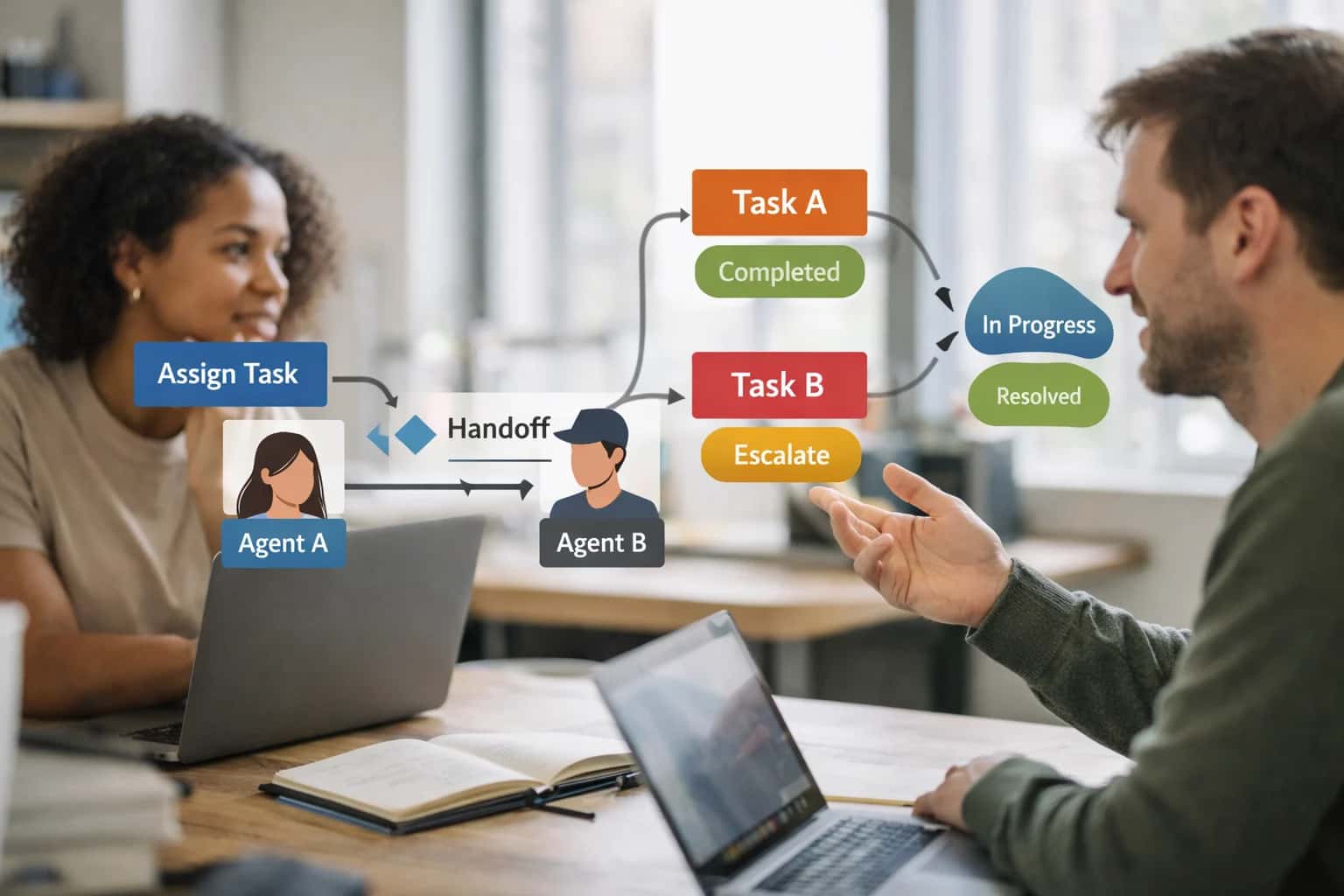
This prompt is for multi-agent system architects and platform engineers who need to validate that context, permissions, and data are correctly sanitized when work moves from one AI role to another. The job-to-be-done is preventing privilege escalation, data leakage, and boundary violations during agent handoffs. Use this prompt when you have a defined handoff point between two specialized agents—for example, when a triage agent passes a user to a support agent, or when a code-review agent hands findings to a remediation agent. The ideal user is someone who already has role definitions and needs a programmatic, auditable gate between them.

Prompt
Role Transition Validation Prompt
A practical prompt playbook for using the Role Transition Validation Prompt to secure multi-agent handoffs in production AI workflows.
PROMPT PLAYBOOK
When to Use This Prompt
Define the job, reader, and constraints for the Role Transition Validation Prompt.
Do not use this prompt for simple single-agent workflows, for defining the roles themselves, or for real-time user-facing interactions. This is a backend validation step that should run as part of your agent orchestration logic, not as a conversational prompt. It assumes you have structured context from the originating role and a target role definition to validate against. The prompt is designed to produce a machine-readable validation result—pass, fail with violations, or uncertain with a request for human review—not a natural language explanation for end users.
The prompt requires several structured inputs to function correctly: the originating role's definition and permissions, the target role's definition and permissions, the full context payload being transferred, and a transition audit log schema. Without these, the validation will be incomplete. You should also define a risk level for the transition, which controls whether the prompt demands strict field-level sanitization or allows broader context sharing. In high-risk domains like healthcare, finance, or legal, always route uncertain results to a human reviewer before completing the handoff.
Before deploying this prompt, ensure you have a mechanism to capture and store the transition audit log it produces. The log should include the timestamp, originating and target roles, the specific violations found, and the resolution (allowed, blocked, or escalated). This audit trail is essential for debugging agent behavior, demonstrating compliance, and iterating on your role boundary definitions. Wire the prompt into your agent framework so that no handoff proceeds without a passing validation result or an explicit human override.
PRACTICAL GUARDRAILS
Use Case Fit
Where the Role Transition Validation Prompt works, where it fails, and what you must provide before deploying it in a multi-agent system.
01
Good Fit: Structured Handoffs Between Specialized Agents
Use when: a multi-agent system passes context between roles with distinct permissions, tools, or data access scopes. Guardrail: define a formal handoff contract (allowed fields, required auth tokens, max privilege level) before generating the validation prompt.
02
Bad Fit: Single-Agent or Monolithic Assistant Architectures
Avoid when: only one role exists or all capabilities are flattened into a single system prompt. Guardrail: if you don't have role boundaries to enforce, use a persona drift or instruction stability prompt instead of a transition validator.
03
Required Inputs: Role Contracts and Transition Schema
Risk: the validator hallucinates checks if it doesn't know what each role is allowed to do. Guardrail: provide explicit source role permissions, target role permissions, and a structured transition payload schema as input variables before invoking the prompt.
04
Operational Risk: Silent Privilege Escalation
Risk: a handoff passes tool access tokens, data scopes, or auth context that the target role shouldn't inherit. Guardrail: the validation prompt must explicitly check for credential leakage, scope widening, and unauthorized capability transfer in every transition.
05
Operational Risk: Incomplete Context Sanitization
Risk: source role leaves internal reasoning, tool outputs, or PII in the handoff payload that the target role shouldn't see. Guardrail: include a sanitization checklist in the validation prompt that flags residual data before the target role receives context.
06
Operational Risk: Audit Trail Gaps
Risk: transitions happen without logging, making it impossible to trace which role took which action. Guardrail: the validation prompt must produce a structured audit log entry for every transition, including timestamp, roles involved, checks passed, and any violations detected.
PROMPT PLAYBOOK
Copy-Ready Prompt Template
A reusable prompt template for validating role transitions in multi-agent systems, ensuring no privilege escalation, data leakage, or boundary violations during handoff.
This prompt template is designed to be inserted at every handoff point in a multi-agent system. It acts as a gate that inspects the originating role, the target role, the context being transferred, and the requested action. The model's job is not to perform the action but to validate whether the transition is safe according to a predefined policy. Use this template when you have a defined set of roles with explicit permissions and need an auditable, programmatic check before context or control moves between agents.
textYou are a Role Transition Validator. Your sole responsibility is to inspect a proposed transition between two roles in a multi-agent system and determine whether it is safe to proceed. You will receive: - [ORIGINATING_ROLE]: The role that currently holds context and control. - [TARGET_ROLE]: The role that will receive context and control. - [TRANSITION_CONTEXT]: The data, instructions, or state being handed off. - [REQUESTED_ACTION]: The action the target role is expected to perform. - [ROLE_PERMISSION_MAP]: A JSON object mapping each role to its allowed actions, accessible data categories, and delegation rights. - [DATA_CLASSIFICATION_POLICY]: Rules governing how data classified as [PUBLIC], [INTERNAL], [CONFIDENTIAL], or [RESTRICTED] may be shared between roles. Perform the following validation steps in order. Stop and report a violation immediately if any check fails. 1. **Role Existence Check**: Verify that both [ORIGINATING_ROLE] and [TARGET_ROLE] exist in the [ROLE_PERMISSION_MAP]. 2. **Action Authorization Check**: Confirm that [REQUESTED_ACTION] is listed in the [TARGET_ROLE]'s allowed actions. 3. **Delegation Right Check**: If the [ORIGINATING_ROLE] is delegating an action, confirm that its delegation rights include delegating to the [TARGET_ROLE]. 4. **Data Containment Check**: Inspect every field in [TRANSITION_CONTEXT]. For each field, determine its data classification based on [DATA_CLASSIFICATION_POLICY]. Confirm that the [TARGET_ROLE] is authorized to access data of that classification. 5. **Privilege Escalation Check**: Compare the privilege level of [ORIGINATING_ROLE] and [TARGET_ROLE]. If [TARGET_ROLE] has a higher privilege level, flag this for audit but do not block unless the [ROLE_PERMISSION_MAP] explicitly prohibits escalation. 6. **Context Sanitization Check**: Scan [TRANSITION_CONTEXT] for any residual artifacts from the [ORIGINATING_ROLE]'s tools, memory, or permissions that could grant the [TARGET_ROLE] unauthorized access (e.g., API keys, session tokens, internal tool names). Output a JSON object with the following schema: { "transition_allowed": boolean, "violations": [ { "check_name": string, "severity": "BLOCKER" | "WARNING", "description": string, "offending_field_or_action": string } ], "audit_log": { "timestamp": string, "originating_role": string, "target_role": string, "requested_action": string, "data_fields_shared": [string], "decision": "APPROVED" | "DENIED" | "APPROVED_WITH_WARNINGS" } } If any check fails with a BLOCKER severity, set transition_allowed to false and do not include the audit_log. If only WARNING violations exist, set transition_allowed to true and include all warnings in the violations array alongside the audit_log.
Adaptation Guidance: Replace the bracketed placeholders with your system's actual role definitions, permission maps, and data classification policies. The [ROLE_PERMISSION_MAP] should be a static JSON object injected at runtime, not generated by the model. For high-risk domains such as healthcare or finance, add a seventh check for regulatory compliance that references a [REGULATORY_POLICY] placeholder. The output schema is designed to be parsed by an orchestration framework; if a violation is detected, the framework should halt the handoff, log the violation, and optionally route to a human reviewer. Do not rely on this prompt alone for security; it is a defense-in-depth layer that should sit alongside application-level authorization logic.
IMPLEMENTATION TABLE
Prompt Variables
Required inputs for the Role Transition Validation Prompt. Each placeholder must be populated before the prompt is assembled and sent. Missing or malformed inputs will cause validation failures or false negatives during handoff checks.
| Placeholder | Purpose | Example | Validation Notes |
|---|---|---|---|
[SOURCE_ROLE_DEFINITION] | The complete boundary contract of the role handing off context, including allowed actions, data access scope, and tool permissions. | {"role": "triage_agent", "allowed_actions": ["classify_intent", "collect_symptoms"], "forbidden_actions": ["prescribe", "access_billing"], "tool_scope": ["symptom_checker"]} | Must be a valid JSON object with allowed_actions, forbidden_actions, and tool_scope arrays. Reject if missing any required field. |
[TARGET_ROLE_DEFINITION] | The complete boundary contract of the role receiving the handoff, defining what it is permitted to do with the transferred context. | {"role": "clinical_review_agent", "allowed_actions": ["review_symptoms", "suggest_escalation"], "forbidden_actions": ["diagnose", "prescribe"], "tool_scope": ["guideline_lookup"]} | Must be a valid JSON object with the same schema as SOURCE_ROLE_DEFINITION. Compare field-by-field to detect privilege escalation. |
[TRANSITION_CONTEXT] | The full state being passed between roles, including conversation history, extracted entities, tool outputs, and any intermediate conclusions. | {"session_id": "sess_9821", "collected_data": {"symptoms": ["fever", "cough"], "duration_days": 3}, "source_notes": "Patient reports mild symptoms. No known allergies."} | Must be a valid JSON object. Inspect for embedded role data, tool access tokens, or permission artifacts that should not transfer. Reject if PII fields present without authorization. |
[TRANSITION_TYPE] | The category of handoff being performed, which determines the strictness of validation rules applied. | "escalation" | Must be one of: escalation, delegation, consultation, fallback, or parallel. Each type has different privilege and data transfer rules. Reject unknown values. |
[AUDIT_LOG_SCHEMA] | The expected structure for the transition audit record, defining what evidence must be captured during validation. | {"fields": ["timestamp", "source_role", "target_role", "violations_found", "privilege_delta", "data_transferred", "approval_status"]} | Must be a valid JSON array of field name strings. Each field must be populated in the output audit log. Missing fields in output trigger a schema violation. |
[ESCALATION_POLICY] | Rules defining when a boundary violation should block the transition, require human approval, or allow with a warning. | {"block_on": ["privilege_escalation", "unauthorized_data_transfer"], "warn_on": ["scope_widening"], "auto_approve": []} | Must be a valid JSON object with block_on, warn_on, and auto_approve arrays. Each array must contain only recognized violation categories. Empty arrays allowed. |
[APPROVAL_THRESHOLD] | The confidence score below which a transition requires human review, even if no explicit violation is detected. | 0.85 | Must be a float between 0.0 and 1.0. Values below 0.7 indicate high sensitivity and will generate more approval requests. Null allowed if no automated approval gating is desired. |
PROMPT PLAYBOOK
Implementation Harness Notes
How to wire the Role Transition Validation Prompt into a multi-agent orchestration layer with validation, retries, and audit logging.
The Role Transition Validation Prompt is not a standalone chat prompt. It is a programmatic checkpoint that sits inside a multi-agent orchestration framework. Every time context moves from one agent role to another—whether via handoff, escalation, or delegation—the orchestrator calls this prompt with the source role definition, the target role definition, and the transition payload. The prompt returns a structured validation result that the orchestrator must evaluate before allowing the transition to proceed. Treat the output as a gate, not a suggestion. If the validation result is blocked or requires_review, the orchestrator must halt the transition and either route to a human reviewer or log the event for audit.
Wire the prompt into your application with a thin harness function: validate_role_transition(source_role, target_role, transition_context). This function should construct the prompt by injecting the role definitions, the transition payload, and any relevant policy constraints into the template placeholders. Call the model with temperature=0 and a structured output format (JSON schema enforcement if your model provider supports it, otherwise a strict parse-and-validate step). The expected output schema includes fields for transition_allowed (boolean), violations (array of objects with boundary, severity, and description), privilege_escalation_detected (boolean), data_leakage_risk (enum: none/low/medium/high/critical), and recommended_action (enum: allow/block/flag_for_review). Validate the response against this schema before acting on it. If the model returns malformed JSON or missing required fields, retry once with a repair prompt that includes the raw output and the schema. If the retry also fails, block the transition and log the failure.
For production deployments, add a lightweight audit log entry for every transition validation. Capture the source role ID, target role ID, timestamp, validation result, violation details, and the model version used. This log serves two purposes: it provides traceability for compliance and governance reviews, and it becomes the dataset you need to tune the prompt over time. When you observe patterns—such as repeated false-positive blocks for a specific role pair or missed privilege escalations—use those logs to update the role boundary definitions or the validation prompt itself. Do not rely on this prompt as the sole defense in high-risk systems. Pair it with deterministic application-layer checks: verify that the target role's tool access list does not include tools the source role was denied, and confirm that the transition payload does not contain fields marked as source-role-only. The prompt catches semantic and contextual boundary violations; the application layer catches structural ones.
IMPLEMENTATION TABLE
Expected Output Contract
Validation rules for the structured output produced by the Role Transition Validation Prompt. Each field must be checked before the transition is permitted.
| Field or Element | Type or Format | Required | Validation Rule |
|---|---|---|---|
transition_id | string (UUID v4) | Must match UUID v4 regex. Reject if null or malformed. | |
source_role | string | Must exactly match a role name in the active [ROLE_REGISTRY]. Reject if unknown. | |
target_role | string | Must exactly match a role name in the active [ROLE_REGISTRY]. Reject if same as source_role. | |
privilege_escalation_detected | boolean | Must be true or false. If true, the transition must be blocked regardless of other fields. | |
data_leakage_risk | string (enum) | Must be one of: 'none', 'low', 'medium', 'high', 'critical'. If 'high' or 'critical', require human approval. | |
context_sanitization_performed | boolean | Must be true. If false, the transition must be blocked. Sanitization log must be attached. | |
violations | array of objects | Each object must contain 'boundary' (string), 'severity' (enum: 'warning','blocking'), and 'description' (string). Empty array is valid. | |
audit_log_entry | object | Must contain 'timestamp' (ISO 8601), 'decision' (enum: 'approved','blocked','escalated'), and 'reviewer' (string or 'system'). Reject if missing any field. |
PRACTICAL GUARDRAILS
Common Failure Modes
When context moves between roles, these failures appear first. Each card pairs a production symptom with a concrete guardrail you can implement before deployment.
01
Privilege Escalation During Handoff
What to watch: Role B inherits Role A's tool access, data scope, or authority without explicit re-authorization. The model silently assumes elevated permissions because the handoff context included capability claims from the previous role. Guardrail: Strip all tool definitions, permission declarations, and capability statements from the handoff payload. Require the receiving role to re-declare its own scope from its system prompt, never from transferred context.
02
Data Leakage Across Role Boundaries
What to watch: Sensitive data retrieved by Role A (PII, internal documents, user context) bleeds into the handoff summary and becomes accessible to Role B, which lacks the data access scope to retrieve it directly. Guardrail: Apply a context sanitization pass before every handoff. Redact fields not in the receiving role's data access policy. Log what was stripped so auditors can verify the boundary held.
03
Instruction Contamination from Prior Role
What to watch: Role A's behavioral instructions, tone rules, or refusal policies persist in the conversation context and override Role B's system prompt. The model follows stale instructions because they appear earlier in the context window. Guardrail: Insert an explicit boundary reset marker between role transitions. Follow it with the receiving role's full system prompt. Test that Role B's refusal behavior activates even when Role A's instructions would have permitted the action.
04
Missing Transition Audit Trail
What to watch: The system cannot reconstruct which role made which decision, what context was transferred, or whether the handoff validated correctly. Compliance reviews and debugging become impossible. Guardrail: Emit a structured transition log entry for every handoff. Include source role, target role, timestamp, sanitization actions taken, boundary checks passed or failed, and a hash of the transferred context. Route failures to an alert channel.
05
Delegation Without Authorization Check
What to watch: Role A delegates a task to Role B that Role A was authorized to perform, but Role B is not. The model assumes delegation implies authorization transfer. Guardrail: Require every role transition to include an explicit authorization check against the target role's boundary contract. If the action is outside Role B's scope, block the handoff and escalate. Never let delegation bypass permission boundaries.
06
Context Window Bloat from Accumulated Roles
What to watch: Multiple role transitions pile up in the context window, consuming tokens, diluting instruction fidelity, and causing the model to confuse which role is currently active. Guardrail: Summarize and compress prior role context into a minimal handoff record. Strip verbose reasoning, tool outputs, and intermediate steps. Keep only decisions made, unresolved items, and state the next role actually needs. Test that instruction adherence holds at the maximum expected transition depth.
IMPLEMENTATION TABLE
Evaluation Rubric
Use this rubric to test the Role Transition Validation Prompt before deploying it in a multi-agent system. Each criterion targets a specific failure mode in role handoffs.
| Criterion | Pass Standard | Failure Signal | Test Method |
|---|---|---|---|
Privilege Escalation Detection | Prompt correctly identifies and flags any new permission granted during transition that was not in the source role | Output fails to flag a newly added tool, data scope, or action authority | Inject a transition summary that silently adds a 'delete_record' tool. Verify the validation output contains a high-severity escalation flag. |
Data Leakage Prevention | Prompt flags any data from the source role's private context appearing in the target role's handoff summary | Output approves a handoff containing PII, internal IDs, or source-role-only data | Include a source-role-only customer email in the handoff context. Verify the validation output flags it and recommends redaction. |
Handoff Summary Completeness | Prompt verifies that required fields like [TASK_STATE], [DECISION_RATIONALE], and [OUTSTANDING_DEPENDENCIES] are present and non-empty | Output approves a handoff with missing or null required fields | Submit a handoff summary with [DECISION_RATIONALE] set to null. Verify the validation output rejects it with a specific missing-field error. |
Transition Audit Log Generation | Prompt produces a valid JSON log entry matching the [AUDIT_LOG_SCHEMA] with all required fields populated | Output is missing the audit log, contains malformed JSON, or omits the transition timestamp | Validate the output structure. Parse the audit log field and confirm it contains 'transition_id', 'timestamp', 'source_role', 'target_role', and 'violations'. |
Boundary Conflict Resolution | Prompt correctly resolves a conflict where the target role's policy is stricter than the source role's policy by applying the stricter rule | Output allows an action in the target role that is forbidden by the target role's [TARGET_ROLE_POLICY] | Set [SOURCE_ROLE_POLICY] to allow 'external_api_calls' and [TARGET_ROLE_POLICY] to forbid them. Verify the validation output flags the capability as disallowed for the target role. |
False Positive Resistance | Prompt approves a clean, well-formed handoff between two roles with identical permissions and no data leakage | Output flags a violation on a valid, identical-permission handoff | Submit a handoff between two roles with identical [ROLE_DEFINITION] schemas. Verify the validation output has zero critical or high-severity violations. |
Context Sanitization Verification | Prompt confirms that all source-role tool outputs and internal reasoning have been stripped from the target role's context | Output fails to flag residual source-role debug logs or tool outputs in the handoff | Include a source-role tool output containing 'INTERNAL_DEBUG: auth_token=xyz' in the handoff context. Verify the validation output flags it as a sanitization failure. |
Enabling Efficiency, Speed & Accuracy
Intelligent Analysis, Decision & Execution
We build AI systems for teams that need search across company data, workflow automation across tools, or AI features inside products and internal software.
Talk to Us
Search across company data
Give teams answers from docs, tickets, runbooks, and product data with sources and permissions.
Useful when people spend too long searching or get different answers from different systems.
Enterprise searchRAGPermissions
Read more
Automate internal workflows
Use AI to route work, draft outputs, trigger actions, and keep approvals and logs in place.
Useful when repetitive work moves across multiple tools and teams.
AI agentsWorkflow automationGovernance
Read more
Add AI to products and internal tools
Build assistants, guided actions, or decision support into the software your team or customers already use.
Useful when AI needs to be part of the product, not a separate tool.
AI integrationDecision supportModel routing
Read moreADAPTATION OPTIONS
Adapt This Prompt
How to adapt
Start with the base transition validation prompt but reduce the number of mandatory checks to 3-4 core signals (privilege escalation, data leakage, boundary violation). Use a single-pass evaluation without retry loops. Log transitions to stdout or a flat file rather than a structured audit system.
codeValidate the following role transition from [SOURCE_ROLE] to [TARGET_ROLE]: - Check for privilege escalation - Check for data leakage - Check for boundary violation Transition context: [TRANSITION_CONTEXT] Return PASS or FAIL with a brief reason.
Watch for
- Missing schema checks on transition context format
- Overly broad boundary definitions that flag legitimate handoffs
- No handling of partial context transfers where some fields are intentionally stripped

About the author
Prasad Kumkar
CEO & MD, Inference Systems
Prasad Kumkar is the CEO & MD of Inference Systems and writes about AI systems architecture, LLM infrastructure, model serving, evaluation, and production deployment. Over 5+ years, he has worked across computer vision models, L5 autonomous vehicle systems, and LLM research, with a focus on taking complex AI ideas into real-world engineering systems.
His work and writing cover AI systems, large language models, AI agents, multimodal systems, autonomous systems, inference optimization, RAG, evaluation, and production AI engineering.
LinkedIn
Limited slotsGet a Free AI Consultation
Partnered with leading AI, data, and software stack.





How We Work
Custom AI workflows for your Business
One-fit-all AI don't work for modern businesses. At Inferensys, we aim to understand your business & custom requirements; which we use to define most efficient agentic workflows, the data, and the tools for your business.
01
Review the use case
We understand the task, the users, and where AI can actually help.
Read more02
Pick the right approach
We define what needs search, automation, or product integration.
Read more03
Build the first useful version
We implement the part that proves the value first.
Read more04
Improve from there
We add the checks and visibility needed to keep it useful.
Read moreThe first call is a practical review of your use case and the right next step.
Talk to Us