This prompt is designed for the error-recovery path of a multi-agent orchestrator, specifically for reliability engineers and platform teams who need to prevent silent failures when a sub-agent becomes unresponsive. It is triggered by a watchdog timer or a response validator that detects a stalled sub-agent—one that has exceeded its execution window, returned a malformed response, or stopped responding entirely. The job-to-be-done is not to diagnose the root cause of the failure, but to safely terminate the interaction, preserve state for debugging, notify the end-user, and route the task to a fallback. This is a critical safety net; without it, a single stuck agent can block an entire pipeline, consuming resources and degrading the user experience without any visible error.

Prompt
Handoff Timeout and Abort Prompt Template
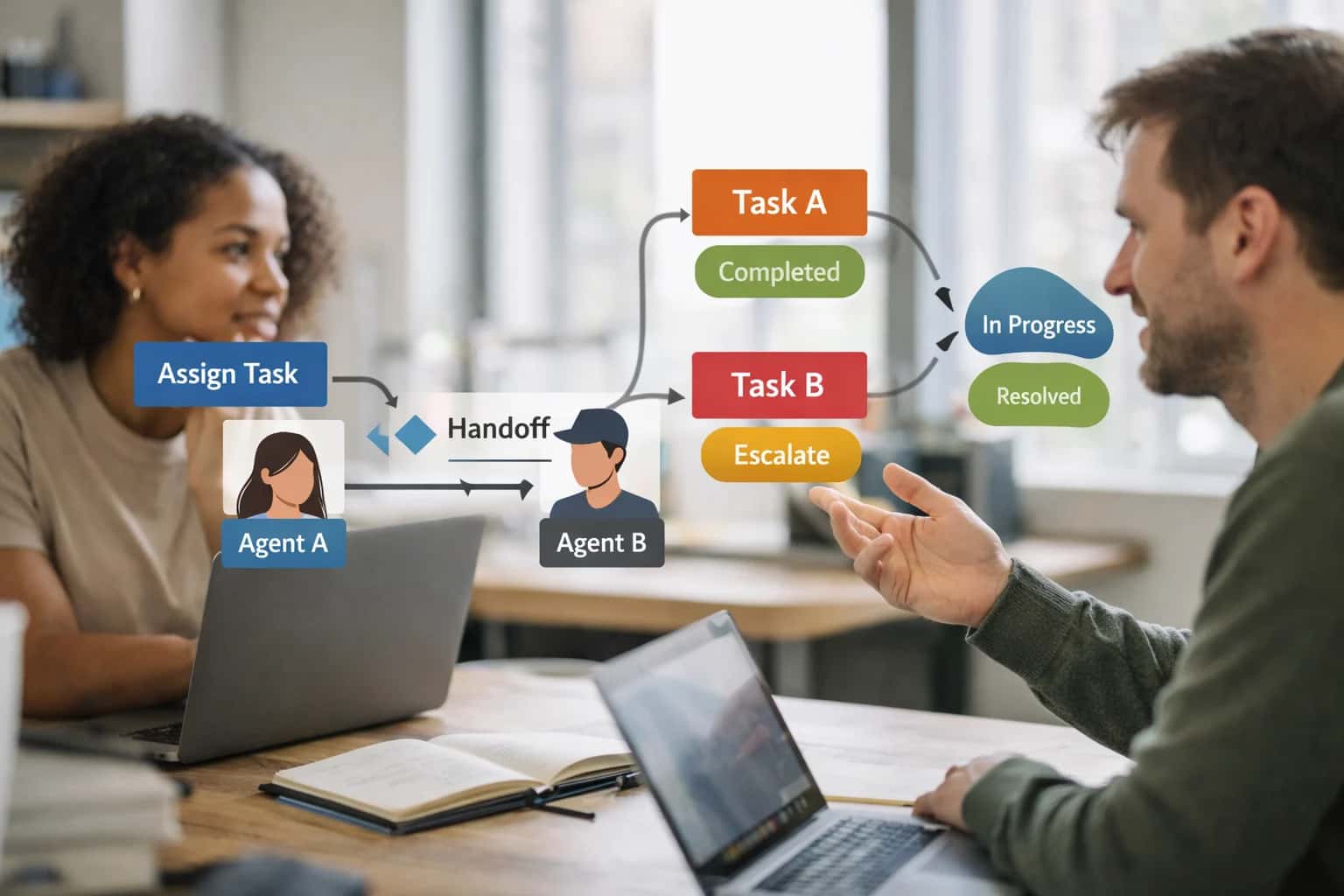
When to Use This Prompt
A practical guide for reliability engineers to prevent silent failures in multi-agent pipelines by producing a structured abort decision when a sub-agent stalls.
Do not use this prompt for initial agent dispatch or for generating a standard handoff summary when a sub-agent completes successfully. Those workflows are covered by separate playbooks for orchestrator dispatch and handoff summary generation. This prompt belongs exclusively in the abort path. The required context includes the original task assignment, the sub-agent's last known state, the timeout threshold that was exceeded, and any partial or malformed output received. The ideal user is an engineer integrating this into an orchestrator's exception-handling logic, where the prompt's structured output—an abort decision, a state snapshot, a user notification, and a fallback routing instruction—can be parsed and acted upon programmatically.
Before wiring this into production, ensure your watchdog timer and response validator are correctly configured to trigger this prompt only on genuine stalls, not on transient network latency. A false trigger will abort a healthy agent and create unnecessary fallback load. You should also define clear ownership of the fallback path: the orchestrator must know which agent or human queue receives the aborted task. Finally, treat the preserved state as ephemeral debugging data with a strict retention policy to avoid accumulating sensitive context in logs. The next step is to review the prompt template and adapt its placeholders to your specific agent registry, timeout values, and notification channels.
Use Case Fit
Where the Handoff Timeout and Abort prompt template works and where it introduces risk. Use these cards to decide if this template fits your reliability architecture.
Good Fit: Long-Running Agent Pipelines
Use when: Your orchestrator delegates work to sub-agents that may take minutes to hours. Why: The template prevents silent failures by defining explicit timeout windows, abort conditions, and cleanup instructions. Guardrail: Pair with a state checkpoint prompt so aborted work can be resumed rather than lost.
Bad Fit: Real-Time User-Facing Chat
Avoid when: A user is waiting for a sub-second response in a conversational interface. Why: Timeout and abort logic adds latency and complexity that degrades user experience. Guardrail: Use a lightweight fallback response or clarification prompt instead of a full abort-and-cleanup workflow.
Required Input: Sub-Agent SLA Contract
Risk: Without a defined execution window, the timeout value is arbitrary and may abort valid work or wait too long for failures. Guardrail: Require each sub-agent to declare its expected max execution time and the orchestrator to use that value as the timeout baseline before applying any global overrides.
Required Input: Idempotency Key
Risk: Aborting a sub-agent mid-execution may leave partial side effects that corrupt downstream state. Guardrail: Pass an idempotency key in the handoff payload so the abort handler can check whether the sub-agent already committed work before cleaning up, preventing duplicate or orphaned operations.
Operational Risk: Silent Timeout Without User Notification
Risk: The pipeline aborts internally but the end user or upstream system never learns that work was abandoned. Guardrail: The abort template must include a user-facing notification block with the reason for timeout, what was attempted, and next steps. Log the event for SRE visibility.
Operational Risk: Cascading Aborts in Deep Pipelines
Risk: A single sub-agent timeout triggers abort cascades across dependent agents, multiplying cleanup complexity. Guardrail: Design the abort template to distinguish between a leaf-agent timeout and a dependency failure. Only abort upstream agents if the dependency is unrecoverable; otherwise, route to a fallback agent.
Copy-Ready Prompt Template
A production-ready prompt for detecting stuck sub-agents, aborting execution safely, and routing to a fallback with full state preservation.
This prompt is designed to sit inside your orchestrator's error-handling path. When a sub-agent exceeds its execution window or fails to respond, this template produces a structured abort decision, a cleanup plan, and a fallback routing instruction. It is not a generic timeout handler—it is built for multi-agent pipelines where silent failures cascade into broken user experiences and orphaned state.
textSYSTEM: You are a reliability controller for a multi-agent orchestration system. Your job is to detect when a sub-agent has exceeded its execution window, decide whether to abort, and produce a structured recovery payload. ROLE: Timeout and Abort Controller INPUT: - [AGENT_ID]: Identifier of the sub-agent being monitored. - [AGENT_ROLE]: Declared role of the sub-agent. - [TASK_DESCRIPTION]: The task assigned to the sub-agent. - [ELAPSED_TIME_MS]: Milliseconds since the task was dispatched. - [TIMEOUT_THRESHOLD_MS]: Maximum allowed execution time. - [LAST_RESPONSE_TIMESTAMP]: ISO-8601 timestamp of the last response from the sub-agent, or null if no response received. - [AGENT_STATE_SNAPSHOT]: Serialized state of the sub-agent at last checkpoint, including tool call history, partial outputs, and pending approvals. - [FALLBACK_AGENTS]: List of available fallback agents with their capabilities and current load. - [USER_VISIBLE_CONTEXT]: What the user has been shown about this task so far. CONSTRAINTS: - If ELAPSED_TIME_MS < TIMEOUT_THRESHOLD_MS and LAST_RESPONSE_TIMESTAMP is within [HEARTBEAT_INTERVAL_MS], do not abort. Return a WAIT decision. - If the sub-agent has produced partial valid output, preserve it. Do not discard work that can be reused. - If the sub-agent is in the middle of a tool call with side effects, flag the tool call state explicitly so the fallback agent can decide whether to retry, rollback, or continue. - Never expose raw agent internals to the user. User-facing messages must be clear, calm, and actionable. - If no fallback agent can handle the task, escalate to [HUMAN_QUEUE_ENDPOINT] with full context. OUTPUT_SCHEMA: { "decision": "ABORT" | "WAIT" | "ESCALATE_TO_HUMAN", "reason": "String explaining the decision with specific evidence from INPUT.", "abort_detail": { "agent_id": "[AGENT_ID]", "failure_classification": "TIMEOUT_NO_RESPONSE" | "TIMEOUT_PARTIAL_OUTPUT" | "HEARTBEAT_LOST" | "TOOL_CALL_STUCK", "partial_output_preserved": "String or null. Any valid output the sub-agent produced before timing out.", "tool_call_state": { "active_tool": "String or null. Name of the tool in flight.", "tool_call_id": "String or null.", "side_effects_possible": true | false, "recommended_recovery": "RETRY_IDEMPOTENT" | "ROLLBACK_AND_RETRY" | "DO_NOT_RETRY" | "MANUAL_REVIEW_REQUIRED" }, "checkpoint_restore_instructions": "String. How to restore agent state from AGENT_STATE_SNAPSHOT if retrying." }, "fallback_routing": { "selected_agent": "String or null. ID of the fallback agent.", "handoff_payload": { "task_description": "String. The original task, possibly scoped down.", "prior_progress": "String. What was completed before abort.", "constraints_carried_forward": ["String. Constraints the fallback must respect."], "do_not_repeat": ["String. Actions already completed that must not be duplicated."] }, "escalation_reason": "String or null. Why no fallback agent was suitable." }, "user_notification": { "message": "String. What to tell the user. Calm, honest, no internals.", "estimated_wait": "String. How long until resolution, if known.", "action_required_from_user": "String or null. If the user must provide input." }, "audit_log_entry": { "timestamp": "ISO-8601", "orchestrator_version": "[ORCHESTRATOR_VERSION]", "abort_trigger": "TIMEOUT" | "HEARTBEAT_LOSS" | "MANUAL_ABORT", "context_hash": "String. Hash of the full context for traceability." } } INSTRUCTIONS: 1. Compare ELAPSED_TIME_MS against TIMEOUT_THRESHOLD_MS. 2. Check LAST_RESPONSE_TIMESTAMP against the current time. If the gap exceeds [HEARTBEAT_INTERVAL_MS], treat as heartbeat loss. 3. If either condition triggers, classify the failure and populate abort_detail. 4. Select the best fallback agent from FALLBACK_AGENTS based on capability match and current load. If none qualify, set escalation_reason. 5. Construct the user_notification. Never mention agent IDs, timeouts, or internal state. 6. Populate the audit_log_entry with traceable identifiers. 7. Return ONLY valid JSON matching OUTPUT_SCHEMA. No additional text.
To adapt this template, replace every square-bracket placeholder at runtime before the prompt reaches the model. [AGENT_ID], [TASK_DESCRIPTION], and [TIMEOUT_THRESHOLD_MS] should come from your orchestrator's dispatch records. [AGENT_STATE_SNAPSHOT] must be a serialized checkpoint captured before the sub-agent was invoked—do not rely on the sub-agent to self-report its state after it has already stalled. [FALLBACK_AGENTS] should be a live query against your agent registry filtered by capability tags, not a static list. The [HEARTBEAT_INTERVAL_MS] should be shorter than [TIMEOUT_THRESHOLD_MS] to catch silent failures before the full window expires. If you are operating in a regulated domain, ensure the audit_log_entry.context_hash is stored immutably and linked to your decision log for post-incident review.
Prompt Variables
Each placeholder must be populated at runtime. Missing or null values will degrade the abort decision quality.
| Placeholder | Purpose | Example | Validation Notes |
|---|---|---|---|
[CURRENT_AGENT_ID] | Identifies the sub-agent being monitored for timeout | research-agent-v2 | Must match a registered agent ID in the orchestrator registry; reject null or empty string |
[MAX_EXECUTION_SECONDS] | Hard deadline in seconds before abort is triggered | 120 | Must be a positive integer; values below 5 should trigger a config review warning |
[TASK_DESCRIPTION] | Human-readable summary of what the agent was asked to do | Extract all cited claims from the uploaded contract PDF | Must be non-empty; if null, abort reason defaults to generic timeout message |
[LAST_OBSERVED_STATE] | The most recent output, partial result, or status from the agent | Partial extraction complete: 14 of 31 pages processed | Can be null if agent produced no output before timeout; null triggers different abort language |
[ORCHESTRATOR_FALLBACK_POLICY] | Instruction for what to do after abort: retry, escalate, or route to human | Retry once with agent-v3; if still failing, escalate to human review queue | Must be one of: retry, escalate, route_to_human, or terminate; reject unrecognized values |
[DEBUG_LOG_LEVEL] | Controls how much internal state is preserved for post-abort debugging | full | Must be one of: minimal, standard, or full; full includes tool call history and partial outputs |
[USER_NOTIFICATION_TEMPLATE] | Pre-approved language for informing the end user of the delay | I'm still working on your request. This is taking longer than expected. I'll provide a partial result shortly. | Must be non-empty in user-facing systems; can be null for backend-only pipelines |
[ABORT_REASON_CODE] | Machine-readable classification for why the abort was triggered | TIMEOUT_EXCEEDED | Must be one of: TIMEOUT_EXCEEDED, NO_RESPONSE, RESOURCE_EXHAUSTED, or POLICY_VIOLATION; reject unknown codes |
Implementation Harness Notes
How to wire the handoff timeout and abort prompt into an orchestrator or agent framework with validation, retries, and observability.
This prompt is designed to sit inside an orchestrator's error-handling path, not as a standalone chat interaction. When a sub-agent exceeds its execution window or fails to respond, the orchestrator should invoke this prompt with the sub-agent's original task, the elapsed time, and any partial output. The prompt's job is to produce a structured abort decision, a state preservation payload for debugging, a user notification template, and a fallback routing instruction. Do not call this prompt for every handoff; reserve it for timeout conditions, unresponsive agents, or deadlock detection where the orchestrator must decide whether to retry, escalate, or abort.
Wire the prompt into your orchestrator's timeout handler. When a sub-agent call exceeds [TIMEOUT_SECONDS], capture the sub-agent's [TASK_DESCRIPTION], [ELAPSED_TIME], [PARTIAL_OUTPUT] (if any), and [AGENT_ID]. Pass these as variables into the prompt template. The model should return a JSON object with fields: abort_decision (enum: retry, escalate, abort, wait), state_snapshot (serialized context for debugging), user_notification (a message safe for end-user display), fallback_route (target agent ID or human queue), and reason (a concise explanation). Validate the output against this schema immediately. If abort_decision is retry, enforce a maximum retry count (typically 2-3) and exponential backoff before re-invoking the sub-agent. If escalate, route to the specified fallback agent or human review queue. If abort, log the state snapshot, notify the user with the provided template, and clean up the session. Never silently swallow a timeout without logging the state snapshot—this is your primary debugging artifact for post-incident review.
Model choice matters here. This prompt requires strict schema adherence and low-latency decision-making under failure conditions. Use a fast, instruction-following model (GPT-4o, Claude 3.5 Sonnet, or equivalent) with JSON mode or structured output enabled. Set temperature to 0 or near-zero to prevent creative abort decisions. If your orchestrator uses tool-calling, expose the abort decision as a tool schema so the model returns typed arguments rather than free-form JSON. Log every invocation: timestamp, agent ID, timeout threshold, elapsed time, model response, and the final action taken by the orchestrator. These logs become essential for tuning timeout thresholds and identifying which sub-agents are prone to hanging. For high-reliability systems, add an eval step that checks whether the abort_decision is consistent with the reason field and whether the user_notification is appropriate for the [RISK_LEVEL] of the task. If the task is high-risk (e.g., financial transaction, clinical note, access control change), require human approval before executing any abort decision other than wait.
Common failure modes to guard against: the model may produce an abort_decision of retry without checking whether the sub-agent is in a permanently broken state, leading to infinite retry loops. Mitigate this by capping retries and requiring the reason field to explain what changed since the last attempt. The model may generate a user_notification that exposes internal system details (agent IDs, timeout thresholds, stack traces). Mitigate this by adding a post-processing filter that strips internal identifiers from user-facing messages, or by including a [USER_VISIBLE_CONSTRAINTS] placeholder in the prompt that explicitly forbids internal detail leakage. The model may hallucinate a fallback_route to an agent that doesn't exist. Mitigate this by validating the fallback_route against your live agent registry before routing. If the route is invalid, default to a pre-configured human escalation queue and log the mismatch.
Do not use this prompt as a substitute for proper sub-agent health monitoring. Timeout and abort logic is a last-resort safety net, not a primary reliability strategy. Instrument your sub-agents with heartbeat signals, progress callbacks, and resource utilization metrics so the orchestrator can detect degradation before the timeout fires. When a timeout does fire, treat the resulting state snapshot as a bug report: investigate why the sub-agent hung, whether the timeout threshold is calibrated correctly, and whether the task decomposition was too large for a single agent. Feed these findings back into your sub-agent design and timeout configuration. The goal is to make timeout events rare, well-understood, and safely handled—not to build an elaborate abort machinery that masks systemic agent reliability problems.
Expected Output Contract
Fields, types, and validation rules for the JSON response produced by the Handoff Timeout and Abort Prompt. Use this contract to parse and validate the model's output before triggering downstream recovery actions.
| Field or Element | Type or Format | Required | Validation Rule |
|---|---|---|---|
abort_decision | boolean | Must be exactly true or false. No string equivalents allowed. | |
abort_reason | string enum | Must match one of: [TIMEOUT, UNRESPONSIVE, RESOURCE_EXCEEDED, POLICY_VIOLATION, DEADLOCK_DETECTED, UNKNOWN]. Reject any value not in the enum. | |
sub_agent_id | string | Must be a non-empty string matching the [SUB_AGENT_ID] placeholder pattern. Reject if null or whitespace-only. | |
elapsed_time_seconds | number | Must be a positive number. Reject if negative, zero, or non-numeric. Compare against [TIMEOUT_THRESHOLD] to confirm timeout condition. | |
last_known_state | object | Must be a valid JSON object containing the sub-agent's state at abort time. Schema: { status: string, completed_steps: array, pending_steps: array, tool_calls_in_flight: array }. Reject if any required sub-field is missing. | |
cleanup_instructions | array of strings | Must be a non-empty array of actionable strings. Each string must start with a verb (Cancel, Release, Notify, Log, Rollback). Reject if empty or if any instruction lacks a verb prefix. | |
user_notification | object | Must be a valid JSON object with fields: { message: string, severity: enum[INFO, WARNING, ERROR], should_display: boolean }. Reject if message is empty or severity is not in the enum. | |
fallback_routing | object | Must be a valid JSON object with fields: { target_agent_id: string | null, retry_allowed: boolean, max_retries: number, escalation_path: string }. Allow null for target_agent_id only when retry_allowed is false. |
Common Failure Modes
What breaks first when handoff timeouts and aborts fire in production, and how to guard against silent failures, state corruption, and orphaned work.
Silent Timeout Without User Notification
What to watch: The sub-agent exceeds its execution window but the orchestrator does not notify the user, leaving them waiting indefinitely. The system appears hung with no feedback. Guardrail: Always pair the abort condition with a user-facing notification template. Include expected wait time, current status, and next steps. Log the timeout event with the sub-agent ID, task payload, and elapsed time for debugging.
Partial Work Discarded on Abort
What to watch: The sub-agent completes partial work before timing out, but the abort handler discards everything. Valuable progress is lost and must be recomputed from scratch. Guardrail: Implement state checkpointing before the abort fires. Capture intermediate outputs, tool call results, and reasoning state. Pass the checkpoint to the fallback agent or re-entry prompt so work can resume rather than restart.
Orphaned Tool Calls After Timeout
What to watch: The sub-agent initiates external tool calls (API writes, database transactions, message sends) just before the timeout fires. The orchestrator aborts the agent but the external side effects have already executed, creating orphaned state. Guardrail: Require idempotency keys on all mutating tool calls. Include a cleanup step in the abort handler that checks for and rolls back unconfirmed side effects. Log every tool invocation with its completion status for reconciliation.
Timeout Threshold Too Aggressive for Variable Workloads
What to watch: A fixed timeout works for average cases but kills legitimate long-running tasks during peak load or complex inputs. The system aborts work that would have succeeded given another few seconds. Guardrail: Use adaptive timeouts based on input complexity signals (token count, tool count, task type). Implement a grace period extension when the sub-agent reports incremental progress. Monitor timeout rates by task category and adjust thresholds from production data.
Abort Handler Itself Fails Silently
What to watch: The timeout fires correctly but the abort handler—responsible for cleanup, notification, and fallback routing—encounters its own error and fails without alerting anyone. The system enters an unrecoverable state with no visibility. Guardrail: Wrap the abort handler in its own try-catch with a dead-letter fallback. If the primary abort path fails, write the full failure context to a dead-letter queue or incident channel. Monitor abort handler success rate as a separate reliability metric.
Context Contamination from Partial Sub-Agent Output
What to watch: The sub-agent times out mid-response, but its partial output—potentially containing hallucinated facts, malformed JSON, or role-inappropriate content—leaks into the orchestrator's context and influences downstream decisions. Guardrail: Never pass raw partial output directly to the fallback agent or user. Run a contamination check on the truncated output before ingestion. Strip incomplete tool calls, unclosed code blocks, and mid-sentence claims. Only pass validated checkpoint data.
Evaluation Rubric
Run these checks against a golden dataset of timeout scenarios to validate the Handoff Timeout and Abort prompt before production deployment.
| Criterion | Pass Standard | Failure Signal | Test Method |
|---|---|---|---|
Timeout Classification Accuracy | Correctly classifies timeout as [TIMEOUT_TYPE] (e.g., SOFT_DEADLINE, HARD_DEADLINE, UNRESPONSIVE) for 95% of golden cases | Misclassification rate >5%; HARD_DEADLINE treated as SOFT_DEADLINE | Run golden dataset with known timeout types; compare predicted [TIMEOUT_TYPE] to ground truth label |
State Preservation Completeness | Serialized [DEBUG_STATE] contains all required fields: last_completed_step, pending_tool_calls, partial_outputs, error_stack | Missing required field in [DEBUG_STATE]; null values for non-nullable fields; truncated tool call history | Schema validation against [DEBUG_STATE_SCHEMA]; spot-check 20 handoff traces for field completeness |
User Notification Template Selection | Selects correct [NOTIFICATION_TEMPLATE] matching timeout severity and user visibility requirements | Hard timeout uses soft-language template; notification omits escalation path when required; template exposes internal system details | Template ID match against expected template per severity level; regex check for forbidden internal identifiers in user-facing text |
Fallback Routing Correctness | [FALLBACK_AGENT] selection matches predefined routing table for the failed sub-agent and timeout type | Routes to agent outside capability boundary; selects agent with known capacity constraints; no fallback selected when required | Compare [FALLBACK_AGENT] to routing table entries; verify fallback agent capability manifest includes required task scope |
Abort Cleanup Instruction Validity | Cleanup instructions include: cancel pending tool calls, release locks, log abort reason, preserve partial state | Missing lock release for held resources; pending tool calls not cancelled; abort reason not logged to audit trail | Parse cleanup instruction list; verify each required action present; integration test that locks are released after abort signal |
Timeout Threshold Adherence | Abort triggered within [HARD_DEADLINE_MS] ± buffer; SOFT_DEADLINE warning issued at correct threshold | Abort fires before SOFT_DEADLINE warning; HARD_DEADLINE exceeded by >2x buffer without abort; no warning issued | Instrumented timing tests with known latency injections; measure elapsed time from handoff start to abort signal |
Idempotency Guarantee | Repeated timeout signals for same handoff do not produce duplicate cleanup actions or conflicting state writes | Duplicate abort log entries; lock released twice causing race condition; multiple fallback agents activated for same task | Send duplicate timeout signals in test harness; verify exactly-once cleanup execution; check for idempotency key reuse |
Silent Failure Detection | All timeout paths produce observable signal: log entry, metric increment, or alert trigger; no silent drops | Timeout occurs but no log entry generated; metric not incremented; alert threshold not reached despite repeated failures | Inject timeout scenarios; verify log stream contains expected entries; check metrics dashboard for counter increment; validate alert firing |
Enabling Efficiency, Speed & Accuracy
Intelligent Analysis, Decision & Execution
We build AI systems for teams that need search across company data, workflow automation across tools, or AI features inside products and internal software.
Talk to Us
Search across company data
Give teams answers from docs, tickets, runbooks, and product data with sources and permissions.
Useful when people spend too long searching or get different answers from different systems.

Automate internal workflows
Use AI to route work, draft outputs, trigger actions, and keep approvals and logs in place.
Useful when repetitive work moves across multiple tools and teams.

Add AI to products and internal tools
Build assistants, guided actions, or decision support into the software your team or customers already use.
Useful when AI needs to be part of the product, not a separate tool.
Adapt This Prompt
How to adapt
Use the base prompt with a single timeout threshold and a simple abort message. Focus on getting the abort logic correct before adding complexity. Replace [TIMEOUT_SECONDS] with a hardcoded value like 30. Use a flat [ABORT_REASON] string instead of a structured error object.
Watch for
- Missing cleanup instructions leaving stale state
- Abort firing too early on slow but valid sub-agent responses
- No distinction between timeout (no response) and explicit failure (error returned)

About the author
Prasad Kumkar
CEO & MD, Inference Systems
Prasad Kumkar is the CEO & MD of Inference Systems and writes about AI systems architecture, LLM infrastructure, model serving, evaluation, and production deployment. Over 5+ years, he has worked across computer vision models, L5 autonomous vehicle systems, and LLM research, with a focus on taking complex AI ideas into real-world engineering systems.
His work and writing cover AI systems, large language models, AI agents, multimodal systems, autonomous systems, inference optimization, RAG, evaluation, and production AI engineering.
Partnered with leading AI, data, and software stack.





How We Work
Custom AI workflows for your Business
One-fit-all AI don't work for modern businesses. At Inferensys, we aim to understand your business & custom requirements; which we use to define most efficient agentic workflows, the data, and the tools for your business.
01
Review the use case
We understand the task, the users, and where AI can actually help.
Read more02
Pick the right approach
We define what needs search, automation, or product integration.
Read more03
Build the first useful version
We implement the part that proves the value first.
Read more04
Improve from there
We add the checks and visibility needed to keep it useful.
Read moreThe first call is a practical review of your use case and the right next step.
Talk to Us