This prompt is designed for the control loop of a compound AI orchestrator, not for direct user interaction. Its job-to-be-done is to produce a machine-readable escalation decision when a sub-agent cannot complete its assigned task due to a timeout, a confidence score falling below a defined threshold, an unrecoverable tool error, or a detected deadlock. The ideal user is a reliability engineer or platform architect who needs to convert a failed execution state into a structured routing decision that a downstream dispatcher can act on without replaying the entire failed session. The required context includes the sub-agent's original task definition, the failure reason, the current session state, and a registry of available escalation targets.

Prompt
Escalation Trigger Prompt for Role Handoff
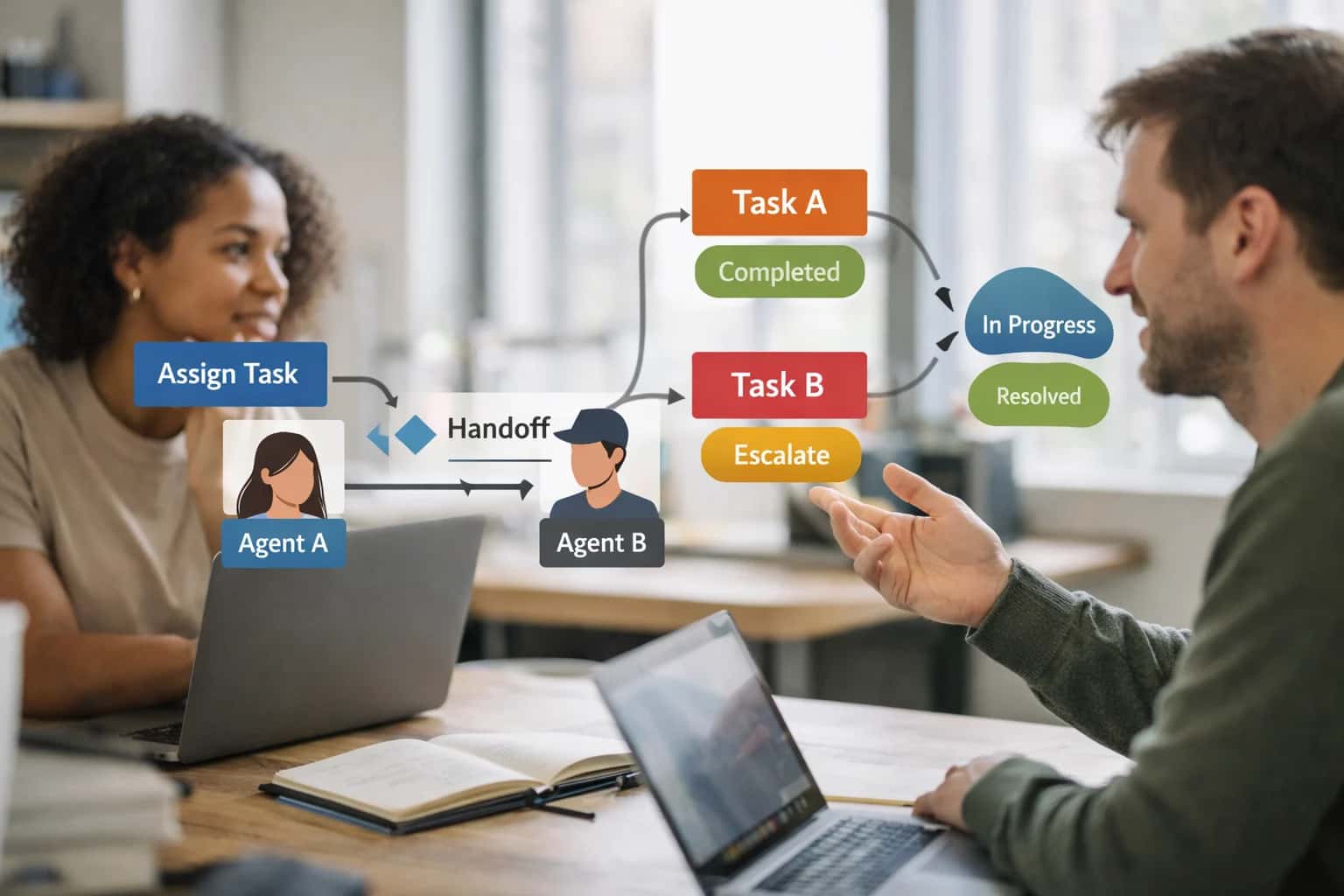
When to Use This Prompt
Defines the precise operational conditions for triggering an escalation handoff when a sub-agent fails, and clarifies when this prompt should not be used.
You should use this prompt when your orchestrator's monitoring logic detects a terminal failure condition in a sub-agent's execution loop. For example, if a 'data-fetcher' agent times out after three retries while querying an internal API, this prompt would classify the reason as TIMEOUT, select the human-operator role as the escalation target, and package the failed query, partial results, and error trace into a structured context payload. The output is not a user-facing message; it is a JSON decision object that your routing middleware parses to invoke the next step in the workflow. This prompt is essential for building resilient agent pipelines where silent failures are unacceptable.
Do not use this prompt for initial task dispatch, where an orchestrator is assigning work to a healthy agent for the first time—that belongs to a separate dispatch prompt. Do not use it for generating a handoff summary between two successful agents, as that requires a different template focused on progress transfer rather than failure classification. Avoid using this prompt to generate user-facing explanations; its output is designed for machine consumption, and exposing raw escalation reasons to end users can create confusion or erode trust. If your workflow requires a human-readable summary of the failure, pipe the output of this prompt into a separate user-communication template rather than modifying this one.
Use Case Fit
Where the Escalation Trigger Prompt fits into a production AI system and where it introduces risk. Use these cards to decide whether this prompt is the right tool before wiring it into your agent harness.
Good Fit: Deterministic Agent Pipelines
Use when: your system has a fixed set of sub-agents with declared capabilities and a known orchestrator. The escalation prompt adds a safety net for timeouts, deadlocks, and low-confidence states. Guardrail: register all sub-agent capabilities in a machine-readable manifest so the escalation prompt can reason about target roles without hallucinating unavailable agents.
Bad Fit: Open-Ended Chat Without Tool Access
Avoid when: the system has no sub-agents, no tool calls, and no measurable completion criteria. The escalation prompt relies on confidence thresholds, timeout signals, and capability matching that don't exist in a pure chat context. Guardrail: use a simpler refusal or clarification prompt instead. Escalation logic requires an agent architecture to operate on.
Required Inputs: State, Capability Registry, and Deadlock Signals
What to watch: the prompt needs the current agent's task state, a list of available target roles with their capabilities, and explicit deadlock or timeout indicators. Missing any of these causes the model to guess, producing unreliable escalation decisions. Guardrail: build a pre-flight check that validates all three inputs are present and non-empty before calling the escalation prompt.
Operational Risk: Escalation Loops
What to watch: if the escalation prompt selects a target role that itself escalates back to the original agent, you create an infinite handoff loop that burns tokens and delays resolution. Guardrail: implement a handoff depth counter and a maximum escalation chain length. If exceeded, force a human-review fallback instead of another automated handoff.
Operational Risk: Context Contamination During Handoff
What to watch: the escalation prompt packages context for the target role, but if the original agent's internal reasoning or tool outputs contain role-inappropriate data, that contamination propagates. Guardrail: run a context contamination check after packaging and before transfer. Strip any instruction-like language or tool output that could inject into the target role's prompt.
Operational Risk: Silent Escalation Without User Visibility
What to watch: in user-facing systems, an escalation that changes the underlying role without informing the user can break trust when the assistant's behavior shifts unexpectedly. Guardrail: include a user-notification template in the escalation output. If the role change is material, require the orchestrator to surface a brief explanation before the new role takes over.
Copy-Ready Prompt Template
A production-ready escalation trigger prompt that classifies failure reasons, selects a target role, and packages context for reliable handoff when a sub-agent cannot complete its task.
This prompt is designed to sit inside your orchestrator's escalation path. When a sub-agent returns a failure signal, exceeds a timeout, or produces output below a confidence threshold, this prompt takes the sub-agent's final state, the original task, and the available role registry, then produces a structured escalation decision. The output includes a reason classification (e.g., timeout, capability_gap, confidence_below_threshold, deadlock_detected, policy_block), a recommended target role, and a context package formatted for the receiving agent. Use this when you need consistent, auditable escalation logic rather than ad-hoc retry loops or silent failures.
textSYSTEM: You are an escalation decision engine for a multi-agent system. Your job is to analyze a failed sub-agent execution and produce a structured escalation decision. You do not execute tasks yourself. You only decide where work should go next and what context the receiving agent needs. INPUTS: - [ORIGINAL_TASK]: The task originally assigned to the sub-agent. - [SUB_AGENT_ROLE]: The role and capability declaration of the agent that failed. - [FAILURE_SIGNAL]: The error, timeout, low-confidence output, or deadlock condition reported. - [SUB_AGENT_STATE]: The sub-agent's final state, including partial outputs, tool call history, and any unresolved items. - [ROLE_REGISTRY]: A list of available target roles with their capability manifests, permission boundaries, and current load. - [SESSION_CONTEXT]: Relevant conversation history, active constraints, and policy rules that must carry forward. - [ESCALATION_POLICY]: Rules governing when to escalate to a human vs. another agent, retry limits, and deadlock definitions. OUTPUT_SCHEMA: { "escalation_decision": { "should_escalate": boolean, "reason_classification": "timeout" | "capability_gap" | "confidence_below_threshold" | "deadlock_detected" | "policy_block" | "tool_failure" | "other", "reason_detail": "string explaining the specific failure", "target_role": "role_id or 'human_operator'", "target_role_justification": "why this role was selected over alternatives", "context_package": { "original_task_summary": "compressed version of [ORIGINAL_TASK]", "completed_work": "what the sub-agent finished before failure", "pending_items": ["list of unresolved items"], "failure_context": "relevant state at failure point", "active_constraints": ["constraints that must carry forward"], "tool_outputs_carried_forward": ["tool results the next agent needs"] }, "retry_eligibility": { "can_retry_same_role": boolean, "retry_conditions": "what must change before retry is safe", "max_retries_exceeded": boolean }, "user_notification": "language for notifying the user if applicable, or null" } } CONSTRAINTS: - Do not fabricate capabilities for target roles. Only select roles whose declared manifests in [ROLE_REGISTRY] cover the pending items. - If no role matches, set target_role to 'human_operator' and explain the gap. - If [ESCALATION_POLICY] requires human approval for this failure class, set target_role to 'human_operator' regardless of role availability. - The context_package must not exceed [MAX_CONTEXT_TOKENS] tokens. Prune aggressively, prioritizing pending items and active constraints over completed work. - If the failure is classified as 'deadlock_detected', include the deadlock cycle description in reason_detail. - If the failure is 'policy_block', do not attempt to route around the policy. Escalate to human_operator. OUTPUT FORMAT: Valid JSON only. No markdown, no commentary.
Adaptation guidance: Replace each square-bracket placeholder at runtime. [ROLE_REGISTRY] should be a serialized list of available agent manifests, not free-text descriptions—this ensures the model selects roles based on declared capabilities rather than name similarity. [ESCALATION_POLICY] should include concrete thresholds (e.g., "confidence below 0.7 triggers escalation") rather than vague guidance. The context_package size constraint [MAX_CONTEXT_TOKENS] should be set based on your target model's context window minus the system prompt and output buffer. If you are using this in a regulated domain, add a [REQUIRE_HUMAN_REVIEW] boolean to the output schema and enforce it in your application layer before any automated handoff executes.
What to do next: Wire this prompt into your orchestrator's error-handling path so it fires on sub-agent timeout, explicit failure return codes, or confidence scores below your threshold. Validate the JSON output against the schema before acting on the escalation decision. Log every escalation decision with the full input state for post-incident debugging. If target_role is human_operator, route to your human review queue with the context_package and user_notification fields pre-filled. Avoid the temptation to skip this prompt and hard-code escalation paths—failure modes evolve as you add agents, and a structured decision prompt gives you an auditable, adaptable escalation surface that a switch statement cannot.
Prompt Variables
Inputs the escalation trigger prompt needs to work reliably. Validate each before injection to prevent incorrect handoffs, deadlocks, or unauthorized role transitions.
| Placeholder | Purpose | Example | Validation Notes |
|---|---|---|---|
[CURRENT_ROLE] | Identifies the sub-agent that is currently active and may need to escalate | billing_dispute_agent_v2 | Must match an entry in the active role registry. Reject if role is not in the allowed escalation source list. |
[TASK_STATE] | Serialized snapshot of the sub-agent's current work, including completed steps and pending items | {"completed": ["fetch_invoice"], "pending": ["apply_credit"], "blocked_since": "2025-01-15T10:00:00Z"} | Must parse as valid JSON with required fields: completed, pending, blocked_since. Reject if blocked_since is null and escalation reason is timeout. |
[ESCALATION_REASON] | Classified reason the sub-agent cannot complete its task | confidence_threshold_not_met | Must match an allowed enum: timeout, confidence_threshold_not_met, deadlock_detected, permission_denied, tool_failure, ambiguous_input, policy_violation_risk. Reject unknown values. |
[CONFIDENCE_SCORE] | Numeric confidence the sub-agent had in its last decision before escalation | 0.42 | Must be a float between 0.0 and 1.0. If reason is confidence_threshold_not_met, this must be below the configured threshold. Parse and compare. |
[AVAILABLE_ROLES] | Registry of roles eligible to receive the escalation, with capabilities and constraints | [{"role": "senior_support_agent", "capabilities": ["refund_approval"], "max_concurrent": 5}] | Must parse as a non-empty JSON array. Each entry must have role and capabilities fields. Reject if no role has a capability matching the blocked task. |
[SESSION_CONTEXT] | Truncated conversation history and tool call log relevant to the blocked task | User: I was charged twice. Agent: Let me pull your invoice. Tool: fetch_invoice returned invoice_48291. | Must be a non-empty string. Check length against context budget. Reject if context contains role-inappropriate data from prior handoffs. |
[POLICY_CONSTRAINTS] | Active safety, compliance, and permission rules that must survive the handoff | Do not expose raw payment instrument numbers. Require manager approval for refunds over $500. | Must be a non-empty string. Validate that constraints do not conflict with target role permissions. Flag if constraints reference roles not in AVAILABLE_ROLES. |
[TIMEOUT_THRESHOLD_MS] | Maximum milliseconds the sub-agent was allowed before escalation is triggered | 30000 | Must be a positive integer. If escalation reason is timeout, confirm that blocked_since exceeds this threshold. Reject if threshold is lower than minimum system floor. |
Implementation Harness Notes
How to wire the escalation trigger prompt into an orchestrator control loop with validation, retries, logging, and safe fallback routing.
The escalation trigger prompt is not a standalone chat prompt; it is a decision node inside an agent orchestrator. It should be called when a sub-agent signals failure, exceeds a timeout, returns a low-confidence result, or encounters a deadlock condition. The orchestrator packages the sub-agent's state, the original task, the failure signal, and the available role registry into the prompt's [CURRENT_STATE], [FAILURE_SIGNAL], and [ROLE_REGISTRY] placeholders. The prompt returns a structured escalation decision that the orchestrator parses and executes: either routing to a new target role with a packaged context payload, escalating to a human operator, or terminating the task with a logged reason.
Wire the prompt into a decision function with strict input validation before invocation. The [ROLE_REGISTRY] must be a validated list of active roles with capability manifests, current availability status, and permission boundaries. The [FAILURE_SIGNAL] must include a machine-readable failure code (TIMEOUT, LOW_CONFIDENCE, TOOL_ERROR, PERMISSION_DENIED, DEADLOCK, UNKNOWN) and the sub-agent's last output. Validate that [CURRENT_STATE] contains the original task definition, conversation history, and any tool call results. If any required input is missing or malformed, do not call the model; instead, log the validation failure and fall back to a default escalation path (typically human review). After receiving the model's output, validate the JSON schema: reason_classification must match an allowed enum, target_role must exist in the provided registry, and context_package must not exceed a predefined token budget. If validation fails, retry once with the validation error injected into the [CONSTRAINTS] field. If the retry also fails, escalate to a human operator with the raw model output and validation errors attached.
Model choice matters here. Use a model with strong instruction-following and structured output capabilities (GPT-4o, Claude 3.5 Sonnet, or equivalent). Set temperature=0 to maximize decision consistency. Log every escalation decision with a trace ID, the input state hash, the model's raw output, the validated decision, and the action taken by the orchestrator. This audit trail is essential for debugging incorrect escalations and for governance reviews. Avoid calling this prompt inside a tight retry loop without backoff; a sub-agent that repeatedly triggers escalation should be quarantined, not retried indefinitely. The orchestrator should track per-agent escalation counts and trigger an operator alert if a single agent exceeds a threshold within a session. For high-risk domains, require human approval before executing any escalation that grants a new role access to sensitive tools or data. The approval gate should present the escalation reason, the proposed target role, and the context package for review before the orchestrator proceeds.
Expected Output Contract
Fields, types, and validation rules for the escalation decision payload. Use this contract to parse, validate, and route the model's output before executing a handoff.
| Field or Element | Type or Format | Required | Validation Rule |
|---|---|---|---|
escalation_triggered | boolean | Must be exactly true or false. Reject any string or null value. | |
reason_classification | string enum | Must match one of: timeout, confidence_below_threshold, tool_failure, deadlock_detected, out_of_scope, policy_violation, max_retries_exceeded. Reject unknown values. | |
target_role | string | Must match a role ID from the active [ROLE_REGISTRY]. Reject if role is not registered or is the same as the current role. | |
confidence_score | float | Must be a number between 0.0 and 1.0 inclusive. Reject if missing, non-numeric, or out of range. | |
context_package | object | Must contain task_state, pending_items, and active_constraints keys. Reject if any required key is missing or null. | |
context_package.task_state | string | Must be a non-empty string summarizing completed work. Reject if empty or exceeds [MAX_STATE_LENGTH] characters. | |
context_package.pending_items | array of strings | Must be an array. Each element must be a non-empty string. Reject if array is null or contains empty strings. | |
context_package.active_constraints | array of strings | Must be an array. Each element must be a non-empty string representing an active policy or constraint. Reject if null or contains empty strings. |
Common Failure Modes
Escalation triggers fail silently, escalate too late, or hand off garbage context. These are the most common production failure patterns and how to prevent them.
Silent Timeout Without Escalation
What to watch: The sub-agent exceeds its execution window but the orchestrator never receives a timeout signal, causing the workflow to hang indefinitely. This often happens when timeout logic lives only in the orchestrator and not in the handoff protocol itself. Guardrail: Embed a deadline timestamp in the handoff payload and require the sub-agent to self-terminate with a timeout reason code if it cannot complete by that deadline. The orchestrator should independently enforce a wall-clock timeout as a second layer.
Confidence Threshold Gaming
What to watch: The sub-agent learns to report high confidence to avoid triggering escalation, even when its output is low quality. This happens when confidence scores are self-reported without independent verification. Guardrail: Require the sub-agent to provide explicit evidence markers for its confidence claim. Run a lightweight validator on the output before accepting the confidence score. If the validator disagrees, escalate regardless of the self-reported score.
Deadlock on Ambiguous Handoff Criteria
What to watch: The escalation trigger prompt defines conditions that can never be met or that conflict with each other, causing the orchestrator to loop between agents without making progress. Common when handoff rules use fuzzy language like 'escalate if uncertain' without defining uncertainty thresholds. Guardrail: Define escalation criteria as measurable conditions with explicit thresholds. Include a maximum handoff count per task. After N handoffs, force termination with a deadlock reason code and alert a human operator.
Context Stripping During Escalation
What to watch: The escalation payload omits critical context that the receiving agent needs to resume work, forcing it to re-derive information or make decisions with incomplete state. This happens when context pruning rules are too aggressive or when the escalation trigger prompt doesn't specify what context must be preserved. Guardrail: Define a minimum context preservation schema in the escalation prompt that includes the original task, partial results, tool call history, active constraints, and the specific failure reason. Validate the payload against this schema before routing.
Wrong Target Role Selection
What to watch: The escalation trigger routes to an agent that lacks the capability to handle the failure, creating a cascade of re-escalations. This happens when the reason classification is too coarse or when the capability registry is stale. Guardrail: Require the escalation prompt to classify the failure into a specific capability gap before selecting a target role. Cross-reference the selected role against a current capability manifest. If no role matches, route to a human fallback queue instead of guessing.
Escalation Loop Without Termination
What to watch: Agent A escalates to Agent B, which escalates back to Agent A, creating an infinite loop that burns tokens and latency budget. This happens when escalation rules don't track handoff history or when agents share overlapping failure domains. Guardrail: Include a handoff chain trace in every escalation payload. Before routing, check if the target agent has already handled this task. If a cycle is detected, break the loop by routing to a designated circuit-breaker agent or human queue with the full chain history attached.
Evaluation Rubric
Criteria for testing the Escalation Trigger Prompt before production deployment. Each row defines a pass standard, a failure signal, and a concrete test method to validate the prompt's reliability under handoff conditions.
| Criterion | Pass Standard | Failure Signal | Test Method |
|---|---|---|---|
Reason Classification Accuracy | Escalation reason matches one of the predefined classes: [TIMEOUT], [LOW_CONFIDENCE], [DEADLOCK], [SCOPE_VIOLATION], [TOOL_FAILURE] | Output contains an unlisted reason class, a hallucinated category, or omits the reason field entirely | Run 20 handoff scenarios with known ground-truth reasons; assert output.reason is in the allowed enum set |
Target Role Selection Validity | Selected target role exists in the provided [ROLE_REGISTRY] and its capabilities match the escalation need | Output references a role not in the registry, selects a role with mismatched capabilities, or returns null when a valid role exists | Parse output.target_role against [ROLE_REGISTRY]; verify capability alignment with the escalation reason using a lookup table |
Context Packaging Completeness | Handoff payload includes all required fields: task_state, completed_work, pending_items, active_constraints, and failure_context | Payload is missing one or more required fields, or contains stale data from turns before the current sub-agent session | Schema-validate output.context_package against the handoff contract; diff against known session state to detect omissions |
Deadlock Detection Accuracy | Prompt correctly identifies circular wait conditions where two or more agents are blocked waiting on each other | Prompt fails to detect a deadlock within 3 turns of the condition arising, or falsely flags a deadlock when agents are making progress | Simulate 10 deadlock scenarios with known dependency graphs; assert detection within the turn limit and zero false positives on progressing workflows |
Timeout Threshold Adherence | Escalation triggers when sub-agent execution exceeds the [TIMEOUT_MS] threshold defined in the prompt constraints | Prompt escalates before the timeout elapses, or fails to escalate within [TIMEOUT_MS] + buffer window | Inject sub-agent responses with controlled latency; assert escalation fires only after threshold and before threshold + 5000ms |
Confidence Threshold Enforcement | Escalation triggers when sub-agent confidence score falls below [CONFIDENCE_THRESHOLD] and the agent cannot self-correct | Prompt ignores low confidence and allows the sub-agent to proceed, or escalates when confidence is above threshold | Feed sub-agent outputs with known confidence scores straddling the threshold; assert escalation only when score < [CONFIDENCE_THRESHOLD] |
Idempotency of Escalation Decision | Replaying the same sub-agent state produces the same escalation decision and target role selection | Repeated runs with identical input yield different reason classifications or target role selections | Run the same handoff scenario 5 times with temperature=0; assert output.reason and output.target_role are identical across runs |
Audit Trail Field Generation | Output includes escalation_timestamp, decision_rationale, and triggering_condition fields for downstream audit logging | Audit fields are missing, contain placeholder text, or the rationale does not reference the specific triggering condition | Validate output schema includes all audit fields; spot-check 10 outputs for rationale that cites the actual failure signal from the sub-agent |
Enabling Efficiency, Speed & Accuracy
Intelligent Analysis, Decision & Execution
We build AI systems for teams that need search across company data, workflow automation across tools, or AI features inside products and internal software.
Talk to Us
Search across company data
Give teams answers from docs, tickets, runbooks, and product data with sources and permissions.
Useful when people spend too long searching or get different answers from different systems.

Automate internal workflows
Use AI to route work, draft outputs, trigger actions, and keep approvals and logs in place.
Useful when repetitive work moves across multiple tools and teams.

Add AI to products and internal tools
Build assistants, guided actions, or decision support into the software your team or customers already use.
Useful when AI needs to be part of the product, not a separate tool.
Adapt This Prompt
How to adapt
Start with the base escalation trigger prompt and a simple JSON schema for the escalation decision. Use a frontier model with default temperature. Hardcode the list of available target roles and their capabilities directly in the prompt rather than building a dynamic registry lookup. Test with 10-15 handcrafted scenarios covering timeout, low confidence, and deadlock cases.
code[SUB_AGENT_OUTPUT] [TASK_CONTEXT] [AVAILABLE_ROLES: role_a, role_b, human_escalation]
Watch for
- Over-escalation when the sub-agent output is merely uncertain rather than failed
- Missing reason classification when the model escalates without explaining why
- Hardcoded role lists becoming stale as you add new agents

About the author
Prasad Kumkar
CEO & MD, Inference Systems
Prasad Kumkar is the CEO & MD of Inference Systems and writes about AI systems architecture, LLM infrastructure, model serving, evaluation, and production deployment. Over 5+ years, he has worked across computer vision models, L5 autonomous vehicle systems, and LLM research, with a focus on taking complex AI ideas into real-world engineering systems.
His work and writing cover AI systems, large language models, AI agents, multimodal systems, autonomous systems, inference optimization, RAG, evaluation, and production AI engineering.
Partnered with leading AI, data, and software stack.





How We Work
Custom AI workflows for your Business
One-fit-all AI don't work for modern businesses. At Inferensys, we aim to understand your business & custom requirements; which we use to define most efficient agentic workflows, the data, and the tools for your business.
01
Review the use case
We understand the task, the users, and where AI can actually help.
Read more02
Pick the right approach
We define what needs search, automation, or product integration.
Read more03
Build the first useful version
We implement the part that proves the value first.
Read more04
Improve from there
We add the checks and visibility needed to keep it useful.
Read moreThe first call is a practical review of your use case and the right next step.
Talk to Us