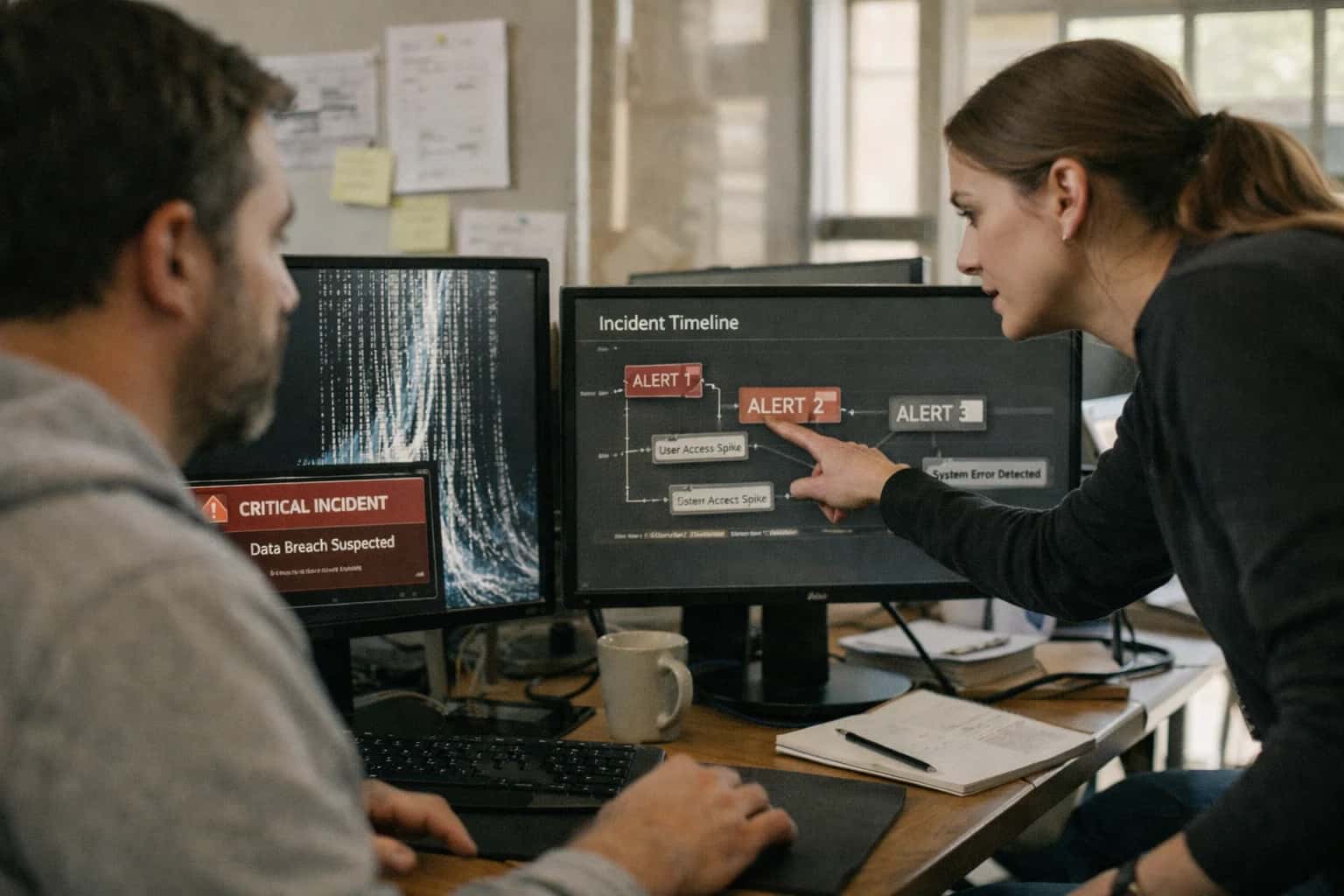
This prompt is for incident commanders and reliability engineers who need to translate a completed rollback into a clear, multi-audience stakeholder notification. The job-to-be-done is not deciding whether to roll back; it assumes the rollback has been executed and verified. The task is to take raw incident data—timestamps, affected services, error budgets, customer impact metrics—and produce a structured communication that gives engineering teams the technical depth they need, product managers the user-impact summary they require, customer support the language to use with affected users, and executives the high-level impact and resolution timeline. Use this prompt when the technical work is done and the remaining risk is miscommunication or misaligned expectations across the organization.

Prompt
Rollback Impact Communication Prompt
When to Use This Prompt
Defines the job-to-be-done, the ideal user, and the operational boundaries for the Rollback Impact Communication Prompt.
This prompt is not a substitute for an incident management tool, a status page update, or a postmortem document. It is a drafting aid that produces a structured notification ready for human review and approval before distribution. Do not use this prompt while the rollback is still in progress, when the full impact is unknown, or when you lack verified data on the scope and duration of the incident. The prompt requires concrete inputs: a verified incident timeline, a confirmed list of affected components, measured customer impact (error rates, latency, availability), and the current state after rollback. Without these inputs, the output will be speculative and should not be distributed. For high-severity incidents involving regulated data, financial loss, or safety impact, always route the draft through legal and communications review before sending.
Before using this prompt, gather your incident data and identify your audience list. The prompt template expects placeholders for [INCIDENT_SUMMARY], [TIMELINE], [IMPACT_METRICS], [AUDIENCE], and [NEXT_STEPS]. Each audience segment receives a tailored version of the notification, so you will run the prompt once per audience or use a batch variant that produces all versions in one structured output. After generation, validate the output against the raw incident data for factual accuracy, check that the tone matches each audience's expectations, and confirm that no speculative language has been introduced. The next section provides the copy-ready template you can adapt to your incident communication workflow.
Use Case Fit
Where the Rollback Impact Communication Prompt works, where it fails, and the operational prerequisites for safe use in production incident response.
Good Fit: Structured Incident Communication
Use when: A rollback has been executed or is imminent, and stakeholders need a clear, audience-tailored summary of impact, timeline, and next steps. Guardrail: Always provide the prompt with a confirmed rollback event payload (start time, end time, services affected, rollback trigger) rather than asking it to infer details from chat logs.
Bad Fit: Real-Time War Room Coordination
Avoid when: The incident is still active, the decision to roll back hasn't been made, or responders are debating remediation options in a live call. This prompt is for post-action communication, not live decision support. Guardrail: Route active incidents to the Rollback Decision Prompt first; only invoke this communication prompt after the rollback is confirmed.
Required Inputs: Structured Rollback Event Payload
Risk: Without a structured input schema (services, time window, trigger reason, customer impact summary, rollback result), the model will hallucinate plausible-sounding but incorrect details. Guardrail: Enforce a strict input schema with fields for rollback_timestamp, services_rolled_back, trigger_reason, impact_summary, rollback_status, and target_audience before the prompt runs.
Operational Risk: Tone Mismatch by Audience
Risk: A single generated message may be too technical for executives or too vague for engineering teams, causing confusion or eroding trust. Guardrail: Require an explicit target_audience parameter (executive, engineering, customer_support, public_status_page) and validate the output against audience-specific tone and detail checklists before sending.
Operational Risk: Premature or Incomplete Communication
Risk: Sending a rollback notification before the rollback is fully verified or before all impacted services are known leads to corrections, retractions, and credibility loss. Guardrail: Gate the prompt execution behind a verification step—confirm the rollback completed, smoke tests passed, and the impact summary is final before generating stakeholder communication.
Human-in-the-Loop: Mandatory Review Before Send
Risk: Even well-structured AI-generated incident communications can contain subtle inaccuracies, misleading framing, or missing context that only an incident commander would catch. Guardrail: Never auto-send the output. Route every generated communication to a human reviewer with a pre-send checklist (accuracy, tone, completeness, audience fit) and require explicit approval before publishing.
Copy-Ready Prompt Template
A reusable prompt with square-bracket placeholders for generating structured stakeholder communications after a rollback.
This template produces a structured communication tailored to a specific audience—engineering team, executives, or affected customers—after a production rollback. It takes raw incident data, rollback details, and audience context as inputs and generates a message with an impact summary, timeline, and next steps. The prompt is designed to be copied directly into your AI system, with bracketed variables replaced by real incident data from your monitoring, ticketing, or incident management tools.
codeYou are an incident communication specialist generating a stakeholder notification after a production rollback. Generate a structured communication for [AUDIENCE_TYPE: engineering/executive/customer] based on the incident data below. ## Incident Context - Incident ID: [INCIDENT_ID] - Service Affected: [SERVICE_NAME] - Rollback Trigger: [ROLLBACK_REASON] - Rollback Start Time: [ROLLBACK_START_TIME] - Rollback Completion Time: [ROLLBACK_COMPLETION_TIME] - Deployment Version Rolled Back From: [FAILED_VERSION] - Deployment Version Rolled Back To: [STABLE_VERSION] - Duration of Impact: [IMPACT_DURATION_MINUTES] minutes - User Impact Summary: [USER_IMPACT_DESCRIPTION] - Error Rate During Incident: [ERROR_RATE_PERCENT]% - Current Status: [CURRENT_STATUS] - Root Cause Summary (if known): [ROOT_CAUSE_SUMMARY] - Mitigation Steps Taken: [MITIGATION_STEPS] - Next Steps Planned: [NEXT_STEPS] - Links to Monitoring Dashboard: [DASHBOARD_URL] - Links to Incident Ticket: [INCIDENT_TICKET_URL] ## Output Requirements Generate a message with the following structure: 1. **Subject Line**: Clear, factual, includes service name and status. 2. **Impact Summary**: 2-3 sentences on what happened and who was affected. Use plain language appropriate for [AUDIENCE_TYPE]. 3. **Timeline**: Key events in chronological order with times in [TIMEZONE]. 4. **Current Status**: Confirmation that the rollback is complete and service is restored. 5. **Next Steps**: What the audience should expect or do next. For engineering: investigation details. For executives: business impact and timeline for RCA. For customers: any residual effects or actions required. 6. **Contact/Resources**: Where to get updates or ask questions. ## Constraints - Tone: [TONE: factual/empathetic/urgent] based on audience and severity. - Length: Keep total message under [MAX_WORD_COUNT] words. - Do not speculate beyond the provided facts. Mark any unknown information as "Under investigation." - Do not assign individual blame. Use system-level language. - If [AUDIENCE_TYPE] is "customer," avoid internal tool names, version numbers, and technical jargon. - If [RISK_LEVEL] is "high," include a statement about what is being done to prevent recurrence. ## Output Format Return the communication as plain text with clear section headers. Do not use markdown formatting.
To adapt this prompt, replace each bracketed variable with data from your incident management system. The [AUDIENCE_TYPE] variable controls tone, technical depth, and what details are included or excluded. For high-severity incidents, set [RISK_LEVEL] to "high" to trigger the recurrence-prevention statement. Wire this prompt into a post-rollback workflow that triggers automatically when a rollback completes, pulling fields from your deployment tracker, monitoring dashboards, and incident ticket. Always route the generated communication to a human reviewer before sending, especially for executive or customer audiences where tone errors carry reputational risk.
Prompt Variables
Inputs required for the Rollback Impact Communication Prompt. Validate these before calling the model to ensure the generated stakeholder notification is accurate, complete, and appropriately toned.
| Placeholder | Purpose | Example | Validation Notes |
|---|---|---|---|
[INCIDENT_SUMMARY] | Brief technical description of the incident that triggered the rollback. | Database migration v4.2.1 caused write latency spikes exceeding 500ms for the primary cluster. | String. Required. Check length > 50 chars. Must not contain speculative root cause unless confirmed. |
[ROLLBACK_TIMELINE] | Ordered list of key events: detection time, decision time, rollback start, and rollback completion. |
| Array of strings or structured text. Required. Each entry must have a timestamp and event. Parse check: at least 3 entries. |
[SERVICE_IMPACT] | Description of user-facing or dependent-service impact during the incident window. | API error rate peaked at 2.1%. Approximately 1,400 checkout requests failed. No data loss. | String. Required. Must quantify impact (e.g., error rate, request count, duration). Null not allowed. |
[AUDIENCE_TIER] | Specifies the target audience for the communication to control tone and technical depth. | executive_summary | Enum: 'executive_summary', 'engineering_detailed', 'customer_facing'. Required. Must match one of the predefined templates. |
[ROLLBACK_STATUS] | Current state of the rollback operation. | completed_successfully | Enum: 'completed_successfully', 'completed_with_issues', 'in_progress', 'failed'. Required. Determines the framing of next steps. |
[CORRECTIVE_ACTION_OWNER] | Team or individual accountable for the post-rollback fix and prevention. | Platform Engineering - DB Reliability Squad | String. Required. Must be a specific team name or individual, not a generic department. |
[COMMUNICATION_CHANNEL] | The intended delivery method for the notification, which influences length and formatting. | Enum: 'email', 'slack', 'status_page', 'sms'. Required. Affects output length and markdown formatting rules. |
Implementation Harness Notes
How to wire the Rollback Impact Communication Prompt into an incident management workflow with validation, audience routing, and human review gates.
This prompt is designed to be called by an incident management system or a chatops bot after a rollback has been executed and verified. The primary integration point is a webhook or API call that fires when a rollback event is marked as complete in your deployment tracker. The harness should supply the prompt with structured incident data—rollback start/end times, affected services, user-facing impact, and the current remediation status—pulled from your monitoring and ticketing systems. Do not call this prompt during an active incident before the rollback is confirmed; it is a post-action communication tool, not a real-time status update generator.
The implementation should enforce a two-stage validation pipeline. First, validate the input schema: ensure [INCIDENT_TIMELINE] contains at least a start time, rollback trigger time, and resolution time; [SERVICE_IMPACT] includes affected components and user-facing symptoms; and [AUDIENCE] is explicitly set to one of internal-engineering, internal-stakeholder, or external-customer. Reject the request with a structured error if required fields are missing. Second, validate the generated output before delivery. Check that the communication contains all required sections (Impact Summary, Timeline, Current Status, Next Steps), that the tone matches the audience profile, and that no placeholder tokens remain. For external-customer audiences, add a mandatory human review step in the pipeline—route the draft to an on-call communications lead or incident commander for approval before publishing to a status page or customer email.
Model choice matters here. Use a model with strong instruction-following and tone control, such as Claude 3.5 Sonnet or GPT-4o, because the prompt requires precise audience adaptation and structured output. Set temperature to 0.2 to reduce stylistic variance while preserving natural phrasing. For the retry strategy, implement a single automatic retry if the output fails schema validation (malformed JSON, missing sections). If the retry also fails, escalate to a human drafter and log the failure with the raw prompt context for debugging. Log every generated communication to an audit table with the incident ID, audience, reviewer, and final published text. This audit trail is critical for post-incident review and for demonstrating communication discipline to stakeholders. Avoid wiring this prompt directly to a public-facing publishing endpoint without the human review gate for external audiences—an automated apology with the wrong tone or incomplete information can compound the incident's impact.
Expected Output Contract
Fields, format, and validation rules for the structured communication package generated by the Rollback Impact Communication Prompt. Use this contract to validate the model's output before sending to stakeholders.
| Field or Element | Type or Format | Required | Validation Rule |
|---|---|---|---|
communication_id | string (UUID v4) | Must parse as valid UUID v4. Reject if missing or malformed. | |
audience_segment | enum: [executive, engineering, customer_support, affected_users] | Must match one of the allowed enum values. Reject unknown values. | |
subject_line | string (max 120 chars) | Must be non-empty. Must not exceed 120 characters. Must not contain unresolved placeholders. | |
impact_summary | string (max 500 chars) | Must be non-empty. Must include a severity classification keyword: [critical, major, minor, none]. Must not exceed 500 characters. | |
rollback_timeline | array of {timestamp: ISO8601, event: string, status: enum} | Array must contain at least 1 entry. Each timestamp must be valid ISO8601. Each status must be one of [started, completed, failed, verified]. | |
affected_services | array of strings | Array must contain at least 1 entry. Each string must be non-empty. Must not contain generic terms like 'various' or 'multiple'. | |
customer_impact_statement | string or null | If audience is 'affected_users', must be non-null and non-empty. Otherwise, null is allowed. Must not exceed 300 characters. | |
next_steps | array of {action: string, owner: string, eta: string or null} | Array must contain at least 1 entry. Each action must be non-empty. Each owner must be a non-empty string. ETA must be null or a human-readable time estimate. |
Common Failure Modes
What breaks first when generating stakeholder communications after a rollback, and how to guard against it.
Tone Mismatch for Audience
What to watch: The model generates a technically dense postmortem for a business audience or an overly vague summary for engineers. This erodes trust and causes confusion. Guardrail: Provide a strict [AUDIENCE] variable (e.g., executive, engineering, customer) and include a corresponding tone example in the prompt. Validate the output against a tone checklist before sending.
Undisclosed Uncertainty in Root Cause
What to watch: The model states the root cause with high confidence based on incomplete incident notes, leading to a false conclusion that misdirects the follow-up investigation. Guardrail: Instruct the prompt to use explicit uncertainty markers (e.g., 'Preliminary findings suggest...') and to separate confirmed facts from hypotheses. Require a human to approve the 'Root Cause' section before distribution.
Omission of Customer-Facing Impact
What to watch: The draft focuses entirely on internal infrastructure metrics (e.g., CPU spike, pod restarts) and fails to translate the event into user-visible symptoms (e.g., checkout failures, login errors). Guardrail: Add a dedicated [CUSTOMER_IMPACT] input field and a constraint in the prompt that the summary must lead with the user experience before describing the technical cause.
Inconsistent or Missing Timeline Data
What to watch: The model hallucinates timestamps or misorders the sequence of events from chat transcripts, making the timeline unreliable for auditors. Guardrail: Require a structured [TIMELINE] input as a list of {time, event} objects. Constrain the prompt to only rephrase provided timeline entries, never to infer or create new ones.
Leakage of Blame-Oriented Language
What to watch: The model synthesizes raw chat logs and inadvertently includes blameful phrasing (e.g., 'the on-call engineer failed to...'), damaging team culture and violating blameless postmortem policies. Guardrail: Add a strict policy instruction: 'Use blameless language. Focus on system behavior, not individual actions.' Implement a post-generation keyword filter to flag and redact accusatory terms.
Action Items Without Owners or Deadlines
What to watch: The model generates vague remediation steps like 'improve monitoring' or 'update runbooks' without assigning a responsible party or a due date, creating unactionable follow-up work. Guardrail: Force a structured output schema for [ACTION_ITEMS] that requires owner, deadline, and description fields. Validate that no action item is generated without these fields populated.
Evaluation Rubric
Score the Rollback Impact Communication Prompt output on a pass/fail basis before sending to stakeholders. Each criterion targets a specific failure mode in production incident communication.
| Criterion | Pass Standard | Failure Signal | Test Method |
|---|---|---|---|
Audience Adaptation | Output contains distinct sections or language variants for each audience specified in [AUDIENCE_LIST]; technical depth and business impact language match the role. | One-size-fits-all language; technical jargon sent to executives; business-only summary sent to engineering leads. | Parse output for audience headers. For each audience, check keyword density: executive section must contain cost/impact terms; engineering section must contain service/component terms. |
Impact Completeness | Output covers all required dimensions: services affected, user impact, data integrity, revenue/reputation risk, and current mitigation status. | Missing a required impact dimension from [IMPACT_DIMENSIONS]; vague statements like 'some users affected' without quantification. | Schema check: extract all keys from [IMPACT_DIMENSIONS] and verify each has a non-null, non-placeholder value in the output. |
Timeline Accuracy | Output includes a chronological timeline with timestamps from [ROLLBACK_TIMELINE]; no future-dated events; no invented timestamps. | Timestamps outside the provided window; events reordered incorrectly; placeholder times like 'TBD' used without explicit flagging. | Parse all timestamps. Assert each falls within [ROLLBACK_TIMELINE] start and end bounds. Assert chronological ordering with no inversions. |
Tone Appropriateness | Output tone matches [TONE_TARGET]: factual, no blame, no speculation, no minimization of severity, no unnecessary alarm. | Blame language pointing at individuals or teams; speculative phrases like 'might have been caused by'; dismissive language like 'minor issue'. | Run regex for blame patterns (e.g., 'caused by X team', 'X's mistake'). Run sentiment classifier; reject if score exceeds alarm threshold or falls below seriousness threshold. |
Next Steps Clarity | Output includes actionable next steps with owners, expected timelines, and how stakeholders can get updates; no vague 'we are investigating'. | Missing owner assignment; no timeline for next update; generic placeholder statements without commitment. | Schema check: verify [NEXT_STEPS] array has non-empty owner, eta, and update_channel fields for each entry. Reject if any field is null or contains only generic phrases. |
Rollback Confirmation | Output explicitly states the rollback was completed, the target version restored, and the verification status from [VERIFICATION_RESULT]. | Ambiguous language about whether rollback succeeded; missing version identifier; no mention of verification outcome. | Keyword presence check: require 'rollback complete' or equivalent, a version string matching [TARGET_VERSION], and a verification status matching one of the allowed enum values. |
Contact and Escalation | Output includes correct contact information from [ESCALATION_CONTACTS] and clear instructions for urgent concerns. | Missing contact section; stale or placeholder contacts; no distinction between informational and urgent channels. | Parse contact section. Assert each contact in [ESCALATION_CONTACTS] appears. Assert presence of 'urgent' or 'escalation' labeled channel distinct from general update channel. |
Length and Readability | Output stays within [MAX_LENGTH] tokens; uses headings, bullet points, and whitespace for scanability; no dense walls of text. | Output exceeds token limit; single-block text without structure; critical information buried in paragraphs. | Token count check against [MAX_LENGTH]. Structure check: assert presence of at least 3 heading-level breaks and at least 1 bulleted list. Fail if token count exceeds limit or structure score is zero. |
Enabling Efficiency, Speed & Accuracy
Intelligent Analysis, Decision & Execution
We build AI systems for teams that need search across company data, workflow automation across tools, or AI features inside products and internal software.
Talk to Us
Search across company data
Give teams answers from docs, tickets, runbooks, and product data with sources and permissions.
Useful when people spend too long searching or get different answers from different systems.

Automate internal workflows
Use AI to route work, draft outputs, trigger actions, and keep approvals and logs in place.
Useful when repetitive work moves across multiple tools and teams.

Add AI to products and internal tools
Build assistants, guided actions, or decision support into the software your team or customers already use.
Useful when AI needs to be part of the product, not a separate tool.
Adapt This Prompt
How to adapt
Use the base prompt with a single audience persona and lighter validation. Replace structured output requirements with a simple markdown template. Focus on tone and completeness before adding schema enforcement.
codeGenerate a stakeholder notification for a rollback of [SERVICE_NAME]. Audience: [AUDIENCE_ROLE] Impact: [IMPACT_SUMMARY] Timeline: [TIMELINE] Next steps: [NEXT_STEPS] Write in a [TONE] tone. Keep it under 200 words.
Watch for
- Missing impact quantification when [IMPACT_SUMMARY] is vague
- Tone mismatch for executive vs. engineering audiences
- Overly technical language for non-technical stakeholders
- No completeness check before sending

About the author
Prasad Kumkar
CEO & MD, Inference Systems
Prasad Kumkar is the CEO & MD of Inference Systems and writes about AI systems architecture, LLM infrastructure, model serving, evaluation, and production deployment. Over 5+ years, he has worked across computer vision models, L5 autonomous vehicle systems, and LLM research, with a focus on taking complex AI ideas into real-world engineering systems.
His work and writing cover AI systems, large language models, AI agents, multimodal systems, autonomous systems, inference optimization, RAG, evaluation, and production AI engineering.
Partnered with leading AI, data, and software stack.





How We Work
Custom AI workflows for your Business
One-fit-all AI don't work for modern businesses. At Inferensys, we aim to understand your business & custom requirements; which we use to define most efficient agentic workflows, the data, and the tools for your business.
01
Review the use case
We understand the task, the users, and where AI can actually help.
Read more02
Pick the right approach
We define what needs search, automation, or product integration.
Read more03
Build the first useful version
We implement the part that proves the value first.
Read more04
Improve from there
We add the checks and visibility needed to keep it useful.
Read moreThe first call is a practical review of your use case and the right next step.
Talk to Us