This prompt is designed for on-call engineers and SRE teams who need to convert raw incident signals and tribal knowledge into a structured, auditable incident response runbook when a critical third-party service dependency fails. The primary job-to-be-done is eliminating the scramble of assembling ad-hoc Slack threads, scattered monitoring alerts, and mental checklists during a live outage. Instead, it produces a single source of truth that covers detection, severity classification, internal communication templates, and step-by-step mitigation actions. The ideal user is a senior on-call engineer or SRE lead who has already identified the affected third-party service and has access to concrete operational inputs: monitoring data, service dependency maps, escalation contacts, and known failure signatures.

Prompt
Incident Response Runbook Prompt for Third-Party Outages
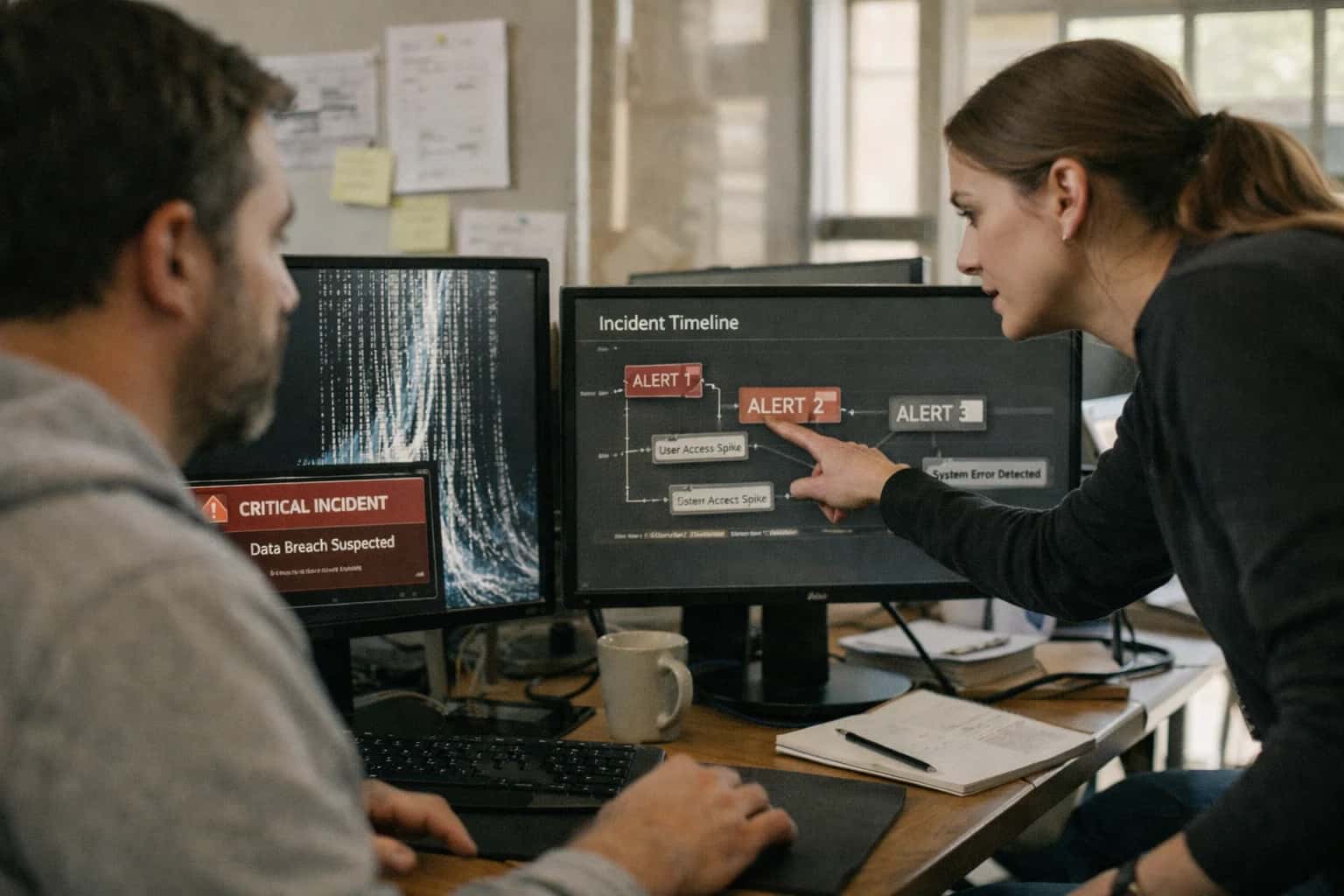
When to Use This Prompt
Defines the precise operational scenario, required inputs, and boundaries for generating a third-party outage runbook.
You should use this prompt when you need to formalize a repeatable procedure for a known class of external dependency failure—such as a payment gateway timeout, an identity provider outage, or a cloud storage API degradation. The prompt assumes you can provide specific context, including the [AFFECTED_SERVICE_NAME], [OBSERVED_SYMPTOMS], [DEPENDENCY_MAP], and [ESCALATION_CONTACTS]. It is not a generic incident commander or a root-cause analysis tool for unknown failures. Do not use this prompt for first-party service incidents where your own code is the root cause, security breach response requiring forensic evidence handling, or physical infrastructure failures like power or cooling events. The output is a runbook, not a postmortem; it focuses on immediate response actions rather than long-term remediation.
Before using this prompt, gather the required inputs: the exact third-party service status page URL, relevant monitoring dashboard links, the internal service dependency graph showing upstream and downstream impacts, and the current on-call rotation contacts. The prompt will produce a runbook with detection criteria (what alerts fire), severity classification (how to determine SEV1 vs SEV2), internal communication templates (what to post in the incident channel), and mitigation steps (both automated failover actions and manual intervention paths). After generating the runbook, validate it against a tabletop exercise or a recent historical incident to ensure the steps are actionable and the escalation paths are current. Store the validated runbook in your incident management platform and link it to the corresponding monitoring alerts.
Use Case Fit
Where this prompt works and where it does not. Use these cards to decide if the Incident Response Runbook prompt is the right tool for your third-party outage documentation workflow.
Good Fit: Known Third-Party Dependencies
Use when: your product has documented, named third-party service dependencies (e.g., Stripe, Auth0, AWS S3) with known failure modes. The prompt produces structured runbooks with detection criteria, severity classification, and step-by-step mitigation. Guardrail: provide the prompt with a list of specific integration surfaces and their expected degradation behavior.
Bad Fit: Undocumented or Ad-Hoc Dependencies
Avoid when: the third-party dependency is not formally tracked, lacks an integration spec, or the failure mode is unknown. The prompt cannot invent accurate detection criteria or mitigation steps for undocumented surfaces. Guardrail: complete an integration dependency graph and failure mode analysis before attempting runbook generation.
Required Inputs: Integration Surface Inventory
What to watch: the prompt requires a complete list of affected endpoints, webhooks, auth flows, and data paths. Missing inputs produce runbooks with gaps that on-call engineers discover during an incident. Guardrail: validate that every documented integration surface in your service catalog has a corresponding entry in the runbook prompt input.
Operational Risk: Stale Runbooks in Production
What to watch: runbooks generated once and never updated drift from reality as third-party APIs change, internal retry logic evolves, or new fallback paths are added. Stale runbooks increase MTTR during incidents. Guardrail: version runbooks alongside integration code, regenerate on third-party API changelog events, and include a last-validated timestamp in every runbook.
Operational Risk: Missing Manual Intervention Paths
What to watch: the prompt may over-emphasize automated checks and under-specify when a human must make a judgment call—such as deciding to disable a payment provider or notify customers. Guardrail: require the prompt output to include explicit human decision gates with approval contacts and communication templates for every severity level.
Bad Fit: Single-Service Outages Without Cascading Effects
Avoid when: the outage affects only one isolated service with no downstream consumer impact, no data consistency risk, and a trivial fallback. A full runbook is overhead. Guardrail: use a lightweight incident template instead; reserve this prompt for dependencies where failure propagates to multiple services or user-facing surfaces.
Copy-Ready Prompt Template
A copy-ready prompt that produces a complete incident response runbook for third-party outages, ready to adapt with your service context.
This prompt is designed to produce a complete incident response runbook in a single generation pass. Replace every square-bracket placeholder with details specific to your third-party dependency and internal operational context. The prompt instructs the model to generate detection criteria, severity classification, internal communication templates, and step-by-step mitigation actions—covering both automated checks and manual intervention paths. For complex dependency chains or services with many distinct failure modes, consider breaking the work into separate detection, communication, and mitigation prompts to keep each output focused and reviewable.
textYou are an incident response documentation specialist. Your task is to produce a complete incident response runbook for when the third-party service [SERVICE_NAME] experiences an outage or degradation that impacts our product [PRODUCT_NAME]. ## CONTEXT - Service provider: [PROVIDER_NAME] - Service documentation URL: [SERVICE_DOCS_URL] - Service status page URL: [STATUS_PAGE_URL] - Our integration surfaces that depend on this service: [LIST_DEPENDENT_FEATURES_OR_ENDPOINTS] - Internal alerting channels: [ALERT_CHANNELS] - Internal incident management tool: [INCIDENT_TOOL] - On-call rotation contact: [ONCALL_CONTACT] - Customer-facing status page URL: [CUSTOMER_STATUS_PAGE_URL] - Support communication templates location: [TEMPLATES_REPO] ## CONSTRAINTS - Every detection criterion must include a specific observable signal, not a vague symptom. - Every severity level must include concrete user impact and a maximum time-to-acknowledge. - Every mitigation step must specify whether it is automated or requires manual execution, and who is authorized to perform it. - Communication templates must include placeholders for incident ID, timestamp, and estimated resolution time. - Do not include actual credentials, secrets, or internal IP addresses in the output. - If a mitigation step involves toggling a feature flag or circuit breaker, include the exact flag name and the rollback verification step. ## OUTPUT STRUCTURE Produce the runbook with the following sections, using Markdown headings: ### 1. Detection Criteria List observable signals that indicate [SERVICE_NAME] is degraded or unavailable. For each signal, include: - Signal description - Monitoring source (e.g., metric name, log query, health check endpoint) - Threshold that triggers investigation - False positive risk and how to rule it out ### 2. Severity Classification Define severity levels (e.g., SEV1, SEV2, SEV3) specific to [SERVICE_NAME] outages. For each level, include: - User-visible impact description - Example scenario - Maximum time-to-acknowledge - Escalation path ### 3. Internal Communication Templates Provide copy-pasteable templates for: - Initial incident declaration in [INCIDENT_TOOL] - Status update to internal stakeholders - Handoff notes for on-call rotation Each template must include placeholders for [INCIDENT_ID], [TIMESTAMP], [SEVERITY], and [ESTIMATED_RESOLUTION]. ### 4. Customer-Facing Communication Template Provide a template for updating [CUSTOMER_STATUS_PAGE_URL]. Include: - Incident title format - Initial notice language - Update cadence recommendation - Resolution notice language ### 5. Mitigation Steps List step-by-step actions ordered by priority. For each step, include: - Step number and description - Execution type: AUTOMATED or MANUAL - Required authorization level - Expected outcome - Rollback or verification step - If the step involves a feature flag or circuit breaker, include the exact flag name ### 6. Post-Incident Actions List actions required after [SERVICE_NAME] recovers, including: - Verification that all dependent features are functional - Customer communication confirming resolution - Internal postmortem scheduling - Any data reconciliation or backfill steps ### 7. Dependency and Escalation Map List internal teams and external contacts relevant to this service, including: - Team name and responsibility - Escalation path (primary, secondary) - Contact method during business hours and after hours ## RISK_LEVEL [RISK_LEVEL: HIGH / MEDIUM / LOW] If RISK_LEVEL is HIGH, add a section titled "8. Emergency Shutdown Procedure" with step-by-step instructions for disabling all [SERVICE_NAME]-dependent features, including feature flag names, circuit breaker manual trip commands, and user communication template for the shutdown.
After copying the template, replace every bracketed placeholder with your actual operational context. The [LIST_DEPENDENT_FEATURES_OR_ENDPOINTS] placeholder is critical—be exhaustive here, because any undocumented dependency surface becomes a blind spot during an incident. Set [RISK_LEVEL] to HIGH if the third-party service is in the critical path for revenue, user authentication, or data integrity; this triggers the emergency shutdown procedure section. Before putting the generated runbook into production, have the on-call team review it against at least one past incident for that service and verify that every detection signal maps to a real monitoring alert. Store the final runbook alongside your other incident response documentation, not as a one-off artifact.
Prompt Variables
Every placeholder the incident response runbook prompt expects, why it matters, and how to validate it before generation. Validate these inputs before calling the model to prevent hallucinated runbooks.
| Placeholder | Purpose | Example | Validation Notes |
|---|---|---|---|
[THIRD_PARTY_SERVICE_NAME] | Identifies the external service that is degraded or unavailable. Used to scope detection criteria and communication templates. | Stripe API | Must match an entry in the integration registry. Reject if service name is not in the approved catalog. |
[OUTAGE_SEVERITY] | Sets the severity classification for the incident. Controls escalation path, response SLA, and communication urgency. | SEV1 - Critical | Must be one of the enumerated severity levels defined in the incident management policy. Reject unknown values. |
[DETECTION_SYMPTOMS] | Describes the observable signals that indicate the third-party outage. Used to generate detection criteria and alert mappings. | HTTP 500 errors on payment capture; webhook delivery latency > 60s | Must contain at least one concrete, measurable symptom. Reject if symptoms are vague or reference internal-only metrics without context. |
[AFFECTED_INTERNAL_SURFACES] | Lists the internal product features, endpoints, or workflows that depend on the third-party service. Used to scope impact assessment and user communication. | Checkout flow; Subscription billing portal; Invoice PDF generation | Must reference documented integration surfaces. Reject if any surface is not found in the integration dependency graph. |
[AUTOMATED_MITIGATION_STEPS] | Describes the automated circuit breaker, fallback, or retry mechanisms already in place. Used to generate the automated intervention path in the runbook. | Circuit breaker trips after 5 consecutive failures; fallback to cached payment methods | Must reference real feature flags or circuit breaker configurations. Reject if steps describe capabilities not present in the production configuration. |
[MANUAL_INTERVENTION_PROCEDURE] | Describes the manual steps an on-call engineer must perform when automated mitigations are insufficient. Used to generate the manual runbook path. | Manually toggle feature flag PAYMENT_SERVICE_DEGRADED; notify partner engineering via Slack #vendor-alerts | Must include at least one verifiable action with a specific flag name, command, or contact channel. Reject if steps are generic. |
[INTERNAL_COMMUNICATION_TEMPLATE] | Provides the template structure for notifying internal stakeholders. Used to generate the communication section of the runbook. | Title: Stripe Payment Degradation; Impact: Checkout errors; ETA: Monitoring vendor status page | Must include placeholders for title, impact, and ETA. Reject if template contains unresolved tokens that the model cannot fill from other variables. |
[VENDOR_STATUS_REFERENCE] | Points to the third-party's official status page or health endpoint. Used to generate verification steps and external communication references. | Must be a valid URL. Reject if URL is unreachable or does not match the approved vendor reference list for [THIRD_PARTY_SERVICE_NAME]. |
Implementation Harness Notes
How to wire the runbook generation prompt into an incident management pipeline with validation, retries, and human review.
This prompt is designed to be called from an incident management workflow, not a chat interface. Wire it into your incident declaration pipeline so that when an on-call engineer acknowledges a third-party alert, the harness assembles the context and generates a draft runbook automatically. The harness should pull dependency maps from your service catalog, feature flag names from your configuration store, and monitoring alert details from your observability platform.
Validate the generated runbook against a schema that requires every mitigation step to include an owner, a command or action, and a verification method. Flag any step that references a feature flag or circuit breaker not present in your configuration store. Log every runbook generation with the incident ID, the prompt version, and the model used. Store the generated runbook in your incident management tool as a comment or attached document. Require human review before the runbook is published to the broader response team.
The harness should also support a retry path: if the output fails schema validation, re-prompt with the validation errors appended as [CONSTRAINTS] and request a corrected runbook. Do not silently discard failed generations—log the failure and the validation errors so the team can improve the prompt or schema over time. Avoid using this prompt for incidents where the third-party outage is already fully documented with a known runbook; instead, surface the existing runbook directly.
Expected Output Contract
Structure, fields, and validation rules the generated runbook must satisfy before it is accepted into your incident workflow.
| Field or Element | Type or Format | Required | Validation Rule |
|---|---|---|---|
runbook_title | string | Must match pattern 'Incident Response: [SERVICE_NAME] Outage'. Length <= 120 chars. | |
detection_criteria | array of objects | Each object must contain 'symptom' (string), 'source' (enum: metric, log, alert, user_report), and 'threshold' (string). Array length >= 2. | |
severity_classification | object | Must contain 'levels' (array of objects with 'severity' (enum: SEV1, SEV2, SEV3), 'conditions' (string), 'example_symptoms' (array of strings)). At least SEV1 and SEV2 must be defined. | |
internal_communication_template | string | Must contain placeholders [SEVERITY], [IMPACT], [TIMESTAMP], [CURRENT_STATUS]. Must not exceed 500 words. | |
mitigation_steps | array of objects | Each object must contain 'step_number' (integer), 'action' (string), 'owner' (string), 'automated' (boolean), 'rollback' (string or null). Steps must be ordered sequentially starting from 1. | |
escalation_path | object | Must contain 'technical_lead' (string), 'vendor_contact' (string or null), 'management_contact' (string). All contacts must include 'name' and 'channel' (enum: slack, pagerduty, email, phone). | |
post_outage_tasks | array of strings | If present, each string must start with an action verb. Null allowed if no post-outage tasks are defined. | |
last_reviewed_date | string (ISO 8601) | Must be a valid date in YYYY-MM-DD format. Must not be in the future. Parse check required. |
Common Failure Modes
What breaks first when an incident response runbook prompt is used in production and how to guard against each failure.
Vague or Missing Detection Criteria
What to watch: The prompt produces runbooks that say 'monitor for errors' without specifying exact log patterns, metric thresholds, or alert names. On-call engineers cannot act on vague triggers. Guardrail: Require the prompt to output a dedicated detection block with exact alert names, log query strings, and threshold values. Validate that every detection entry includes a machine-readable query before accepting the runbook.
Hallucinated Internal System Names
What to watch: The model invents plausible-sounding service names, feature flags, or dashboard URLs that do not exist in your infrastructure. An engineer follows a hallucinated runbook step and wastes critical minutes. Guardrail: Ground the prompt with a provided [SERVICE_CATALOG] and [FEATURE_FLAG_REGISTRY] context block. Add a post-generation validation step that checks every referenced system name against the live registry and flags unknowns for human review.
Missing Manual Intervention Paths
What to watch: The runbook over-emphasizes automated remediation and omits steps that require human judgment, such as deciding whether to page a third-party vendor or trigger a public status update. Guardrail: Include a [REQUIRED_HUMAN_DECISIONS] constraint in the prompt template that forces the model to enumerate decision points where automation stops. Validate that every runbook section includes at least one explicit escalation or approval gate.
Stale Third-Party Status Page Assumptions
What to watch: The runbook hard-codes a vendor status page URL or assumes a specific API health-check endpoint that changes without notice. The runbook becomes misleading when the third party updates their infrastructure. Guardrail: Store vendor health-check endpoints and status page URLs as external configuration, not inside the prompt. Reference them by variable ([VENDOR_STATUS_URL]) and add a periodic audit that verifies endpoint reachability and updates the configuration source.
Undefined Severity Classification Boundaries
What to watch: The prompt generates severity levels (SEV1, SEV2, SEV3) without clear, measurable boundaries. Two on-call engineers classify the same outage differently, causing misrouted escalations. Guardrail: Require the prompt to output a severity matrix with concrete conditions: user-facing error rate percentage, revenue impact threshold, or number of affected tenants. Validate that every severity level has at least one quantifiable trigger condition.
Communication Template Drift Under Pressure
What to watch: The prompt produces internal and external communication templates that are too generic. During an incident, engineers fill gaps with unverified technical details or omit required legal disclaimers. Guardrail: Include a [COMMUNICATION_POLICY] block that mandates specific fields: estimated time to resolution, affected components, customer-facing impact statement, and legal review flag. Validate that every generated template contains all required fields before the runbook is published.
Evaluation Rubric
Score each generated runbook against these criteria before it reaches the on-call team. Run this evaluation automatically in your CI/CD pipeline for the prompt harness.
| Criterion | Pass Standard | Failure Signal | Test Method |
|---|---|---|---|
Detection Criteria Completeness | Runbook includes at least one observable symptom, one metric threshold, and one log pattern for the third-party outage. | Runbook describes only generic 'service is down' language without specific monitoring signals. | LLM-as-Judge: Check for presence of metric name, threshold value, and log query pattern in [DETECTION] section. |
Severity Classification Logic | Runbook maps at least three distinct conditions (e.g., partial degradation, full outage, data staleness) to severity levels with response time SLAs. | All conditions map to the same severity level or severity definitions are missing time-bound response expectations. | Schema check: Validate [SEVERITY_MAP] contains >=3 entries, each with 'condition', 'level', and 'response_sla' fields populated. |
Communication Template Grounding | Internal and external communication templates include [INCIDENT_ID], [ESTIMATED_IMPACT], and [NEXT_UPDATE_TIME] placeholders. | Templates contain unresolved customer names, hardcoded timelines, or speculative root cause statements. | Parse check: Scan all template strings in [COMMUNICATION_TEMPLATES] for required placeholder tokens. Flag any future-tense root cause claims. |
Mitigation Step Ordering | Steps are ordered by safety: observation first, then reversible actions, then disruptive actions, with human approval gates before irreversible changes. | Disruptive action (e.g., traffic cut, circuit breaker trip) appears before diagnostic steps or lacks an approval gate. | LLM-as-Judge: Verify step sequence follows observe->reversible->disruptive order. Confirm [APPROVAL_REQUIRED] flag is true for any step tagged 'irreversible'. |
Automated vs. Manual Path Separation | Every mitigation step is explicitly tagged as [AUTOMATED] or [MANUAL] with an owner role and expected duration. | Steps lack ownership tags or imply automation for actions that require human judgment (e.g., 'decide whether to fail over'). | Schema check: Validate each step in [MITIGATION_STEPS] has non-null 'automation_type', 'owner_role', and 'expected_duration_minutes' fields. |
Fallback and Rollback Coverage | Runbook specifies a fallback behavior for each automated mitigation action and a rollback procedure for each manual configuration change. | Runbook describes only forward recovery paths with no mention of state reversal or degraded-mode operation. | LLM-as-Judge: For each [MITIGATION_STEPS] entry, confirm corresponding entry exists in [FALLBACK_PROCEDURES] or [ROLLBACK_STEPS]. |
Third-Party Escalation Path | Runbook includes the third-party vendor's support contact, expected acknowledgment SLA, and internal escalation trigger if vendor does not respond. | Runbook assumes the third-party service will self-resolve without documenting how to engage their support team. | Parse check: Verify [VENDOR_ESCALATION] section contains non-null 'support_contact', 'ack_sla_minutes', and 'internal_escalation_trigger_minutes' fields. |
Post-Incident Artifact Requirements | Runbook specifies which artifacts to preserve: timeline, screen captures, vendor communication threads, and metric dashboards at incident time. | Runbook ends at 'service restored' with no guidance on evidence preservation for the postmortem. | Schema check: Validate [POST_INCIDENT_ARTIFACTS] array contains >=4 entries with 'artifact_type' and 'capture_method' fields. |
Enabling Efficiency, Speed & Accuracy
Intelligent Analysis, Decision & Execution
We build AI systems for teams that need search across company data, workflow automation across tools, or AI features inside products and internal software.
Talk to Us
Search across company data
Give teams answers from docs, tickets, runbooks, and product data with sources and permissions.
Useful when people spend too long searching or get different answers from different systems.

Automate internal workflows
Use AI to route work, draft outputs, trigger actions, and keep approvals and logs in place.
Useful when repetitive work moves across multiple tools and teams.

Add AI to products and internal tools
Build assistants, guided actions, or decision support into the software your team or customers already use.
Useful when AI needs to be part of the product, not a separate tool.
Adapt This Prompt
How to adapt
Use the base prompt with a frontier model (GPT-4o, Claude 3.5 Sonnet) and manual review. Replace [SERVICE_NAME] and [KNOWN_FAILURE_MODES] with a single known outage scenario. Skip strict schema enforcement initially—focus on whether the model produces a coherent runbook with detection criteria, severity classification, and mitigation steps.
Watch for
- The model inventing monitoring signals that don't exist in your observability stack
- Missing internal communication templates or vague escalation paths
- Overly broad severity classifications that don't match your incident management framework

About the author
Prasad Kumkar
CEO & MD, Inference Systems
Prasad Kumkar is the CEO & MD of Inference Systems and writes about AI systems architecture, LLM infrastructure, model serving, evaluation, and production deployment. Over 5+ years, he has worked across computer vision models, L5 autonomous vehicle systems, and LLM research, with a focus on taking complex AI ideas into real-world engineering systems.
His work and writing cover AI systems, large language models, AI agents, multimodal systems, autonomous systems, inference optimization, RAG, evaluation, and production AI engineering.
Partnered with leading AI, data, and software stack.





How We Work
Custom AI workflows for your Business
One-fit-all AI don't work for modern businesses. At Inferensys, we aim to understand your business & custom requirements; which we use to define most efficient agentic workflows, the data, and the tools for your business.
01
Review the use case
We understand the task, the users, and where AI can actually help.
Read more02
Pick the right approach
We define what needs search, automation, or product integration.
Read more03
Build the first useful version
We implement the part that proves the value first.
Read more04
Improve from there
We add the checks and visibility needed to keep it useful.
Read moreThe first call is a practical review of your use case and the right next step.
Talk to Us