This prompt is for platform engineers and SREs who need to programmatically reduce the fidelity of an active conversation session when system resources—such as context window budget, API rate limits, or compute capacity—are critically constrained. The core job-to-be-done is to decide which elements of the session state (dialogue history, pending actions, retrieved documents, user preferences) to compress, defer, or drop entirely, while preserving the minimum context required for the assistant to continue its core workflow without catastrophic failure. The ideal user is a developer building a production chat product who needs a deterministic, auditable degradation plan instead of an opaque model crash or a generic context truncation that silently breaks multi-turn logic.

Prompt
Session Graceful Degradation Prompt Under Load
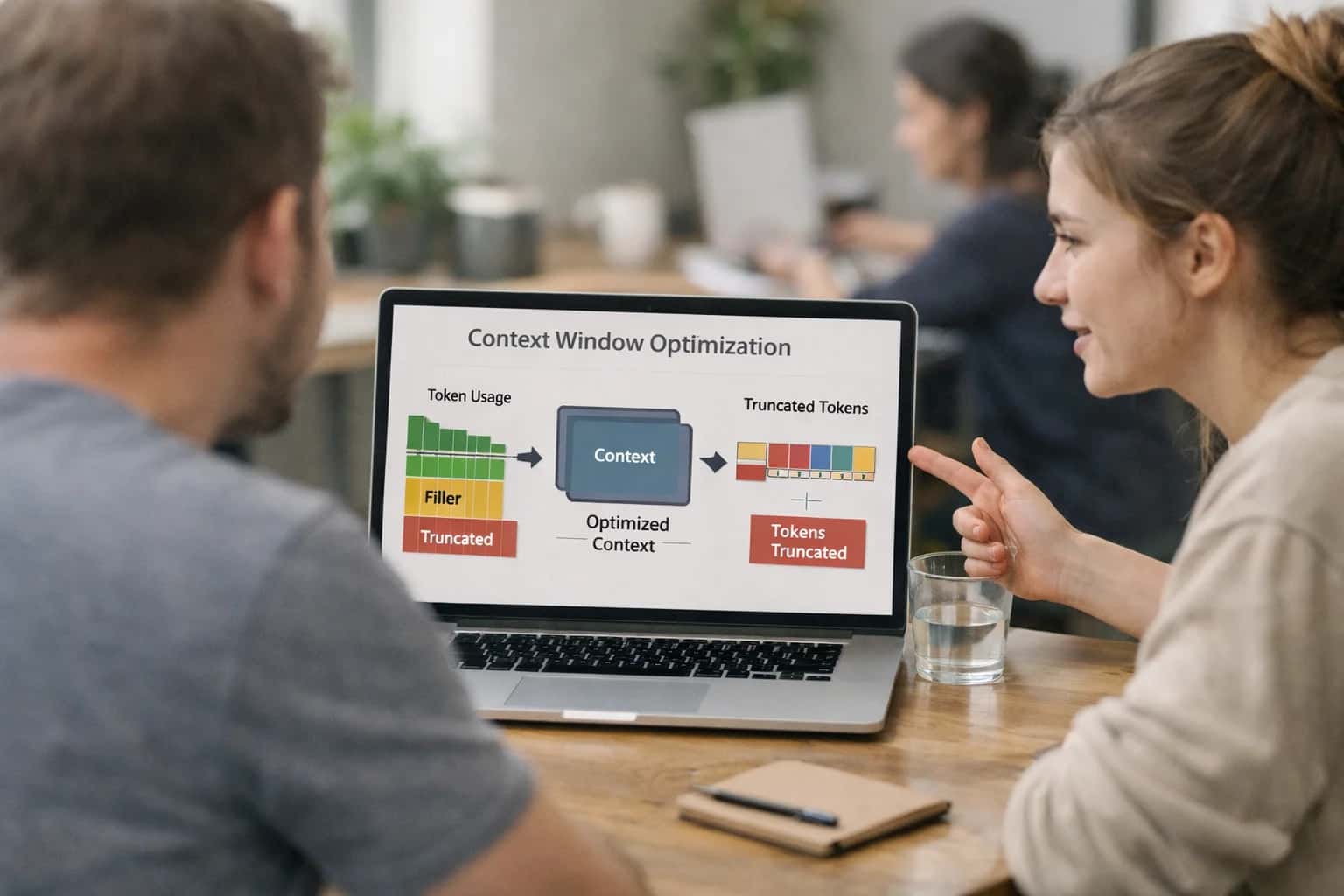
When to Use This Prompt
Define the job, reader, and constraints for the Session Graceful Degradation Prompt Under Load.
Use this prompt when you have a real-time resource constraint signal (e.g., token budget exceeded, latency threshold breached, or a load-shedding event) and you need a structured degradation plan as a machine-readable output. The prompt requires a snapshot of the current session state, a list of active workflow constraints, and a criticality map that defines which functions must be preserved. It is not a substitute for upstream context budgeting, prompt caching, or model routing. Do not use this prompt for routine session summarization or for deciding what to include in a standard context window—those are separate, non-degraded workflows. This prompt is explicitly for emergency triage under load, where the cost of inaction is a dropped session or an unresponsive system.
The output is a structured degradation plan, not a conversational response to the user. It must be integrated into an application harness that validates the plan against a schema, checks for unacceptable degradation (e.g., dropping a required compliance acknowledgment or an active payment step), and applies the plan to the session state before the next model call. If the degradation plan flags a 'critical workflow break' risk, the harness should escalate to a human operator or queue the session for a graceful pause rather than executing a destructive state mutation. Always log the full degradation decision for auditability, and never apply a degradation plan that the prompt itself marks as 'unacceptable.'
Use Case Fit
Where the Session Graceful Degradation Prompt works well and where it introduces unacceptable risk. Use this to decide if the prompt fits your operational context before integrating it into a production harness.
Good Fit: High-Volume Chat Products Under Load
Use when: your chat or copilot product experiences traffic spikes and you need automated context triage to stay within latency budgets. Guardrail: Deploy this prompt as a pre-flight check before the main model call, not as a post-hoc fix. Monitor the ratio of degraded vs. full-fidelity sessions in your observability dashboard.
Bad Fit: Regulated Workflows Requiring Full Audit Trails
Avoid when: healthcare, legal, or financial compliance requires complete, unaltered conversation records for every session. Dropping context elements may violate record-keeping requirements. Guardrail: If degradation is unavoidable, log every dropped element with a justification code and route the session for human review before any downstream action.
Required Inputs: Structured Session State and Resource Signals
What you need: a structured session object containing active intents, pending actions, unresolved questions, and a resource pressure signal (e.g., token budget remaining, latency threshold, or concurrency limit). Guardrail: Validate the session state schema before calling the degradation prompt. A malformed input produces a dangerous degradation plan that may drop critical workflow state.
Operational Risk: Over-Aggressive Pruning Breaks Core Workflows
What to watch: the prompt may classify a pending action or unresolved question as low-priority when it is actually blocking the user's primary task. Guardrail: Maintain a protected context list—elements that must never be dropped regardless of load. Run eval checks that verify protected elements survive degradation in every test scenario.
Operational Risk: User-Visible Degradation Without Communication
What to watch: the assistant continues operating with reduced context but the user receives no signal that fidelity has changed, leading to confusion when the assistant forgets earlier details. Guardrail: Require the prompt to produce a user-facing impact summary. If degradation is significant, inject a brief transparency message into the next assistant turn.
Variant: Tiered Degradation with Progressive Recovery
Use when: load fluctuates over a session and you want to restore fidelity when resources recover. Guardrail: Extend the prompt to produce a degradation tier (light, moderate, severe) and a recovery plan. Pair with a session snapshot prompt so you can restore pruned context when the pressure subsides.
Copy-Ready Prompt Template
A reusable prompt for generating a graceful degradation plan when session state fidelity must be reduced under system load.
This template is designed to be dropped into a production AI harness that monitors system resource consumption (e.g., context window utilization, latency budgets, or token-per-second limits). When a threshold is breached, this prompt instructs the model to produce a structured degradation plan. The plan must prioritize preserving critical workflow continuity—such as pending actions, unresolved questions, and active constraints—while identifying non-essential context elements that can be safely compressed, deferred, or dropped. The output is a machine-readable action plan, not a user-facing message.
textYou are a session state manager for a production AI assistant operating under resource constraints. The current session has exceeded its allocated [RESOURCE_BUDGET] for [RESOURCE_TYPE, e.g., context window tokens, latency]. You must produce a degradation plan to reduce state fidelity while preserving critical workflow continuity. ## Current Session State [FULL_SESSION_STATE] ## Critical Workflow Elements (Must Preserve) [CRITICAL_ELEMENTS_SCHEMA] ## Degradation Actions Available - COMPRESS: Summarize or truncate the element to reduce its token footprint. - DEFER: Remove the element from active context but store it in [DEFERRAL_STORE] for later retrieval. - DROP: Permanently remove the element. Only allowed if it has no impact on active tasks or user commitments. ## Output Schema Produce a JSON object strictly conforming to this structure: { "degradation_plan": [ { "element_id": "string", "element_type": "string", "action": "COMPRESS | DEFER | DROP", "rationale": "string (explain why this action was chosen over others)", "compressed_content": "string | null (required if action is COMPRESS)", "deferral_key": "string | null (required if action is DEFER)", "user_impact_assessment": "string (describe how this degradation might affect the user experience)" } ], "aggregate_impact_summary": "string (a concise summary of the overall user impact)", "critical_path_intact": "boolean (true if all critical workflow elements remain functional after degradation)" } ## Constraints - Do not degrade any element tagged as [CRITICAL_TAG] in the session state. - If degrading an element would break a core workflow (as defined in [CRITICAL_ELEMENTS_SCHEMA]), you must set `critical_path_intact` to false and explain why in the rationale. - Prefer COMPRESS over DEFER, and DEFER over DROP, unless the element is explicitly marked as low-priority. - The `user_impact_assessment` must be specific. Do not use generic phrases like "may affect user experience." ## Examples [FEW_SHOT_EXAMPLES]
To adapt this template for your application, replace the square-bracket placeholders with your system's specific data structures. [FULL_SESSION_STATE] should be your serialized conversation object, including turn history, tool outputs, and active variables. [CRITICAL_ELEMENTS_SCHEMA] must define what constitutes a critical workflow in your domain—for example, an unsubmitted order in a commerce bot or an unresolved patient symptom in a clinical triage assistant. [FEW_SHOT_EXAMPLES] should include at least one example where critical_path_intact is false to teach the model when to refuse degradation. The [DEFERRAL_STORE] placeholder should be replaced with the actual name of your database or cache table so the plan references a real target for deferred state. Before deploying, validate that the output JSON conforms to the schema using a strict validator in your application layer, and log every degradation plan for auditability.
Prompt Variables
Required inputs for the Session Graceful Degradation Prompt Under Load. Each placeholder must be populated before the prompt is sent. Validation notes describe how to verify the input is well-formed before execution.
| Placeholder | Purpose | Example | Validation Notes |
|---|---|---|---|
[SESSION_STATE] | Full serialized session object including dialogue history, pending actions, unresolved questions, active constraints, and metadata | {"session_id":"sess_9a2b","turns":[...],"pending_actions":["approve_refund"],"unresolved":["user_email_missing"],"constraints":{"compliance":"PCI"}} | Must be valid JSON. Parse check required. Schema validation against session state contract. Reject if missing required fields: session_id, turns, pending_actions. |
[RESOURCE_PRESSURE_METRICS] | Current system load indicators: context window utilization percentage, latency budget remaining in ms, token budget remaining, concurrent request count | {"context_utilization_pct":92,"latency_budget_remaining_ms":200,"token_budget_remaining":1200,"concurrent_requests":45} | All numeric fields must be present and non-negative. context_utilization_pct must be 0-100. Reject if metrics are stale beyond 30 seconds from timestamp. |
[DEGRADATION_TIER] | Predefined degradation level to apply: minimal, moderate, aggressive, or emergency. Controls how aggressively the prompt compresses or drops state | moderate | Must match enum: minimal, moderate, aggressive, emergency. Reject unknown values. Map to specific compression ratios and drop rules in application layer before prompt assembly. |
[CRITICAL_WORKFLOW_IDS] | List of workflow identifiers that must be preserved regardless of degradation tier. These workflows cannot have their context dropped or compressed below fidelity threshold | ["payment_dispute","account_recovery","active_escalation"] | Must be a JSON array of strings. Each ID must exist in the workflow registry. Empty array allowed if no workflows are critical. Null not allowed. |
[USER_FACING_TONE] | Tone constraints for any user-facing degradation messages generated by the prompt. Ensures consistency with brand voice even under degraded conditions | professional_transparent | Must match enum: professional_transparent, casual_reassuring, minimal_disclosure, technical_detailed. Reject unknown values. Default to professional_transparent if not specified. |
[MAX_DEGRADATION_LATENCY_MS] | Hard ceiling on how long the degradation decision prompt itself can take. Used to trigger emergency skip if the degradation prompt exceeds budget | 150 | Must be positive integer. If prompt execution exceeds this value, system should fall back to emergency tier with static drop rules. Typical range: 100-300ms. |
[PREVIOUS_DEGRADATION_PLAN] | The last degradation plan applied to this session, if any. Prevents oscillating between compression strategies on consecutive turns | {"applied_at":"2025-01-15T10:23:00Z","tier":"moderate","dropped_elements":["turn_12","turn_13"],"compressed_elements":["turn_8_through_11"]} | Must be valid JSON or null. If present, validate schema: applied_at in ISO 8601, tier in enum, dropped_elements and compressed_elements as arrays of strings. Reject if timestamp is future-dated. |
Implementation Harness Notes
How to wire the degradation prompt into a production chat application with validation, retries, and safe fallback behavior.
The degradation prompt is not a standalone utility; it is a control-plane decision node that must be called before the main conversation context is assembled for the next turn. In practice, this means your application server or orchestration layer should invoke this prompt when a resource threshold is breached—typically when the estimated token count for the next request exceeds a configured budget, when latency percentiles cross a defined ceiling, or when an upstream context retrieval step returns more data than the window can safely hold. The prompt receives a structured snapshot of the current session state, resource constraints, and criticality markers, and it returns a degradation plan that your application then executes by pruning, summarizing, or deferring context elements before calling the primary model.
Wire the prompt into a pre-call hook or middleware function that runs after context retrieval and before the main model invocation. The function should: (1) calculate the current context budget utilization and compare it against configurable thresholds; (2) if the threshold is breached, serialize the session state into the [SESSION_STATE] input block—including turn history summaries, pending actions, unresolved questions, active tool outputs, and user preference markers; (3) call the degradation prompt with the serialized state and the [RESOURCE_CONSTRAINTS] block specifying token budget, latency target, and any hard requirements; (4) parse the returned JSON degradation plan and validate it against a schema that requires retained_elements, compressed_elements, deferred_elements, dropped_elements, and a user_impact_assessment with a severity score; (5) apply the plan by reconstructing the context payload according to the retention and compression instructions; and (6) log the degradation decision, the resource conditions that triggered it, and the impact assessment for observability. If the degradation plan fails schema validation, fall back to a safe default strategy—such as retaining only the most recent N turns and the active pending actions—and log the validation failure as a warning.
Retry logic should be minimal for this prompt because it runs on a latency-sensitive path. Configure a single retry with exponential backoff only for transient failures like timeouts or 5xx errors. Do not retry on schema validation failures or impact severity scores that exceed your configured threshold; instead, escalate to the fallback strategy and surface the event to your observability pipeline. For high-risk sessions—such as those involving financial transactions, clinical workflows, or compliance-bound interactions—add a human-review gate when the degradation plan's user_impact_assessment.severity is high or critical. The review gate should pause the session, present the degradation plan and the original context to an operator, and require explicit approval before the degraded context is sent to the main model. This prevents silent degradation from breaking core workflow continuity in regulated domains.
Model choice matters here. The degradation prompt requires strong instruction-following and structured output reliability, not creative reasoning. Use a fast, cost-efficient model with strong JSON mode support—such as Claude 3.5 Haiku, GPT-4o-mini, or a fine-tuned small model if you have sufficient degradation examples. Avoid using your largest, most expensive model for this control-plane decision because the degradation prompt runs on the critical path and its latency directly adds to the user's perceived response time. If you are already operating under load, adding a slow degradation step compounds the problem. Cache the degradation prompt's system instructions as a static prefix to reduce per-call token costs, and consider batching degradation decisions for multiple concurrent sessions if your architecture supports it.
Observability is non-negotiable. Emit structured logs containing the session identifier, the resource conditions that triggered degradation, the full degradation plan, the impact severity score, and whether the plan was applied automatically or escalated for human review. Track degradation frequency, severity distribution, and the specific context elements most frequently compressed or dropped. These metrics will reveal whether your context assembly strategy, retrieval pipeline, or session management policies need adjustment. If degradation events cluster around specific session types or user workflows, investigate whether those workflows can be optimized at the source rather than relying on runtime degradation as a permanent fix. The degradation prompt is a safety valve, not a design target—persistent high-severity degradation signals a need for architectural changes upstream.
Expected Output Contract
Defines the structure, types, and validation rules for the degraded-state plan produced by the Session Graceful Degradation Prompt. Use this contract to parse and validate the model's output before applying the degradation actions.
| Field or Element | Type or Format | Required | Validation Rule |
|---|---|---|---|
degradation_level | string enum: | Must match one of the three enum values exactly. Reject on case mismatch or unknown value. | |
degradation_rationale | string | Must be non-empty and contain a concise explanation referencing the load condition. Reject if null or whitespace only. | |
context_elements | array of objects | Must be a non-empty array. Each object must have | |
context_elements[].element_id | string | Must match a known element from the input [SESSION_STATE] schema. Reject on unrecognized identifiers. | |
context_elements[].action | string enum: | Must be one of the four enum values. Reject on invalid action. | |
context_elements[].priority | string enum: | Must be one of the four enum values. Reject on invalid priority. | |
context_elements[].compression_instruction | string or null | Required if | |
user_impact_assessment | object | Must contain | |
user_impact_assessment.affected_capabilities | array of strings | Must be a non-empty array of specific capability names that are degraded. Reject if empty or contains generic terms like 'functionality'. | |
user_impact_assessment.mitigation_message | string | Must be a user-ready message explaining the degradation and how to proceed. Reject if empty, overly technical, or alarmist. | |
critical_workflow_continuity | array of strings | Must list the critical workflows that remain operational. Reject if empty or if any listed workflow is known to be broken by the proposed actions. | |
degradation_timestamp | string (ISO 8601) | Must be a valid ISO 8601 datetime string. Reject on parse failure. | |
recovery_conditions | object | Must contain |
Common Failure Modes
When system resources are constrained, graceful degradation prompts can fail silently, drop critical context, or produce plans that break core workflows. These are the most common failure modes and how to guard against them.
Critical Context Dropped as Low-Priority
What to watch: The degradation prompt misclassifies essential workflow state (pending approvals, unresolved questions, active constraints) as safe-to-drop because it lacks domain awareness of what constitutes critical continuity. The resulting plan silently removes context that would break task completion. Guardrail: Provide an explicit critical-context allowlist in the prompt that enumerates non-negotiable state elements—pending actions, active constraints, unresolved user asks—and require the model to flag any plan that would remove them.
Over-Aggressive Compression Produces Unrecoverable State
What to watch: The prompt compresses conversation history so aggressively that the resulting summary loses entity references, turn ordering, or conditional logic needed to resume coherently. The degraded state looks valid but cannot be deserialized into a working session. Guardrail: Include a round-trip validation step: after generating the degraded-state plan, ask the prompt to reconstruct the minimum viable context from its own output and flag any gaps where critical information was lost.
User Impact Assessment Is Vague or Missing
What to watch: The prompt produces a degradation plan without clearly stating what the user will experience—slower responses, lost context, re-asked questions, or degraded accuracy. Operations teams cannot make informed trade-off decisions without this. Guardrail: Require a structured user-impact field in the output schema that explicitly lists: what the user will notice, what they may need to repeat, and what functionality is temporarily unavailable.
Degradation Plan Breaks Core Workflow Continuity
What to watch: The prompt drops context elements that are individually non-critical but collectively required for a multi-step workflow to complete. For example, dropping step-2 context while keeping step-3 context creates an unrecoverable gap. Guardrail: Require the prompt to perform dependency analysis before dropping any context element—check whether any retained state references or depends on the element being considered for removal.
Silent Degradation Without Operational Visibility
What to watch: The prompt applies degradation but produces no structured signal that operations tooling can consume—no severity level, no degradation reason code, no timestamped decision record. This makes it impossible to monitor degradation frequency or correlate it with user-reported issues. Guardrail: Include required operational metadata fields in the output: degradation severity, reason code, affected session components, and a unique decision ID for traceability.
Degradation Cascade Under Sustained Load
What to watch: Under prolonged resource constraint, the prompt repeatedly degrades the same session, each time dropping more context until the session becomes unusable. Without a floor, degradation is unbounded. Guardrail: Define a minimum viable context floor in the prompt—the absolute minimum state required for any session to remain functional—and instruct the model to refuse further degradation and instead escalate for session termination or human handoff when that floor is reached.
Evaluation Rubric
Use this rubric to test whether the session graceful degradation prompt produces safe, functional plans before deploying to production. Run each criterion against a diverse set of constrained-resource scenarios, including high-load, low-memory, and latency-spike conditions.
| Criterion | Pass Standard | Failure Signal | Test Method |
|---|---|---|---|
Critical Workflow Preservation | All critical workflow elements from [ACTIVE_WORKFLOW_STEPS] are retained in the degraded-state plan with explicit rationale for each. | A critical step is dropped, deferred without a recovery path, or compressed to the point of ambiguity. | Run 20 constrained-resource scenarios with known critical steps. Assert 100% critical step retention in the plan. |
Degradation Tier Selection | The selected degradation tier matches the [RESOURCE_CONSTRAINT_LEVEL] and [LATENCY_BUDGET_MS] inputs. Higher constraint levels produce more aggressive compression. | A 'minimal' tier is selected under severe constraints, or an 'aggressive' tier is selected under mild constraints. | Parameterize tests across all constraint levels. Assert tier selection aligns with a pre-defined mapping table for 95% of cases. |
User Impact Assessment Accuracy | The user impact assessment correctly identifies which degraded elements will be noticeable to the user and describes the expected experience change. | Impact is described as 'none' when core UX elements are dropped, or impact language is vague ('some features may be slower'). | Human review of 30 impact assessments against the degradation plan. Require 90% agreement that impact descriptions match the actual plan changes. |
Context Element Classification | Each context element in [SESSION_CONTEXT] is classified into the correct action: compress, defer, drop, or preserve. Classification aligns with [CRITICALITY_MAP]. | A high-criticality element is dropped, or a low-criticality element is preserved while a high-criticality one is compressed. | Automated check: compare classification output to a ground-truth classification for 50 pre-labeled session contexts. Require F1 > 0.9. |
Output Schema Compliance | The output strictly matches [OUTPUT_SCHEMA], including all required fields: degradation_tier, element_actions, user_impact, recovery_plan. | Missing required fields, extra untyped fields, or malformed JSON that fails schema validation. | Parse output with a JSON schema validator. Assert no validation errors across 100 test runs with varied inputs. |
Recovery Path Completeness | Every deferred or compressed element has a corresponding entry in the recovery_plan array with a trigger condition and restoration action. | A deferred element has no recovery entry, or the trigger condition is missing or unactionable ('when load decreases'). | Automated check: for each element with action 'defer' or 'compress', assert a matching recovery_plan entry exists with a non-null trigger field. |
Hallucination Prevention | The plan does not invent context elements, user preferences, or workflow steps not present in [SESSION_CONTEXT] or [ACTIVE_WORKFLOW_STEPS]. | The plan references a 'payment step' when no payment workflow exists, or assumes user preferences not in the input. | Diff the plan's referenced elements against the input context. Flag any element not traceable to an input field. Require 0% hallucination rate. |
Latency Budget Adherence | The estimated token count of the proposed degraded context fits within the [MAX_CONTEXT_TOKENS] budget specified in the constraints. | The plan preserves elements that collectively exceed the token budget, or fails to provide a token estimate. | Calculate token count of the proposed preserved elements using the same tokenizer as production. Assert count <= [MAX_CONTEXT_TOKENS] for 100% of tests. |
Enabling Efficiency, Speed & Accuracy
Intelligent Analysis, Decision & Execution
We build AI systems for teams that need search across company data, workflow automation across tools, or AI features inside products and internal software.
Talk to Us
Search across company data
Give teams answers from docs, tickets, runbooks, and product data with sources and permissions.
Useful when people spend too long searching or get different answers from different systems.

Automate internal workflows
Use AI to route work, draft outputs, trigger actions, and keep approvals and logs in place.
Useful when repetitive work moves across multiple tools and teams.

Add AI to products and internal tools
Build assistants, guided actions, or decision support into the software your team or customers already use.
Useful when AI needs to be part of the product, not a separate tool.
Adapt This Prompt
How to adapt
Add schema validation, retry logic, structured logging, and eval cases. Include a user impact assessment field and a rollback plan for each degradation decision. Wire the output into your session manager's state reducer.
codeYou are a session state manager operating in a production environment with constrained resources. Input: - [SESSION_STATE: full JSON] - [ACTIVE_WORKFLOW: step list with dependencies] - [RESOURCE_BUDGET: remaining token capacity] - [CRITICALITY_THRESHOLD: minimum workflow continuity level] Output schema (strict JSON): { "degradation_plan": { "retain": [{"element_id": "...", "reason": "...", "fidelity": "full"}], "compress": [{"element_id": "...", "reason": "...", "target_compression_ratio": 0.5}], "drop": [{"element_id": "...", "reason": "...", "recovery_source": "session_summary | re-ask_user | lost"}] }, "user_impact": { "severity": "none | minor | moderate | severe", "affected_workflows": ["..."], "recommended_user_message": "..." }, "rollback_plan": { "restore_trigger": "...", "restore_steps": ["..."] }, "confidence": 0.0-1.0 } Constraints: - Never drop context for an in-progress multi-step workflow - Never drop pending user commitments or unresolved questions - If confidence < 0.7, flag for human review
Watch for
- Silent format drift in the degradation_plan structure
- Missing rollback plans that make recovery impossible
- User impact messages that leak internal system details

About the author
Prasad Kumkar
CEO & MD, Inference Systems
Prasad Kumkar is the CEO & MD of Inference Systems and writes about AI systems architecture, LLM infrastructure, model serving, evaluation, and production deployment. Over 5+ years, he has worked across computer vision models, L5 autonomous vehicle systems, and LLM research, with a focus on taking complex AI ideas into real-world engineering systems.
His work and writing cover AI systems, large language models, AI agents, multimodal systems, autonomous systems, inference optimization, RAG, evaluation, and production AI engineering.
Partnered with leading AI, data, and software stack.





How We Work
Custom AI workflows for your Business
One-fit-all AI don't work for modern businesses. At Inferensys, we aim to understand your business & custom requirements; which we use to define most efficient agentic workflows, the data, and the tools for your business.
01
Review the use case
We understand the task, the users, and where AI can actually help.
Read more02
Pick the right approach
We define what needs search, automation, or product integration.
Read more03
Build the first useful version
We implement the part that proves the value first.
Read more04
Improve from there
We add the checks and visibility needed to keep it useful.
Read moreThe first call is a practical review of your use case and the right next step.
Talk to Us