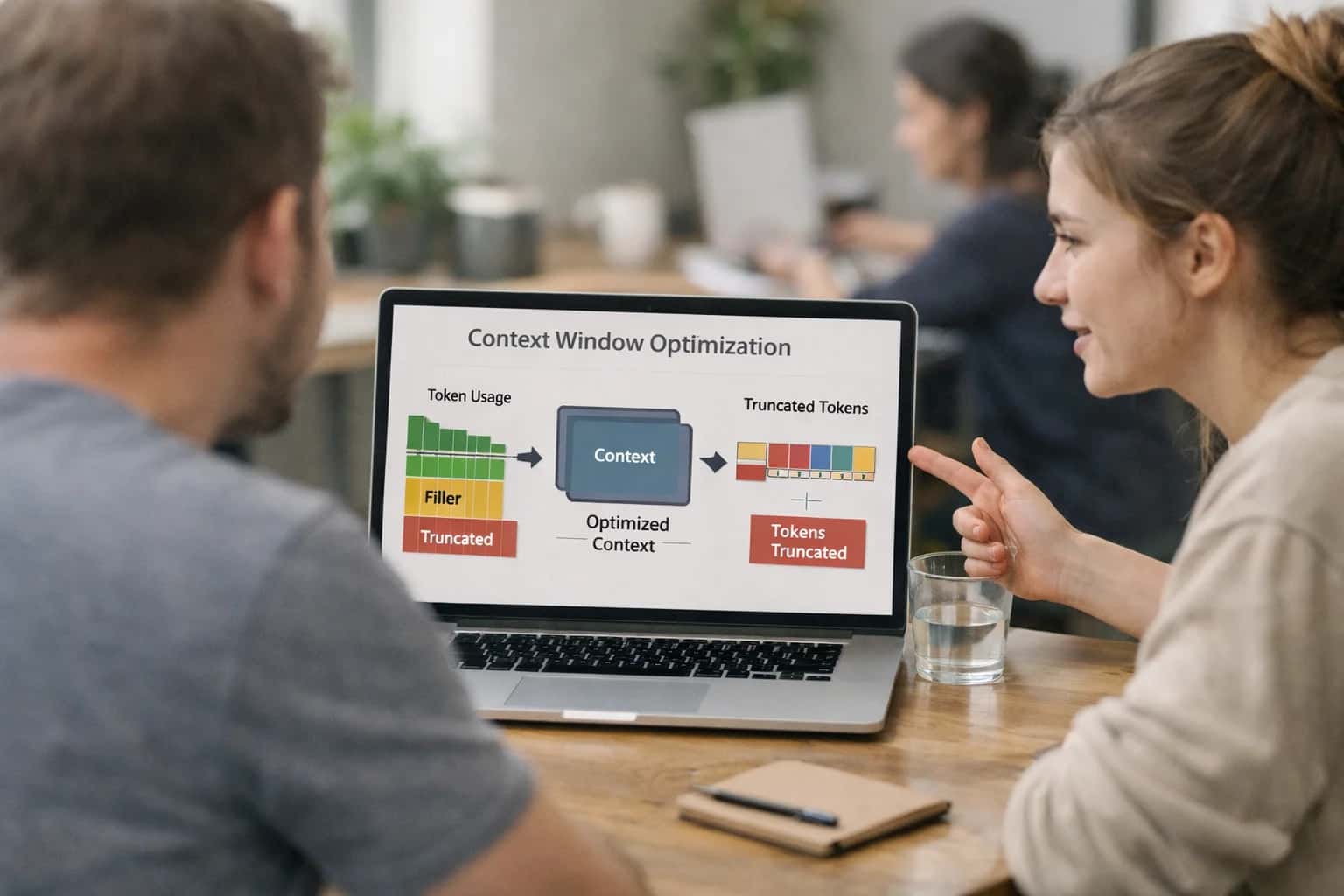
This prompt is designed for AI engineers and operators who need to programmatically allocate a fixed token budget across a mixed context window. The core job-to-be-done is transforming a chaotic assembly of instructions, retrieved evidence, few-shot examples, and tool schemas into a disciplined, priority-ranked prompt that fits within a strict token ceiling. The ideal user is someone building a production RAG pipeline, a coding agent, or a multi-turn copilot who has already identified that context bloat is degrading latency, cost, or answer quality. You should use this prompt when you have a known [MAX_TOKENS] limit and multiple competing context categories that cannot all fit at full fidelity.

Prompt
Token Budget Allocation Prompt for Mixed Context
A practical prompt playbook for using Token Budget Allocation Prompt for Mixed Context in production AI workflows.
PROMPT PLAYBOOK
When to Use This Prompt
Define the job, the ideal user, required inputs, and the boundaries where this prompt should not be applied.
To use this effectively, you must provide the prompt with a structured inventory of your context categories, each tagged with a priority level and a minimum token floor. The prompt does not make up priorities—it allocates based on the task definition you supply. For example, in a legal document review task, [EVIDENCE] might have a hard floor of 60% of the budget, while [EXAMPLES] can be dropped entirely. In a customer support copilot, [CONVERSATION_HISTORY] might claim 40% before any evidence is added. The prompt outputs a concrete allocation plan with token counts per category, not a vague suggestion. It also includes a drift detection section that flags when the actual token count of a packed category exceeds its allocation, enabling a preflight check before inference.
Do not use this prompt as a substitute for proper retrieval ranking or evidence selection. If your upstream retrieval is returning mostly irrelevant documents, no allocation strategy will fix the signal-to-noise ratio. This prompt assumes you have already scored, filtered, or compressed your inputs and now need to make a final packing decision. It is also not a replacement for prompt caching strategies—if 80% of your prompt is static system instructions, cache that prefix and apply this allocation logic only to the dynamic remainder. Finally, for high-stakes regulated domains, the allocation plan should be logged as part of your audit trail, and any decision to drop evidence below its stated floor must trigger a human review gate.
PRACTICAL GUARDRAILS
Use Case Fit
Where the Token Budget Allocation Prompt for Mixed Context delivers value and where it introduces risk. Use these cards to decide if this prompt fits your pipeline before integrating it into a production harness.
01
Good Fit: Multi-Component Prompt Assembly
Use when: you are packing instructions, retrieved evidence, few-shot examples, and tool schemas into a single request and need a principled allocation plan. Guardrail: Run the prompt before final assembly, not after, so the budget plan drives composition rather than retroactively trimming an already-built prompt.
02
Bad Fit: Single-Component Prompts
Avoid when: the prompt contains only one context category, such as a system message with no evidence or examples. Guardrail: Skip budget allocation entirely for simple prompts. Use a static token limit check instead to avoid unnecessary inference latency and cost.
03
Required Input: Task Priority Map
Risk: Without explicit task priorities, the allocation prompt defaults to even distribution, which may starve the most critical context category. Guardrail: Always supply a ranked list of context categories with priority weights. Validate that the highest-priority category receives at least the minimum token floor defined in your application config.
04
Operational Risk: Budget Drift Over Time
Risk: Token allocations that were optimal at design time become stale as models change, context sources grow, or task priorities shift. Guardrail: Implement budget drift detection by comparing actual token usage per category against the planned allocation on a sample of production requests. Trigger a re-allocation review when drift exceeds 15%.
05
Operational Risk: Allocation Prompt Cost Overhead
Risk: Running a separate allocation prompt adds inference cost and latency before the main request. Guardrail: Cache allocation plans per task type and model version. Only re-run the allocation prompt when the context budget, model, or priority map changes. Monitor allocation-prompt latency as a separate metric from main-prompt latency.
06
Bad Fit: Real-Time Streaming with Tight Latency Budgets
Avoid when: end-to-end latency must stay under 500ms and the allocation prompt adds unacceptable overhead. Guardrail: Use a pre-computed static allocation table for latency-sensitive paths. Reserve dynamic allocation for batch, async, or high-value requests where quality trumps speed.
PROMPT PLAYBOOK
Copy-Ready Prompt Template
A reusable prompt template with square-bracket placeholders for allocating a token budget across mixed context categories.
The following template is designed to be copied directly into your prompt management system or codebase. It instructs the model to act as a context budget planner, distributing a fixed token allowance across multiple context categories—such as instructions, evidence, examples, and tool schemas—based on the task's stated priorities. The output is a structured allocation plan, not a final answer to the user's task. This separation keeps budgeting logic auditable and allows your application to assemble the final prompt according to the plan.
textYou are a context budget planner for an AI system. Your job is to allocate a fixed token budget across multiple context categories for a given task. Do not perform the task itself. Output only the allocation plan. ## INPUT Task Description: [TASK_DESCRIPTION] Task Priority: [TASK_PRIORITY] // Options: high, medium, low Risk Level: [RISK_LEVEL] // Options: high, medium, low ## AVAILABLE CONTEXT CATEGORIES [CONTEXT_CATEGORIES] // JSON array of objects: [{"name": "instructions", "description": "...", "min_tokens": 100, "critical": true}, ...] ## CONSTRAINTS - Total token budget: [TOTAL_TOKEN_BUDGET] - Minimum allocation per category must be respected if specified. - Critical categories (marked above) must receive at least their minimum allocation. - Allocate remaining tokens to maximize task success given the priority and risk level. - If the budget is insufficient to meet all minimums, flag the shortfall explicitly. ## OUTPUT SCHEMA Return a JSON object with this exact structure: { "plan": [ { "category": "string", "allocated_tokens": number, "rationale": "string" } ], "total_allocated": number, "budget_shortfall": boolean, "shortfall_details": "string or null" } ## EXAMPLES [EXAMPLES] // Optional few-shot examples of good allocations for similar tasks. ## TOOLS [TOOLS] // Optional list of available tool schemas if tool-calling context is part of the budget.
To adapt this template, replace each square-bracket placeholder with runtime values from your application. [TASK_DESCRIPTION] should be a concise summary of the user's goal. [CONTEXT_CATEGORIES] is a JSON array defining every category that will compete for tokens—include min_tokens and critical flags to enforce hard constraints. [TOTAL_TOKEN_BUDGET] is the model's context window minus reserved space for the final response. If you have few-shot examples of successful allocations for similar tasks, inject them into [EXAMPLES] to improve consistency. For tool-heavy workflows, pass the tool definitions in [TOOLS] so the planner accounts for schema overhead. After receiving the allocation plan, your application should validate the JSON structure, check for budget shortfalls, and either proceed with assembly or trigger a fallback (e.g., compression or human review) before sending the final prompt to the model.
IMPLEMENTATION TABLE
Prompt Variables
Required inputs for the Token Budget Allocation Prompt. Each placeholder must be resolved before the prompt is assembled and sent. Missing or malformed variables will cause budget misallocation or runtime validation failures.
| Placeholder | Purpose | Example | Validation Notes |
|---|---|---|---|
[TASK_DESCRIPTION] | Defines the primary objective the model must accomplish with the allocated tokens | Generate a technical root-cause analysis of the database outage from the provided incident reports and metrics | Must be a non-empty string. Check that the task is specific enough to drive priority decisions. Vague tasks produce flat allocations. |
[CONTEXT_CATEGORIES] | Lists the named buckets of context competing for token budget, each with a priority weight | instructions:0.4, evidence:0.3, examples:0.15, tool_schemas:0.1, conversation_history:0.05 | Must be a valid mapping of category names to numeric weights summing to 1.0. Reject if any category name is empty or weights are negative. Parse as JSON or YAML. |
[TOTAL_TOKEN_BUDGET] | The hard ceiling on tokens available for the entire assembled prompt, including all categories | 8000 | Must be a positive integer. Validate against the target model's context window limit. Warn if budget exceeds 90% of the model's maximum to leave room for output tokens. |
[CONTEXT_ITEMS] | The raw, unallocated context payloads keyed by category that the prompt must distribute across the budget | {"evidence": ["passage1...", "passage2..."], "instructions": ["system_prompt..."]} | Must be a valid object where keys match [CONTEXT_CATEGORIES] exactly. Each value must be an array of strings. Reject if any category has zero items when its weight is non-zero. Validate item count and rough token lengths before allocation. |
[ALLOCATION_STRATEGY] | Specifies the prioritization rule for resolving conflicts when context exceeds budget | priority-weighted | Must be one of: priority-weighted, equal-share, task-critical-first, or custom. If custom, a [STRATEGY_RULES] variable must also be provided. Reject unknown strategy values. |
[OUTPUT_SCHEMA] | Defines the exact JSON structure the allocation plan must conform to for downstream consumption | {"allocations": [{"category": "string", "token_budget": int, "item_ids": ["string"], "truncation_applied": bool}]} | Must be a valid JSON Schema or example structure. Validate that the schema includes fields for category name, allocated token count, selected item identifiers, and a truncation flag. Reject schemas missing these required fields. |
[OVERFLOW_POLICY] | Instructs the model how to handle context items that cannot fit within the allocated budget for their category | drop-lowest-priority | Must be one of: drop-lowest-priority, summarize-inline, truncate-tail, or escalate. If escalate is chosen, the calling system must have a human review queue configured. Validate that the policy is compatible with the [ALLOCATION_STRATEGY]. |
[DRIFT_THRESHOLD] | The maximum allowed percentage deviation between the planned allocation and the actual token consumption before a drift alert is raised | 0.05 | Must be a float between 0.0 and 1.0. A value of 0.0 disables drift detection. Validate that the calling system has a drift alert handler if the threshold is non-zero. Recommend 0.05 for strict budgets and 0.15 for approximate allocations. |
PROMPT PLAYBOOK
Implementation Harness Notes
How to wire the Token Budget Allocation Prompt into a production application with validation, retries, and observability.
This prompt is designed to sit inside a context assembly pipeline, not as a standalone chat interaction. Before any user query reaches the final LLM, your application should call this budget allocation prompt to produce a structured allocation plan. The plan dictates how many tokens to reserve for instructions, evidence, examples, tool schemas, and conversation history. The output is a JSON object that your assembler reads to decide what to include, what to compress, and what to drop. Treat this allocation step as a preflight check that runs before the main inference call, especially when the total available context window is tight or variable across model deployments.
Wire the prompt into your application with a typed function call. The function should accept the required inputs—[TASK_DESCRIPTION], [CONTEXT_CATEGORIES], [TOTAL_TOKEN_BUDGET], [PRIORITY_HINTS], and [CONSTRAINTS]—and return a parsed JSON allocation plan. Validate the output immediately: confirm that the sum of allocated tokens does not exceed the total budget, that every category in the input appears in the output, and that mandatory categories (e.g., safety instructions) received a non-zero allocation. If validation fails, retry once with the validation error injected into the [CONSTRAINTS] field. After two consecutive failures, fall back to a static allocation map defined in your application config and log the incident for review. For high-stakes domains, route the allocation plan to a human approval queue before the assembler acts on it, especially when the plan proposes dropping evidence categories marked as compliance-relevant.
Choose a fast, inexpensive model for this allocation step. The prompt is a classification-and-arithmetic task, not a generation task, so models like GPT-4o-mini, Claude Haiku, or a fine-tuned small model work well. Log every allocation plan with a trace ID, the input parameters, the model version, and the validation result. This observability surface lets you detect budget drift—when the model starts consistently overallocating to one category or underallocating to another. Set a threshold alert: if the allocation for a critical category drops below a configured floor (e.g., safety instructions below 5% of budget), trigger a review. The allocation plan should also be attached to the main inference trace so you can correlate budget decisions with downstream output quality. Avoid using this prompt for single-turn, low-stakes tasks where a static budget is sufficient; the overhead of an extra model call only pays off when context packing decisions materially affect answer quality, cost, or compliance.
IMPLEMENTATION TABLE
Expected Output Contract
Defines the required structure, types, and validation rules for the token allocation plan produced by the prompt. Use this contract to parse, validate, and integrate the model's output into your context assembly pipeline.
| Field or Element | Type or Format | Required | Validation Rule |
|---|---|---|---|
allocation_plan | JSON object | Top-level key must exist and be a valid JSON object. Parse check: JSON.parse success. | |
allocation_plan.total_budget_tokens | integer | Must be a positive integer matching the [TOTAL_TOKEN_BUDGET] input. Schema check: type integer, value > 0, value == input budget. | |
allocation_plan.allocations | array of objects | Must be a non-empty array. Schema check: Array.isArray, length > 0. Each element must match the allocation object schema. | |
allocation_plan.allocations[].category | string | Must be one of the predefined categories from [CONTEXT_CATEGORIES] input. Enum check: value in allowed set. | |
allocation_plan.allocations[].token_budget | integer | Must be a non-negative integer. Sum of all token_budget values must equal total_budget_tokens. Arithmetic check: sum == total_budget_tokens. | |
allocation_plan.allocations[].priority | string | Must be one of: 'critical', 'high', 'medium', 'low'. Enum check: value in ['critical','high','medium','low']. | |
allocation_plan.allocations[].justification | string | Must be a non-empty string explaining why this budget was assigned. Length check: string length > 0. | |
allocation_plan.budget_drift_warnings | array of strings | If present, each element must be a non-empty string describing a detected drift risk. Null allowed if no warnings. Type check: Array.isArray or null. |
PRACTICAL GUARDRAILS
Common Failure Modes
Token budget allocation fails in predictable ways. Here are the most common production failure modes and how to guard against them.
01
Budget Drift Toward Instructions
What to watch: The allocation plan silently assigns more tokens to system instructions and behavioral policies than to evidence, starving the model of the facts it needs to answer correctly. This happens when instruction blocks grow over time without budget rebalancing. Guardrail: Set a hard cap on instruction tokens as a percentage of total budget and enforce it with a preflight check before assembly.
02
Critical Evidence Truncation
What to watch: The allocator drops or severely compresses a passage that contains the only source of a required fact, date, or figure. Downstream tasks then hallucinate or abstain unnecessarily. Guardrail: Run a salience check on each evidence item before truncation. Flag any passage containing entities, numbers, or claims not present elsewhere in the context set as non-droppable.
03
Tool Schema Starvation
What to watch: Tool definitions and function schemas are trimmed to save tokens, but the model then selects the wrong tool, hallucinates parameters, or fails to call anything at all. Guardrail: Never compress tool schemas below their minimum functional representation. Validate that every required parameter field and enum value survives the allocation cut.
04
Example Collapse Under Budget Pressure
What to watch: Few-shot examples are dropped or truncated to fit the budget, removing the pattern the model needs for edge cases or rare output formats. Output quality degrades silently on those cases. Guardrail: Tag examples by coverage category and ensure at least one example per category survives allocation. Run eval on held-out edge cases after any example count reduction.
05
Conversation History Amnesia
What to watch: In multi-turn sessions, the allocator drops earlier turns that contain user corrections, unresolved questions, or context the model still needs. The assistant repeats mistakes or asks questions the user already answered. Guardrail: Mark turns with unresolved state or explicit user corrections as sticky. Sticky turns bypass the normal age-based eviction policy.
06
Silent Citation Breakage
What to watch: Compression or truncation removes source passages that citation markers in the prompt still reference. The model either fabricates citations or produces orphaned markers that fail downstream verification. Guardrail: After allocation, run a citation-to-source mapping check. Remove any citation marker whose source passage was dropped, or promote the source to non-droppable status.
IMPLEMENTATION TABLE
Evaluation Rubric
Use this rubric to test the quality of a token budget allocation plan before integrating it into a production prompt assembly pipeline. Each criterion targets a specific failure mode observed in budget allocation outputs.
| Criterion | Pass Standard | Failure Signal | Test Method |
|---|---|---|---|
Budget Summation | Allocated tokens across categories sum to exactly [TOTAL_TOKEN_BUDGET] with no remainder or deficit. | Sum is over or under the budget by any amount; unallocated tokens remain. | Parse the allocation plan JSON and sum the 'allocated_tokens' field across all categories. Assert equality with [TOTAL_TOKEN_BUDGET]. |
Category Completeness | Every category from [CONTEXT_CATEGORIES] list appears in the allocation plan with a non-negative integer allocation. | A required category is missing from the plan or has a null allocation. | Extract category names from the plan. Compute set difference against [CONTEXT_CATEGORIES]. Assert empty difference. |
Priority Alignment | Categories marked as 'critical' in [TASK_PRIORITY_MAP] receive a higher token allocation than categories marked as 'low'. | A low-priority category receives more tokens than a critical-priority category without explicit justification. | Sort allocations by token count. Compare rank order against the priority tiers in [TASK_PRIORITY_MAP]. Flag inversions. |
Justification Presence | Every allocation decision includes a non-empty 'justification' string referencing the task priority or evidence requirements. | A justification field is empty, null, or contains only generic text like 'as needed'. | Iterate all allocation entries. Assert 'justification' is a string with length greater than 20 characters. |
Drift Detection Trigger | The plan includes a 'budget_drift_threshold' field set to a percentage between 1 and 10. | The drift threshold is missing, set to 0, or set above 50%. | Parse the top-level 'budget_drift_threshold' field. Assert it is a number between 1 and 10 inclusive. |
Drift Remediation Instruction | The plan includes a 'drift_remediation' field with a concrete action string such as 're-allocate from [CATEGORY]' or 'request budget increase'. | The remediation field is missing, empty, or contains a vague instruction like 'fix it'. | Check that 'drift_remediation' is a non-empty string containing a verb and a target category or escalation action. |
Schema Validity | The output parses cleanly as valid JSON matching the [OUTPUT_SCHEMA] without extra or missing required fields. | JSON parse fails, or required fields like 'allocated_tokens' or 'category' are absent from any entry. | Validate the raw output string against [OUTPUT_SCHEMA] using a JSON schema validator. Assert no errors. |
Token Type Consistency | All token counts are integers. No floating-point numbers or string-encoded numbers appear. | A token count is a float like 150.5 or a string like '150'. | Iterate all 'allocated_tokens' values. Assert each is of type integer using a strict type check. |
Enabling Efficiency, Speed & Accuracy
Intelligent Analysis, Decision & Execution
We build AI systems for teams that need search across company data, workflow automation across tools, or AI features inside products and internal software.
Talk to Us
Search across company data
Give teams answers from docs, tickets, runbooks, and product data with sources and permissions.
Useful when people spend too long searching or get different answers from different systems.
Enterprise searchRAGPermissions
Read more
Automate internal workflows
Use AI to route work, draft outputs, trigger actions, and keep approvals and logs in place.
Useful when repetitive work moves across multiple tools and teams.
AI agentsWorkflow automationGovernance
Read more
Add AI to products and internal tools
Build assistants, guided actions, or decision support into the software your team or customers already use.
Useful when AI needs to be part of the product, not a separate tool.
AI integrationDecision supportModel routing
Read moreADAPTATION OPTIONS
Adapt This Prompt
How to adapt
Start with the base prompt and a fixed token ceiling like [MAX_TOKENS: 4000]. Use simple category weights in the prompt body instead of external configuration. Replace the budget drift detection section with a single instruction: If any category exceeds its allocation by more than 10%, flag it in the output. Drop the JSON output schema requirement and ask for a plain-text allocation table.
Watch for
- The model ignoring budget constraints when context is short
- Allocation percentages that don't sum to 100%
- Missing the drift flag entirely on over-budget categories
- Overly verbose justifications that consume the budget they're supposed to protect

About the author
Prasad Kumkar
CEO & MD, Inference Systems
Prasad Kumkar is the CEO & MD of Inference Systems and writes about AI systems architecture, LLM infrastructure, model serving, evaluation, and production deployment. Over 5+ years, he has worked across computer vision models, L5 autonomous vehicle systems, and LLM research, with a focus on taking complex AI ideas into real-world engineering systems.
His work and writing cover AI systems, large language models, AI agents, multimodal systems, autonomous systems, inference optimization, RAG, evaluation, and production AI engineering.
LinkedIn
Limited slotsGet a Free AI Consultation
Partnered with leading AI, data, and software stack.





How We Work
Custom AI workflows for your Business
One-fit-all AI don't work for modern businesses. At Inferensys, we aim to understand your business & custom requirements; which we use to define most efficient agentic workflows, the data, and the tools for your business.
01
Review the use case
We understand the task, the users, and where AI can actually help.
Read more02
Pick the right approach
We define what needs search, automation, or product integration.
Read more03
Build the first useful version
We implement the part that proves the value first.
Read more04
Improve from there
We add the checks and visibility needed to keep it useful.
Read moreThe first call is a practical review of your use case and the right next step.
Talk to Us