This prompt is designed for an agent orchestrator or a long-running autonomous agent that needs a machine-readable, structured snapshot of its current execution state. The primary job-to-be-done is to prevent context-window pollution, repeated work, and dropped subtasks by generating a canonical progress record. The ideal user is an AI engineer or technical decision maker building a multi-step agent harness where the orchestrator must make routing, retry, or escalation decisions based on a reliable state summary, not a raw, verbose chat log.

Prompt
Agent Task Progress Tracker Prompt Template
A practical prompt playbook for using the Agent Task Progress Tracker Prompt Template in production AI workflows.
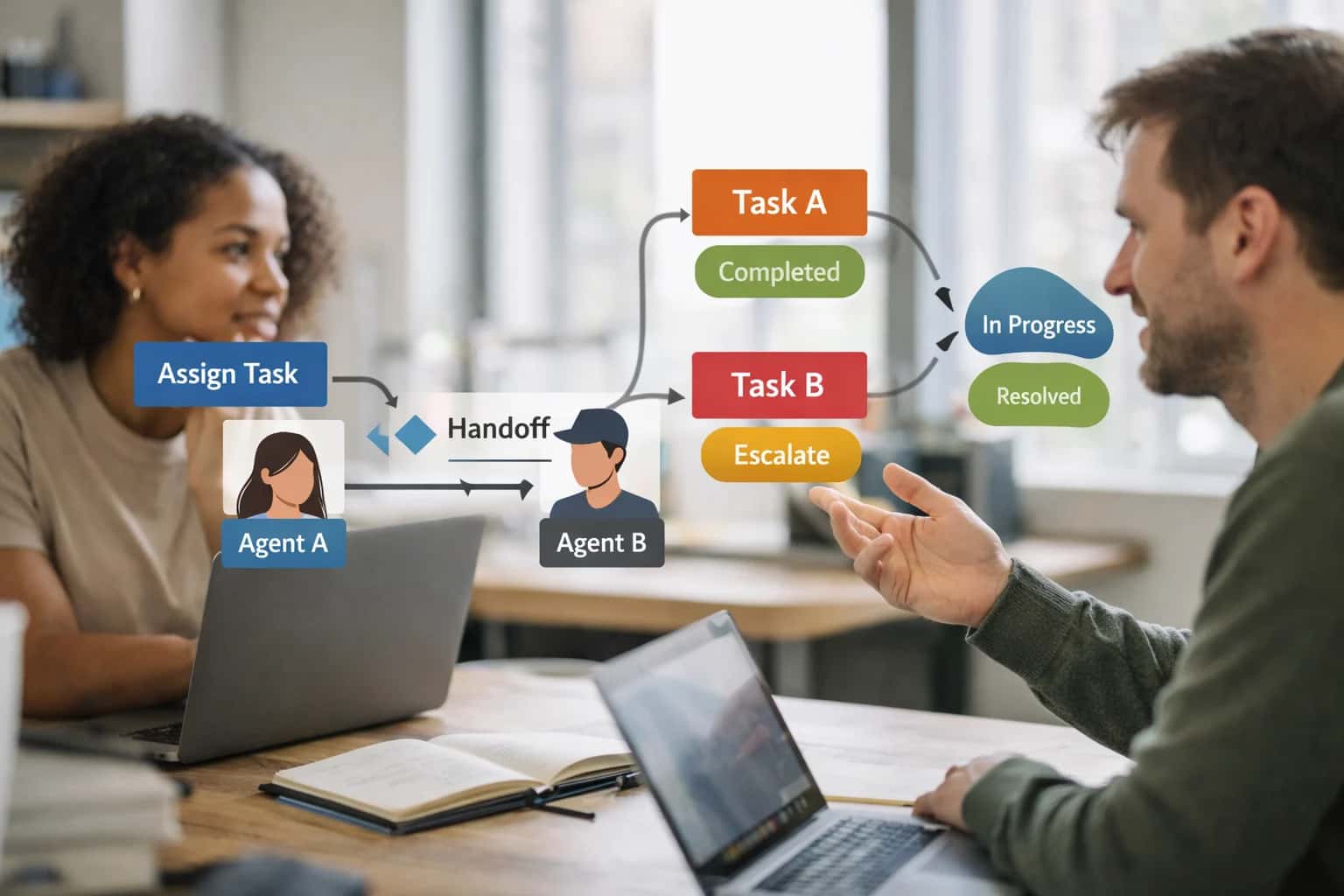
PROMPT PLAYBOOK
When to Use This Prompt
Define the job, reader, and constraints for the Agent Task Progress Tracker.
Use this prompt when an agent has more than three active or pending subtasks, when the context window is at risk of overflowing with stale tool outputs, or before a handoff to another agent or a human reviewer. It is most effective when the agent's execution loop can call it at defined checkpoints—such as after every N tool calls or when a subtask status changes. The prompt requires a structured input of the original plan, a list of subtasks with their current statuses, and any recent tool outputs or error messages. It is not a replacement for a durable state store or a transactional database; it is a stateless summarization step that should be followed by persisting the output to a state object.
Do not use this prompt for simple, single-turn tasks or for agents with only one active subtask, as the overhead of structured summarization outweighs the benefit. It is also inappropriate for real-time, sub-second control loops where the latency of an LLM call is unacceptable. In high-risk domains—such as healthcare, finance, or infrastructure automation—the output must be treated as an advisory summary, not a system of record. Always validate the generated progress record against the raw execution log and flag any discrepancies for human review before taking a destructive action based on the summary. The next step after reading this section is to copy the prompt template, adapt the placeholders to your agent's task schema, and wire it into your agent loop with a validation step that checks for stale or missing subtasks.
PRACTICAL GUARDRAILS
Use Case Fit
Where the Agent Task Progress Tracker prompt delivers reliable value and where it introduces operational risk.
01
Good Fit: Long-Running Agent Workflows
Use when: An agent orchestrator manages 10+ subtasks across multiple tool-call rounds and must maintain an accurate, machine-readable view of what is done, in-progress, and pending. Guardrail: Require the tracker to be updated after every tool-call result, not only at the end of a batch.
02
Bad Fit: Single-Turn or Stateless Requests
Avoid when: The workflow completes in a single model call with no state to carry forward. Guardrail: Skip the tracker entirely for stateless flows; adding it introduces unnecessary token cost and schema complexity with no operational benefit.
03
Required Inputs: Task Graph and Execution Log
What to watch: The prompt cannot produce a reliable progress record without a defined subtask list and the raw tool-call history. Guardrail: Always pass the original plan or task graph alongside the execution log; validate that every subtask ID in the log maps to a known planned task.
04
Operational Risk: Stale State Propagation
What to watch: A progress tracker that is not refreshed after every state change will feed stale status into downstream planning, causing repeated work or skipped subtasks. Guardrail: Implement a staleness check that compares the tracker's last-updated timestamp against the most recent tool-call timestamp before any downstream consumer reads the state.
05
Operational Risk: Context Window Pollution
What to watch: Verbose progress records with full error traces and raw outputs can consume significant context budget, crowding out more valuable planning context. Guardrail: Use structured, minimal fields in the output schema; store verbose details in external state storage and reference them by ID rather than embedding them in the tracker.
06
Operational Risk: Blocker Blindness
What to watch: The tracker may mark a subtask as in-progress without flagging that it has been blocked for multiple rounds, leading to silent stalls. Guardrail: Include a required blocker flag and stalled-rounds counter in the schema; trigger escalation when stalled-rounds exceeds a configured threshold.
PROMPT PLAYBOOK
Copy-Ready Prompt Template
A reusable prompt template with square-bracket placeholders for generating structured agent task progress records.
This template produces a machine-readable progress snapshot for an agent orchestrator. It accepts the original task plan, the execution log, and the current state, then outputs a structured record of completed, in-progress, and pending subtasks with status, timestamps, and blocker flags. Use this when your agent runtime needs a single source of truth for progress before deciding the next action, handing off to another agent, or presenting status to a human operator.
textYou are an agent state tracker. Your job is to produce a structured progress record from the provided task plan and execution history. ## INPUTS - Task Plan: [TASK_PLAN] - Execution Log: [EXECUTION_LOG] - Current State Snapshot: [CURRENT_STATE] - Previously Reported Progress (if any): [PREVIOUS_PROGRESS] ## OUTPUT SCHEMA Return a single JSON object with this structure: { "progress_id": "string, unique identifier for this progress record", "generated_at": "ISO 8601 timestamp", "overall_status": "one of: not_started | in_progress | blocked | completed | failed", "completion_estimate": { "percentage": "number 0-100", "confidence": "low | medium | high", "rationale": "string, brief explanation of the estimate" }, "subtasks": [ { "subtask_id": "string, from the task plan", "description": "string, what this subtask does", "status": "pending | in_progress | completed | failed | blocked | skipped", "started_at": "ISO 8601 or null", "completed_at": "ISO 8601 or null", "attempts": "number, count of execution attempts", "last_error": "string or null, most recent error message", "output_summary": "string or null, brief summary of what was produced", "blocker_flag": "boolean, true if this subtask is actively blocking progress", "blocker_description": "string or null, what is blocked and why", "depends_on": ["list of subtask_ids this subtask waits for"], "evidence": ["list of specific log entries or state fields supporting this status"] } ], "blockers": [ { "blocker_id": "string", "type": "tool_failure | missing_input | permission_denied | dependency_not_met | timeout | unknown", "affected_subtasks": ["list of subtask_ids"], "description": "string, what is blocked and why", "detected_at": "ISO 8601", "resolution_hint": "string, suggested next step to resolve" } ], "stale_state_warnings": [ { "field": "string, which state field may be stale", "believed_value": "string, what the current state says", "conflicting_evidence": "string, what the log suggests instead", "severity": "low | medium | high" } ], "notes": "string, any additional observations about progress, risks, or anomalies" } ## CONSTRAINTS [CONSTRAINTS] ## INSTRUCTIONS 1. Compare the execution log against the task plan. Every subtask in the plan must appear in the output. 2. For each subtask, determine status by examining log entries, tool call results, and state changes. 3. If a subtask was attempted multiple times, record the attempt count and the last error. 4. Flag a subtask as blocked only when it cannot proceed due to an unresolved dependency, error, or missing input. 5. Detect stale state by comparing [CURRENT_STATE] against [EXECUTION_LOG]. If the log shows a state change not reflected in the current state snapshot, add a stale_state_warning. 6. If [PREVIOUS_PROGRESS] is provided, note any discrepancies between the previous record and what you observe now. 7. Set overall_status to "blocked" if any blocker exists, "failed" if a non-retryable failure occurred, "completed" if all subtasks are done, "in_progress" otherwise. 8. Do not invent evidence. Every status must be traceable to a specific log entry or state field.
Adapt this template by replacing the square-bracket placeholders with your runtime's actual data structures. [TASK_PLAN] should contain the full decomposed task with subtask IDs, descriptions, and dependency declarations. [EXECUTION_LOG] should be the raw sequence of tool calls, observations, and state mutations. [CURRENT_STATE] is the agent's internal state object at the moment of progress evaluation. [PREVIOUS_PROGRESS] is optional—include it when you want the model to detect drift from the last reported status. [CONSTRAINTS] is where you inject domain-specific rules, such as maximum attempt counts before escalation, required evidence standards, or output length limits. Test this prompt with both complete and partial execution logs to verify that the model correctly distinguishes between subtasks that haven't started, those that are genuinely in progress, and those that are silently stalled.
IMPLEMENTATION TABLE
Prompt Variables
Inputs the Agent Task Progress Tracker prompt needs to produce a reliable, machine-readable progress record. Validate each variable before calling the model to prevent stale-state errors and incomplete summaries.
| Placeholder | Purpose | Example | Validation Notes |
|---|---|---|---|
[TASK_LIST] | The full list of planned subtasks with IDs, descriptions, and dependencies | {"tasks": [{"id": "T1", "desc": "Fetch user profile", "deps": []}]} | Must be valid JSON array with unique IDs. Parse check required. Empty array allowed if no tasks planned. |
[COMPLETED_TASKS] | Records of tasks already finished, including outputs and timestamps | {"T1": {"status": "completed", "output": "profile_data", "completed_at": "2025-01-15T10:00:00Z"}} | Map keys must match [TASK_LIST] IDs. Timestamps must be ISO 8601. Null allowed if no tasks completed. |
[IN_PROGRESS_TASKS] | Tasks currently executing with start time and intermediate state | {"T2": {"status": "in_progress", "started_at": "2025-01-15T10:05:00Z", "last_action": "calling API"}} | Only one task in_progress unless parallel execution is explicitly enabled. Validate no overlap with [COMPLETED_TASKS]. |
[BLOCKED_TASKS] | Tasks that cannot proceed with blocker reason and affected dependencies | {"T3": {"status": "blocked", "blocker": "T2 failed", "blocked_at": "2025-01-15T10:10:00Z"}} | Each entry must reference a valid blocker reason string. Empty object allowed. Check that blocked tasks appear in [TASK_LIST]. |
[CURRENT_OBSERVATIONS] | Recent tool outputs, errors, or environmental changes since last state update | Tool call to search_database returned: connection timeout after 30s | Free text or structured log. Must be non-null. If no new observations, pass explicit 'No new observations since last update' string to avoid hallucination. |
[PREVIOUS_STATE_SUMMARY] | The last generated progress summary for continuity and diff detection | {"summary": "T1 done, T2 in progress", "generated_at": "2025-01-15T10:02:00Z"} | Must include generation timestamp. Null allowed on first call. Validate timestamp is not older than session start to catch stale-state injection. |
[OUTPUT_SCHEMA] | Expected JSON structure for the progress record output | {"completed": [], "in_progress": null, "pending": [], "blocked": [], "overall_status": "", "stale_state_flags": []} | Must be valid JSON Schema or example structure. Parse check required. Reject if schema lacks required fields: completed, in_progress, pending, blocked, overall_status. |
[CONSTRAINTS] | Hard limits on output size, fields to exclude, or confidence thresholds | Max 2000 tokens. Exclude raw tool outputs. Flag any task unchanged for >5 minutes as stale. | Parse as key-value rules. Validate that stale-state threshold is a positive integer. If null, apply default 10-minute staleness window. |
PROMPT PLAYBOOK
Implementation Harness Notes
How to wire the Agent Task Progress Tracker into an application with validation, retries, and state management.
The Agent Task Progress Tracker prompt is designed to be called at regular intervals during agent execution, typically after each tool call or at the completion of a logical subtask. It should not be called on every token or minor action, as the overhead of generating a full progress record outweighs the benefit for granular steps. Instead, integrate it into your agent loop as a state-snapshot step that runs when the agent completes a unit of work, encounters a blocker, or approaches a context-window threshold. The prompt expects a structured input containing the original plan, the action log, and the current believed state, and it returns a machine-readable progress record that your orchestrator can parse and use to update its internal state representation.
Input Assembly and Validation: Before calling the model, construct the [CURRENT_STATE], [ACTION_LOG], and [ORIGINAL_PLAN] inputs from your agent's runtime data structures. Validate that the action log is not empty and that timestamps are monotonically increasing; a reversed or missing timestamp will cause the model to produce a progress record with incorrect ordering. The [CURRENT_STATE] should be a JSON object matching the schema your agent uses internally, with fields for completed_tasks, in_progress_tasks, pending_tasks, and any domain-specific state. If your agent uses a vector store or RAG for long-term memory, retrieve the most recent state snapshot and include it as [PREVIOUS_STATE_SNAPSHOT] to help the model detect drift. Output Validation: Parse the model's response as JSON and validate it against a strict schema before updating your agent's state. Required fields include completed (array of task objects with task_id, status, completed_at), in_progress (array with task_id, status, started_at, blocker_flag), pending (array with task_id, status, estimated_start), and state_summary (a string). Reject any response where blocker_flag is true but no blocker_description is provided. If validation fails, retry once with the validation error message appended to the prompt as [PREVIOUS_ERROR]; if the retry also fails, log the raw output and escalate to a human operator rather than silently proceeding with a corrupted state.
Model Choice and Latency Budget: This prompt works well with models that have strong JSON-mode support and instruction-following capability, such as Claude 3.5 Sonnet, GPT-4o, or Gemini 1.5 Pro. Avoid using smaller models (below ~70B parameters) for this task unless you have fine-tuned them specifically on your task schema, as they tend to drop required fields or hallucinate task IDs. Set a latency budget of 3-5 seconds for this call; if the model exceeds this, consider reducing the [ACTION_LOG] length by summarizing older entries before passing them in. Retry and Error Handling: Implement a retry policy with a maximum of two attempts. On the first validation failure, include the schema violation details in the retry prompt. On the second failure, do not retry further—log the failure, preserve the previous valid state snapshot, and trigger a state_corruption alert. The agent should pause execution until the state is manually reviewed or a fallback state-repair prompt is invoked. Logging and Observability: Log every progress-tracker call with the input hash, output hash, validation status, latency, and token usage. Store the raw prompt and response for at least 30 days to enable debugging of state corruption incidents. If your observability stack supports it, emit a metric for progress_tracker_validation_failure_rate and set an alert threshold at 5% over a rolling 10-minute window.
Integration with the Agent Loop: Wire the progress tracker into your agent's main execution loop as a post-action hook. After each tool call returns, append the result to the action log and check whether the number of unsummarized actions exceeds a threshold (e.g., 10 actions) or whether a blocker flag was raised. If either condition is true, call the progress tracker, update the agent's state from the validated output, and reset the unsummarized action counter. Do not call the progress tracker inside a retry loop for a single failed tool call; wait until the retry logic resolves or exhausts before taking a state snapshot. Human-in-the-Loop Integration: When the progress tracker returns a blocker_flag: true, route the blocker_description and affected task IDs to your human review queue. The agent should pause execution on the blocked task and continue with other independent pending tasks if the dependency graph allows it. If the blocker affects all remaining tasks, the agent should enter a waiting state and surface the full progress record to the operator. Avoid Common Pitfalls: Do not use the progress tracker as a replacement for structured logging; it is a state-summarization tool, not an audit trail. Do not call it before the agent has taken any actions, as an empty action log produces a vacuous progress record that wastes tokens. Finally, never update your agent's state from an unvalidated progress-tracker response—a hallucinated completed status on an actually-failed task will corrupt downstream execution and is difficult to detect without a full replay.
IMPLEMENTATION TABLE
Expected Output Contract
Fields, types, and validation rules for the structured progress record produced by the Agent Task Progress Tracker prompt. Use this contract to parse, validate, and store the output before passing it to downstream agent components.
| Field or Element | Type or Format | Required | Validation Rule |
|---|---|---|---|
progress_record | JSON object | Top-level object must parse as valid JSON. Schema validation against expected keys required. | |
progress_record.task_id | string | Must match the [TASK_ID] input exactly. Non-empty string check. | |
progress_record.generated_at | ISO 8601 timestamp | Must parse as valid ISO 8601 datetime. Must be within 5 minutes of system clock at validation time. | |
progress_record.overall_status | enum: not_started | in_progress | blocked | completed | failed | Must be one of the five allowed enum values. Case-sensitive string match. | |
progress_record.subtasks | array of objects | Must be a non-null array. Minimum 1 element if overall_status is not 'not_started'. Each element must conform to subtask schema. | |
progress_record.subtasks[].id | string | Must be unique within the subtasks array. Non-empty string. Duplicate detection required. | |
progress_record.subtasks[].status | enum: pending | in_progress | completed | blocked | failed | skipped | Must be one of the six allowed enum values. Case-sensitive string match. | |
progress_record.subtasks[].blocker_flag | boolean | Must be true if status is 'blocked', false otherwise. Cross-field consistency check required. |
PRACTICAL GUARDRAILS
Common Failure Modes
Progress tracking fails silently in production. These are the most common failure modes for agent task progress trackers and how to prevent them before they corrupt downstream execution.
01
Stale Status Without Detection
What to watch: The tracker reports a subtask as 'in-progress' or 'completed' when the actual state has diverged due to a tool timeout, partial failure, or external change. The agent continues executing based on false assumptions. Guardrail: Attach a last_verified_at timestamp to every status field and run a stale-state detection check before any dependent action. If now - last_verified_at > threshold, re-verify before proceeding.
02
Missing Subtask Omission
What to watch: The decomposition step produced N subtasks, but the tracker only records N-1 because one was dropped during parsing, serialization, or state update. The missing subtask is never executed and the agent completes with a false sense of success. Guardrail: Store the expected subtask count from the plan and validate that len(tracker.subtasks) == plan.expected_count after every state mutation. Flag mismatches as blocker-level errors.
03
Blocker Flag Suppression
What to watch: A subtask hits a dependency failure or tool error, but the tracker either omits the blocker flag or buries it in unstructured text. The orchestrator never escalates and the agent loops or stalls silently. Guardrail: Require a structured blocker field with an enum of [none, dependency, tool_error, permission, timeout, unknown] on every subtask. Validate that any non-null blocker triggers an escalation path before the next planning cycle.
04
Context Window Pollution from Accumulated State
What to watch: The tracker appends full detail to every status update without summarization or eviction. Over a long-running session, the progress record consumes the majority of the context window, crowding out instructions, tool schemas, and fresh observations. Guardrail: Implement a state compression threshold. When the serialized tracker exceeds X tokens, run a summarization pass that preserves completion status, blocker flags, and timestamps while collapsing verbose action logs into concise outcome records.
05
Overconfident Completion Percentage
What to watch: The tracker reports '87% complete' based on subtask count alone, ignoring that the remaining 13% includes the highest-risk, longest-duration, or dependency-blocked subtasks. Operators and downstream agents make decisions on a misleading metric. Guardrail: Replace or supplement percentage with a structured progress object that includes completed_count, total_count, blocked_count, and an explicit confidence score per remaining subtask. Never emit a bare percentage without uncertainty context.
06
State Corruption on Partial Update
What to watch: A state update operation modifies some fields but fails before completing the full write, leaving the tracker with inconsistent data—such as a subtask marked 'completed' but still appearing in the 'in-progress' list. Guardrail: Use atomic state transitions with a version marker or integrity hash. Before reading the tracker for any decision, validate that hash(current_state) == stored_integrity_hash. On mismatch, fall back to the last known-good checkpoint and log the corruption event.
IMPLEMENTATION TABLE
Evaluation Rubric
Use this rubric to test the Agent Task Progress Tracker output before shipping. Each criterion targets a known failure mode in progress tracking: stale state, missing blockers, incomplete task enumeration, and hallucinated timestamps.
| Criterion | Pass Standard | Failure Signal | Test Method |
|---|---|---|---|
Task Enumeration Completeness | All tasks from the input plan appear in the output with a status; no tasks are dropped or duplicated. | Output task count does not match input plan task count; a task ID from the plan is missing in the progress record. | Diff the set of task IDs in the input plan against the set of task IDs in the output. Assert set equality. |
Status Field Validity | Every task has a status value from the allowed enum: [COMPLETED], [IN_PROGRESS], [PENDING], [BLOCKED], or [FAILED]. | A task status is null, empty, or uses a value outside the allowed enum. | Parse the output as JSON and validate each task's status field against the allowed enum using a schema validator. |
Timestamp Freshness Check | The [GENERATED_AT] timestamp is within 60 seconds of the current system time. Per-task [COMPLETED_AT] timestamps are not in the future. | [GENERATED_AT] is more than 60 seconds stale or any [COMPLETED_AT] timestamp is in the future relative to [GENERATED_AT]. | Compare [GENERATED_AT] to system clock at parse time. Assert each [COMPLETED_AT] is less than or equal to [GENERATED_AT]. |
Blocker Flag Accuracy | Any task with status [BLOCKED] has a non-empty [BLOCKER_DESCRIPTION] field. No task with a non-[BLOCKED] status has a blocker description. | A [BLOCKED] task has an empty or missing [BLOCKER_DESCRIPTION]; a non-[BLOCKED] task has a non-empty blocker description. | Iterate all tasks in parsed output. Assert [BLOCKER_DESCRIPTION] is populated if and only if status equals [BLOCKED]. |
Stale State Detection | No task marked [IN_PROGRESS] has a [LAST_UPDATED_AT] timestamp older than the configured staleness threshold, unless flagged with [STALE_FLAG] set to true. | An [IN_PROGRESS] task has [LAST_UPDATED_AT] older than the threshold but [STALE_FLAG] is false or missing. | Compute age of each [IN_PROGRESS] task's [LAST_UPDATED_AT]. Assert that any task exceeding the threshold has [STALE_FLAG] equal to true. |
Output Schema Conformance | The output parses as valid JSON and matches the expected schema: top-level [TASKS] array, required fields present, no extra fields. | JSON parse fails; a required field such as [TASK_ID] or [STATUS] is missing; an unexpected field appears. | Validate the raw output string against the JSON schema using a schema validator. Assert no parse errors and no schema violations. |
Progress Summary Consistency | The [SUMMARY] object's counts for completed, in-progress, pending, blocked, and failed tasks match the actual counts in the [TASKS] array. | A count in the [SUMMARY] object differs from the actual tally of tasks with that status in the [TASKS] array. | Tally statuses from the [TASKS] array. Assert each tally equals the corresponding count field in the [SUMMARY] object. |
Idempotency Under No Change | Running the prompt twice with identical input produces semantically equivalent output: same task IDs, same statuses, same blocker flags. | Task statuses or blocker flags change between runs when no input evidence has changed. | Run the prompt twice with the same input. Diff the two outputs. Assert no status changes, no new blockers, and no dropped tasks. |
Enabling Efficiency, Speed & Accuracy
Intelligent Analysis, Decision & Execution
We build AI systems for teams that need search across company data, workflow automation across tools, or AI features inside products and internal software.
Talk to Us
Search across company data
Give teams answers from docs, tickets, runbooks, and product data with sources and permissions.
Useful when people spend too long searching or get different answers from different systems.
Enterprise searchRAGPermissions
Read more
Automate internal workflows
Use AI to route work, draft outputs, trigger actions, and keep approvals and logs in place.
Useful when repetitive work moves across multiple tools and teams.
AI agentsWorkflow automationGovernance
Read more
Add AI to products and internal tools
Build assistants, guided actions, or decision support into the software your team or customers already use.
Useful when AI needs to be part of the product, not a separate tool.
AI integrationDecision supportModel routing
Read moreADAPTATION OPTIONS
Adapt This Prompt
How to adapt
Start with the base template and a single model call. Use a flat JSON schema without strict enum constraints. Accept free-text status values like "done", "working", "stuck" instead of a controlled vocabulary. Skip timestamp validation and blocker detection initially.
code[STATUS]: free-text | [TIMESTAMP]: optional string
Watch for
- Status drift where the model invents values like
"almost-done"or"maybe-blocked" - Missing subtask IDs that break downstream tracking
- Overly verbose descriptions that waste context window budget

About the author
Prasad Kumkar
CEO & MD, Inference Systems
Prasad Kumkar is the CEO & MD of Inference Systems and writes about AI systems architecture, LLM infrastructure, model serving, evaluation, and production deployment. Over 5+ years, he has worked across computer vision models, L5 autonomous vehicle systems, and LLM research, with a focus on taking complex AI ideas into real-world engineering systems.
His work and writing cover AI systems, large language models, AI agents, multimodal systems, autonomous systems, inference optimization, RAG, evaluation, and production AI engineering.
LinkedIn
Limited slotsGet a Free AI Consultation
Partnered with leading AI, data, and software stack.





How We Work
Custom AI workflows for your Business
One-fit-all AI don't work for modern businesses. At Inferensys, we aim to understand your business & custom requirements; which we use to define most efficient agentic workflows, the data, and the tools for your business.
01
Review the use case
We understand the task, the users, and where AI can actually help.
Read more02
Pick the right approach
We define what needs search, automation, or product integration.
Read more03
Build the first useful version
We implement the part that proves the value first.
Read more04
Improve from there
We add the checks and visibility needed to keep it useful.
Read moreThe first call is a practical review of your use case and the right next step.
Talk to Us