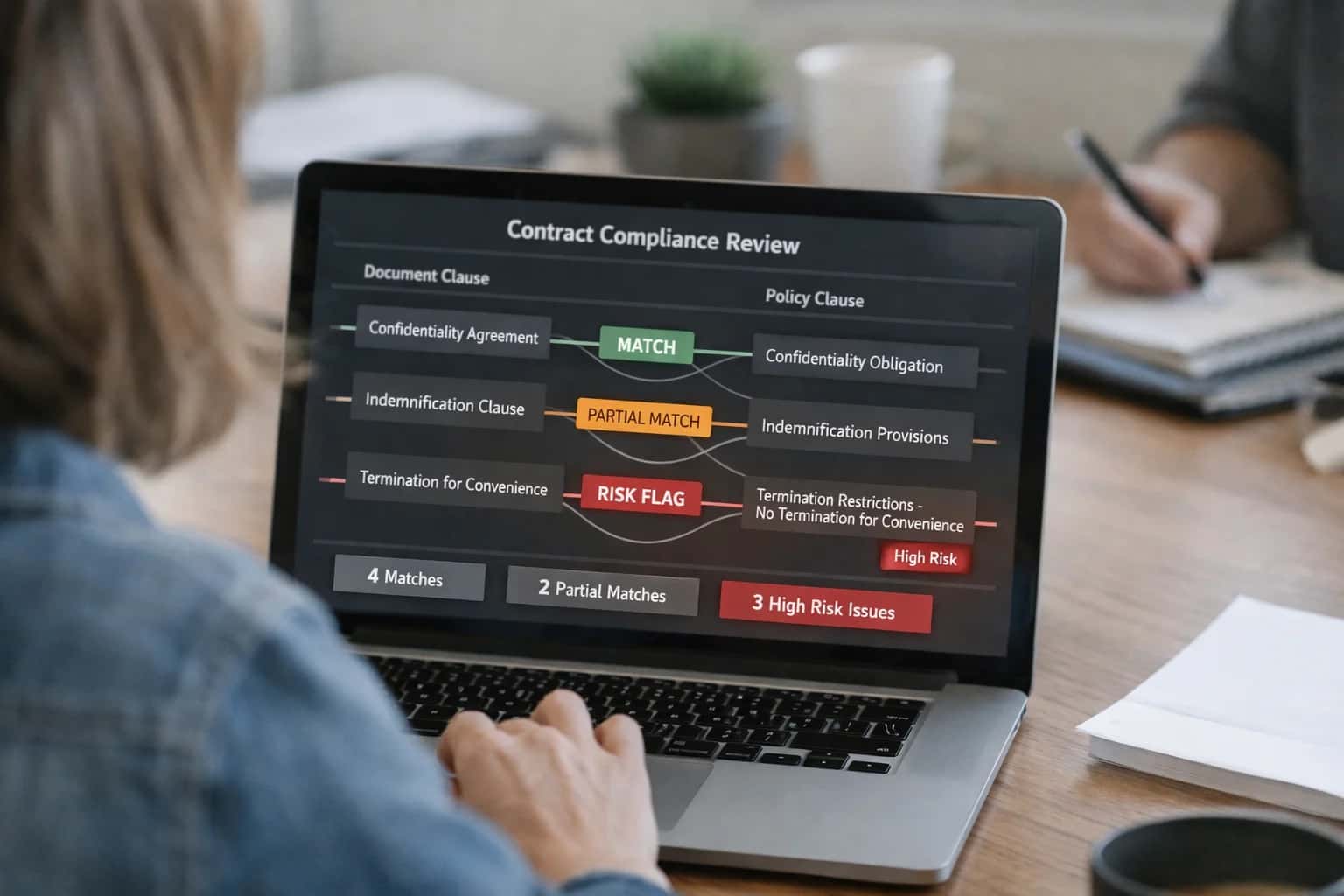
Platform operators and SRE teams run this prompt before dispatching an agent plan that depends on multiple external services. The job-to-be-done is risk mitigation: a single unhealthy dependency can corrupt a multi-step execution, leaving the system in an unrecoverable intermediate state. This prompt consumes structured health probe data—collected by your existing monitoring infrastructure—and produces a dependency health matrix that includes per-service status, SLA compliance flags, cascading failure risk assessment, and degraded-mode recommendations. The ideal user is an agent orchestrator or workflow engine that needs a programmatic go/no-go signal before committing to a plan that touches more than two external dependencies.

Prompt
External Service Dependency Health Prompt
A practical prompt playbook for generating a unified readiness view across all third-party services an agent plan depends on, including SLA compliance and degraded-mode recommendations.
PROMPT PLAYBOOK
When to Use This Prompt
Defines the operational context for synthesizing a dependency health matrix before executing multi-service agent plans.
Use this prompt when the agent plan has a fan-out dependency graph where failure in one service could invalidate work already performed by others. For example, a plan that reads from a customer database, enriches data via a third-party API, writes to a billing system, and sends a notification requires all four services to be healthy. If the billing system is degraded, the prompt should recommend either aborting the plan or proceeding in a read-only mode that skips the write step. The prompt is not a replacement for your monitoring stack—it is a reasoning and synthesis layer that interprets pre-collected probe results, identifies transitive risks, and recommends execution modes. You must supply structured probe data as input; the prompt does not perform live health checks.
Do not use this prompt for real-time health monitoring or alerting. It is designed for pre-flight validation, not continuous observation. If your probe data is stale by more than the SLA window of your fastest-changing dependency, the matrix output will be unreliable. Also avoid this prompt for single-dependency plans where a simple binary health check suffices—the synthesis overhead adds latency without benefit. Before integrating this prompt into your harness, ensure you have a mechanism to collect and refresh probe data on demand, and that your eval suite includes checks for stale input detection, cascading failure false negatives, and partial-degradation misclassification.
PRACTICAL GUARDRAILS
Use Case Fit
Where the External Service Dependency Health Prompt delivers value and where it introduces risk. Use these cards to decide if this prompt belongs in your agent's preflight checklist.
01
Good Fit: Multi-Service Agent Workflows
Use when: An agent plan depends on three or more external APIs, databases, or MCP servers before execution begins. Guardrail: Run this prompt as a preflight gate that produces a go/no-go signal before any downstream tool calls consume tokens or mutate state.
02
Bad Fit: Single Dependency with Simple Health Check
Avoid when: The agent only calls one service with a standard HTTP 200 health endpoint. Guardrail: Use a lightweight connectivity probe instead. This prompt adds latency and token cost without proportional value when the dependency graph is trivial.
03
Required Inputs: Dependency Manifest and SLA Thresholds
Risk: The prompt produces vague or unactionable output when it lacks a structured list of services, their expected endpoints, and acceptable latency or error-rate thresholds. Guardrail: Always supply a dependency manifest with per-service identifiers, health-check URLs, and SLA boundaries as part of [CONTEXT].
04
Operational Risk: Stale Health Data
Risk: The model may report dependency status from cached or outdated information if the prompt runs against a static snapshot rather than live telemetry. Guardrail: Pair this prompt with a tool that fetches real-time health metrics and injects them into [CONTEXT] immediately before model invocation.
05
Operational Risk: Cascading Failure Blindness
Risk: The prompt may assess each service in isolation and miss that a single degraded dependency will cause a cascade across the plan. Guardrail: Include explicit instructions to analyze the dependency graph topology and flag any single point of failure that would block multiple downstream steps.
06
Operational Risk: Partial Degradation Over-Optimism
Risk: The model may recommend proceeding in degraded mode without fully evaluating whether partial functionality is sufficient for the specific plan steps ahead. Guardrail: Require the output to map each degraded service to the exact plan steps it affects and produce a step-level impact assessment before recommending degraded-mode continuation.
PROMPT PLAYBOOK
Copy-Ready Prompt Template
A ready-to-use prompt that generates a dependency health matrix for all external services an agent plan depends on.
This prompt is designed to be pasted directly into your agent harness or orchestration layer before executing a multi-step plan that depends on third-party services. It instructs the model to produce a structured health matrix covering each dependency's status, SLA compliance, and degraded-mode recommendations. The output is intended to be machine-readable so your harness can programmatically decide whether to proceed, pause, or route to a fallback path.
textYou are a dependency health auditor for an autonomous agent system. Your job is to produce a unified readiness view of all external services that a planned agent execution depends on. ## INPUT - Planned agent steps: [PLAN_STEPS] - Dependency catalog with current status data: [DEPENDENCY_CATALOG] - SLA thresholds: [SLA_THRESHOLDS] - Recent incident log (last [INCIDENT_WINDOW_HOURS] hours): [INCIDENT_LOG] ## OUTPUT_SCHEMA Return a valid JSON object with this structure: { "overall_readiness": "GO" | "DEGRADED" | "NO_GO", "generated_at": "ISO-8601 timestamp", "dependencies": [ { "service_name": "string", "dependency_type": "API" | "DATABASE" | "AUTH" | "FILE_STORE" | "SECRETS" | "OTHER", "status": "HEALTHY" | "DEGRADED" | "DOWN" | "UNKNOWN", "latency_p95_ms": number | null, "error_rate_5m": number | null, "sla_compliant": true | false, "sla_breach_detail": "string | null", "certificate_expiry_days": number | null, "rate_limit_remaining": number | null, "affected_steps": ["step_id"], "degraded_mode_recommendation": "PROCEED" | "RETRY_WITH_BACKOFF" | "SKIP_STEP" | "USE_FALLBACK" | "ABORT_PLAN", "evidence": ["string"] } ], "cascading_failure_risk": "LOW" | "MEDIUM" | "HIGH", "cascading_failure_detail": "string", "recommended_action": "PROCEED" | "PROCEED_WITH_CAUTION" | "DELAY" | "ABORT", "human_review_required": true | false, "human_review_reason": "string | null" } ## CONSTRAINTS - If any dependency status is UNKNOWN, set overall_readiness to DEGRADED and flag for human review. - If two or more dependencies serving the same step are DOWN, set cascading_failure_risk to HIGH. - If certificate_expiry_days is less than [CERT_EXPIRY_WARNING_DAYS], mark sla_compliant as false. - If rate_limit_remaining is below [RATE_LIMIT_BUFFER_PERCENT]% of the total quota, recommend USE_FALLBACK. - Do not fabricate latency, error rate, or certificate data. Use null when data is unavailable. - Cite specific evidence from the incident log or dependency catalog for every non-HEALTHY status. - If overall_readiness is NO_GO, human_review_required must be true. ## RISK_LEVEL [HIGH | MEDIUM | LOW] If RISK_LEVEL is HIGH, require explicit human approval before returning a GO recommendation. Flag any dependency where degraded_mode_recommendation is ABORT_PLAN for immediate escalation.
To adapt this template, replace each square-bracket placeholder with live data from your infrastructure monitoring, incident management, and service catalog systems. The DEPENDENCY_CATALOG should include real-time health metrics, not stale configuration data. The PLAN_STEPS input should be the exact step list your agent planner generated, including step IDs that map to the affected_steps field. Before deploying, validate that your harness can parse the JSON output and act on the recommended_action field programmatically. For high-risk workflows, always route human_review_required: true responses to an on-call queue before proceeding.
IMPLEMENTATION TABLE
Prompt Variables
Every placeholder the External Service Dependency Health Prompt expects. Validate each before assembly to prevent runtime failures from missing or malformed inputs.
| Placeholder | Purpose | Example | Validation Notes |
|---|---|---|---|
[SERVICE_CATALOG] | List of external services the agent plan depends on, with endpoint URLs and expected capabilities. | payment-api (https://api.payments.com/v2), user-directory (grpc://directory.internal:9090) | Must be a non-empty array of objects with 'name' and 'endpoint' keys. Validate URL scheme and hostname format. Reject if any endpoint string is empty or unparseable. |
[SLA_THRESHOLDS] | Per-service latency, uptime, and error rate thresholds that define healthy operation. | { "payment-api": { "p99_latency_ms": 500, "uptime_pct": 99.95, "error_rate_pct": 0.5 } } | Must be a valid JSON object keyed by service name. Each threshold object requires numeric values for all three fields. Reject if any threshold is negative or exceeds physical bounds (e.g., uptime > 100). |
[OBSERVABILITY_SOURCE] | Identifier for the monitoring system or API that provides current health metrics. | datadog-us1, prometheus-central, custom-health-api | Must be a non-empty string matching a configured source name. Validate against an allowlist of known observability backends. Reject if source is unrecognized or unreachable in pre-flight check. |
[TIME_WINDOW_MINUTES] | Lookback window in minutes for evaluating recent service health. | 15, 60, 1440 | Must be a positive integer between 1 and 10080 (1 week). Reject if zero, negative, or non-numeric. Default to 15 if not specified but log the default. |
[AGENT_PLAN_STEPS] | The planned execution steps that depend on each external service, used to assess cascading failure risk. | [{ "step_id": "fetch-user-profile", "depends_on": ["user-directory"] }] | Must be a non-empty array of step objects with 'step_id' and 'depends_on' keys. 'depends_on' must reference only services present in [SERVICE_CATALOG]. Reject if any dependency is unresolved. |
[DEGRADED_MODE_POLICY] | Rules for acceptable degraded operation when a service is unhealthy. | { "payment-api": "fail-closed", "user-directory": "stale-cache-ok" } | Must be a valid JSON object keyed by service name. Values must be from the allowed set: 'fail-closed', 'fail-open', 'stale-cache-ok', 'skip-step', 'escalate'. Reject unknown policy values. |
[OUTPUT_SCHEMA] | Expected structure for the dependency health matrix output. | { "services": [...], "overall_status": "go" | "no-go" | "degraded", "cascading_risk": "low" | "medium" | "high" } | Must be a valid JSON Schema or example object. Validate that required top-level keys are present. Reject if schema is not parseable JSON. |
[MAX_RETRY_ATTEMPTS] | Maximum number of times to retry a health probe before marking a service as unknown. | 3, 5 | Must be a non-negative integer. 0 means no retries. Reject if negative or non-integer. Default to 3 if absent. |
PROMPT PLAYBOOK
Implementation Harness Notes
How to wire the dependency health prompt into an agent pre-flight check pipeline with validation, retries, and safe failure modes.
The External Service Dependency Health Prompt is designed to run as a pre-flight gate before any agent plan that depends on third-party services. In a production harness, this prompt should execute after the agent has produced a plan but before it begins executing steps that call external APIs. The harness is responsible for extracting the list of required services from the plan, injecting them into the prompt's [DEPENDENCY_LIST] placeholder, and then evaluating the structured output to decide whether to proceed, degrade, or abort. This is not a one-shot check—it should be re-run whenever the plan is revised or when a service call fails mid-execution, as dependency health can change between steps.
Validation and retry logic must be layered around this prompt. The output schema should be strictly validated: every service in the input list must appear in the output matrix, each status must be one of healthy, degraded, or unhealthy, and SLA compliance fields must be parseable booleans or timestamps. If validation fails, retry once with the same input and a stronger constraint instruction appended (e.g., 'You must include every service from the input list in your output matrix'). If the second attempt also fails validation, the harness should log the malformed response and treat all unvalidated services as unhealthy to avoid silent proceed-on-bad-data failures. For high-risk production environments, add a human review step when any service reports unhealthy and the agent plan would still attempt a call—this prevents the model from making overly optimistic degradation recommendations.
Model choice and tool integration matter here. This prompt benefits from models with strong structured output support (GPT-4o, Claude 3.5 Sonnet) and should use the provider's native JSON mode or structured output API rather than relying on text parsing. The harness should also connect this prompt to real monitoring data where available: if you have a live status endpoint or internal health dashboard, inject that data into [CONTEXT] as ground truth rather than asking the model to hallucinate service status. For services behind circuit breakers, the harness should read breaker state directly and merge it with the model's assessment, giving precedence to the live signal. Logging must capture the full prompt input, output, validation result, and the go/no-go decision for every execution—this trace is essential for debugging cascading failures where a dependency was marked healthy but later failed.
What to avoid: Do not run this prompt once at startup and cache the result for the entire agent session. Dependency health is time-sensitive; a service that was healthy five minutes ago may be degraded now. Do not let the model invent status for services it has no information about—if [CONTEXT] is empty for a given service, the harness should treat that as a signal to either perform a live probe or mark the service as unknown and escalate. Finally, do not use this prompt as a substitute for actual health checks and circuit breakers in your infrastructure. The prompt is a reasoning and aggregation layer that helps the agent make informed decisions; the harness must still enforce timeouts, retries, and fallback logic at the transport level.
IMPLEMENTATION TABLE
Expected Output Contract
Each field in the dependency health matrix must conform to the types, requirements, and validation rules below. Use this contract to build a post-processing validator before the agent consumes the health report.
| Field or Element | Type or Format | Required | Validation Rule |
|---|---|---|---|
dependency_id | string (slug) | Must match pattern ^[a-z0-9-]+$ and correspond to a declared dependency in the input manifest. | |
service_name | string | Non-empty; must match the canonical service name from the configuration registry. | |
status | enum: healthy | degraded | unhealthy | unknown | Must be one of the four allowed values. Reject any other string. | |
latency_ms | integer or null | If present, must be >= 0. Null allowed when status is unknown or the endpoint is unreachable. | |
sla_compliant | boolean or null | Must be true, false, or null. Null only when the SLA target is not defined for this dependency. | |
degraded_mode_recommendation | string or null | If status is degraded or unhealthy, this field must be a non-empty string describing the fallback action. Otherwise null is acceptable. | |
cascading_failure_risk | enum: low | medium | high | critical | Must be one of the four allowed values. If status is unhealthy, risk must be high or critical. | |
last_checked_iso8601 | string (ISO 8601 datetime) | Must parse as a valid ISO 8601 datetime string. Must not be in the future. |
PRACTICAL GUARDRAILS
Common Failure Modes
What breaks first when checking external service health and how to prevent cascading failures.
01
Stale Health Data
What to watch: The prompt reports a service as healthy based on a cached or outdated probe, but the service has since degraded. This leads to false go/no-go decisions. Guardrail: Include a freshness timestamp in the prompt output and reject health data older than a configurable threshold. Pair with a harness-level re-check before critical steps.
02
Cascading Failure Blindness
What to watch: The prompt evaluates each dependency in isolation and misses that a single degraded service will cause a chain of downstream failures. Guardrail: Require the prompt to produce a dependency graph and flag transitive risk. Add an eval check that verifies the output includes a 'blast radius' assessment for each critical dependency.
03
Partial Degradation Oversight
What to watch: A service returns a 200 OK but specific endpoints or regions are degraded. The prompt treats the service as fully healthy. Guardrail: Design the prompt to request per-endpoint and per-region status, not just a binary up/down. Include a degraded-mode recommendation field that triggers when any sub-component is impaired.
04
SLA Metric Confusion
What to watch: The prompt reports raw uptime percentages without comparing them to contractual SLA thresholds, leading to false confidence. Guardrail: Provide SLA targets as input context and require the prompt to output a compliance column (e.g., 'Within SLA', 'Breach', 'Near Threshold'). Add an eval that verifies breach flags fire correctly.
05
Authentication Masking Real Failures
What to watch: A health check fails with a 401 or 403, and the prompt reports the service as 'unhealthy' when the real issue is an expired credential or permission change. Guardrail: Separate auth failures from service failures in the output schema. Require the prompt to distinguish 'Service Unreachable' from 'Authentication Failed' and recommend the correct remediation path.
06
Vendor Status Page Over-Reliance
What to watch: The prompt synthesizes health from vendor status pages that are manually updated and often lag real incidents by minutes or hours. Guardrail: Instruct the prompt to cross-reference synthetic checks with vendor status pages and flag discrepancies. Prioritize direct probe results over vendor-reported status when they conflict.
IMPLEMENTATION TABLE
Evaluation Rubric
Use this rubric to test the quality of the External Service Dependency Health Prompt before shipping it to production. Each criterion targets a specific failure mode common to dependency health assessments.
| Criterion | Pass Standard | Failure Signal | Test Method |
|---|---|---|---|
Dependency Completeness | All dependencies listed in [DEPENDENCY_MANIFEST] appear in the output matrix with a status | Missing dependency row; silent omission of a known service | Count rows in output against manifest length; flag if count mismatch |
Status Accuracy | Per-service status matches the evidence provided in [HEALTH_CHECK_RESULTS] for that service | Healthy status when check results show 5xx errors or timeouts; degraded status when all checks pass | Spot-check 3 services: compare output status to raw check result data manually |
SLA Compliance Flagging | Any service with uptime below [SLA_THRESHOLD] is flagged as SLA_BREACH in the compliance column | SLA_BREACH missing when uptime percentage is below threshold; false breach when uptime is above | Inject a check result with 95% uptime against a 99% threshold; verify flag appears |
Cascading Failure Risk Detection | Output identifies at least one service as HIGH risk when a critical-path dependency in [DEPENDENCY_GRAPH] is unhealthy | No cascading risk noted when a core service like auth or primary database is down | Simulate auth service failure; confirm risk column shows HIGH and downstream services are listed |
Degraded-Mode Recommendation Quality | Each unhealthy service has a concrete, actionable recommendation that does not assume unavailable services are reachable | Recommendation says 'retry the primary endpoint' when the primary is down; generic 'check logs' without specifics | Review recommendations for 2 unhealthy services; check for circular dependencies in advice |
Partial Degradation Handling | Output includes a 'system_status' field of DEGRADED when at least one non-critical service is unhealthy, and OPERATIONAL only when all are healthy | System marked OPERATIONAL when a non-critical service is down; marked DOWN when only one minor service is degraded | Set one non-critical service to unhealthy; assert system_status is DEGRADED not DOWN |
Output Schema Validity | Output parses as valid JSON matching [OUTPUT_SCHEMA] with all required fields present | Missing required field; wrong type for status enum; extra unvalidated keys | Validate output with a JSON Schema validator against the defined contract |
Confidence and Uncertainty Expression | Any status derived from stale health check data (older than [STALENESS_THRESHOLD] seconds) includes a confidence note or warning | Stale data presented as current with no caveat; confidence field always 1.0 despite old checks | Use a health check timestamp 10 minutes old; verify output contains a staleness warning or reduced confidence |
Enabling Efficiency, Speed & Accuracy
Intelligent Analysis, Decision & Execution
We build AI systems for teams that need search across company data, workflow automation across tools, or AI features inside products and internal software.
Talk to Us
Search across company data
Give teams answers from docs, tickets, runbooks, and product data with sources and permissions.
Useful when people spend too long searching or get different answers from different systems.
Enterprise searchRAGPermissions
Read more
Automate internal workflows
Use AI to route work, draft outputs, trigger actions, and keep approvals and logs in place.
Useful when repetitive work moves across multiple tools and teams.
AI agentsWorkflow automationGovernance
Read more
Add AI to products and internal tools
Build assistants, guided actions, or decision support into the software your team or customers already use.
Useful when AI needs to be part of the product, not a separate tool.
AI integrationDecision supportModel routing
Read moreADAPTATION OPTIONS
Adapt This Prompt
How to adapt
Wire the prompt into a harness that supplies live health-check results as [DEPENDENCY_INPUT]. Add a strict output schema, retry logic for malformed responses, and structured logging of every evaluation run. Include SLA thresholds in the prompt so the model can flag violations.
codeEvaluate the following dependency health data against the SLA thresholds below. [DEPENDENCY_INPUT] [SLA_THRESHOLDS] Output a valid JSON object matching [OUTPUT_SCHEMA]. If any service is degraded, include a `degraded_mode_recommendations` array. If any service is down, include a `cascading_failure_risk` assessment.
Watch for
- Silent format drift when the model reorders fields or nests objects differently
- Stale health data in
[DEPENDENCY_INPUT]producing false confidence - Missing human review for degraded-mode recommendations that affect critical paths
- Retry storms when the model consistently produces invalid JSON under time pressure

About the author
Prasad Kumkar
CEO & MD, Inference Systems
Prasad Kumkar is the CEO & MD of Inference Systems and writes about AI systems architecture, LLM infrastructure, model serving, evaluation, and production deployment. Over 5+ years, he has worked across computer vision models, L5 autonomous vehicle systems, and LLM research, with a focus on taking complex AI ideas into real-world engineering systems.
His work and writing cover AI systems, large language models, AI agents, multimodal systems, autonomous systems, inference optimization, RAG, evaluation, and production AI engineering.
LinkedIn
Limited slotsGet a Free AI Consultation
Partnered with leading AI, data, and software stack.





How We Work
Custom AI workflows for your Business
One-fit-all AI don't work for modern businesses. At Inferensys, we aim to understand your business & custom requirements; which we use to define most efficient agentic workflows, the data, and the tools for your business.
01
Review the use case
We understand the task, the users, and where AI can actually help.
Read more02
Pick the right approach
We define what needs search, automation, or product integration.
Read more03
Build the first useful version
We implement the part that proves the value first.
Read more04
Improve from there
We add the checks and visibility needed to keep it useful.
Read moreThe first call is a practical review of your use case and the right next step.
Talk to Us