The primary integration surface is the night audit and financial interface modules, where OPERA batches transactional data—room revenue, taxes, ancillary charges, and adjustments—for export to systems like SAP, Oracle Financials, or NetSuite. AI agents can be deployed here to perform pre-GL validation, automatically mapping complex OPERA folio codes (e.g., RACK, CORP, PKG) to the correct GL account numbers and cost centers, flagging unmapped transactions for review before the journal entry is created.

Integration
AI Integration for Oracle OPERA Accounting Software Integration
A technical blueprint for using AI to automate the critical financial workflows between Oracle OPERA and your General Ledger, reducing manual effort in journal entry mapping, variance investigation, and period-end closing.
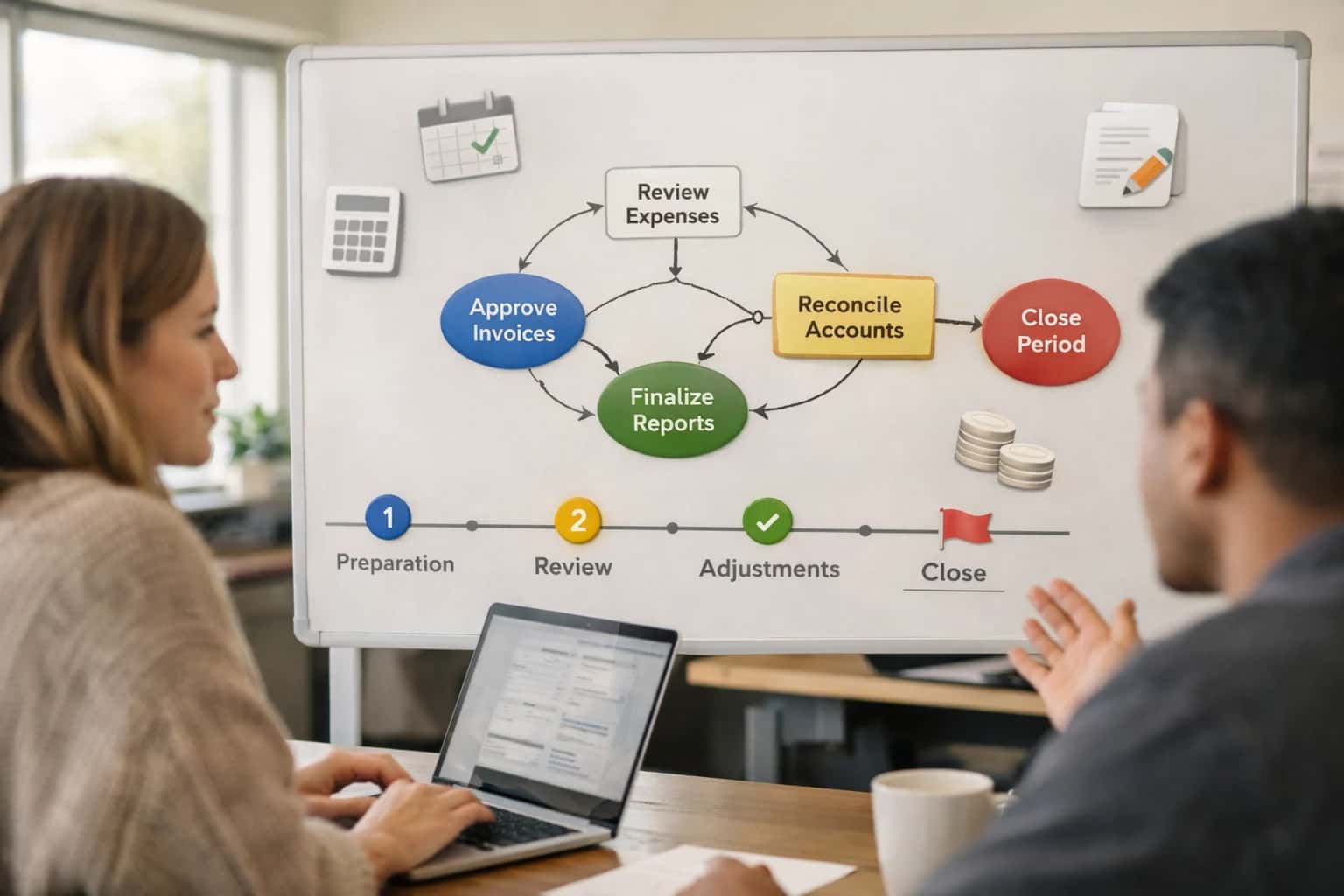
AUTOMATING THE FINANCIAL CLOSE
Where AI Fits in OPERA Accounting Workflows
Integrating AI into Oracle OPERA's accounting functions focuses on the critical, error-prone junctions between the PMS and the General Ledger.
For variance investigation and period-end closing, an AI copilot can connect to both OPERA's reporting APIs and the GL system. It continuously compares OPERA's daily revenue reports to posted journal entries, identifying discrepancies like missing postings or misapplied payments. Instead of manual reconciliation, the system can generate a summarized variance report with probable causes (e.g., "$1,200 variance in Food & Beverage likely due to unposted banquet event from 10/22") and suggest corrective entries, compressing a multi-hour investigative task into minutes.
Rollout requires a phased approach: start with read-only analysis of historical mapping and reconciliation data to train and validate the AI's logic, then move to a human-in-the-loop phase where the agent suggests mappings and journal entries for accountant approval within OPERA's interface. Governance is critical; all AI-suggested entries must be fully auditable, tagged with the prompting source data and user approval, and integrated into existing RBAC and change-control workflows within the financial system.
ORACLE OPERA ACCOUNTING MODULES
Key Integration Surfaces in OPERA for Accounting AI
Automating the GL Posting Workflow
The primary accounting surface in OPERA is the General Ledger Interface (GLI) module, which controls the nightly export of financial transactions to external systems like Oracle GL, SAP, or other ERP platforms. AI integration focuses on the pre-export validation and mapping stage.
Key automation targets:
- Transaction Categorization: Use AI to classify high-volume, uncategorized transactions (e.g., miscellaneous guest charges, restaurant bills) before they hit the GL interface, reducing manual journal entry corrections.
- Mapping Rule Enhancement: Analyze historical mapping failures to dynamically suggest or update account code mappings for new revenue centers or expense types.
- Anomaly Detection Pre-Export: Flag unusual transaction patterns (e.g., a zero-dollar folio, duplicate postings) before the batch is sent, preventing downstream reconciliation headaches.
Integration is typically achieved via a middleware service that intercepts the GLI extract file, enriches it using an AI model, and passes a validated file forward, all while logging decisions for audit.
AUTOMATING FINANCIAL OPERATIONS
High-Value AI Use Cases for OPERA Accounting
Integrating AI into the Oracle OPERA accounting interface automates high-volume, manual workflows between the PMS and the General Ledger (e.g., SAP, Oracle GL). This focuses on reducing period-end close times, improving accuracy, and freeing finance teams for analysis.
01
Automated Journal Entry Mapping & Posting
AI agents monitor OPERA's transaction feeds (e.g., room revenue, taxes, ancillary charges) and automatically map line items to the correct GL accounts based on learned rules and historical patterns. This eliminates manual spreadsheet work and reduces mispostings.
Hours -> Minutes
Daily reconciliation
02
Intelligent Variance Investigation
During period close, an AI copilot compares OPERA trial balances to the GL, flags discrepancies beyond thresholds, and investigates by pulling related folios, adjustments, and audit trails. It provides a summarized narrative of likely root causes for the accountant.
Same day
Issue resolution
03
AI-Powered Night Audit Support
Augments the OPERA night audit run by pre-validating transaction batches, predicting potential balancing issues based on day-of-week or event data, and generating a plain-language summary of exceptions for the auditor to review first.
Batch -> Real-time
Anomaly detection
04
Automated Inter-Property & Departmental Allocations
For complex or management fee structures, AI parses OPERA data to execute and validate recurring allocation rules (e.g., shared revenue, centralized marketing costs), prepares the journal entries, and maintains an audit trail for each calculation.
05
Smart Transaction Coding & Compliance
Uses NLP to read OPERA folio descriptions and guest types to automatically apply correct tax codes, identify potential compliance issues (e.g., tax-exempt eligibility), and suggest corrections before posting to the GL, reducing audit risk.
06
Period-End Close Copilot
An orchestrated AI workflow guides the finance team through the OPERA-to-GL close checklist. It runs validation queries, compiles required reports, drafts closing commentary, and tracks completion status, ensuring nothing is missed.
1-2 Days Saved
Per closing cycle
ORACLE OPERA INTEGRATION PATTERNS
Example AI-Powered Accounting Workflows
These workflows illustrate how AI agents connect to OPERA's financial modules and external GL systems to automate high-effort, high-error accounting tasks. Each pattern is designed to respect OPERA's data model, maintain a full audit trail, and integrate with existing period-end closing procedures.
Trigger: Night audit completion in OPERA or a scheduled batch job.
Context Pulled:
- OPERA
TRANSACTIONrecords for the closed business date (e.g., room revenue, tax, ancillary charges). - OPERA
GUESTandCOMPANYfolio details for segmentation. - Pre-configured mapping rules from a central
AI_GL_MAPPING_RULEStable.
Agent Action:
- The AI agent retrieves the raw transaction batch.
- For each transaction, it analyzes the
TRANSACTION_CODE,MARKET_SEGMENT, andPROPERTYto determine the correct GL account (e.g.,4100 - Transient Room Revenue,2310 - City Tax Payable). - It applies logic for complex splits (e.g., group commissions, tax exemptions).
- It generates a proposed journal entry batch in the format required by the target GL (SAP S/4HANA, Oracle GL).
System Update:
- The proposed journal entries are written to an
AI_JOURNAL_PROPOSALtable in the integration layer, linked to source OPERA transaction IDs. - A summary report is sent to the finance team for review via email or a dashboard.
- Upon human approval (or based on pre-defined confidence thresholds), the agent calls the GL system's API to post the entries.
- A confirmation and posting ID is logged back to OPERA as a
TRANSACTION_COMMENTfor auditability.
Human Review Point: All entries with low confidence scores (e.g., new transaction codes, unusual amounts) are flagged for manual review before posting.
CONNECTING OPERA TO THE GENERAL LEDGER
Implementation Architecture: Data Flow & System Design
A technical blueprint for integrating AI between Oracle OPERA's transactional layer and external accounting systems to automate financial closing.
The core integration pattern establishes a secure, event-driven data pipeline. AI agents monitor the POSTING and NIGHT AUDIT modules in OPERA for finalized transactions (e.g., room revenue, ancillary charges, tax postings). Using OPERA's APIs or a direct database feed, these transactions—along with their associated Folio, Market Segment, and Department codes—are streamed to a middleware queue. Here, the primary AI workflow executes: automated journal entry mapping. The system cross-references OPERA's native account codes against the target General Ledger's (e.g., SAP S/4HANA, Oracle GL) chart of accounts, using a learned mapping model that improves over time and flags unmapped or ambiguous entries for human review.
For variance investigation, a separate AI agent is triggered during period-end reconciliation. It compares aggregated revenue and expense totals from OPERA's FINANCIAL REPORTS module against preliminary GL trial balances. The agent analyzes discrepancies by drilling into common pain points: split folios, group master billing allocations, city ledger transfers, and payment gateway settlement timing differences. It generates a plain-English summary of likely causes, references specific transaction IDs, and can even draft adjusting journal entry proposals in the GL's required format, all logged within a secure audit trail.
Rollout follows a phased, governed approach. Start with a single property and a limited set of high-volume transaction types (e.g., Room & Tax) to validate the mapping logic and data pipeline integrity. Implement a mandatory human-in-the-loop approval step for all AI-generated journal entries during the initial phases, leveraging OPERA's existing SUPERVISOR OVERRIDE workflows. Governance is critical: maintain a version-controlled mapping table, establish RBAC for finance team review, and ensure all AI activity is traceable back to source OPERA transaction numbers for audit compliance. This architecture reduces manual data manipulation, accelerates the soft close, and provides finance teams with explanatory intelligence, not just automated data transfer.
AI-ENHANCED JOURNALING AND RECONCILIATION
Code & Payload Examples
Mapping OPERA Transactions to GL Accounts
AI can automate the classification of OPERA's detailed transaction codes (e.g., AR, PMT, ADJ) to the correct General Ledger account codes in systems like Oracle GL or SAP. This involves analyzing the POSTING_HEADER and TRANSACTION records from OPERA's POSTING_INTERFACE tables, along with contextual data like market segment or rate code.
A common pattern uses a retrieval-augmented generation (RAG) system over your chart of accounts and historical mapping rules to suggest or apply the correct account. The AI agent validates its suggestion against business rules (e.g., "all PMT transactions for corporate accounts map to 1200-AR-CORP") before creating the journal entry payload.
json// Example AI-Generated Journal Entry Payload { "journalSource": "OPERA_PMS", "journalCategory": "RECEIVABLES", "accountingDate": "2024-05-15", "lines": [ { "accountCode": "1200-AR-TRANS", "debitAmount": 250.00, "creditAmount": null, "description": "OPERA Folio Charge: ROOM123 - RACK", "reference": "OPERA_TRX_ID: 78910, FOLIO: 456" }, { "accountCode": "4000-ROOM-REV", "debitAmount": null, "creditAmount": 250.00, "description": "Room Revenue - Main Building", "reference": "OPERA_RESV_ID: 12345, RATE_CODE: RACK" } ], "auditMetadata": { "aiModelId": "claude-3-5-sonnet-20241022", "confidenceScore": 0.97, "ruleMatched": "RACK_RATE_ROOM_REV" } }
AI-ENHANCED ACCOUNTING WORKFLOWS
Realistic Time Savings & Operational Impact
This table illustrates the tangible impact of integrating AI with Oracle OPERA's accounting interface, focusing on the critical period-end close and reconciliation processes that connect to GL systems like SAP or Oracle GL.
| Accounting Workflow | Before AI Integration | After AI Integration | Implementation Notes |
|---|---|---|---|
Journal Entry Mapping & Posting | Manual review of OPERA folios against GL chart of accounts; 2-4 hours per batch | AI-assisted mapping with human validation; 30-60 minutes per batch | AI learns from historical posting patterns; requires initial rule configuration and validation loop |
Night Audit Variance Investigation | Manual line-by-line review of discrepancies; 1-2 hours nightly | AI flags high-probability anomalies with suggested root cause; 15-30 minute review | Focus shifts to exception handling; AI model trained on past audit logs and transaction types |
Group Billing & Master Folio Reconciliation | Complex manual consolidation and allocation; 4-8 hours per group | AI drafts allocation based on history/contracts; 1-2 hours for review & adjustment | Critical for high-value group business; AI uses OPERA group module data and contract terms |
Period-End Accrual Calculations | Manual spreadsheet analysis from OPERA reports; 1-2 days per period | AI generates accrual proposals from OPERA data; half-day review and posting | Integrates with OPERA's City Ledger and advanced deposit modules; finance team approves all entries |
Inter-Property Settlement (for multi-property) | Manual consolidation of due-to/due-from reports; 3-5 days monthly | AI automates matching and proposes net settlement; 1-2 days for review & approval | Processes data from multiple OPERA instances; reduces intercompany reconciliation errors |
Tax & Fee Compliance Review | Manual check of posted taxes against rate tables; 2-3 hours weekly | AI continuously monitors postings for exceptions; 30-minute weekly audit | Leverages OPERA's tax setup; flags deviations for finance team investigation |
Guest Refund & Dispute Documentation | Manual collection of folio and communication records; 1 hour per case | AI auto-assembles relevant documentation packet; 15-minute review per case | Pulls from OPERA folios, payment logs, and integrated communication systems for faster resolution |
ENTERPRISE FINANCIAL CONTROLS FOR AI-AUTOMATED ACCOUNTING
Governance, Security, and Phased Rollout
Integrating AI into the critical OPERA-to-GL interface requires a deliberate approach to security, auditability, and controlled adoption.
AI agents interacting with Oracle OPERA and downstream General Ledger systems (e.g., SAP S/4HANA, Oracle Cloud GL) must operate within a strict governance framework. This means implementing role-based access controls (RBAC) that mirror your existing finance team permissions, ensuring AI only accesses the necessary Folios, Transactions, and Journal Entry tables. All AI-generated actions—such as a proposed journal entry mapping or a variance investigation flag—should be logged to a secure, immutable audit trail with clear attribution (e.g., "AI_Agent: Period_Close_Assistant, Action: Suggested_GL_Code_Mapping, User_Approver: jsmith"). Data in transit between OPERA, the AI layer, and the GL is encrypted, and sensitive financial data is never used for model training without explicit, anonymized consent.
A phased rollout is critical for both risk mitigation and user adoption. A typical implementation follows this path:
- Phase 1: Assisted Review & Learning. AI runs in parallel to existing processes, analyzing night audit reports and transaction postings to suggest mappings for manual review. No automated posts are made. This phase builds trust and refines the AI's accuracy on your specific chart of accounts and business rules.
- Phase 2: Controlled Automation. For high-confidence, rule-based tasks—like mapping standard room revenue postings or tax calculations—AI actions are automatically applied but held in a pre-post staging area within your financial close workflow tool. A designated manager receives a daily digest for batch approval.
- Phase 3: Exception-Based Workflow. The system shifts focus. AI fully automates the routine 80% of entries and intelligently surfaces the complex 20%—such as group billing allocations or miscellaneous charge reconciliations—to accountants with context and suggested resolutions, turning investigators into reviewers.
Governance doesn't end at go-live. Establish a regular review cadence with finance leadership to audit AI performance metrics (e.g., mapping accuracy, time saved per closing cycle) and adjust business rules. This ensures the AI adapts to new revenue streams or accounting standards. By embedding controls into the architecture and adopting a step-wise rollout, you gain the efficiency of automation while maintaining the financial integrity required for your OPERA accounting operations. For related patterns on securing AI data flows, see our guide on AI Governance for Enterprise Financial Systems.
Enabling Efficiency, Speed & Accuracy
Intelligent Analysis, Decision & Execution
We build AI systems for teams that need search across company data, workflow automation across tools, or AI features inside products and internal software.
Talk to Us
Search across company data
Give teams answers from docs, tickets, runbooks, and product data with sources and permissions.
Useful when people spend too long searching or get different answers from different systems.
Enterprise searchRAGPermissions
Read more
Automate internal workflows
Use AI to route work, draft outputs, trigger actions, and keep approvals and logs in place.
Useful when repetitive work moves across multiple tools and teams.
AI agentsWorkflow automationGovernance
Read more
Add AI to products and internal tools
Build assistants, guided actions, or decision support into the software your team or customers already use.
Useful when AI needs to be part of the product, not a separate tool.
AI integrationDecision supportModel routing
Read moreORACLE OPERA ACCOUNTING INTEGRATION
Frequently Asked Questions
Common technical and operational questions about integrating AI with Oracle OPERA to automate accounting workflows, focusing on the interface with General Ledger systems like Oracle GL or SAP.
AI integrates with OPERA's accounting modules via its APIs or direct database connections (for on-premise) to read transactional data from the Night Audit process, Folios, and City Ledger. A typical workflow is:
- Trigger: Night Audit completion or batch posting job.
- Context Pulled: The AI agent retrieves raw transaction batches, including revenue postings, tax calculations, allowances, and payments.
- Agent Action: Using a pre-configured mapping model (often fine-tuned with RAG over your chart of accounts), the AI classifies each transaction line and maps it to the correct GL account code, cost center, and inter-company dimension.
- System Update: The validated, mapped journal entries are formatted into a payload (e.g., CSV, XML) and posted via API to your GL system (Oracle GL, SAP, etc.).
- Human Review: The system generates a reconciliation report highlighting low-confidence mappings or variances beyond a threshold for accountant review before final posting.

About the author
Prasad Kumkar
CEO & MD, Inference Systems
Prasad Kumkar is the CEO & MD of Inference Systems and writes about AI systems architecture, LLM infrastructure, model serving, evaluation, and production deployment. Over 5+ years, he has worked across computer vision models, L5 autonomous vehicle systems, and LLM research, with a focus on taking complex AI ideas into real-world engineering systems.
His work and writing cover AI systems, large language models, AI agents, multimodal systems, autonomous systems, inference optimization, RAG, evaluation, and production AI engineering.
LinkedIn
Limited slotsGet a Free AI Consultation
Partnered with leading AI, data, and software stack.





How We Work
Custom AI workflows for your Business
One-fit-all AI don't work for modern businesses. At Inferensys, we aim to understand your business & custom requirements; which we use to define most efficient agentic workflows, the data, and the tools for your business.
01
Review the use case
We understand the task, the users, and where AI can actually help.
Read more02
Pick the right approach
We define what needs search, automation, or product integration.
Read more03
Build the first useful version
We implement the part that proves the value first.
Read more04
Improve from there
We add the checks and visibility needed to keep it useful.
Read moreThe first call is a practical review of your use case and the right next step.
Talk to Us