
Inferensys

Integration

AI Integration for Azure DevOps

A practical guide for engineering leaders and architects on where and how to integrate AI into Azure DevOps to automate planning, accelerate code reviews, generate tests, and optimize release pipelines.
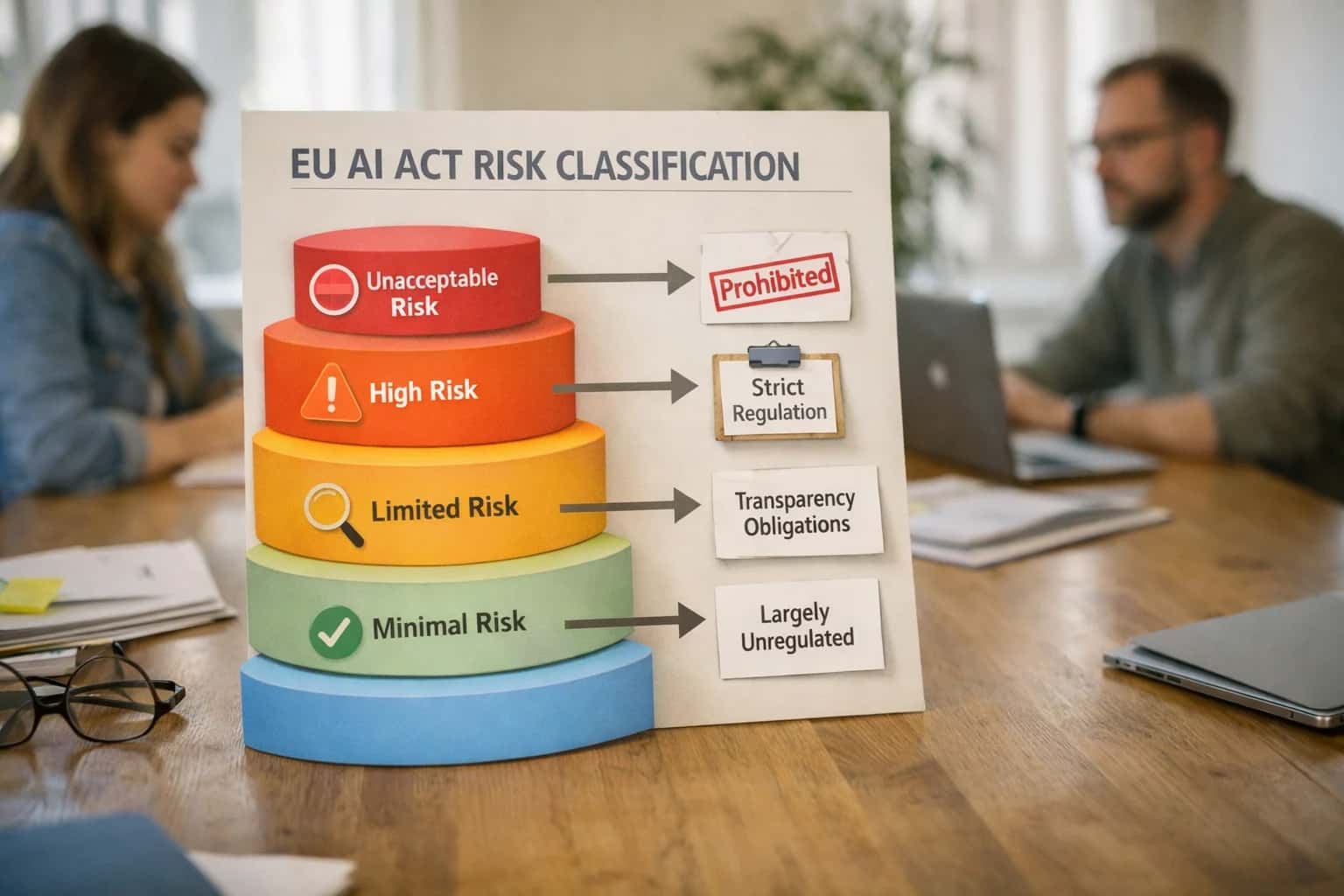
Legal team reviewing EU AI Act compliance documents on laptop in modern office, coffee cups and papers on table, casual meeting.
ARCHITECTURE AND ROLLOUT

Where AI Fits into the Azure DevOps Stack

A practical blueprint for embedding AI across Azure Boards, Repos, Pipelines, and Test Plans without disrupting existing engineering workflows.

AI integrates into Azure DevOps by connecting to its core data objects and automation surfaces. The primary touchpoints are:

  • Azure Boards: AI agents can read and write to Work Items (Epics, Features, User Stories, Bugs) via the REST API to automate triage, summarization, and backlog grooming.
  • Azure Repos: AI analyzes Pull Requests, Commits, and Code to provide contextual review comments, generate summaries, and suggest improvements, acting as an automated reviewer.
  • Azure Pipelines: AI monitors Pipeline Runs and Logs to predict failures, optimize resource usage, and generate natural-language explanations for build and deployment status.
  • Azure Test Plans: AI interacts with Test Cases and Results to generate test scenarios from requirements, prioritize test suites, and summarize outcomes.

Implementation typically involves a middleware service that subscribes to Azure DevOps webhooks (e.g., for new work items or completed pull requests), processes the event with an LLM, and posts results back via API. For example, a pull_request_created webhook triggers an AI service that fetches the diff, analyzes it for security and quality issues, and posts a summary comment. This keeps the AI logic external and versionable, while Azure DevOps remains the system of record. Critical workflows include automated sprint planning (AI suggests story point estimates based on historical data), intelligent release gates (AI analyzes linked work items and test results to recommend go/no-go), and developer copilots (an AI assistant answers questions about project status or code by querying Boards and Repos via RAG).

Rollout should be phased, starting with read-only, assistive use cases like issue summarization before progressing to write actions like auto-tagging. Governance is key: all AI-generated content should be clearly labeled, and critical actions (like closing a bug) should require human approval. Implement audit trails by logging all AI interactions and decisions back to Azure DevOps as Discussion comments or custom Work Item history. This ensures transparency and allows teams to tune prompts and workflows based on real usage. For teams managing regulated software, consider our specialized guide on ALM in Healthcare for compliance-focused patterns.

A PRACTICAL BLUEPRINT FOR ENGINEERING TEAMS

AI Integration Points Across Azure DevOps Services

Automate Backlog Management and Sprint Execution

Integrate AI directly into Azure Boards to transform how teams plan and track work. Connect LLMs to the Boards REST API to analyze historical work item data—epics, features, user stories, and bugs—enabling automated backlog grooming. AI can suggest story point estimates based on complexity and team velocity, draft acceptance criteria from vague descriptions, and automatically triage incoming bugs by severity and area path.

For sprint execution, an AI agent can monitor the board to generate daily stand-up summaries, detect blockers by analyzing linked pull requests and commits, and even propose task reassignments based on developer load and expertise. This turns Azure Boards from a passive tracking tool into an active planning copilot, reducing manual administrative overhead and improving forecast accuracy.

Key Integration Surfaces: Work Items API, Area Paths, Iteration Paths, Board Columns, Team Settings.

INTEGRATION BLUEPRINTS

High-Value AI Use Cases for Azure DevOps Teams

Embedding AI into Azure DevOps transforms manual, reactive workflows into automated, predictive operations. These patterns connect directly to Boards, Repos, Pipelines, and Test Plans to accelerate delivery and improve quality.

01

Automated Pull Request Summaries & Code Review

Integrate an AI agent with Azure Repos to analyze diffs, commit messages, and linked work items. It generates a plain-English summary of changes, flags potential anti-patterns, and suggests review focus areas, reducing context-switching for senior engineers.

Batch -> Real-time
Review readiness
02

Intelligent Sprint Planning & Backlog Grooming

Connect AI to Azure Boards to analyze historical velocity, work item dependencies, and bug trends. The system can suggest story point estimates, identify blocking issues, and draft the next sprint backlog based on priority and capacity, turning a multi-hour meeting into a review session.

Hours -> Minutes
Planning prep
03

Predictive Pipeline Failure Analysis

Monitor Azure Pipelines logs and telemetry with an AI model trained on past failures. It predicts high-risk builds, identifies flaky tests, and suggests root causes (e.g., "likely dependency conflict") before the pipeline completes, shifting from investigation to prevention.

Same day
MTTR reduction
04

AI-Generated Test Cases from Requirements

Link AI to Azure Test Plans and work item descriptions. For a new PBI or bug, the system automatically generates relevant test case outlines, boundary conditions, and even basic automation script skeletons, ensuring coverage is considered from the start.

1 sprint
Test coverage gain
05

Context-Aware Engineering Copilot

Deploy a RAG-powered assistant integrated via service hooks. It indexes repos, wikis, and work items to answer team questions (e.g., "How do we handle OAuth?" or "What broke build #423?") directly in Teams or as a widget, reducing tribal knowledge gaps.

06

Automated Release Notes & Changelog Generation

Orchestrate an AI workflow at the end of a release pipeline. It queries Azure Boards for completed PBIs and bugs, scans Azure Repos for merged PRs, and synthesizes a draft release note for stakeholder review, automating a tedious, manual documentation task.

Hours -> Minutes
Documentation time
PRACTICAL IMPLEMENTATION PATTERNS

Example AI-Augmented Workflows in Azure DevOps

These workflows illustrate how AI can be embedded into Azure DevOps services to automate routine tasks, enhance decision-making, and provide intelligent assistance without disrupting existing engineering processes.

Trigger: A developer creates a pull request (PR) in Azure Repos.

Context Pulled: The AI agent retrieves the PR diff, linked work item from Azure Boards (e.g., PBI or Bug), commit history for the branch, and recent build/test results from the associated pipeline run.

Agent Action: A multi-step LLM call analyzes:

  1. Code Changes: Summarizes the functional intent of the changes in plain language.
  2. Risk Detection: Flags high-risk patterns (e.g., security-sensitive API usage, changes to core logic without tests, potential breaking changes based on modified interfaces).
  3. Context Enrichment: Attempts to auto-populate the PR description if empty, referencing the work item title and acceptance criteria.

System Update: The agent posts a structured comment on the PR with:

  • A summary of changes.
  • A bulleted list of potential risks or review focus areas.
  • A prompt for the reviewer to acknowledge any flagged items.

Human Review Point: The reviewer uses the AI-generated summary to accelerate understanding and focuses manual review on the highlighted risk areas. The agent does not approve or reject the PR.

CONNECTING AI TO AZURE DEVOPS SERVICES

Typical Implementation Architecture and Data Flow

A practical blueprint for wiring AI into Azure DevOps' core services—Boards, Repos, Pipelines, and Test Plans—to augment engineering workflows without disrupting existing processes.

A production-ready integration typically uses Azure DevOps Service Hooks or the REST API to create event-driven workflows. Key triggers include:

  • Azure Boards: workitem.created or workitem.updated events to kick off AI-powered triage, summarization, or story point estimation.
  • Azure Repos: git.pullrequest.created events to invoke an AI agent for automated code review and merge risk analysis.
  • Azure Pipelines: build.complete or release.deployment.completed events to generate deployment summaries and root cause analysis.
  • Azure Test Plans: test.run.completed events to analyze results and suggest test gap coverage.

These events are routed via a webhook to a secure, internal API endpoint that orchestrates the AI logic, ensuring data never leaves your controlled environment.

The orchestration layer, often built with Azure Functions or a containerized microservice, handles the incoming payload, enriches it with additional context from linked work items or commit histories, and calls the appropriate AI model. For example:

  • A pull request summary agent retrieves the diff, linked work item details, and recent build status via the Azure DevOps API before sending a structured prompt to an LLM.
  • The response is parsed, any required approvals are checked via Azure DevOps permissions, and the result is posted back as a PR comment or updated work item field using a service principal with least-privilege access.
  • For RAG-based knowledge assistants, a separate pipeline ingests wiki pages and code documentation into a vector database like Azure AI Search, which the orchestration layer queries to ground responses in your project's specific context.

Governance and rollout are critical. Start with a pilot project, enabling AI features on a single team or repository. Implement audit logging for all AI-generated actions and establish a human-in-the-loop approval step for sensitive operations, like automatic work item assignments. Use Azure DevOps' built-in approval gates in release pipelines to control AI-suggested deployments. This phased approach de-risks the integration, allows for prompt tuning based on real feedback, and builds trust before organization-wide scaling. For related architectural patterns, see our guides on AI Integration for GitLab and AI-Powered Sprint Planning.

AI INTEGRATION FOR AZURE DEVOPS

Code and Payload Examples for Common Integrations

Automating Planning and Triage

Integrate AI directly into Azure Boards to automate work item creation, classification, and summarization. Use the Azure DevOps REST API to fetch new issues from external systems, then call an LLM to analyze the description and populate fields like System.Title, System.Description, System.Tags, and Microsoft.VSTS.Common.Priority.

A common pattern is to set up a webhook or Logic App that listens for new support tickets or user feedback, processes them with AI, and creates a corresponding Bug or User Story in your backlog. This reduces manual triage from hours to minutes.

Example Webhook Payload to Create an AI-Enriched Work Item:

json
POST https://dev.azure.com/{organization}/{project}/_apis/wit/workitems/$Bug?api-version=7.1
Content-Type: application/json-patch+json

[
  {
    "op": "add",
    "path": "/fields/System.Title",
    "value": "AI-Generated: Payment fails with 'currency mismatch' error"
  },
  {
    "op": "add",
    "path": "/fields/System.Description",
    "value": "<div>User reported payment failure. AI analysis indicates the error originates in the currency conversion module (CurrencyService.cs) when handling GBP to EUR transactions. Suggested priority: High.</div>"
  },
  {
    "op": "add",
    "path": "/fields/Microsoft.VSTS.Common.Priority",
    "value": "1"
  },
  {
    "op": "add",
    "path": "/fields/System.Tags",
    "value": "Payment; Currency; AI-Triaged"
  }
]
AZURE DEVOPS AI INTEGRATION

Realistic Time Savings and Operational Impact

A module-by-module breakdown of how AI integration shifts effort from manual, reactive tasks to assisted, proactive workflows across the Azure DevOps suite.

Module / WorkflowBefore AI IntegrationAfter AI IntegrationImplementation Notes

Pull Request Review (Azure Repos)

Manual line-by-line review, context switching to linked work items

AI-generated summary of changes, risk highlights, and suggested reviewers

Human reviewer focuses on high-risk sections; integrates via PR comment webhooks

Bug Triage (Azure Boards)

Manual reading and tagging of incoming issues, guesswork on priority/severity

AI-assisted classification, duplicate detection, and initial severity scoring

Reduces backlog bloat; triage rules can be tuned per project/team in /integrations/application-lifecycle-management-platforms/ai-powered-issue-triage

Sprint Planning

Manual analysis of historical velocity, ad-hoc story point estimation

AI-generated draft backlog with suggested story points and dependency flags

Planner uses output as a starting draft; final prioritization remains a team activity

Pipeline Failure Diagnosis (Azure Pipelines)

Sifting through logs, correlating failures with recent commits/changes

AI analysis pinpoints likely root cause (e.g., specific test, config change) and suggests fix

Connects to pipeline webhooks; provides natural-language summary in Slack/Teams

Test Case Generation (Azure Test Plans)

Manual authoring from requirement documents or user stories

AI-assisted generation of test scenarios and steps from linked work items

Tester reviews and refines output; ensures coverage for critical paths

Release Note Drafting

Manual compilation of commits, work items, and PR descriptions pre-release

AI aggregates and summarizes changes into a structured draft release note

Release manager edits for clarity and tone; ensures audit trail for compliance

Knowledge Retrieval (Across Repos/Wikis)

Searching across multiple wikis, repos, and work items for answers

RAG-powered Q&A assistant provides answers with citations from project artifacts

Implements a secure, project-scoped vector store; see /integrations/vector-database-and-rag-platforms for architecture

Daily Stand-up & Status Reporting

Manual updates, digging for blockages and progress metrics

AI-generated daily digest of commits, PR activity, and work item changes for the team

Provides data-driven talking points; reduces time spent on status gathering

ARCHITECTING FOR ENTERPRISE CONTROL

Governance, Security, and Phased Rollout

A production-ready AI integration for Azure DevOps requires deliberate controls for data, access, and incremental value delivery.

Start by mapping the data surfaces where AI will operate, governed by Azure DevOps project permissions and Azure Active Directory groups. For instance, an AI agent summarizing pull requests should only access repositories within its assigned project scope. Use Azure DevOps Service Hooks or the REST API to push events (like completed builds or new work items) to a secure, internal API gateway. This gateway acts as a policy enforcement point, validating requests, applying RBAC, and logging all interactions before data is sent to your AI processing layer—whether that's Azure OpenAI Service, a fine-tuned model, or a RAG system over your internal documentation.

A phased rollout mitigates risk and builds trust. Phase 1 could deploy a non-critical, read-only agent, like an AI that generates release notes from completed Azure Boards work items and Pipeline run histories. Phase 2 introduces assistive write operations, such as an AI copilot that suggests labels and initial triage for new bugs in Azure Boards, but requires a developer to approve and create the work item. Phase 3 moves to conditional automation, like an AI that auto-creates backlog items from monitored error logs, but only for a designated "critical" severity and with notifications sent to a team channel for oversight.

Implement a human-in-the-loop (HITL) pattern for any AI action that modifies state or creates artifacts. Use Azure DevOps approvals and checks within your Pipelines or custom workflows to require a team lead to sign off on AI-generated code review comments before they are posted, or on AI-suggested test cases before they are added to Azure Test Plans. All AI interactions should be logged to Azure Monitor or your SIEM, capturing the prompt, the data context provided, the AI's output, and the final human action (approved, edited, or rejected). This creates an audit trail for compliance, model improvement, and troubleshooting.

Finally, treat your AI integration as a product with its own backlog in Azure Boards. Track metrics like adoption rate, time saved per workflow, and accuracy feedback. Use feature flags (via Azure App Configuration) to enable AI capabilities per team or project, allowing you to iterate based on feedback without disrupting the entire organization. This controlled, measurable approach ensures the integration delivers tangible engineering productivity gains while maintaining the security and governance standards required for enterprise ALM.

IMPLEMENTATION BLUEPRINT

Frequently Asked Questions (FAQ)

Practical questions and answers for engineering leaders planning AI integration into Azure DevOps to automate workflows, enhance developer productivity, and improve delivery predictability.

A production integration uses Azure DevOps REST APIs and service principals with granular, least-privilege permissions. The typical pattern involves:

  1. Service Principal Creation: Create an Azure AD App Registration dedicated to the AI service.
  2. Scoped Permissions: Grant the service principal read/write access only to the specific projects, repositories, or work item areas it needs (e.g., WorkItems.ReadWrite for a specific project).
  3. API Gateway & Webhook Receiver: Deploy a secure API layer (e.g., Azure API Management or an Azure Function) that:
    • Authenticates incoming requests from Azure DevOps webhooks.
    • Validates and sanitizes payloads.
    • Makes authorized calls to the AI model endpoint (e.g., Azure OpenAI Service, using its own managed identity).
  4. Data Flow: Changes in Azure DevOps (new work item, PR creation) trigger a webhook to your secure endpoint. The endpoint fetches necessary context via the service principal, calls the AI, and posts results back via the API.

This keeps Azure DevOps PATs or user credentials out of the AI system and provides a clear audit trail.

Prasad Kumkar

About the author

Prasad Kumkar

CEO & MD, Inference Systems

Prasad Kumkar is the CEO & MD of Inference Systems and writes about AI systems architecture, LLM infrastructure, model serving, evaluation, and production deployment. Over 5+ years, he has worked across computer vision models, L5 autonomous vehicle systems, and LLM research, with a focus on taking complex AI ideas into real-world engineering systems.

His work and writing cover AI systems, large language models, AI agents, multimodal systems, autonomous systems, inference optimization, RAG, evaluation, and production AI engineering.



