AI for warehouse energy optimization acts as an orchestration layer between your Warehouse Management System (WMS)—like Manhattan Active, SAP EWM, or Blue Yonder—and your Building Management System (BMS) or Energy Management System (EMS). The integration focuses on three primary data flows: ingesting real-time WMS activity data (e.g., conveyor run states, pick station activity, lighting zone occupancy from RF scans), correlating it with energy meter data and BMS setpoints (HVAC, lighting), and then issuing predictive setpoint adjustments or automated shutdown commands during verified low-throughput periods.

Integration
AI for Energy Consumption Optimization
A technical blueprint for integrating AI with Warehouse Management Systems (WMS) and Building Management Systems (BMS) to predictively control energy use, reducing costs by 15-30% without impacting operational throughput.
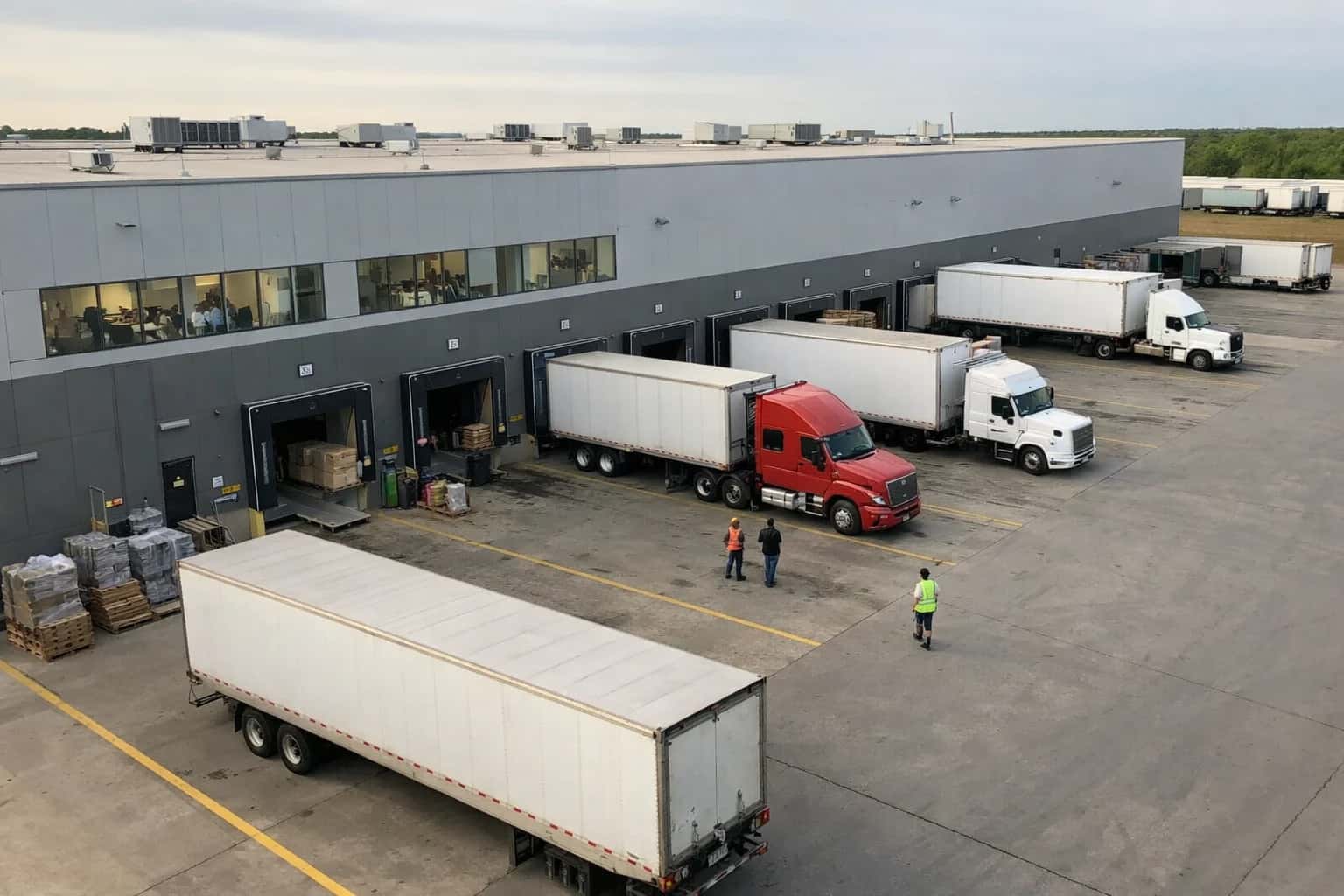
ARCHITECTURE BLUEPRINT
Where AI Fits in Warehouse Energy Management
A technical guide for connecting AI models to warehouse management and building management systems to optimize energy consumption without disrupting operations.
Implementation typically involves a middleware agent subscribing to WMS event streams (via APIs or database change-data-capture) for signals like PICK_TASK_COMPLETE, CONVEYOR_START, or ZONE_ENTERED. This agent uses a lightweight ML model to forecast activity for the next 15-60 minutes. When a low-activity window is predicted with high confidence, the system calls the BMS API to execute pre-configured energy-saving modes—for example, dimming lights in a storage aisle, reducing HVAC fan speed in a packing area, or putting a sorter loop into idle mode. Crucially, these actions are gated by real-time validation (e.g., confirming no pending tasks for that zone) to prevent operational disruption.
Rollout requires a phased approach: start with non-critical, high-consumption zones like bulk storage. Governance is key; all AI-driven setpoint changes should be logged in an audit trail linking the WMS activity prediction, the BMS command, and the resulting energy delta. Establish manual override switches for operators and integrate alerts into warehouse control towers. The business impact is a reduction in energy waste during predictable operational lulls, turning fixed energy costs into a variable, activity-driven expense. For a deeper dive into integrating with specific platforms, see our guides on AI Integration for SAP EWM and AI for IoT Sensor Data Integration with WMS.
AI FOR ENERGY CONSUMPTION OPTIMIZATION
Integration Surfaces in WMS and Energy Systems
Core WMS Data Feeds for Energy Correlation
The primary integration surface is the WMS's transactional data model, which provides the real-time signal of warehouse activity. Key objects and APIs to tap include:
- Task Management APIs: Real-time feeds of pick, putaway, and replenishment tasks, including timestamps, user IDs, and zone/location data. This indicates when and where human and MHE activity is concentrated.
- Equipment Status Tables: Data on Material Handling Equipment (MHE) like conveyors, sorters, and automated storage/retrieval systems (AS/RS), indicating runtime, idle states, and energy-intensive modes.
- Location and Zone Master Data: The mapping of physical warehouse zones (e.g.,
PICK_ZONE_A,COLD_STORAGE) to logical areas controlled by separate energy systems (lighting panels, HVAC zones).
This data is typically accessed via REST APIs, database replication, or event streams (e.g., Kafka topics) from platforms like SAP EWM, Manhattan Active, or Blue Yonder. The goal is to create a time-series dataset correlating activity_count and equipment_runtime per zone with energy consumption metrics.
WAREHOUSE MANAGEMENT PLATFORMS
High-Value AI Energy Optimization Use Cases
Integrate AI with your WMS (Manhattan, SAP EWM, Blue Yonder, Oracle) and energy management systems to correlate operational activity with power consumption, enabling automated optimization that reduces costs without impacting throughput.
01
Dynamic Lighting Zone Control
AI analyzes real-time WMS task queues and Real-Time Location System (RTLS) data to predict occupancy in picking zones, staging areas, and aisles. It automatically signals the building management system to dim or turn off lights in unoccupied zones, reducing energy waste during low-activity periods.
15-30%
Lighting energy reduction
02
Conveyor & MHE Runtime Optimization
Integrates with WMS wave planning and Material Handling Equipment (MHE) control systems. AI models predict lulls in order flow and automatically schedule preventive shutdowns or reduced-speed operation for conveyors, sorters, and automated guided vehicles (AGVs), aligning mechanical runtime with actual demand.
Batch -> Predictive
Runtime scheduling
03
HVAC & Refrigeration Load Balancing
AI correlates WMS inbound receiving schedules (e.g., perishable goods), door event data, and external weather forecasts. It proactively adjusts HVAC and refrigeration setpoints in cold storage and dock areas to minimize compressor cycling and peak demand charges while maintaining compliance.
Peak Load Shaving
Demand charge management
04
Predictive Energy Budgeting
Uses historical WMS throughput data, labor schedules, and seasonal forecasts to generate highly accurate energy consumption forecasts. This allows facility managers to set realistic budgets, participate in demand response programs, and identify anomalous consumption linked to specific operational events for investigation.
Same-day insight
Anomaly detection
05
Charging Orchestration for Electric MHE
AI integrates with WMS labor planning and battery management systems for electric forklifts and pallet jacks. It optimizes charging schedules based on shift patterns, task urgency, and real-time grid pricing, ensuring equipment availability while avoiding costly peak-time charging.
Off-Peak Prioritization
Utility cost optimization
06
Automated Sustainability Reporting
AI agent continuously extracts energy meter data and maps it to WMS activity logs (receiving, picking, shipping). It automatically allocates carbon emissions to specific clients (for 3PLs), channels, or SKU categories, generating audit-ready reports for ESG disclosures and internal cost-to-serve analysis.
Hours -> Minutes
Report generation
IMPLEMENTATION PATTERNS
Example AI-Driven Energy Optimization Workflows
These workflows illustrate how to connect AI models to warehouse management systems (WMS) and building management systems (BMS) to reduce energy consumption. Each pattern correlates WMS activity data with energy controls to automate decisions during low-throughput periods.
Trigger: A pick wave is released or completed in the WMS, changing the active task queue for a specific warehouse zone.
Context/Data Pulled:
- WMS API call to get active tasks per zone (e.g.,
GET /api/v1/zones/{zoneId}/active-task-count). - BMS API call to check current lighting status for the zone.
- Historical throughput data for the time of day and day of week.
Model or Agent Action:
A lightweight AI model (or rule-based agent with ML forecasting) evaluates if the zone will be idle for the next N minutes (e.g., 15). The decision uses:
- Current active task count.
- Forecasted new tasks from pending waves.
- Time-based patterns (e.g., scheduled break times).
System Update or Next Step: If idle period is predicted:
- Agent calls BMS API:
POST /api/lighting/zones/{zoneId} { "brightness": 20 }(safety lighting). - Agent logs the action and predicted energy savings to an audit table.
Human Review Point: Supervisors receive a mobile alert if the system predicts an idle period longer than a configurable threshold (e.g., 60 minutes), allowing for manual override in case of unscheduled activity.
FROM WMS DATA TO ACTIONABLE ENERGY SAVINGS
Implementation Architecture: Data Flow & System Orchestration
A production-ready AI integration for energy optimization connects your WMS activity streams to energy management systems, creating a closed-loop control system.
The core data flow begins by extracting real-time and historical activity logs from your Warehouse Management System (WMS)—such as Manhattan Active, SAP EWM, or Blue Yonder. Key data points include:
- Task Execution Timestamps: Start/stop times for picking, putaway, and replenishment waves.
- Location Activation: Zones, aisles, or specific storage modules (e.g., conveyor sections, lighting zones in a pick module) that are active per task.
- Equipment Utilization: Material Handling Equipment (MHE) IDs and status from integrated control systems.
- Throughput Metrics: Orders per hour, units moved, and labor clock-in/out events. This data is streamed via the WMS's native APIs (REST/SOAP) or message queues (Kafka, RabbitMQ) to a central integration layer.
An AI orchestration service processes this stream, correlating WMS activity with energy consumption data pulled from Building Management Systems (BMS) or IoT sensor platforms. The AI model, often a time-series forecasting model combined with optimization logic, performs two key functions:
- Predictive Baselining: Forecasts expected energy demand for the next 1-4 hours based on the scheduled WMS workload (waves, expected receipts).
- Prescriptive Control: Generates dynamic set-point adjustments. For example, it can issue API calls to dim lighting in inactive zones, schedule conveyor shutdowns during predicted low-activity windows, or delay non-critical replenishment tasks to consolidate MHE movement. These control signals are pushed back to the BMS and, where permissible, directly to the WMS's task engine to influence the timing of automated tasks.
Governance and rollout are critical. Implementations typically use a shadow mode for 2-4 weeks, where AI recommendations are logged but not executed, allowing validation against historical bills. A human-in-the-loop approval step via a simple dashboard is recommended before moving to fully automated control for non-critical systems. The architecture must include robust audit logging of all AI-driven recommendations and BMS commands to maintain accountability and simplify troubleshooting. This integration creates a continuous feedback loop: reduced energy consumption during low-throughput periods directly lowers operational costs without impacting service-level agreements (SLAs).
AI-ENHANCED ENERGY OPTIMIZATION
Code & Payload Examples
Extracting Energy-Correlated WMS Events
To build an energy optimization model, you first need to extract structured activity data from the WMS. This typically involves querying transaction logs and equipment status tables. The key is to correlate discrete warehouse events (like a conveyor start or a lighting zone activation) with timestamps and location data.
A common pattern is to poll the WMS database or listen to its event bus for triggers. Below is a pseudocode example for fetching zone activity from a common WMS schema, focusing on events that drive energy consumption.
sql-- Example query for activity in a specific warehouse zone SELECT w.zone_id, w.zone_name, t.transaction_type, t.equipment_id, t.start_time, t.end_time, t.quantity_processed FROM wms_transactions t JOIN wms_warehouse_zones w ON t.zone_id = w.zone_id WHERE t.transaction_date = CURRENT_DATE AND t.transaction_type IN ('PICK_START', 'PUTAWAY_START', 'CONVEYOR_RUN') AND w.zone_id IN ('LIGHTING_ZONE_A', 'CONVEYOR_ZONE_1') ORDER BY t.start_time;
This data forms the basis for training a model to predict low-activity periods where non-essential systems can be powered down.
AI-ENHANCED ENERGY MANAGEMENT
Realistic Operational Impact & Time-to-Value
This table illustrates the tangible shift from static, schedule-based energy control to a dynamic, AI-optimized system that correlates WMS activity with energy consumption.
| Metric | Before AI | After AI | Notes |
|---|---|---|---|
Lighting Zone Control | Fixed schedules or manual overrides | Dynamic, occupancy-based dimming/shutoff | Uses WMS task location data and IoT sensors to control zones in real-time. |
Conveyor System Runtime | Scheduled runs or manual activation | Demand-predicted activation and idle shutdown | AI predicts inbound/outbound waves to start systems just-in-time, reducing idle run. |
HVAC Optimization in Storage Areas | Broad temperature bands for entire zones | Micro-zone conditioning based on product sensitivity | Correlates WMS inventory data (e.g., lot expiry, chocolate storage) with ambient sensors to target cooling. |
Peak Demand Charge Management | Reactive, manual load shedding during alerts | Proactive load shifting based on forecasted activity | AI analyzes WMS throughput plans and weather to pre-cool or delay non-critical equipment startups. |
Energy Anomaly Detection | Monthly bill review or manual meter checks | Real-time alerts on consumption spikes vs. WMS activity | Flags unexpected energy draws (e.g., stuck conveyor motor, door left open) for immediate maintenance. |
Reporting & Attribution | Monthly utility bill allocated by square footage | Energy cost attributed to specific processes & shifts | Links WMS transaction logs (picks, putaways) to sub-meter data for granular cost-to-serve analysis. |
Implementation & Rollout | Pilot: Manual data collection & analysis (6-8 weeks) | Pilot: API integration & baseline model (3-4 weeks) | Initial focus on 1-2 high-consumption areas (e.g., primary picking zone, dock lights) to prove ROI. |
IMPLEMENTING AI FOR WAREHOUSE ENERGY OPTIMIZATION
Governance, Safety, and Phased Rollout
A practical guide to deploying AI-driven energy optimization with governance controls and a low-risk rollout.
A production AI integration for energy optimization must be governed by the WMS's operational state. This means the AI agent acts as a recommendation engine, not an autonomous control system. It ingests real-time data from the WMS (e.g., wave completion status from Manhattan Active, putaway task queues from SAP EWM, or conveyor run schedules from Blue Yonder) and correlates it with energy management system (EMS) feeds for lighting zones, HVAC, and material handling equipment (MHE). All optimization signals—like suggesting a conveyor slowdown or a lighting zone dim—are routed as change requests through an approval workflow in the WMS or a separate orchestration layer, requiring a supervisor's review or a system heartbeat check before execution. This ensures the warehouse's primary mission of throughput and safety is never compromised.
Rollout should follow a phased, data-first approach. Phase 1 establishes a digital twin for monitoring, ingesting 3-6 months of historical WMS transaction logs and energy bills to build a baseline model that predicts consumption patterns. Phase 2 implements read-only recommendations, surfacing insights like 'Zone A lighting can be reduced by 40% during the 2 PM lull' within the WMS supervisor dashboard or a mobile alert. Phase 3 enables closed-loop control for low-risk, reversible actions—such as adjusting non-critical conveyor speeds—using a canary deployment in a single zone or on a specific shift. Each phase is gated by validation against key performance indicators (KPIs) like order cycle time and energy cost per unit shipped, ensuring no degradation in core operations.
Safety and auditability are paramount. Every AI-generated recommendation and action must write an immutable log back to the WMS's audit trail or a dedicated governance ledger, capturing the input data, the model's reasoning, the human or system approver, and the outcome. This creates a clear lineage for compliance reporting and model refinement. Furthermore, the system requires circuit breakers: predefined rules that immediately revert to standard operating procedures if the WMS signals a system exception (e.g., a priority order wave) or if the EMS reports a deviation from expected environmental conditions. This controlled, observable approach de-risks the integration, turning AI from a black box into a accountable, optimizable component of the warehouse's physical infrastructure.
Enabling Efficiency, Speed & Accuracy
Intelligent Analysis, Decision & Execution
We build AI systems for teams that need search across company data, workflow automation across tools, or AI features inside products and internal software.
Talk to Us
Search across company data
Give teams answers from docs, tickets, runbooks, and product data with sources and permissions.
Useful when people spend too long searching or get different answers from different systems.
Enterprise searchRAGPermissions
Read more
Automate internal workflows
Use AI to route work, draft outputs, trigger actions, and keep approvals and logs in place.
Useful when repetitive work moves across multiple tools and teams.
AI agentsWorkflow automationGovernance
Read more
Add AI to products and internal tools
Build assistants, guided actions, or decision support into the software your team or customers already use.
Useful when AI needs to be part of the product, not a separate tool.
AI integrationDecision supportModel routing
Read moreAI FOR ENERGY CONSUMPTION OPTIMIZATION
FAQ: Technical & Commercial Considerations
Practical questions and architectural considerations for integrating AI with Warehouse Management Systems (WMS) to reduce energy consumption by intelligently controlling lighting, conveyors, and HVAC based on real-time operational activity.
An AI model for energy optimization requires a correlated dataset of WMS activity and energy consumption. Key data sources include:
- WMS Transaction Logs: Timestamps and locations for key events (receiving starts/stops, pick wave releases, shipping manifest completions).
- Task Queue & Resource Assignment: Real-time data on active users, assigned equipment (forklifts, carts), and active work zones.
- IoT & BMS Integration: Energy meter readings (often 15-minute intervals) segmented by circuit (e.g., lighting zone A, conveyor line 1, HVAC zone).
- External Context: Building occupancy schedules, ambient temperature, and planned maintenance windows.
The integration typically involves:
- Extracting time-series WMS activity data via APIs or database replication.
- Ingesting energy data from Building Management Systems (BMS) or IoT gateways.
- Aligning datasets on a common timestamp and location/zone dimension in a data lake.
- Training models to predict energy load based on WMS-derived features like
active_users_in_zone,picks_per_hour, andconveyor_run_time.
See our guide on IoT Sensor Data Integration with WMS for more on data pipeline architecture.

About the author
Prasad Kumkar
CEO & MD, Inference Systems
Prasad Kumkar is the CEO & MD of Inference Systems and writes about AI systems architecture, LLM infrastructure, model serving, evaluation, and production deployment. Over 5+ years, he has worked across computer vision models, L5 autonomous vehicle systems, and LLM research, with a focus on taking complex AI ideas into real-world engineering systems.
His work and writing cover AI systems, large language models, AI agents, multimodal systems, autonomous systems, inference optimization, RAG, evaluation, and production AI engineering.
LinkedIn
Limited slotsGet a Free AI Consultation
Partnered with leading AI, data, and software stack.





How We Work
Custom AI workflows for your Business
One-fit-all AI don't work for modern businesses. At Inferensys, we aim to understand your business & custom requirements; which we use to define most efficient agentic workflows, the data, and the tools for your business.
01
Review the use case
We understand the task, the users, and where AI can actually help.
Read more02
Pick the right approach
We define what needs search, automation, or product integration.
Read more03
Build the first useful version
We implement the part that proves the value first.
Read more04
Improve from there
We add the checks and visibility needed to keep it useful.
Read moreThe first call is a practical review of your use case and the right next step.
Talk to Us