AI vision systems act as a real-time sensory layer for your WMS, interpreting images and videos to update core records automatically. The integration typically connects at three key points: Inbound Receiving (to read ASN barcodes, capture item dimensions, and detect shipping damage), Value-Added Services (for visual inspection during kitting or assembly), and Outbound Shipping (to verify order accuracy and carton condition). The AI model's output—a structured JSON payload containing SKU, condition, dimensions, or exception codes—feeds directly into the WMS via its REST APIs or by updating staging tables that trigger standard putaway, quality hold, or shipping workflows.

Integration
AI for Computer Vision in Warehouse Operations
A technical blueprint for integrating computer vision AI systems with Warehouse Management Systems (WMS) to automate dimensioning, label reading, damage detection, and quality inspection workflows.
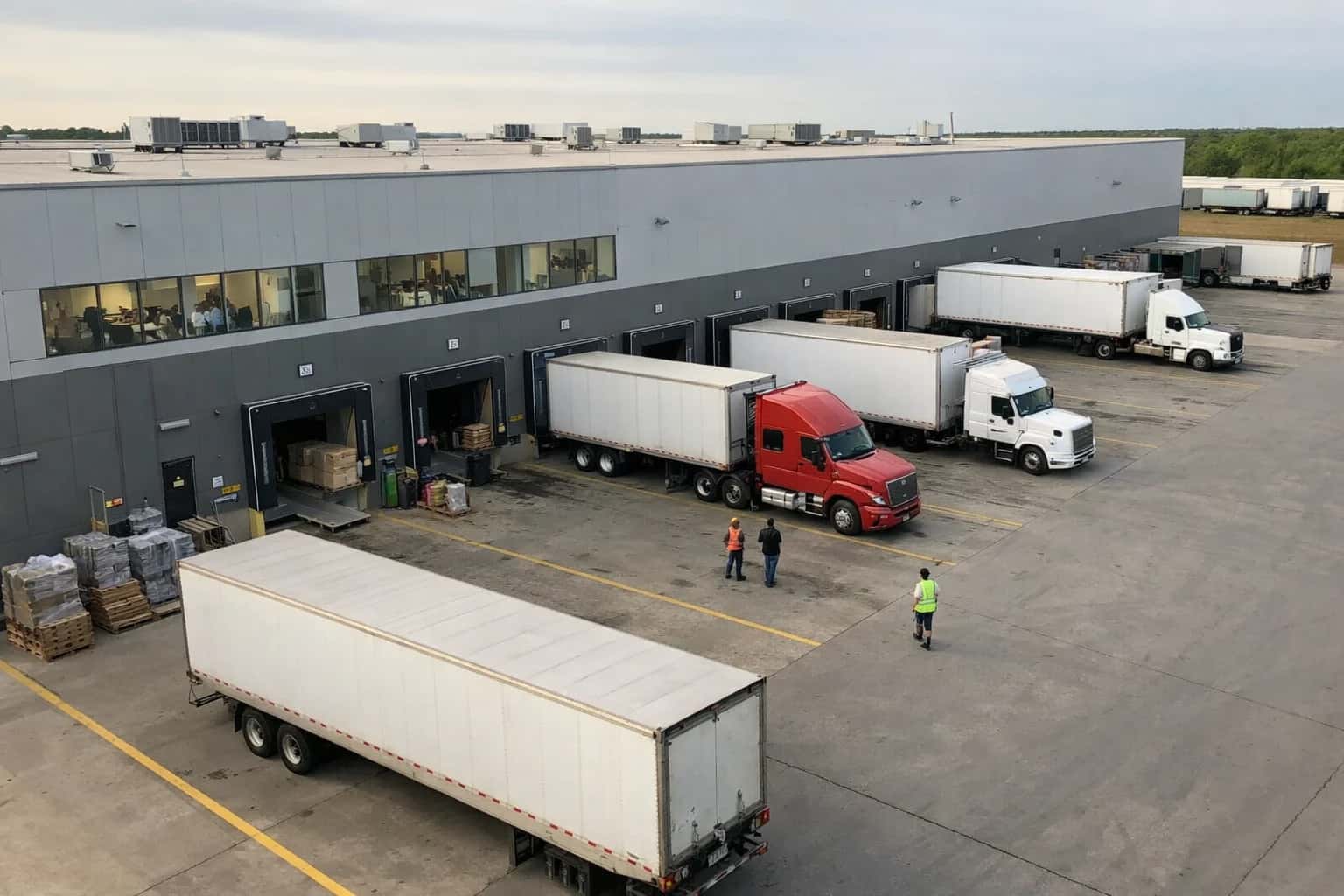
ARCHITECTURE AND INTEGRATION PATTERNS
Where AI Vision Fits into Warehouse Operations
A practical guide to integrating computer vision systems with your Warehouse Management System (WMS) for automated dimensioning, label reading, and damage detection.
For a production implementation, you need a decoupled architecture. Cameras or mobile devices capture images at the point of activity. An edge device or cloud service runs the vision model (e.g., for OCR on labels or defect detection). The results are posted to a middleware layer or an event queue (like Kafka), which then calls the WMS API—for example, updating an INBOUND_SHIPMENT_LINE status or creating a new QUALITY_HOLD record. This keeps the WMS as the system of record while the AI handles the perceptual heavy lifting. Critical governance includes human-in-the-loop review for low-confidence predictions and maintaining a full audit trail of the original image, the AI's analysis, and the resulting WMS transaction.
Rollout should be phased, starting with a single high-volume, high-error process like parcel dimensioning at receiving. This delivers immediate ROI through reduced manual data entry and more accurate storage charges. Success hinges on aligning the AI's classification logic (e.g., 'minor_box_crush') with the specific exception codes and workflow paths your WMS already supports, ensuring operators understand the new automated triggers. The end state is a closed-loop system where the WMS directs physical activity, and AI vision provides the eyes to confirm it was done correctly, turning manual checks into automated, auditable events.
ARCHITECTURE FOR COMPUTER VISION IN WAREHOUSE OPERATIONS
WMS Integration Points for Vision Data
Vision Integration for Inbound Workflows
Computer vision systems connect to WMS receiving modules to automate verification and accelerate putaway. Key integration points include:
- ASN & Packing List Validation: Vision reads pallet labels and item barcodes upon truck arrival, cross-referencing against the Advanced Shipment Notice (ASN) in the WMS to flag discrepancies before the receiving appointment is closed.
- Automated Dimensioning & Weighing: Cameras capture pallet dimensions and cubing data. This payload is sent via API to update the WMS item master (
ITEM_MASTER.DIM_WEIGHT) and calculate optimal storage locations based on real-time slotting rules. - Damage Detection & Quarantine: AI models analyze images for container damage. If damage is detected, the system automatically creates a non-conformance record in the WMS (e.g., a
QC_HOLDstatus) and routes the pallet to a quarantine location, updating theINVENTORY.STATUSfield. - Putaway Task Generation: Based on the recognized SKU, dimensions, and current warehouse capacity, the vision system triggers a
CREATE_PUTAWAY_TASKAPI call to the WMS, populating theTASK.LOCATIONfield with the AI-recommended storage bin.
This creates a closed-loop where visual data directly updates WMS records, turning a manual check-in process into a touchless flow.
WAREHOUSE MANAGEMENT INTEGRATION
High-Value Computer Vision Use Cases
Integrating computer vision with your WMS automates manual checks, reduces errors, and creates a closed-loop system where visual data directly updates inventory and task records. These are the most impactful patterns for production.
01
Automated Dimensioning & Cubing
CV systems capture inbound carton dimensions and weight at receiving stations, automatically populating the WMS item master or inbound ASN. This enables dynamic cartonization, accurate carrier billing, and optimal storage slotting without manual data entry.
Batch -> Real-time
Data capture
02
Label & Barcode Reading at High Speed
Deploy vision systems at induction points, conveyors, and packing stations to read 1D/2D barcodes, serial numbers, and license plates. Failed reads trigger immediate exceptions in the WMS task queue for operator intervention, preventing downstream errors.
99.9%+
Read rate target
03
Damage Detection During Receiving
Analyze images of inbound pallets and cartons to identify crush damage, water stains, or tears. The CV system classifies severity and automatically updates the WMS receiving log, routing damaged goods to a quarantine location and triggering a vendor notification workflow.
First scan
Inspection point
04
Pick Verification & Mispick Prevention
Vision systems mounted at packing stations or on pick carts verify the picked item against the WMS task. Mismatches in SKU, quantity, or lot number trigger an immediate alert to the operator's RF device, correcting errors before shipment.
>50%
Error reduction
05
Pallet Build & Load Compliance
Ensure outbound pallets are built to carrier specifications (height, weight distribution, stability). CV analyzes the loaded pallet and compares it to WMS load data, flagging violations before the trailer is sealed to avoid accessorial charges.
Pre-shipment
Compliance gate
06
Safety & PPE Monitoring
Use overhead or gateway cameras to monitor high-risk zones (loading docks, conveyor intersections). CV detects safety violations (missing PPE, riding MHE) and integrates with WMS labor management to log incidents and trigger supervisor alerts in real-time.
Real-time
Alerting
ARCHITECTURE PATTERNS
Example Vision-Enabled Workflow Automations
These are concrete, production-ready automation flows that integrate computer vision models with your WMS to interpret images, make decisions, and update records without manual intervention.
Trigger: A pallet arrives at the inbound dock and is staged for receiving. An operator scans a license plate barcode with an RF gun, which triggers the WMS (e.g., Manhattan Active) to create a provisional receipt. The system automatically captures an image via a fixed-mount camera.
Context/Data Pulled: The WMS provides the expected ASN/Purchase Order details, including item SKUs and quantities.
Model/Agent Action: A multi-model AI pipeline processes the image:
- Object Detection & Dimensioning: A vision model identifies the pallet and its load, calculates its volumetric dimensions (LxWxH), and estimates weight distribution.
- Label OCR: An OCR model reads the printed supplier label, extracting the PO number, SKU, and lot/batch data.
- Discrepancy Check: An agent compares the OCR-extracted data against the WMS ASN. It also checks the calculated dimensions against expected values for the SKU to flag potential mis-ships or overages.
System Update:
- If data matches, the WMS receipt is automatically confirmed. The dimension data is written to the handling unit record for storage planning.
- The AI system suggests an optimal putaway location based on the item's velocity and the pallet's dimensions, creating the putaway task directly in the WMS.
- If a discrepancy is found (wrong SKU, quantity mismatch, abnormal dimensions), the system creates a high-priority exception task in the WMS for a supervisor, attaching the image and analysis.
Human Review Point: Required only for exceptions flagged by the AI agent.
A PRODUCTION BLUEPRINT
Implementation Architecture: From Camera to WMS Record
A technical walkthrough of how computer vision AI integrates with warehouse management systems to automate dimensioning, label reading, and damage detection.
The integration is event-driven, triggered by a scan at a receiving or quality station. A camera captures an image, which is sent via a local gateway to a vision processing service. This service calls pre-trained AI models—often a combination of object detection (for pallets/cartons), OCR (for license plates and labels), and classification (for damage)—to extract structured data. The critical output is a JSON payload containing fields like dimensions, weight, license_plate_number, damage_confidence_score, and label_text. This payload is then queued for the WMS integration layer.
The integration layer, typically a middleware service or a serverless function, maps the AI payload to the target WMS's data model. For Manhattan Active, this might mean updating an ASN_LINE record via its REST APIs and triggering a PUTAWAY_TASK with suggested location data. For SAP EWM, the service would call a BAdI or OData service to post goods receipt data and update the HU (Handling Unit) with the captured dimensions and condition. The system must handle reconciliation: if the AI's read confidence is below a threshold (e.g., 92%), the transaction is flagged in a human review queue within the WMS or a separate dashboard, holding the workflow until an operator verifies.
Rollout requires a phased, location-based approach. Start with a single inbound dock door, running the AI in shadow mode—logging its predictions without updating the WMS—to establish accuracy baselines and tune models. Governance is built into the workflow: all AI inferences are logged with timestamps, original images, and confidence scores for audit trails and model retraining. This architecture turns a manual, variable process into a consistent, auditable data stream, reducing receiving touch time and improving putaway planning accuracy by ensuring the WMS inventory record matches the physical item from the moment it enters the warehouse.
AI + VISION SYSTEM INTEGRATION PATTERNS
Code and Payload Examples
Ingesting Vision Results into WMS
When a computer vision system (e.g., a dimensioning station or smart camera) processes an image, it should POST a structured JSON payload to an integration endpoint. This handler validates the payload, enriches it with WMS context (like a receiving ASN number), and triggers the appropriate WMS update workflow.
python# Example: FastAPI endpoint for vision system webhook from fastapi import FastAPI, HTTPException from pydantic import BaseModel import httpx app = FastAPI() class VisionResult(BaseModel): scan_id: str image_timestamp: str operation: str # e.g., "dimensioning", "label_read", "damage_detect" results: dict # Contains measurements, OCR text, confidence scores device_id: str wms_context: dict | None = None # Could contain ASN, PO, container ID @app.post("/api/vision/webhook") async def process_vision_result(result: VisionResult): """Receives payload from vision system, validates, and triggers WMS update.""" # 1. Validate and parse the vision results parsed_data = parse_vision_payload(result.operation, result.results) # 2. Enrich with WMS context (fetch ASN details if not provided) wms_context = result.wms_context or await fetch_wms_context(result.scan_id) # 3. Determine WMS update action based on operation update_payload = build_wms_update(parsed_data, wms_context) # 4. Call WMS REST API (e.g., Manhattan, SAP EWM) async with httpx.AsyncClient() as client: wms_response = await client.post( WMS_API_URL + "/receiving/update", json=update_payload, headers={"Authorization": f"Bearer {WMS_API_KEY}"} ) wms_response.raise_for_status() return {"status": "processed", "wms_transaction_id": wms_response.json().get("id")}
WAREHOUSE OPERATIONS
Realistic Operational Impact of Vision AI
How integrating computer vision with your WMS transforms key receiving and quality workflows from manual, reactive processes to automated, proactive ones.
| Process | Before AI | After AI | Implementation Notes |
|---|---|---|---|
Inbound Carton Dimensioning | Manual tape measure or static dimensioner; 2-3 minutes per carton | Automated scan via overhead camera; 10-15 seconds per carton | Integrates with WMS receiving API to auto-populate carton dimensions for storage planning |
Label Reading & ASN Matching | Operator manually scans 1D barcode; mismatches cause delays | Camera captures and OCRs all labels; AI matches to ASN with >99% confidence | Flags discrepancies (wrong SKU, quantity) in real-time for immediate resolution |
Damage Detection on Receipt | Visual inspection by operator; inconsistent and fatigues over time | AI scans each carton for dents, tears, wetness; auto-routes suspect items | Triggers WMS putaway to quarantine location and creates inspection task |
Pallet Build Quality Inspection | Supervisor spot-checks pallet stability and wrap | AI assesses pallet profile and wrap integrity post-build; alerts for rework | Prevents unsafe loads from leaving staging area; integrates with WMS task completion |
Returns Processing & Condition Assessment | Manual sorting and subjective grading of returned item condition | AI classifies item condition from images; suggests restock, refurbish, or discard | Auto-generates RMA disposition and WMS putaway instructions to correct location |
Cycle Count Verification | Associate scans location and manually counts items | Camera verifies stock presence and quantity against WMS count; highlights variances | Used for high-value or high-variance locations; feeds count reconciliation workflow |
Work-in-Process (WIP) Tracking | Manual scan or paper-based tracking of kitting/VAS stages | Vision system tracks item movement through predefined zones; updates WMS status | Provides real-time visibility for assembly lines and value-added services |
PRODUCTION ARCHITECTURE FOR VISION SYSTEMS
Governance, Security, and Phased Rollout
A practical guide to deploying computer vision AI in warehouse operations with control, auditability, and minimal disruption.
A production computer vision integration requires a gateway architecture that sits between cameras/sensors and the WMS. This layer handles image ingestion, model inference, and result validation before any system-of-record updates. For platforms like Manhattan Active or SAP EWM, this means creating a dedicated microservice that listens for events (e.g., RECEIVING_COMPLETE or PICK_CONFIRMED) via webhook or message queue, processes the associated image payload, and posts structured results back to the WMS via its REST APIs—updating fields like ITEM_DIMENSIONS, CONDITION_CODE, or LABEL_VERIFIED.
Governance is enforced at three key points: 1) Input Validation, where images are checked for quality and matched to a valid WMS transaction ID; 2) Model Confidence Thresholds, where low-confidence predictions (e.g., a 75% match on a damaged carton) are routed to a human-in-the-loop queue in a system like ServiceNow or a custom dashboard for review; and 3) Audit Trail Generation, where every inference—its input image, model version, confidence score, and resulting WMS update—is logged to a secure object store with immutable timestamps for compliance (critical in pharma or food warehousing).
A phased rollout minimizes operational risk. Start with a single process and location, such as inbound dimensioning at one receiving dock. Run the vision system in shadow mode for 2-4 weeks, logging its predictions without updating the WMS, to benchmark accuracy against manual checks. Then, move to assisted mode, where predictions are presented to an operator on an RF gun screen for a single-button confirm/override. Finally, enable full automation for high-confidence scenarios only, while maintaining the review queue for exceptions. This approach builds trust, refines models with real data, and isolates any issues before scaling to putaway, picking, or outbound workflows.
Enabling Efficiency, Speed & Accuracy
Intelligent Analysis, Decision & Execution
We build AI systems for teams that need search across company data, workflow automation across tools, or AI features inside products and internal software.
Talk to Us
Search across company data
Give teams answers from docs, tickets, runbooks, and product data with sources and permissions.
Useful when people spend too long searching or get different answers from different systems.
Enterprise searchRAGPermissions
Read more
Automate internal workflows
Use AI to route work, draft outputs, trigger actions, and keep approvals and logs in place.
Useful when repetitive work moves across multiple tools and teams.
AI agentsWorkflow automationGovernance
Read more
Add AI to products and internal tools
Build assistants, guided actions, or decision support into the software your team or customers already use.
Useful when AI needs to be part of the product, not a separate tool.
AI integrationDecision supportModel routing
Read moreIMPLEMENTATION AND ARCHITECTURE
Frequently Asked Questions
Practical questions for architects and operations leaders planning computer vision integrations with Manhattan, SAP EWM, Blue Yonder, or Oracle WMS.
Images are typically captured via fixed-mount or handheld devices and transferred via several integration patterns:
- Direct API Push from Smart Devices: Modern dimensioners, mobile computers, or fixed cameras can POST image files directly to a secure cloud endpoint (e.g., AWS S3, Azure Blob Storage) via Wi-Fi/5G, with a reference ID sent to a message queue.
- Middleware Orchestration: A lightweight middleware agent (running on a warehouse server or in the cloud) polls a network folder where devices dump images, then manages the upload and triggers the AI processing workflow.
- WMS-Triggered Capture: The WMS, via an RF or voice directive, instructs an operator to capture an image. The device's SDK handles the capture and passes the image and associated WMS transaction ID (e.g., receipt ID, LPN) to your integration layer.
Key Integration Point: The payload to the vision AI service must include the WMS transaction context (e.g., purchase_order_line_id, license_plate_number, location_id) to map results back to the correct record.

About the author
Prasad Kumkar
CEO & MD, Inference Systems
Prasad Kumkar is the CEO & MD of Inference Systems and writes about AI systems architecture, LLM infrastructure, model serving, evaluation, and production deployment. Over 5+ years, he has worked across computer vision models, L5 autonomous vehicle systems, and LLM research, with a focus on taking complex AI ideas into real-world engineering systems.
His work and writing cover AI systems, large language models, AI agents, multimodal systems, autonomous systems, inference optimization, RAG, evaluation, and production AI engineering.
LinkedIn
Limited slotsGet a Free AI Consultation
Partnered with leading AI, data, and software stack.





How We Work
Custom AI workflows for your Business
One-fit-all AI don't work for modern businesses. At Inferensys, we aim to understand your business & custom requirements; which we use to define most efficient agentic workflows, the data, and the tools for your business.
01
Review the use case
We understand the task, the users, and where AI can actually help.
Read more02
Pick the right approach
We define what needs search, automation, or product integration.
Read more03
Build the first useful version
We implement the part that proves the value first.
Read more04
Improve from there
We add the checks and visibility needed to keep it useful.
Read moreThe first call is a practical review of your use case and the right next step.
Talk to Us